


PracticeEnglishWhen speaking, many people are bound to worry about whether their pronunciation is correct or if it sounds strange. If you don’t yet have a tool on hand to help you improve your pronunciation, then earlier… App Store and Google Play “Accent AI: English Pronunciation Coach,” which has launched a lifetime version as a limited-time free offer, is well worth grabbing—it’s an app that claims to use… AI An app that uses technology to analyze whether your English pronunciation is correct, and provides complete courses to help you improve your pronunciation accuracy. According to the developer, the free lifetime version giveaway is only available for 24H. Since half a day has already passed since the announcement, there are less than 12 hours left. Those who need it should remember to act fast.
Also, please note that Google Play does not allow in-app purchases to be set to $0, so the Android version will be $0.50 USD, unlike the iOS version which is completely free.The free promotion has ended, and the iOS lifetime version now costs 30 yuan.)
How to Get and Use the Free Lifetime Version of “Accent AI: English Pronunciation Coach”
“Accent AI: English Pronunciation Coach” is an AI learning tool focused on improving English speaking and pronunciation accuracy, offering real-time voice analysis and a personalized training experience. Unlike traditional language-learning apps that focus mainly on vocabulary or grammar, this app centers on “pronunciation correction”: it uses AI to recognize the user’s speech in real time, analyze intonation, rhythm, and enunciation issues, and provide specific improvement suggestions to help users build natural, fluent English speaking skills faster.
For the learning component, Accent AI offers a variety of scenario-based practice modules, such as workplace meetings, customer service conversations, academic presentations, and interview settings, helping users not only speak competently but also express themselves confidently in real-world situations. It also tracks filler word frequency and speaking pace—details that many learners tend to overlook.
Another key feature is its personalized learning path. Through a quick assessment at the start, the AI analyzes the results to identify weaknesses—such as specific phonetic sounds or intonation issues—and automatically schedules practice accordingly. As learning progresses, the app also provides statistics and score tracking, allowing users to clearly see their improvement and stay motivated to keep learning. The course design is also highly flexible, requiring only 5 to 10 minutes a day, making it ideal for busy professionals or students.
Key Features
- AI-Powered Real-Time Pronunciation Analysis and Feedback
- Accurate assessment of tone, rhythm, and diction
- Scenario-Based Conversation Practice (Workplace, Academic, Customer Service, etc.)
- Filler words and speech rate tracking
- Personalized Learning Paths and Weakness Analysis
- Detailed Progress Statistics and Score Changes
- Daily 5–10 Minute Micro-Course Design
“Accent AI: English Pronunciation Coach” Download Link
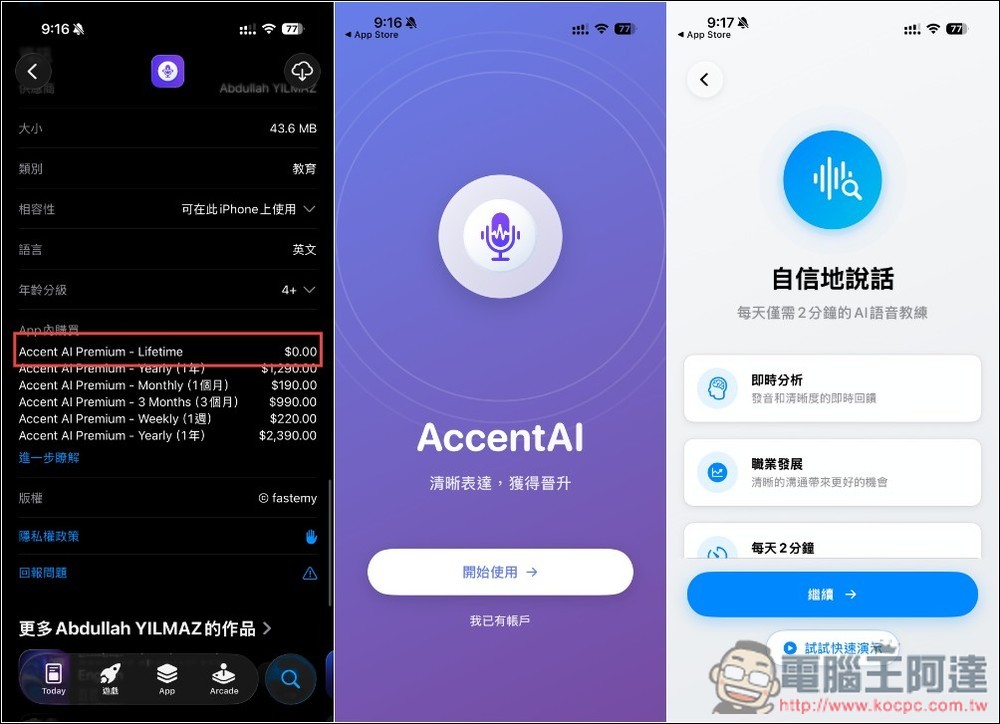
Here I’ll use the iOS version as an example. After clicking the link above to go to the App Store page, you can first check whether the Lifetime option under In-App Purchases is $0. If it is, there’s a high chance the lifetime version is still available for free. When you first open the app, you’ll see a brief feature introduction:
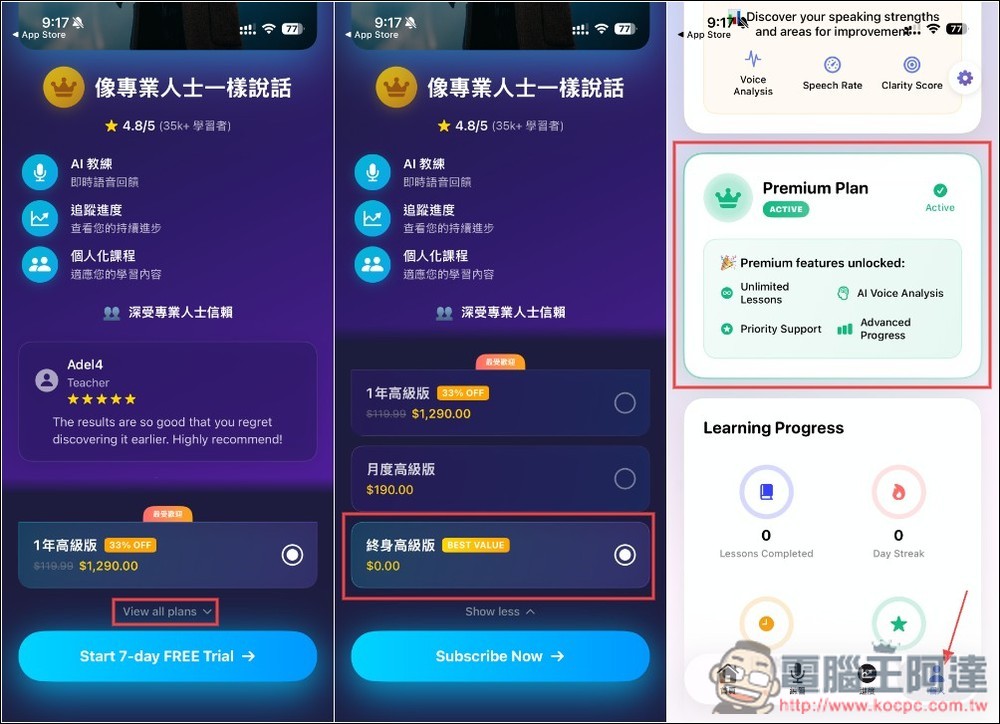
When the payment plan screen appears, be careful not to tap Next right away. Tap “View all plans” below to see the “Lifetime Premium” plan, and before confirming, make sure the price is 0. Once you’re on the main screen, open the profile menu and check whether it shows “Premium Plan ACTIVE.” If it does, you’ve been upgraded to the Lifetime Premium plan.
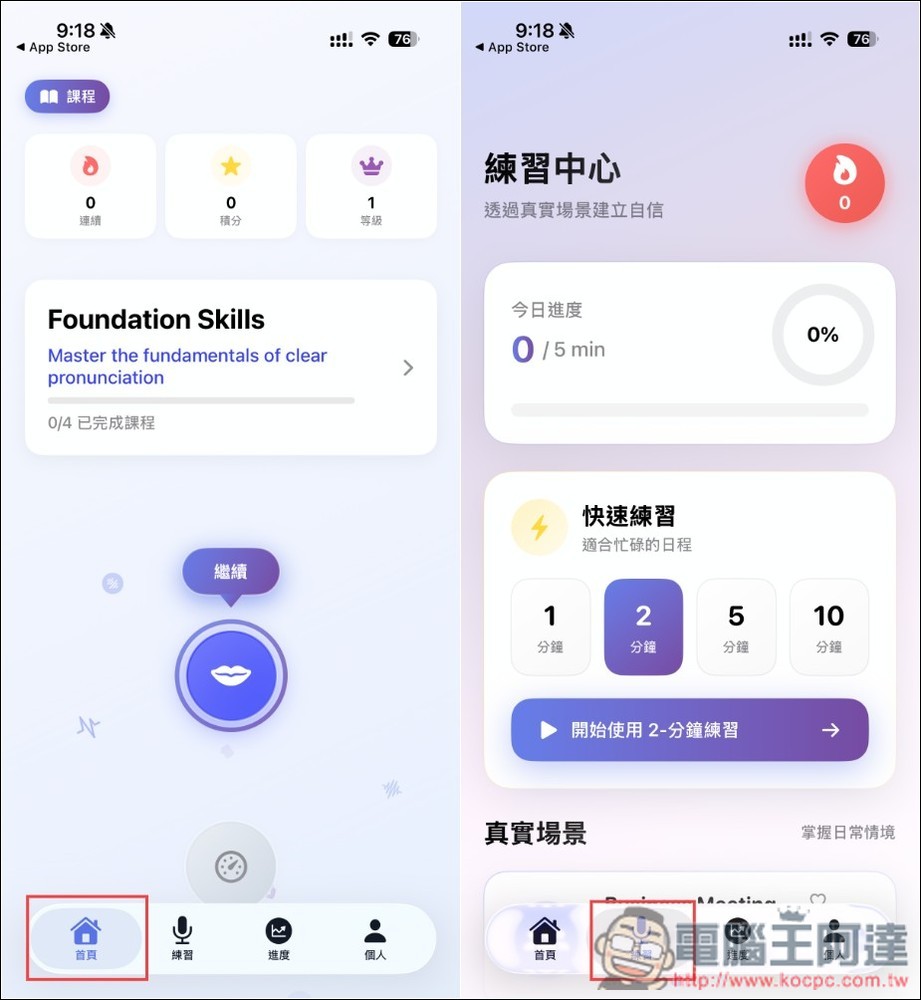
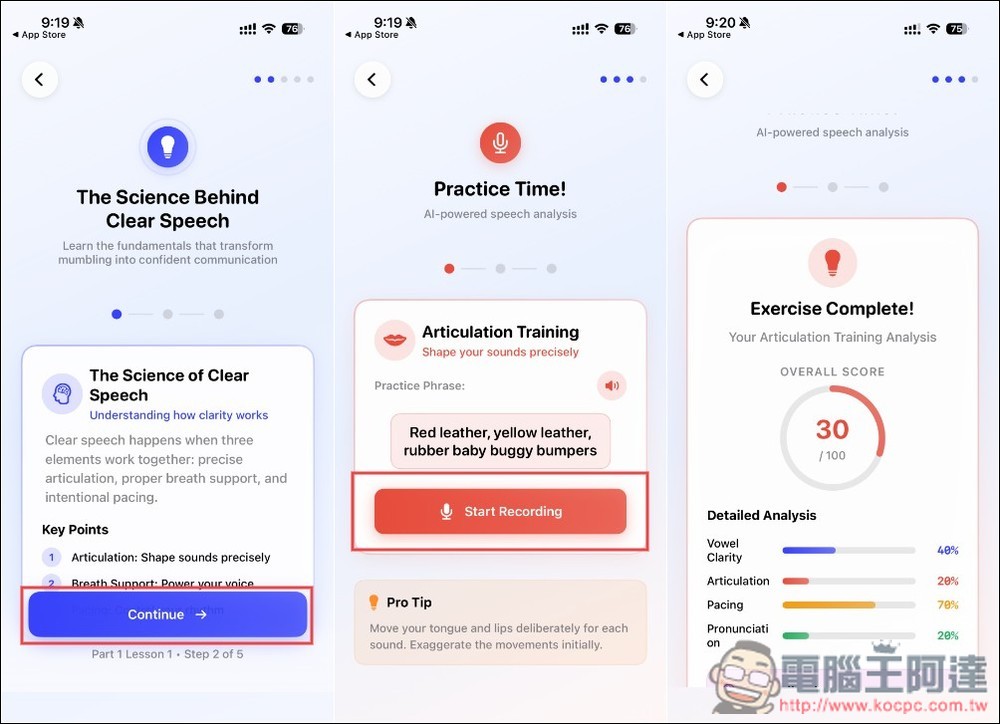
It offers two learning modes: the homepage section is “Courses,” and there’s also a “Practice Center”:
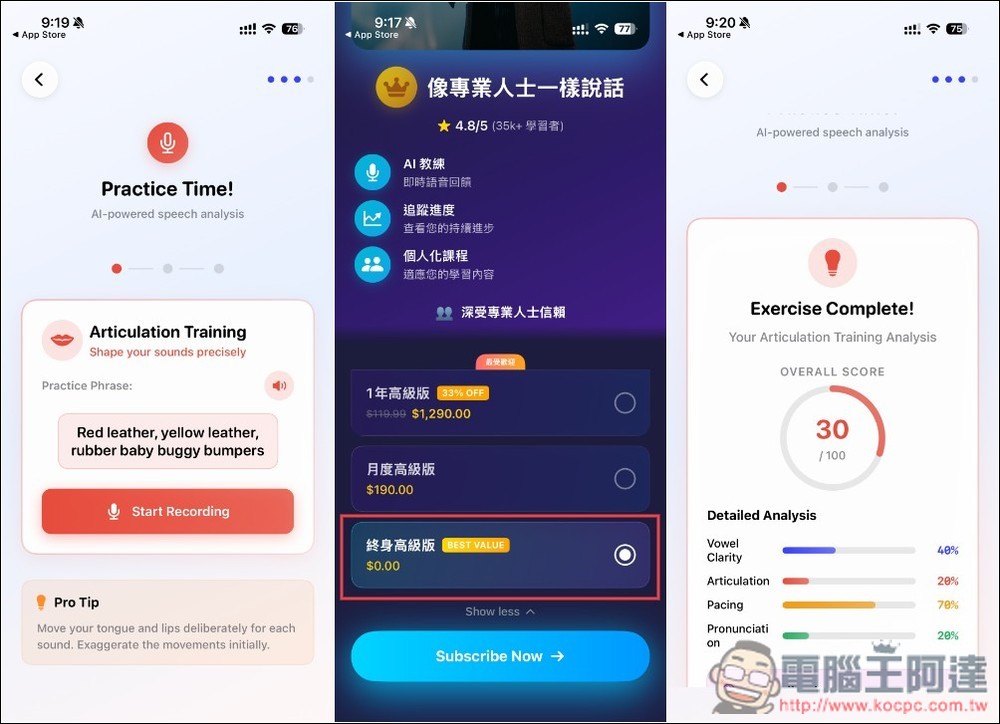
The course content is all focused on English pronunciation. After you finish reading, the AI immediately analyzes your pronunciation score and tells you which areas need improvement. Also, although the app’s home screen is now available in Traditional Chinese, the course content is still in English and hasn’t been fully localized into Chinese:
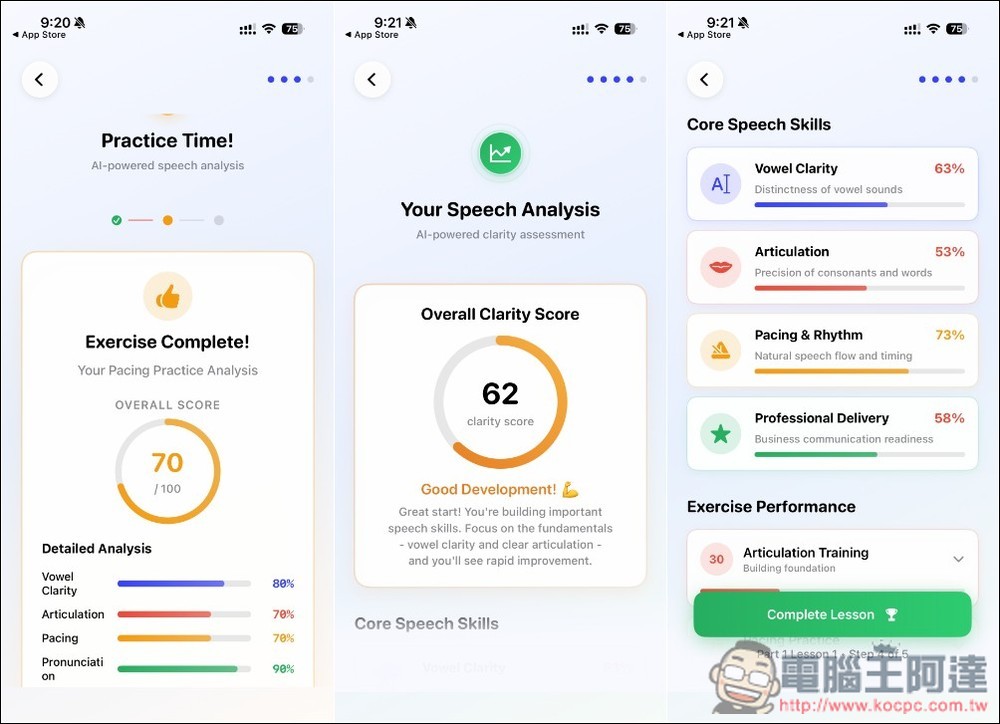
After completing each lesson, you will also receive an overall score and a comprehensive report:
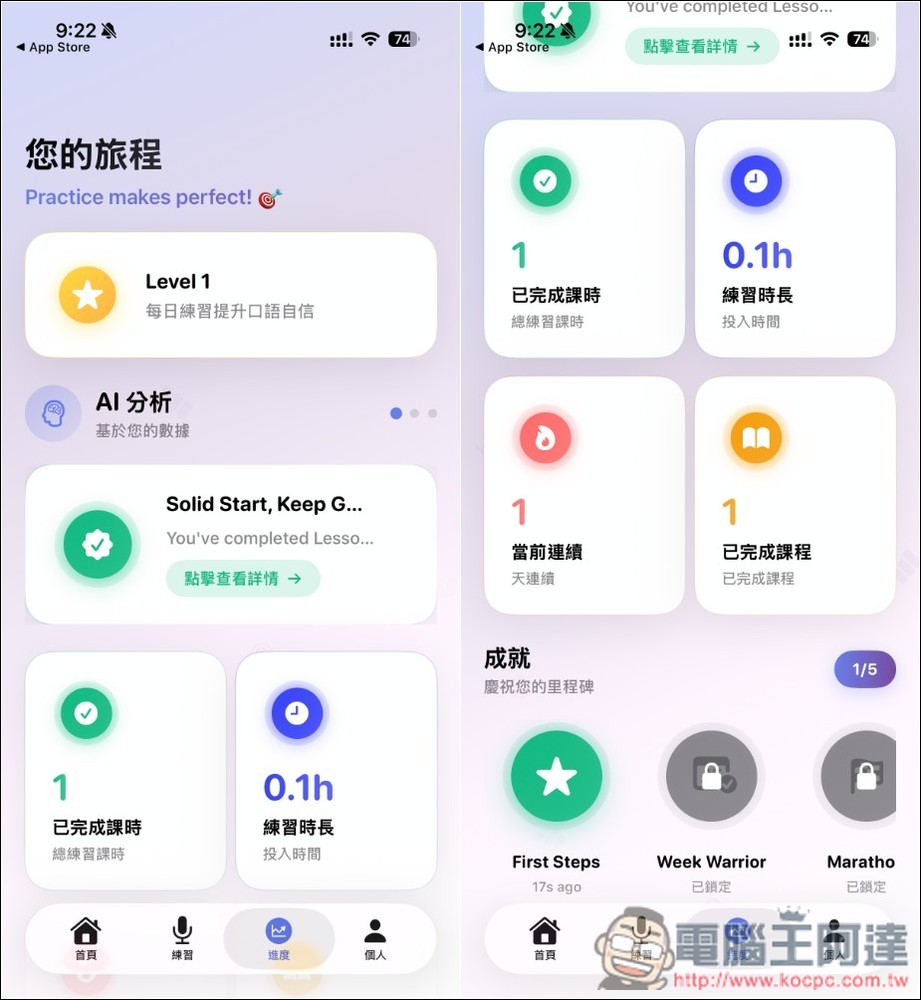
Of course, there’s a progress feature too:
Source: KOCPC Chinese