


When driving or riding a bicycle in Taiwan, the most troublesome thing is not only the traffic jam, but also the unknowinglyspeedingOr the red lines of technology enforcement.speed cameraThe number of vehicles is getting more and more intensive, and mobile, zone speed measurement, and technological law enforcement are taking turns. Just relying on memorizing routes or driving slowly based on feeling is still very risky.
At this time, a speed warning tool that can provide instant reminders and fast data updates has become a daily necessity for many drivers.
In addition to using the familiar ones to passers-byAegisSpeed camera app, another one recently launched by Mio The launch of “Mio Speed”free App is just another new option. It does not focus on fancy functions, but focuses on “reminding you to slow down at critical moments”, making driving more secure and less stressful.
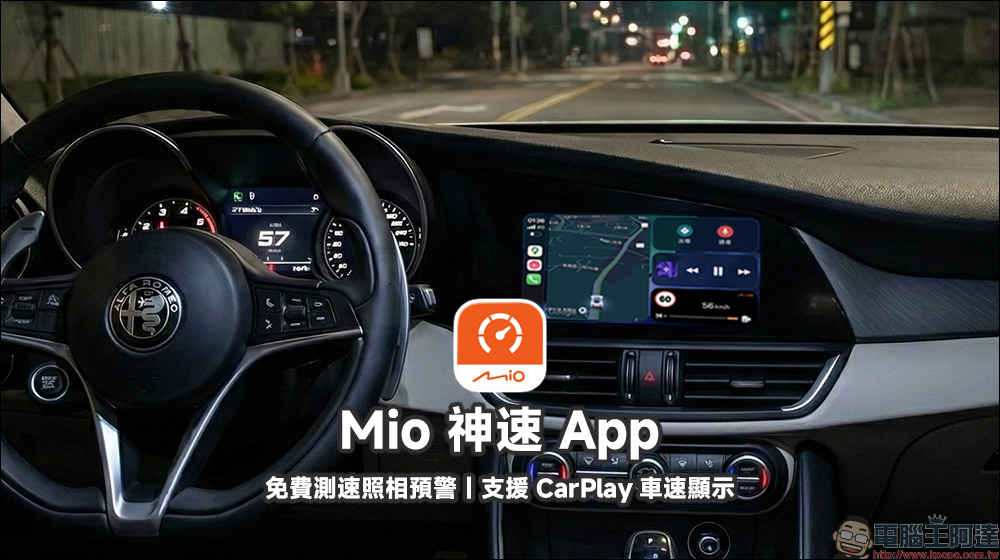
Mio’s free speed camera warning app: CarPlay speed display, technology law enforcement road section reminder in advance, driving no longer relies on memory to gamble on luck
Whether you are a motorcyclist who commutes to get off work every day or a car driver who drives on the highway during holidays, most of them have had this experience: even though they were not driving very fast, they still received a speeding ticket. The reason is actually very simple. Today’s speed measurement and technological law enforcement are no longer fixed points. It is really difficult to completely avoid them just by relying on memory or navigation prompts.
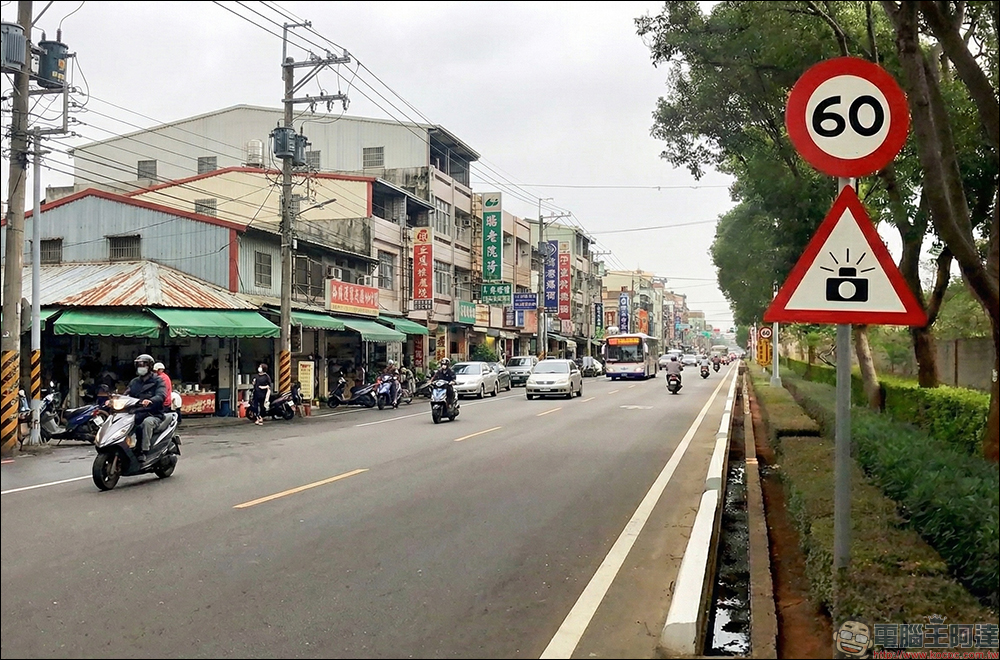
In addition to the necessary Aegis speed camera App , there is now another speed camera warning app to choose from. The “Mio Speed” introduced this time is not positioned to replace navigation, but to become an instant reminder assistant when you are driving.
It integrates the road and speed measurement database accumulated by Mio for many years, covering various types such as general speed measurement, interval speed measurement, technology law enforcement, mobile speed measurement, ramp speed measurement, etc. The data is updated frequently and is quite close to the actual situation of Taiwan’s road environment.
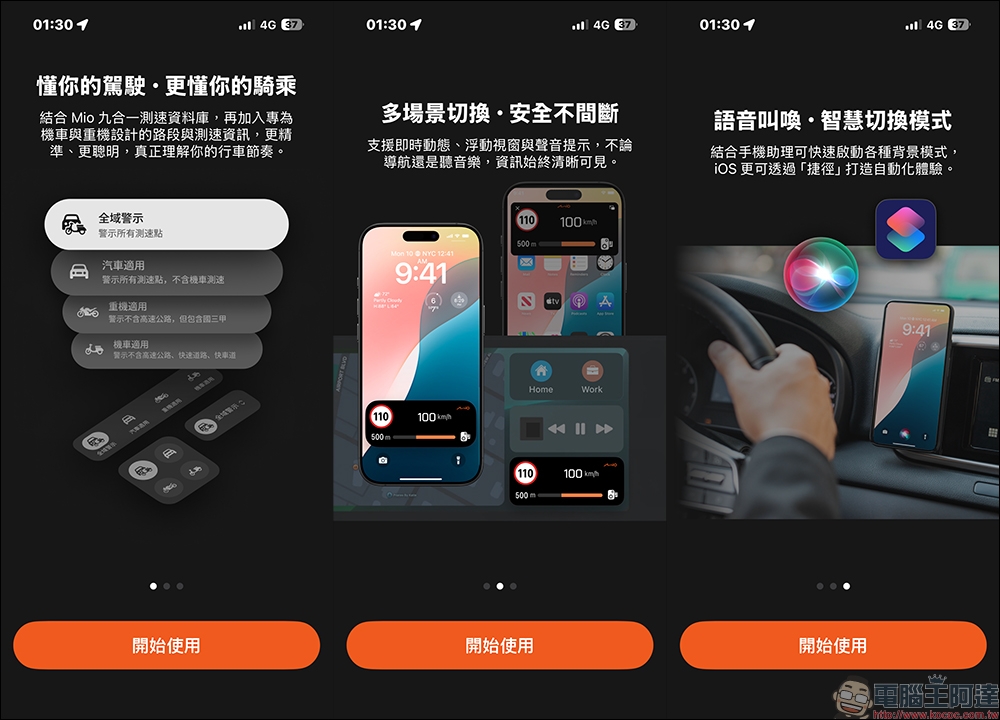
The downloading and setting process is also very simple. After the installation is completed, you only need to enable the positioning and notification permissions, and you can use it directly. There is no need to register an account and there is no subscription mechanism. This is a plus for users who don’t want to be tied down or sold. And it’s supported for both iOS and Android users.
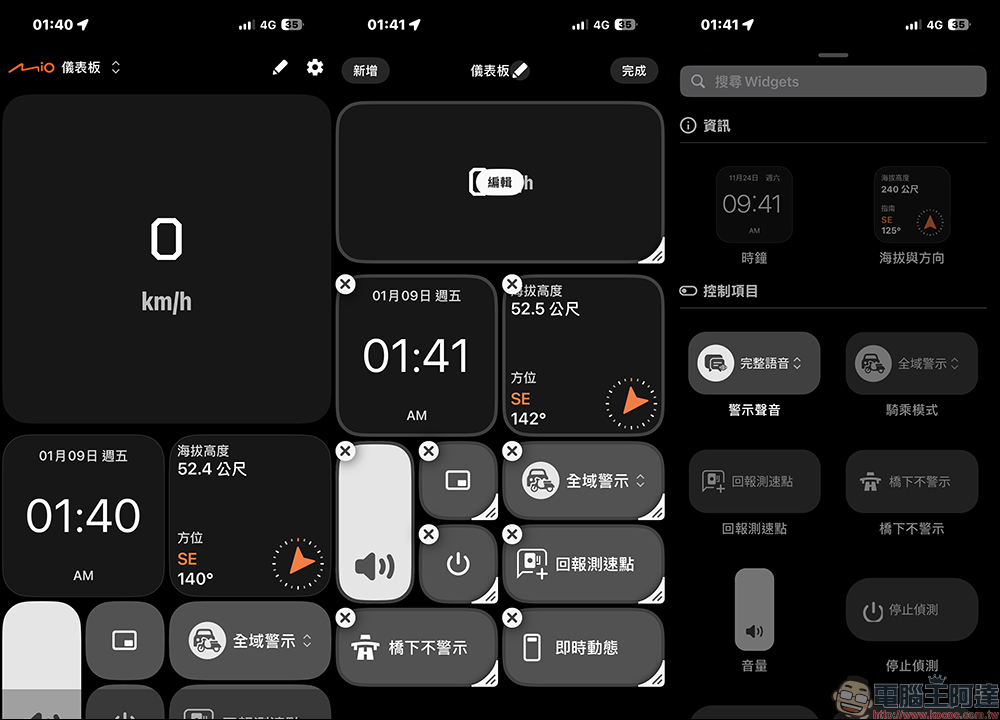
After entering the app, the screen is an intuitive dashboard design, and the vehicle speed, road speed limit and warning status can be understood at a glance. Drivers can adjust the displayed information according to their personal habits, such as putting the speed and speed limit they care about most in the most prominent position.
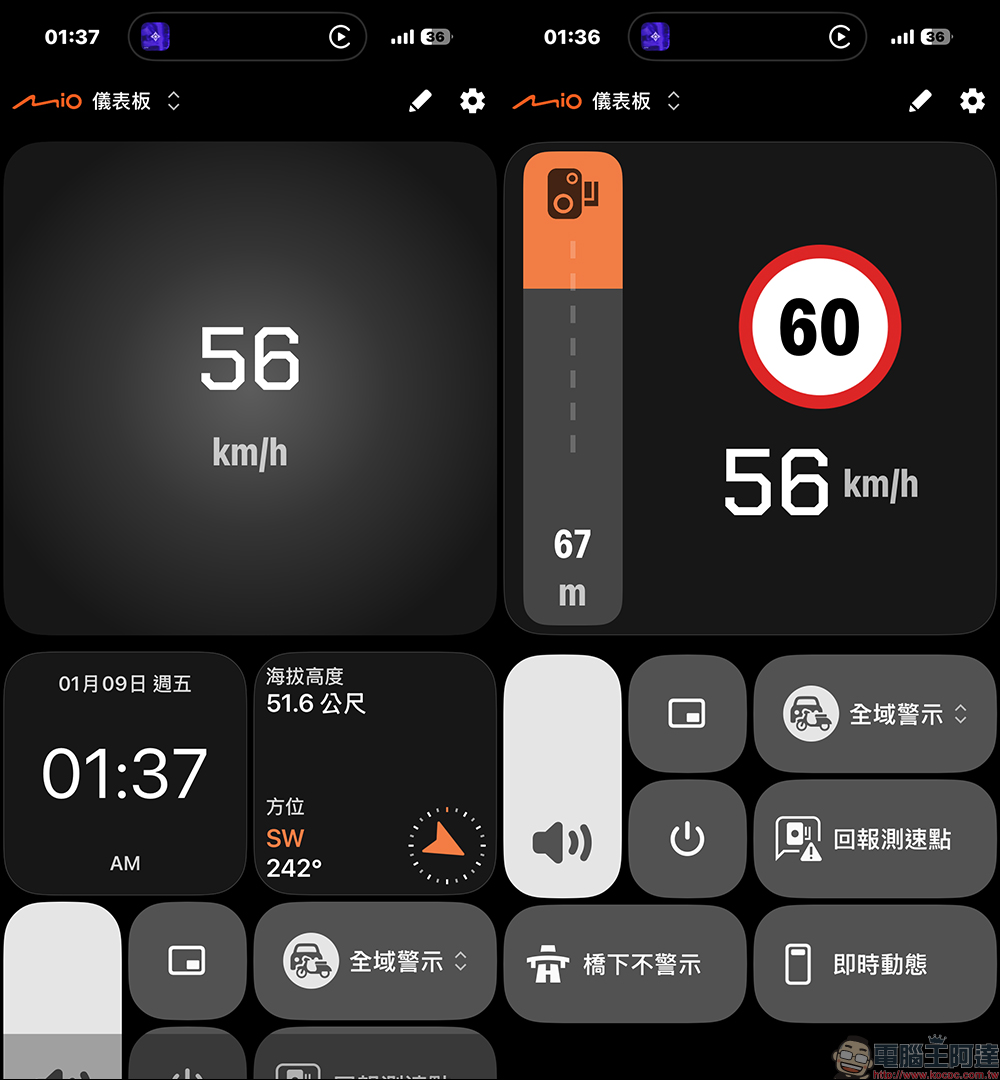
As long as you long press the information bar on the App dashboard, you can freely add, remove or rearrange it. The interface is very flexible.
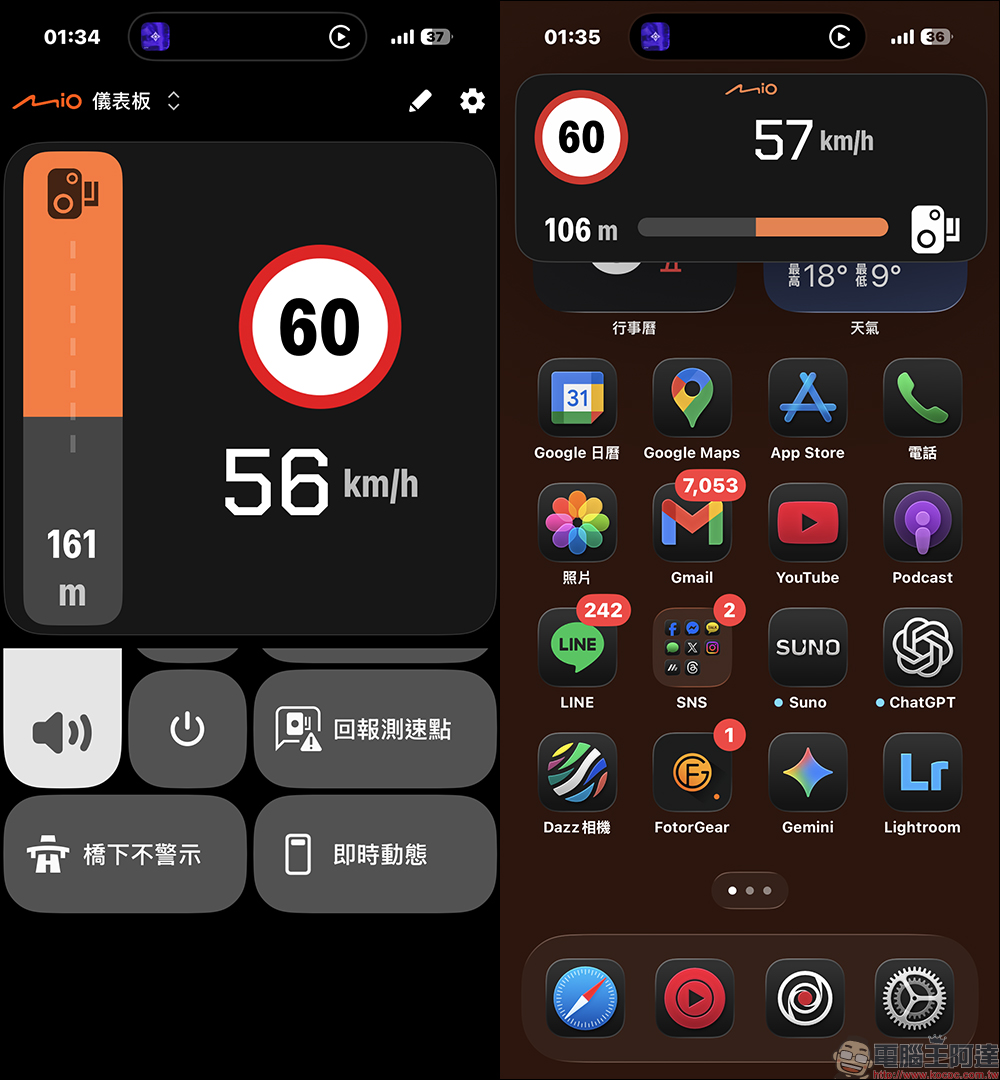
When actually driving, “Mio Speed” does not require you to stare at your phone all the time. Instead, it uses sound or visuals to remind you to pay attention when approaching speed measuring points or dangerous road sections. Even if the phone screen is switched to the navigation or music app, you can still receive alerts through floating windows or widgets without affecting your original usage habits.
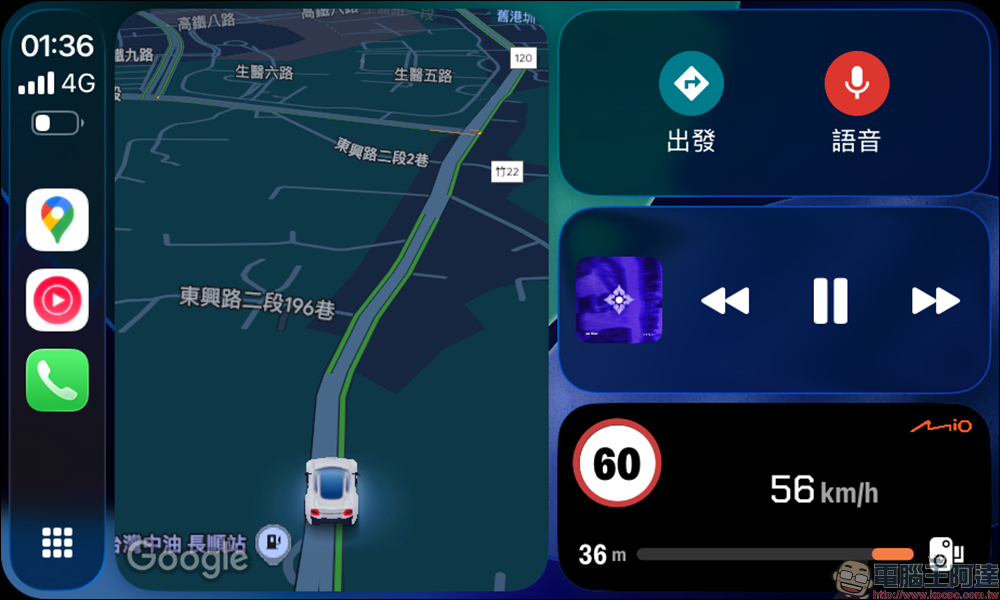
right iPhone It is more convenient for users because it can also be used with Apple CarPlay By using it, the speed camera warning information is directly displayed on the car screen without having to switch back and forth. Unlike the Aegis speed camera, the Mio Shensu App can also display real-time vehicle speed.
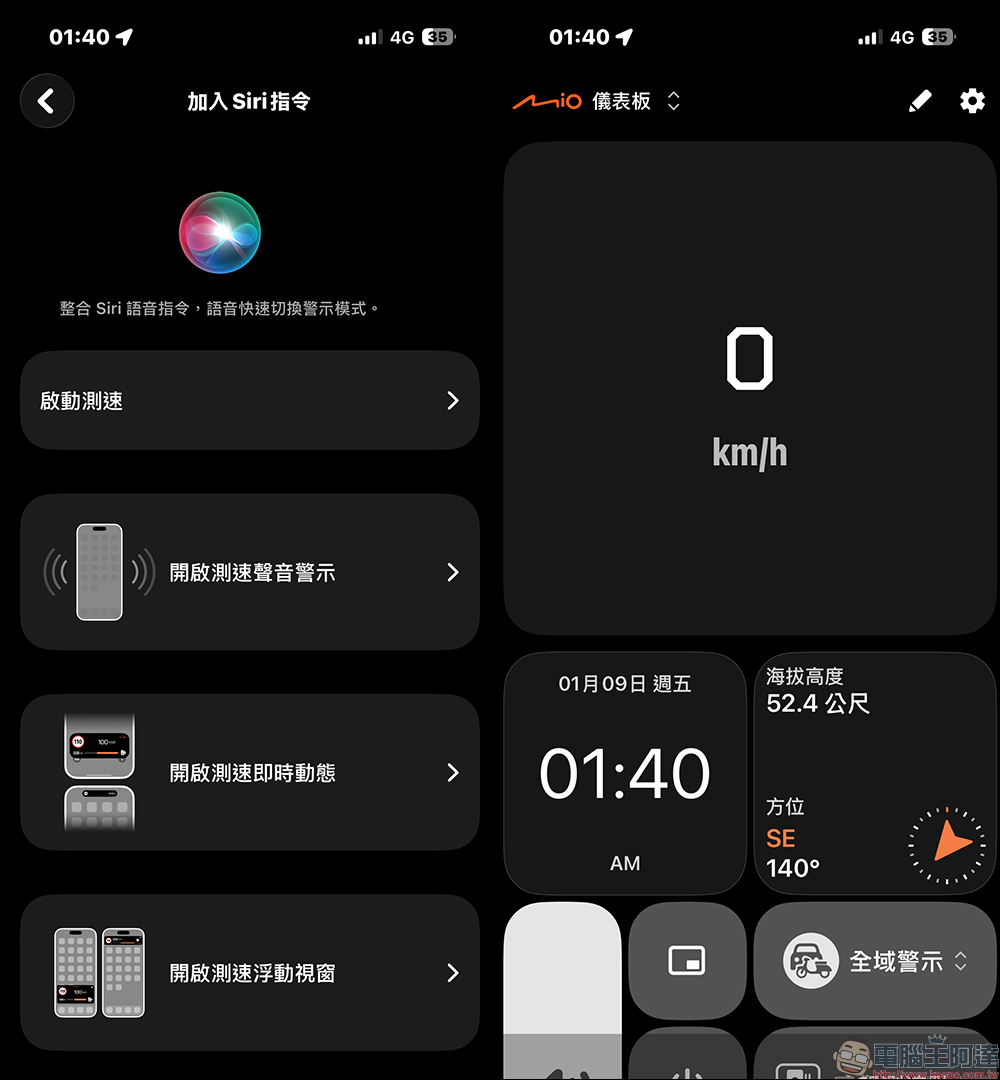
With the Siri shortcut setting, the app will be automatically launched when getting in the car, which can also save one operation process. Android users can also run it in the background without interrupting reminders.
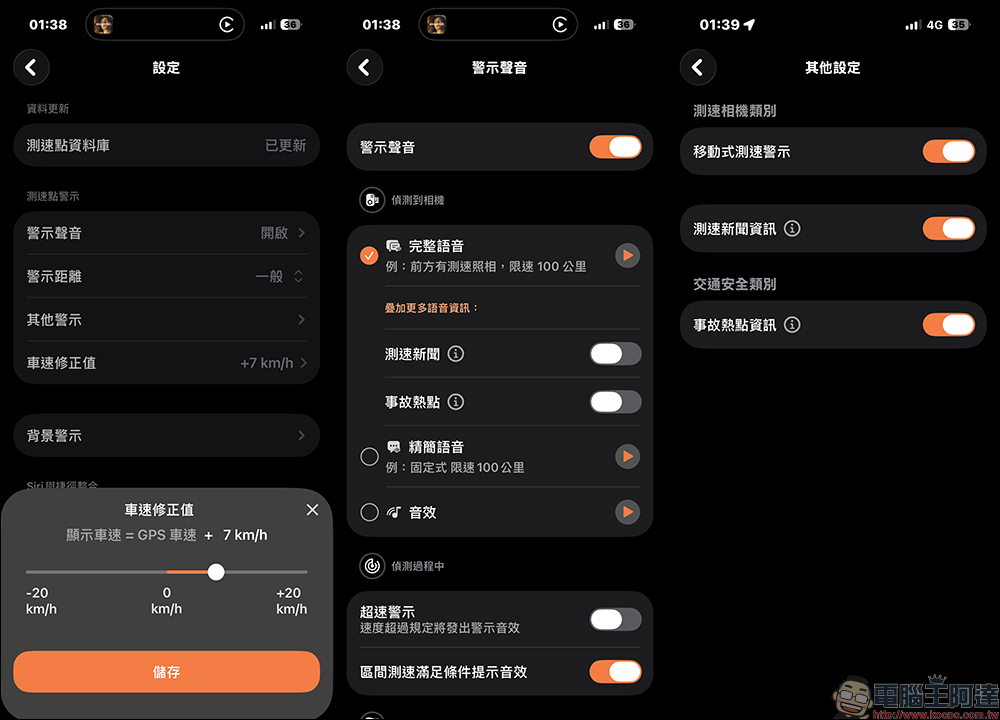
Another practical little detail is the vehicle speed correction function. There will be a gap between the instrument speed of some car models and the actual GPS speed. Users can adjust the correction value to make the displayed speed closer to the real situation and avoid misjudgment of speeding.
In addition, settings such as the warning sound for speed camera detection, speed warning, speed camera type, etc. can be adjusted in the settings.
Mio Shensu App free download:
iOS version (App Store)|Android version (Google Play Store)
Conclusion
Overall, “Mio Shensu” is not the kind of app where the more functions the better, but it is very clear about its role. It is non-intrusive and non-verbose, and only reminds you when necessary to help you draw your attention back to “should you slow down now?” This tool is just right for drivers who don’t want to spend extra money to upgrade high-end driving recorders, but also want real-time speed measurement information and fast local updates.
Paying one less ticket often not only saves money, but also reduces anxiety while driving. Leave the risk to the system to remind you, and concentrate on driving the car well. This may be the most practical value of “Mio Speed” and the most relevant to daily users.
Further reading:
Source: KOCPC Chinese