


Before traveling, more and more people are now accustomed to using booking platforms to quickly compare prices and book hotels. Among them, Agoda is almost the first choice for many people. However, there are also many people who suddenly discover something after checking out. They have spent money but can’t find it anywhere.bill. Some people thought that the hotel forgot to open it, while others simply gave up. It was not until later that they found out that the problem was not with the hotel at all, but because they missed a key setting when booking a room.
In fact, through Agoda For this type of cross-border e-commerce booking, the invoice will not automatically appear in your cloud.vehicleHere, you need to complete a specific household registration process in advance. If this detail is not noticed, it will be difficult to remedy it even after the stay is over. This article will give you the most complete explanation, so that you can understand at one time why there is no invoice for Agoda booking, and how to get the cloud invoice.
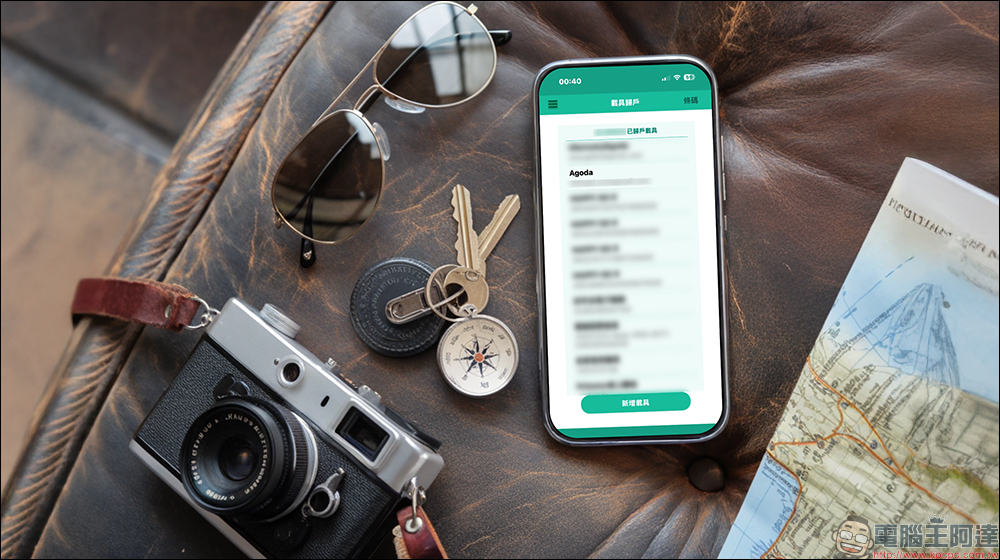
It turns out that Agoda does not automatically issue invoices when booking a room? Understand cross-border e-commerce vehicle settings once and get cloud invoices (tutorial)
When many people encountered this situation for the first time, their instinctive reaction was to go to the counter and ask. However, the hotel staff said that the platform collected the payment for the order, and the hotel itself could not issue an invoice. Only then did I discover that through the OTA platformBook a room, the cash flow structure is different from booking a room directly with a hotel.
Agoda is a cross-border e-commerce platform, and the actual payee is not a hotel operator in Taiwan, but an overseas company. Therefore, the invoice will not be issued by the hotel on site, but in the form of a cloud invoice, which will be issued by the platform in accordance with Taiwanese regulations. The problem is that this cloud invoice will not automatically enter your personal vehicle.
Because of this design, when many users use Agoda to book domestic hotels for the first time, they are completely unaware that additional settings are required. By the time they discover that there is no invoice, the time to remedy the situation has often passed.
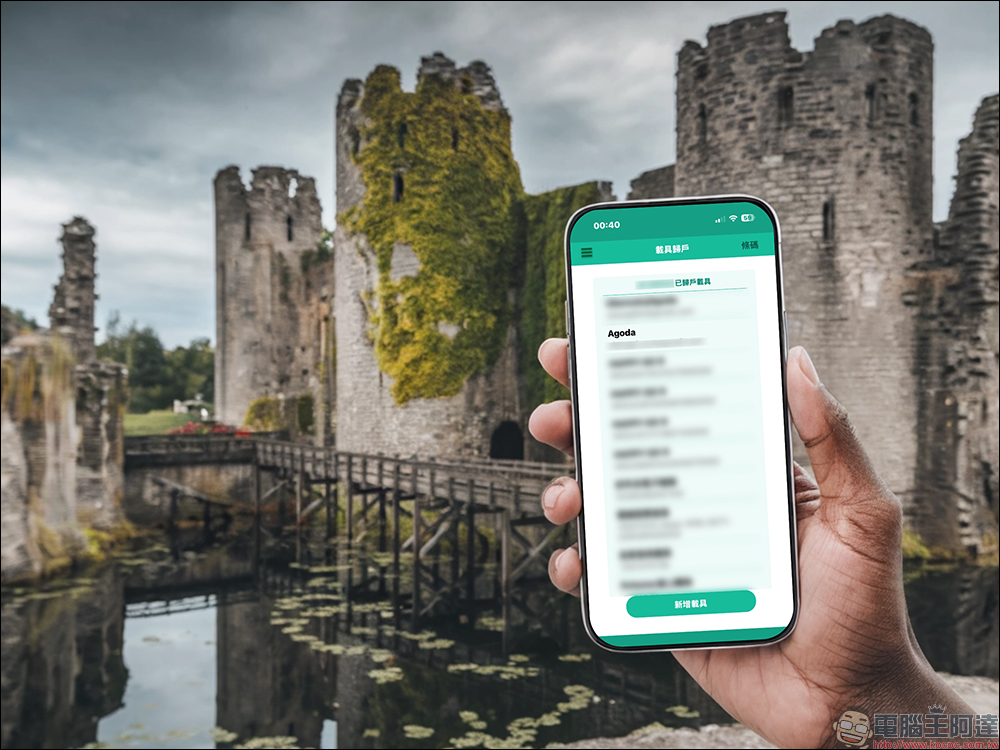
Here’s the key reason: you haven’t set up “Cross-border e-commerce vehicle return home”
The real key is actually “the return of cross-border e-commerce vehicles”. As long as you complete this step, when you use Agoda to book a room in the future, the system will automatically assign the cloud invoice to your vehicle based on the email you provided.
Many netizens shared that they only discovered belatedly that there were no invoices for the hotels they had previously booked in Kaohsiung, Taichung or Taipei. It was not that the platform had not been opened, but that the household registration settings had not been completed at all. This kind of situation is actually very common, especially for people who usually use cloud invoices but have only set up general consumption vehicles, it is easier to ignore cross-border e-commerce.
How to set up the home ownership of cross-border e-commerce vehicles? Actually only 3 steps
The good news is that the entire setup process is simpler than imagined. It can be completed through the official unified invoice redemption app of the Ministry of Finance. It only needs to be set up once, and all subsequent purchases using the same mailbox will be automatically credited to the account. The relevant setting process is as follows:
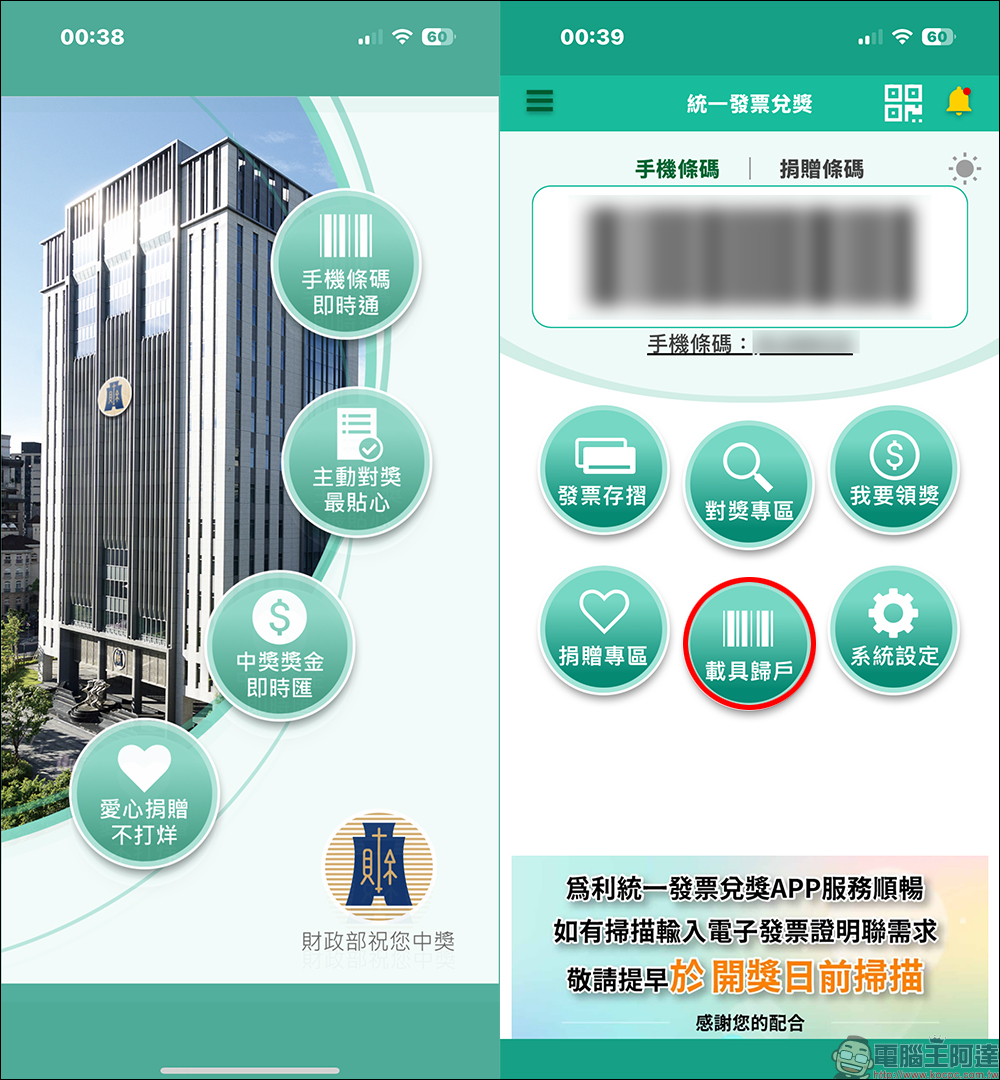
Step 1. Open the “Unified Invoice Redemption” App
Open the “Unified Invoice Redemption App” of the Ministry of Finance and enter the vehicle return function.
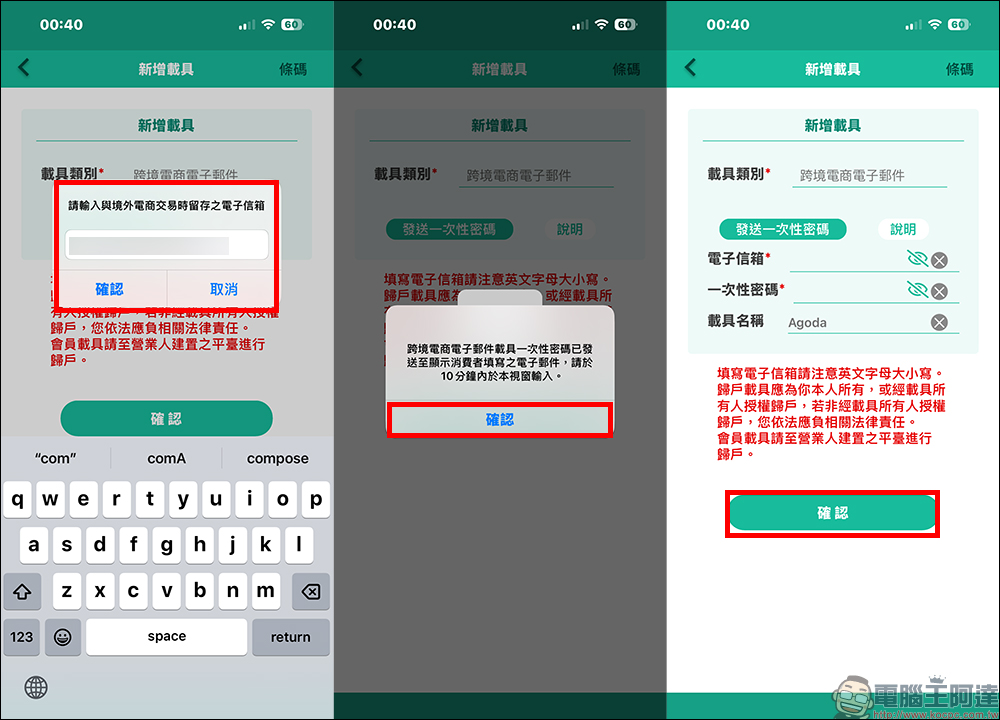
Add new vehicle
On the vehicle registration page, click “Add Vehicle”. Find “Cross-border e-commerce email” from the vehicle category, and then click “Send one-time password”.
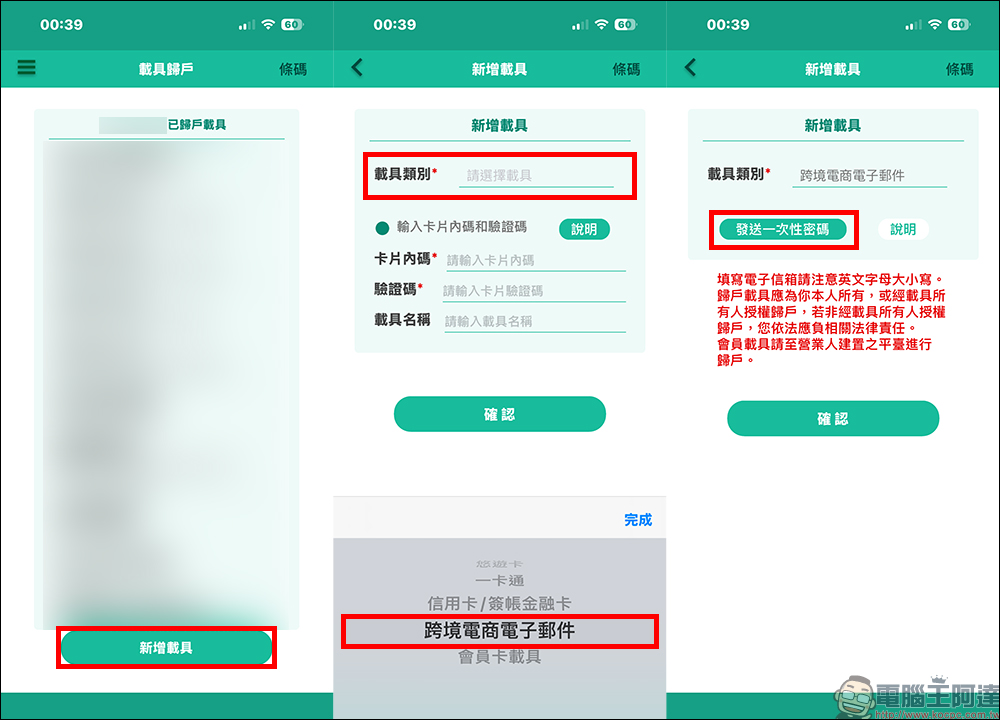
Enter email address and one-time password
Enter the contact email address you use on the cross-border e-commerce platform. This email address must be consistent with the email address you filled in when booking a room on Agoda. At this time, the system will send a one-time password to the mailbox. Go back to the Unified Invoice Redemption App and enter your email address and one-time password. You can also add the vehicle name for easy identification. Finally, press “Confirm” to complete the home registration setting.
Confirm vehicle return list
Finally, confirm whether there are new vehicles on the vehicle home page.
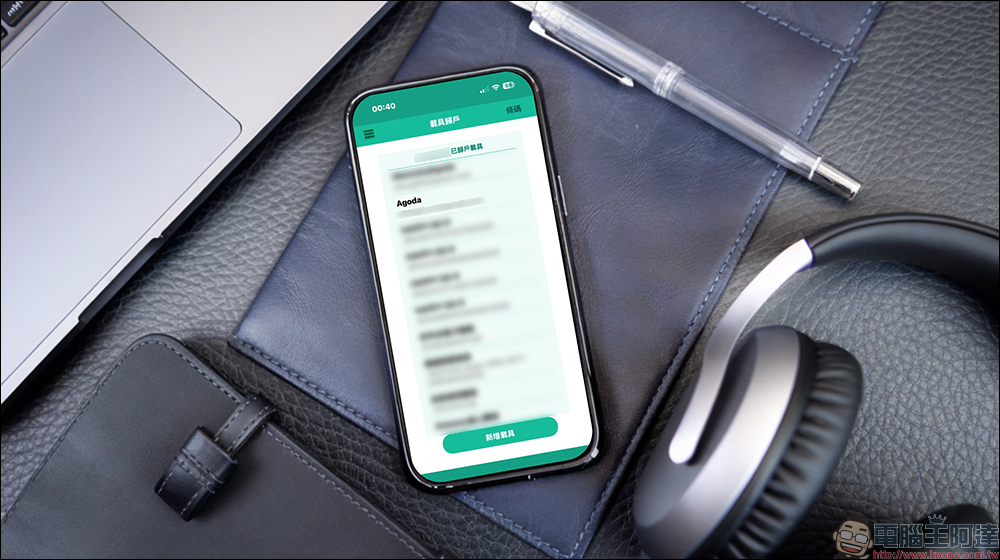
The entire process usually takes less than 5 minutes, which is great to handle before your next booking to avoid having the same hassle later.
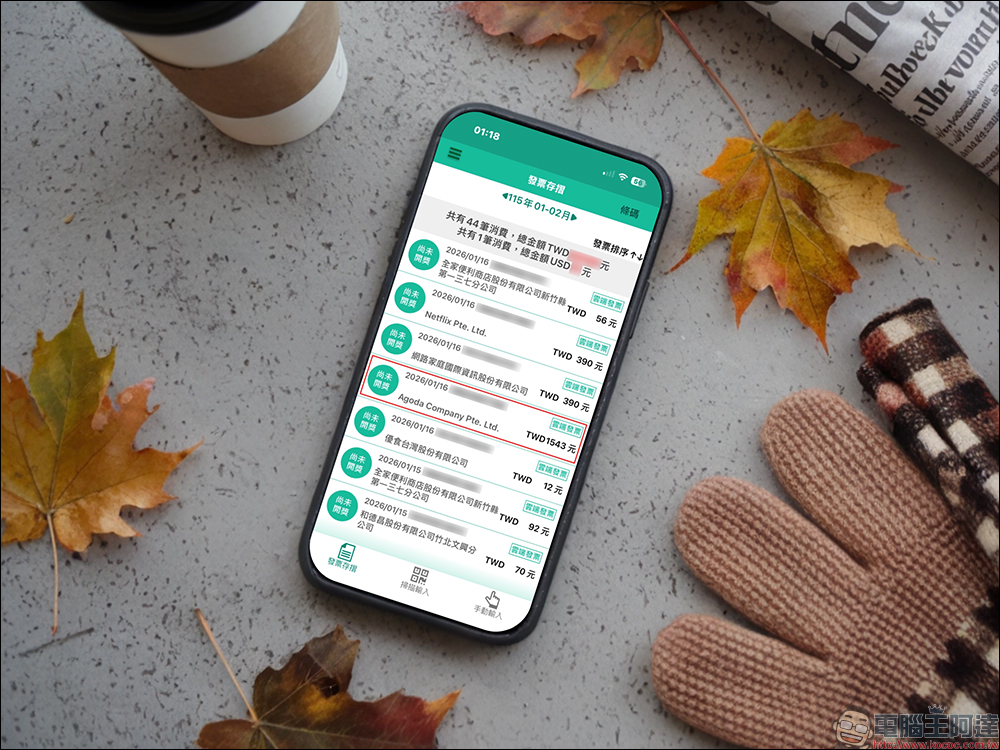
Which cross-border e-commerce companies actually apply this setting?
In fact, it is not just Agoda. There are now more and more overseas platforms. As long as they issue invoices to Taiwanese users, they fall within the scope of cross-border e-commerce. Services such as common video and audio streaming Netflix, Spotify, YouTube, App Store, Google Play application platforms, and many online booking platforms such as Airbnb, as long as there are consumption records, can be returned to cloud invoices in the same way.
In other words, as long as you frequently use the same email address for overseas platform purchases and set up the cross-border e-commerce vehicle, it will not only solve the problem of room reservation invoices, but also centrally manage invoices for other digital purchases, making it more convenient to redeem rewards.
Conclusion
There is no invoice for Agoda booking. This is not because the platform is irresponsible, but when most people use it for the first time, they don’t even know that they need to set up additional cross-border e-commerce vehicles to return home. This small detail is often discovered only after checking out, and it is too late to remedy it, which inevitably makes people feel regretful.
If you are already using cloud invoicing, it is recommended to spend a few minutes to set up the cross-border e-commerce vehicle at once. In the future, whether you are booking domestic hotels or other cross-border digital services, it will be automatically returned to your account, and you will no longer have to worry about invoice issues. Before preparing to travel next time, you might as well check this setting first. Sometimes, it is these small places that are easily overlooked that really affect the experience.
Further reading:
Source: KOCPC Chinese