


When audio and video content gradually becomes a part of daily communication, whether it is work presentations, social sharing or travel records,videoFiles can often be hundreds of MB or even several GB in size, and people often get stuck in the dilemma of “cannot transfer” or “insufficient space”. Although there are many compression tools on the market, most of them need to be uploaded to the cloud for processing, which may cause some doubts for those who value privacy. The efficiency may also be slowed down by network speed.
A recent one created by Taiwanese developersfreeon-linevideo compressionThe tool has quietly attracted attention. It not only emphasizes that all operations are completed locally, but also introduces GPU hardware acceleration technology to greatly shorten the waiting time. What practical designs does this tool have? Is the operation really simple? If you work with videos often, you might want to add it to your favorites list.
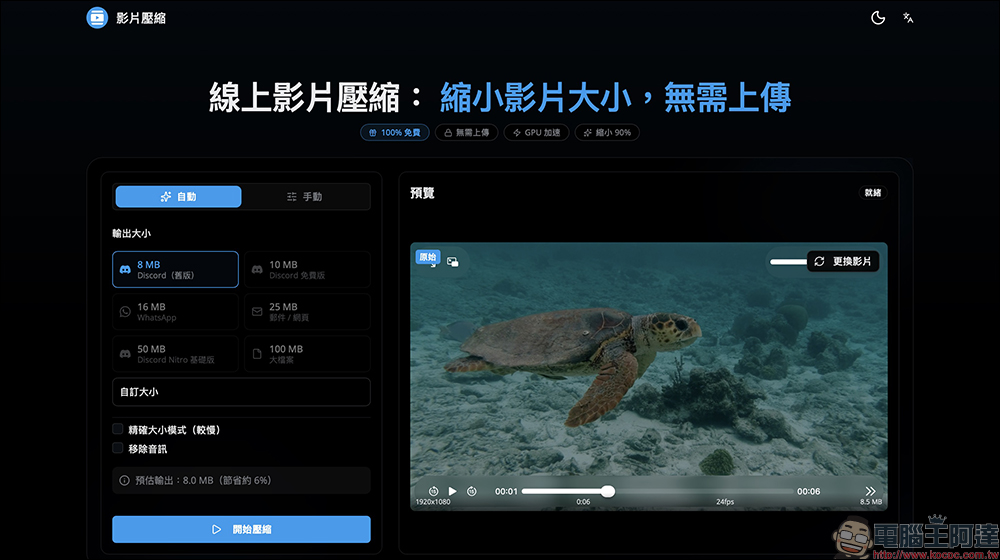
Is the video too big to be uploaded? Try this “Online Video Compression” free video compression tool!
When talking about “compression” in the past, most people would immediately think of image processing. Through lossless compression technology, the capacity can be reduced with almost no impact on image quality, making files more convenient to store and share. However, when the content is upgraded from static images to dynamic videos, the problem becomes much more complicated. Not only do videos have a larger capacity, but they also have more diverse formats. Without the right tools, it’s easy to waste a lot of time waiting for conversion.
The “online video compression” tool that has been discussed by many creators recently is a free service created by Taiwanese developer Charles. If you have ever used his video to image conversion tool, you should be familiar with its concept of “100% native processing”. Simply put, all compression operations are completed in your browser, and the video does not need to be uploaded to any server, which naturally reduces the risk of data outflow. This is especially important for people who often work with commercial material, internal meeting minutes, or personal videos.
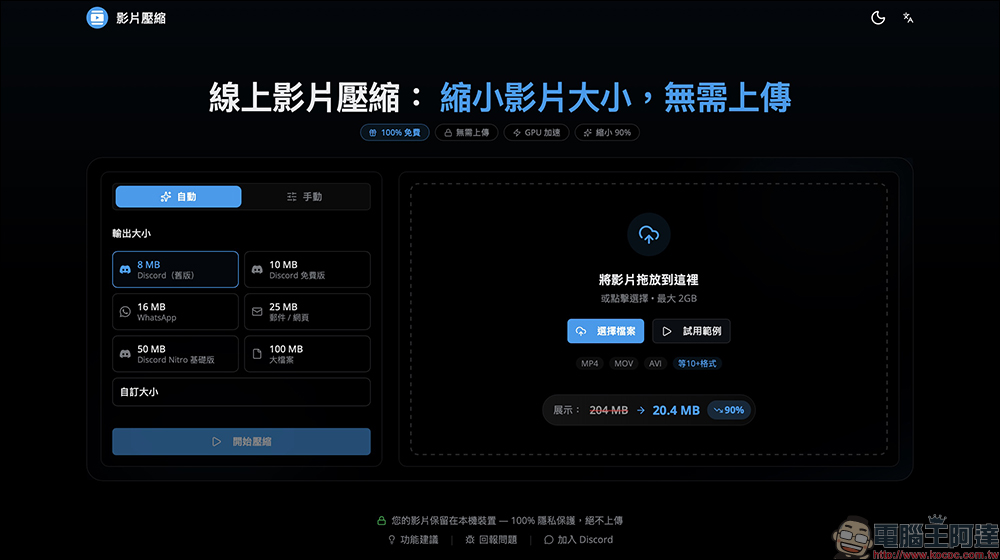
In addition to privacy benefits, speed is also a highlight of this tool. Traditional online compression mostly relies on CPU for calculations and has limited performance. However, this service supports GPU hardware acceleration by default and directly calls the graphics card resources to process images. The actual somatosensory difference is quite obvious, and the official even pointed out that the speed can be more than 10 times that of traditional CPU. For videos that often weigh several gigabytes, waiting a few minutes or even ten minutes less can greatly improve work efficiency.

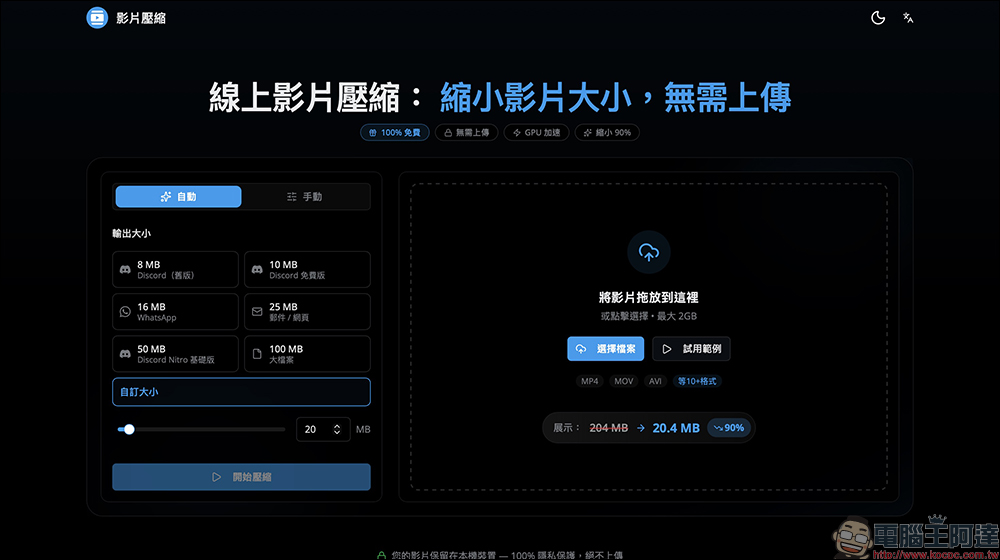
In terms of support, the tools also show a high degree of flexibility. The website can handle up to 2GB of single video and supports more than 10 common formats such as MP4, MOV, MKV, AVI, WebM, etc., basically covering the file types output by most mobile phones, cameras and editing software. What’s even more considerate is that the system has built-in multiple output size options, such as capacity settings suitable for Discord, WhatsApp, email, or web use, so users don’t need to additionally check the limitations of each platform.
The operation is simple and intuitive, and even novices can get started quickly.
The actual operation process is also quite intuitive. After entering the website, just select a file from the right or drag the video directly to start. If you want to familiarize yourself with the function first, you can also load a sample video to test.
Compression modes are divided into two types: “automatic” and “manual”. The automatic mode is suitable for users who want to complete tasks quickly. As long as you select the target size, the system will automatically calculate the best parameters and start processing, with almost no additional settings required.
For users who are more sensitive to image quality, manual mode will be more attractive. You can crop the image, adjust the resolution, and even change the frame rate and audio bitrate. Although these details may seem professional, they are often the key to the final capacity. For example, moderately reducing the resolution or deleting unnecessary images can effectively reduce the file size.
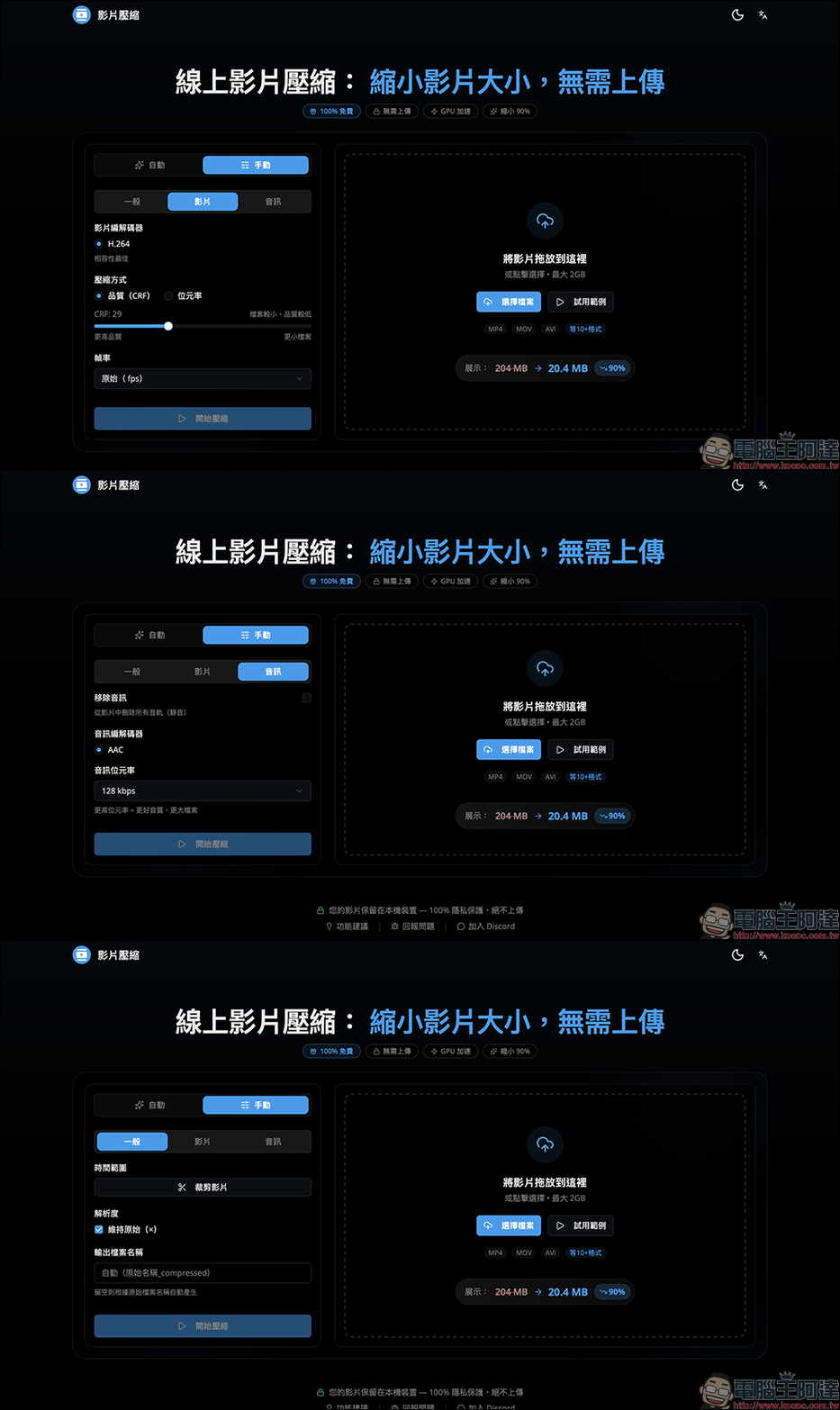
Advanced settings also include compression method selection, such as policy adjustments that favor image quality or bit rate. For editors or content creators, these features provide greater freedom without being restricted by a single algorithm.
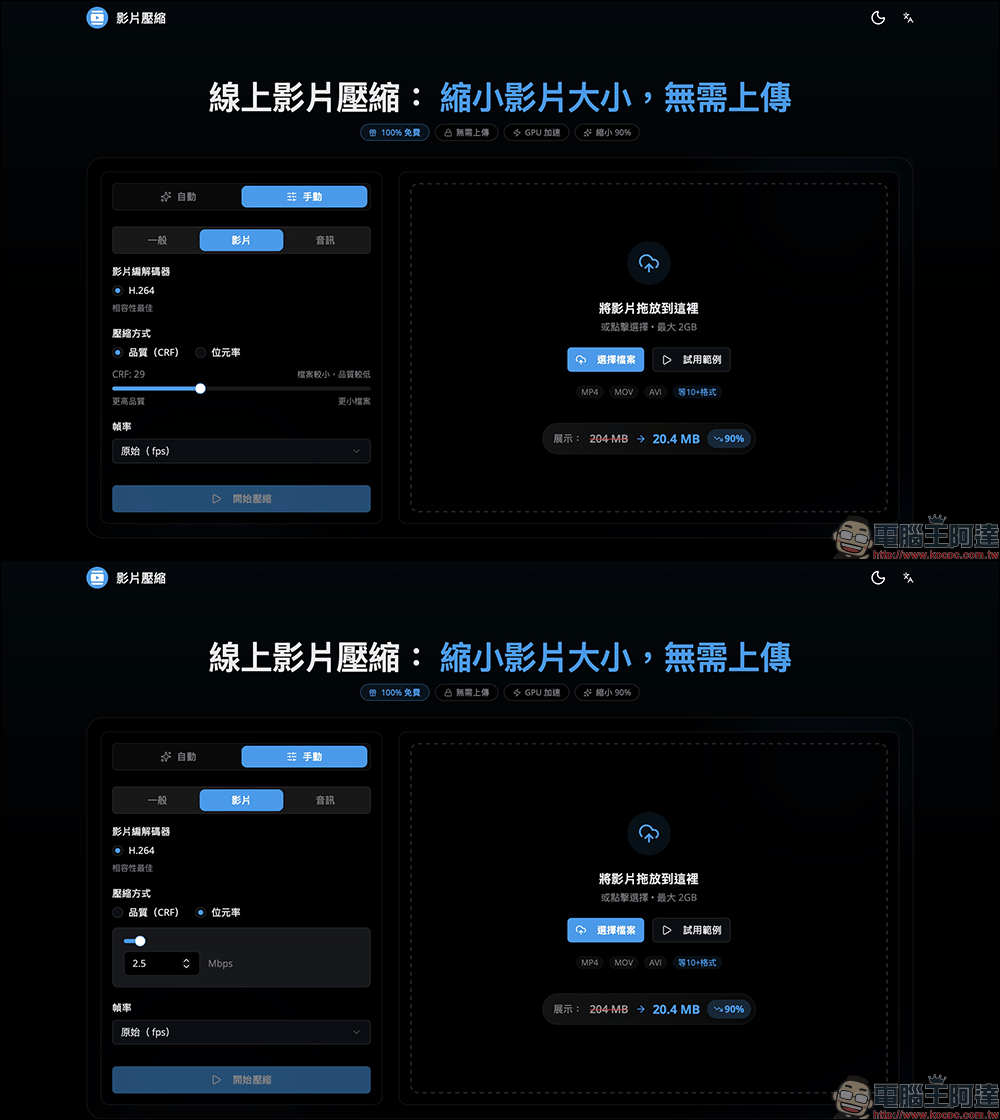
Worth mentioning is the “Exact Size Mode”. When enabled, the compression time will be longer, but the advantage is that the output capacity can be closer to the set value. If you need to keep your video within a certain limit, such as attachment restrictions or submission specifications, this function of being able to enter the desired file size will be very useful.
Of course, compression still has physical limits, and it is impossible to reduce a 500MB video to 5MB, so you still need to strike a balance between quality and capacity when setting. The interface will simultaneously display the estimated output size and the saving ratio to help you quickly determine whether it meets your needs.
After the compression is completed, the screen will display the proportion of saved capacity and provide a draggable comparison axis, allowing you to directly compare the screen differences before and after compression. This visual design not only enhances trust, but also makes it easier for users to determine whether parameters need to be reset. After previewing and confirming that the result is OK, click the “Download Video” button.

The most important thing is that the entire process is completed locally, leaving no cloud copy. In an era where data security is increasingly valued, such a design undoubtedly makes people feel more at ease.
Video Compressor online video compression
Conclusion
In an era of rapid growth in audio and video content, it is not easy to find a tool that balances efficiency and privacy. This free online video compression service launched by Taiwanese developers uses local computing and GPU acceleration to significantly reduce waiting time and avoid concerns about file leakage. From multi-format support to detailed manual settings to intuitive operation processes, they all demonstrate a high degree of practicality.
You may not use video compression every day, but when files are too large, transfers are limited, or device capacity is tight, having a reliable tool can often come to the rescue. Instead of searching online randomly, it is better to bookmark such services first. Next time you encounter a video that needs to be “slimmed down”, maybe you can quickly solve the problem by just opening the browser, so that creation and sharing are no longer bound by capacity.
Further reading:
Source: KOCPC Chinese