


LINE The mobile version has recently quietly added a free versionFont“Wending VF White Jade Calligraphy” brings new changes to the chat room text style. This font has slender strokes, obvious horizontal and vertical contrast, and a rounded design. The overall look is fresh and a bit literary.
Users do not need to download additional apps and can quickly apply it through LINE’s built-in settings. This article will introduce you to the design features of Baiyu calligraphy, and teach you step by step how to download and change fonts in LINE to make your daily chat screen more fresh.
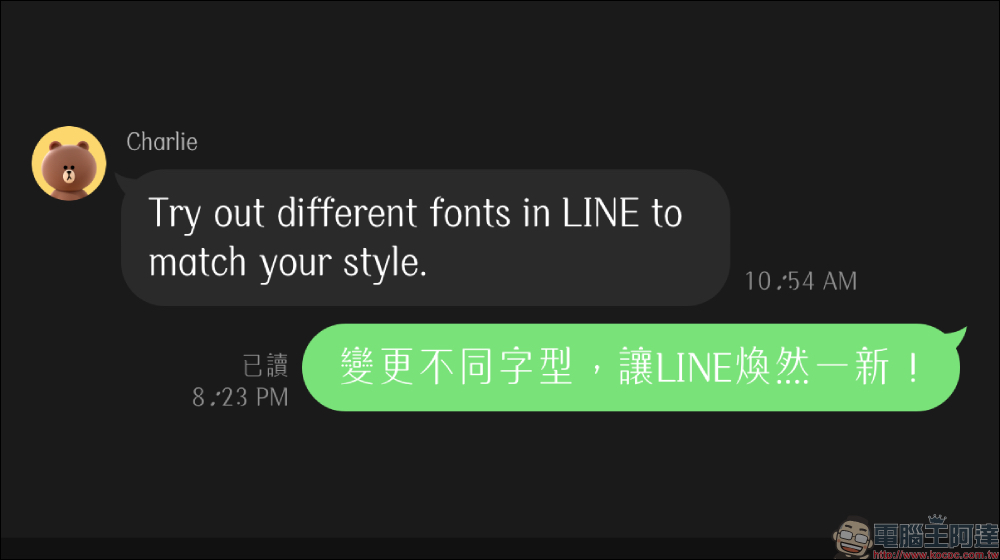
LINE’s free new fonts are here! Wending White Jade calligraphy has a youthful feel and can be applied quickly in 3 steps
Speaking of LINE fonts, many people may not know that the mobile version currently supports font switching in a variety of different styles. Users do not need to download third-party fonts or install additional apps. With simple adjustments in the settings, the text style of the entire LINE interface can be completely renewed. The newly added font this time is called “Wending VF White Jade Calligraphy”. The overall style has a completely different temperament than the original font, so it was quickly shared by netizens on social platforms.
Currently, the mobile version of LINE mainly provides three font options, namely the system default font, Coriander font, and the newly added White Jade font. Each of the three has different design styles and is suitable for users with different usage habits.
The first is the system default font. The biggest feature of this font is its stability and clarity. The stroke structure is quite standard and the reading recognition is also the highest. For the elderly or people who need to read messages for a long time, default fonts are still the safest and most comfortable choice.
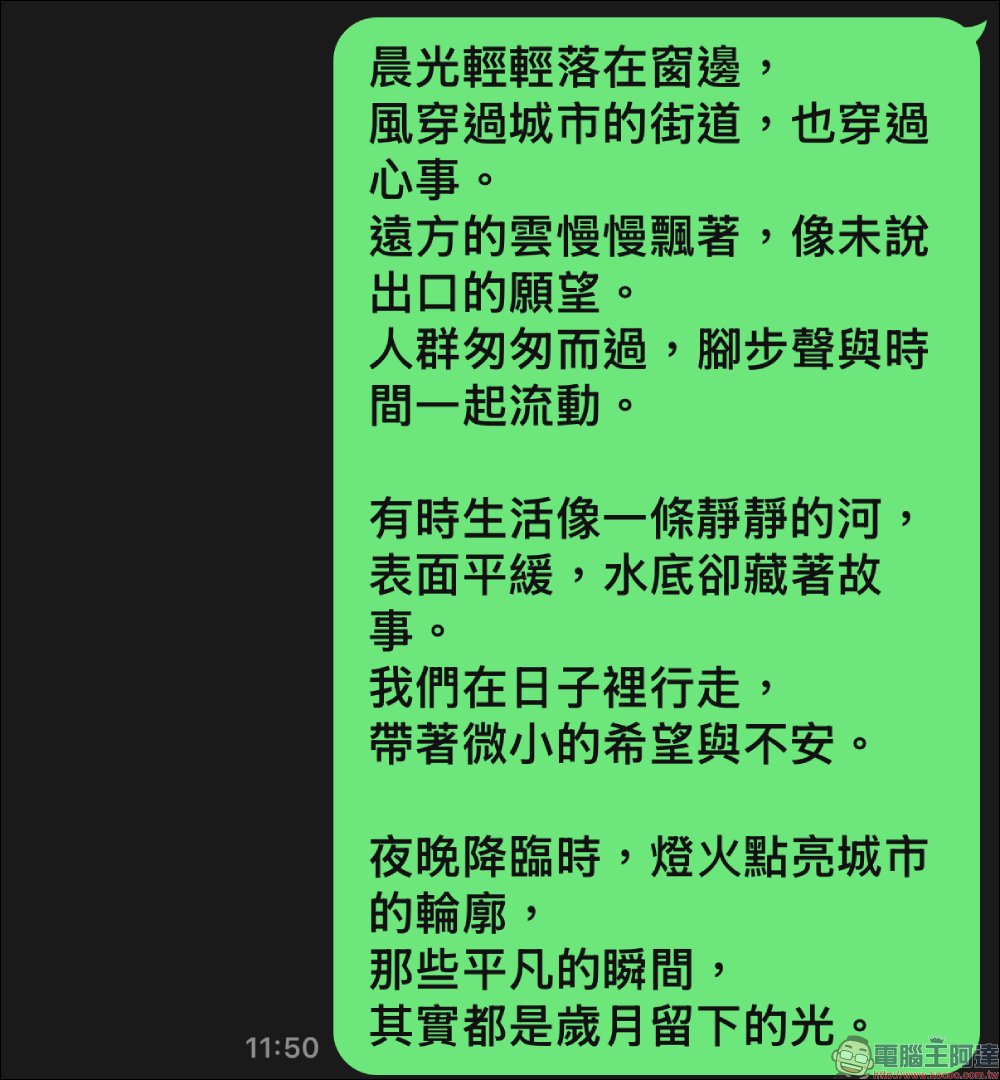
The second one is coriander body which was very popular on the Internet some time ago. This font has a strong handwriting feel, with soft and warm strokes. It looks like words written slowly with a pen. Coriander font is characterized by elegance and friendliness. After using it, many people feel that the chat room is a little more humane, so it once became the most discussed LINE font.
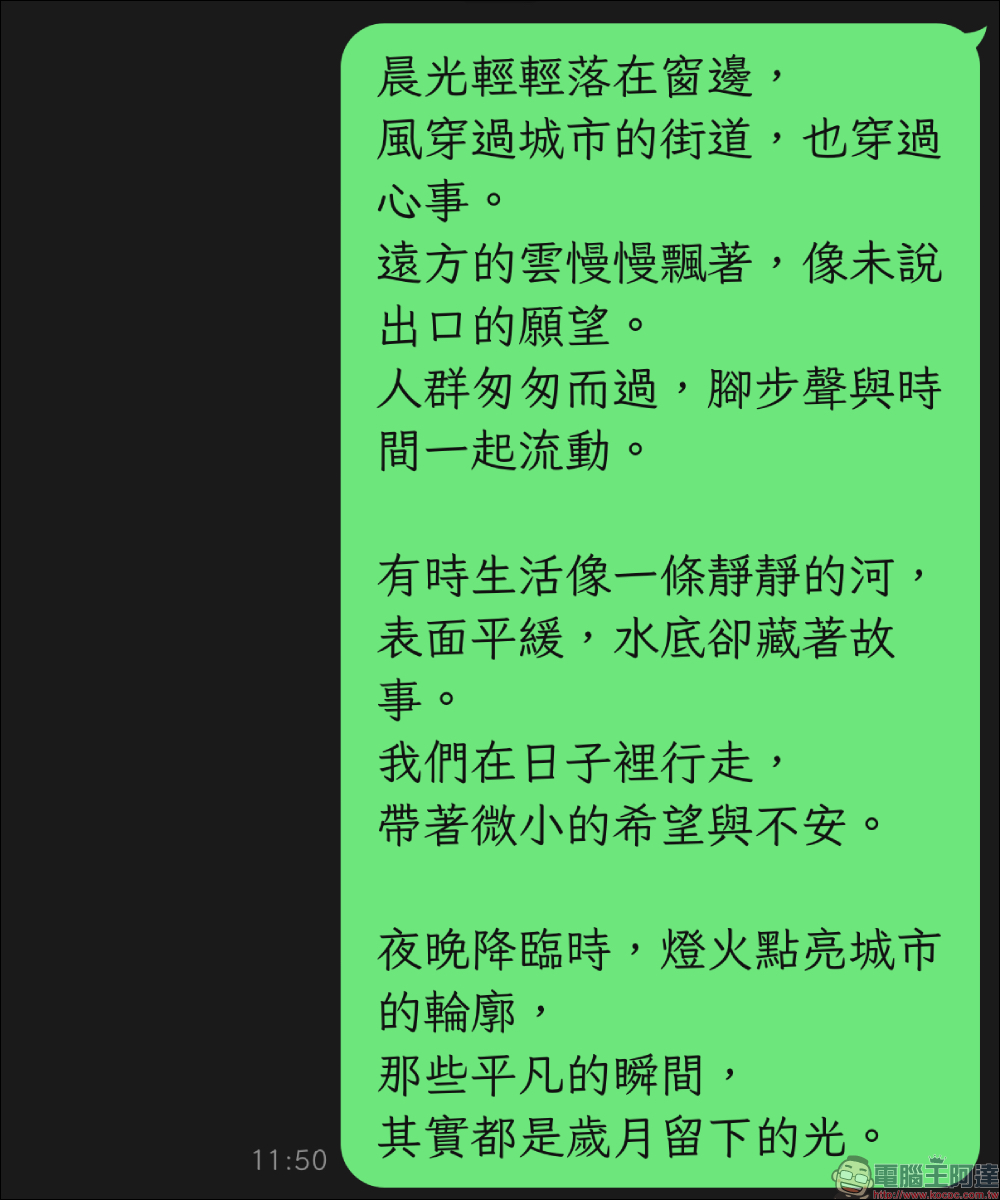
The new Wending white jade calligraphy added this time is a completely different style. The overall font shape is relatively slender, and the contrast between the thickness of the horizontal and vertical strokes is quite obvious. Together with the rounded stroke design, it presents a fresh and youthful temperament.
Compared with the coriander script, the white jade calligraphy style is a little less casual and has a little more sense of design and rhythm. Therefore, many people find it quite attractive when they first see it.
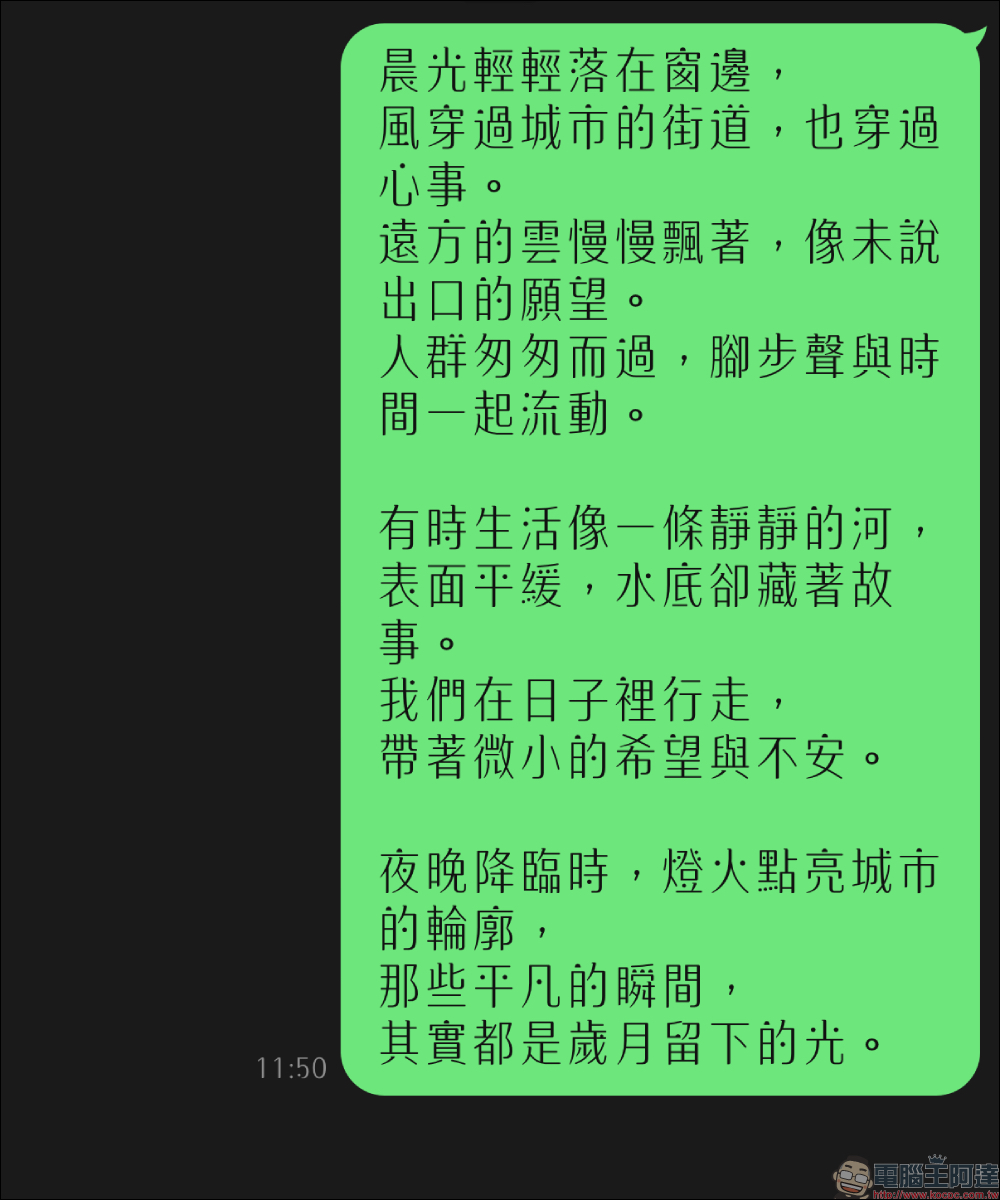
Wending White Jade calligraphy is actually designed by Wending Technology, a well-known name design company in Taiwan. The creative concept of this font comes from the concept of “sunlight”. The design team hopes to use the lines of the font to show the harmonious relationship between humans and nature, while making the text look warmer on the screen.
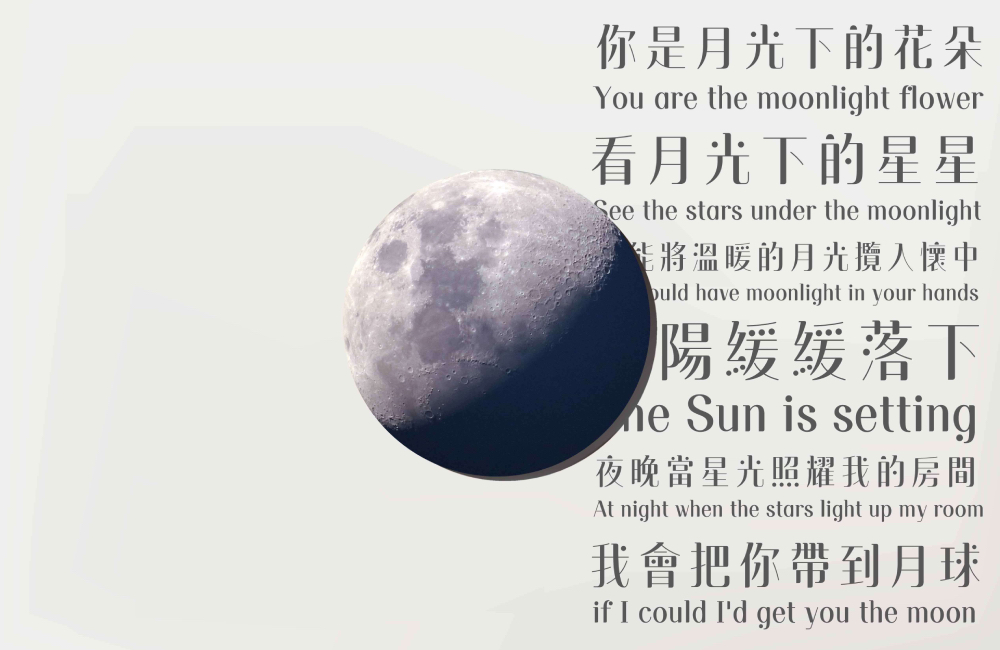
▴Picture source:Wending Technology
If you carefully observe the strokes of the white jade calligraphy, you will find that there are many details hidden in them. The lines of the horizontal pen are rounded, the straight pen has subtle line modifications, and the dot strokes are designed in a round shape, which looks quite cute. Coupled with the stroke structure with large changes in thickness, the overall text has a sense of visual fluidity. This design makes the original flat text look more rhythmic, and also gives the mobile phone screen a little more oriental writing aesthetics.
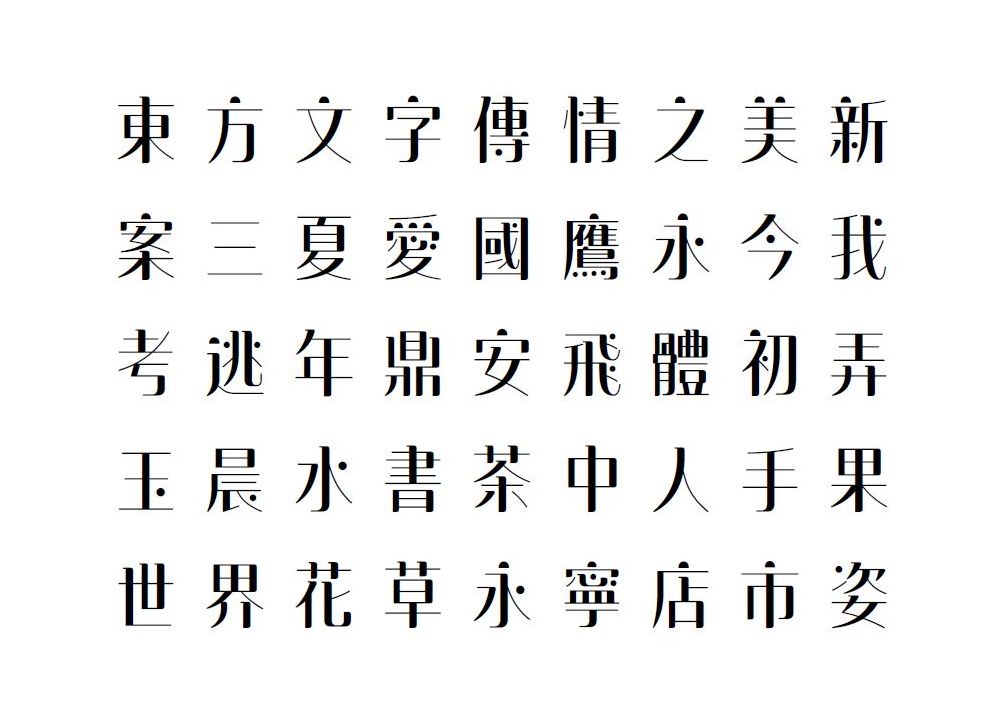
▴Picture source:Wending Technology
If you want to apply Baiyu calligraphy on LINE, the operation is actually very simple and completely free. Users only need to use LINE’s built-in setting function to quickly change fonts.
How to change LINE App font?
The first step is to open the LINE App and click on the home page in the lower left corner of the bottom menu. Then find the gear icon in the upper right corner of the screen and enter the settings page. After entering the settings, scroll down and you can see the “Font” option.
After clicking on the font, you can see the list of currently available fonts, including Wending White Jade calligraphy.
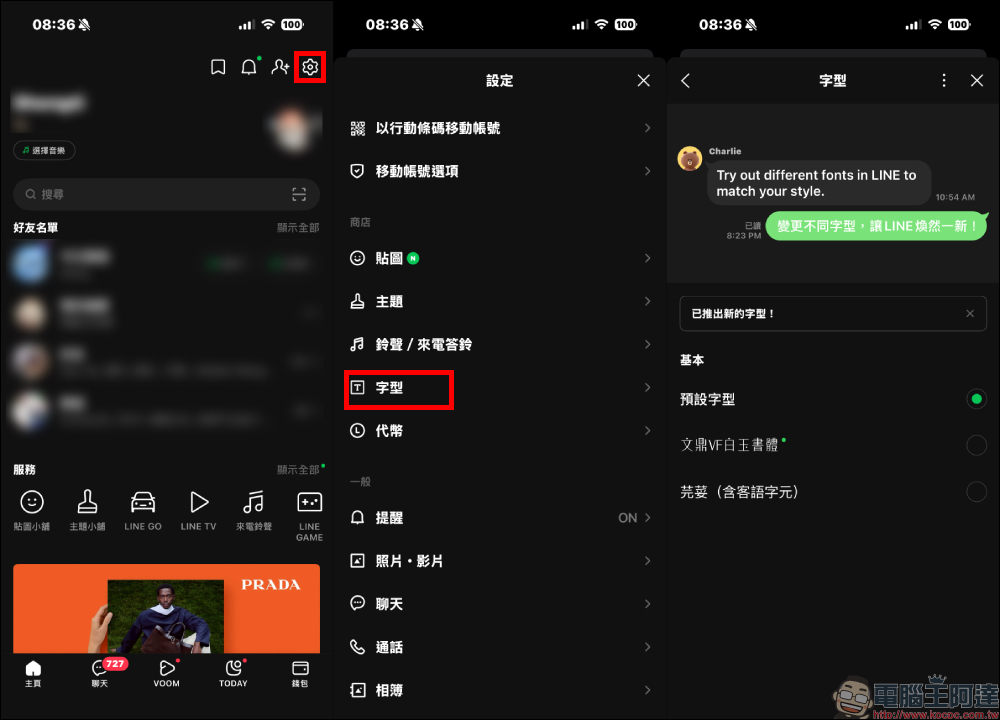
After selecting White Jade calligraphy, the system will automatically download the font file. Once completed, click Apply.
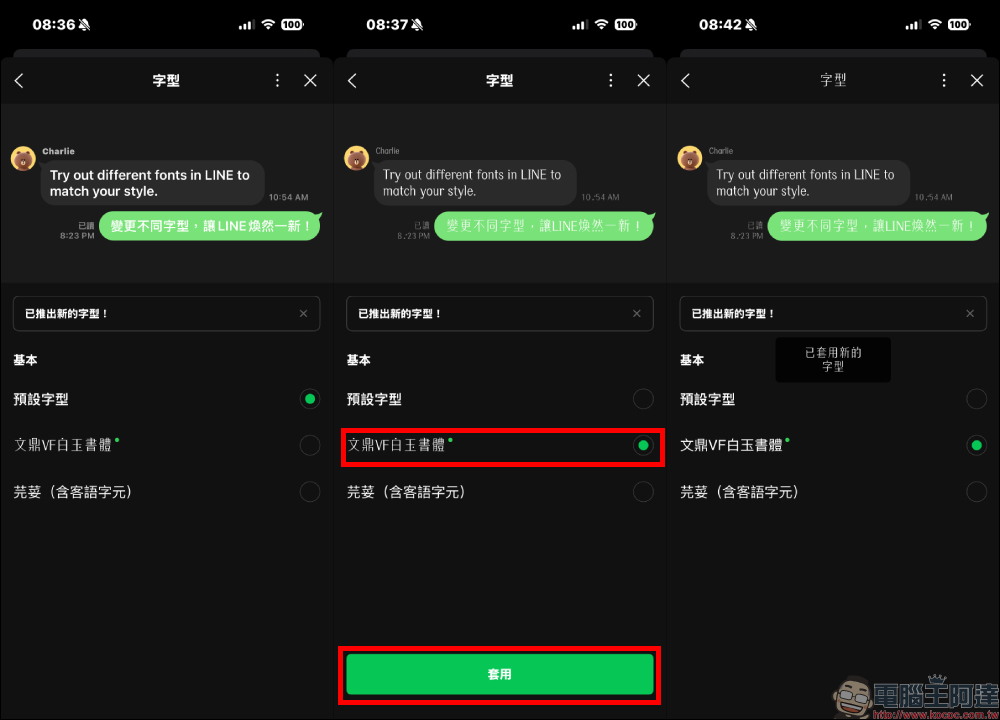
After the application is completed, LINE’s chat rooms, menus, and some interface texts will all be changed to white jade calligraphy. The overall visual style will instantly become different. For those who like to try new styles, it is a fairly simple and interesting small change.
(picture)
However, some users said after using it that the strokes of the white jade calligraphy are relatively thin, and in some cases they may feel that the reading recognition is slightly reduced. Especially when there are many messages in the chat room, it may be a bit difficult to read them for a long time.
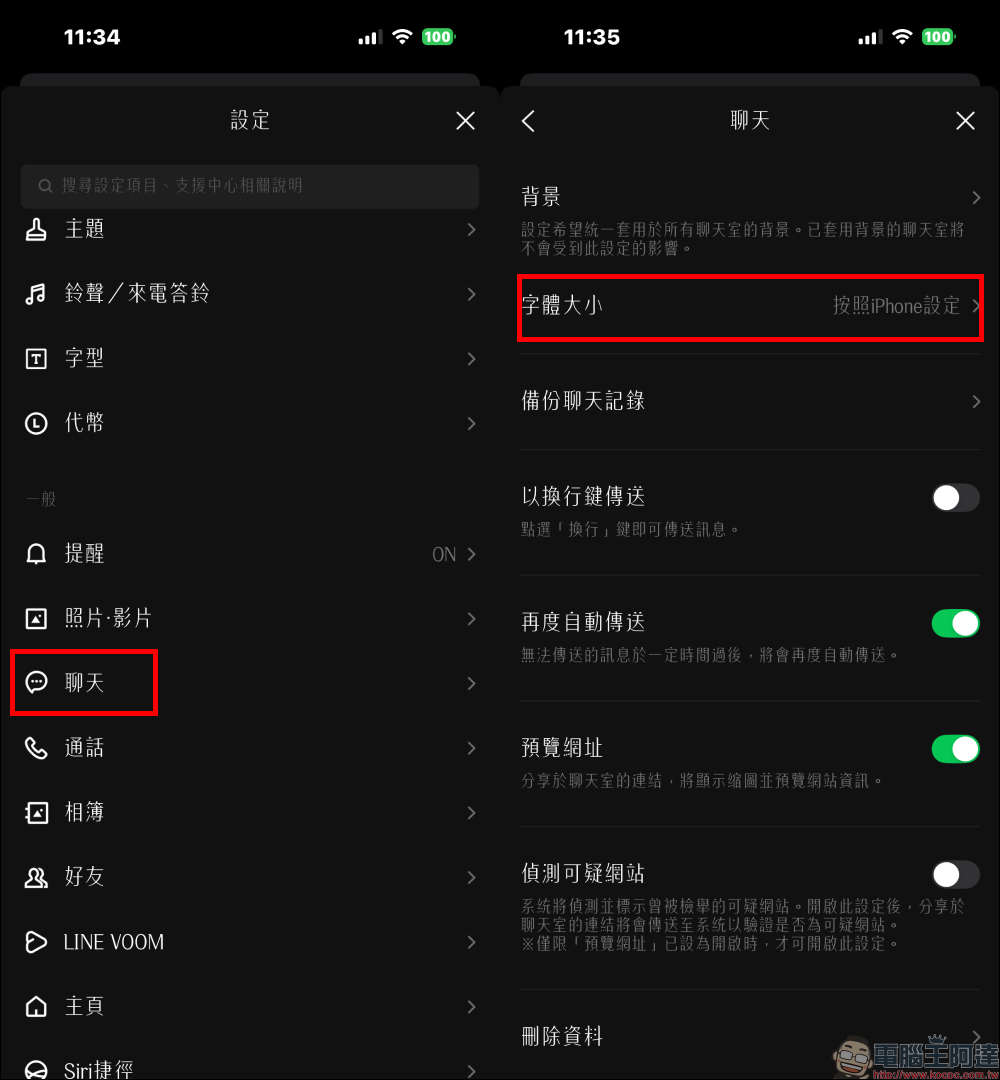
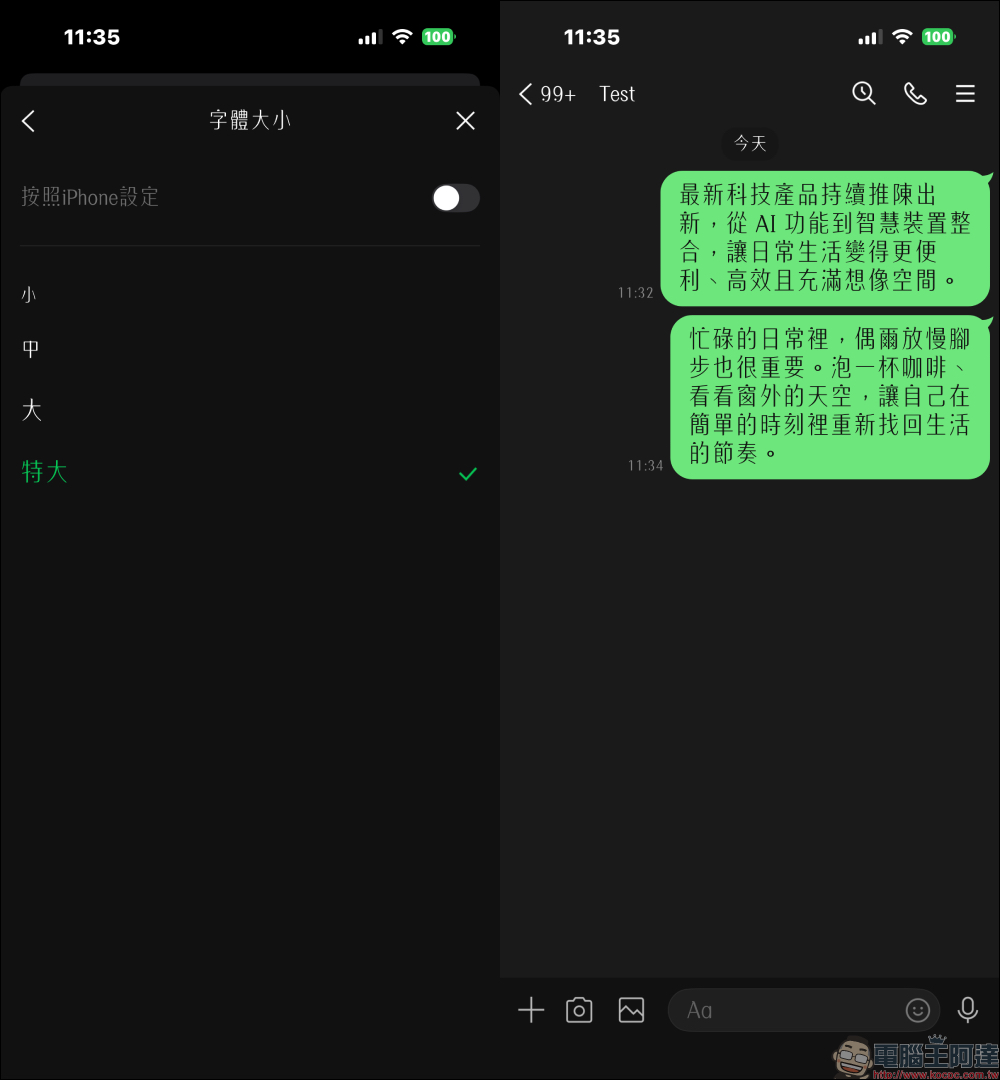
If you encounter this situation, you can actually improve it by adjusting the font size. As long as you open LINE settings, enter the chat-related options, find the font size setting, and adjust the text to “Large” or “Extra Large”, you can usually significantly improve reading comfort.
After enlargement, the white jade calligraphy still retains the rounded design, while also making the text clearer.
This setting actually reflects a small ingenuity in LINE’s interface design. Different users have different preferences for font styles. Some people pursue clarity and readability, while others prefer personalization and design. Through a simple font switching function, LINE allows users to adjust the chat screen according to their own preferences, making the experience of opening the app different every day.
Overall, the addition of Wending White Jade calligraphy makes LINE’s font selection more diverse. Although it is only a small visual change, for people who use communication software for a long time, such details can often bring unexpected fun. For users who like literary style or design fonts, you might as well open the settings and give it a try. It may give your LINE chat screen a completely different atmosphere.
Conclusion
LINE is one of the most commonly used communication software in Taiwan. It accompanies many people every day to chat, work and communicate about life matters. Although the newly added Wending White Jade calligraphy is only a small functional update, it gives users an additional personalized choice and brings a different visual experience to daily chats.
For people who are used to using LINE for a long time, occasionally changing the font style is like putting on a new look in the chat room, which is both fresh and interesting. If you also want to make LINE look more stylish, you might as well open the settings now and give it a try. You may find that the chat screen can also have such a sense of design.
Further reading:
Source: KOCPC Chinese