


It’s widely known that the delicate NVIDIA GeForce RTX 5090 is prone to connector burns, but recently there’s been another potential new issue. A Reddit user recently shared that his ZOTAC RTX 5090 Solid exploded in the PCIe gold finger area after just 5 minutes of playing Assassin’s Creed: Black Flag Resynced, with large amounts of smoke billowing out. Unlike the previous RTX 5090 burning incidents, this time the burn point occurred in the PCIe gold fingers area rather than the 16-pin power connector that everyone was most concerned about.
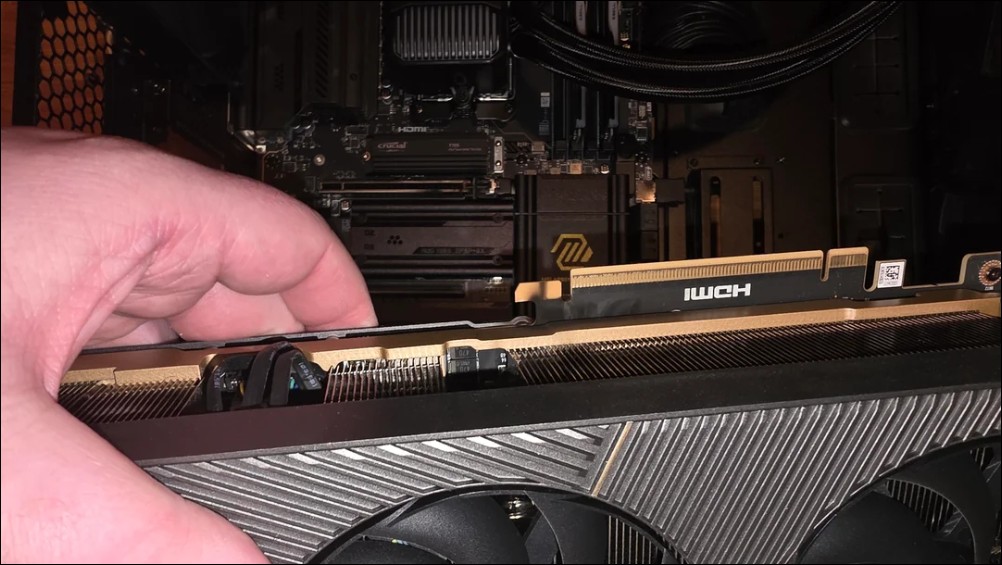
A loud crack echoed, followed by smoke billowing out.
User u/_CurrentlyPooping_ posted on Reddit’s r/pcmasterrace subreddit that after installing the latest driver and launching Assassin’s Creed: Black Flag Resynced, the game ran for less than 5 minutes before the GPU emitted a loud pop, followed by crackling sounds, and then a huge cloud of smoke billowed out of the chassis. The system immediately shut down, and the user has been too afraid to restart the computer since.
5090 blew up near PCIe connection
byu/_CurrentlyPooping_ inpcmasterrace
The user took the photo and uploaded it. The photo clearly shows the GPU’s 16-pin power connector is undamaged, but a small section at the end of the PCIe fingers displays obvious burn marks, and the motherboard’s PCIe slot was also affected.
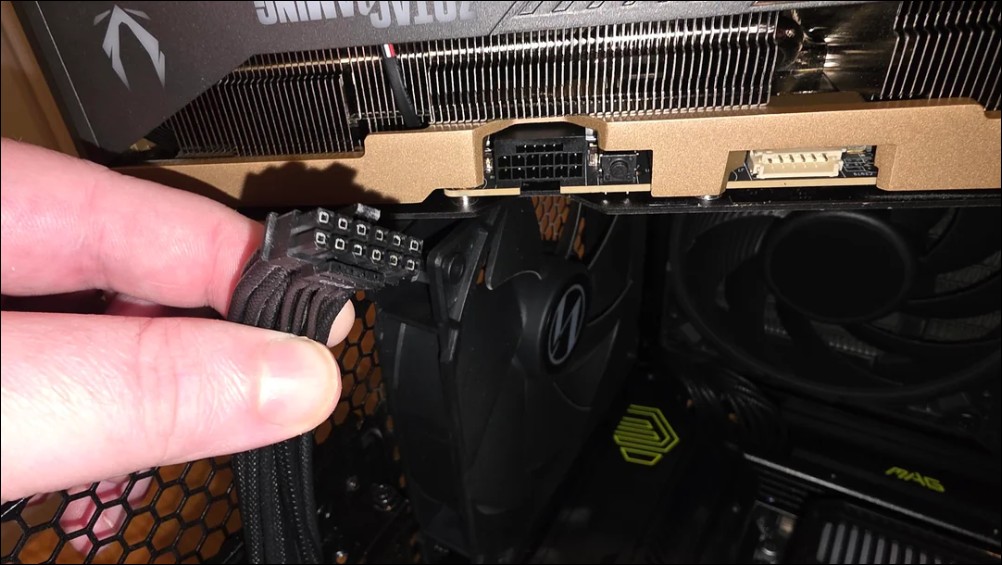
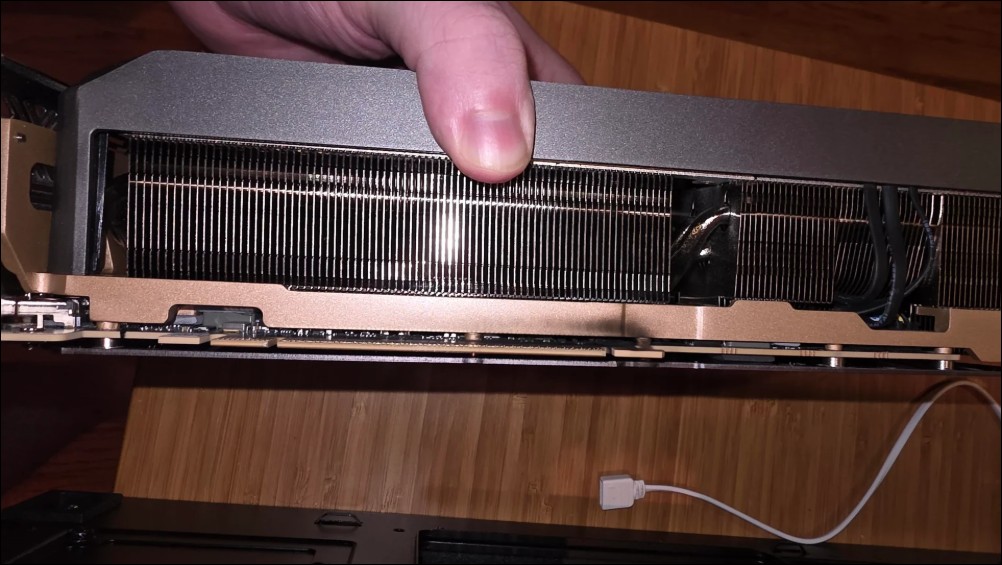
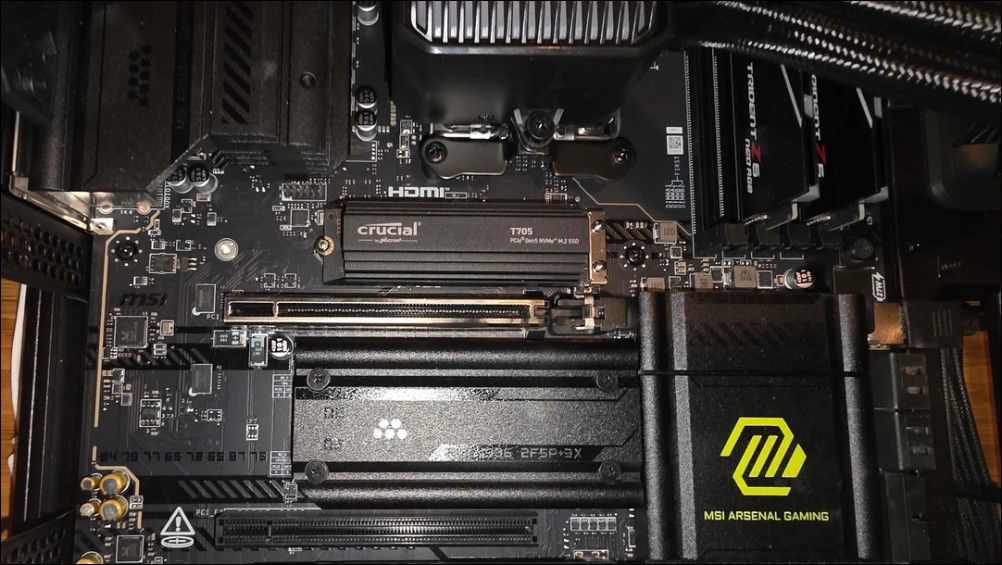
Is an MLCC array short circuit the real culprit?
Well-known hardware site UNIKO pointed out on platform X that judging from the PCB layout, the explosion point was near the gold finger connector, suspected to be a short circuit and fire in the MLCC (Multi-layer Ceramic Capacitor) array at the FBVDD MOSFET input. They also attached reference images of the ZOTAC RTX 5090 Solid PCB, marking the suspected fault area.
“a loud pop with some crackling…huge cloud of smoke came out.”
a user’s zotac 5090 solid blew up while playing assassins creed black flag resynced. burn marks were also left on the mobo’s pcie slot.i guess something shorted near the buckle of the gold finger. checking the… pic.twitter.com/2UKDlrV4jQ
— UNIKO’s Hardware 🌏 (@unikoshardware) July 13, 2026
MLCC arrays are key components in GPU power management circuits, responsible for filtering and energy storage. When such components short-circuit due to physical damage or manufacturing defects, high current generates massive heat energy within an extremely short timeframe, leading to component burnout or even minor explosions. Unlike the overload fusing mechanism of 16-pin connectors, MLCC short circuits are PCB-level failures unrelated to the connection quality of power cables.
GPU Sag Suspected as Main Culprit
In community discussions, the most commonly cited suspected cause is “GPU sag.” Although this user’s case came with an anti-sag bracket, the bracket only supports the rear end of the graphics card (near the I/O shield), leaving the front end near the PCIe gold fingers completely unsupported. The RTX 5090 Solid’s cooler is large and heavy, and over time, the bending stress on the front of the PCB could cause micro-cracks in the circuit board.
Once a crack appears on a PCB, the internal copper traces or capacitor solder joints may fracture or develop poor contact, creating arcing or short circuits when high current passes through, ultimately leading to an explosion. This type of failure mode isn’t uncommon on large graphics cards, but the RTX 5090’s weight and power draw (TGP 575W) further amplify the risk. Additionally, the user mentioned that the motherboard had previously experienced USB connection issues. While it’s currently impossible to confirm a direct correlation with the GPU explosion, electrical problems on the motherboard could also be a contributing factor.
RTX 5090 Disaster Timeline
Since the RTX 5090 launched in late January 2025, hardware failure reports have been pouring in nonstop. Here are some key incidents:
- February 2025Only 10 days after launch, the first case of a melted 16-pin connector appears — both the cable and connector on the RTX 5090 Founders Edition were destroyed.
- April 2025Users have reported capacitor explosions on RTX 5090 cards, with issues appearing after only one month of use, accompanied by noticeable coil whine.
- December 2025A user experienced a 16-pin connector catching fire on Christmas Day, with the plastic insulation layer burning through and exposing bare copper wires, and the flames even spread to the AIO water cooling tubing.
- July 2026The ZOTAC RTX 5090 Solid experienced an explosion at the PCIe gold finger area.
Looking at the timeline, the RTX 5090 failures have already shifted from “16-pin connector meltdownThis single issue expanded into various failure types such as capacitor explosions, MLCC short circuits, and PCB cracks. This suggests the problem may lie at a systematic level involving overall build quality and weight management, rather than being a specific component or design defect.
Structural stress from 575W power consumption
The RTX 5090’s TGP hits 575W, a full 125W higher than the previous-gen RTX 4090’s 450W. Higher power consumption means greater current flowing through PCB traces, more concentrated thermal loads, and more demanding requirements for power management components. When the electrical stress from high power consumption meets the physical stress on the PCB caused by weight, failure risk grows exponentially.
Using this incident as an example, if the PCB truly has micro-cracks due to GPU sagging, it may show no signs of abnormality during normal desktop use or under light loads. Once you enter gaming and GPU power consumption surges above 500W, the current flowing through the damaged area will cause arcing at the micro-crack sites, which can then lead to short circuits and explosion.
Other concerns beyond the 12V-2×6 connector
Over the past year, the most criticized issue with the RTX 5090 has been concentrated on the 12V-2×6 power connector. This connector is designed to handle up to 600W of power. Once poor contact occurs or a single pin fails, the remaining pins bear excessive load, leading to overheating and melting. This problem, which existed since the RTX 4090 era, has become more frequent with the higher power consumption of the RTX 5090.
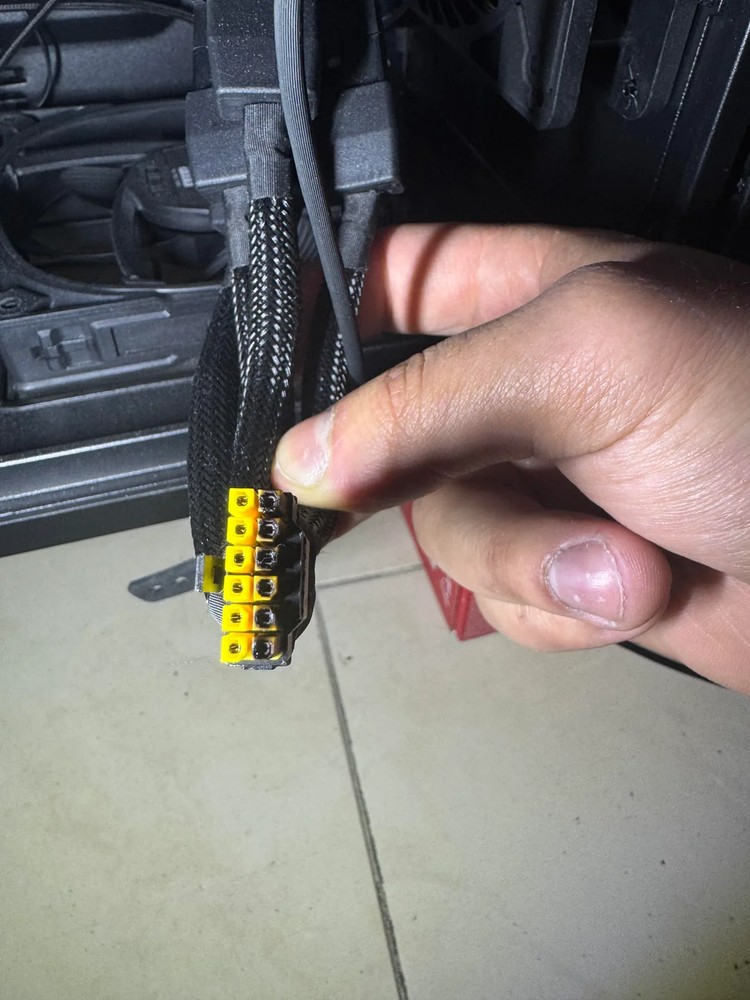
But this incident serves as a reminder of another risk: even when the power connector is perfectly fine, passive components inside the PCB can still fail due to physical stress or manufacturing defects. MLCC capacitors are present in enormous quantities on modern graphics cards, handling filtering for the GPU core, memory, and various power rails. A single shorted MLCC is enough to cause localized overheating, triggering a chain reaction inside the enclosed heatsink. For consumers, this means that “properly connecting the 16-pin connector” is only the first step in disaster prevention. The physical installation quality of the graphics card, the structural integrity of the PCB, and the stability of the power supply are all indispensable.
User follow-up handling
The Reddit user says they plan to file an RMA with ZOTAC or send the graphics card in for repair. Since the explosion also damaged the motherboard’s PCIe slot, the overall repair scope may extend beyond the GPU itself. As of now, ZOTAC has not issued an official statement about this incident.
For gamers using the RTX 5090, the community recommends checking whether the graphics card installation has proper sag support, especially at the front edge where the PCIe gold fingers connect. If you notice any noticeable bending or warping of the PCB, take action early to prevent a similar tragedy from happening again.
How to prevent the RTX 5090’s weight from causing failure issues?
Taking the ZOTAC RTX 5090 Solid as an example, this card’s triple-slot cooler features large-area fins and multiple heat pipes, bringing the overall weight to over 2 kg. With this weight hanging on the PCIe slot, without proper support, the bending stress on the PCB would concentrate at the connection point between the gold fingers and the slot. This is exactly where the explosion occurred this time.
Most included or third-party anti-sag brackets are designed to support only the rear end of the graphics card (near the I/O panel), while the front end near the motherboard is often overlooked. However, from a mechanical perspective, the front end is actually where the bending moment is greatest. Although this ZOTAC 5090 user has an anti-sag bracket installed, it only supports the rear, leaving the front end still suspended and bearing the load.
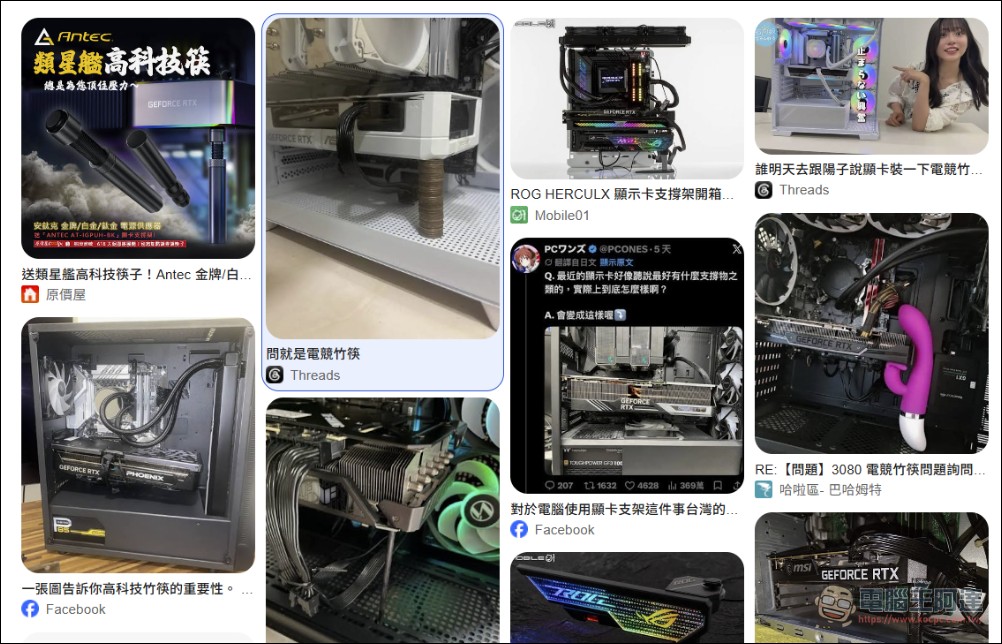
Commercially available full-length GPU support brackets or PCIe slot reinforcement accessories range in price from a few hundred to a few thousand Taiwan dollars. Compared to an RTX 5090, which typically costs seventy to eighty thousand Taiwan dollars, this insurance expense of just a few hundred to a few thousand dollars is a bargain. If your budget is really tight, even using a high-tech bamboo chopstick for support is far better than doing nothing at all.
Source: KOCPC Chinese