


Still hurriedly opening it in front of the counter LINE Pay ? In fact, the problem does not necessarily lie in the network, but in the settings that have not been adjusted properly. This article teaches you the simplest way to optimize the startup speed of LINE Pay, including turning off key features that slow loading, and how to put the payment barcode directly on the lock screen so you can use it with just one swipe. It only takes a few seconds to switch a setting, and the checkout speed is significantly improved. LINE Pay can be opened and paid almost instantly, so you no longer need to be nervous when queuing.
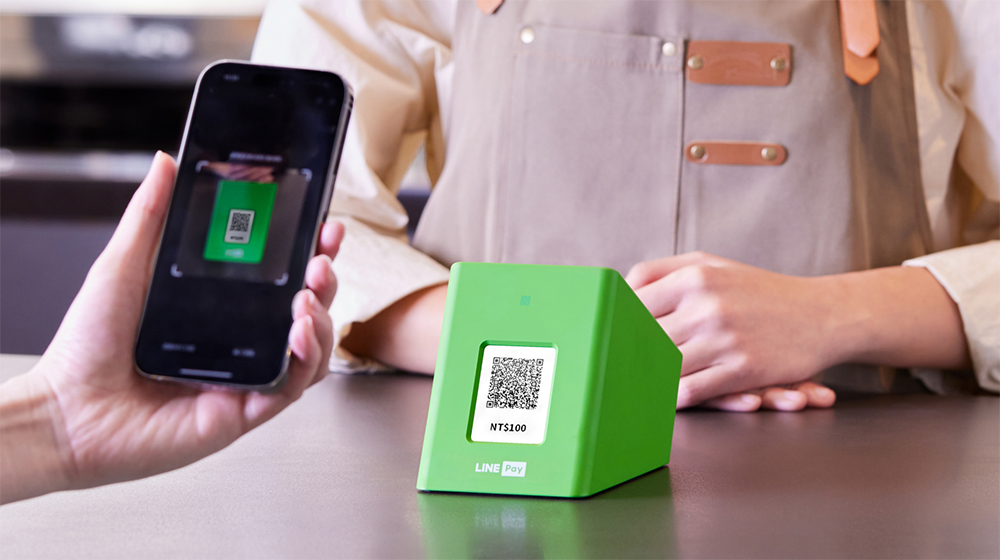
▲Picture source:LINE Pay
LINE Pay’s secret technique for quickly loading checkout barcodes. Learn this trick and you’ll be able to make payments in seconds!
Many people have the same experience. They open it only when it is their turn to check out. LINE , and then clicked into the wallet to search for LINE Pay. As a result, the screen was spinning in circles and the barcode did not come out. This situation is actually very common. The reason is not necessarily the lack of performance of the mobile phone, but the usage itself that tends to slow down the speed.
first, LINE It is an integrated App, which includes chat records, stickers, market, news, shopping and other functions. The overall structure is very large. When you only open it temporarily during checkout, the system needs to load multiple modules simultaneously, which will naturally cause delays.
Come again, LINE Pay Information about nearby cooperative stores will be provided based on your location, so positioning data will also be captured every time you open it. If the current network is unstable or the GPS positioning is slow, it will further slow down the display speed of the payment barcode. In other words, the problem isn’t just being slow, it’s that you’re doing too many things at the same time.
Solution 1: Use LINE Pay App instead to avoid multiple loading
If you are still using LINE’s built-in wallet function to pay, the first step is to download the independent LINE Pay App directly. The benefits of doing this are intuitive, because there will be less interference from chats, stickers and other services, the startup speed will be faster, and you will be more focused on “payment”.
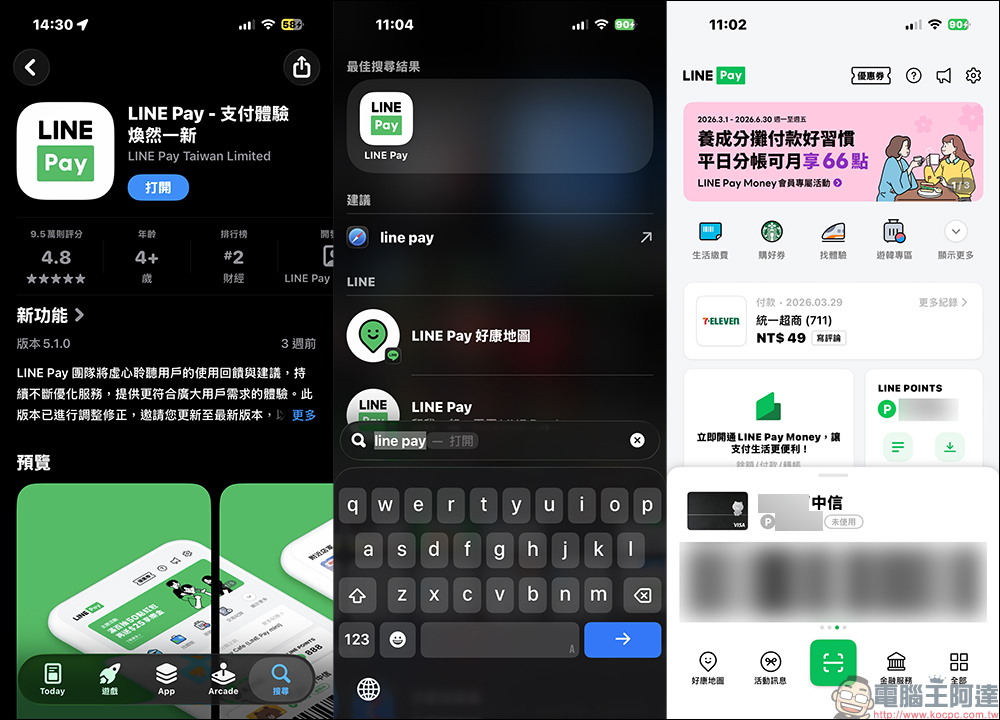
In actual use, you will obviously feel that the time from clicking on the app to displaying the barcode is shortened a lot, especially when you are in a hurry or waiting in line, the difference will be noticeable.
Solution 2: Turn off location services to significantly shorten loading time
The next move can be said to be the most critical step. Because LINE Pay will try to obtain your location by default when it is turned on to display nearby cooperative stores or promotional information, but for simple checkout, it is actually not used at all. So if there is no positioning requirement in this area, you might as well turn it off. The setting method is as follows:
- Open LINE Pay App
- Click “Settings” in the upper right corner
- Find “LINE Pay Location Service”
- Turn off “Agree to share location information”
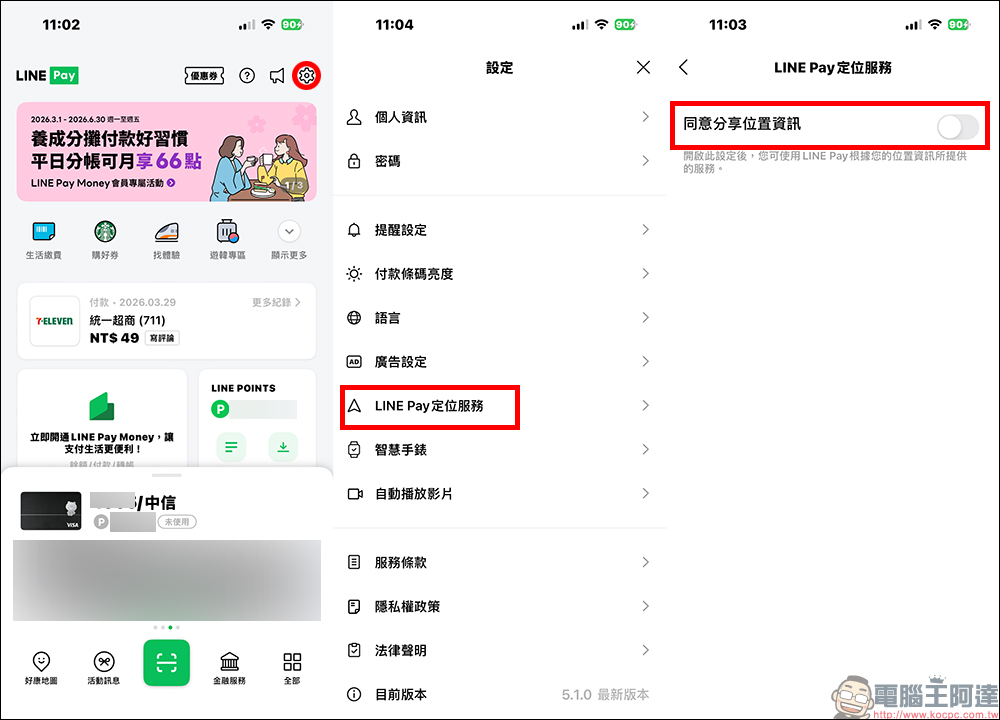
After closing, you will lose the “Nearby Store Map” function, but you will get a faster payment experience in exchange. According to actual measurements, many users reported that the barcode that originally took about 5 seconds to appear can be shortened to less than 1 second. The difference is very obvious. If you really need to find a nearby business in the future, you can manually turn it on again without permanent impact.
Solution 3: Add LINE Pay to the lock screen and pay directly with one swipe
In addition to optimizing speed, you can actually further “reduce operating steps.” Nowadays, many people will put LINE Pay on their desktop, but in fact, the faster way is to directly add it to the phone lock screen or shortcut function. Taking the iPhone as an example, you can use widgets or shortcuts to place LINE Pay on the lock screen. After unlocking, you can enter the payment barcode screen in just one click without having to go through multiple layers of clicks.
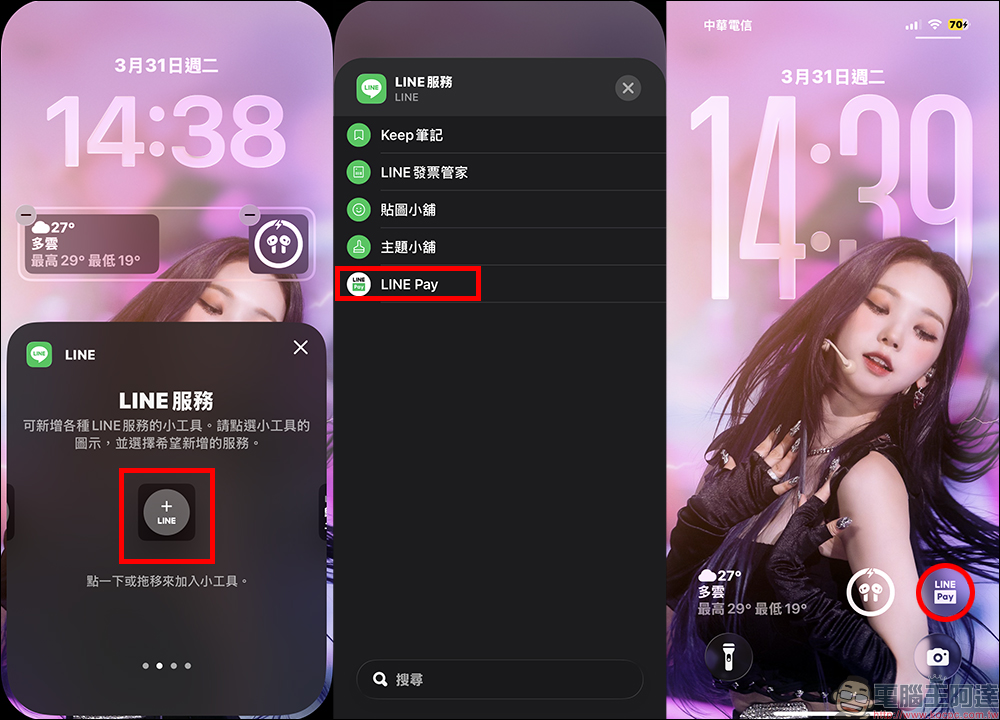
The advantage of this is very simple, it saves time. Especially in convenience stores, subway stations or crowded places, the difference of a few seconds will be very noticeable.
Solution 4: Develop the habit of starting in advance to avoid temporary stuck
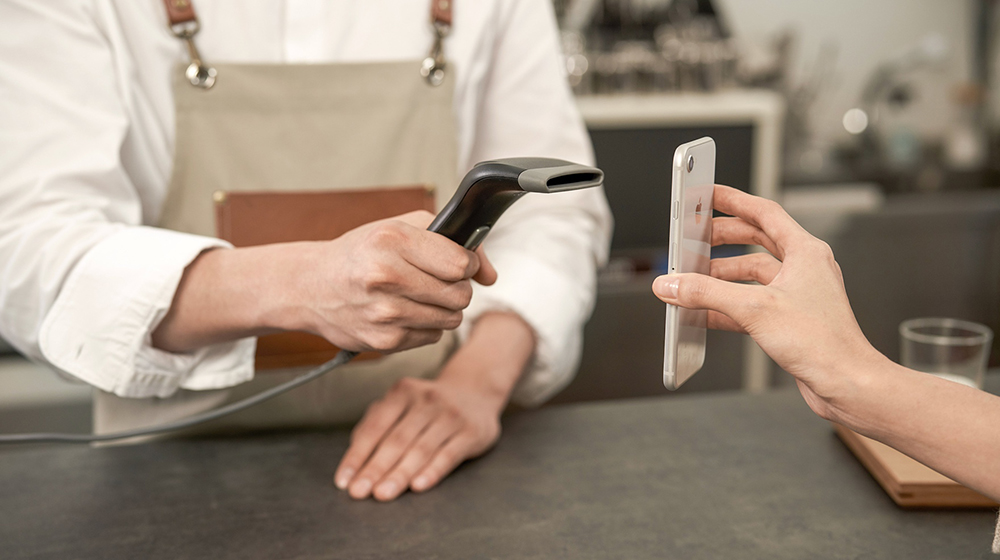
This last point is simple but very practical. Many people only start looking for the app when they check out, but in fact, as long as they open LINE Pay first while waiting in line, the barcode is usually already ready. In this way, even if the network is slightly slower, it will not affect the checkout rhythm.
▲Picture source:LINE Pay
This small adjustment in usage habits is often more effective than upgrading your phone.
Conclusion
LINE Pay is already a very popular payment tool in Taiwan’s daily life, but many people ignore that “settings” can greatly affect the user experience.
Instead of waiting anxiously at the counter every time, it’s better to spend some time optimizing the process. From turning off positioning, switching to a standalone app, to placing the payment entrance in the most convenient location, these small adjustments can add up to a significant upgrade in the entire payment experience. Once you get used to the smoothness of making payments in seconds, it’s really hard to go back and endure those few seconds of lag.
Further reading:
Source: KOCPC Chinese