


every time iPhone After the system update is launched, the first thing most people care about is not necessarily the new features, but “Battery lifeWill it get worse?” Especially for people who are used to scrolling on their phones for a long time, watching TV shows or doing work, the stability of the battery will almost directly affect the use experience. After iOS 26.4.1 went online this time, it once again set off a wave of wait and see. Whether the upgraded battery performance will be bad or not, perhaps some clues can be found from the actual measured data.
▲Picture source:iAppleBytes
iOS 26.4.1 battery life test exposed! Will it really consume more power after upgrading? View the performance of 6 iPhone models at once
Apple The iOS 26.4.1 update was recently launched. Such small version updates usually focus on fixing errors and improving stability. However, for most users, they are more concerned about “whether it will consume more power” than fixing any bugs.
Well-known YouTube channel iAppleBytes also conducted a series of tests shortly after the update was released. They continued the usual testing process in the past, first upgrading all devices to the latest version, and then leaving it for about 26 hours to allow the system to complete background cleaning and optimization to ensure that the status before the test was consistent.
This step is actually very critical because iOS After updating, data is often reorganized and indexed in the background. If tested immediately, abnormal power consumption may easily occur.
This test places special emphasis on “consistent environment” and includes several key settings:
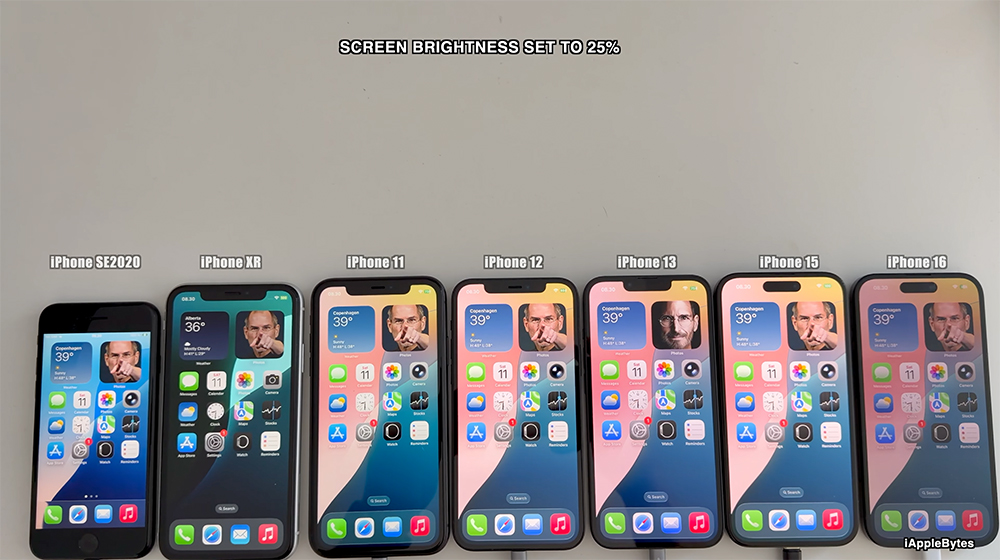
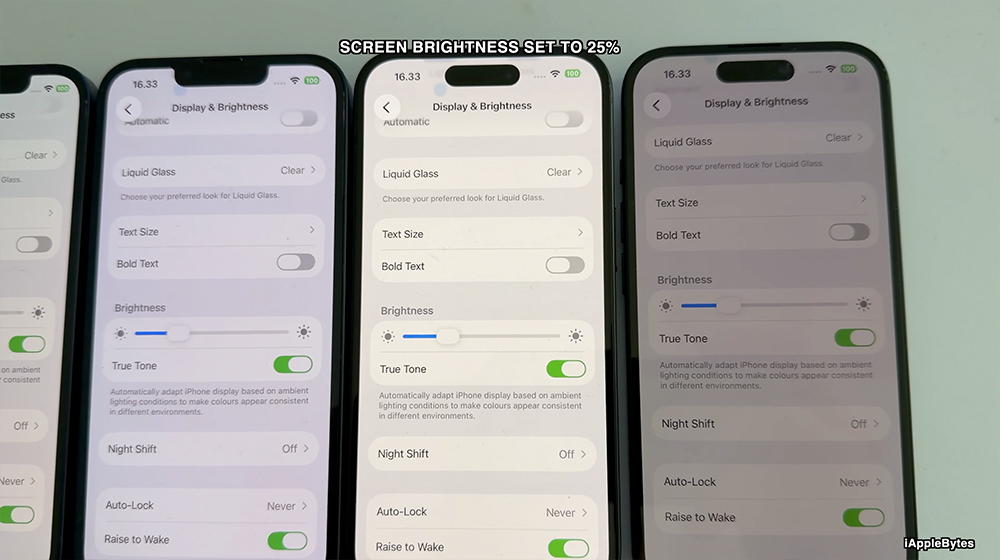
- Screen brightness is uniformly set at 25%
- Turn off automatic brightness adjustment
- All devices connected to the same Wi-Fi network
- Before testing, confirm that there is no background and the app continues to operate.
The purpose of this setting is very simple, which is to eliminate external variables so that different models can be compared under the same conditions.
▲Picture source:iAppleBytes
This time I used the battery stress test of Geekbench 4. The way it works is not to simulate daily use, but to allow the phone to maintain high-load computing for a long time, such as continuing to run computing tasks and keeping the screen on.
The test is divided into two modes, one is the complete discharge mode, that is, the battery is measured from 100% to 0%. The other is to estimate the results after a short period of testing.
This time, the complete discharge mode is used. Although it is time-consuming, the data reliability is relatively high. The score is calculated based on the amount of calculations and time completed during battery consumption. The higher the score, the better the overall battery life and performance.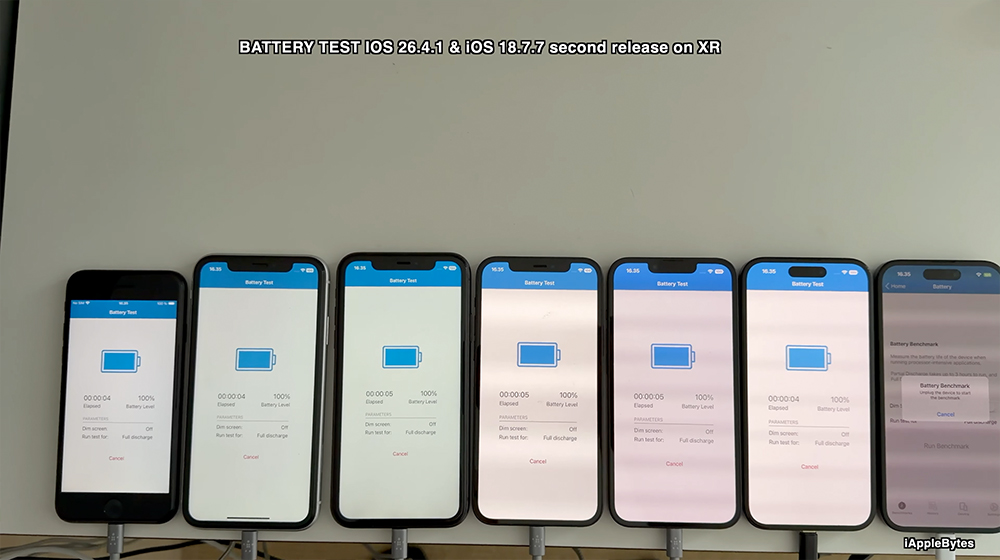
▲Picture source:iAppleBytes
Take a look at the measured battery life of 6 iPhone models at once
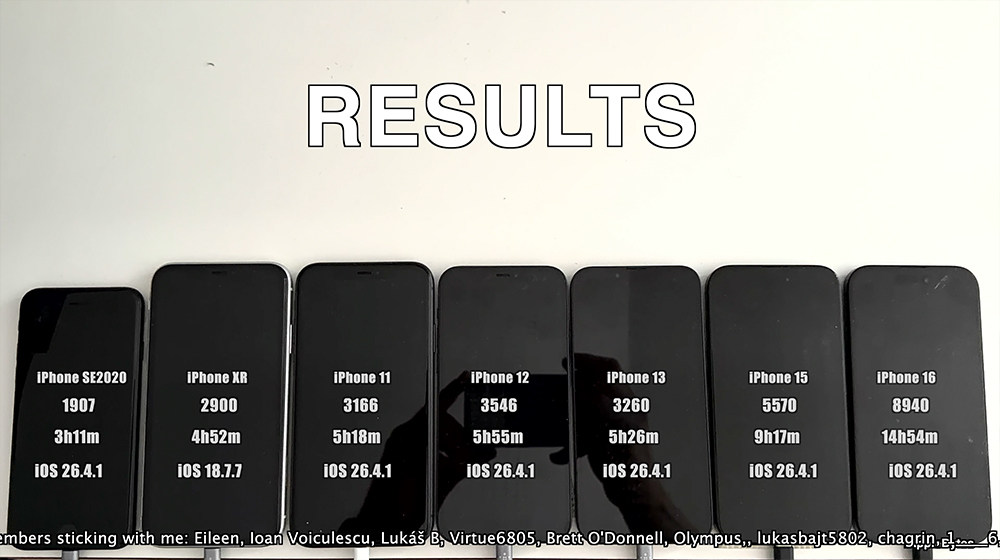
According to the test results, the battery life of different generations of iPhones under iOS 26.4.1 is as follows:
- iPhone SE (2nd generation): 3 hours 11 minutes
- iPhone 11: 5 hours 18 minutes
- iPhone 12: 5 hours 55 minutes
- iPhone 13: 5 hours 26 minutes
- iPhone 15: 9 hours 17 minutes
- iPhone 16: 14 hours 54 minutes
In addition, for comparison, the iPhone XR, which is still on the old system, has a battery life of 4 hours and 54 minutes.
It is obvious from this set of data that the gap between old and new models still exists. In particular, the iPhone 16’s battery life of nearly 15 hours is almost several times that of earlier models.
▲Picture source:iAppleBytes
Battery score comparison, performance and battery life evolve simultaneously
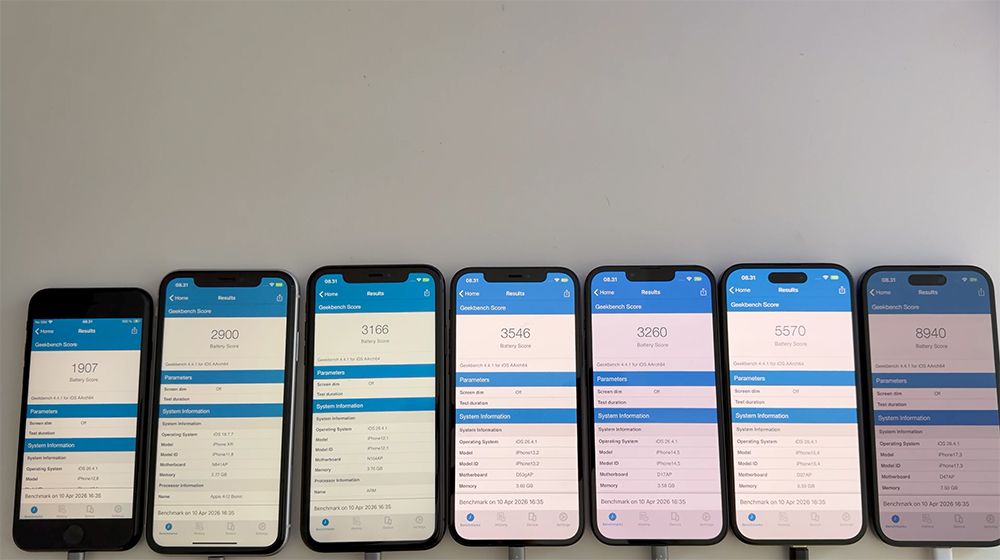
In addition to actual battery life, Geekbench also provides battery scores to measure overall performance:
- iPhone SE (2nd generation): 1907 points
- iPhone 11: 3166 points
- iPhone 12: 3546 points
- iPhone 13: 3260 points
- iPhone 15: 5570 points
- iPhone 16: 8940 points
- The iPhone XR comparison score is 2900 points (iOS 18.7.7).
It can be observed that the scores of the past two generations of iPhone have significantly improved, indicating that the processor continues to optimize performance and power consumption control. This is not just about increased battery capacity, but also includes advances in chip architecture and energy management.
▲Picture source:iAppleBytes
How to interpret the data?
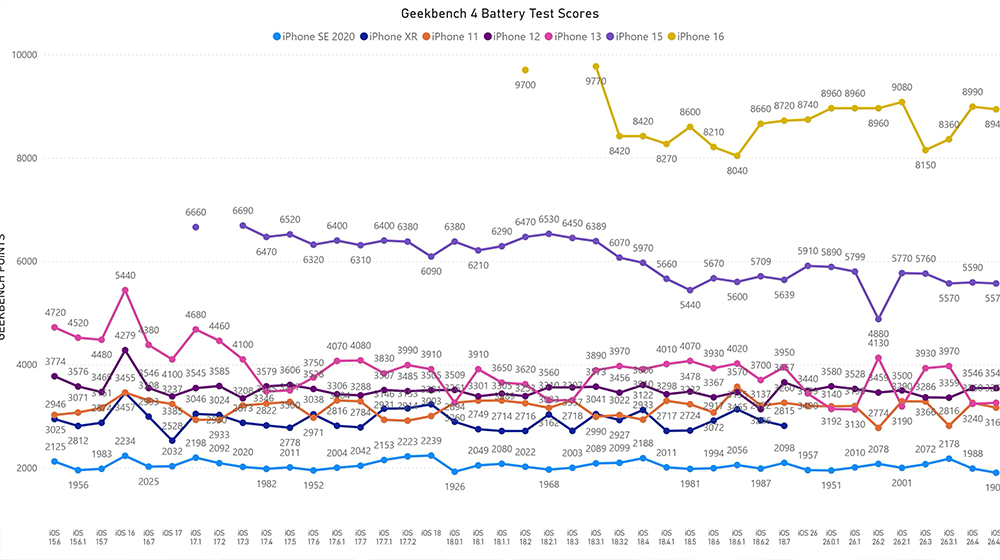
If you look purely from this test, iOS 26.4.1 did not show any obvious degradation in battery life. The overall performance roughly continues the level of the previous version and is considered stable.
▲Picture source:iAppleBytes
For the new models, the battery life advantage is still very obvious, while the old models are maintained within a reasonable range and there is no abnormal power consumption.
However, we should still remind you that this type of stress test is an extreme situation. In actual use, battery life will be affected by many factors, such as:
- Type of app used
- Whether you use 5G or location services for a long time
- background program activity
- Personal usage habits
Therefore, the battery life you actually experience may differ from the test data.
Conclusion
Overall, iOS 26.4.1 is a stable update in terms of battery life, and there are no worrying power consumption issues. For those who are still waiting to see whether to upgrade, if you care most about battery performance, you can basically rest assured about this update.
Of course, differences between different generations of iPhones still exist, and new models have increasingly obvious advantages in performance and power management. If you are using an older model, in addition to system updates, moderately adjusting your usage habits or paying attention to battery health is also an important key to maintaining the experience.
If your focus is system stability and bug fixes, iOS 26.4.1 is still a version worth updating. As for whether the battery life will surprise you, the answer may not be that dramatic, but at least, it does not disappoint.
Further reading:
Apple 50 週年致敬之作!8BitDo Retro 68 AP50 限量機械鍵盤登場,復刻 Apple II 經典設計
Source: KOCPC Chinese