


To complete everything more efficiently, many people create to-do lists to make it easier to execute tasks one by one and avoid forgetting. However, the process of building a to-do list can be quite tedious, requiring manual entry one item at a time. The good news is that App Store and Google Play Earlier, there was already a product with powerful built-in AI The “To-Do Speak AI Voice List” feature is launching a limited-time free lifetime offer (Google Play doesn’t allow setting the price to $0, so the developer set it to 17 TWD, which needs to be paid). With this app, you only need to speak out the tasks you want to accomplish, and AI will automatically create a completeTo-do listIt’s really great, I recommend it to everyone.
Just a reminder, this app is only free for 24 hours. Based on the developer’s announcement about when the free period started, it’s already been going on for a while, so it might end around 7 or 8 PM today. If you need it, grab it while you can.
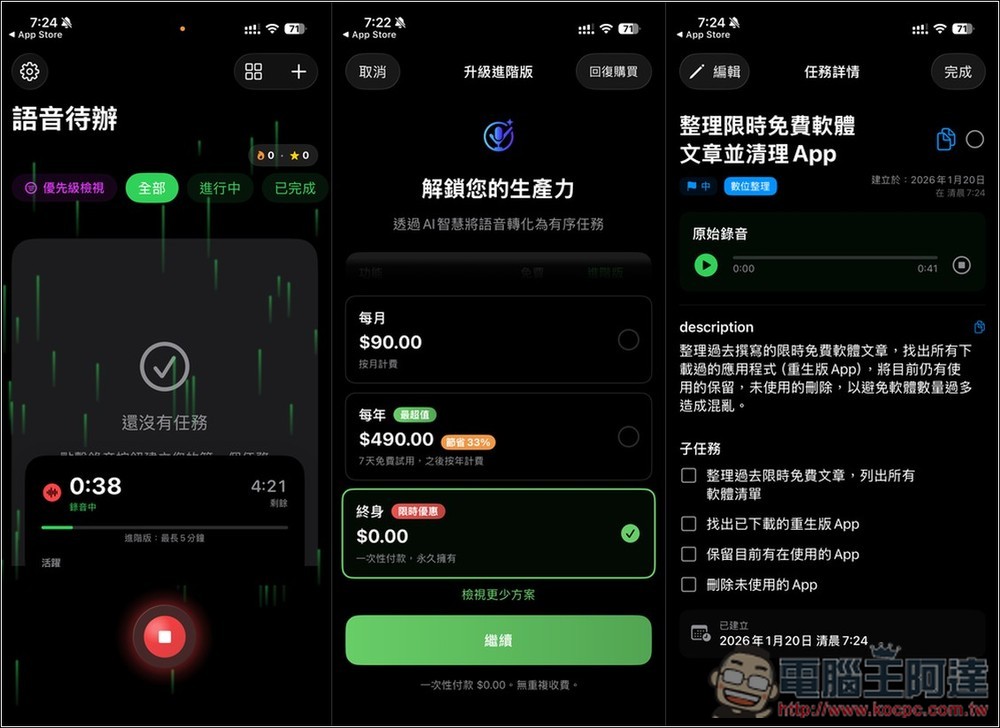
“To-Do Speak AI Voice Checklist” Lifetime Plan – 24-Hour Free Giveaway! Just speak and AI will convert your words into organized to-do items, making daily task planning effortless.
“To-Do Speak AI Voice List” is a productivity app where you can “just speak and your list gets done.” It features built-in AI—just press the microphone and tell it what you need to do today in your normal speaking voice. The AI automatically understands what you say and converts your speech into clear, organized to-do items. No need to use special keywords or learn any commands. Just talk to it like you’re chatting with a friend.
It also offers task statistics. When your to-do list grows, this feature helps you quickly track which important tasks remain unfinished and how many items are still pending. The interface is clean and minimalist—open it and start using it right away. With no complex settings to configure, it’s very beginner-friendly.
As for what AI model is used behind the scenes, the developer has not specified.
Main features
- Voice to To-Do: Just speak and AI automatically organizes tasks
- Free your hands: Record instantly while driving, walking, or doing chores
- Smart Task Breakdown: Automatically divide a paragraph into multiple to-do items
- Editable list management: supports sorting, editing, and completion checkmarks
- Multilingual support: Create to-do items in different languages
“To-Do Speak AI Voice List Download Link”
Below I’ll use the iOS version as the example for this introduction, but I’ll also show you the current Android solution here first.
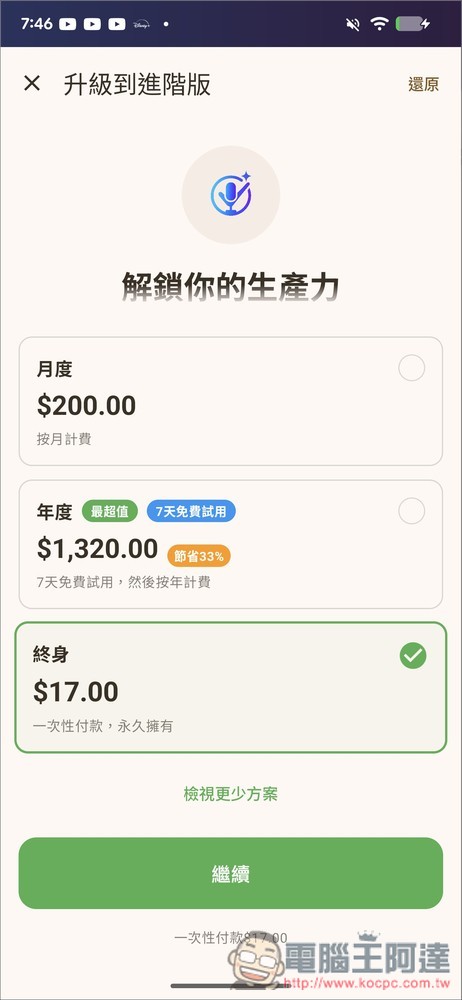
After opening the App to the subscription plan page, you will see the price is 17 元 instead of 0 元. This is mainly because Google Play doesn’t have a “limited-time free” option, so paid plans cannot be changed to 0 元. Developers can only set the price to the minimum of 17 元 (meaning you need to pay this fee). If you don’t mind, download it:
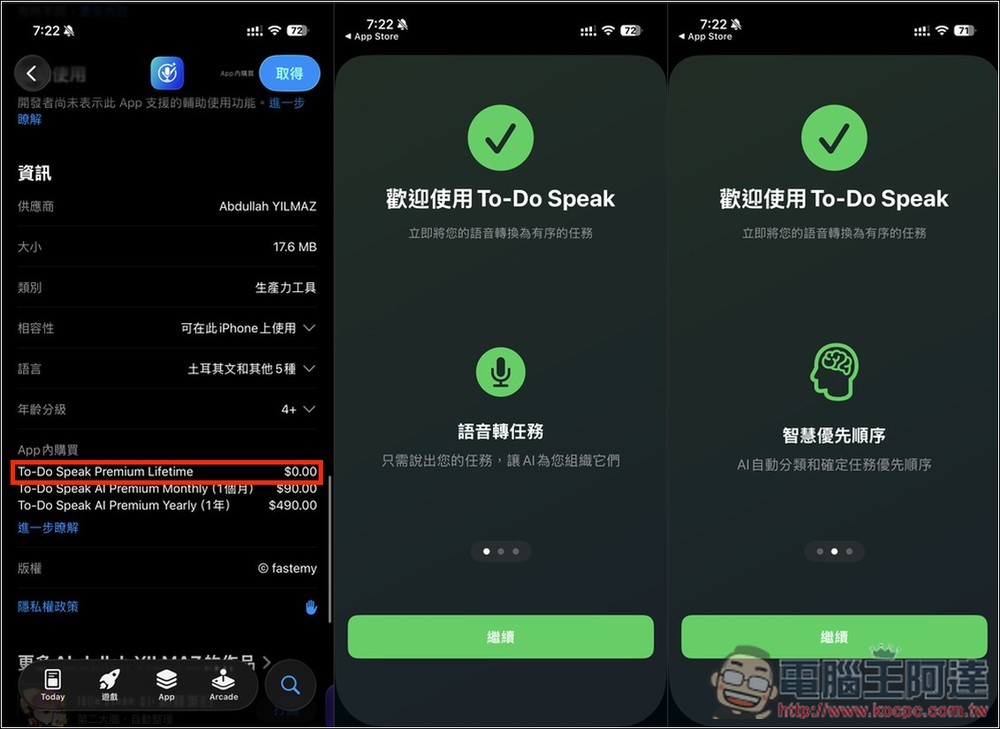
After iPhone users tap the link above to go to the App Store page, it’s recommended to scroll down first, find the “In-App Purchases” section, and check if the Lifetime plan still shows $0. If it does, it basically means it’s still on sale for free. When you first open the app, there will be an introduction to some special features – feel free to take a look:
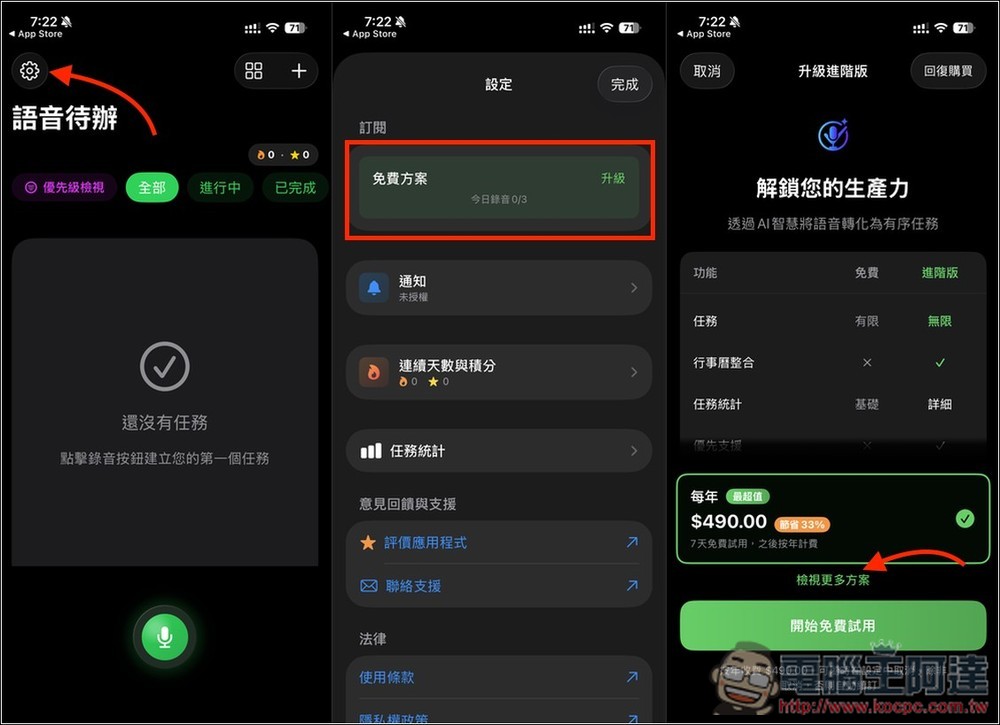
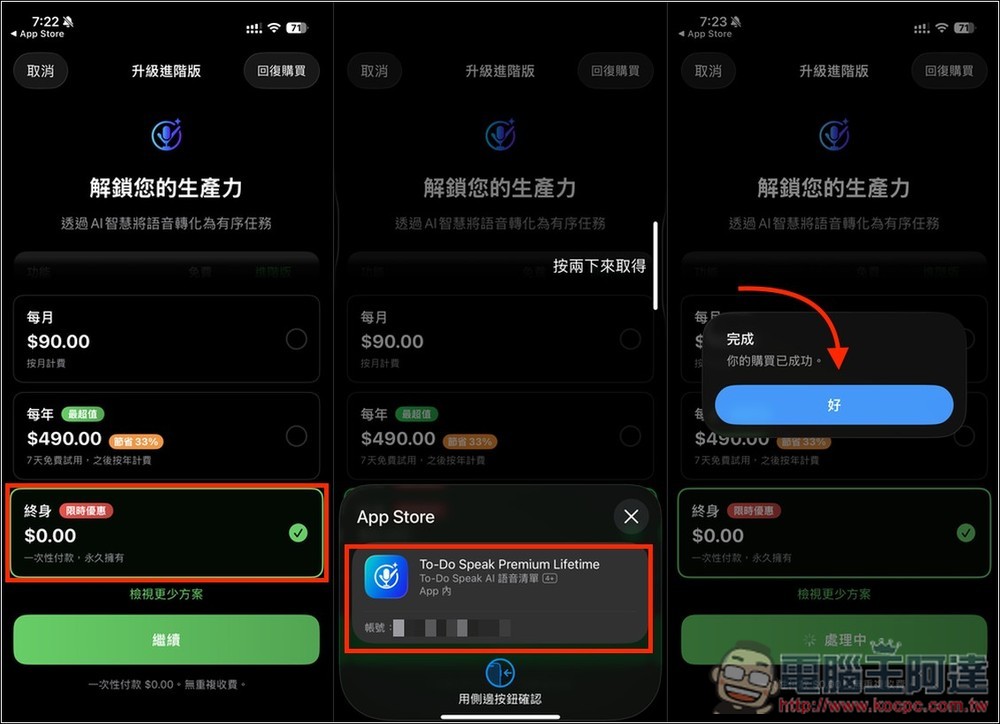
After entering the main screen, tap the gear icon in the top left corner to open the settings menu, then go to the “Free Plan” option at the top. If you haven’t upgraded, the free plan only allows 3 minutes of recording per day; upgrading to the lifetime version removes all restrictions. After entering the plans page, the lifetime plan won’t be shown by default, so please tap “Show More Plans” at the bottom.
At the very bottom is the “Lifetime Plan.” Remember to select this one and then press Continue. Also, before tapping to get it, make sure there’s really no charge; if there isn’t, tap again—this is very important. When it shows “Your purchase was successful,” it means you’ve upgraded to the lifetime version.
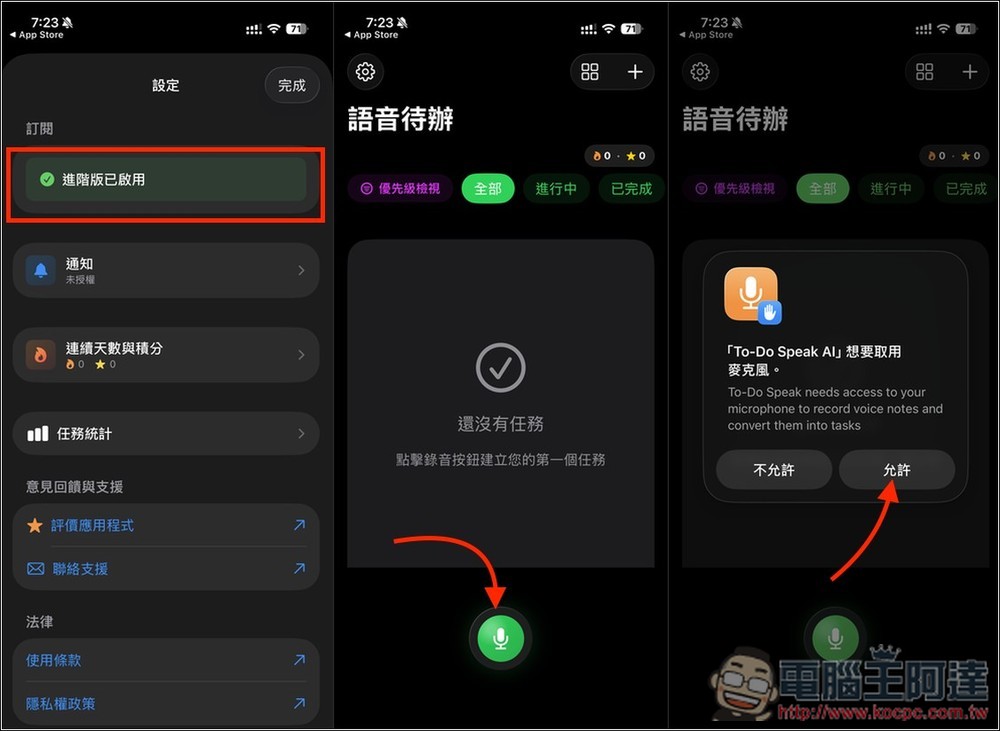
Return to the settings screen you were just on, and the top will also show “Pro version enabled.” Using it is simple: tap the microphone icon at the bottom of the main screen. The first time you do this, it will ask for microphone permission—remember to tap Allow.
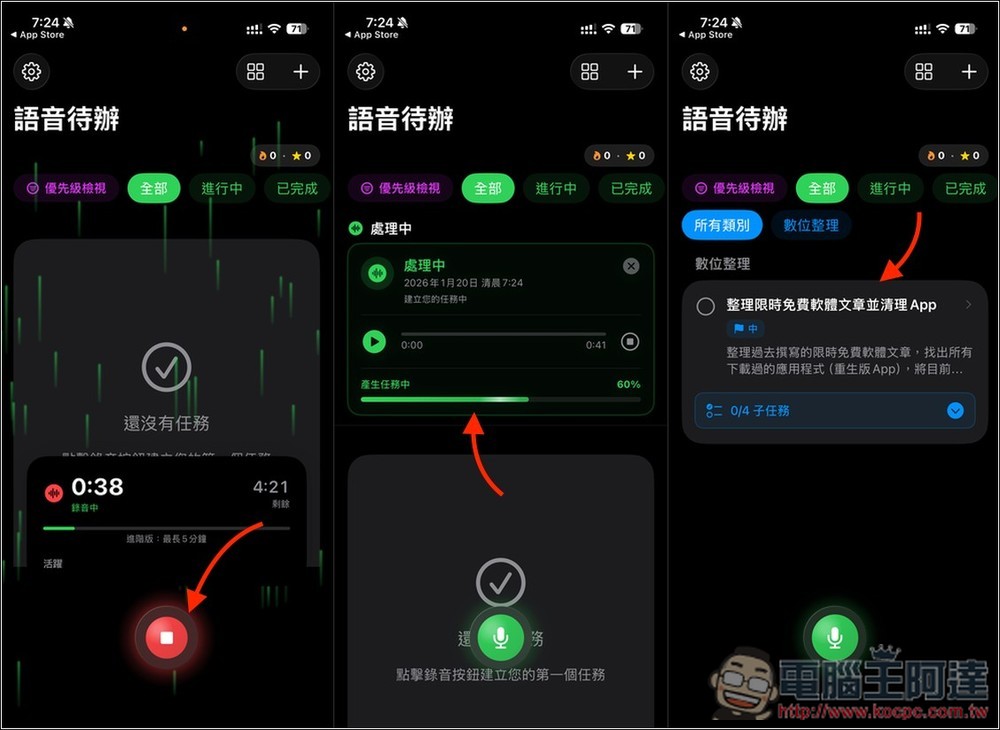
Then you can start speaking the task content. After recording is complete, remember to press the stop button, and the AI will start processing. The processing time is quite fast, taking only a few seconds.
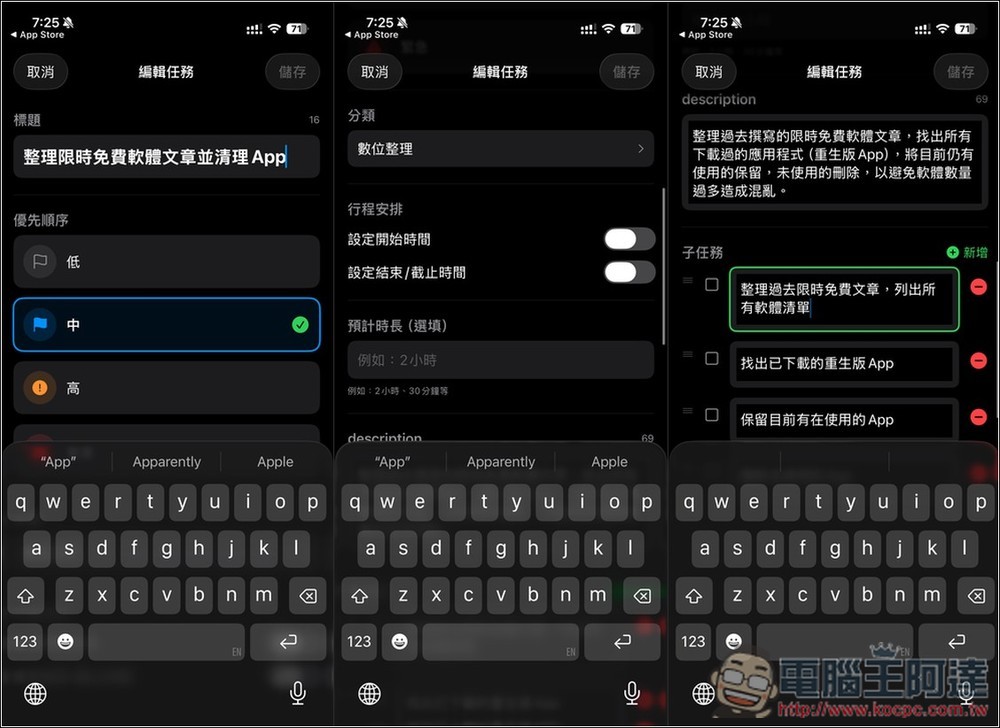
After opening the task, in addition to the task details you just described, related subtasks will be automatically created below. The recording will also be saved, so you can listen to it anytime, repeatedly.
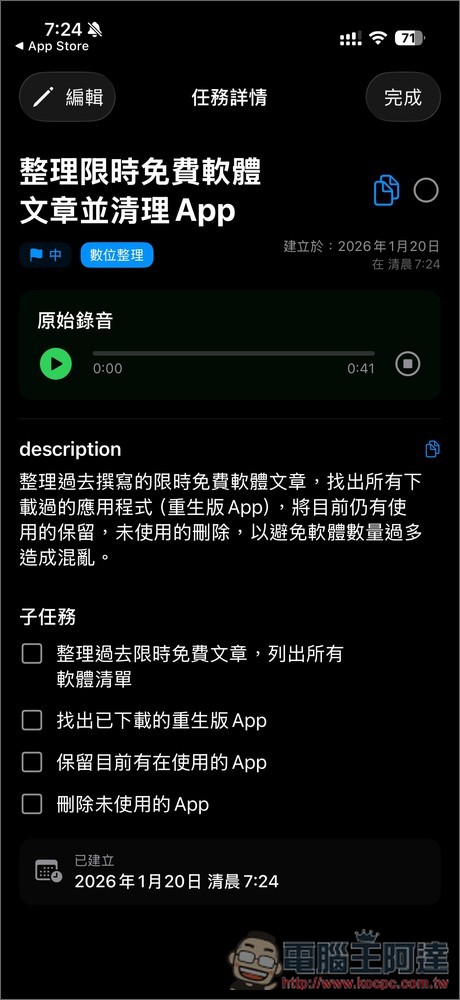
Of course, if you find any errors or areas that need additional information, you can manually edit the content. You can even set the start time, end time and deadline, along with the estimated duration:
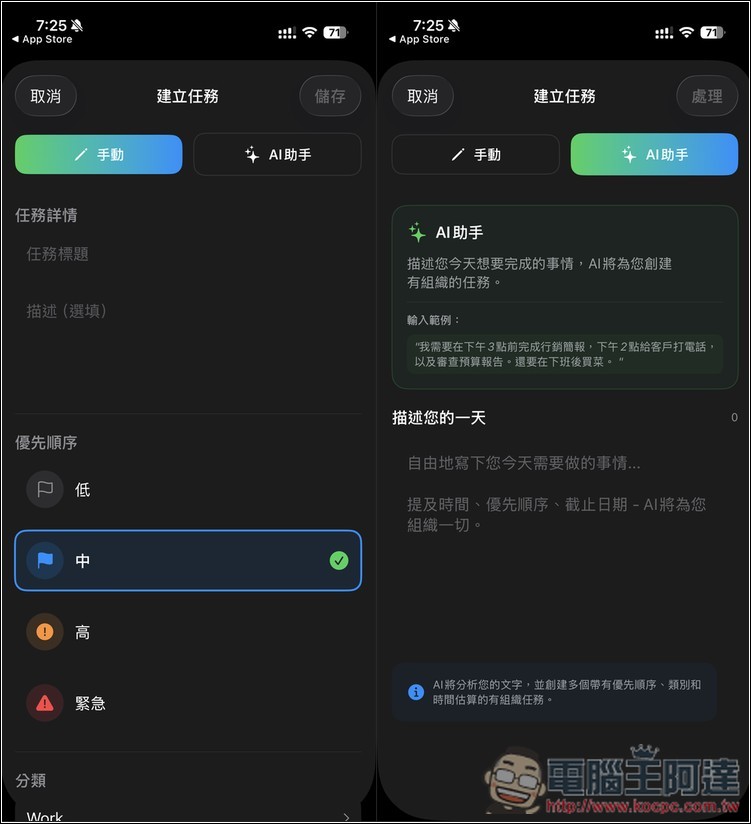
Beyond recording, you can also manually input tasks and to-do lists. If you don’t want to type them one by one, you can switch to the AI assistant, where you can simply describe the task and the AI will create the to-do list for you:
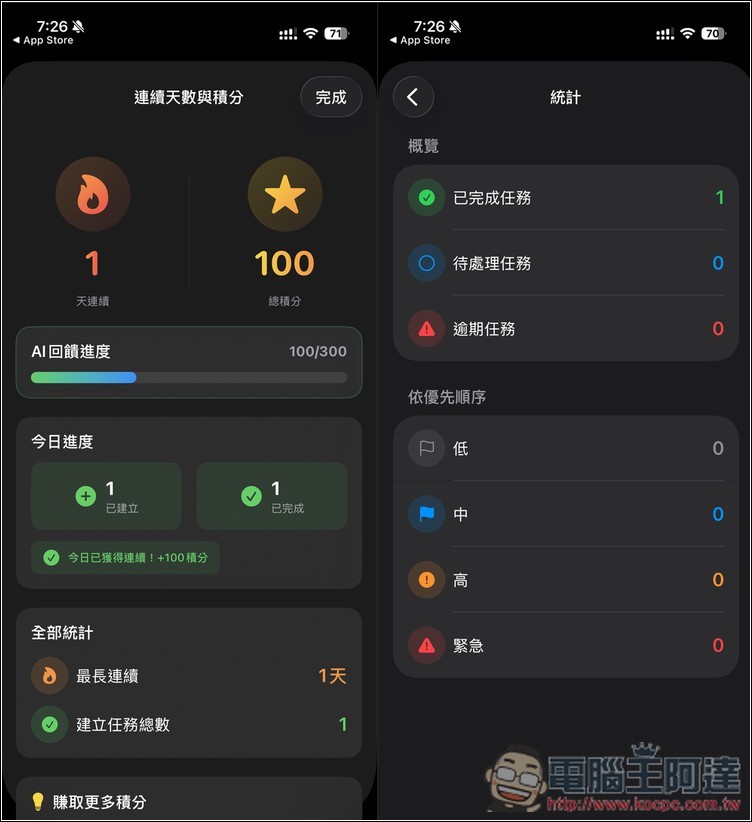
It also has built-in tracking for consecutive days and points, as well as statistics, making it easy for you to monitor and review anytime.
Source: KOCPC Chinese