


I believe many people would want to try it OpenClaw charm, and we’ve written tutorials about it before, such as:Installing OpenClaw on a virtual machine、Tutorial Video: Complete OpenClaw Installation GuideSo installation isn’t an issue, but API costs and AI service subscriptions can be a barrier for some people — they may not have the budget for it, or they’re worried about taking too many wrong turns during initial setup and wasting a lot of money. In this case, GitHub Copilot That’s a pretty good choice.
GitHub Copilot’s free accounts come with a monthly quota (50 chat sessions) to use models like GPT-4o and GPT-5 mini. For trying it out and initial setup, I think it’s sufficient—at least it offers way more free usage compared to other AI services. Of course, these models aren’t as capable as the latest ones, but they’re still perfectly fine for general use.
However, it’s worth noting that GitHub Copilot is authorized through OAuth, which may violate the official terms of service when used with OpenClaw. Therefore, if you have other projects developed or collected by GitHub itself, it would be safer to create and use a new account. In the future, GitHub may also prohibit this usage.
Learn how to connect GitHub Copilot with OpenClaw for free access to GPT-4o, GPT-5 mini, and other models
Regarding the installation of OpenClaw, we won’t go into further detail here. If you’re still unsure, you can watch the tutorial video filmed by Ada below:
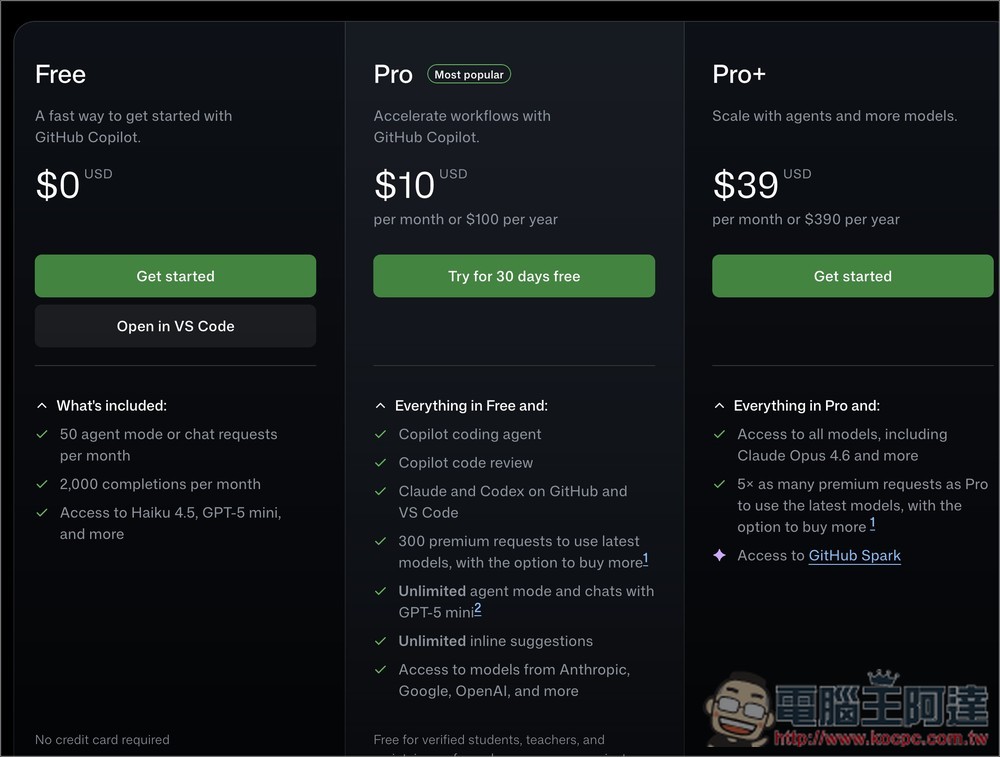
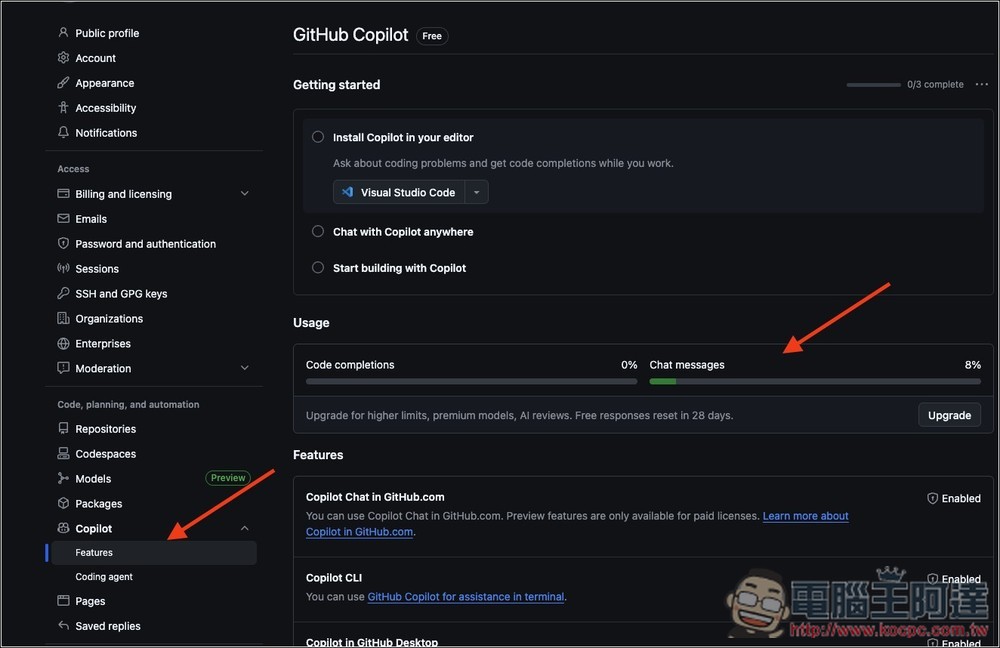
Below is the GitHub Copilot plan. The free tier includes 50 chat interactions per month, and you can check your remaining usage in the dashboard. An example will be demonstrated below:
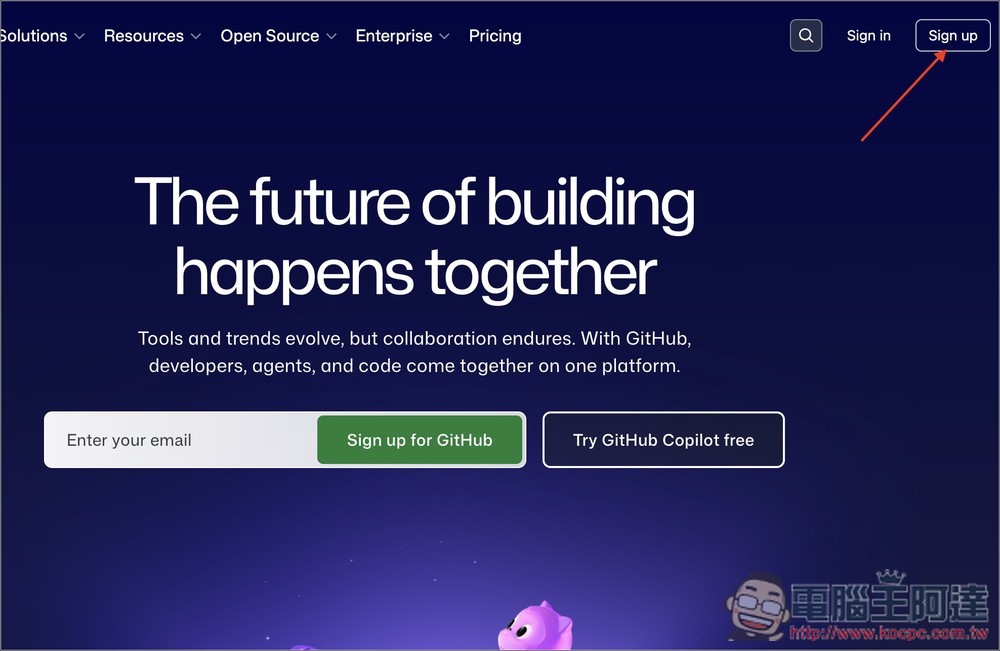
First, if you don’t already have a GitHub account, go to GitHub Official WebsiteSign up for an account, click Sign up in the upper right corner (don’t click Try GitHub Copilot free, as this will require you to try the Pro version for 30 days):
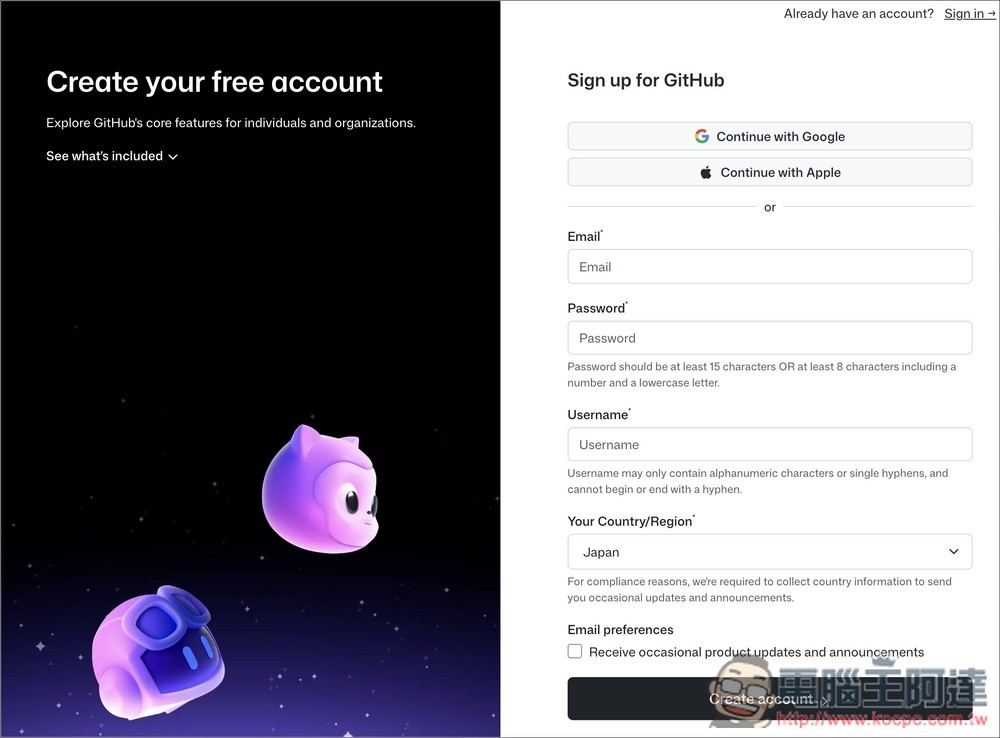
You can quickly sign up with your Google or Apple account, or fill in your details manually:
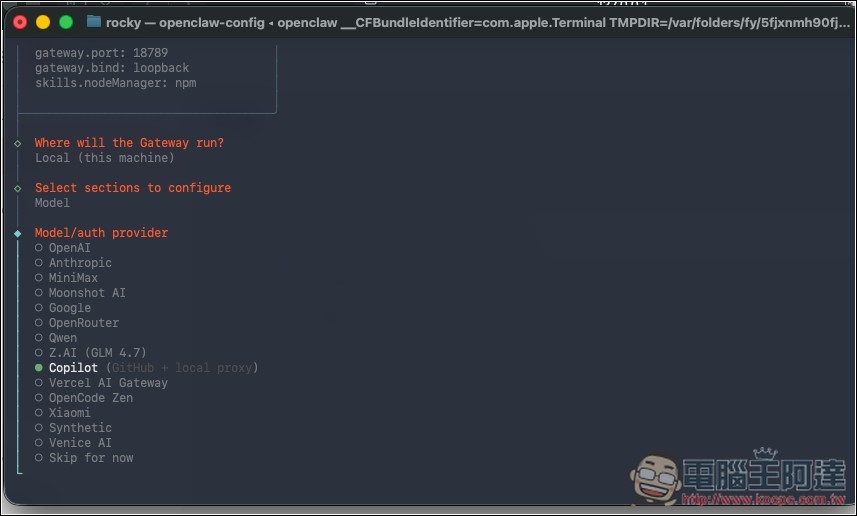
When setting up the OpenClaw model/Auth provider steps, select “Copilot”:
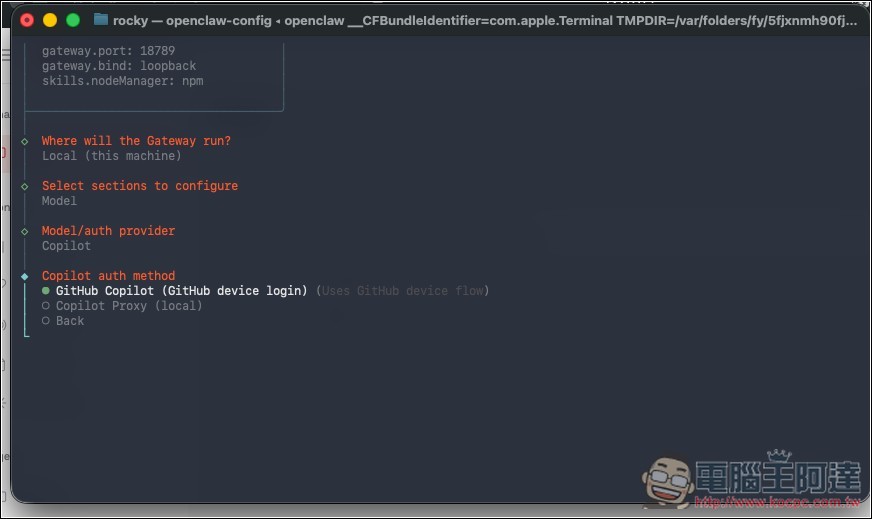
Then select the first one: GitHub Copilot (GitHub device login):
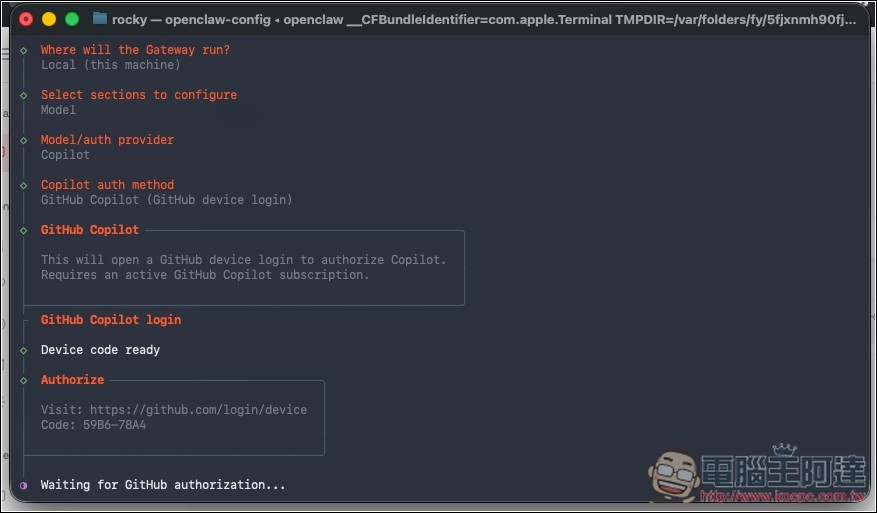
You will receive a URL and password. Copy the URL and paste it into your browser.
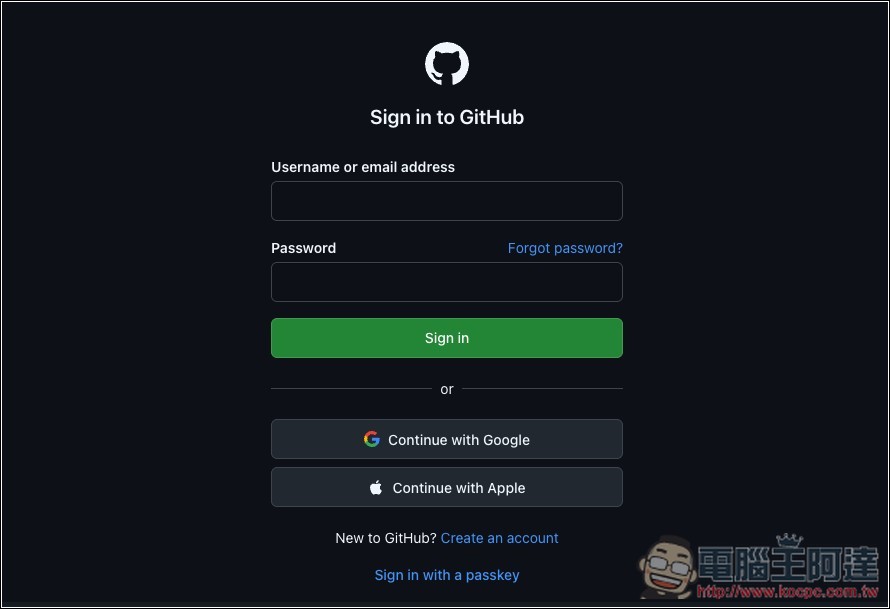
Log in to your GitHub account:
It will ask you to enter a password—this is the one you received along with the URL. Enter it and press Continue:
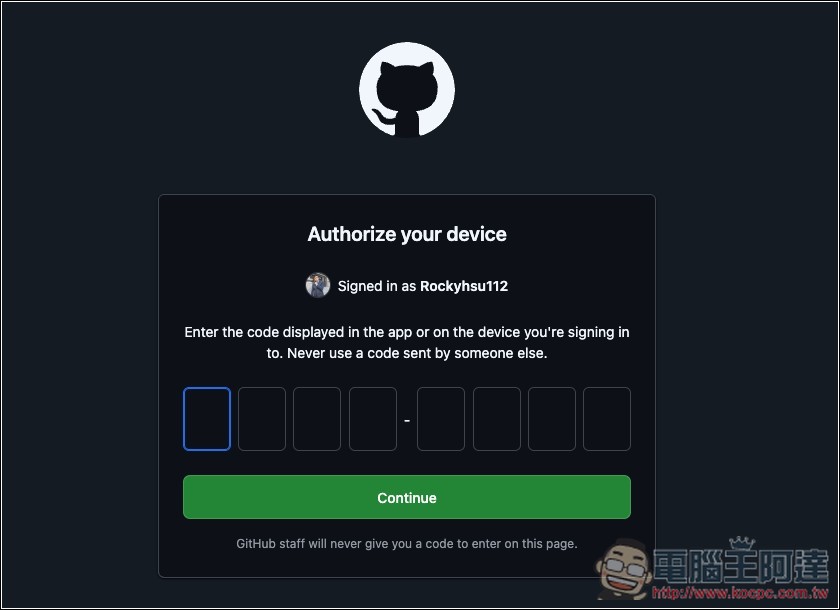
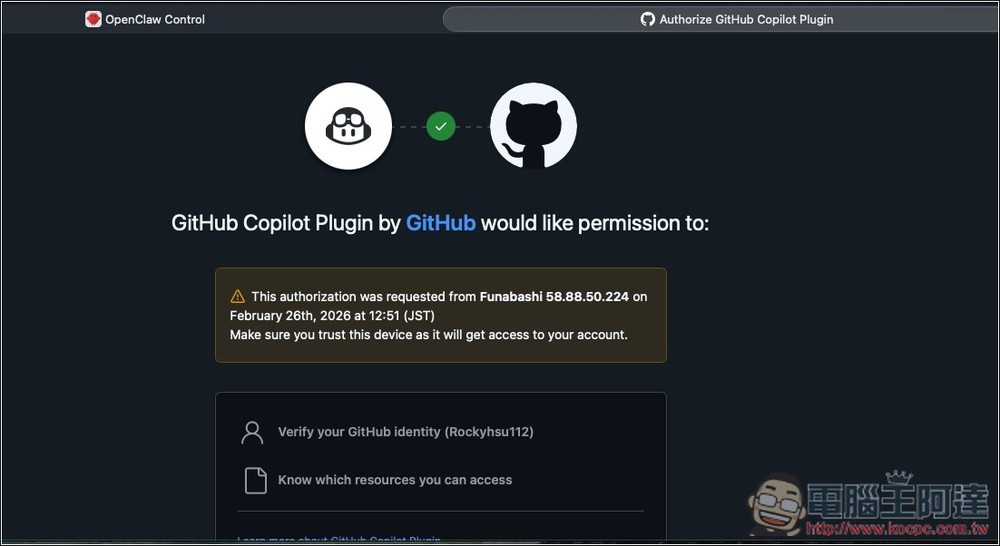
The authorization page will appear, click OK and you’re done.
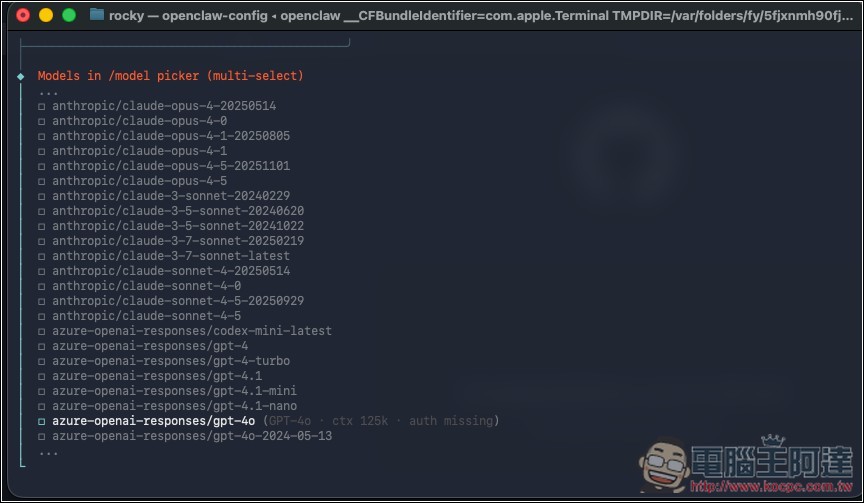
For the model, I recommend using GPT-4o – I think it’s a bit smarter than GPT-5 mini.
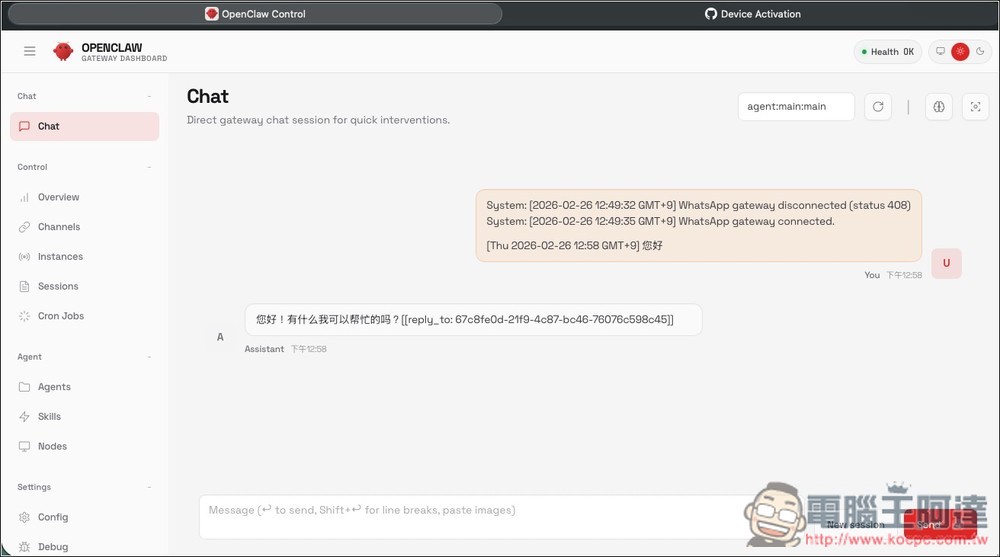
After completing the setup, return to the OpenClaw chat interface to start chatting, exploring, and completing the initial configuration.
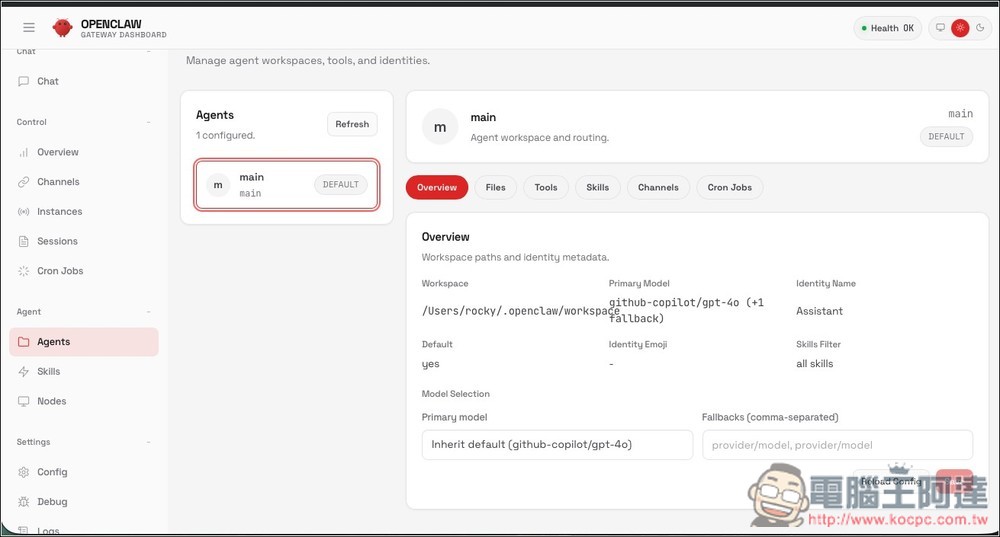
On the Agents page, you can see confirmation that GPT-4o is being used through GitHub Copilot:
Since you only get 50 chats per month, it’s recommended to check your remaining usage anytime in the Copilot option on the GitHub Copilot dashboard – that’s the Chat messages one. If you have a bit of budget to spare, you can also consider upgrading to the $10/month plan, which gives you unlimited GPT-5 mini chats:
Source: KOCPC Chinese