


Used Typeless People who [use it] basically wouldn’t be able to go back to other voice input tools, however Typeless Not entirely free tools, and previously was alsoForeign engineers expose serious privacy risksFor some users, they might want to look for other alternative free tools. I recently discovered this tool called “ByeType,” developed by a fellow countryman, that you can try. In addition to supporting 5 major speech recognition engines, it also comes with built-in AI Polishing feature with the option to use either cloud or local models. Currently completely free to use.Mac This version already has an installation file available for download. For other operating system versions, you can submit your email on the official website, and you’ll be notified when a beta version becomes available.

ByeType Introduction and Quick Start Guide
ByeType is created by aLan WeirenA developer-built tool featuring a typeless replacement “voice-to-text” input system. The core concept lets users speak instead of type, with AI automatically organizing content into well-structured, grammatically correct, contextually appropriate text:
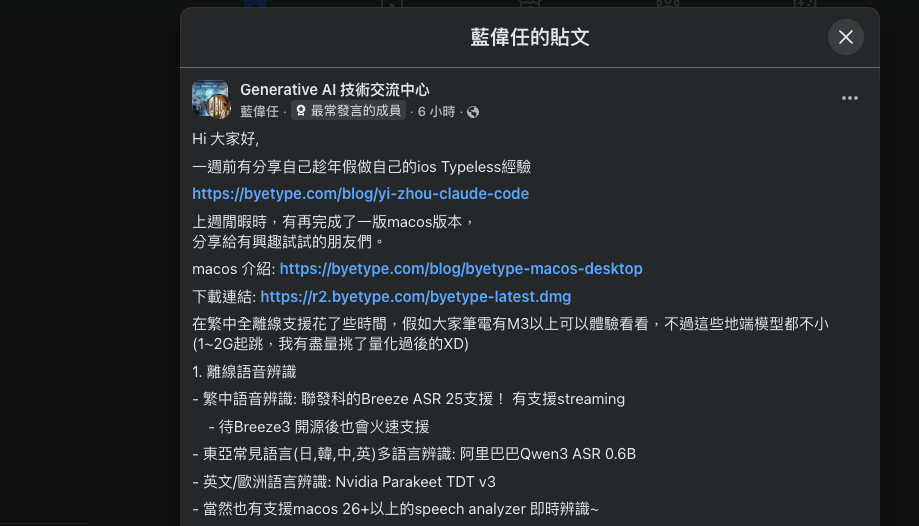
Unlike traditional voice input, ByeType doesn’t just transcribe—it combines speech recognition with a large language model to refine your words. It automatically removes filler words, adds punctuation, and even adjusts the output format based on the context, whether you’re composing a message, email, note, or code. The result is more professional, natural-sounding text. You can use it in any app, from messaging and social platforms to note-taking tools and AI chat applications.
On a technical level, ByeType offers two options. Users can choose privacy-first on-device processing or high-accuracy cloud services according to their needs, freely combining different AI model services.
Key Features
- System-level AI voice keyboard that works in any app
- AI automatically polishes text, removes redundant words, and corrects grammar
- Context-aware output that adjusts format based on different usage scenarios
- Supports dual-mode speech recognition with on-device and cloud options
- Supports input in over 20 languages
- Custom dictionary feature for improved professional terminology recognition
- Privacy-first design with user data control
Visit ByeType’s official website
Before I start the introduction, let me quickly share that although this is an alternative to Typeless, there’s still a gap in actual use. For example, the polishing part isn’t very stable (possibly due to the model I selected). When setting language detection to Auto, it sometimes translates my speech into English instead of directly transcribing Chinese. But since it’s still in beta, this should gradually improve with future updates.
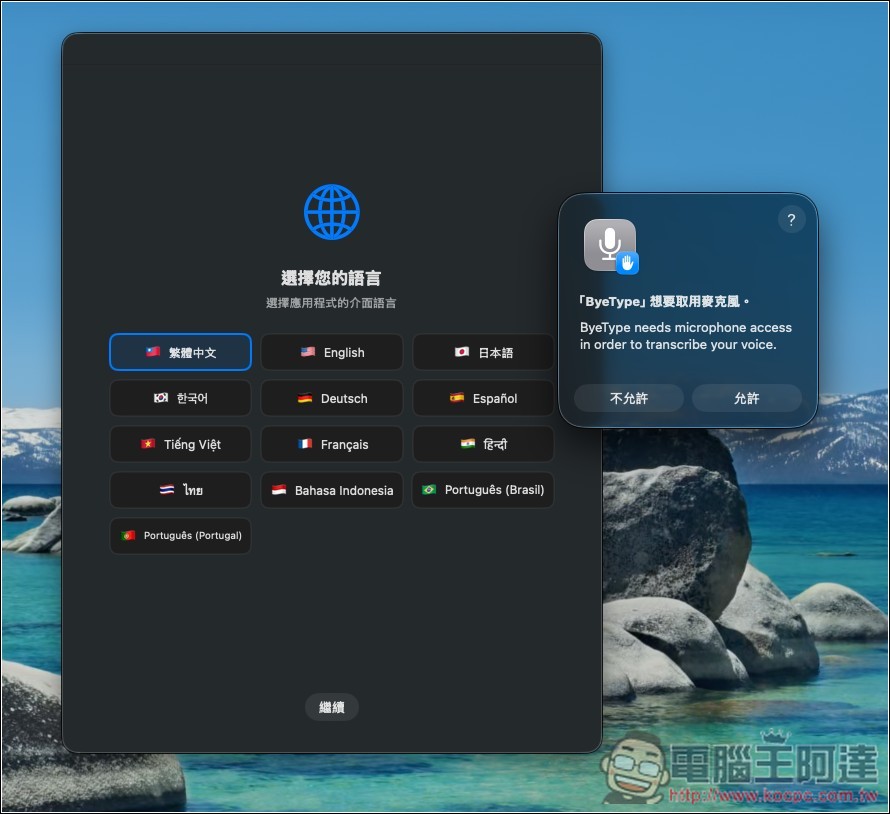
After opening ByeType, you’ll be asked to choose the app’s interface language and grant microphone permission:
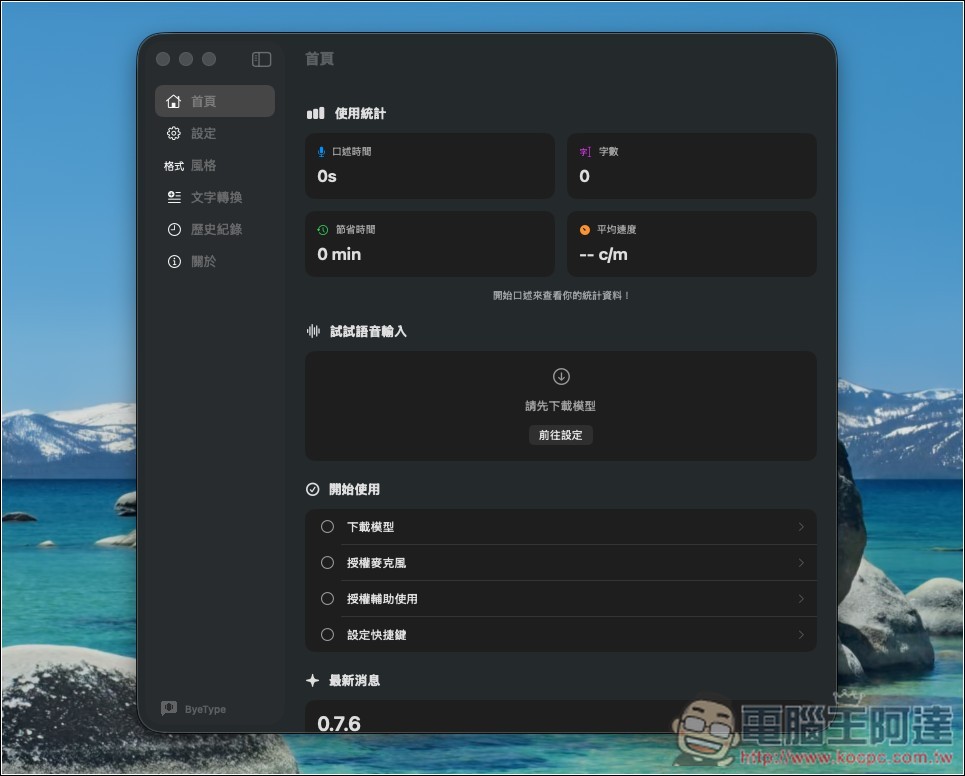
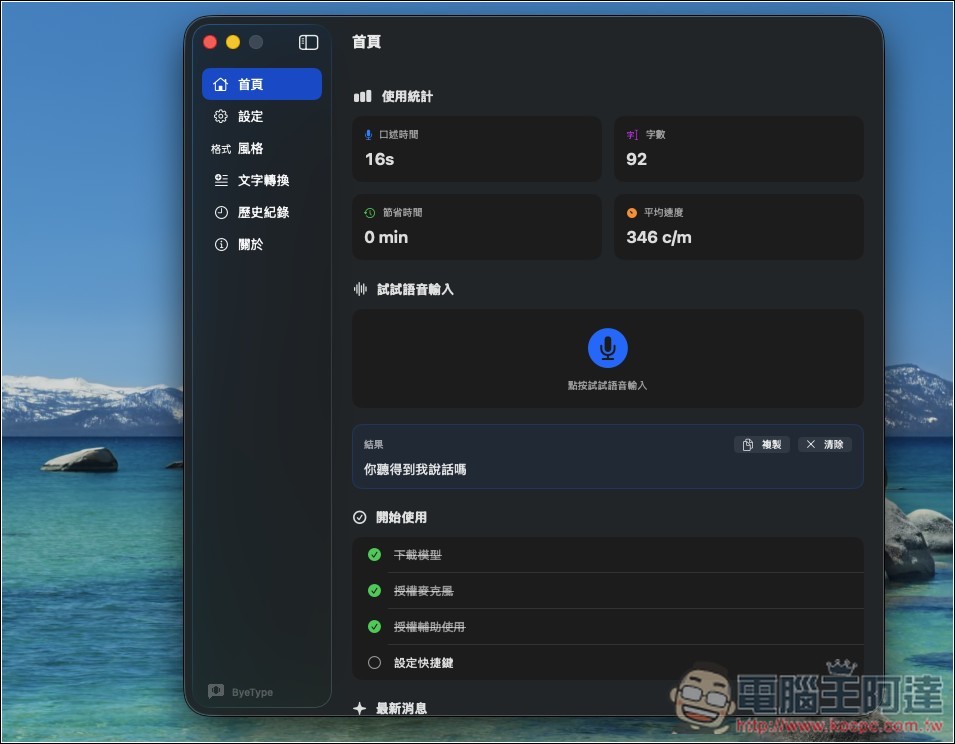
The image below shows ByeType’s interface. The design is somewhat similar to Typeless. Before you start using it, you’ll need to download the model and grant some permissions. Check the “Getting Started” list below and complete each item on the checklist.
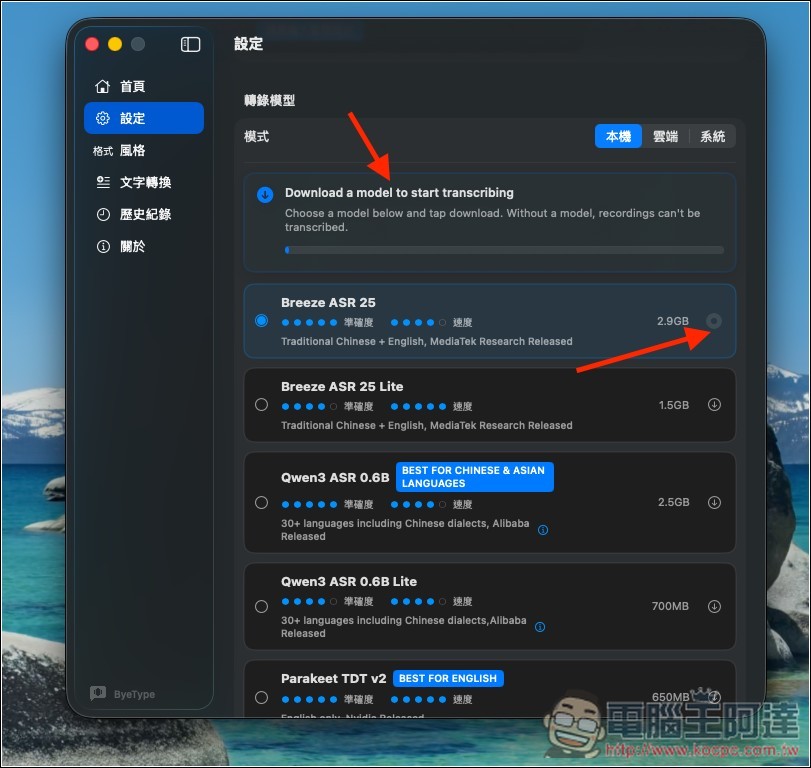
First is the transcription model. For local options, you can choose Breeze, Qwen3, Parakeet, or Whisper. For Traditional Chinese + English, the developer recommends MediaTek’s Breeze, which has the best accuracy and speed, but the file size is relatively large, up to 2.9GB. Click the download icon next to it to start downloading. ByeType also supports the built-in Apple speech recognition. If you want to use the built-in option directly, switch to ‘System’. ‘Cloud’ naturally refers to using a cloud-based transcription model:
Scroll down to find “AI Enhancement” – this is the AI polishing feature. Make sure to turn it on. According to the developer, it supports enhancement for the following situations:
- Fix speech recognition typos and misheard words
- 補上適當的標點符號
- Remove verbal filler words (um, uh, you know)
- Adjust the format based on the context
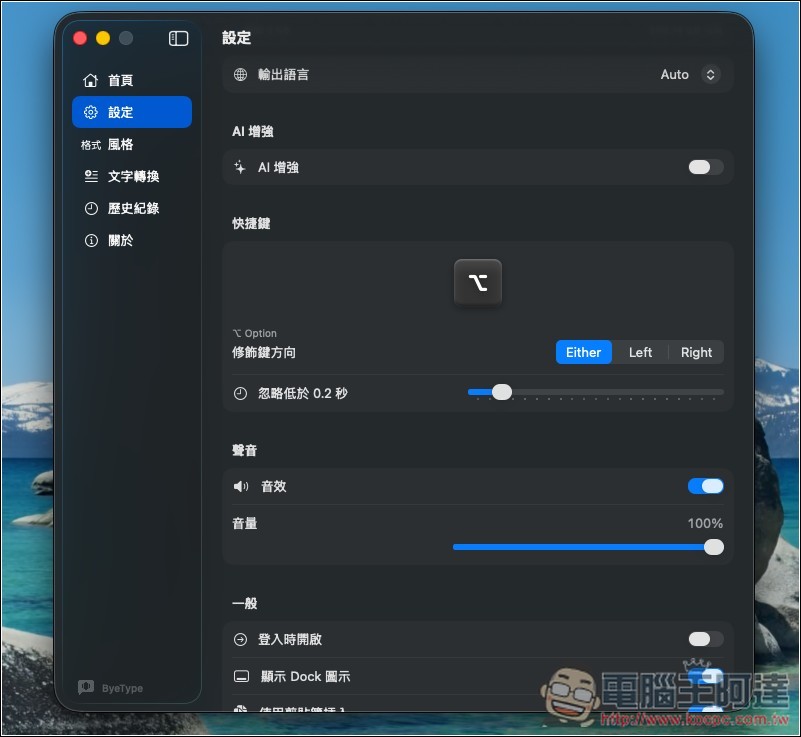
Next, set up the providers: OpenAI, Anthropic, Google Gemini, Groq, Mistral, local, and Apple Intelligence. I’ve tested Apple Intelligence and the results were underwhelming, so I’d suggest skipping it:
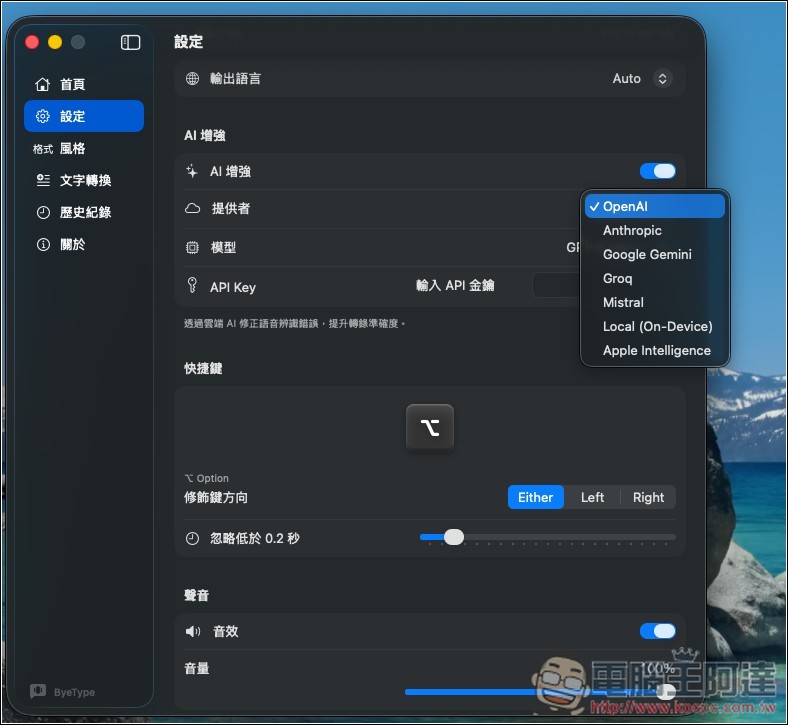
The advantage of Apple Intelligence is that there’s nothing to set up and no need to download—you can use it directly.
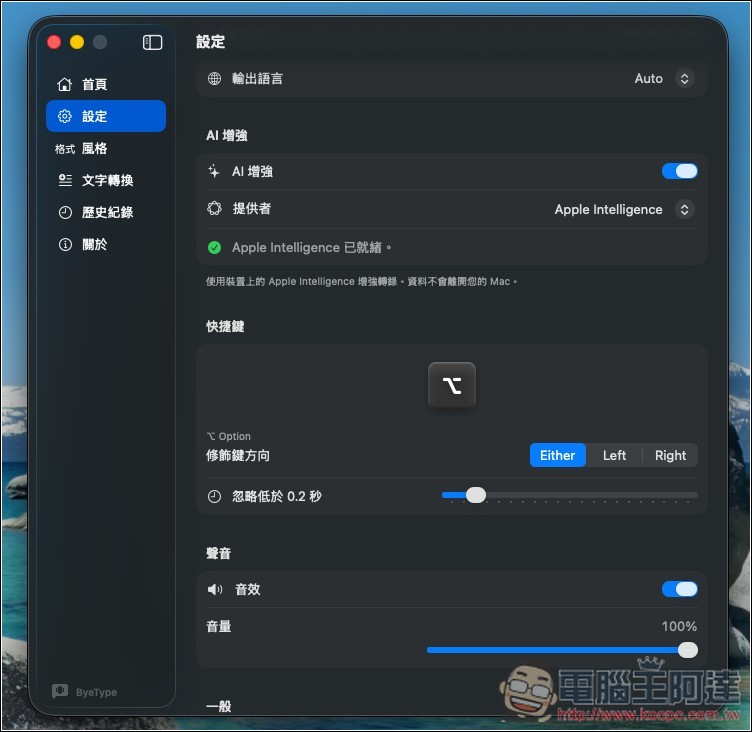
After the model is configured, you’ll also need to grant microphone and accessibility permissions. The keyboard shortcut defaults to “option”—no need to change it unless you have specific requirements:
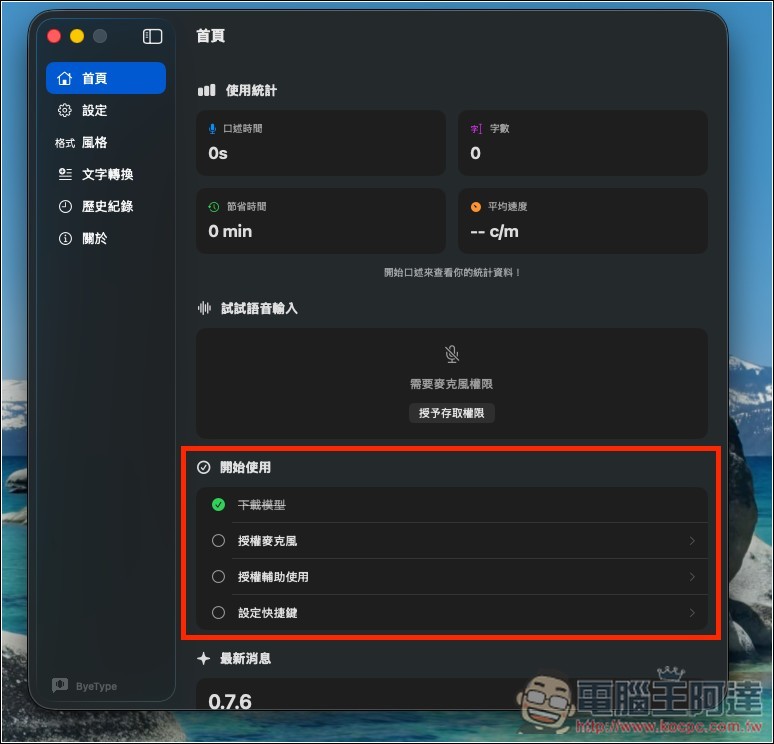
Once completed, you can start using it. It will also track your usage statistics:
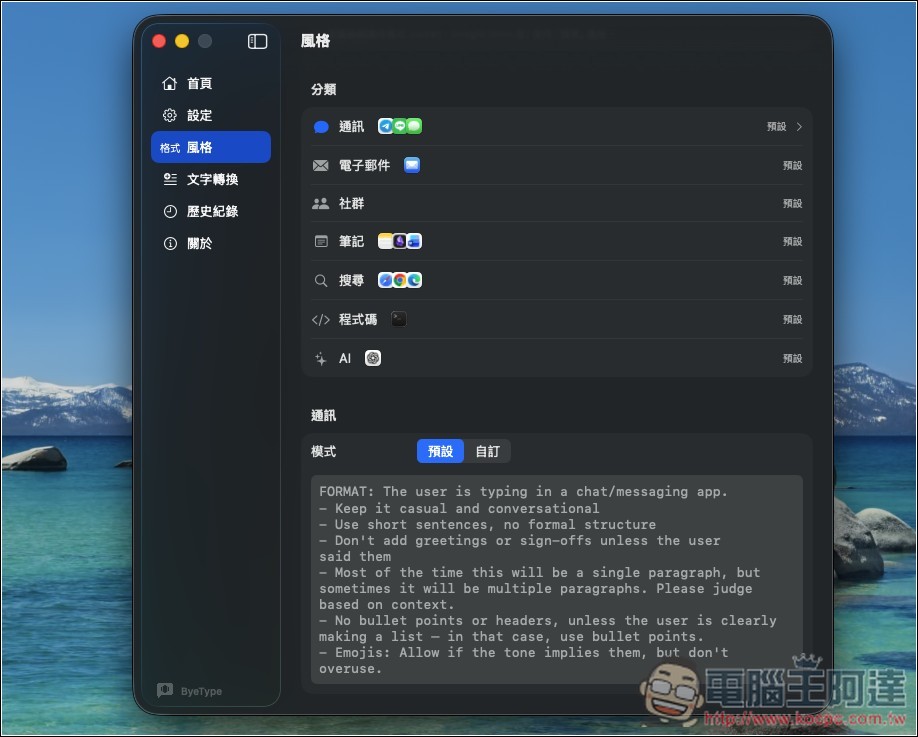
ByeType also supports automatically detecting the currently used App and applying the corresponding style. The prompts are already preset, and you can also modify them according to your own style or format requirements:
Source: KOCPC Chinese