


As AI becomes more and more mature, various services have begun to slowly introduce it. Earlier, Spotify officially announced the launch of the “Talk to Spotify” AI robot, which allows users to query the AI directly in the app using typing or voice. In addition to recommending music and adjusting the song selection direction in real time, it can also answer album background questions, query personal listening records, and even explore podcasts and audio books in depth.
The biggest difference between it and traditional search is that Talk to Spotify is AI-powered, so it can understand the context. You don’t need to explain all the conditions at once. You can first say “play some artists I haven’t heard of”, and then after listening to it, add “add a little Bad Bunny”, “just his latest works”, and finally continue to ask for “a little lighter” and so on. The whole process is like chatting with a music manager who knows your preferences, rather than searching for keywords.
Spotify launches Talk to Spotify AI assistant: it can chat to select songs, check listening history, and even find specific sections of podcasts
Earlier, Spotify announced the launch of Talk to Spotify’s new AI feature in the X community and released a demonstration video:
The most intuitive use of Talk to Spotify is to tell it what you want to listen to now. In addition to directly specifying songs or artists, you can also describe moods, activities and scenes, such as “Play light music that matches my summer energy”, “Play new works from favorite artists that I haven’t heard yet”, or “Help me create a playlist suitable for rainy Sunday mornings”.
Although this kind of request could be achieved through functions such as AI Playlist in the past, the feature of Talk to Spotify is that you can continue to modify it during playback. Suppose the tempo of the song picked out by the AI is too slow, you just need to add “Make it more brisk”. The complete process of Spotify’s official video display is to first play artists you have never heard of, then add Bad Bunny, limit it to recent works, and finally adjust the overall rhythm.
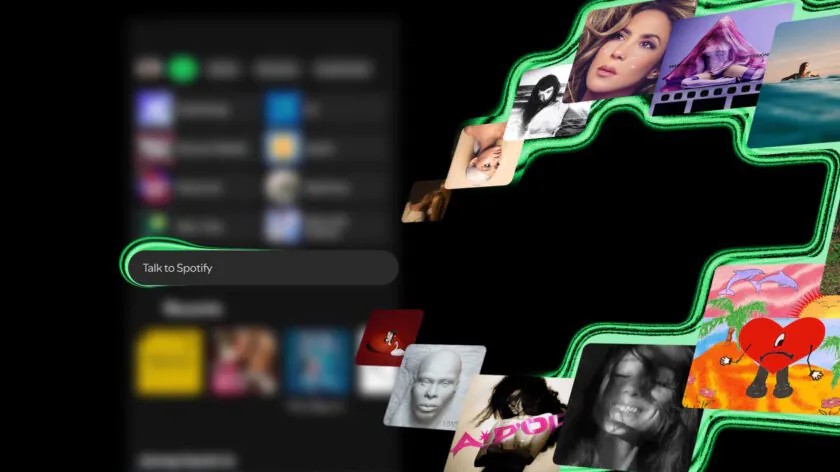
Talk to Spotify also understands personal listening history. You can ask “When did I first listen to this song?”, “What genres of music do I listen to most recently?” or “How many times have I played this song in total?”
In the past, Spotify would organize each user’s most played songs, artists and listening time through events such as the annual Wrapped, but this data was usually only presented during specific events. Now with Talk to Spotify, users can dig out their listening records using natural language at any time.
It also supports precise time conditions, such as “Play songs that I listened to in 2024 but not in 2025.” This requirement involves both personal listening history and time filtering. If you look for old playlists by yourself, you may not be able to sort them out in half a day. It is much simpler to leave it to AI.
In addition, if you hear a song you like, you can also directly ask Talk to Spotify to “save this song”, “add this song to the playlist” or “follow this artist”. In other words, it not only provides suggestions, but also directly completes some common operations on behalf of the user.
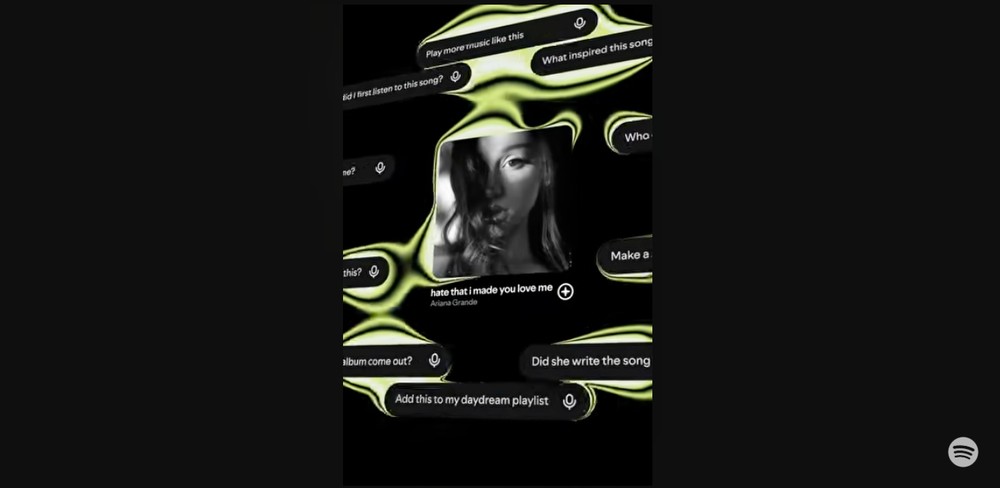
Another useful feature is that it can answer questions about the content being played. You can ask, “What is the inspiration for this album?”, “When was this album released?”, “What genre does this song belong to?” or “Who was this artist influenced by?” Spotify takes Dua Lipa’s “Radical Optimism” as an example to demonstrate asking about the inspiration for this album, and then continue to explore related artists, music styles, and the stories behind it from the answers.
However, it should be noted that since it is AI after all, errors may still occur, so it is more suitable to use Talk to Spotify as an AI assistant rather than a music encyclopedia that guarantees that every answer is correct. Spotify also reminds that it is still a Beta version, and the answer may not be perfect. Users still need to check official sources for important release information or creative background.
Talk to Spotify is currently being rolled out gradually in beta form. The first wave is only open to Spotify Premium users in the United States, Ireland and Sweden, and users must be over 18 years old. The device part supports iOS and Android, and is currently only available in English. Spotify has not yet announced the opening time for other languages and regions.
Qualified users can open it from two places. The first is on the Spotify homepage. Find the text input field below the upper shortcut and type directly or click on the microphone to speak the request. The second is to scroll down on the “Now Playing” screen of music, podcasts or audio books and ask for the current content through the lower input field.
Source: KOCPC Chinese