


regarding AI For users, they often check how much quota remains during use to allocate their current work usage more efficiently, especially… ClaudeFor Claude Pro users using the Opus 4.6 model, the quota fills up quickly, requiring you to wait for a cooldown period. Every query requires navigating to the desktop app settings or web version, which is quite cumbersome. This article recommends an awesome free open-source tool called CodexBar that lets you directly Mac Check the remaining credits for various AI services like Claude on the Menu Bar,Codex、GeminiAntigravity, Ollama, and even China’s z.ai, MiniMax, and Kimi, among others, are all supported.
It is also available for Linux, but not for Windows yet.
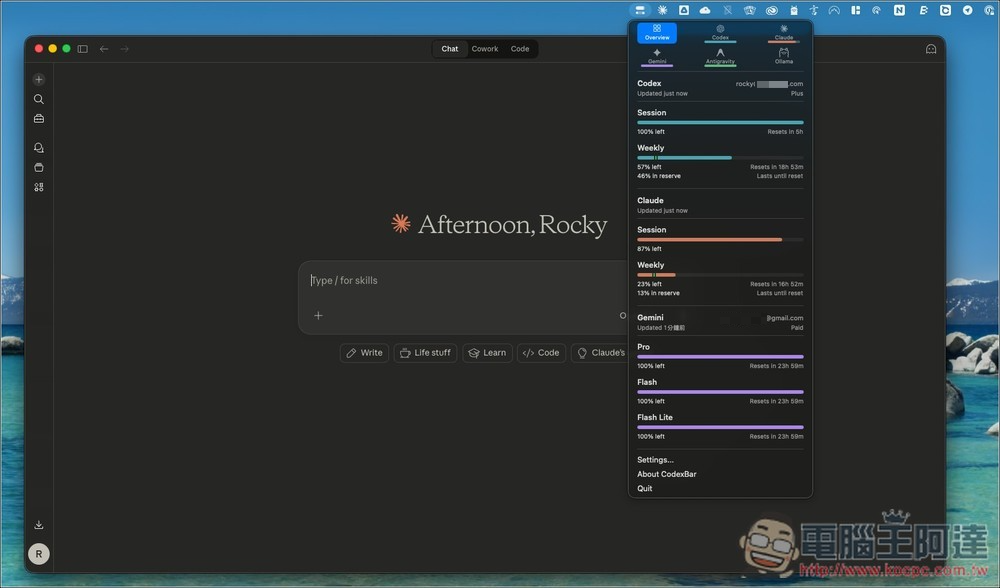
CodexBar Introduction and Operation Tutorial
CodexBar is a free tool built for developers and power AI users, letting you monitor usage and limits across all major AI services in one glance—no need to log into each platform separately.
The biggest advantage is its integration capability, supporting multiple AI platforms including Codex, Claude, Cursor, Copilot, Vertex AI, and more. It reads data through OAuth, CLI, or browser cookies. After installation, you can directly see each service’s remaining usage, reset time, and current usage status in the Mac menu bar. This is extremely useful for users who need to control costs or don’t want to be suddenly restricted.
Additionally, CodexBar also adopts a minimalist design that won’t interfere with daily use. It has no Dock icon, with all information centralized in the menu bar, displaying session (short-term) and weekly (long-term) usage through simple bar graphs. When approaching limits or when anomalies occur, it also uses colors or icons to alert you in real time.
What’s even better is that it also includes local cost analysis capabilities, scanning through the past 30 days of usage records to help you understand your AI spending. For those who need precise control over API costs or team usage, this is a really nice touch.
Key Features
- Multi-platform AI support: Integrating Codex, Claude, Gemini, Copilot, and other services
- Real-time usage display: View session and weekly usage in the menu bar
- Reset Time Reminders: Clearly display when each service’s quota resets
- Minimalist Design: No Dock Icons, Low-Distraction Experience
- Local Cost Analysis: Supports Last 30 Days AI Usage Cost Statistics
- Multi-source integration: supports CLI, OAuth, browser data, and more
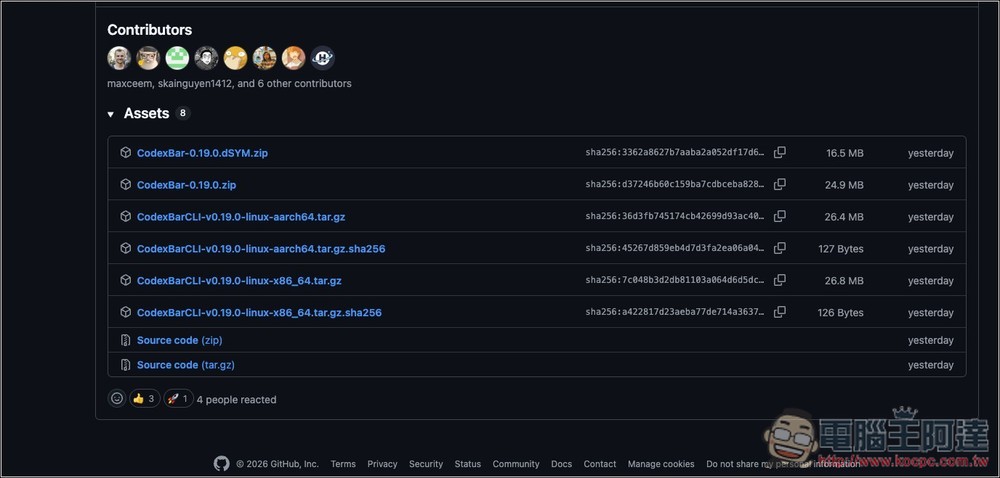
CodexBar currently has Mac and Linux versions. For Mac, download the compressed file without dSYM:
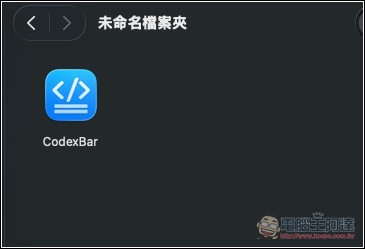
After extracting, you’ll see the application—just double-click to open it. You can also drag the CodexBar App to the Applications folder, so you can open it directly from the menu later on.
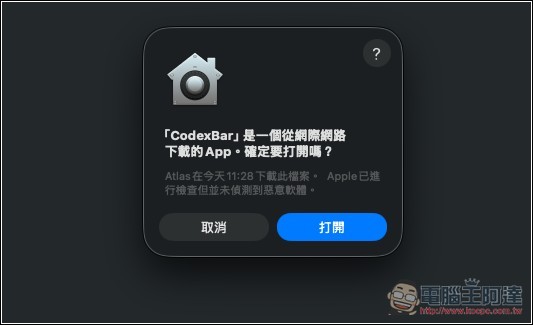
This message will pop up — click to open
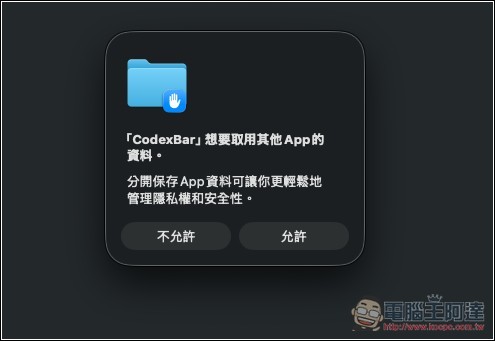
Some permissions will be requested next, just click Allow:
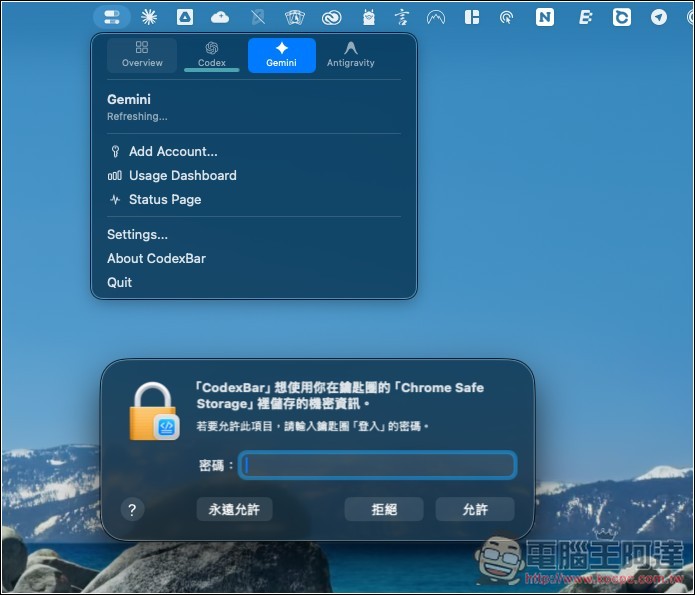
It will also need to access the information in the Keychain. This step is mainly used for decrypting browser cookies to obtain login status, and further retrieve usage/quota/reset time. Some AI services also store their OAuth login credentials in the macOS Keychain. If you’re still concerned about this, it’s recommended not to use this tool:
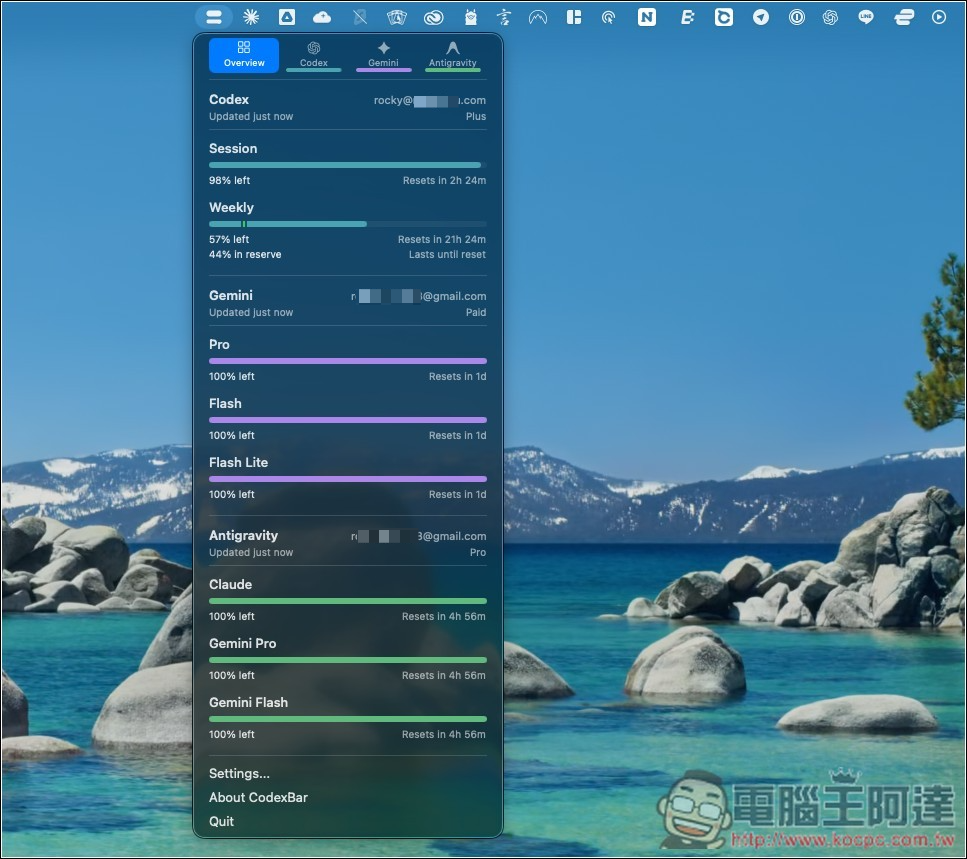
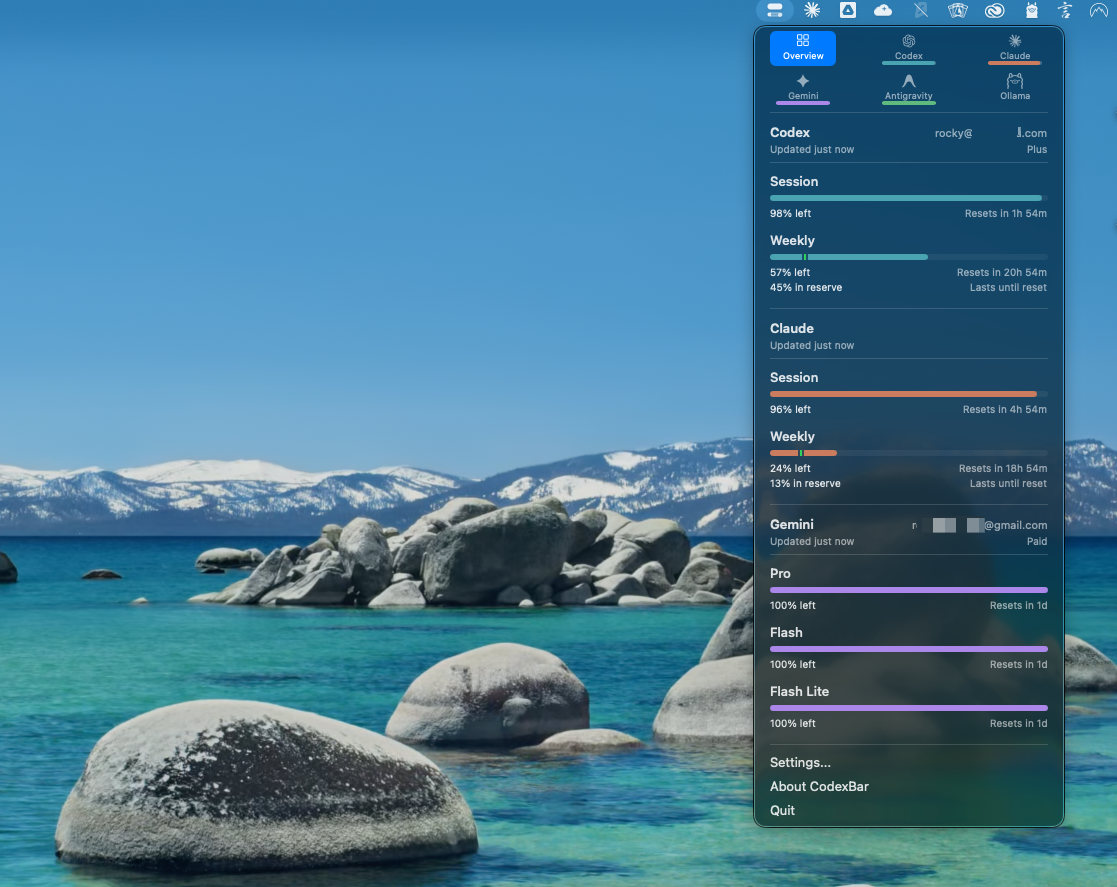
Wait for the update to complete, and the screen will show the remaining usage for each AI service. Mine initially had Codex, Gemini, and Antigravity. Currently, my main ones are Codex and Claude, so I’m not using Gemini and Antigravity at all, which means the quotas are all full.
For any AI services not shown in the menu, open Settings and go to Providers to manually add them. For example, mine was missing Claude, so I checked the box to enable it.
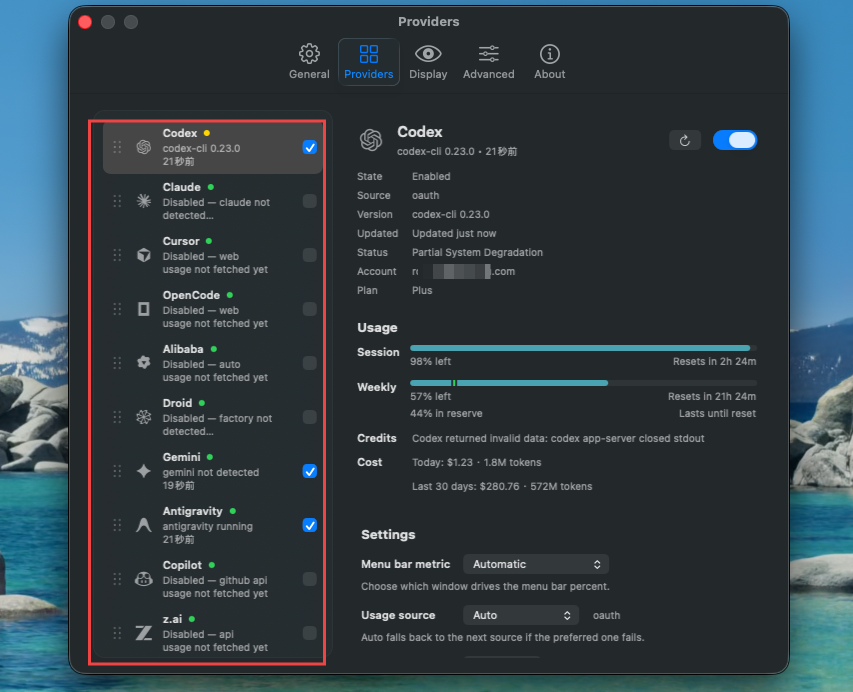
The credit limit appeared on the menu, and the numbers were all accurate.
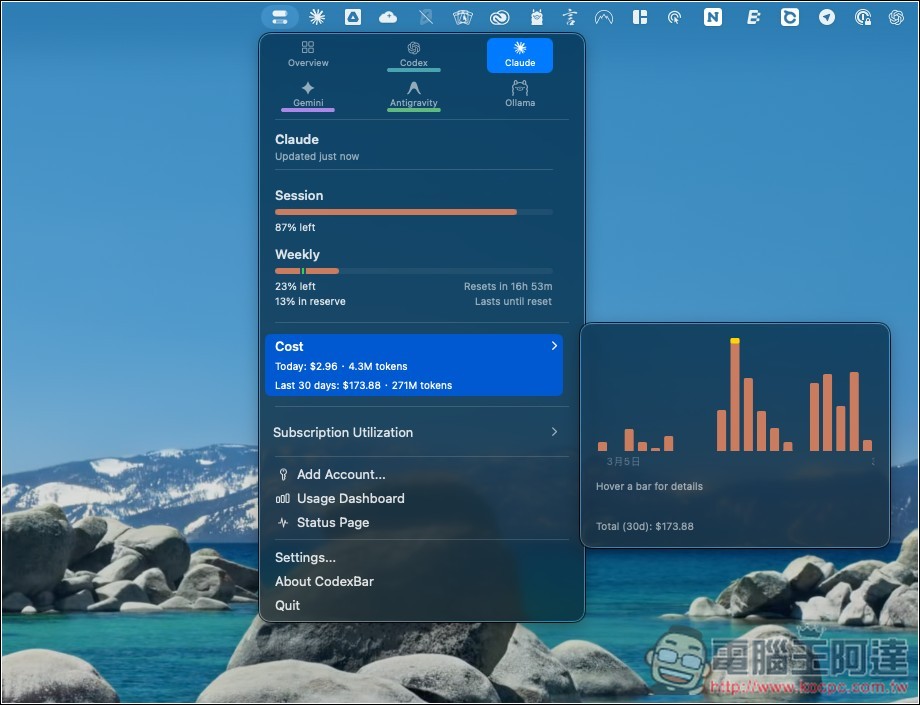
What’s even more interesting is that after going into the AI service’s page, you can check the Cost section to see how many Tokens you’ve used in the past 30 days and what the USD equivalent is. I have the Claude Pro subscription, and in the past 30 days I’ve already used Tokens worth $173.88, so you can see I’ve definitely gotten my money’s worth (laughs). Of course, this isn’t 100% accurate, so take it as a reference.
Source: KOCPC Chinese