


NVIDIA Introduced at GTC 2026, a product that claims to be Deploy OpenClaw paired with the Nemotron 3 Super model, one of the bestI believe many people want to try it out themselves to see just how powerful it is. Although it’s an open-source large language model with up to 120 billion parameters (120B), even with highly efficient architecture design, running it on your own computer is still impossible for most people.
The good news is that you can now access the free Nemotron 3 Super API through the OpenRouter platform, and it runs on any computer. On top of that, there’s also an online chat tool so you can experience this model directly through your browser. Below, I’ll show you how to do it.
Nemotron 3 Super Features
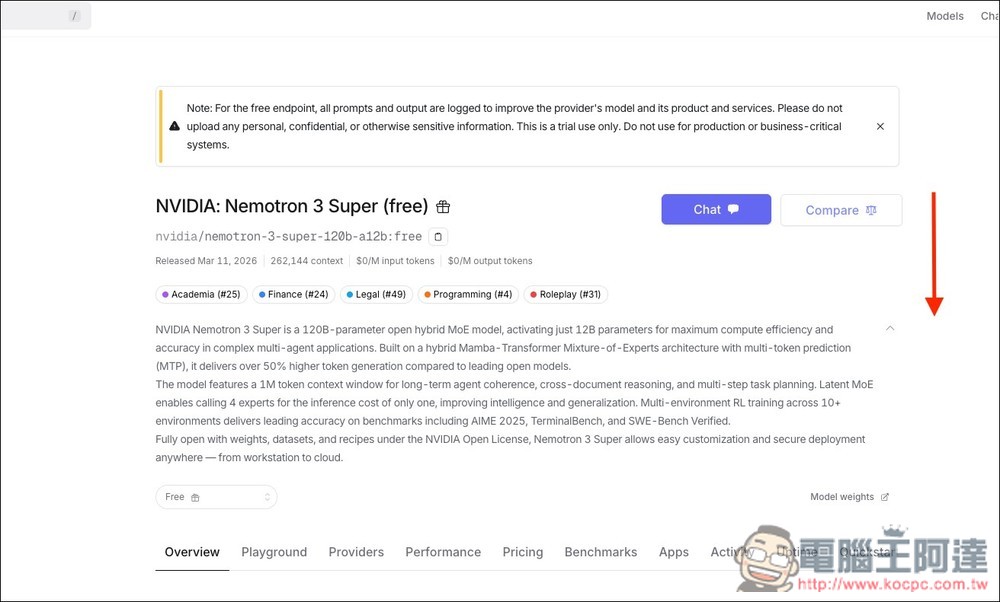
For readers unfamiliar with Nemotron 3 Super, here’s a quick introduction: it uses a “Hybrid Mamba-Transformer (MoE)” architecture. This sounds complicated, but simply put: although the entire model has 120 billion (120B) parameters, during actual inference only 12 billion (12B) parameters are activated, achieving a good balance between performance and speed.
This design brings several benefits, starting with speed. NVIDIA states that Nemotron 3 Super’s inference throughput has improved by over 5x compared to the previous generation Nemotron Super, and token generation speed is also significantly faster compared to similar open-source models.
According to official data, under the 8k input / 16k output conditions, its inference throughput is 2.2x that of GPT-OSS-120B and 7.5x that of Qwen3.5-122B. Additionally, it features an exceptionally long context window supporting up to 1 million tokens, enabling the processing of massive amounts of data in a single pass, which is crucial for AI agent applications requiring long-term memory.
Additionally, Nemotron 3 Super also employs “Latent MoE” technology, which compresses tokens before they enter the expert modules. This allows calling 4 experts at the same inference cost, thereby improving overall response quality. For memory requirements, it also uses NVFP4, a 4-bit floating-point format, to reduce memory usage and make the model easier to deploy across different hardware devices.
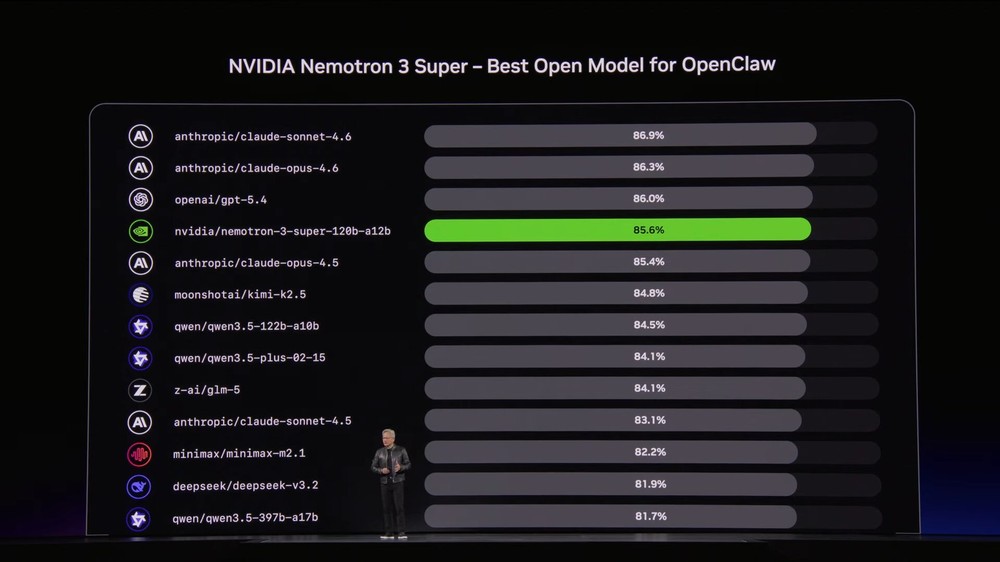
In terms of actual performance, on PinchBench—the benchmark specifically designed to test OpenClaw AI agent capabilities—Nemotron 3 Super achieved a score of 85.6%, the highest among comparable open-source models. No wonder NVIDIA calls it one of the best models for OpenClaw deployment.
Most importantly, Nemotron 3 Super is fully open source under the NVIDIA Open License, with model weights, datasets, and training recipes all publicly available, giving developers the freedom to use them freely. In addition to OpenRouter, it is currently also available on platforms such as NVIDIA’s build.nvidia.com, Amazon Bedrock, and Hugging Face.
How to access the free Nemotron 3 Super API and try it online through OpenRouter
Although Nemotron 3 Super is an open-source model, its large parameters still require fairly powerful hardware to run, so for most people, the most convenient option is to access the free API through OpenRouter.
OpenRouter is an API platform that integrates multiple AI models, allowing developers to use a single API key to switch between different models, including those from OpenAI, Anthropic, Google, Meta, NVIDIA, and more.
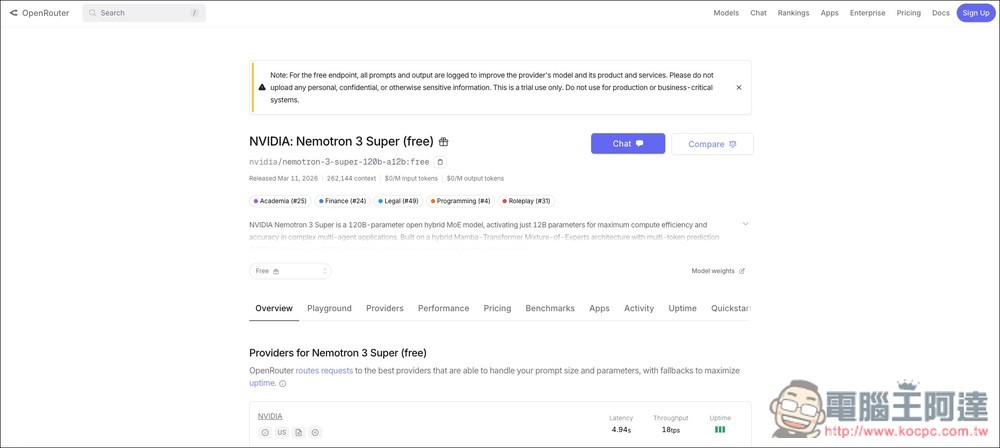
However, it should be noted that the free version automatically logs all prompts and outputs to improve models and services. Therefore, they also recommend not uploading personal, confidential, or sensitive information, and it’s not suitable for formal production environments or mission-critical business systems.
Since it’s free to use, there are naturally some limitations, including:
- 50 free model calls per day
- You can only send a maximum of 20 requests per minute
- Failed calls also count toward the daily quota
- You may encounter queues during peak hours.
Go to OpenRouter’s Nemotron 3 Super page
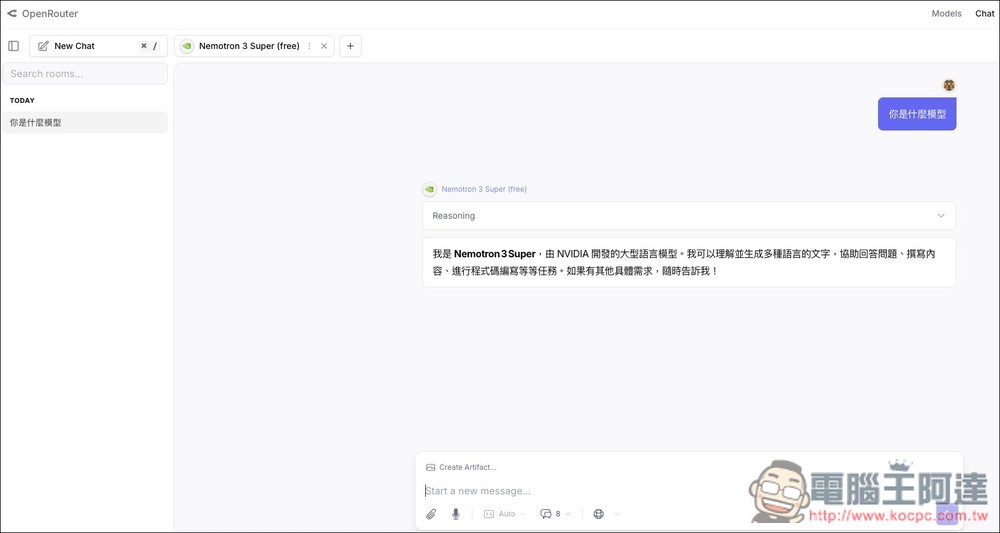
After navigating to the Nemotron 3 Super page on OpenRouter, if you want to try it online, you can click Chat and log in to your OpenRouter account to start chatting:
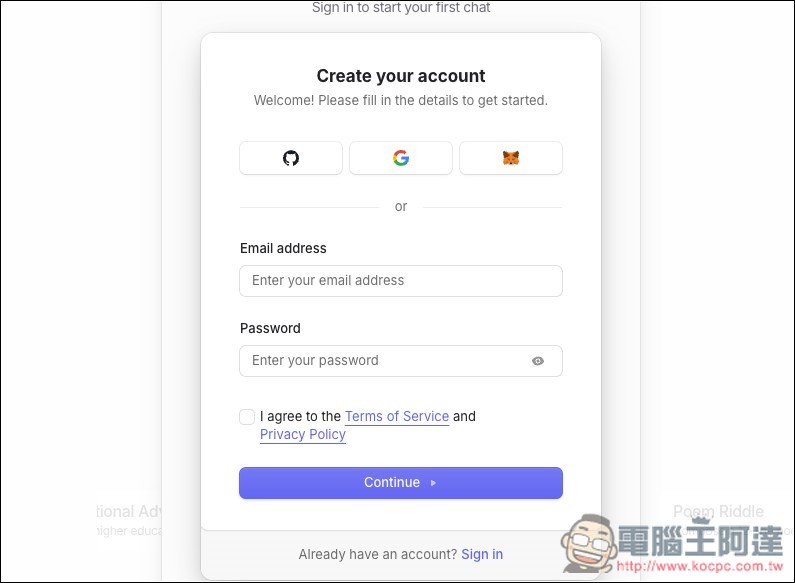
Those without an OpenRouter account can sign up for free, with quick Google account login supported:
The chat interface looks like this:
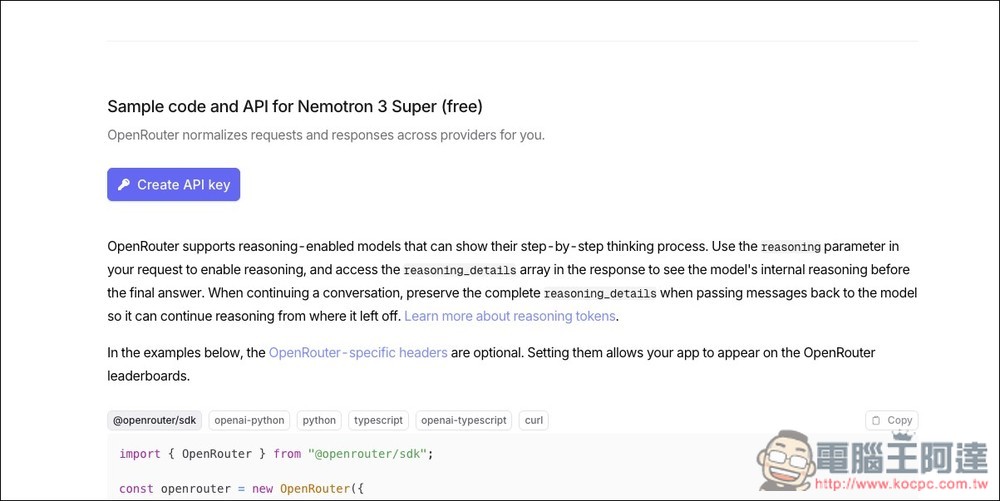
For the API section, scroll down to the bottom:
You will see the Create API key button, and after clicking it, log in to your OpenRouter account as usual:
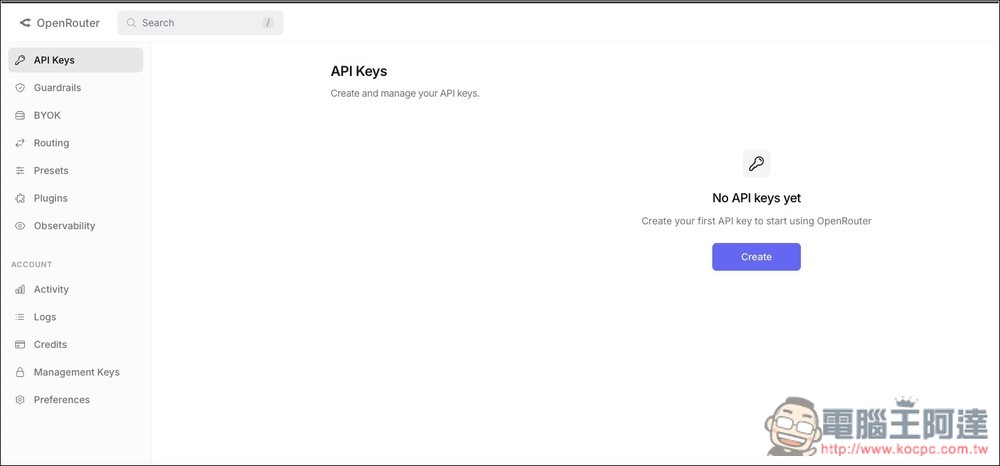
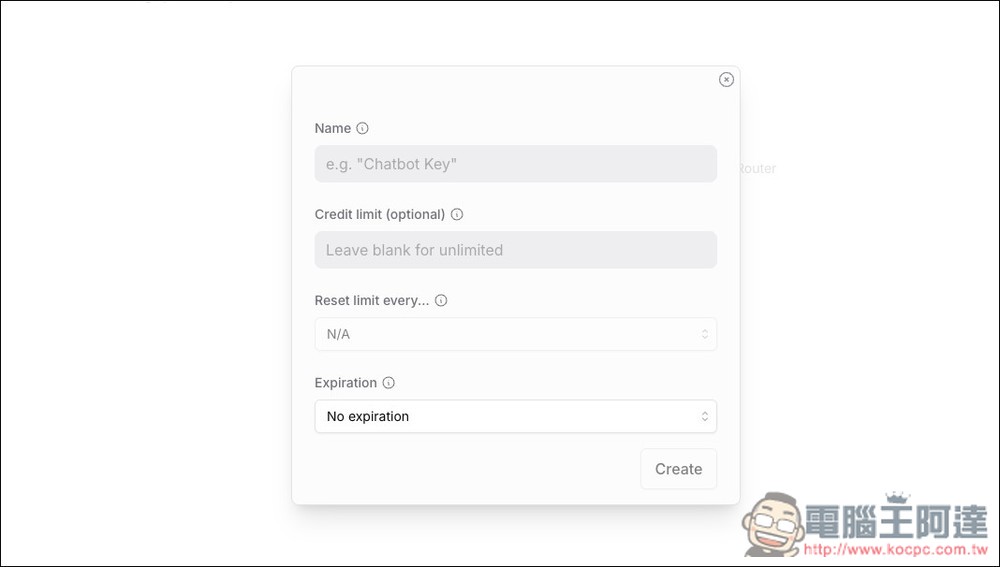
You’ll enter the API Keys page and click Create on the screen to create one:
Enter a name, leave the other fields blank, then click Create.
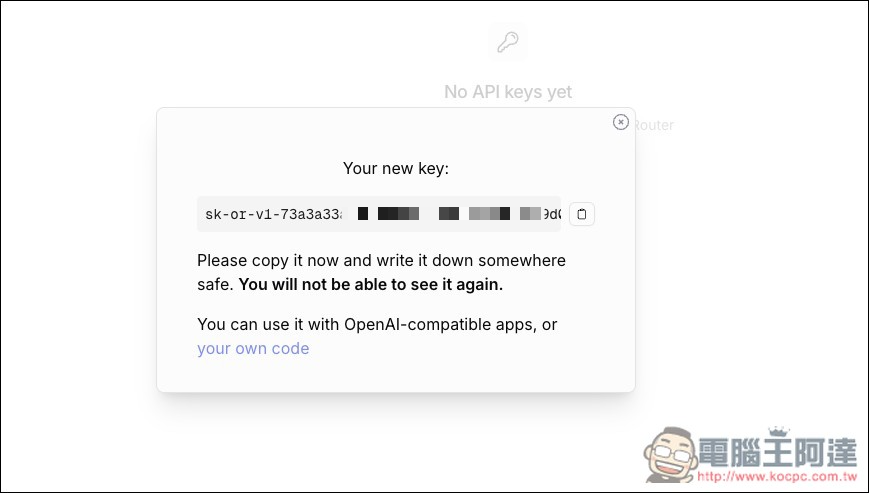
you will get an API key:
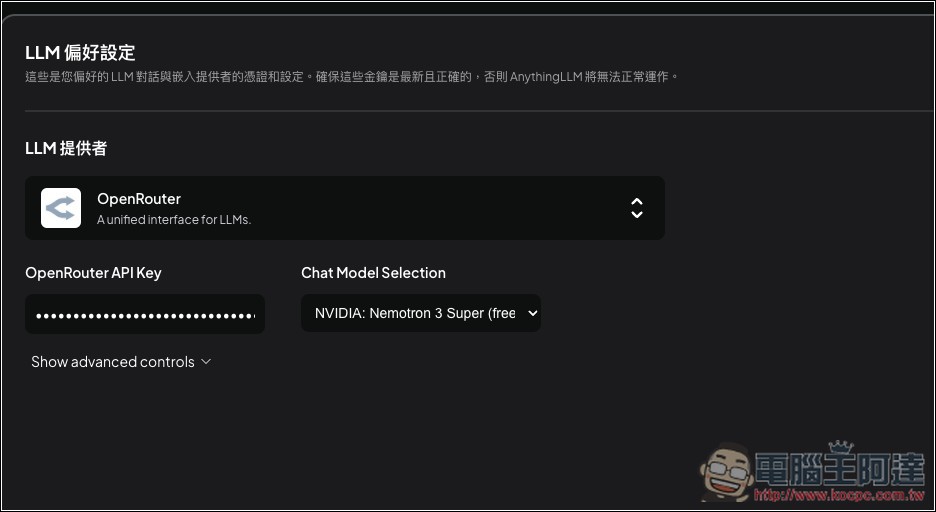
Next, in OpenClaw or whichever LLM software you’re using, select OpenRouter and paste the API key, then set up Nemotron 3 Super (free):
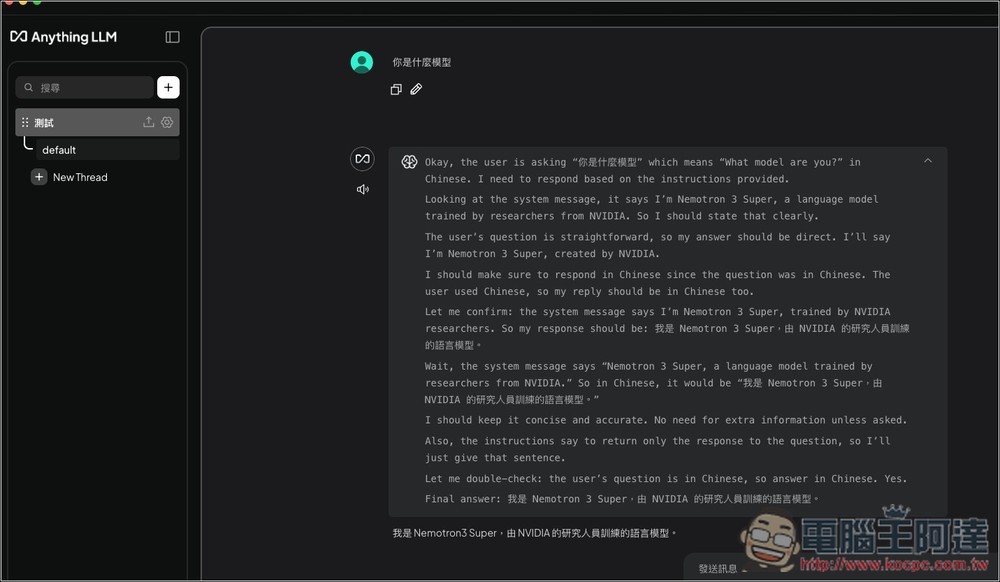
you can start using Nemotron 3 Super (free):
Source: KOCPC Chinese