


While there are many language learning tools available on the market today, most of them focus on vocabulary, grammar, reading, or listening. Resources for improving foreign language pronunciation are relatively scarce. For those living in Taiwan who don’t have many opportunities to interact with foreigners in their daily life, it can be difficult to practice speaking. If you have this problem and happen to be using iPhone If so, there’s currently an app on the App Store that claims to AI Articulate, the foreign language pronunciation app, is currently offering a limited-time free lifetime subscription, valid for only 48 hours and expected to end tomorrow (12 hours already elapsed). You might want to grab it and give it a try.The limited-time free offer has ended)
Also, please note that since the developer has not provided a specific end date and time for the free promotion, when confirming payment, be sure to check whether there is a price shown. No price means the promotion is still active.
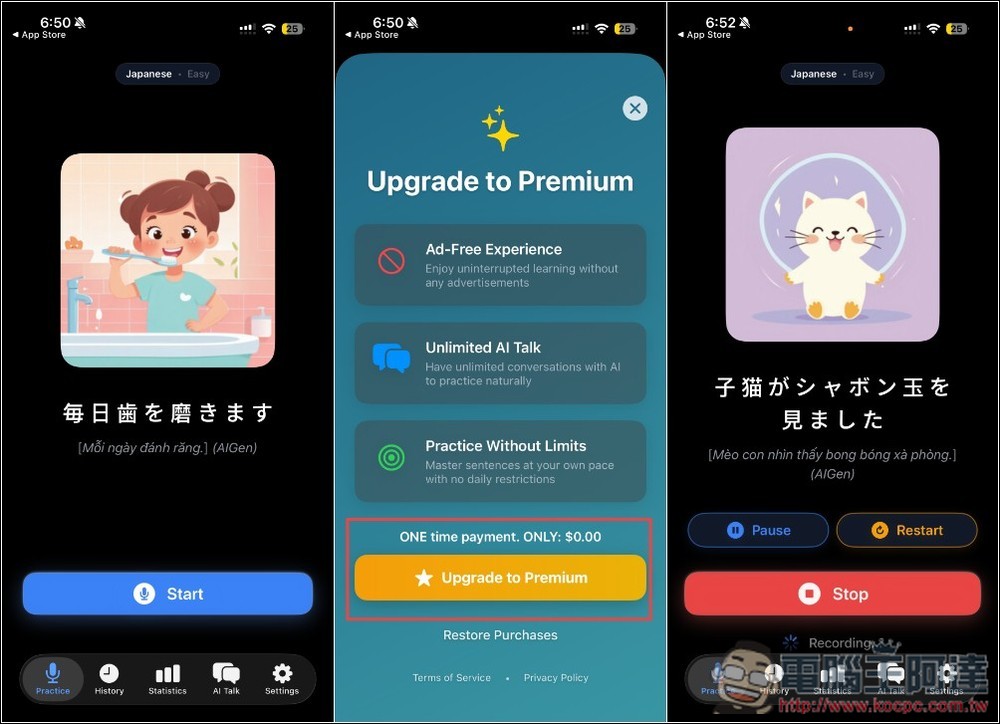
Articulate AI Language Learning Tool – Quick Start Guide
“Articulate” is an AI-powered language learning tool focused on pronunciation training. Unlike typical learning apps that emphasize vocabulary and grammar, it centers on “how to speak,” helping users improve their pronunciation, intonation, and rhythm to make their speech sound more natural and closer to that of a native speaker. Through real-time AI analysis of speech, the system provides feedback on your pronunciation, including stress placement, speaking pace, and tonal changes, so you understand where the issues lie—rather than simply getting a right or wrong answer.
Additionally, it has a built-in AI conversation feature that simulates everyday scenario dialogues, such as travel, restaurants, and casual chatting, allowing you to practice speaking in a low-pressure environment. However, this feature didn’t test very well for me—the speech recognition效果 quite poor.
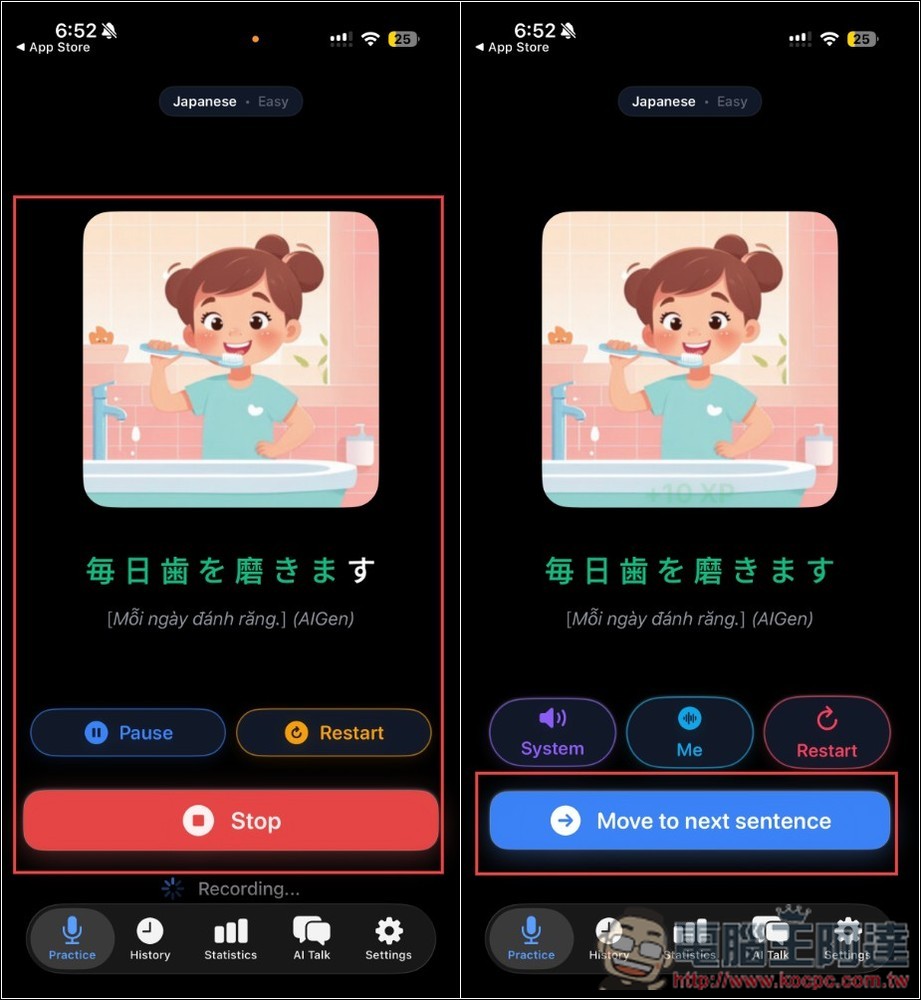
Another highlight is privacy – the AI uses local Apple Intelligence, so it works offline, and all voice processing is done on the device with no account registration required. For beginners, the app also includes visual aids, using images to help users understand sentence content and lower the learning curve. Currently supports multiple languages including English, Spanish, French, Japanese, Korean, and Chinese.
Notably, based on the developer’s explanation, the current “feedback” is limited to pronunciation errors—meaning if you pronounce something correctly, you won’t receive any feedback.
Main Features
- Three-stage training process: progressing step by step from imitation to complete sentence output
- AI Conversation Practice: Simulating Real-Life Scenarios to Boost Speaking Skills
- Multi-language learning support: includes Japanese, Chinese, Korean, and other languages
- Offline operation: No account needed, voice data stays on device
- Visual Learning Aid: Using Images to Help Understand Sentence Content
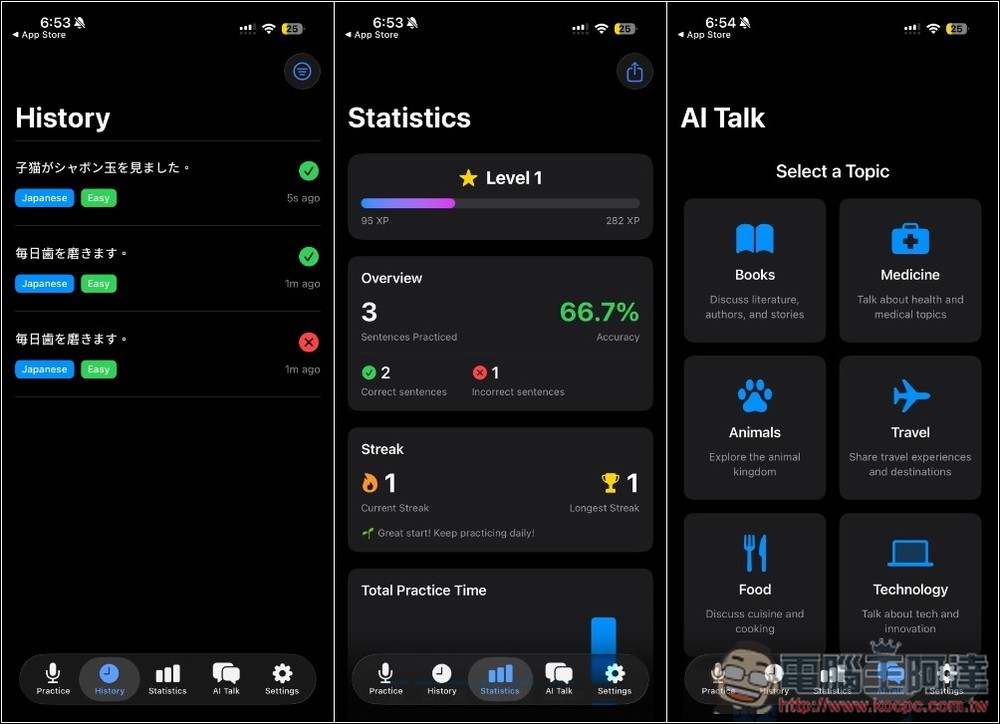
- Achievements & Statistics: Track Learning Progress and Pronunciation Performance
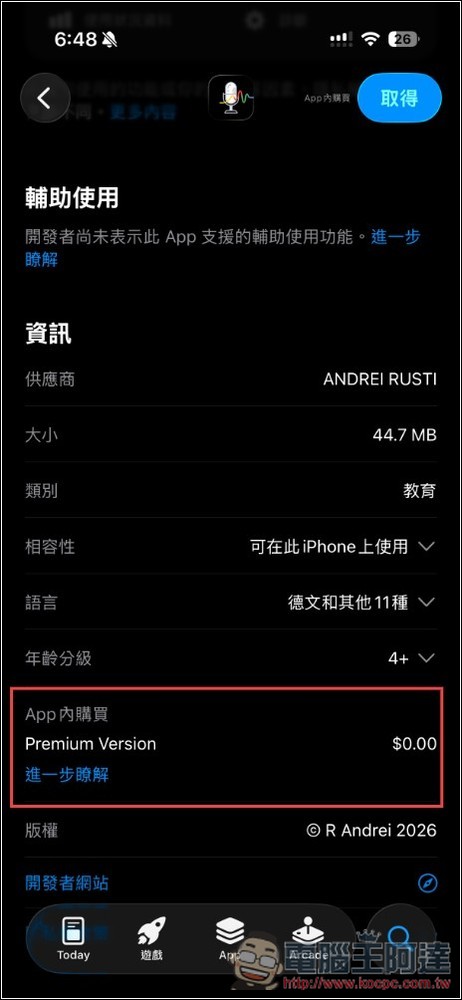
As usual, remember to check if the in-app purchase price is 0 before downloading – that’s the only way to know it’s still free:
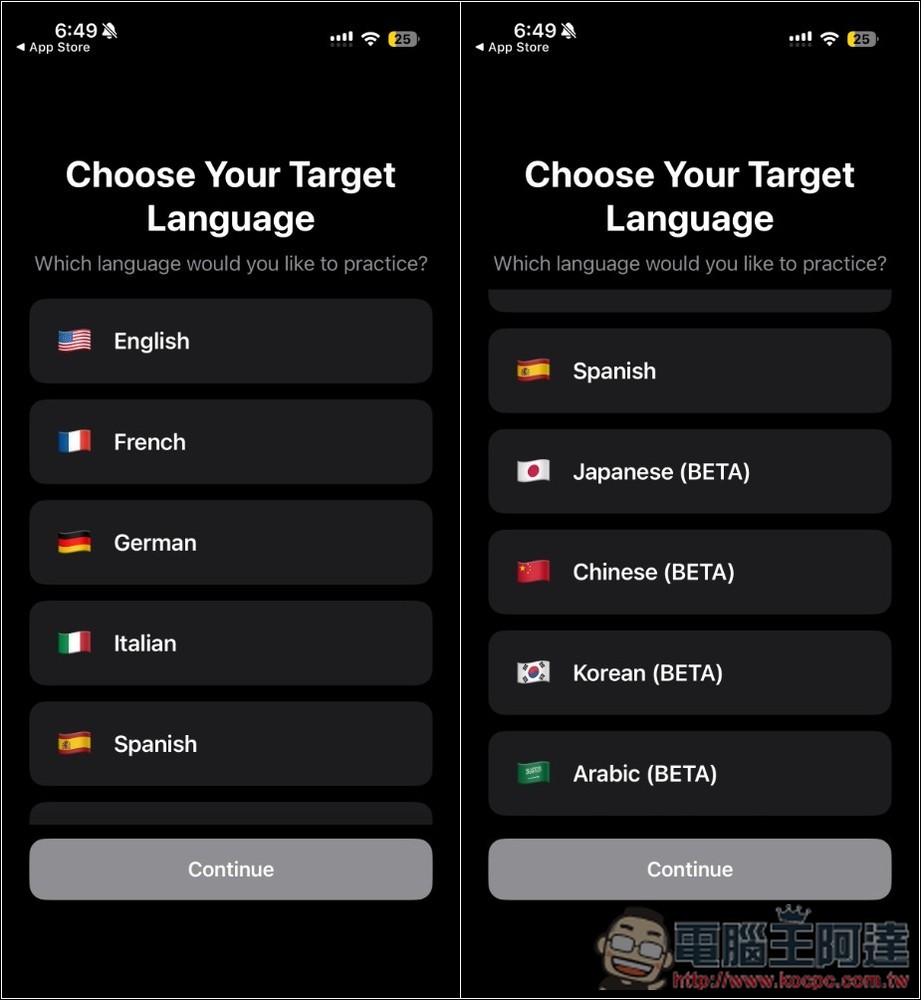
The first time you open it, you’ll choose which language to practice. It currently supports English, French, German, Italian, Spanish, Japanese, Chinese, Korean, and Arabic, with the last four still in beta.
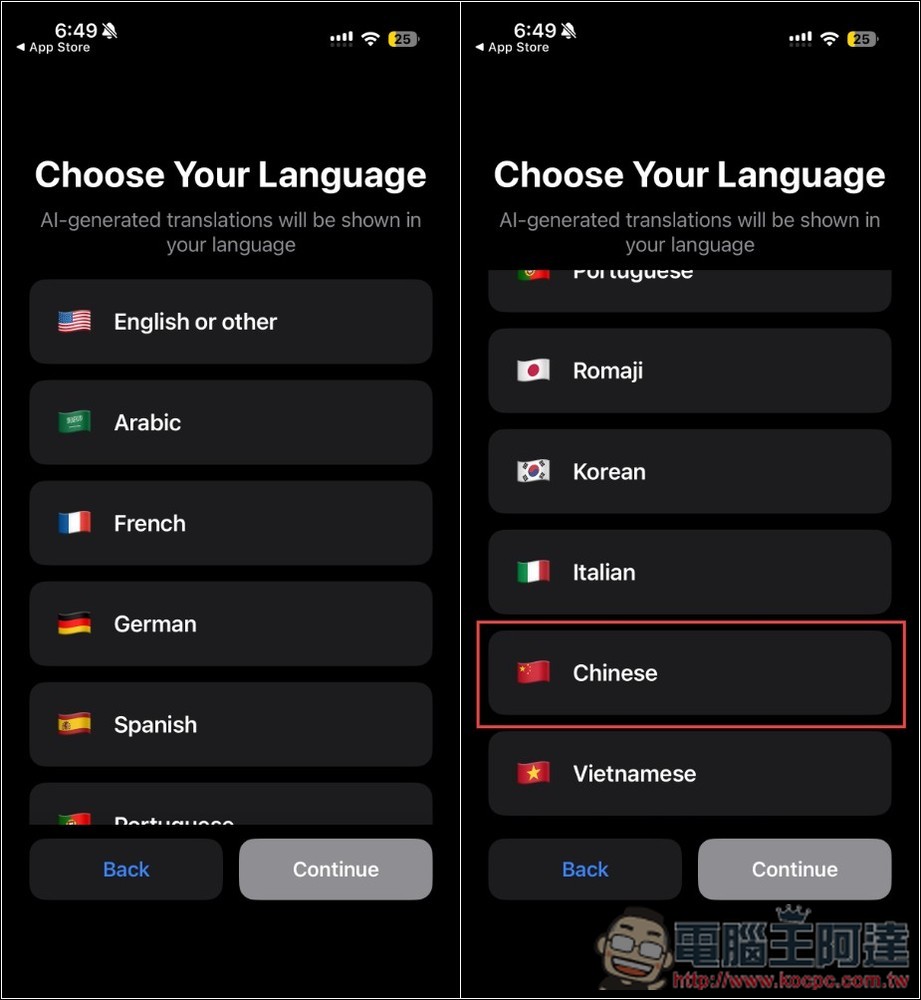
Next, select your native language. Currently, only Simplified Chinese is available:
Set your level—if you’re not sure, you can start with the easiest, and you can always adjust it later. Your daily goal depends on your preference; if you don’t want to be nagged, you can choose Free mode. Then you’ll proceed to the main screen.
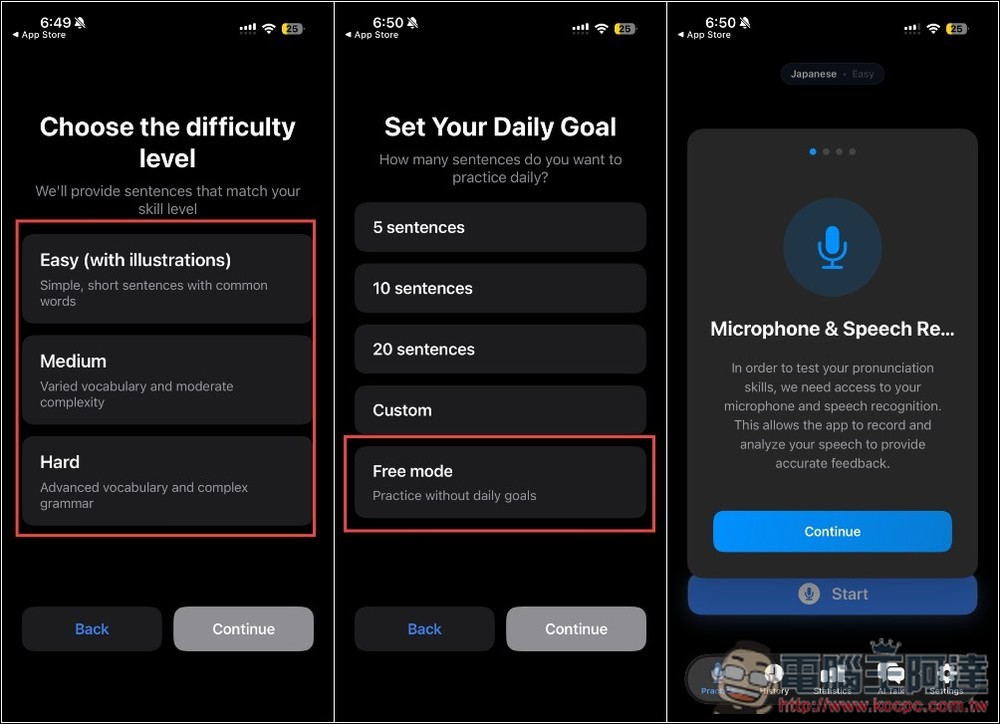
Please tap the settings icon in the bottom right corner, and you’ll see a paid feature called Daily Reminder. Please tap on it:
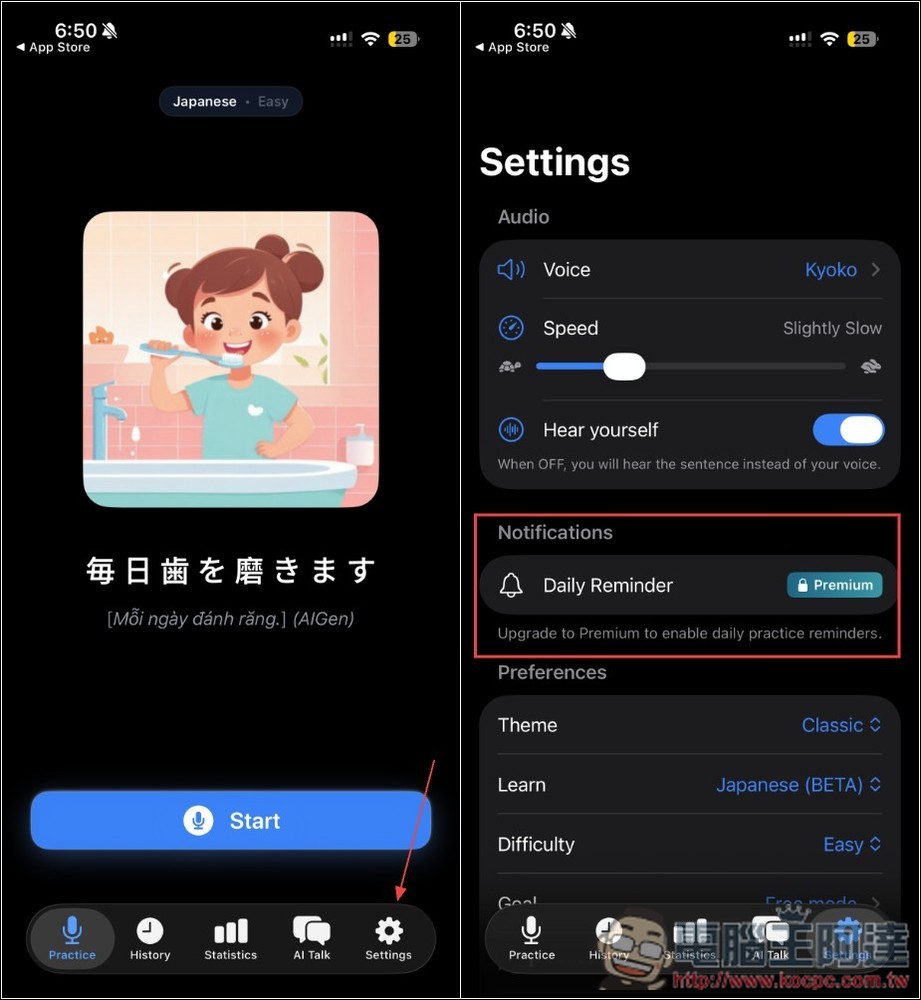
You’ll see the screen for upgrading to the paid version. Check if it says “ONE time payment. ONLY $0.00.” If it does, it’s free for a limited time. Tap Upgrade, then confirm there’s really no charge. If everything looks good, double-tap Get. Once you see “Your purchase was successful,” you’re all set.
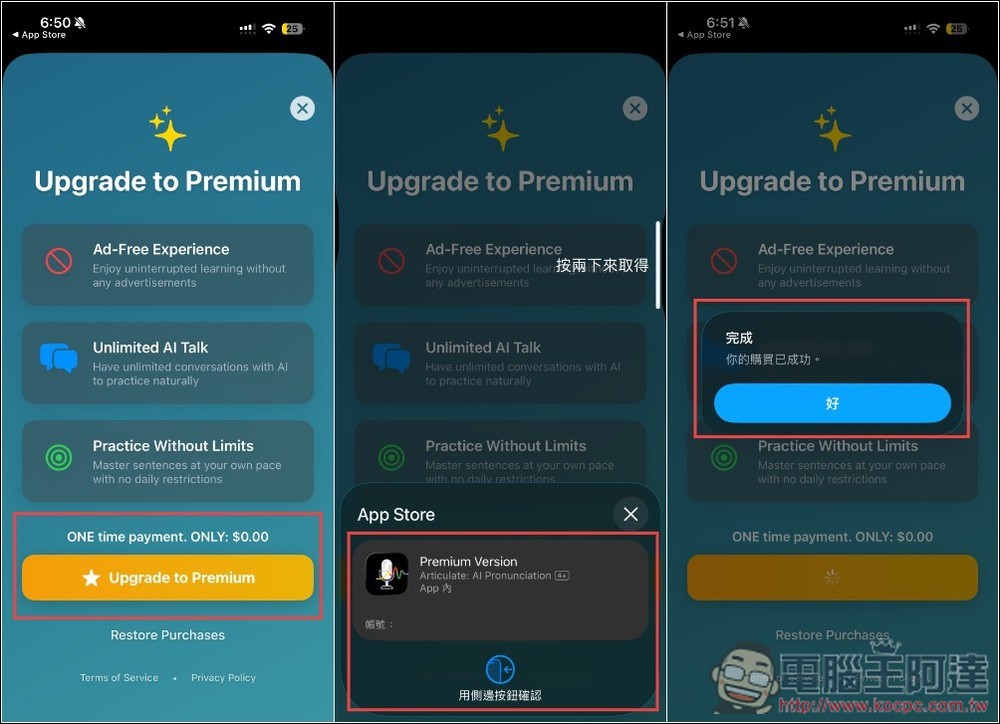
After returning to the previous settings screen, you’ll see that Daily Reminder is now working properly. The Preferences section below contains the initial setup options, and scrolling further down lets you check the Premium status—just make sure it shows Active.
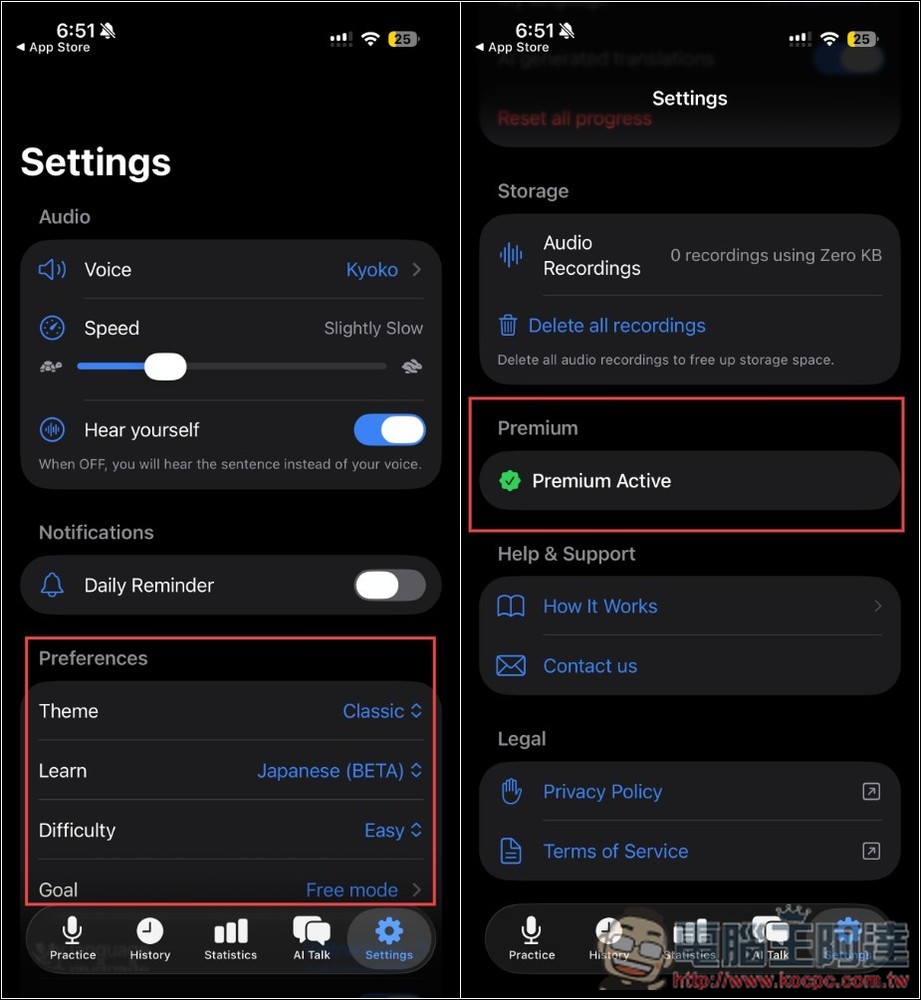
The usage is quite simple too. Go back to the homepage to start learning. The app will first read the sentence aloud, then you repeat after it and it records you. After you’re done, it plays back the recording for you to listen. If the AI detects any pronunciation issues, a feedback prompt will appear above:
It also has a learning statistics feature:
Source: KOCPC Chinese