


At last year’s Ignite conference, Microsoft first introduced Work IQ, an intelligence layer built on data, memory, and reasoning capabilities. It connects information sources at both the organizational and individual levels, including SharePoint documents, Outlook emails, Teams meeting content, and more, becoming the core foundation of Microsoft 365 Copilot. Work IQ’s role goes beyond providing search—it understands users’ work context and supports more precise reasoning and collaboration. Today, Microsoft has also opened Work IQ to developers through APIs, enabling enterprises to build AI agents tailored to their own workflows and extend Copilot’s capabilities to more customized scenarios.
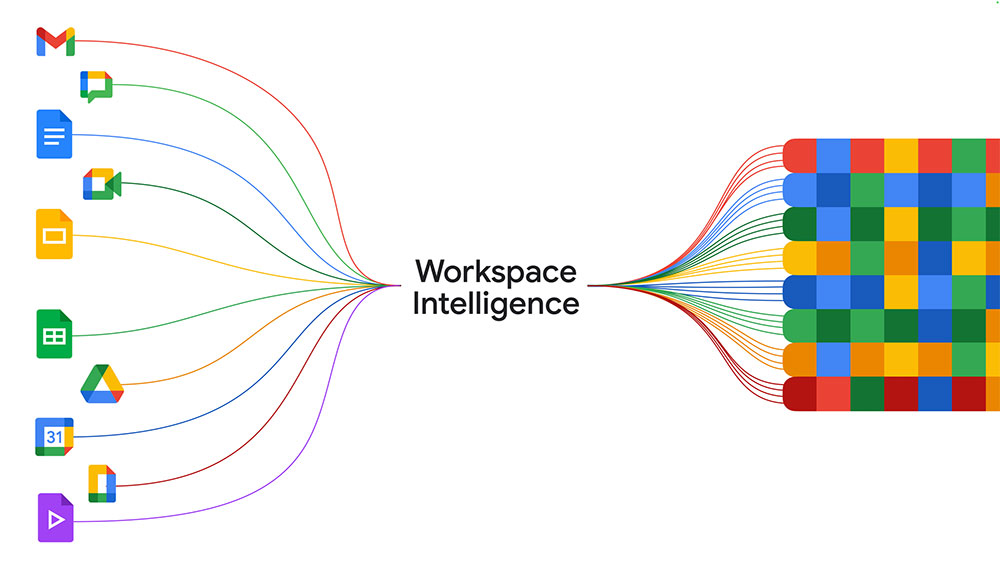
Google launches Workspace Intelligence, directly targeting Microsoft’s Work IQ
During the Google Cloud Next conference over the past few days, Google also officially launched Workspace Intelligence, positioned similarly to Work IQ as an intelligence layer built for enterprise productivity, but focused on the Google Workspace ecosystem. Google states that Workspace Intelligence’s goal is to understand the relationships between content in Workspace applications like Docs, Slides, Gmail, and Drive with users’ projects, collaborators, and organizational knowledge. In other words, it doesn’t just read documents—it attempts to grasp the work context behind them.

This intelligence layer will become the core capability source for Gemini in Workspace. Google emphasizes that Workspace Intelligence enables Gemini to reduce “chatbot-style” responses and behave more like a true work assistant—capable of understanding the tasks you’re working on, projects you’re involved in, relevant documents and people, and proactively offering assistance based on this understanding. This aligns closely with Microsoft’s vision for Copilot to become an “AI partner at work,” as both are building an AI foundation layer that can understand enterprise knowledge.
Building on this, Google today also announced a new “Ask Gemini” feature in Google Chat. Users simply describe their goals in natural language, and Gemini automatically executes tasks in the background. For example, it can compile daily briefings, summarize unread conversations and to-dos, generate documents or presentations, schedule meetings, and even search for relevant files based on descriptions. Furthermore, Ask Gemini can also import data from third-party tools like Asana, Jira, and Salesforce, making cross-system workflows smoother.
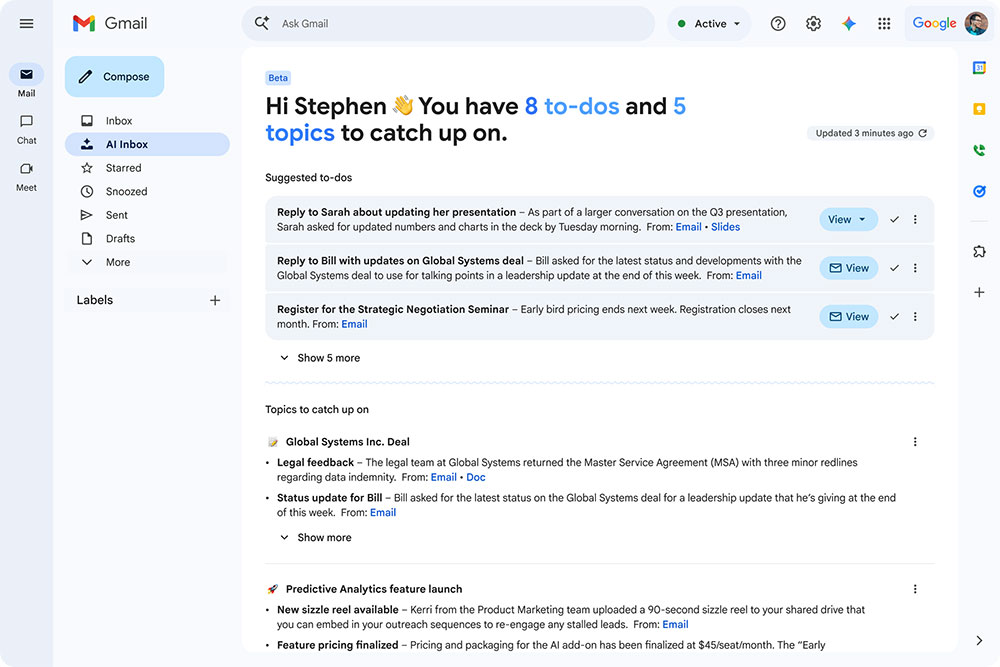
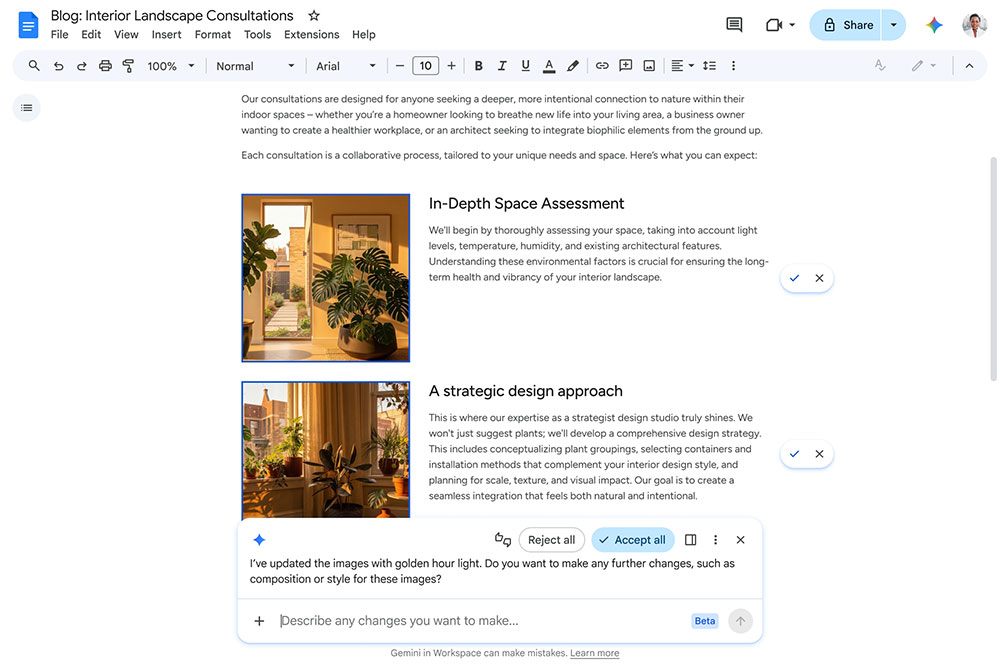
Gemini’s capabilities have also been upgraded across Workspace applications. In Google Sheets, users can create or modify spreadsheets using natural language, and have Gemini handle multi-step analysis across documents, emails, chats, and web data. In Google Docs, Gemini can automatically generate infographics from enterprise data, batch edit multiple images to maintain visual consistency, and even reply to comments or modify documents based on comment content. In Google Slides, users can have Gemini generate fully editable presentations and automatically apply enterprise templates and brand styles to ensure both content and visual presentation align with organizational standards.
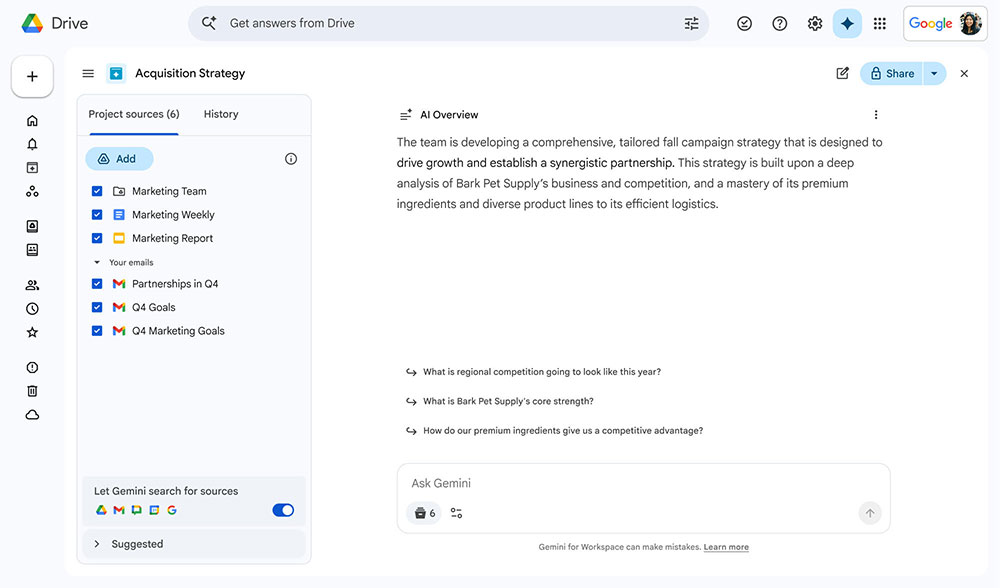
Additionally, Google Drive is rolling out AI Overviews and Gemini Q&A in Drive. These features help users quickly understand file contents and query data using natural language. Google has also added a Drive Projects feature that automatically aggregates related documents, emails, and other information into a single project view, giving both users and Gemini a clearer picture of the project.
Overall, Google and Microsoft are moving in the same direction: building an intelligent layer that understands enterprise knowledge, work context, and personal habits, and providing more proactive and reasoning-capable AI assistants based on this foundation. From Work IQ to Workspace Intelligence, the two major cloud ecosystems are redefining what “productivity tools” look like—no longer just a collection of applications, but an intelligent platform that understands how you work and continuously assists you in the background.
Source: KOCPC Chinese