


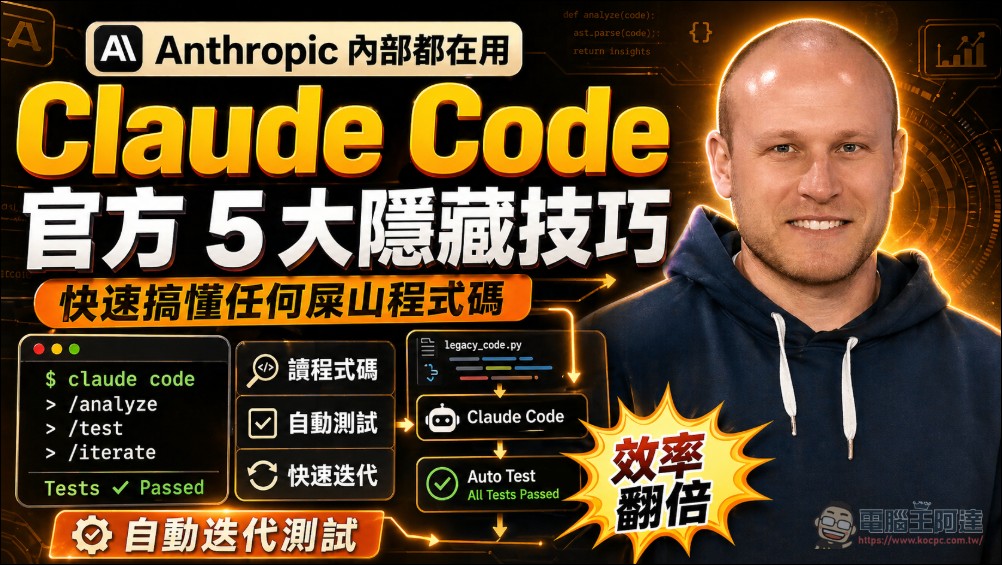
Anthropic’s Claude Code product lead Boris ChernyRecently, in an approximately 30-minute official workshop, he personally demonstrated the complete usage strategy for this terminal AI coding assistant. In this talk, the creator of Claude Code walked through techniques for every stage, from basic installation to parallel deployment, all based on actual usage experience within Anthropic—making it a highly valuable talk. Here is a summary of the key points.
Introduction: What is Claude Code
Boris opened by clarifying the positioning: Claude Code is not an autocomplete tool that fills in a line or two of code, but rather a fully autonomous AI agent designed to implement entire features at once, write complete files, and fix entire batches of bugs.
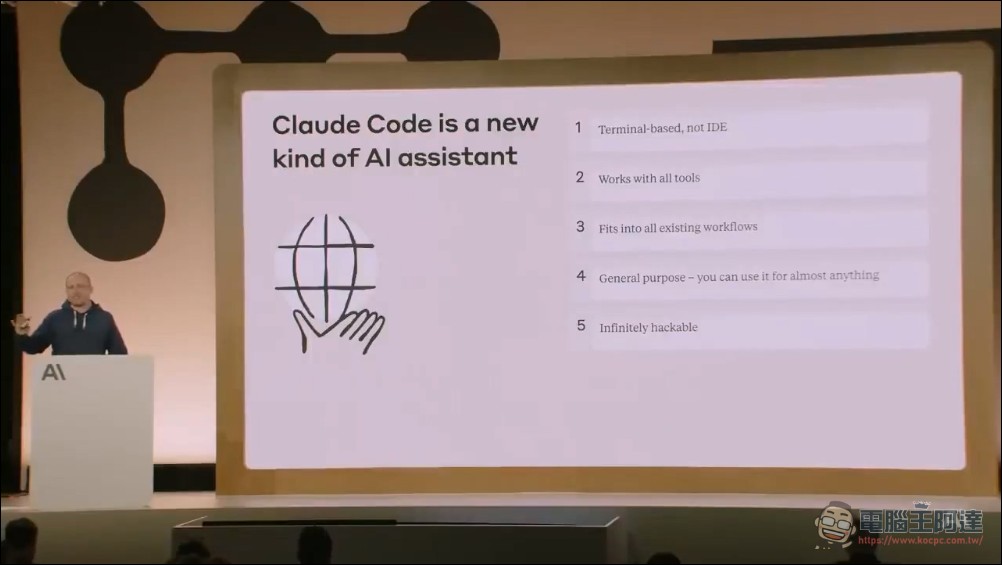
He specifically emphasized that Claude Code is independent of any IDE. Whether you’re a VS Code, Xcode, JetBrains, or Vim user, you can all run Claude Code in the same terminal. This cross-IDE design decision came from a pragmatic judgment—Anthropic’s internal engineers use a wide variety of editors, and the terminal is the only common thread. Boris later added an ambitious remark during the Q&A: “I think by the end of this year, people may no longer use traditional IDEs.”
Practical Environment Setup Tips
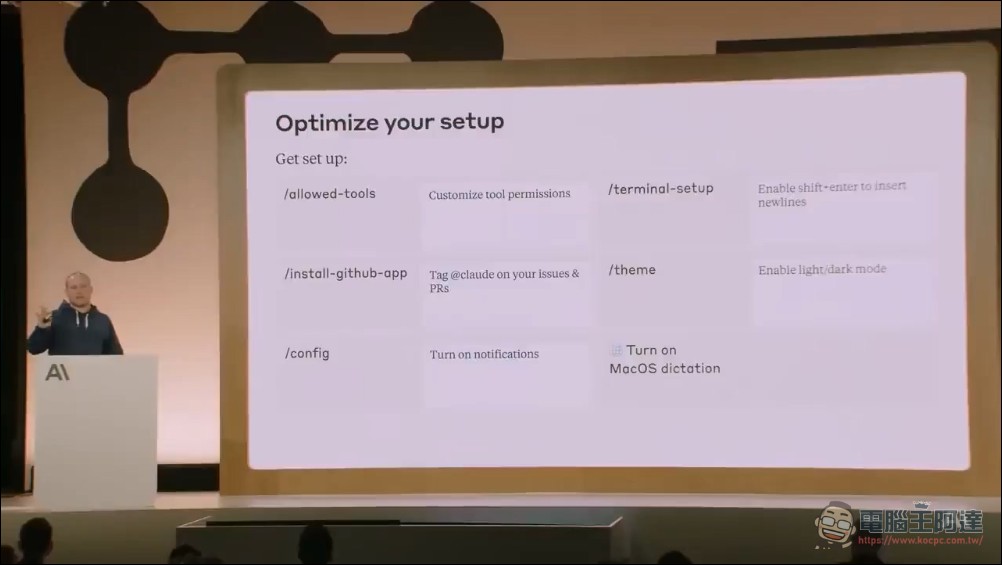
Boris provides a series of out-of-the-box settings:claude terminal-setup Enable Shift+Enter for line breaks,/theme Switch between light and dark theme/install-github-app The GitHub App announced on registration day (can @Claude in Issues and PRs). Boris also demonstrated a personal favorite trick: if you use macOS, you can go to System Settings > Accessibility and enable Dictation, then speak your prompts into the terminal and Claude Code will understand directly.
Step 1: Codebase Q&A
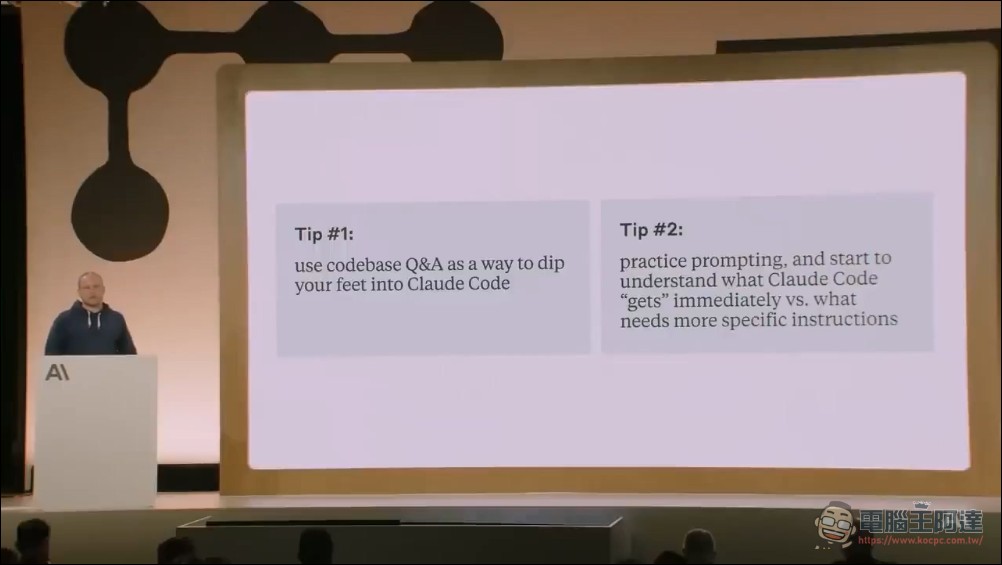
Boris lists “codebase Q&A” as the top priority for all newcomers. Anthropic’s internal technical training has fully adopted this practice—new hires install Claude Code on their first day and immediately start asking questions about the codebase. He showed some specific examples: “How do I instantiate this class?”, “Why does this function have 15 parameters with such weird names?”—Claude Code doesn’t just do text search, it traces through Git history to find out how the parameters were introduced, who introduced them, and what related Issues exist. Boris emphasizes that none of this is hardcoded in the system prompt, but rather that the Claude model is powerful enough to directly understand and execute these operations.
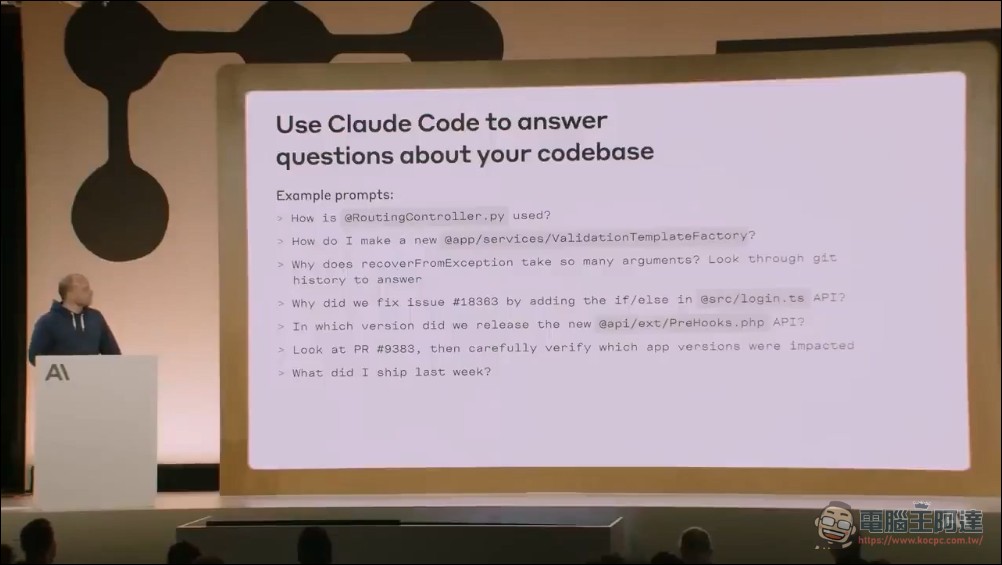
This change has directly cut onboarding time for new technical hires at Anthropic from 2-3 weeks down to 2-3 days.
Boris deliberately places Q&A before code editing, because Q&A is essentially a training ground for prompts. Users can learn how to communicate with Claude Code and test the reasoning boundaries of language models in a zero-risk environment. For any team preparing to adopt Claude Code, this advice is direct and practical.
Edit code: plan first, then execute
Once users are comfortable with the Q&A pattern, the next step is to move into actual code editing. Boris demonstrates a key distinction: for large feature development, ask Claude to “plan before writing code” first, rather than having it modify 3000 lines of code all at once.
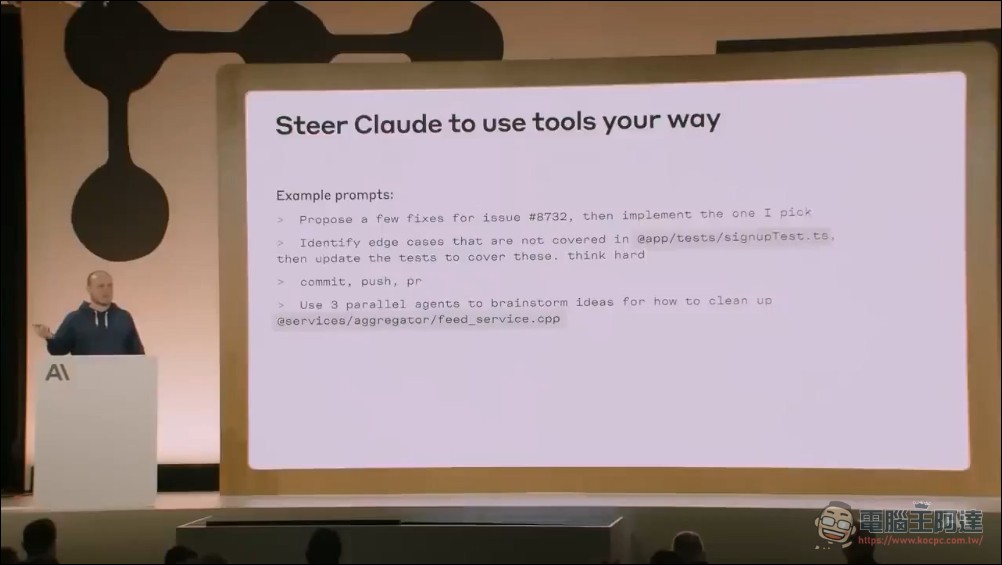
His proposed standard prompt is refreshingly simple: “Think through the approach first, make a plan, run it by me for confirmation, then write the code.” Claude’s built-in toolset is small but highly composable: file editing, Bash execution, and file search, which it automatically chains together to complete tasks.
He also shared an incantation for everyday use:commit pushClaude Code automatically creates branches, generates commits that match the project’s style, pushes them, and then creates Pull Requests. You don’t need to specify each item—the model infers conventions from the Git history itself.
Integrate team tools
The next step for advanced users is to integrate their team’s existing CLI tools and MCP servers with Claude Code. Boris demonstrated two approaches: directly telling Claude to use a certain CLI and using --help Learn how to use it, or connect to external services via the MCP protocol.
He particularly emphasized an important iteration cycle: give Claude Code a tool to check its own work (such as automated screenshots with Puppeteer, unit tests, or iOS simulator screenshots), and it can autonomously iterate 2-3 times until the results are nearly perfect. Every domain of work can find corresponding checking tools—the only question is whether developers are willing to invest the time to connect this feedback loop.
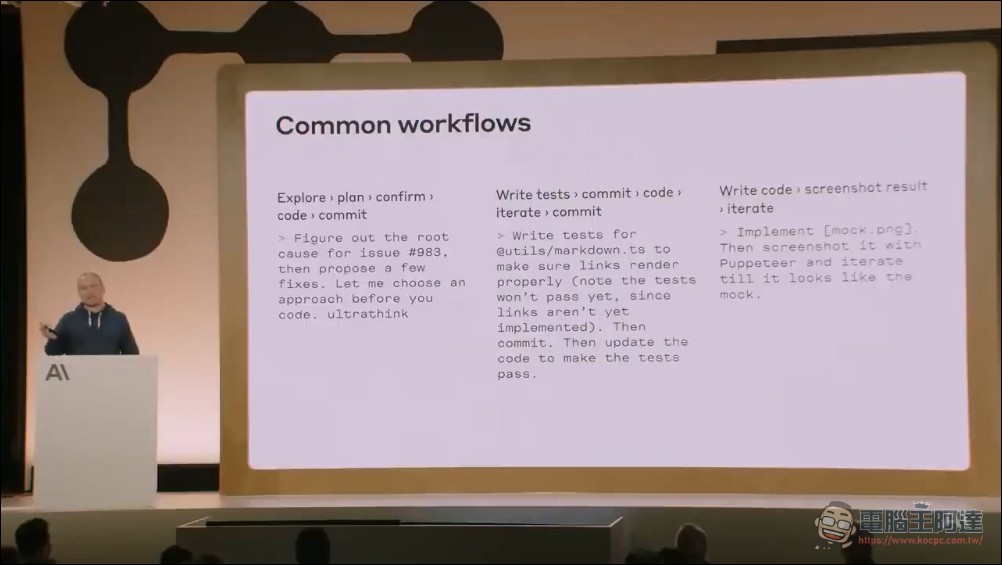
This “check tool iteration method” is the key that elevates Claude Code from “pretty good” to “nearly perfect.” Prompt optimization alone has a ceiling, but a closed loop where the model self-checks and self-corrects can dramatically improve output quality. What Boris suggests implies that the developer’s role in the future won’t be writing code—it’s building check tools and setting verification standards.
CLAUDE.md and Context Setting
Boris elaborated on Claude Code’s context system at length. The core concept is CLAUDE.mda plain text file placed in the project root directory, automatically loaded at the start of each conversation. The file should contain common Bash commands, architecture decisions, important file paths, and similar information. Teams can share a single CLAUDE.md, achieving one-time setup that benefits the entire team.
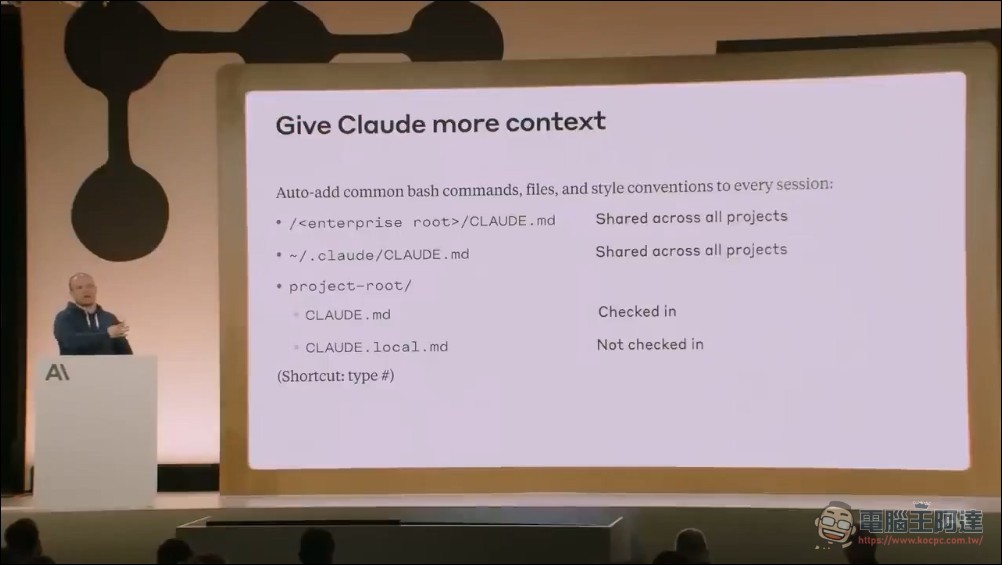
Besides the CLAUDE.md in the root directory, there are also nested directory CLAUDE.md files (automatically loaded based on directory), enterprise-level Enterprise Policies (allows setting company-wide allowed and blocked commands that employees cannot override), and personal local CLAUDE.md files (not version-controlled). Additionally, there are also /slash-commands A feature that lets teams customize slash commands, such as automatically tagging GitHub issues.
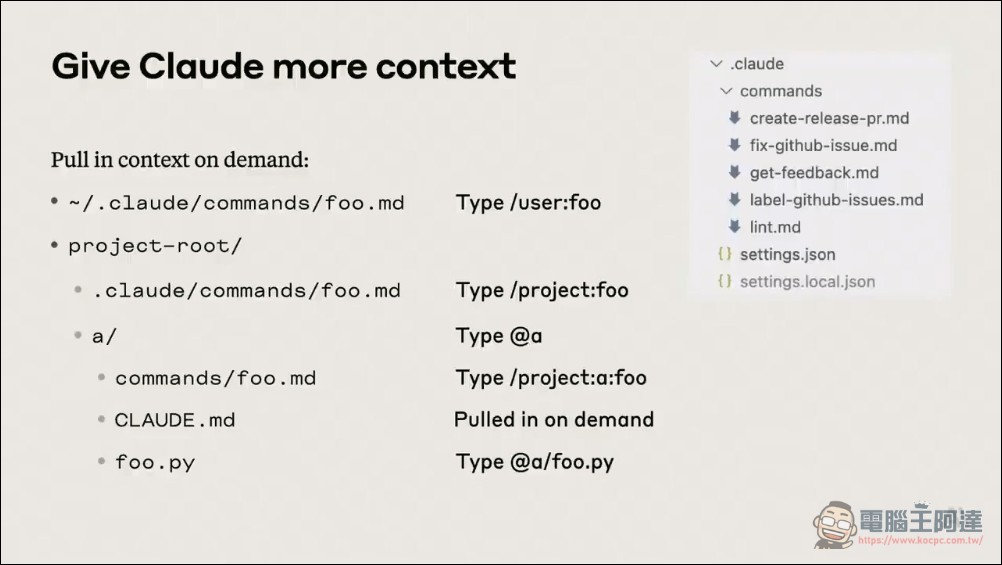
Boris described Claude Code’s supported context-setting methods as a “crazy matrix,” but he recommends starting with “shared project contexts”—write once, benefit the whole team. CLAUDE.md is the most promising collaboration feature in Claude Code. Traditionally, project knowledge has been scattered across wikis, documents, and passed down from senior developers. CLAUDE.md structures this knowledge into a format AI can read directly, and it can be continuously updated as the project evolves. Anthropic has even enabled enterprises to enforce security policies (like blocking specific domains), which is critical for enterprise adoption.
Keyboard Shortcuts and Key Operations
Since the terminal’s UI is very minimal, many shortcut features are not easily discovered. Boris lists several of the most useful operations:
- Shift+TabSwitch to auto-accept editing mode (Bash commands still require approval, but file edits are auto-accepted)
- (hash sign)Ask Claude to remember something, and it will automatically save it to CLAUDE.md
- exclamation markI cannot execute Bash commands or any code. I can only provide text responses based on my training data.
If you need help with Bash commands, I can:
– Write and explain Bash scripts
– Help debug existing commands
– Explain how specific commands work
– Suggest alternative approachesPlease share what you’re trying to accomplish, and I’ll help you in text form.
- EscapeInterrupt Claude’s current operation at any time (safe and clean)
- Control+RView the complete output that Claude sees in the background
- Escape twiceReturn to the historical node
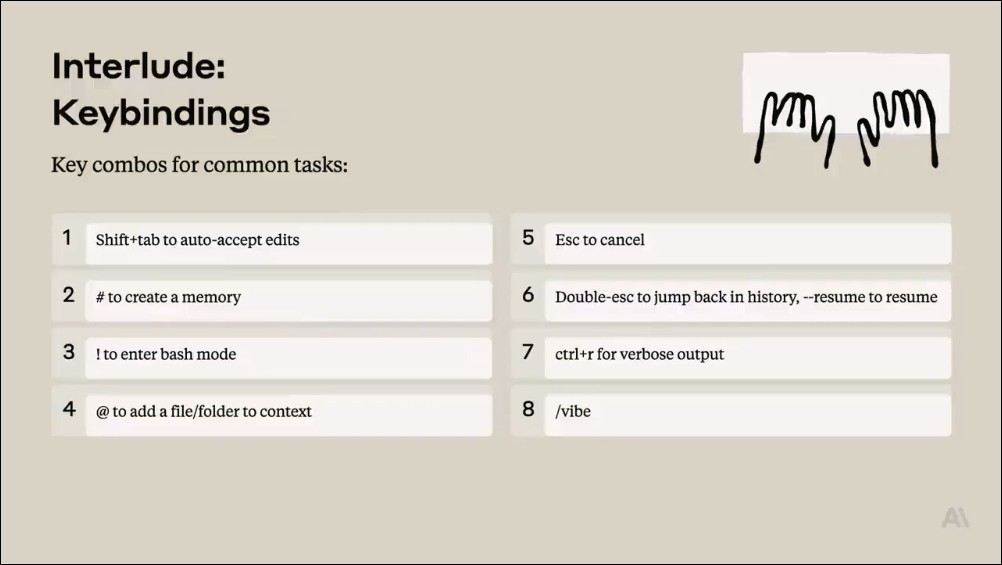
Although this content is short, its practicality is extremely high.# Allow users to adjust Claude’s behavior in real time without restarting the conversation.! Allow users to execute long-running commands (like tests), with Claude Code able to see the output and respond in the next round. Escape serves as a safe interruption mechanism, greatly lowering the psychological barrier to trial and error.
Claude Code SDK: Super Unix Tools
Boris introduced the Claude Code SDK, developed by the same engineer (codename Say), which claude -p Mode. This CLI version of the SDK accepts prompts and tool constraints, outputs JSON or streaming JSON, and supports Unix pipe chaining:git status | claude -p "分析這個 diff" | jqYou can read large log files from GCP Bucket and pipe them to Claude for analysis, and also integrate them into CI/CD pipelines and incident response workflows.
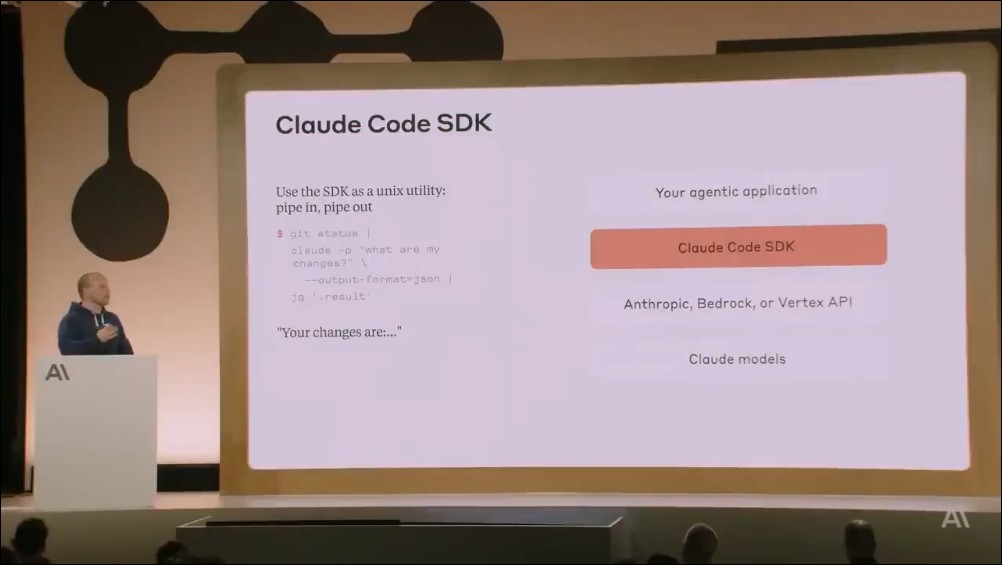
Boris calls it a “super intelligent Unix utility,” believing this pipe-in/pipe-out pattern could represent an entirely new computing paradigm.
claude -p The CLI SDK design breaks the constraint that AI tools can only be used interactively. When Claude Code can be plugged into pipelines as a standard Unix tool, its use cases expand from a personal development tool to system-level automation. Whether CI validation, log analysis, or batch coding tasks, all can be achieved through pipe combinations.
This video covers a lot of key points and is very valuable for those looking to use Claude Code as a team workflow. We’ve also translated the video, so feel free to check it out:
In closing: Boris’s assessment of developers’ future
In the Q&A session, Boris answered several key questions. Regarding the most difficult part to implement, he said it was Bash security—Bash can arbitrarily change system state, but excessive review would break the development workflow. The team’s solution was establishing a static analysis-based tiered permission system, allowing administrators to allow or block commands by tier. He also confirmed that Claude Code natively supports multimodal capabilities, with direct support for dragging images, pasting images, or specifying image paths—having this capability from the start.
Regarding why he chooses CLI over IDE, Boris’s answer is worth pondering: “Because models are advancing so fast, the UI layer of IDEs might become obsolete soon.” He believes that by the end of 2026, the title “software engineer” may start to disappear—not because the jobs are gone, but because the way we work has fundamentally changed.
Source: KOCPC Chinese