


I’m sure many of you have looked at old photos and thought, “This angle doesn’t look great—it would have been much better if I’d shot it from angle OO.” Thanks to AI, this is no longer out of reach. We’ve previously introduced “Qwen Image Edit Angles,” a tool that delivers great results. Today, we’d like to introduce “3D Camera Control,” a similar but more intuitive tool that lets you freely adjust angles and distances in a visual way.
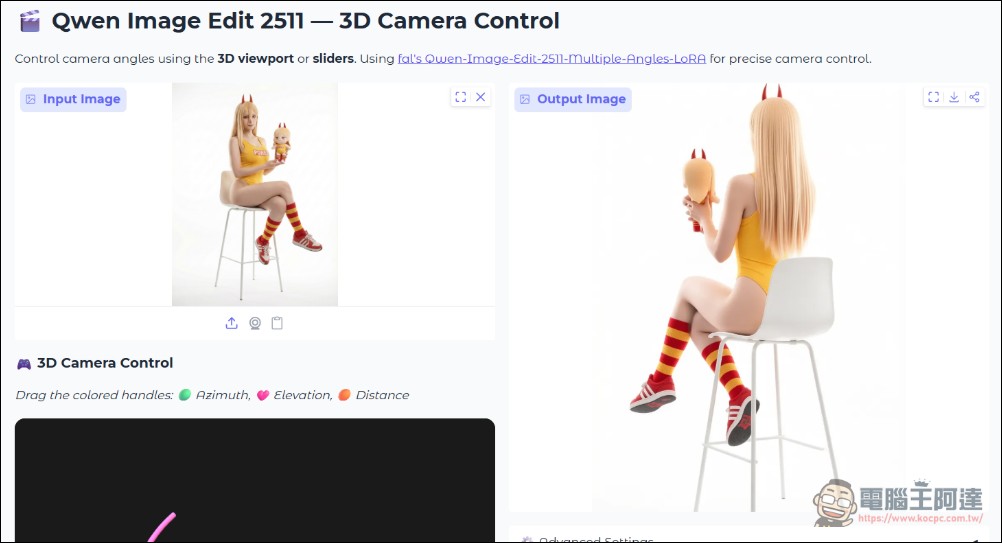
A free image editing tool that lets you freely adjust the angle of your photos: 3D Camera Control
“3D Camera Control” is based on Qwen Image Edit 2511 (the November 2025 version of the Qwen Image Edit model; if you don’t like Chinese models, feel free to skip this) and is hosted on HuggingFace for free use. You can generate images even without logging in (though you’ll likely be limited to 5–6 images). It’s very easy to use: first, click the “Input Image” section in the top-left corner and select an image from your phone or computer:
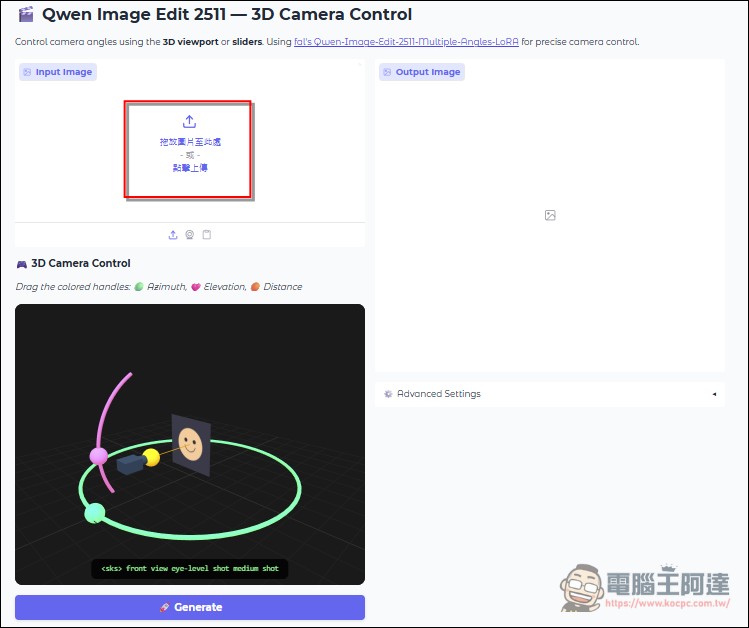
After uploading an image, you can drag the camera position below:
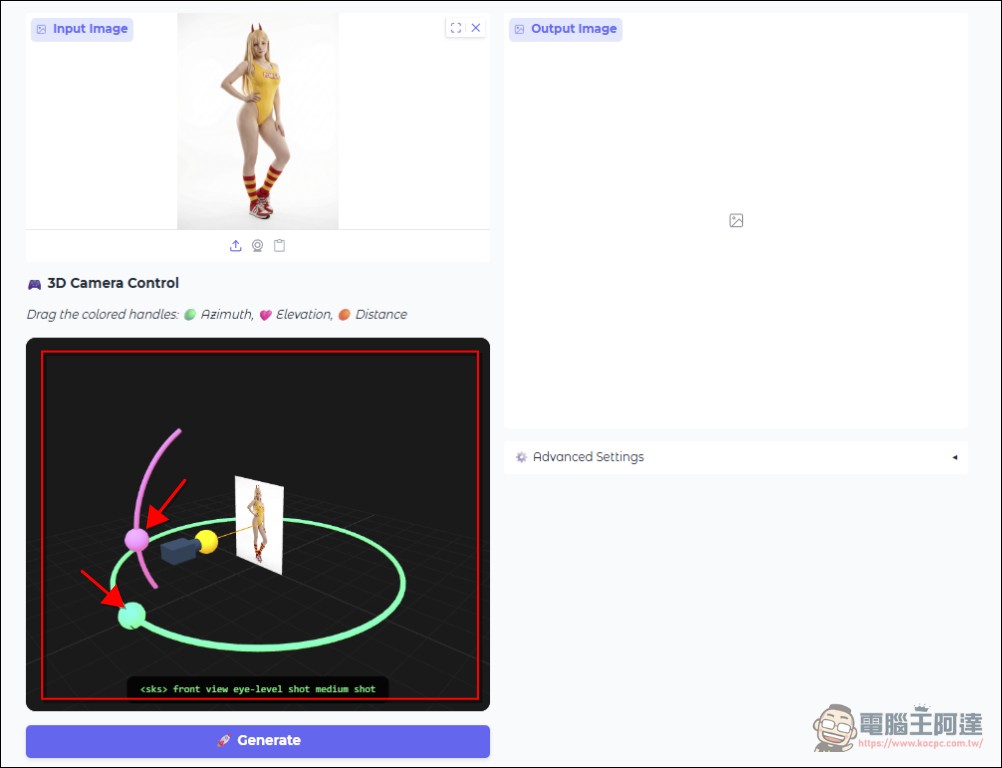
Suppose I drag the view to the lower side and then click “Generate” to create an image; I’ll get an image from that corresponding angle (which, of course, is calculated based on the AI model’s estimates):
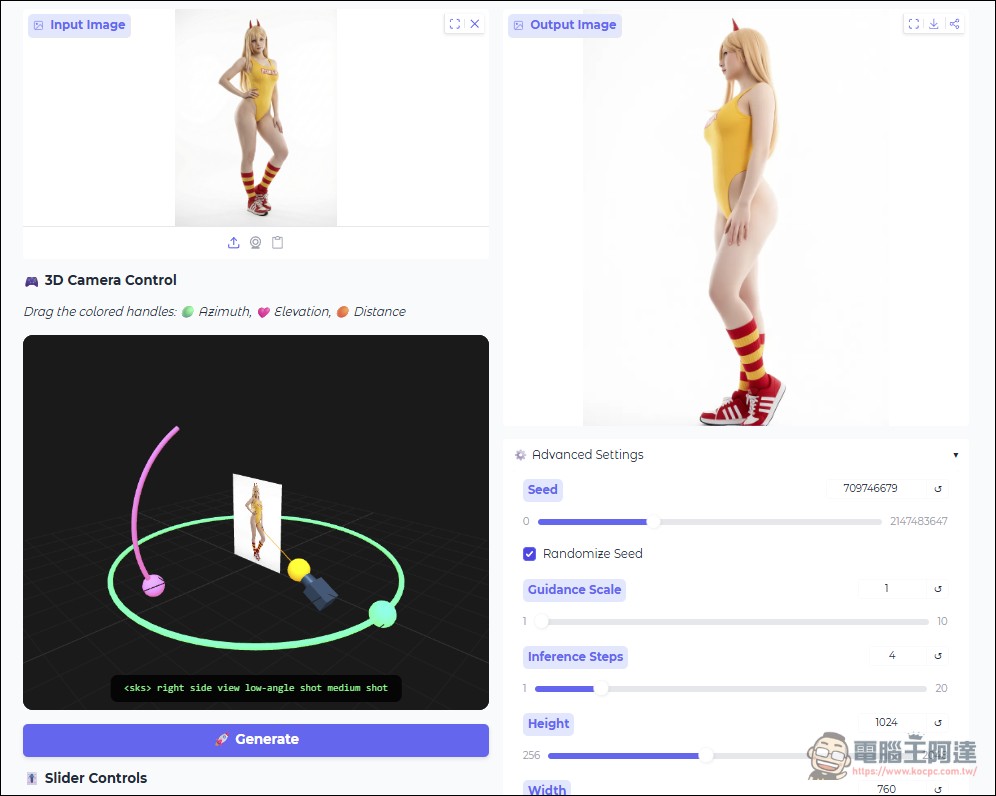
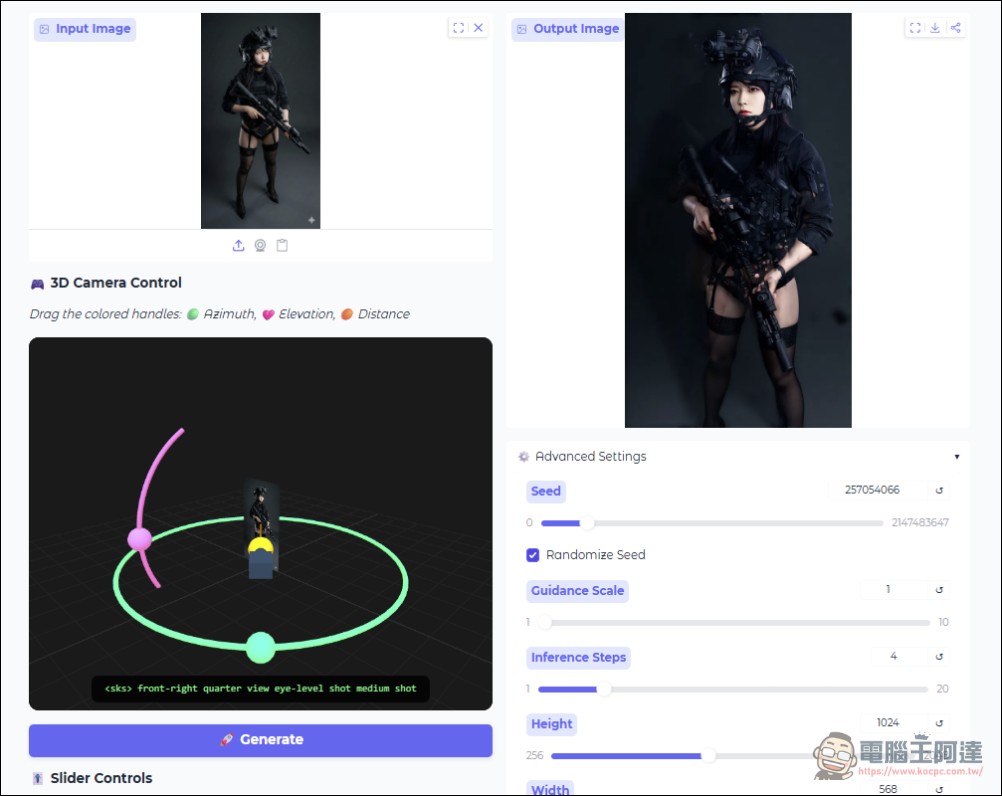
Let me show you the difference—the results are pretty good:
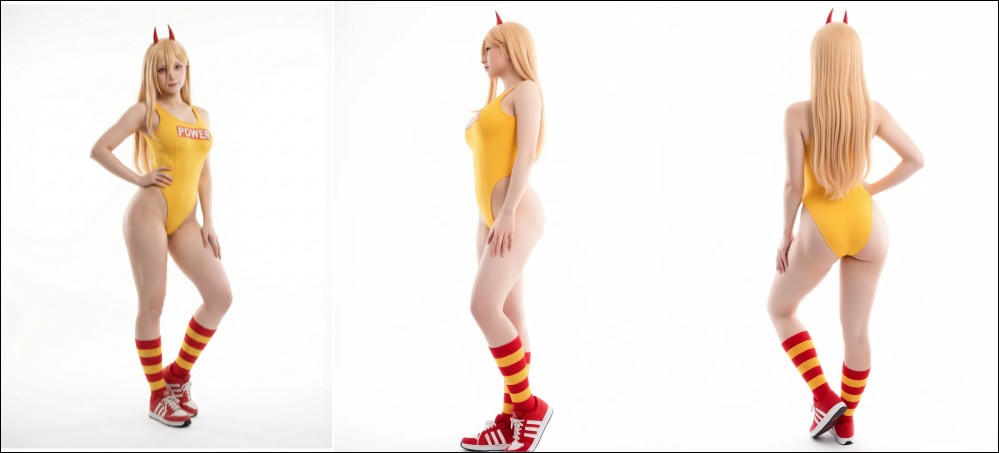
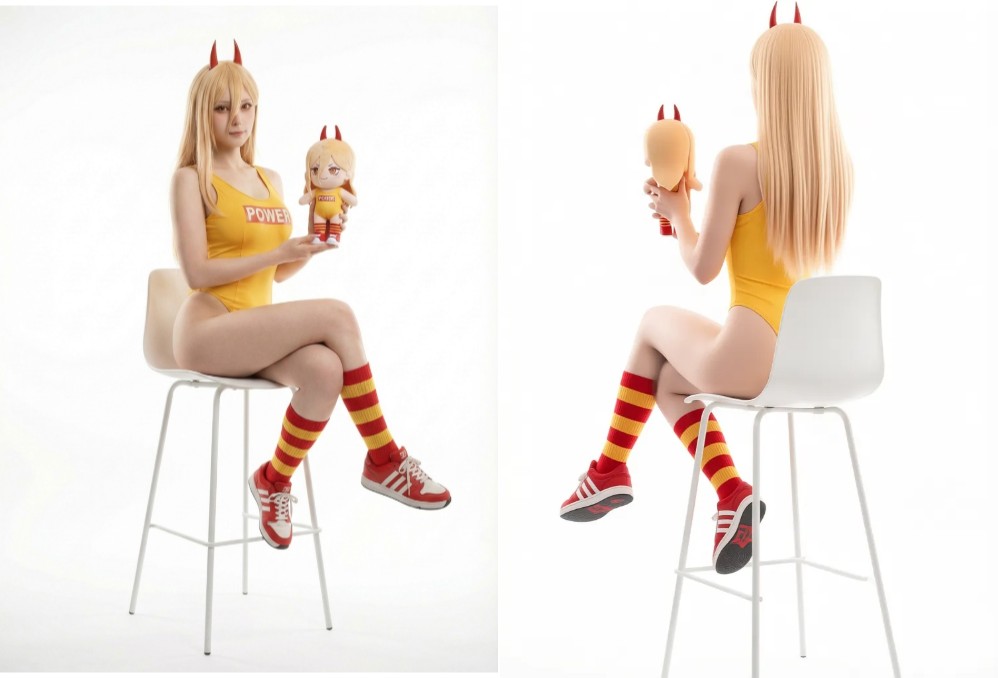
You can also adjust the lens distance below; the default is 1, and it can be adjusted between 0.6 and 1.4:
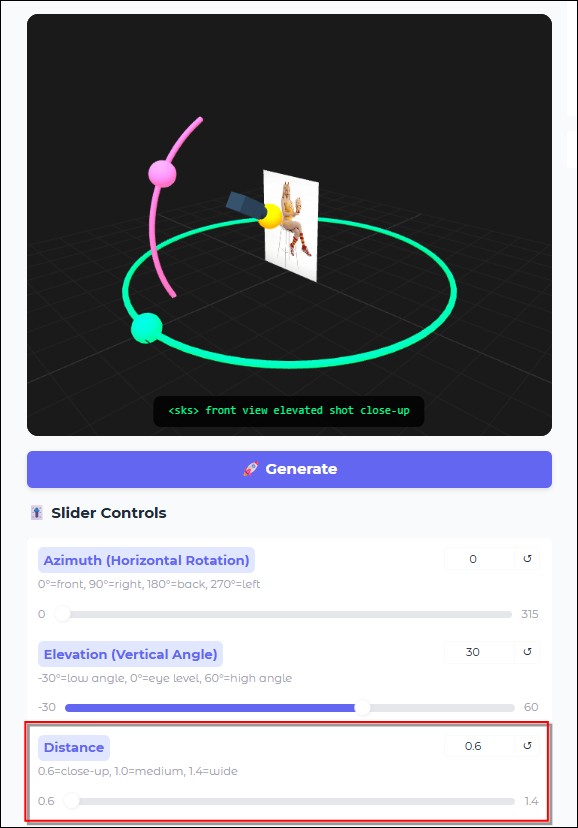
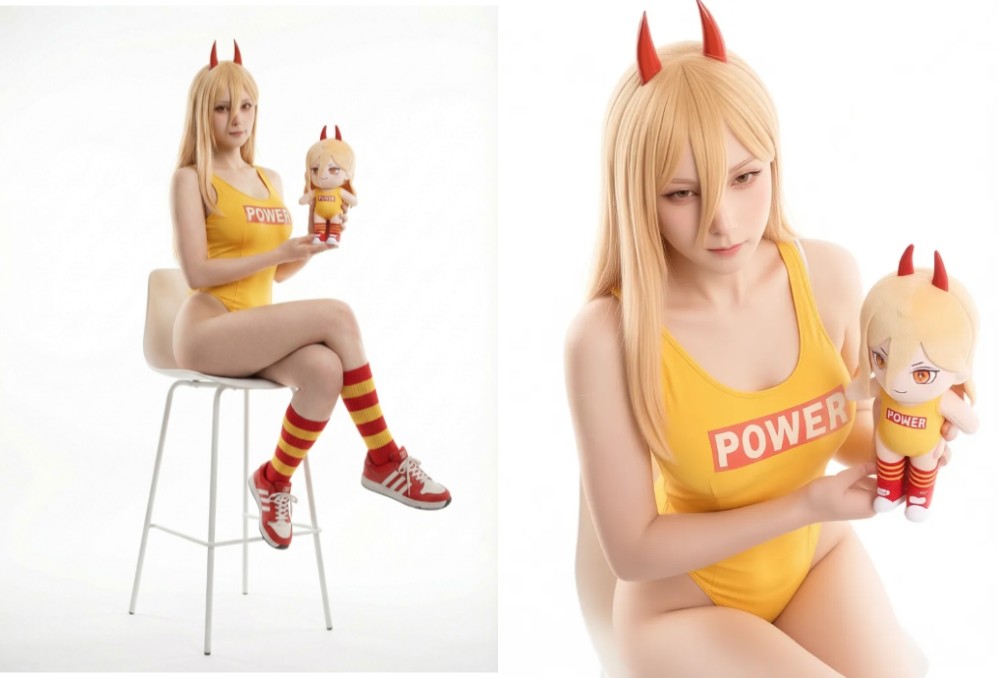
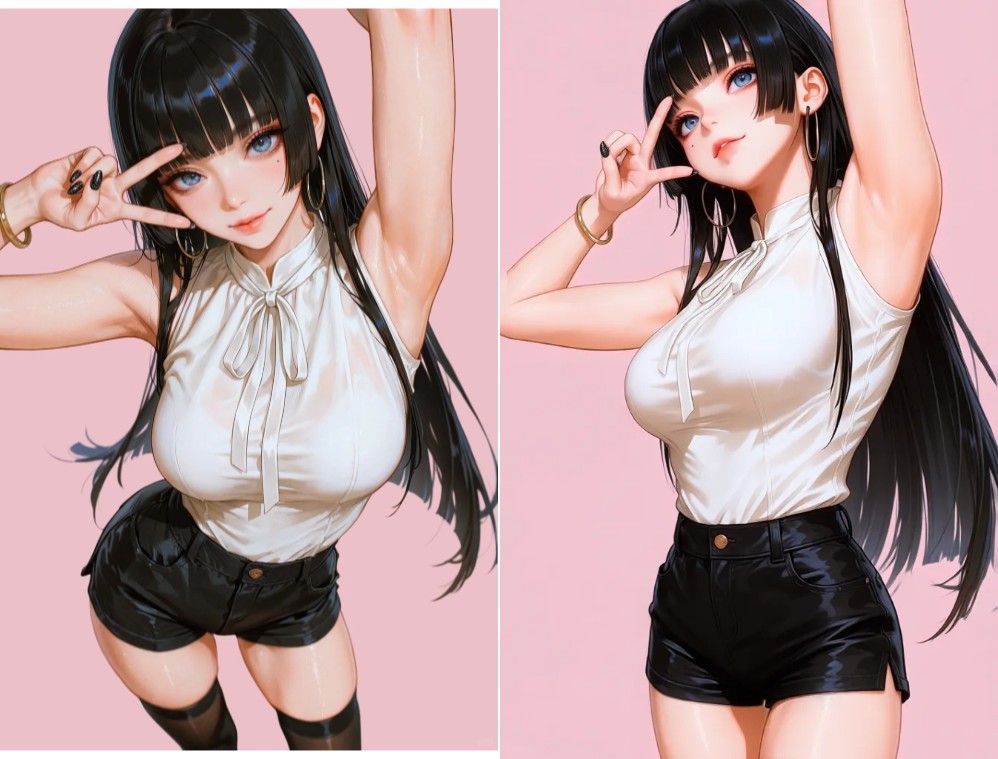
Based on my tests, it works for both photos and anime images, though it’s not perfect—some low-angle shots can produce weird results. Overall, though, it’s pretty fun. If you’re interested, give it a try. I’ll also try to recreate the effect using the Nano Banana Pro when I get the chance. The free version has a daily limit on the number of images you can generate, but it’s fine for just messing around.
Try 3D Camera Control—Click Here
Source: KOCPC Chinese