


Even by the year 2026,Windows 11 As always, the update is bound to have issues, and this time it’s even been called “a mess” by foreign media. That’s because there isn’t just one problem—there are as many as nine, spanning a wide range of issues—from black screens and sleep mode failures to remote apps not working properly and virtual machines getting stuck during reboots. While not every user has encountered these problems, there’s no guarantee you won’t be the one unlucky enough to experience them. Therefore, if you haven’t updated yet, it’s safer to hold off for now.
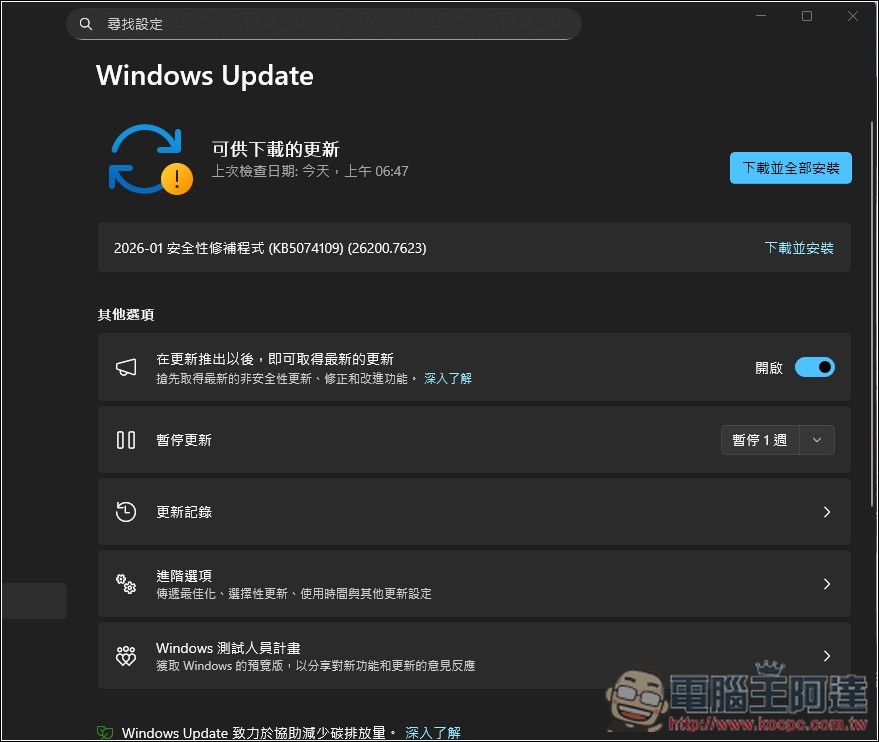
It’s best to skip the first Windows 11 update—there have been reports of a slew of issues and glitches so far.
According to a report by the foreign media outlet Windows Latest, the first mandatory update for Windows 11 released in 2026—KB5074109—has been plagued by numerous issues. Microsoft itself has already confirmed at least three problems, which are:
- Outlook POP Unexpected Crashes
- Remote Desktop Failure
- Shutdown Errors in Older Versions of Windows
Although Microsoft has released fixes for “Remote Desktop Connection failures” and “shutdown issues in older versions of Windows,” this version still has other problems.
First, the “sleep mode (S3)” on some computers is completely non-functional.
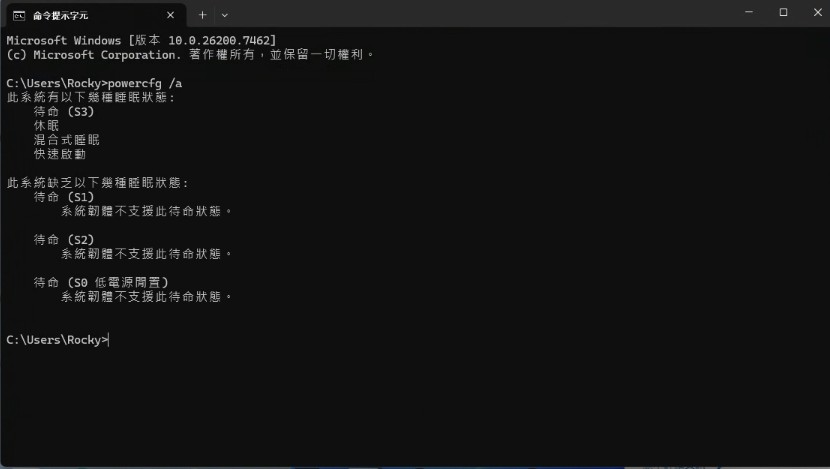
S3 is Windows’ traditional “sleep” state, in which the system keeps the current session in memory and turns off the power to conserve energy or extend battery life. S3 is primarily used on older laptops and desktops; most new laptops have switched to Modern Standby. It’s also very easy to check if your computer uses S3—just type “powercfg /a” and then run:
- Displays “On Standby (S3)” → This means you are part of the affected group
- Displayed as Standby (S0 Low-Power Idle) → This uses Low-Power Idle, not S3
The report quoted a user as saying:
「安裝 KB5074109 之後,睡眠功能就壞了。在電源選項中按下『睡眠』,螢幕會變黑,但電腦並不會真正關機。唯一能讓電腦重新啟動的方法,就是長按電源鍵強制關機後再重開。每次進入睡眠模式都會發生這種狀況。」「我手上的三台 Windows 11 電腦都發生這狀況,其中兩台是 Windows 11 Pro,一台是 Windows 11 Home。只要解除安裝這次更新,睡眠功能就完全正常;一重新安裝更新,問題立刻又出現。很明顯,問題就是 KB5074109 導致的。」
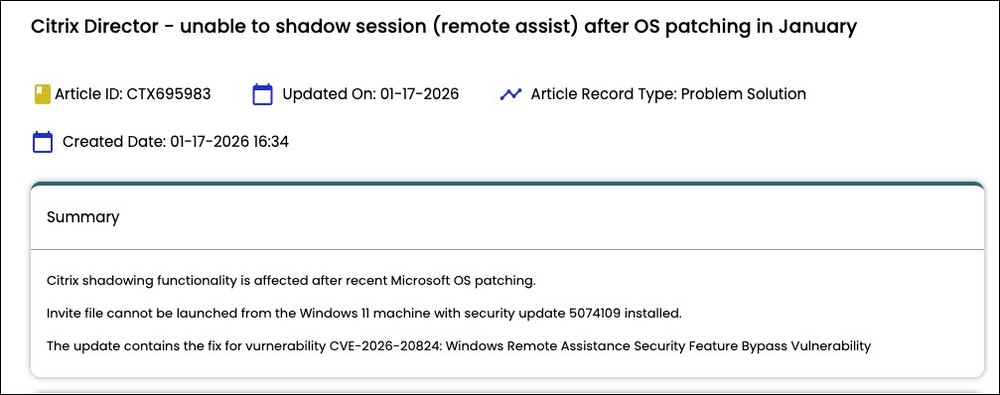
Next is “Citrix Director,” which is relevant to IT administrators and system operations staff. The official support documentation states: “Recent Microsoft operating system patches have affected Citrix’s shadowing feature.” This issue is currently being investigated, and users are advised to switch to HDX Screen Sharing:
“Hyper-V / Virtualization Host” also has issues; it freezes during a reboot. In one instance, multiple Hyper-V virtual machines running on Windows Server 2019 froze during the shutdown phase of the reboot process and were unable to complete the reboot successfully.
In addition:
- The system may occasionally display a black screen: the desktop freezes briefly for one to two seconds → the screen goes black → and then the display returns to normal.
- Some users have also reported that their keyboards and mice are not working properly; Windows Latest is currently monitoring the situation.
- File Explorer is experiencing issues related to desktop.ini.
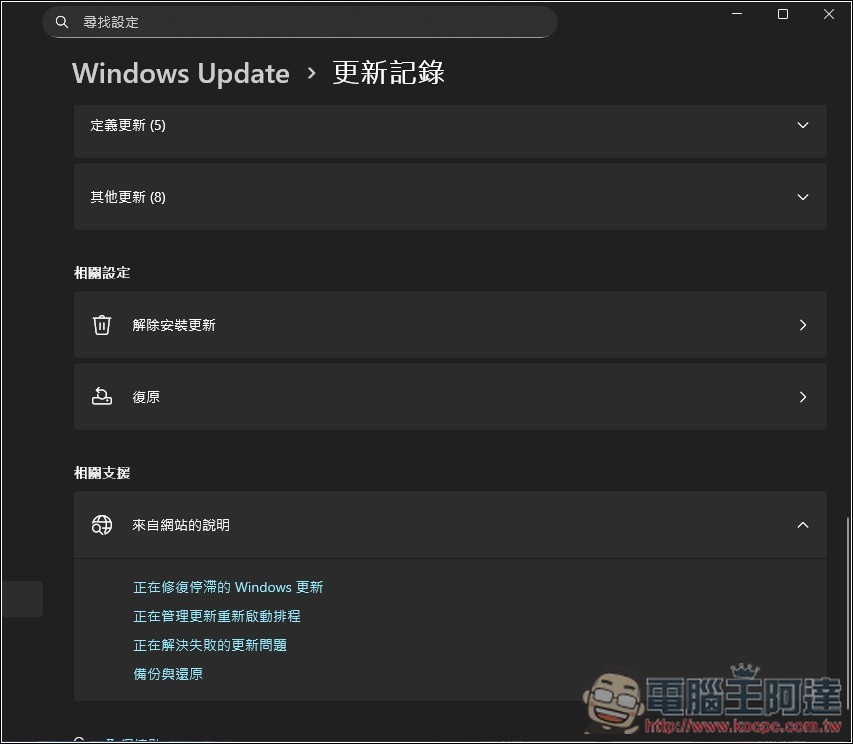
For those who have already installed it, if you’re concerned about potential issues and want to uninstall KB5074109, you can certainly do so:
- Open Settings → Windows Update → Update History
- Click “Uninstall Update”
- Find KB5074109 in the list and select “Uninstall.”
- Restart your computer after confirming.
Source: KOCPC Chinese