


A new year calls for a fresh start, so it’s essential to take advantage of the Spring Festival holiday to clean your beloved iPhone and give it a new lease on life. However, since different iPhone models use different materials around the camera or on the back, and since the casing usually features an oleophobic coating to resist fingerprints and is available in special colors, cleaning it improperly can cause scratches on the casing, damage the oleophobic coating, or even cause the phone’s casing to discolor—turning from orange to rose gold.
To guide Apple fans on the proper way to clean their phones, Apple provides cleaning instructions for each model on its official website to help users avoid damaging the casing or screen while cleaning.
The following isApple’s Official WebsiteRecommended cleaning methods for various iPhone models:
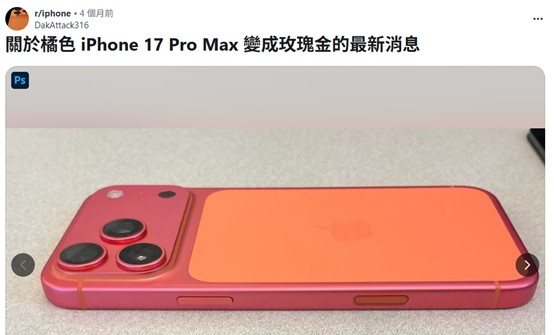
Image source: reddit
Since iPhones across different generations have utilized a variety of casing materials and screen glass or protective coatings (such as premium frosted glass or frosted Ceramic Shield, aerospace-grade titanium frames, fingerprint-resistant oleophobic coatings, Touch ID, and so on), different models require different cleaning methods to prevent damage to the screen or casing. Below areApple’s Official WebsiteSummary video and detailed instructions on recommended cleaning methods for different iPhone models:
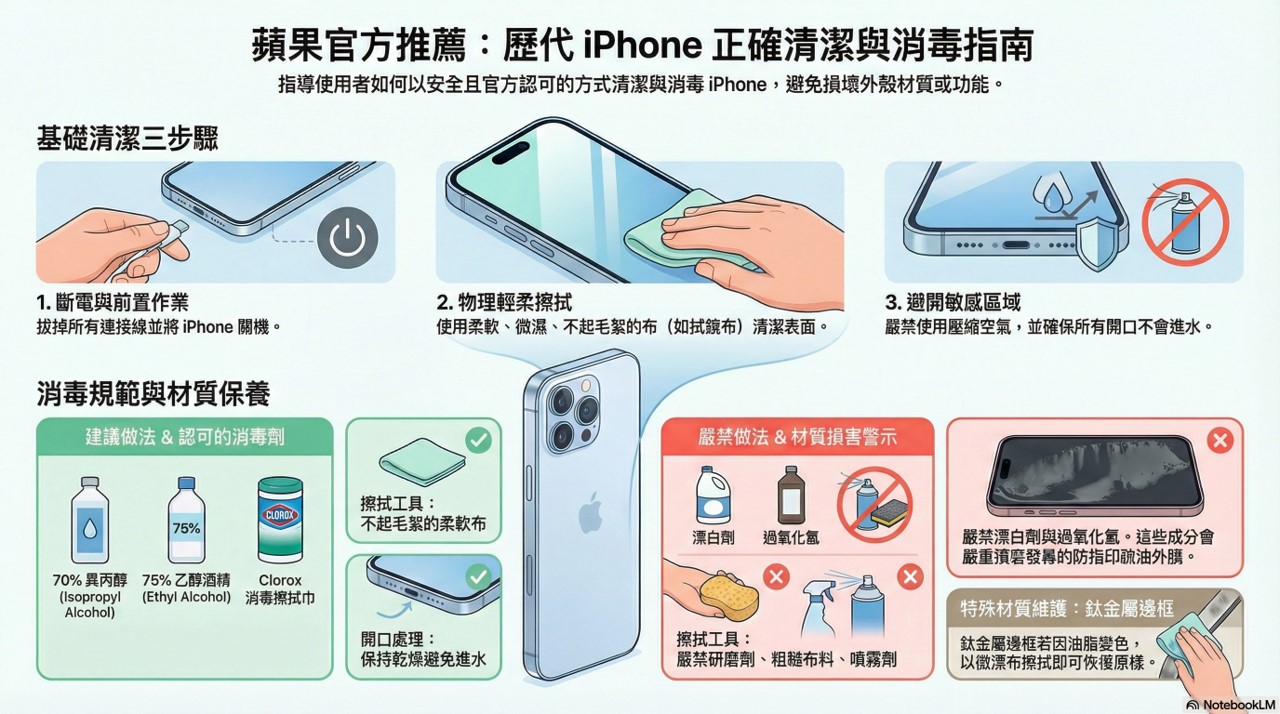
1. Proper Cleaning Steps:
If your iPhone comes into contact with substances that may leave stains or cause other damage—such as dust or sand, ink, cosmetics, soap, cleaning agents, acids or acidic foods, or lotions—Apple officially recommends following these guidelines for cleaning:
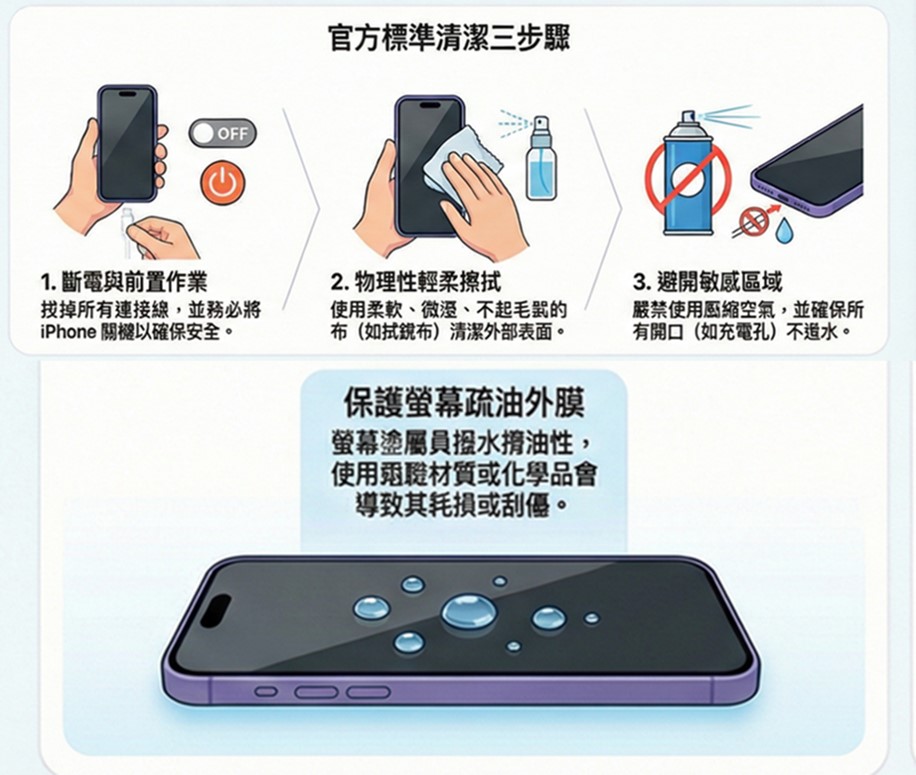
A. Power Shutdown and Preparatory Steps:
Before cleaning, please unplug all cables and turn off your iPhone.
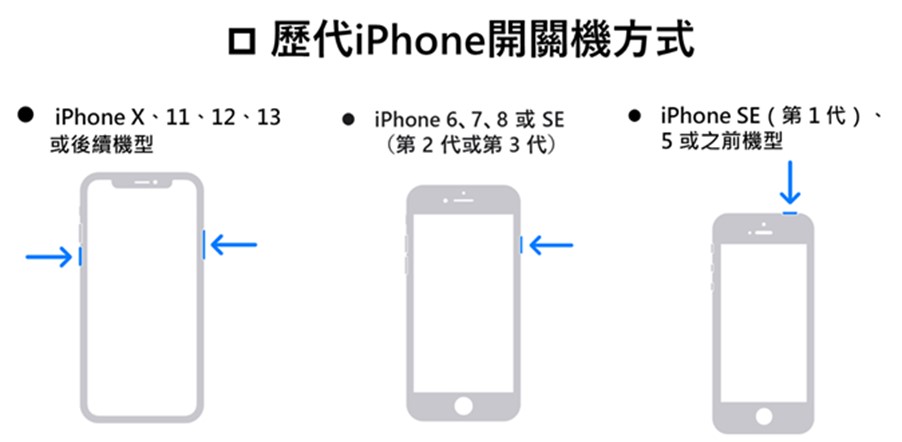
Here are the power-on and power-off methods for iPhones of all generations:
B. Gentle Physical Wiping:
Use a soft, slightly damp, lint-free cloth (such as a lens-cleaning cloth) to clean the exterior surface.
C. Avoid sensitive areas:
Do not use compressed air, and make sure no water enters through any openings.
Since some iPhones are coated with a fingerprint-resistant oleophobic (oil-repellent) layer, cleaning products and abrasive materials can wear down this coating and may scratch your iPhone. Do not use cleaning products unless you follow the instructions in the “How to Disinfect Your iPhone” section below.
2. Proper iPhone Cleaning and Disinfection Procedures:
A. iPhone Disinfection Instructions (Proper Disinfectant):
Apple officially recommends using 70% isopropyl alcohol wipes, 75% ethanol wipes, or Clorox disinfectant wipes to gently wipe the exterior of your iPhone. Do not use products containing bleach or hydrogen peroxide.
Also, make sure no water gets into any openings, and do not submerge your iPhone in any cleaning solution. After disinfecting it, wipe it down with a soft, slightly damp (with water), lint-free cloth.
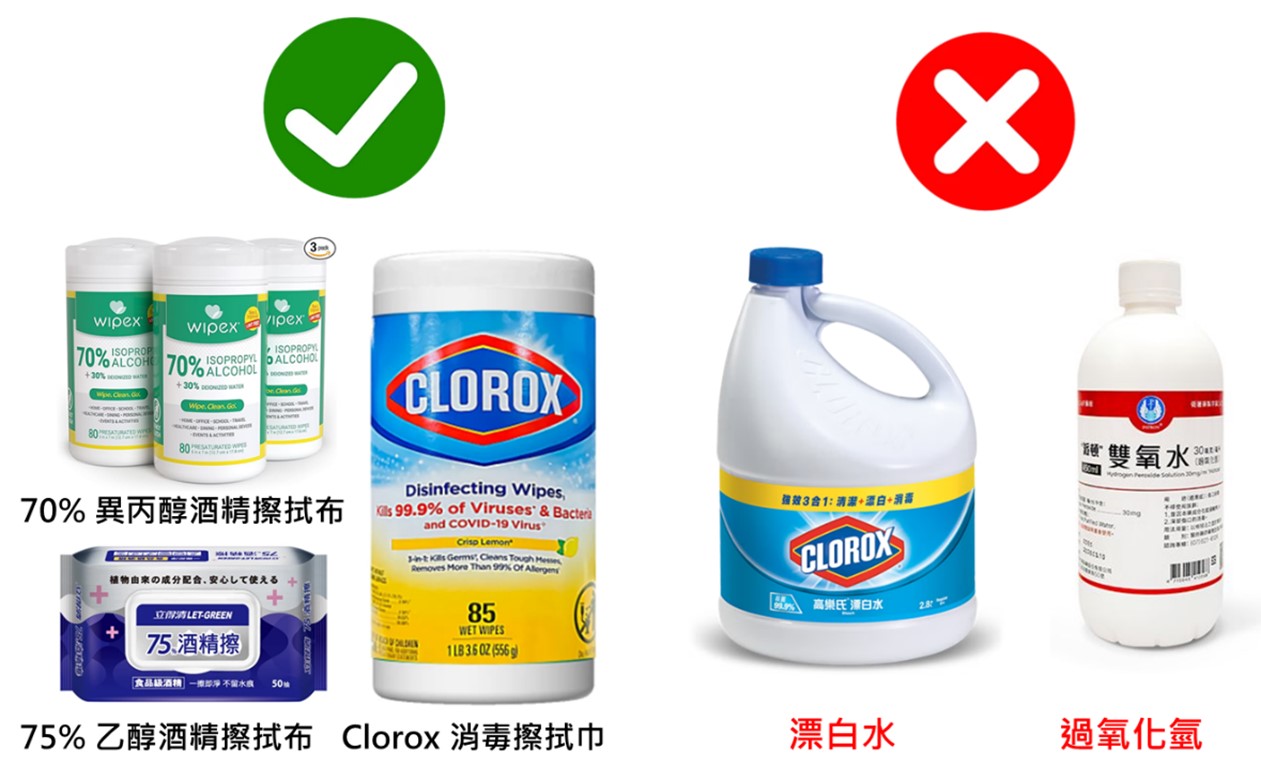
Image source: Various e-commerce platforms
B. Proper Disinfection Methods for Each Model:
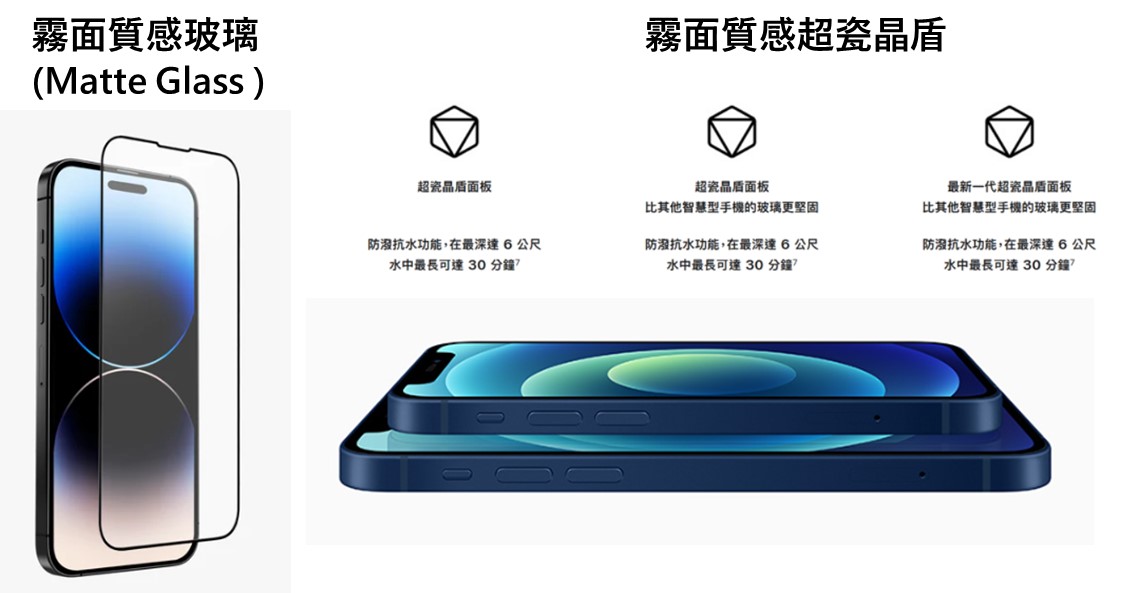
a. Models featuring premium frosted glass or frosted Super Ceramic Shield:
iPhone 17 models, iPhone Air, iPhone 16 models, iPhone 15 models, iPhone 14 models, iPhone 13 models, iPhone 12 models, and iPhone 11 models—the area around the camera or other areas on the back, which feature premium frosted glass or frosted Ceramic Shield, The frosted glass or Ceramic Shield may show signs of material transfer from objects that come into contact with the iPhone (such as denim or items in your pocket). Material transfer may look somewhat like a scratch, but in most cases, it can be wiped away with a lint-free cloth.
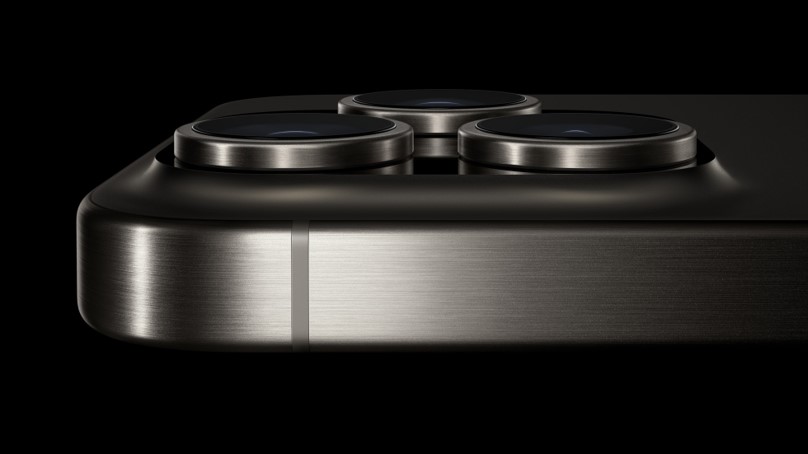
b. Models featuring a Grade 5 aerospace-grade titanium frame:
The iPhone 16 Pro, iPhone 16 Pro Max, iPhone 15 Pro, and iPhone 15 Pro Max feature a Grade 5 aerospace-grade titanium frame. For these models, skin oils may cause the frame to discolor temporarily. Simply wipe your iPhone with a soft, slightly damp, lint-free cloth to restore it to its original appearance.
c. Features an oleophobic (oil-repellent) outer coating that resists fingerprints:
All iPhone models from the iPhone 7 series onward (including the iPhone 8, X, 11, 12, 13, 14, 15, 16, and 17 series, SE 2/3/4, iPhone 4s/4, iPhone 3GS, etc.) support an anti-fingerprint oleophobic coating. This coating is applied to the front of the screen; on the iPhone 4s/4 and all models starting with the iPhone 8, the back is also covered with this coating. If the front or back glass surface has an oleophobic coating, use a soft, lint-free cloth to wipe away fingerprints.
This fingerprint-resistant oleophobic coating will wear down over time; cleaning products and rough materials can further degrade this coating and may scratch your iPhone. You should avoid using glass cleaners, household cleaners, compressed air, aerosols, solvents, ammonia, abrasive cleaners, or rough cloths for daily cleaning, unless you are following the instructions in the [iPhone Disinfection Guide].
To prevent the anti-fingerprint oleophobic coating on your iPhone screen from being damaged by daily use, the forum moderator recommends applying a glass screen protector. You can also gently wipe the screen with a disinfectant wipe containing 60 to 70 percent isopropyl alcohol, then dry it with a microfiber cloth.
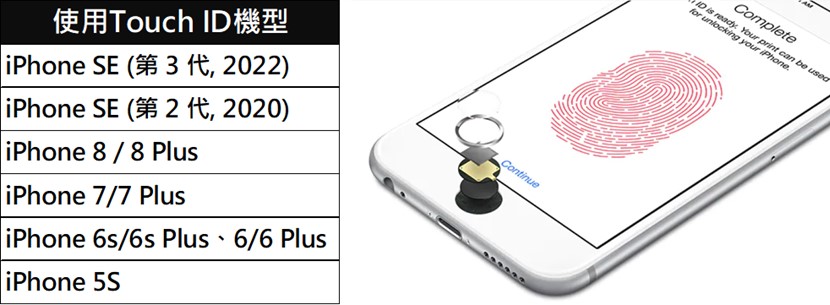
d. Supports Touch IDModel:
iPhone SE (1st, 2nd, and 3rd generations), iPhone 8/8 Plus, iPhone 7/7 Plus, iPhone 6s/6s Plus, iPhone 6/6 Plus, iPhone 5s, and other models that support Touch ID
The iPhone 6s, iPhone 6s Plus, iPhone 6, iPhone 6 Plus, iPhone SE (1st generation), and iPhone 5s support Touch ID. To clean the Home button (and ensure Touch ID works properly), use a soft, lint-free cloth to wipe it down.。
Do not use glass cleaners, household cleaners, compressed air, aerosols, solvents, ammonia, or abrasives to clean your iPhone, unless you are following the instructions in the “iPhone Disinfection Guide.” The front glass surface has an oleophobic coating; to remove fingerprints, use a soft,Wipe the surface with a lint-free cloth.
e.iPhone 5c:
To clean dust that has accumulated around the SIM card tray opening, use a soft, lint-free cloth dampened with a small amount of rubbing alcohol. Gently wipe away the dust from the port opening, taking care to prevent any moisture from entering the opening.
f.iPhone 3G and the iPhone(No. 1 (Generation)
If your iPhone comes into contact with anything that could stain it or cause other damage—such as dust or sand, ink, cosmetics, soap, cleaning agents, acids or acidic foods, or lotion—please follow the steps in [1. Proper Cleaning Procedures] to clean it.
Source: KOCPC Chinese