


Nowadays, many people rely heavily on it in their daily work AI Agent、OpenClaw The most common tasks for these types of automation tools are typically “collecting data from various websites” and “browsing pages,” among others. They then feed the web pages to an LLM for understanding, summarization, and structured extraction. However, over the long term, they inevitably run into a major pain point: they burn through tokens far too quickly. A typical web page’s HTML can easily exceed 20k to 100k tokens. Simply feeding the raw HTML into the system already consumes more than half of the context window—not to mention the subsequent reasoning, multiple tool calls, and maintaining multi-turn conversations.
In this case, Markdown.new is a very useful, free tool for “saving tokens.” Simply paste the URL or prefix it with this name to convert an HTML webpage into Markdown Formatting instantly cuts token usage by more than half.
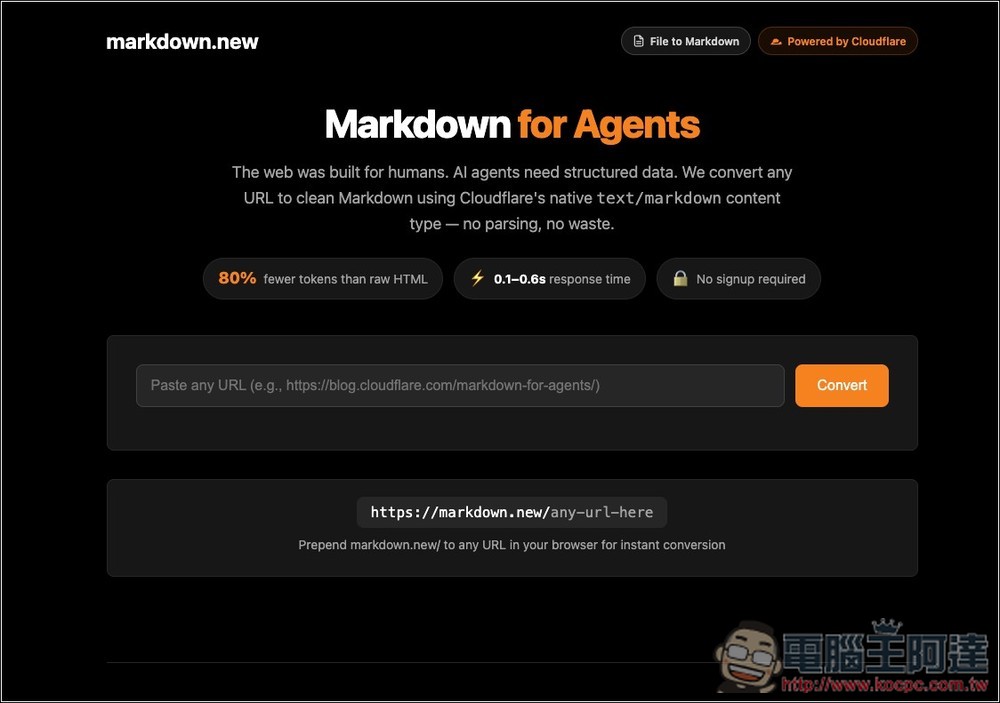
Introduction to and Tutorial on Markdown.new, a Free Online Tool
Markdown.new is a tool that quickly converts web content into Markdown format, primarily designed to simplify the organization and use of web data. Most website content is presented in HTML structure, which includes numerous formatting tags, styles, and scripts; this often results in a lot of unnecessary content when reading or organizing data. With markdown.new, users can directly convert web pages into clean, structured Markdown, making the content easier to read, edit, and organize.
It’s very easy to use. You can paste a URL into the tool or add “markdown.new/” before the URL, for example: https://markdown.new/https://example.com.
Once you open a page, the system automatically extracts its main content and converts it to Markdown format for display. The entire process requires no account registration or software installation—you can use it right in your browser.
Markdown.new is designed to preserve the main text content of a web page while removing unnecessary HTML tags, styles, and other distracting elements, resulting in cleaner and more structured content. This is extremely convenient for users who need to organize data, take notes, build knowledge bases, or perform content analysis.
Key Features
- Convert any URL to Markdown with a single click
- Compared to HTML, it reduces token usage by about 80%.
- Conversion speed: approximately 0.1 to 0.6 seconds
- You can use it without registering for an account.
- Support for API and cURL Calls
- A three-step conversion process is used to ensure a high success rate
- Supports dynamic JavaScript websites
- Each IP address is limited to 500 requests per day.
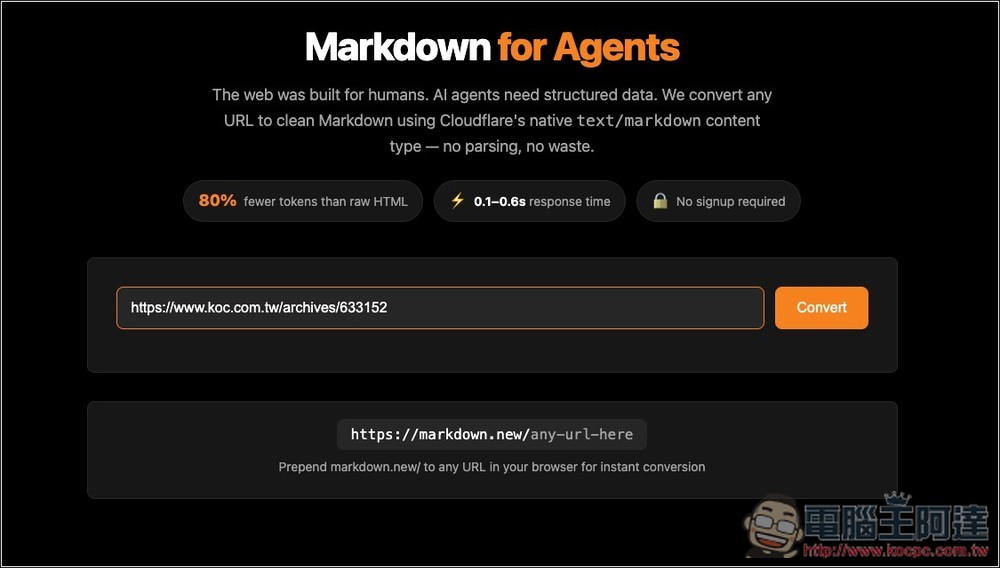
After clicking the link above to go to Markdown.new, paste the URL you want to convert to MD format and click “Convert”:
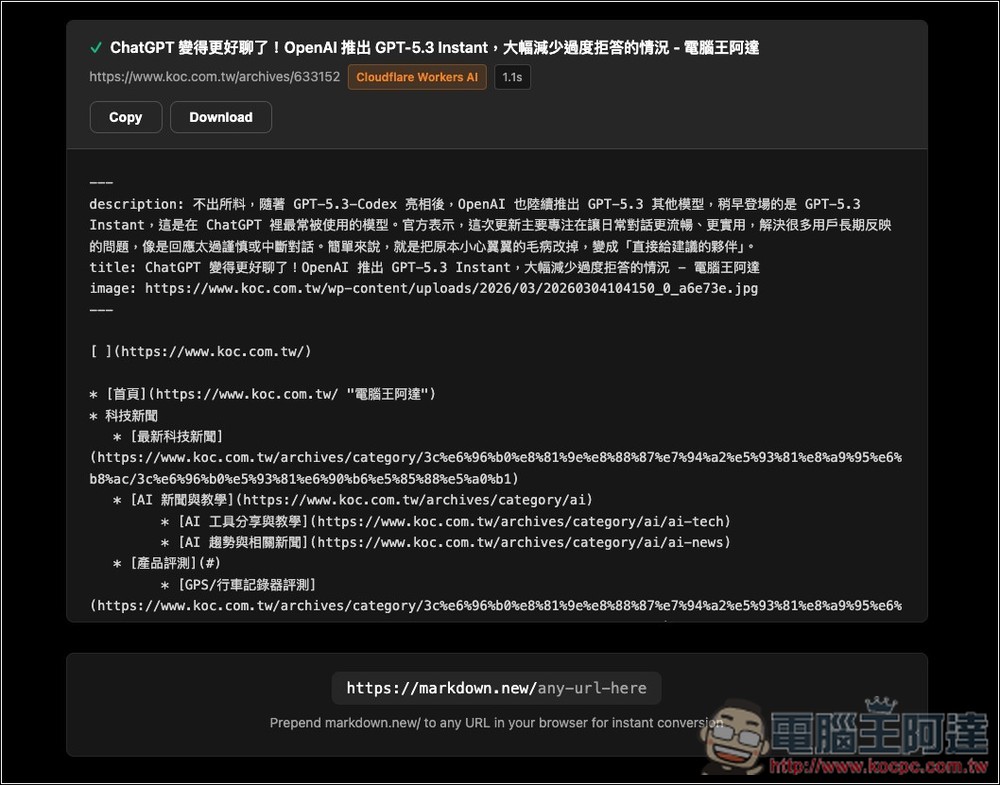
Wait about 1 second, and you’ll get the content in MD format! You can click the “Copy” button above to copy all the content at once, or click “Download” to download the .md file:
You can also simply add “https://markdown.new/” to the beginning of the URL:
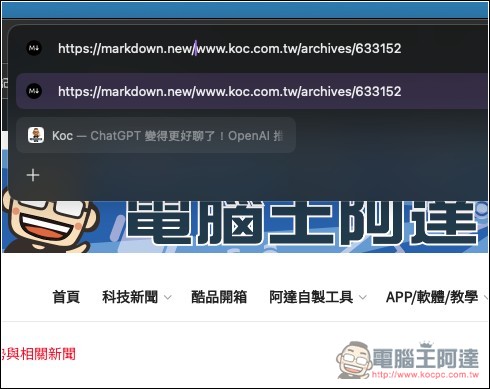
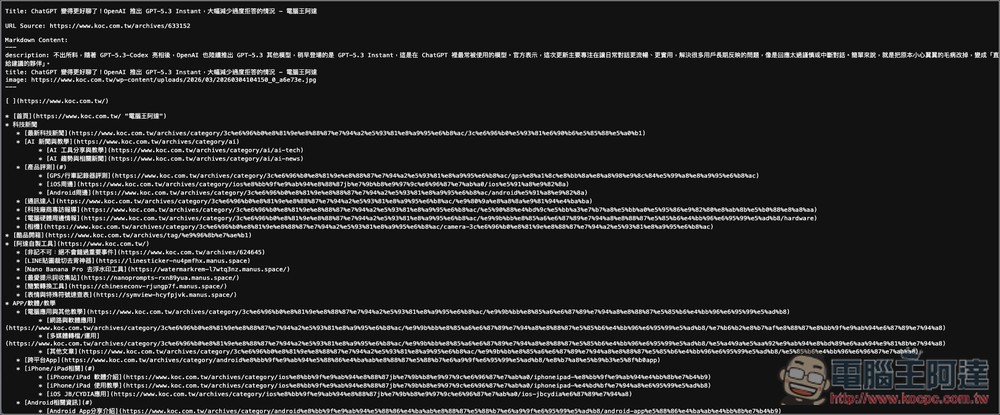
Once you submit it, you’ll receive a web page in MD format:
Source: KOCPC Chinese