


As previously rumored, Siri has finally received a comprehensive update. During the earlier WWDC 2026 event, Apple officially unveiled the “all-new Siri AI,” built on a next-generation Apple Intelligence architecture (developed through technical collaboration with Google Gemini). Just like ChatGPT, Gemini, and Claude, it can now understand natural language conversations and help you complete tasks, with support for cross-app operations, while also launching a standalone Siri App.
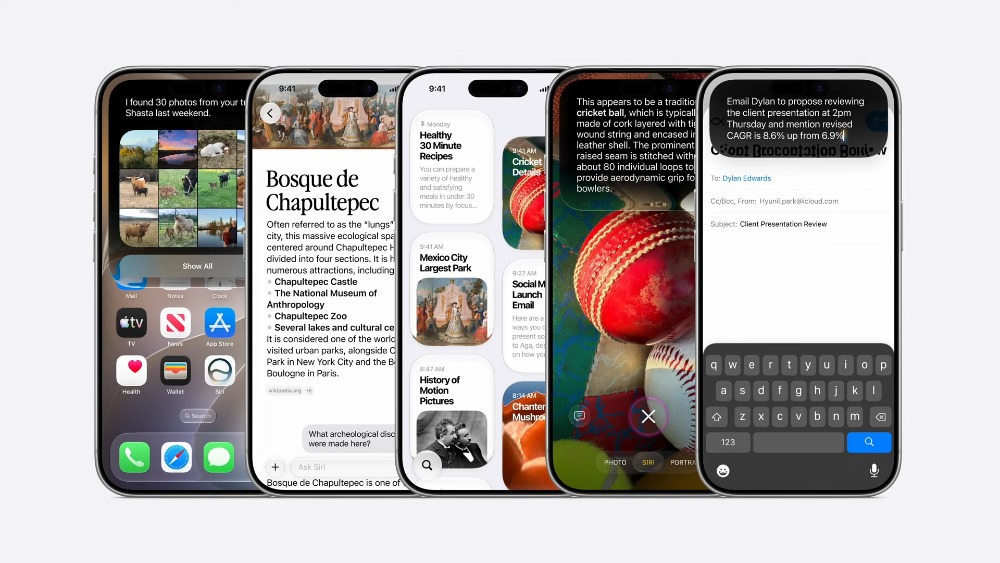
Apple Unveils All-New Siri AI: Combining Gemini Technology, Personal Context, Screen Awareness, and Cross-App Control
The new generation Apple Intelligence architecture adopted by Siri AI this time was developed through technical collaboration behind Google’s Gemini model, and the models were transformed into versions that can run on-device and on Private Cloud Compute, deeply integrated into iPhone, iPad, Mac, Apple Watch, and Apple Vision Pro:
Simple, more private tasks are processed on-device, while more complex requests go through Apple’s own Private Cloud Compute. Apple has also once again emphasized that privacy is at the core of this AI architecture—data will not be stored, nor will it be accessible to Apple or anyone else, and will only be used to fulfill the request at hand.
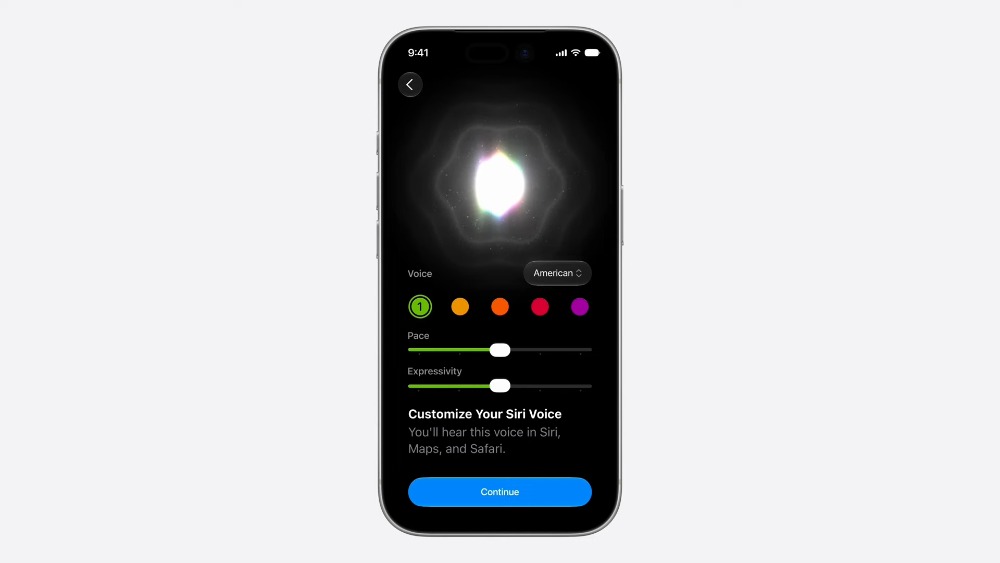
The voice experience has also been upgraded. Siri’s voice sounds more natural and expressive, and users can even customize the voice’s expressiveness and speaking speed.
The new Siri AI primarily includes several core capabilities: personal context understanding, App actions, screen awareness, image understanding, and accessing real-time world knowledge.
Apple demonstrates looking up a Suki Waterhouse concert. In the past, you could only ask Siri “when is it” or “play a certain song.” Siri AI can leverage real-time world knowledge to not only tell you the concert date, but also let you know you’ll need to enter a lottery for tickets. If needed, it can even set a reminder for “remind me when the lottery opens.”
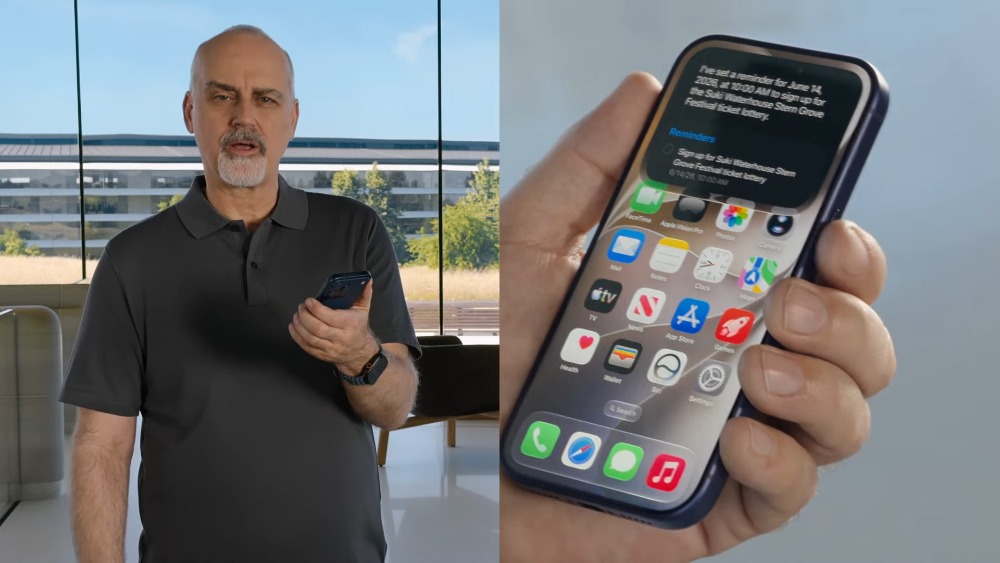
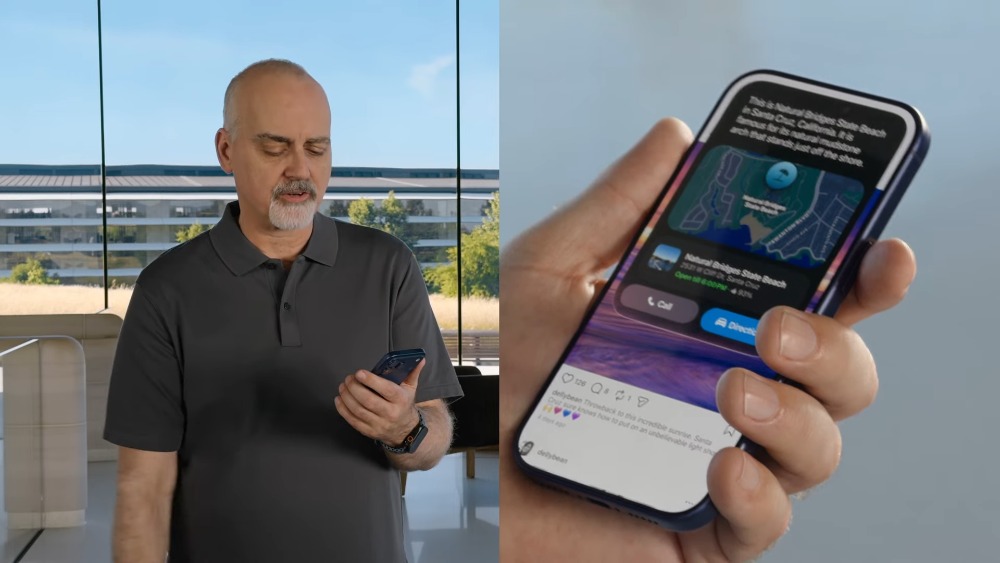
When you see a beautiful photo and want to know where it is, you can simply ask: “Where is this?” Siri AI will identify the location in the image: Natural Bridges State Beach:
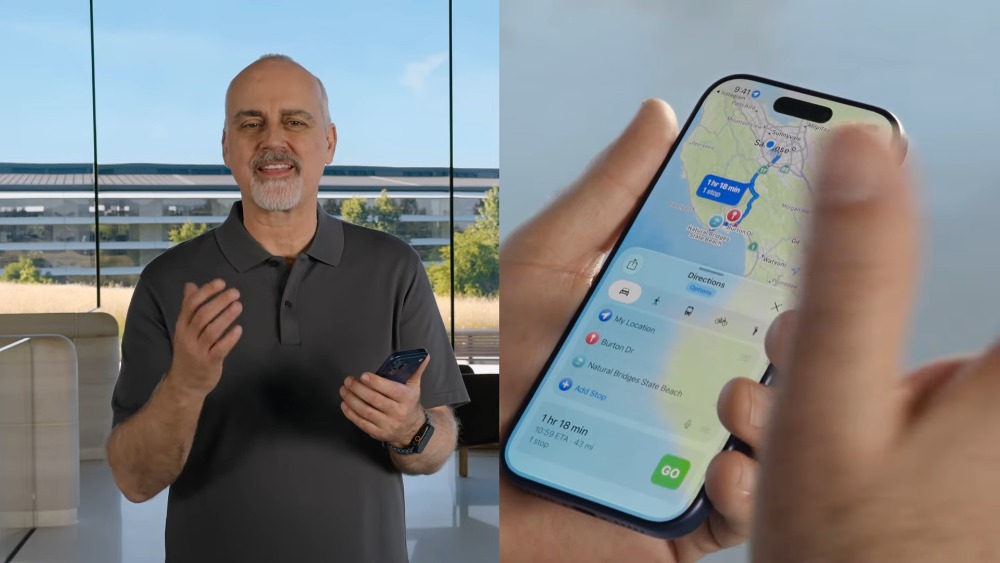
Next up is cross-app query operation. Apple demonstrated: “My friend Jeff recently moved nearby, where does he live?” Siri AI will find the new address Jeff sent in messages. Then if you want to go somewhere together, you can just say “Navigate to that arch, stop at Jeff’s place on the way” and Siri will combine photos on screen, web knowledge, personal message content, and map routes to plan the entire route.
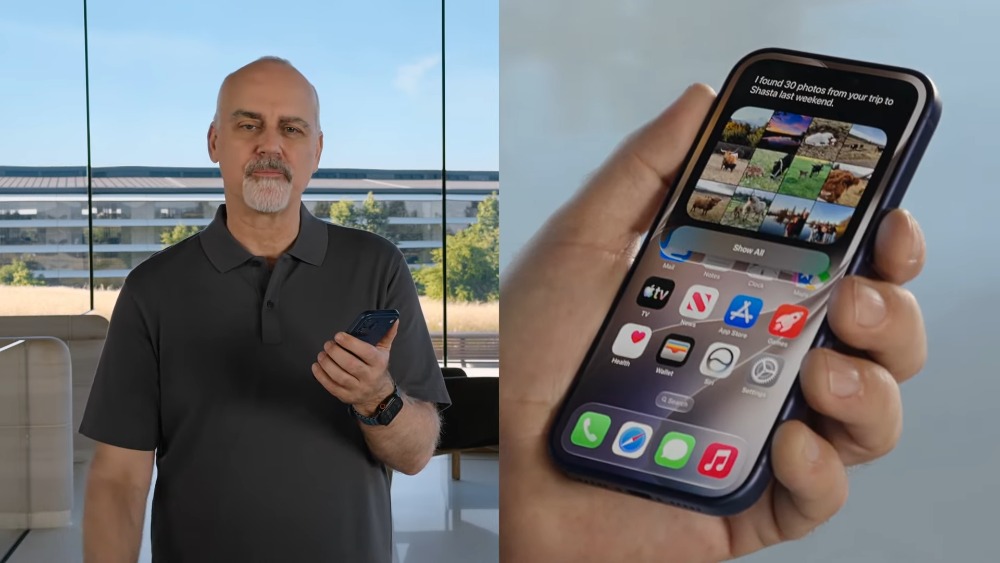
Siri AI can also query and organize photos. You can say to Siri “Show me photos from my last weekend in Shasta,” and Siri will find the family trip photos from your photo library. Then say “Add the photos with Bryce, Madison, and Quinn to the Family Sharing album,” and Siri will filter the photos containing those people and add them to the shared album, so you don’t have to do it manually.
When chatting with Siri AI, if you want to view information, you can tap on Siri’s response, and it will automatically open the new Siri App and expand the conversation interface. The image below shows an Apple demo of checking the World Cup opening weekend schedule:
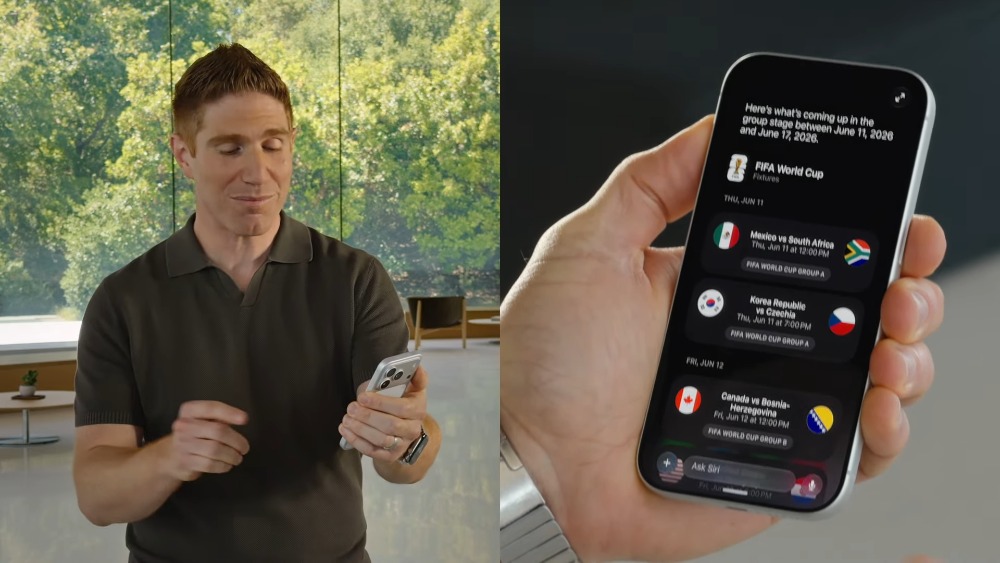
You can also continue the conversation and ask follow-up questions afterward, such as asking Siri to plan a viewing party and list signature dishes from two countries.
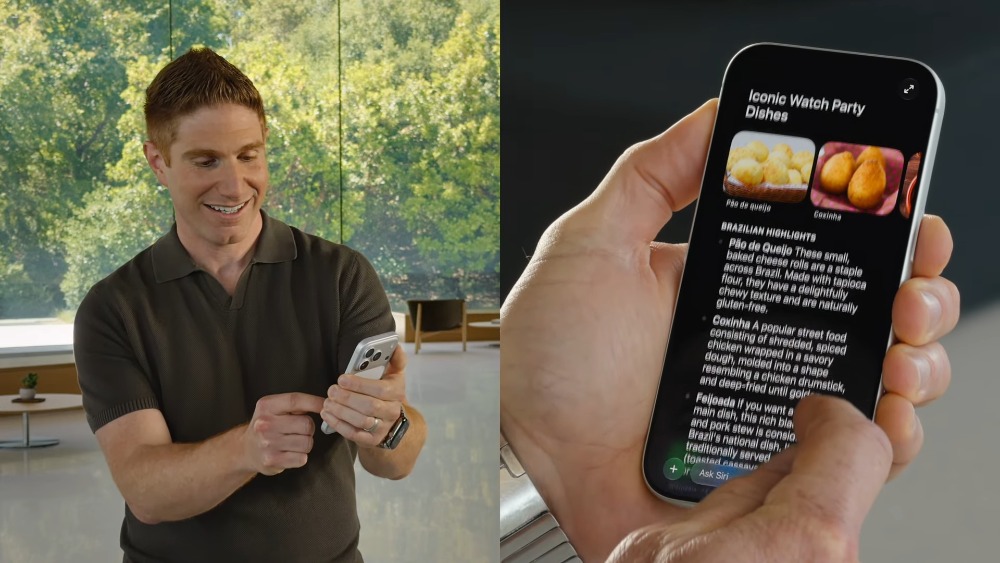
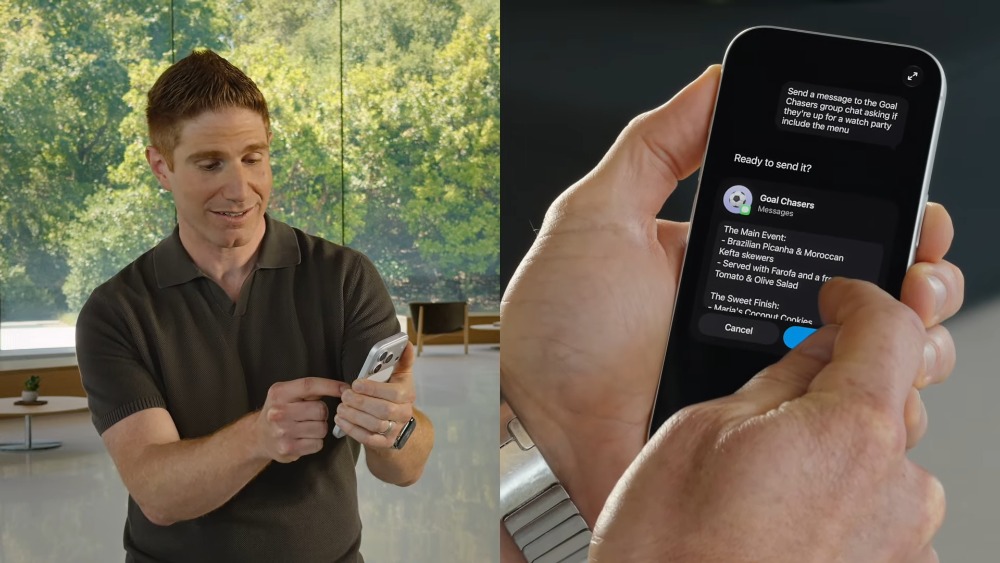
It can also automatically compose the finalized list of dishes into a message and send it to the Gold Chasers group to ask everyone if they want to join. Of course, after the message is ready, it will let you review it first, and only send it after you confirm there are no issues:
Siri AI on Mac is deeply integrated with Spotlight, allowing users to summon it anytime and ask questions:
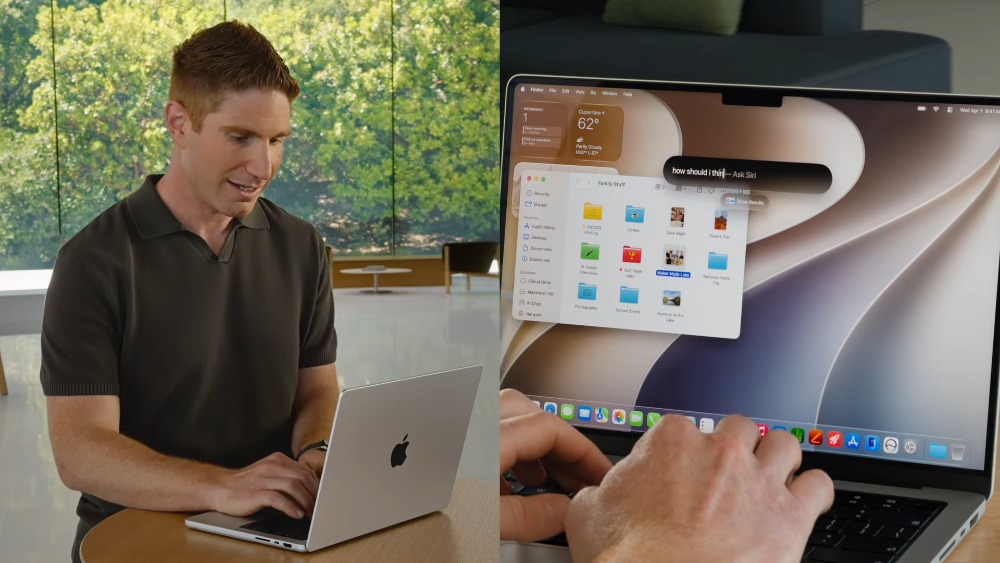
Also supports multi-file analysis—after selecting the files, right-click to open the menu, and an “Ask Siri” option will appear. Enter your question, such as “Compare these and recommend one,” and Siri will compile the three documents into a table, highlighting differences and offering suggestions:
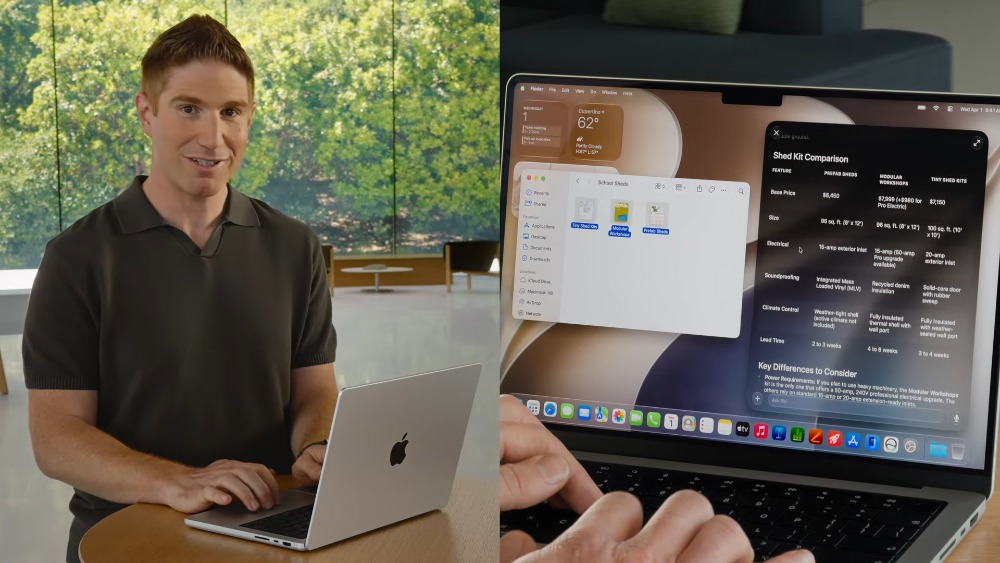
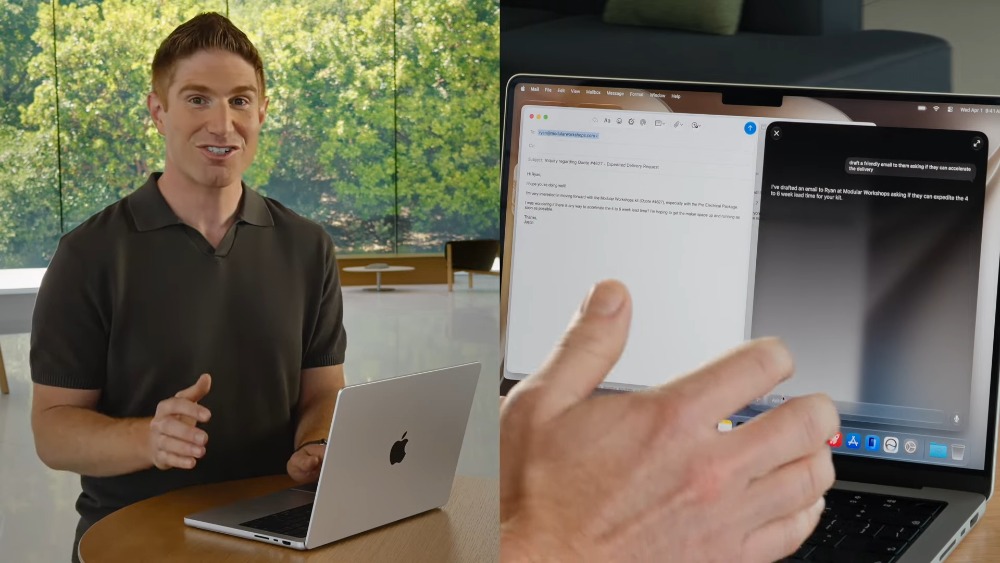
Siri even automatically searches through messages and emails to find relevant information, takes this condition into account when making judgments, and finally drafts an email to the contractor asking whether the delivery time can be shortened.
The standalone Siri app keeps your conversation history and starts new ones. This history syncs privately via iCloud, so you can start asking on iPhone, continue on iPad, and finish on Mac.
Vision Pro’s Siri AI is pretty interesting – it will be a 3D Siri visual character that can be placed in your space, and instead of saying “Hey Siri,” you just look at it to start a conversation.

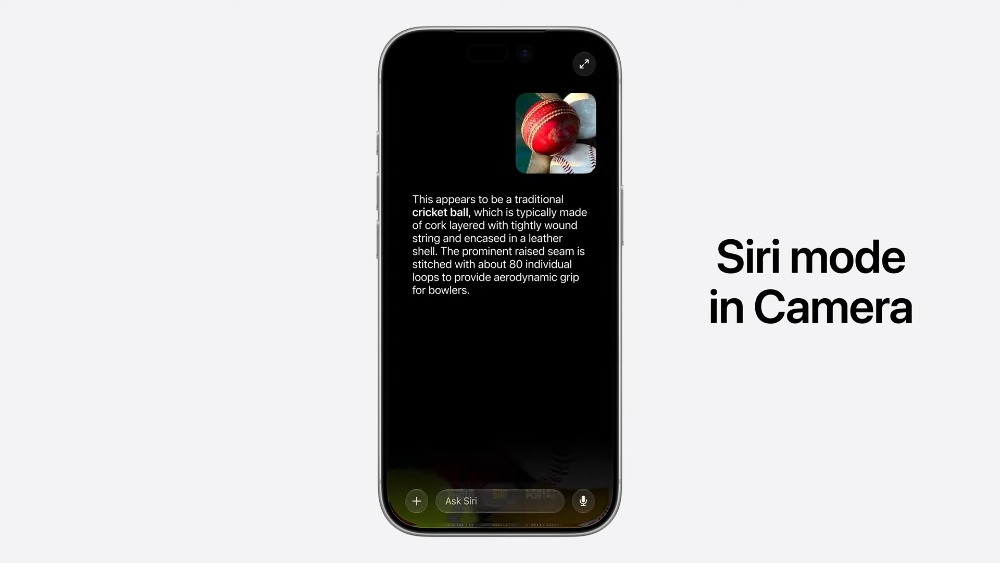
The iPhone Camera app will also get a new Siri mode that lets Siri see what’s in front of the lens, answer questions, and suggest next steps. For example, after pointing your iPhone at a plate of food, Siri can provide nutritional information. After eating with friends and taking a photo of the bill, select the items you ordered, and Siri will help split the bill using Apple Cash.
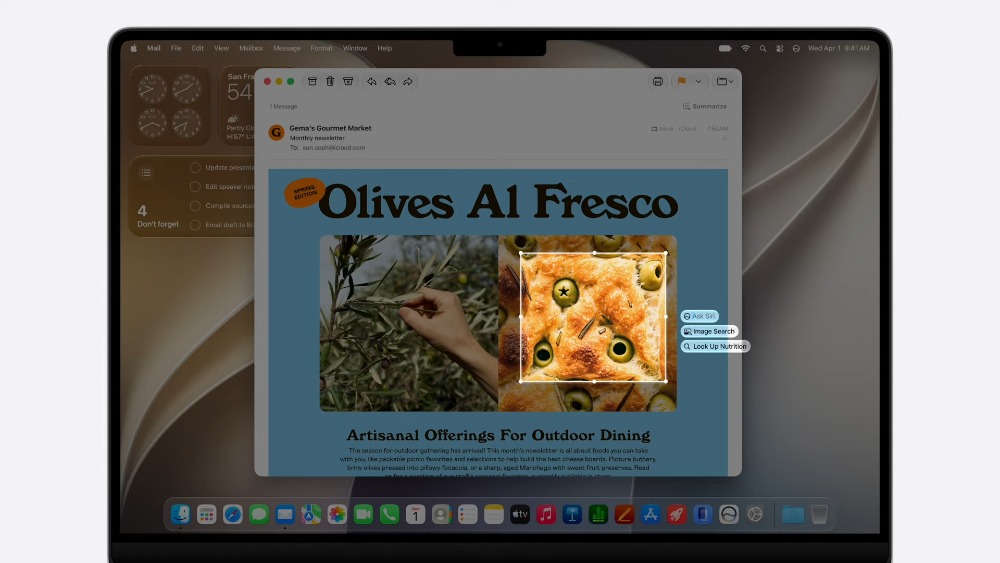
Mac also supports Visual Intelligence — select content on your screen and ask Siri directly:
Writing tools are of course also more deeply integrated with Siri. Apple says users can use “write with Siri” in almost any place where text can be entered. For example: if you want to start writing a work document, just describe your requirements in natural language and Siri can generate a draft first; in Mail or Messages, Siri can also adjust the tone based on how you normally speak to different people:
Siri AI Beta is slated to launch later this year, though unfortunately, it will initially only support English. That said, Apple has committed to gradually expanding support for additional languages.
Additionally, please note that since it relies on Apple Intelligence, not all Apple devices support this feature. Here are the compatible models:
iPhone 16 與後續機型、iPhone 15 Pro、iPhone 15 Pro Max、iPad mini (A17 Pro)、配備 M1 或更新的晶片的 iPad 機型、配備 M1 或更新的晶片的 Mac、Apple Vision Pro、Apple Watch Series 10 或後續錶款、Apple Watch Ultra 2 或後續錶款,以及 Apple Watch SE 3,並須和附近已啟用 Apple Intelligence 的 iPhone 配對使用。
Source: KOCPC Chinese