


Usually, mid-term updates of iOS are mostly routine fixes, including fixing bugs, enhancing security, or extending the battery life of the iPhone through underlying adjustments. However, iOS 26.2 not only does this, but also accidentally removes some practical features for consumers that were once considered “long-awaited and finally here.” Considering the issues many users are experiencing on iOS 26, these adjustments are a welcome improvement.
5 new features iOS 26.2 adds to iPhone
This update, launching in December 2025, is focused on optimizing the experience rather than redesigning the interface or changing the way you use iPhone. It makes smarter fine-tuning for the apps you open every day: making Music more travel-friendly, making AirDrop transfers safer, and making reminders more convenient. Overall, iOS 26.2 makes using iPhone feel more mature and professional. Although there are many updates, the following five features are the most worth enabling or starting to use immediately. They can most significantly improve your iPhone experience.
Alarm clock in Reminders app
For years, there’s been a frustrating gap between clocks and reminders. The alarm in the clock will continue to sound until you handle it personally, which perfectly meets the need of “must wake you up”; but the reminder only has a gentle sound. If you happen to be in the bathroom, wearing headphones, or just don’t hear it, the reminder just disappears. For taking medicine, important deadlines, or any task that cannot be missed, this one-time notification is simply not enough. It is no wonder that iPhone users have been asking for “alarm mode for reminders” on forums for many years.
iOS 26.2 finally fills this gap. Now, you can enable real alarm behavior by toggling the Urgent option when creating a reminder. After turning it on, you will see a complete alarm clock interface for setting the date and time. This reminder will not only sound once, but will jump out of the full screen like an alarm clock and continue to sound until you press “Snooze” or “Slide to Stop”.
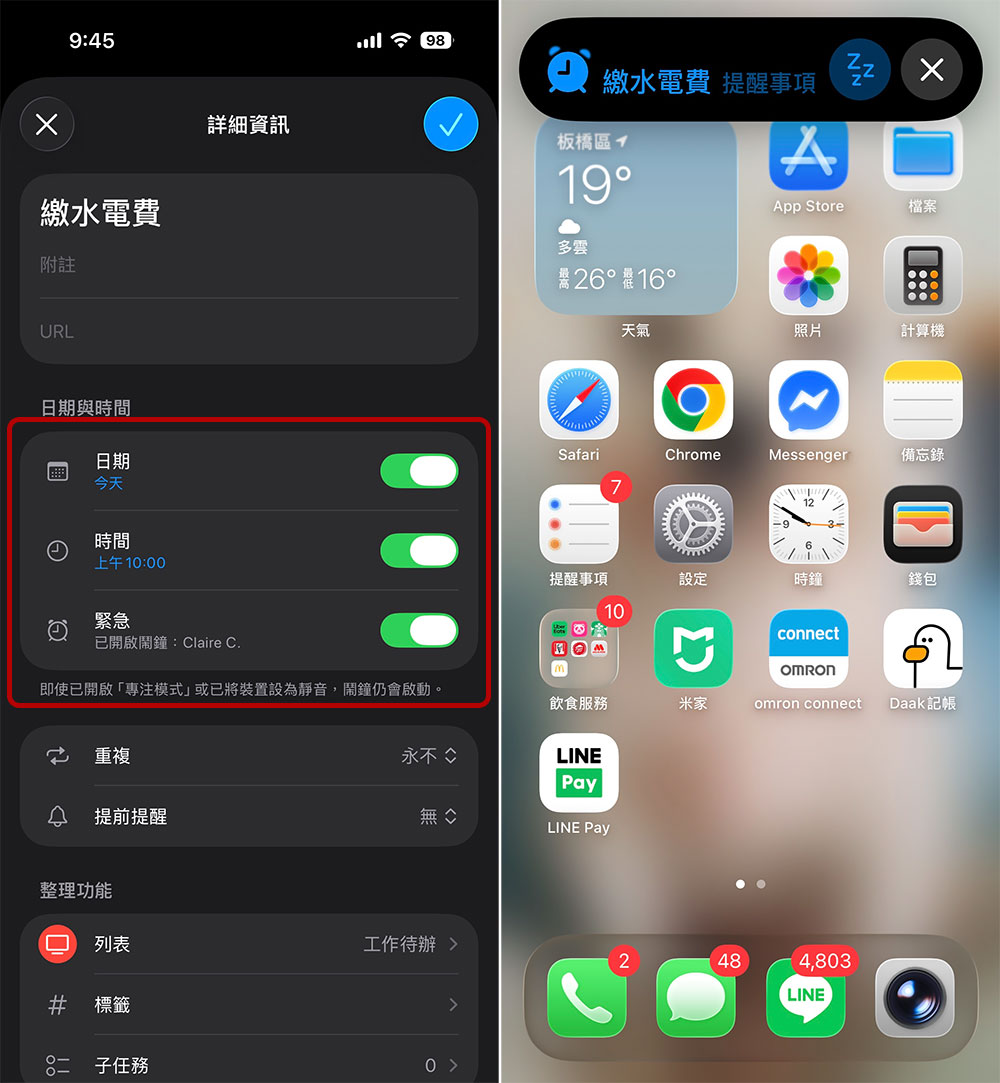
This is a complete upgrade for anyone who relies on reminders for important tasks. Whether it’s taking pizza out of the oven, taking your medication on time, or remembering to cancel a subscription before it’s due, you no longer need to fill your clock with a bunch of temporary alarms. Reminders apps can finally do the job of real reminders.
Offline lyrics in Apple Music
Apple Music is becoming more and more feature-rich, and instant lyrics have always been one of its most fascinating highlights. But over the years, it has also had an obvious weakness: lyrics display must rely on an Internet connection, which means that as long as you are in remote areas, on a plane, or anywhere without signal, this function is completely ineffective. Even if you have downloaded the music in advance, the lyrics still cannot be used offline, which greatly reduces the overall experience. Fortunately, this problem has finally been solved.
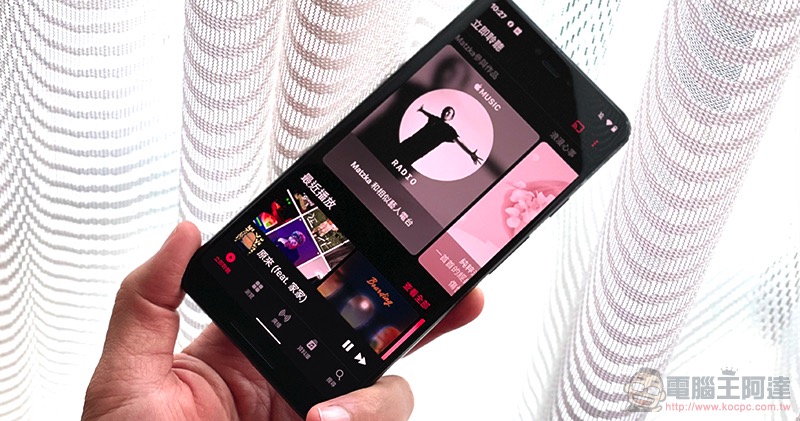
In iOS 26.2, Apple officially fills this gap. Now, whenever you download a song or playlist for offline playback, time-synchronized lyric data is also stored. The test method is simple: switch to airplane mode and play the downloaded songs. In the past, the lyrics button would be gray and unclickable at this time; but now, the lyrics can be displayed in real time and synchronized smoothly, regardless of the network status.
For music lovers who are accustomed to reading lyrics while listening, this update finally makes the offline experience of Apple Music complete. No matter where you are, music and lyrics can accompany you as usual.
AirDrop PIN verification
AirDrop has always been one of those iOS features that makes Android users envious, but it’s not without its drawbacks. As long as you accidentally switch the reception settings to “Everyone”, strangers may directly throw photos or videos into your phone, or even store them without you noticing, posing security and privacy risks.
Apple has used a “10-minute limit” to reduce risks in the past, but in iOS 26.2, the protection goes one step further: adding a PIN verification mechanism. Now, whenever someone other than your contact wants to send something via AirDrop, your iPhone will first display a random six-digit PIN. You need to tell the other party this PIN, and the other party can only start sending after entering it on their own device. After completing one verification, the other party can transfer freely within the next 30 days without repeated verification.
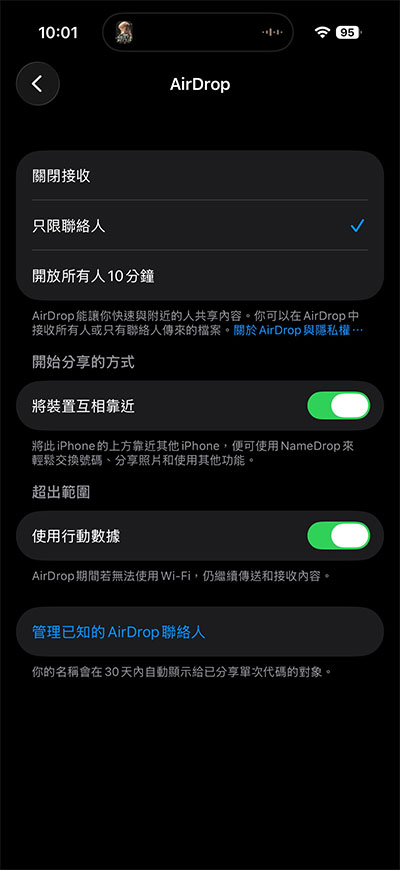
This mandatory “device handshake” effectively eliminates the so-called “AirDrop flash” problem, so strangers can no longer push content to your phone at will. If you have ever been worried about media being dumped in public, this update will give you a lot of peace of mind.
Lock Screen Liquid Glass Custom Slider
One of the biggest visual changes brought by iOS 26 is the new “liquid glass” effect. Although this design language has caused a lot of discussion, many users have complained that the space for customization is too limited. Apple heard these voices in subsequent updates, and iOS 26.2 provides more granular control options as a result.
When using the Liquid Glass clock style on the lock screen, the refraction effect sometimes makes the time difficult to read due to the background image. In the past, you could only accept the preset intensity without being able to adjust it, but in iOS 26.2, Apple has added a new slider specifically for adjusting the refraction intensity. When editing the Lock Screen, click on the Time widget to see this new control. Sliding to the left will make the glass more transparent and refractive less; sliding to the right will increase the fogging effect, making the glass more opaque and the numbers more prominent.
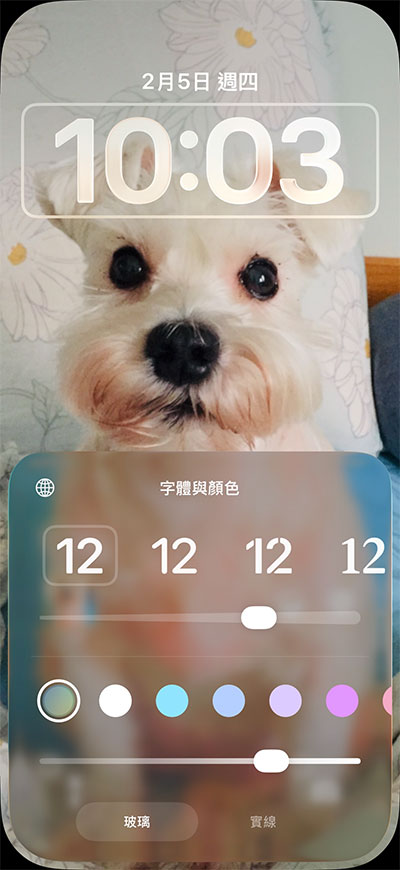
This adjustment allows you to find the ideal balance between “beauty” and “readability” based on the background image. If your tablecloth is brightly colored and rich in details, you can increase the degree of glass fogging to make the time clearer; if the background is minimalist or dark, lowering the intensity can present a more refined, low-key texture. Even better, this liquid glass language also extends to the “Clear All” notification button and flashlight brightness indicator, making the overall interface more consistent. For users who care about the visual details of their iPhone, this small but crucial adjustment will bring obvious satisfaction.
Filter games by size
The A19 Pro chip makes the iPhone truly capable of running high-end AAA games, but its powerful performance also brings another practical problem: huge game files. Large-scale works often cost several gigabytes, and most iPhone users don’t have as much storage space as PC players. For users with only 128GB, figuring out which games take up the most space can feel like a blind guess.
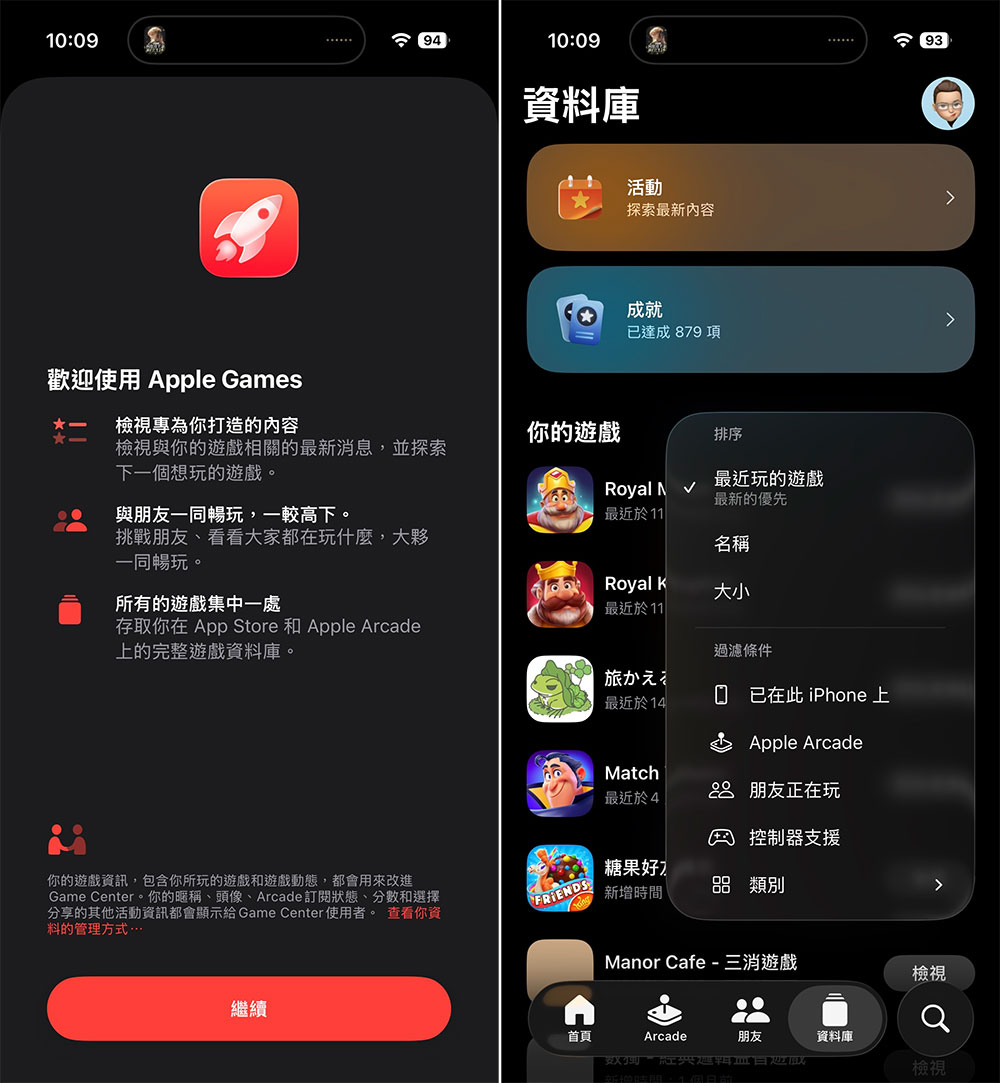
iOS 26.2 adds a useful filtering function called “Sort by Size” to the new Apple Game App, which first debuted in iOS 26. Now, you can sort games directly by installed capacity and see at a glance which titles are the “heaviest players” on your device. This is very helpful for managing storage space. You no longer have to dig through the storage settings of your iPhone to search through layers. Just open the game app, you can quickly find that football game that you haven’t touched in months but takes up 4GB, and then delete it directly. It puts the information you really need in the most intuitive place, making it easier to free up space and install new games or updates.
Source: KOCPC Chinese