


Although it is easy to take pictures with mobile phones nowadays, not everyone is confident that they can take good photos. Sometimes after taking a photo, they always feel that something is missing. It may be that the subject is not prominent enough, the composition is too crowded, or there may be passers-by in the background. Regarding this problem, Adobe is trying to solve this problem through generative AI. Its experimental camera app Project Indigo has added the new “AI Playground” function in the latest version 1.1. In addition to being able to remove objects, change photo styles and customize editing, it can also analyze the work immediately after taking the photo, telling you where you shot well, where you can improve, and how to retake the next photo.
In other words, it is not just a set of photo editing tools put into the camera, but more like a portable AI photography instructor.
Project Indigo joins the AI Playground, making mobile phone photography no longer just a matter of taking a shot and retouching it
Project Indigo is a free experimental camera app launched by the Adobe Nextcam team in 2025.We have introduced it before, featuring complete manual control, a natural single-lens camera style, and computational photography that combines multiple images. Each time the shutter is pressed, it does not take just one photo, but continuously captures multiple images and then aligns and combines them to reduce dark noise and improve dynamic range. It can also output JPEG and RAW DNG files.
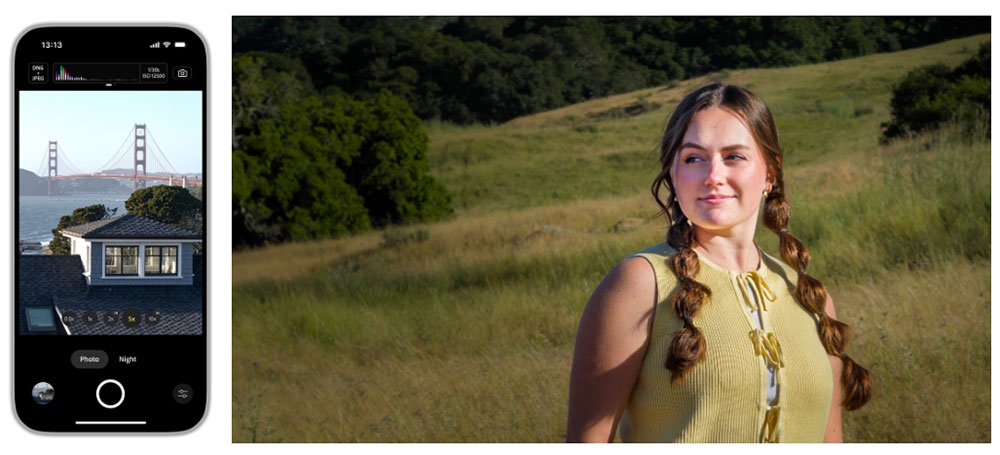
And this time the new AI Playground, is Adobe’s way of trying to bring generative AI to “shoot the moment.”
Most AI photo editing processes now involve taking a photo with the camera and then uploading the photo to a website or another app for editing. Adobe believes that no matter how accurately the prompt words are written, the model may still misunderstand the meaning due to different situations, assumptions, and cultural backgrounds, and it is not intuitive for ordinary users.
Therefore, AI Playground organizes commonly used functions into buttons and switches, and uses Adobe’s pre-adjusted prompt words behind them. When users take photos through Indigo, they can click the star button below in the built-in photo browsing interface to activate related functions.
AI Playground is divided into four functions: Object Editing, Styles, Photo Guidance and Custom Edit. The most interesting one is “Photo Guidance”. After taking a photo, just click a button and a large language model will analyze the picture, list the good parts of the photo and the areas that can be improved, and then provide suggestions for “reshooting” and “post-editing”:
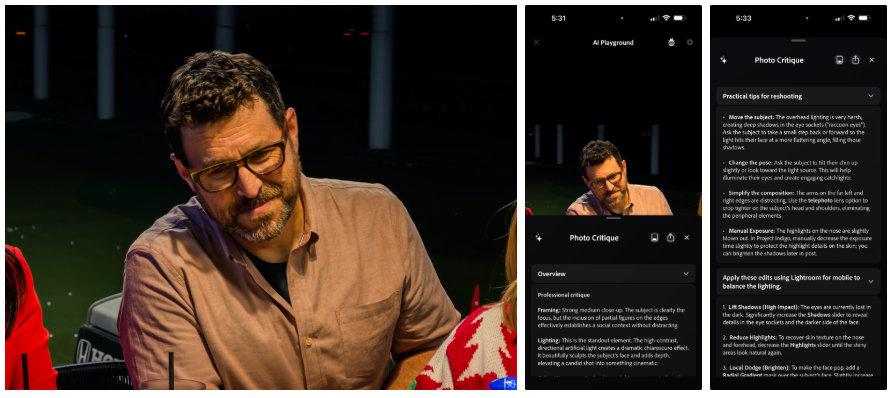
The Adobe article also mentioned that for AI to make truly useful suggestions, it cannot just hand the photo to the model, it must first know that it is a mobile phone photo. Take the iPhone 17 Pro Max used in official testing as an example. Although the phone is expected to have telephoto and ultra-wide-angle lenses, it does not have an adjustable aperture or continuously variable optical zoom. This advice is completely useless if the AI tells you to “stop down” or use a focal length that your phone doesn’t have.
Therefore, Adobe will include the hardware limitations of smartphone cameras in the prompt words to prevent the model from giving impossible operations.
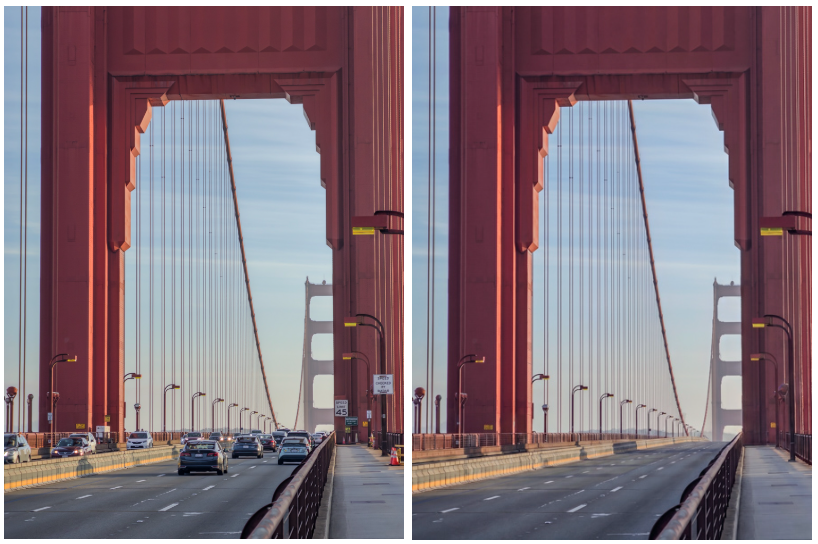
For the rest, Object Editing can remove distracting objects from the screen. Users can use switches to select categories such as background characters, vehicles, and debris. They can also input themselves or use voice to specify the content they want to remove. In the example shown by Adobe, vehicles, debris and signs are removed at the same time:
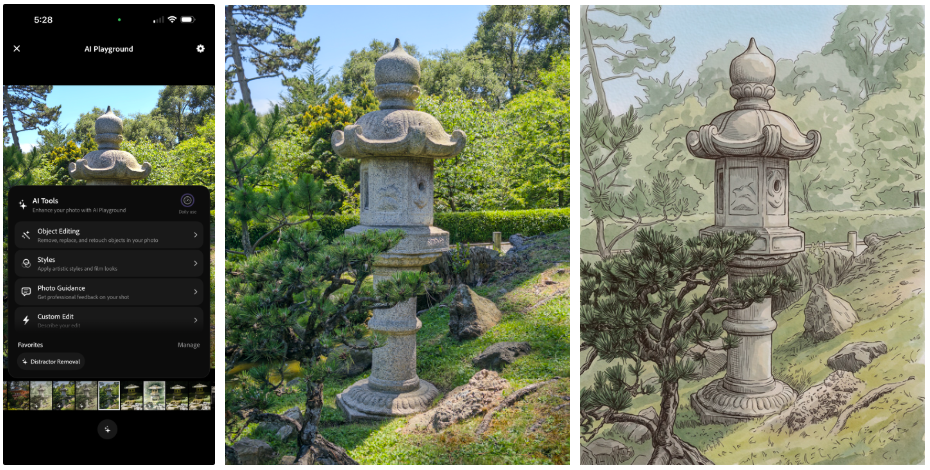
Styles can re-convert ordinary photos into pen and ink line, ink and pastel, illustration or golden hour light styles. Instead of just applying a filter, the generative model repaints the photo based on a complete set of prompts pre-designed by Adobe. For example, in an official garden photo displayed, there were originally many background elements. After being converted to ink and light colors, the model will focus the visual focus on the bridge, making the overall look more like an illustration:
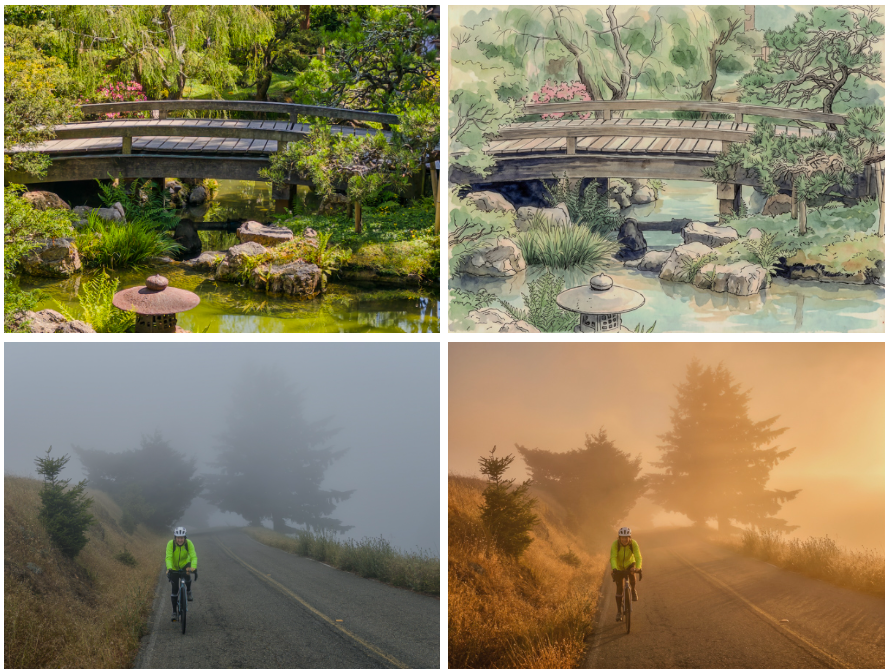
If the preset buttons cannot solve your needs, you can also enter Custom Edit to enter any prompt words, or speak your thoughts directly with your voice. Such as removing foreground fences and background figures, placing stone lanterns on cliffs, or even turning paintings or statues into realistic photos. Custom prompt words can also be saved and deleted, so you don’t have to re-enter them every time:

However, generative editing still has some limitations at this stage. For example, if you press the same button again, you will usually get slightly different results, and the model may also move details that the user does not want to change. It is especially easy to change the face shape or expression of the character.
Adobe calls this problem identity shift, where the person in the generated result does not look like the same person as the original photo. Therefore, AI Playground is more suitable for exploring ideas and quickly trying out.
This feature is currently available on the App Store with Project Indigo version 1.1.0, supporting iPhone 12, iPhone 13 Pro/Pro Max, the full range of iPhone 14 to iPhone 17, and some iPads. Adobe recommends using iPhone 15 Pro or newer models for a better experience.
However, it should be noted that not everyone can play it. Adobe will only randomly select a few percent of existing users. The invitees will see an exclusive prompt screen after reopening the app. This experience requires no login and is temporarily free, but it is only expected to be available for a few weeks. Adobe will decide whether to extend the experiment, expand the number of users, or conduct the next phase of testing based on usage. If the response is good, a paid version may eventually be launched.
Source: KOCPC Chinese