


In the past, CapCut offered a wide range of free features, had an easy-to-use interface, and even integrated practical AI features, making it the go-to choice for many people when editing videos. However, as it began adjusting its business model in recent years, not only have more and more previously free features become paid, but the price of the Pro subscription has also risen sharply. Many people are dissatisfied with this and hope to find better alternatives.
Recently on GitHub, a free open-source video editing tool called Concat gained over 8,000 stars in a short time. It markets itself as an alternative to CapCut. I tried it and it’s indeed good; its features are already quite comprehensive. It not only provides full video editing capabilities but also integrates AI auto-captions, background removal, text-to-speech, voice cloning, and more. More importantly, it supports almost all platforms, including Windows, Mac, Linux, Android, and iOS, and offers one-click installers.
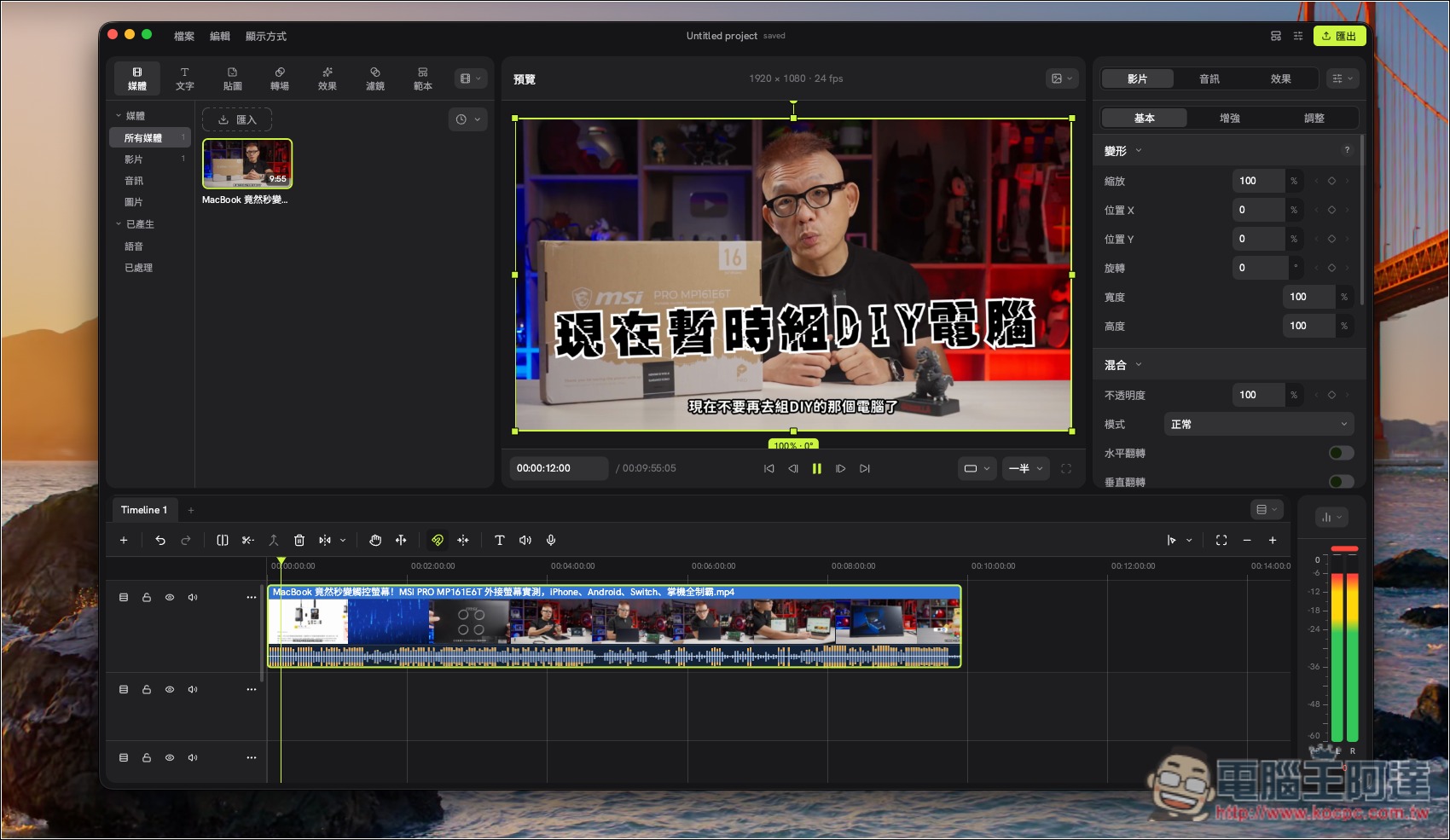
Concat, a free open-source video editing tool, has arrived, featuring AI subtitles, background removal, and voiceover—all with no watermark.
Concat is a completely free, open-source cross-platform video editing tool created by developer jub0t, positioned as a free alternative to the popular video editing software CapCut (Jianying). There are no paywalls, no account registration is required, and no watermarks are added to exported videos—all features can be used for free.
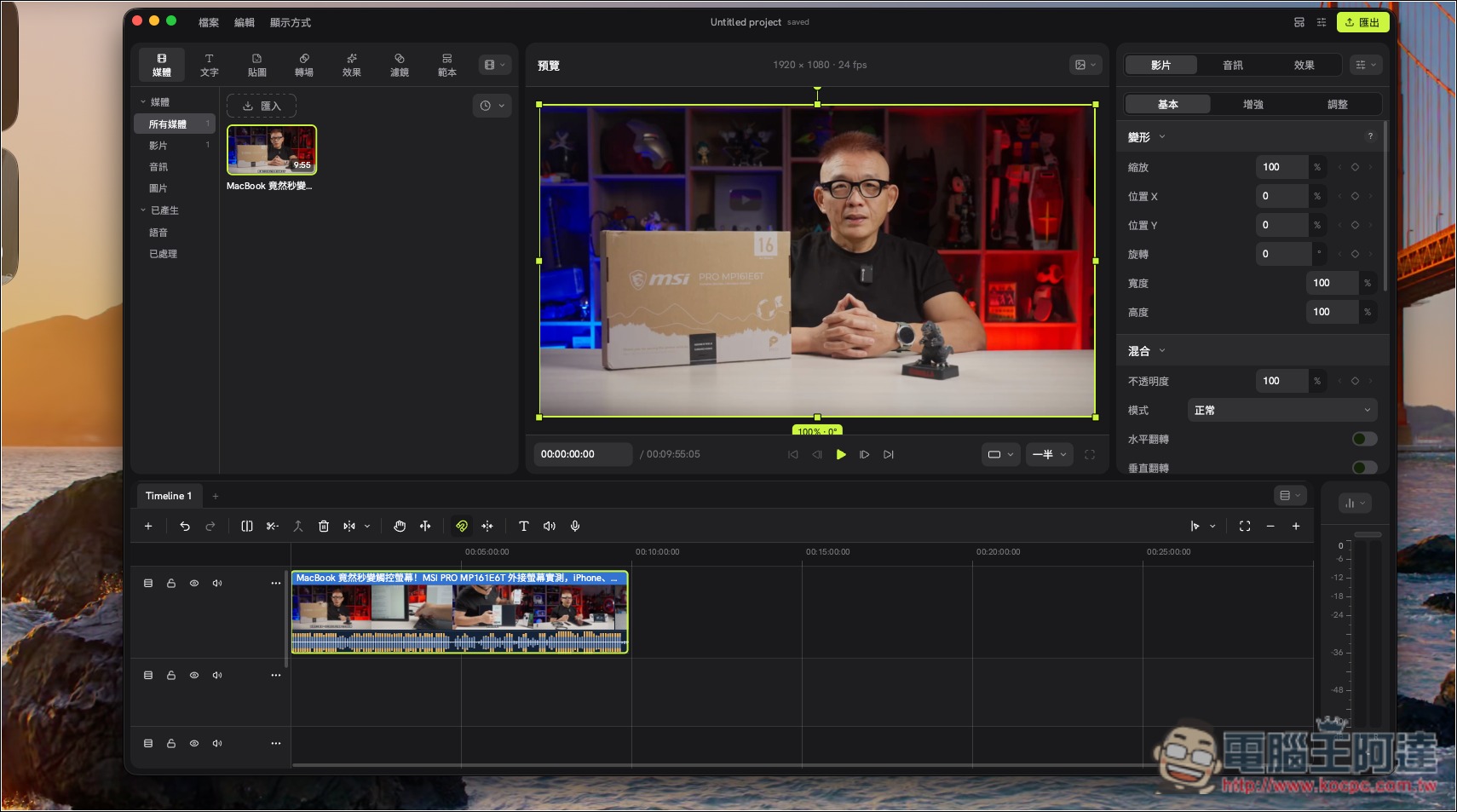
In terms of basic editing features, Concat provides a complete multi-track timeline editing environment, supporting common operations such as video cropping, splitting, merging, speed adjustment, and freeze frames, and also includes keyframe animation, text titles, filters, transitions, and more than 100 visual effects. Users can freely adjust parameters such as video position, scale, rotation, and opacity, and can also use the curve editor to create more refined animation effects.
It also has multiple built-in AI features. For example, AI auto-captions use Whisper speech recognition technology to convert speech in videos into subtitles and add them directly to the timeline for editing. In addition, it offers text-to-speech (TTS), AI voice cloning, background removal, and other features, so users can complete tasks such as video dubbing and subject background removal without installing multiple additional software programs.
Another feature is that Concat is designed to run entirely locally. Videos do not need to be uploaded to cloud servers, and all editing work is done on your own computer. The models required for AI subtitles, voiceover, and background removal only need to be downloaded in advance and can then be used offline, making it very practical for users who value privacy or frequently work with confidential videos.
In terms of performance, Concat uses a native engine developed in Rust, combined with GPU acceleration and hardware decoding technology, and supports multi-track editing and 4K video processing. Output formats include H.264, HEVC, and AV1, with support for up to 4K 60FPS and 10-bit color. In addition, it provides a JSON-RPC API, enabling developers to automate video editing tasks through scripts or even AI Agents.
The only thing to note is that Concat is still in beta testing, so some features and stability may still have room for improvement.
Key Features
- Completely free and open source: licensed under AGPL-3.0, with no paid subscription model and no restrictions on advanced features.
- No watermark: Output videos will not automatically include a brand watermark.
- No account registration required: download, install, and use it right away—no member login needed.
- AI Auto Subtitles: Integrated with Whisper speech recognition to automatically generate subtitles and add them to the video timeline.
- AI Text-to-Speech: Built-in TTS feature; enter text to generate voiceover.
- AI voice cloning: can clone a voice from a short audio sample for speech generation.
- AI Smart Background Removal: Supports background removal for people and objects, with manual mask adjustment.
- Over 100 effects: including filters, transitions, and visual effects, with GPU real-time preview support.
- Complete video editing features: supports multi-track timelines, video splitting, cropping, merging, speed adjustment, and freeze frames.
- Keyframe animation: adjustable parameters such as position, scale, rotation, and opacity.
- Audio processing tool: supports noise reduction, vocal enhancement, volume leveling, and special sound effects.
- Supports 4K video output: offers H.264, HEVC, and AV1 encoding, with output up to 4K 60FPS video.
- Fully local operation: videos don’t need to be uploaded to the cloud—once the AI model is downloaded, it can be used offline.
- Supports automated editing with AI Agents: provides a JSON-RPC API that allows scripts or AI Agents to control the editing workflow.
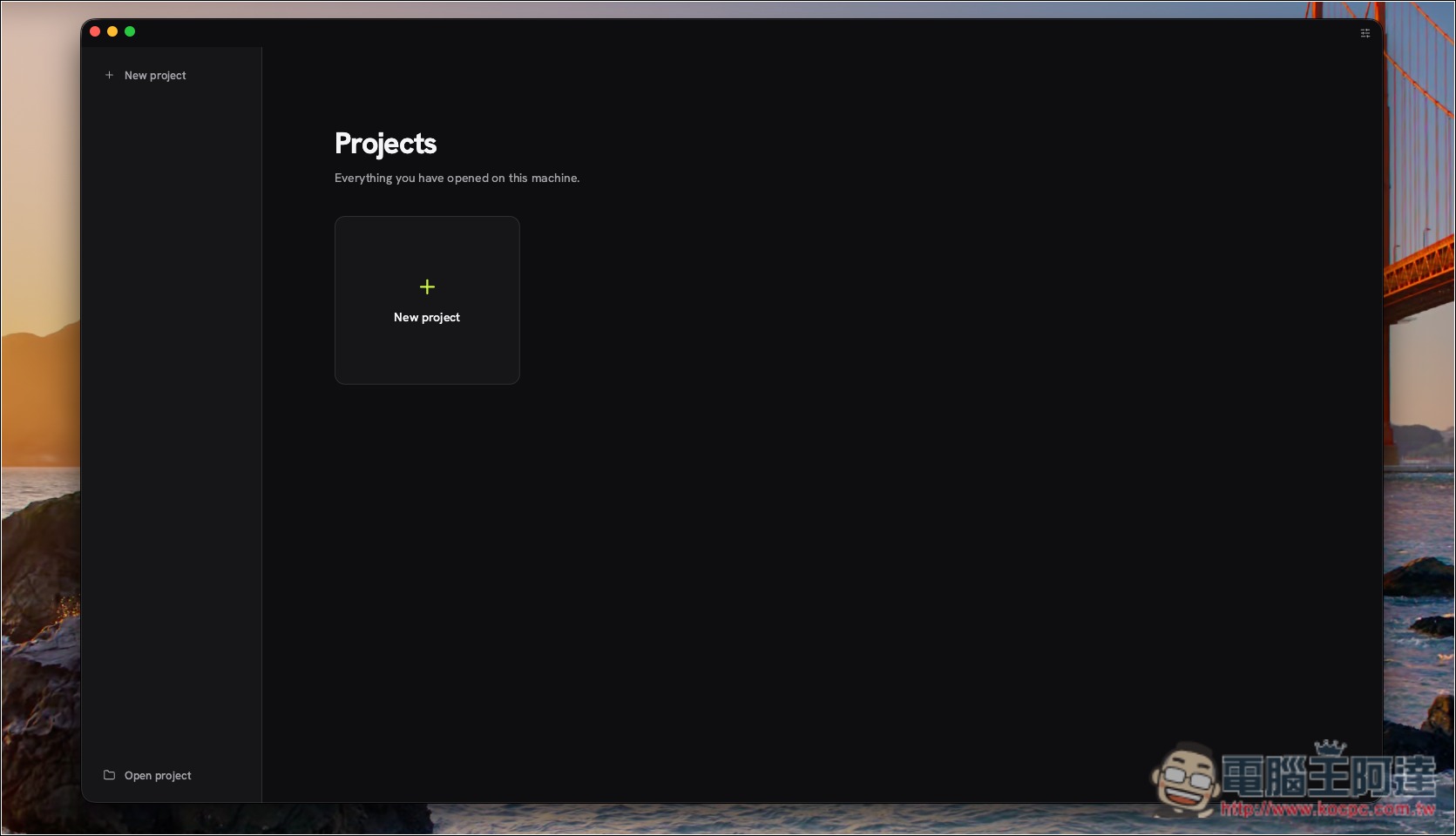
After opening Concat, create your project:
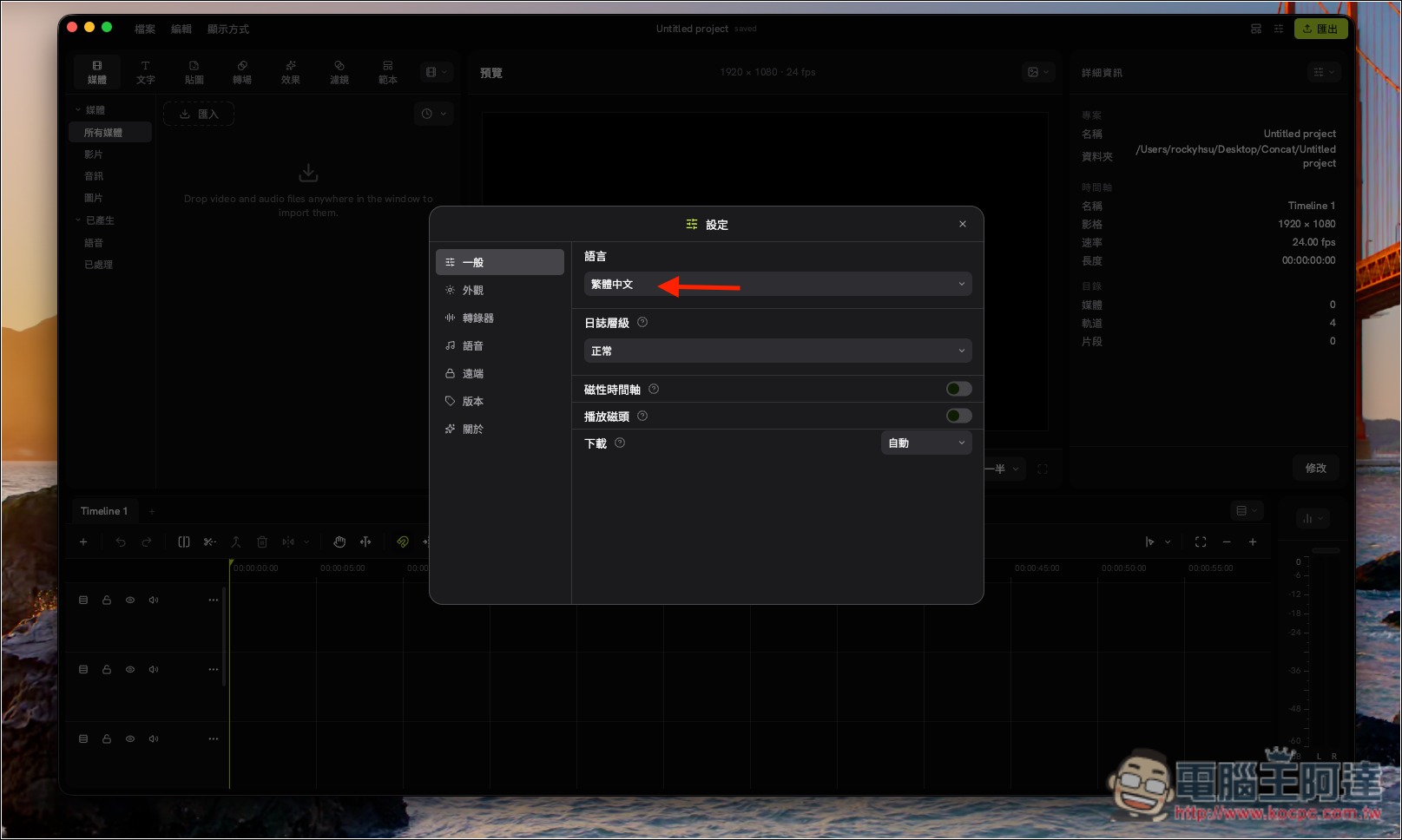
Then you’ll enter the editing screen. Concat also supports Traditional Chinese. If you want to switch, you can go to General in Settings and change the language to Traditional Chinese:
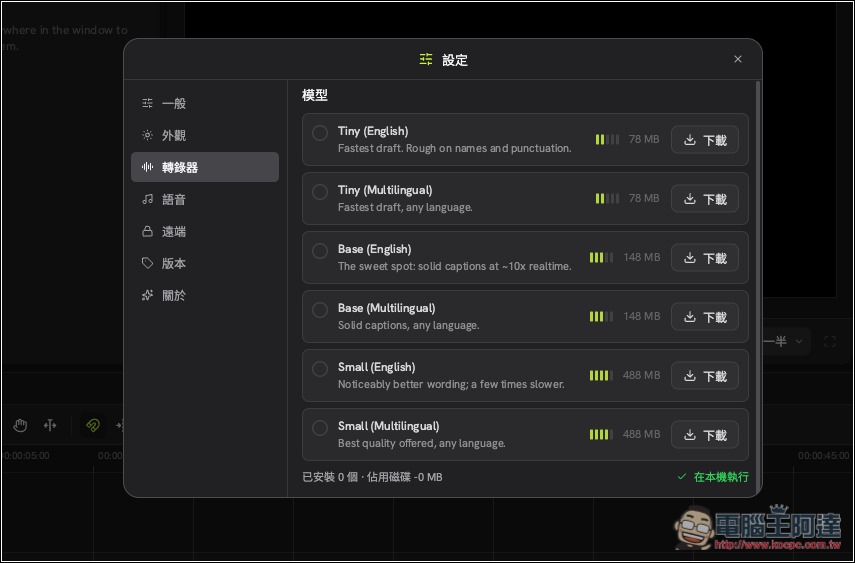
AI subtitle conversion requires downloading a model before it can be used. After editing the subtitles, you can conveniently set which model you want to download. The larger the model, the better the recognition accuracy. We recommend downloading Small (Multilingual). If you later find it runs slowly, you can come back here and change to downloading a smaller model:
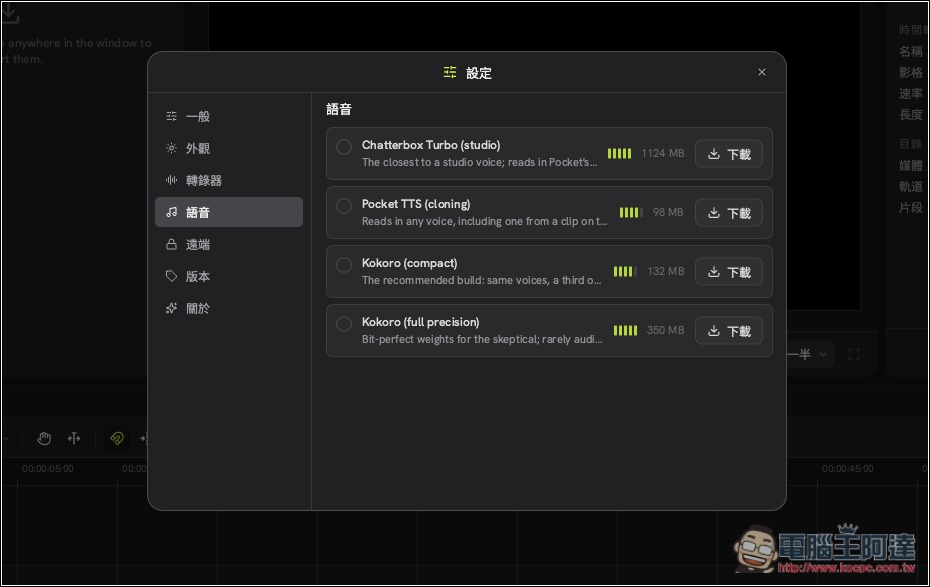
TTS voices also need to be downloaded before they can be used:
The interface is very similar to CapCut, so anyone who has used it should be able to pick it up quickly:
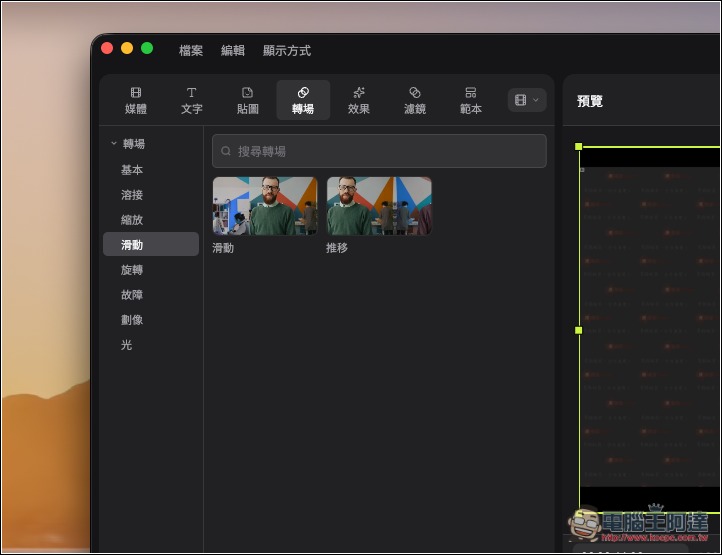
It comes with quite a few built-in transitions that you can use directly:
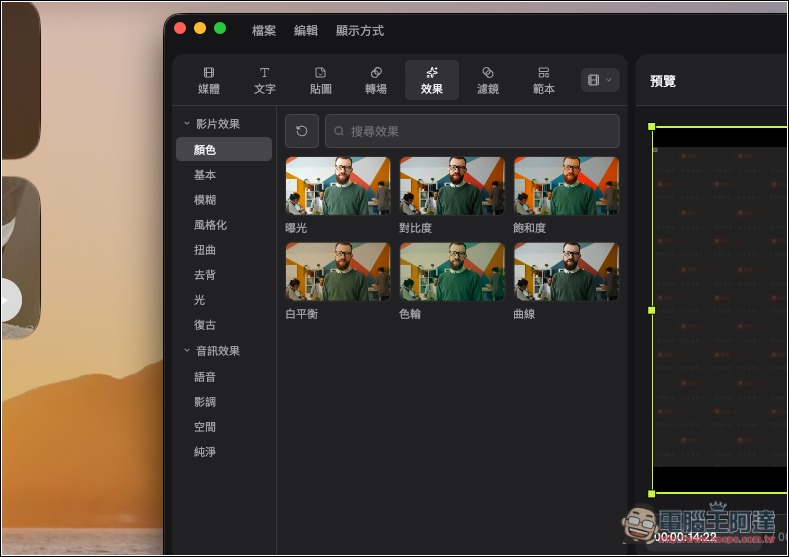
There are also many effects. Video effects include basic, blur, stylized, distortion, and more. Audio effects include voice, spatial, clean, and more:
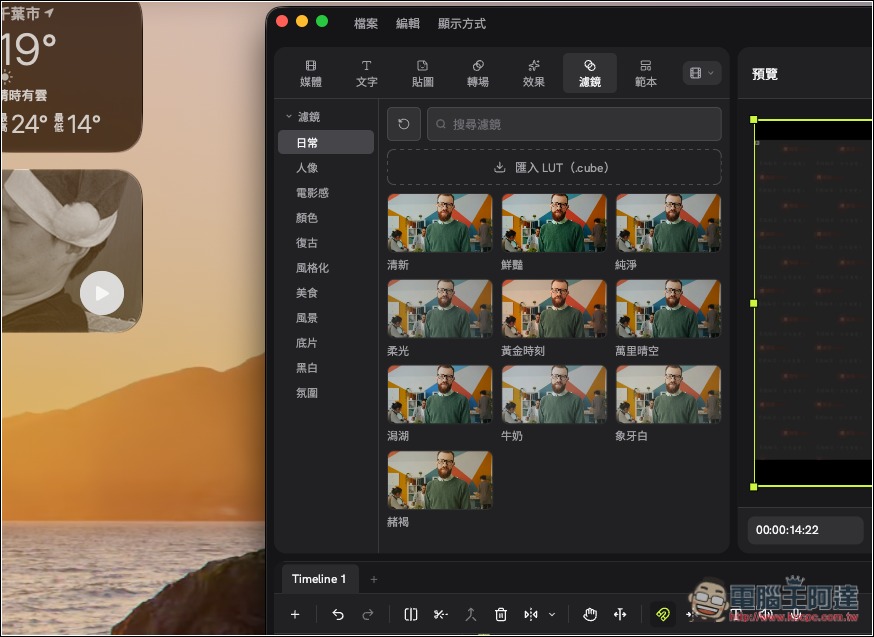
Of course, filters are included as well:
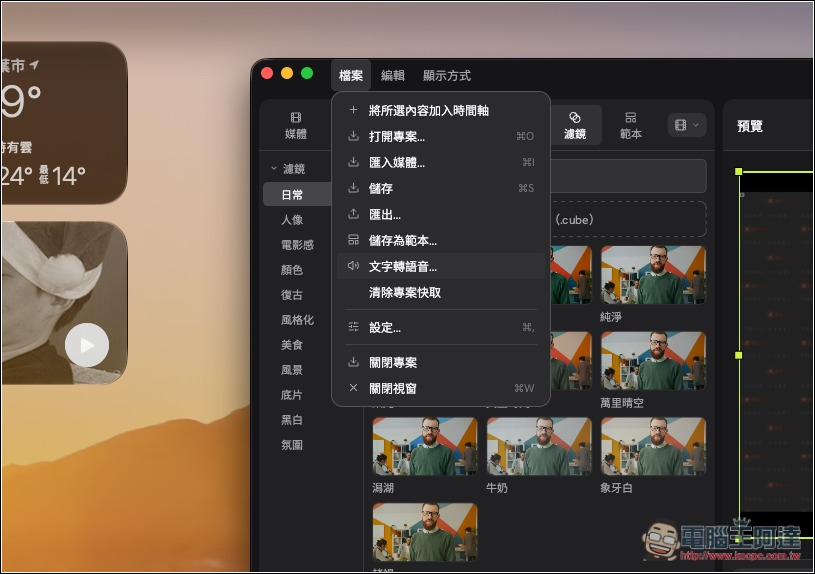
If you want to use TTS voice, open the File menu and you’ll find the “Text to Speech” feature:
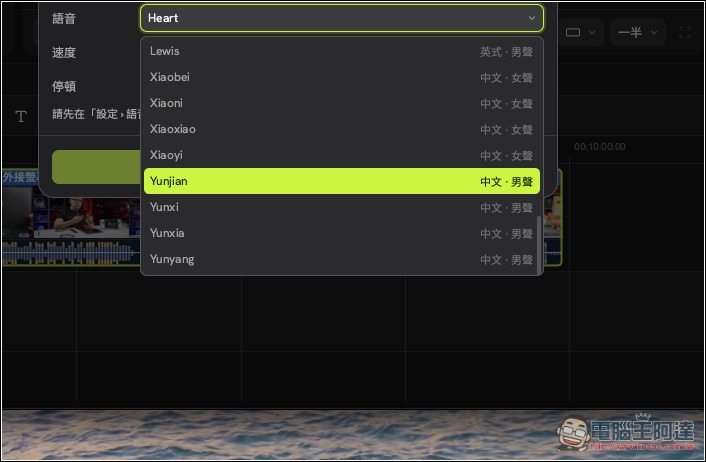
Voices with Chinese support:
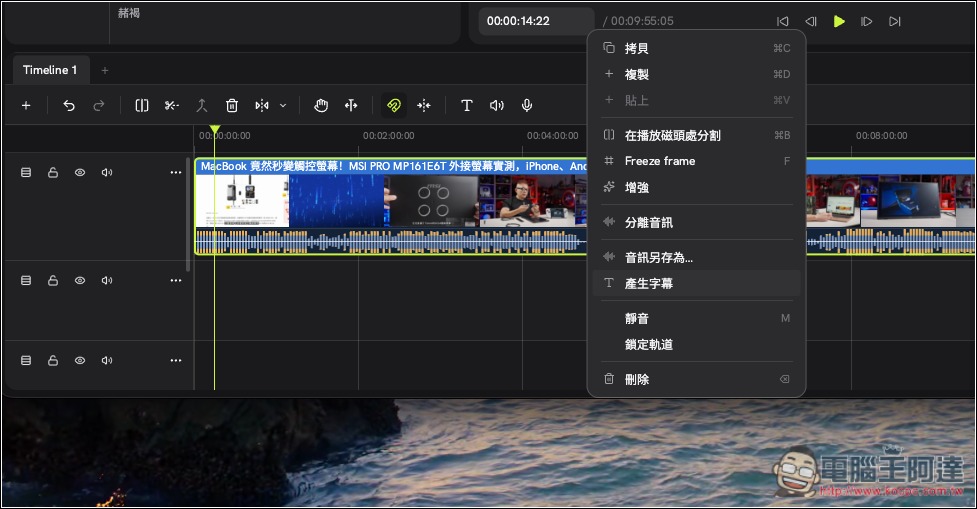
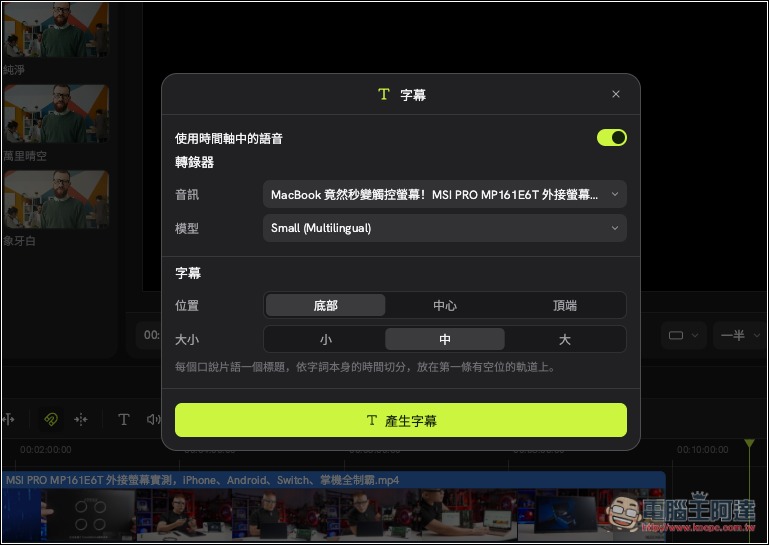
Right-click the video on the timeline to open the menu, where you can find the “AI Generate Subtitles” feature:
Set the model to use, and where to place the subtitles and their size:
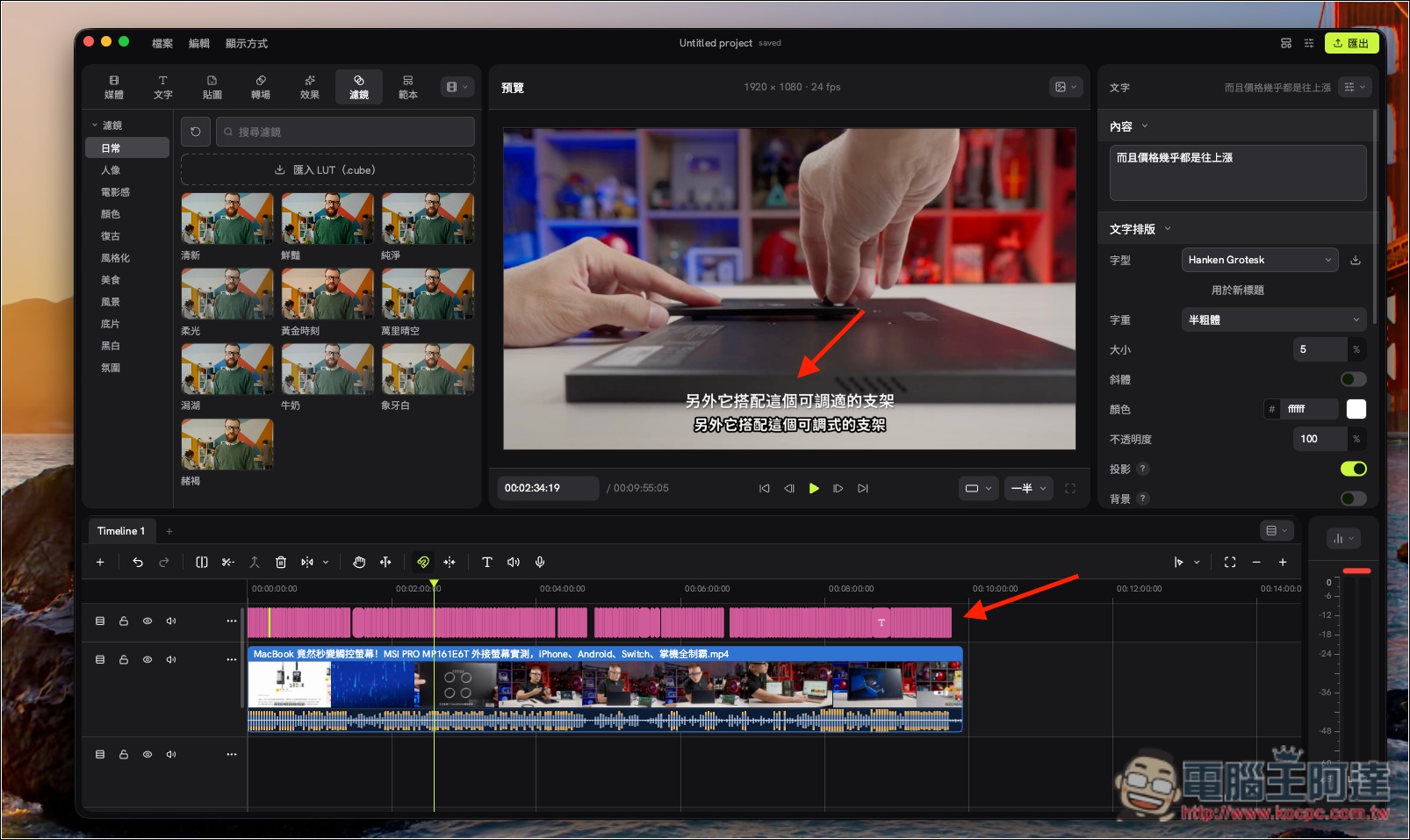
After the subtitles are generated, they will automatically be placed in the location you set. The video I’m demonstrating already had embedded subtitles; the white subtitles at the top without a black outline are the ones it generated. Let me check—the recognition accuracy is quite good. Almost all the subtitles in this video were recognized correctly, and the timing of when each subtitle appears is just right:
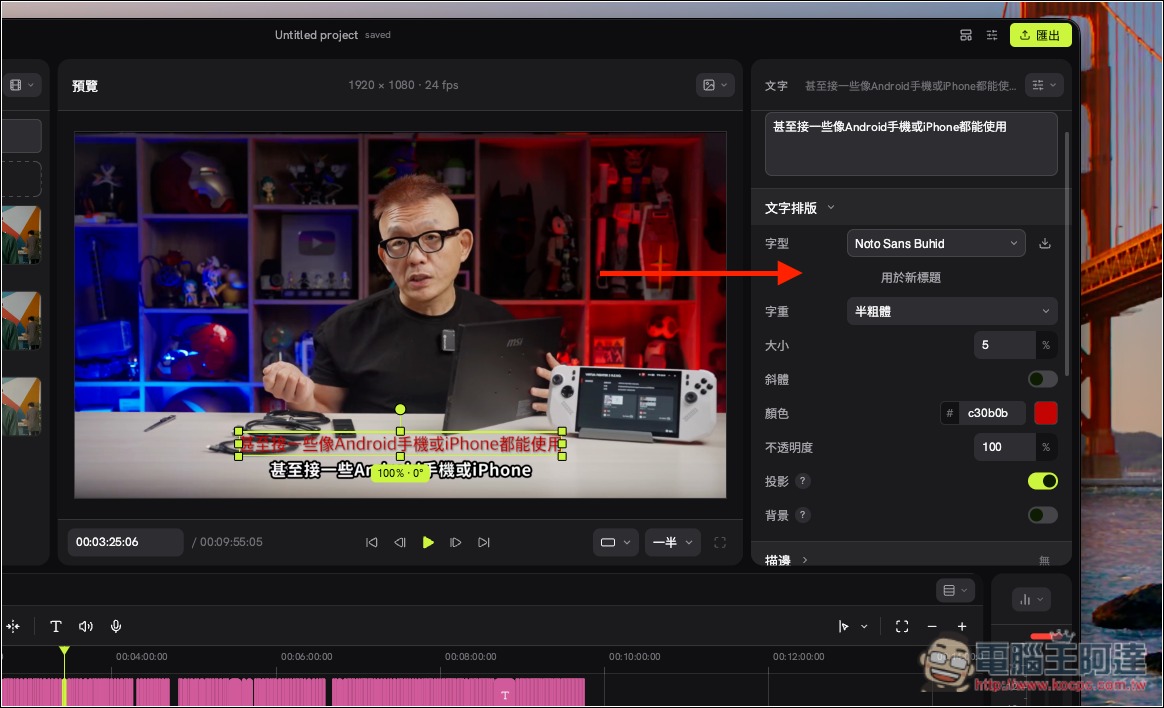
Of course, you can also change the subtitles’ font, color, size, etc.:
Source: KOCPC Chinese