


Microsoft (Microsoft) today officially announced the largest-ever deep redesign and rebuild of the Photos (Photos) app built into Windows 11.This update is not merely a superficial visual tweak, but a complete overhaul from the underlying architecture and user interface to core features, covering three core modules: Photo Gallery, Image Editor, and Photo Viewer. In addition to a more modern and refined Fluent Design interface, Microsoft has significantly improved software performance, with several key operations up to 30% faster. Currently, this comprehensive upgrade has first been made available for testing to Windows Insiders, signaling that the Windows imaging experience is about to enter a new phase.
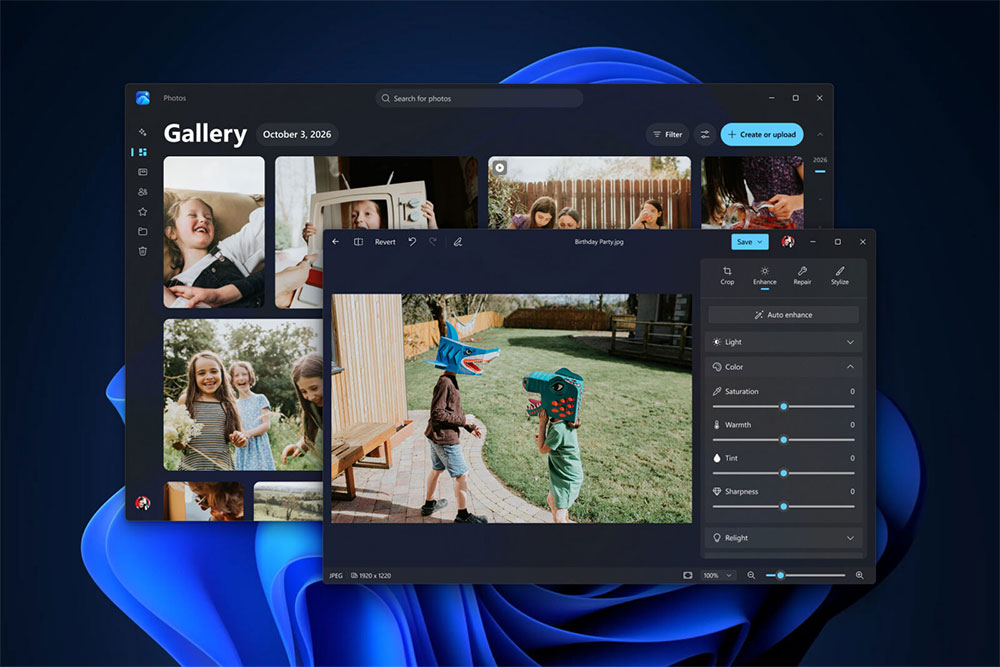
Microsoft significantly overhauls the Windows 11 Photos app: AI upgrades, 30% faster, and full support for multi-cloud integration!
An In-Depth Analysis of the Core Highlights of the All-New Photos App
Comprehensive Smart Image Library: Breaking Down Cross-Platform Barriers and Enabling Smart Search
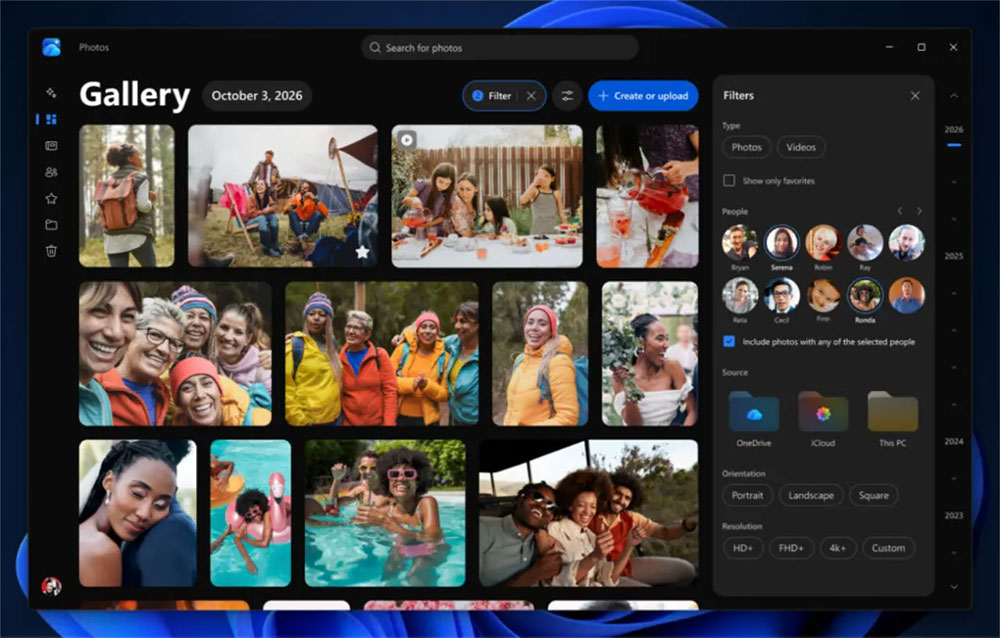
For users with large digital photo collections, managing images scattered across different devices and cloud storage has long been a persistent pain point. The all-new gallery interface enables seamless cross-platform integration, bringing photos and videos stored on local hard drives, Microsoft OneDrive, and Apple iCloud together into a single search entry point.
- Smart natural language search: Users no longer need to remember specific file names or capture dates. They can simply enter everyday language such as “sunset by the sea,” “dog in red clothes,” or “maple viewing in Yangmingshan,” and the system will intelligently recognize the photo content and quickly and accurately present the search results.
- Quick People and Group Photo Filtering: With powerful image classification technology, users can easily click on the face of a specific relative or friend and, with one click, filter out all precious group photos featuring that person, making memory organizing much more efficient.
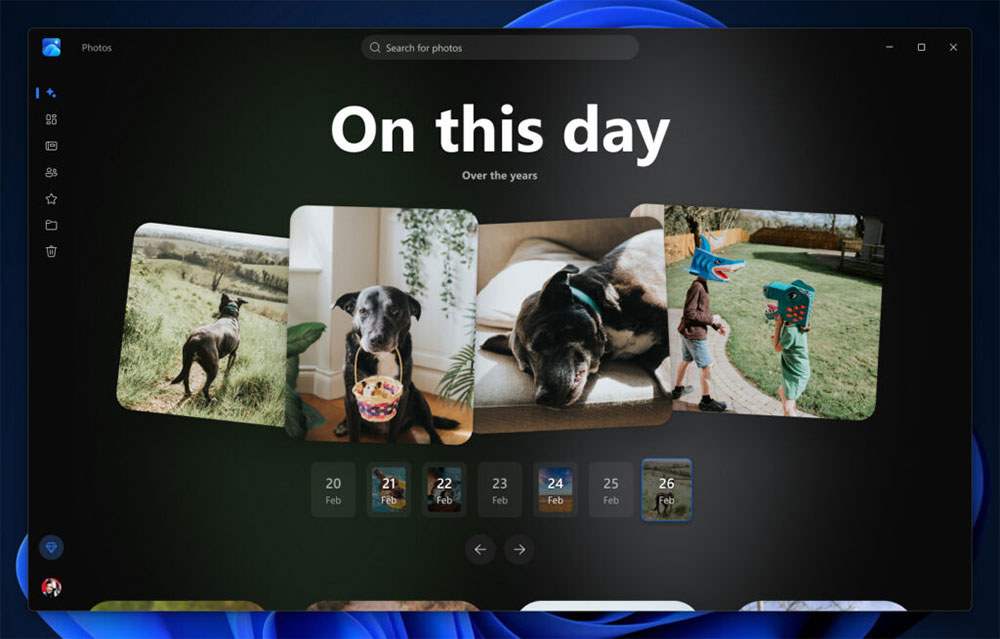
- Dynamic “Moments” memories and shared albums: Deep OneDrive integration brings a brand-new “Moments” (Memories) feature, where the system automatically compiles On This Day or important events into dynamic recaps; at the same time, users can also create albums directly within the app and share them with family and friends with one tap at any time.
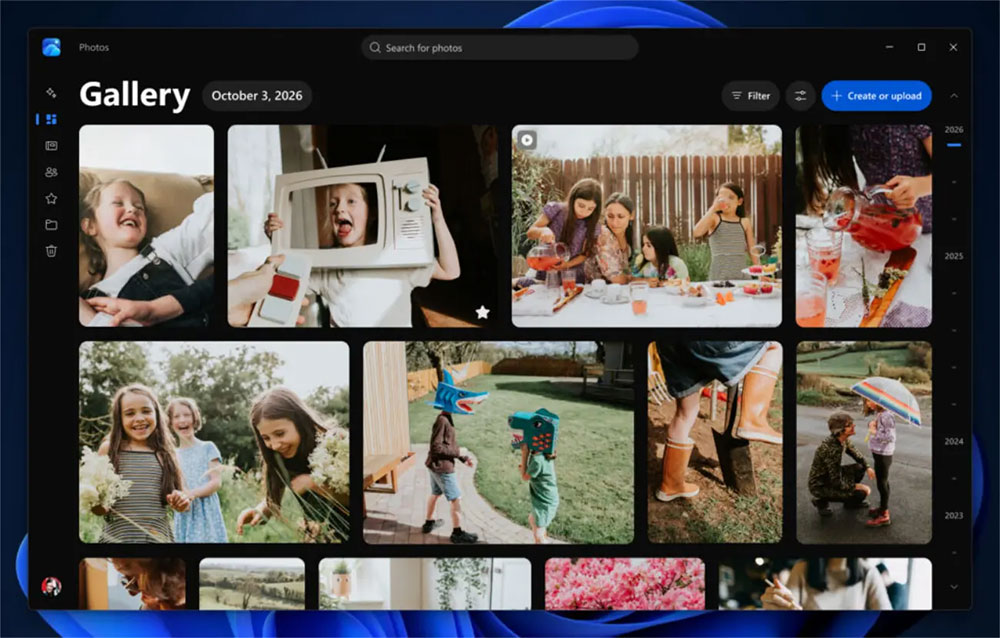
High-Performance Native Editor: 25% Faster Loading and Advanced Retouching Features
The photo-editing experience has taken a quantum leap in this update. The all-new native editor not only boosts loading speed by 25% but also significantly reduces the lag when loading traditional large image files. Paired with an intuitive control panel, it lets every user easily make professional-grade image adjustments.
- Comprehensive Format and HDR Support: Full support for HEIC and WebP formats widely used in modern smartphones, as well as HDR photo editing with high dynamic range, ensuring perfect reproduction of colors and details.
- Advanced Background Removal and Object Eraser: Users can remove backgrounds with one click, automatically separate the foreground from the background, or remove clutter and passersby accidentally caught in the frame, resulting in a clean, streamlined photo composition.
- Relight Lighting Correction Technology: The newly added Relight (relighting) feature intelligently analyzes a photo’s depth and light source structure, allowing users to readjust the lighting direction, intensity, and color temperature after shooting, instantly rescuing photos that failed due to backlighting or insufficient light.
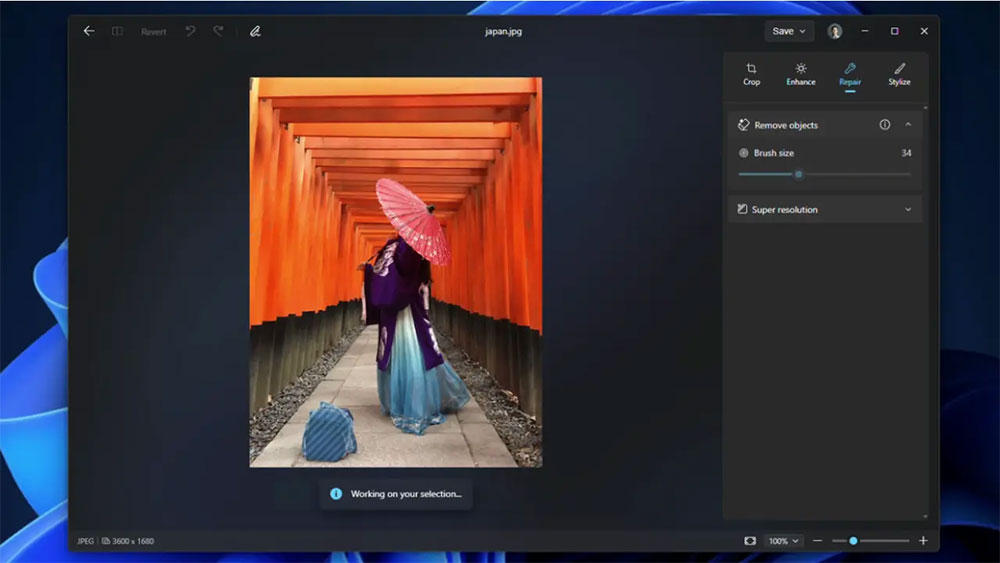
Lightning-Fast Native Viewer: 30% Faster Launch and a Pure Visual Experience
As the most frequently used module in daily use, Viewer has received a noticeable upgrade. Through underlying code optimization, Microsoft has increased photo opening speed by up to 30%, delivering an ultra-smooth switching and browsing experience.
- A “photo-centric” minimalist interface: it eliminates cluttered menus and unnecessary toolbar distractions, maximizing the screen for the image itself. Navigation gestures and keyboard shortcuts are more fluid and natural.
- Optimized HDR Display and Details Panel: Professional color calibration for high dynamic range monitors makes HDR photos show deeper blacks and more brilliant highlight details; when users need to retrieve camera parameters (EXIF data) or perform advanced operations, the side slide-out panel provides rich file information at any time.
Deeply Empowered by AI Technology: An Analysis of Computing Architecture and Search Technology
What is worth examining in depth is that, in this update, Microsoft has threaded artificial intelligence (AI) technology through the heart of the entire application. The editor features a “newly upgraded AI model” that can significantly improve clarity during image upscaling, edge sharpening, and the quality of texture reconstruction after object repair. Although Microsoft has not yet clearly stated whether the AI model relies entirely on the device-side NPU (neural processing unit) for local compute or performs collaborative processing through cloud servers, the image enhancement quality it delivers has already improved significantly.
In addition, natural language search is a core area in which AI demonstrates its value. In the past, file search in Windows mostly relied on filenames or metadata, while the new Photos app goes further by combining vision models with semantic understanding. Recognizing specific people, scenery, animals, or even abstract scene atmospheres in photos means the app now has the ability to deeply understand image content, which will undoubtedly completely change the way people search for and manage their personal digital assets.
According toMicrosoft Official AnnouncementThe redesigned Photos app has been available starting October 15 for Windows Insiders to test and provide feedback. Microsoft plans to officially roll out the update to all Windows 11 users later this year after final-stage performance tuning and stability testing. For the many Windows 11 users not in the Insider program, although they will still need to wait patiently for some time, this all-new app combining lightning-fast performance, cross-platform cloud integration, and powerful AI features is undoubtedly something to look forward to.
Source: KOCPC Chinese