


Finally, OpenAI’s latest model, GPT-6, is about to be fully opened up to everyone! Not only paid users, but free users will also begin gaining access starting tomorrow—though, of course, the tier of the model powering it will still differ. In addition, OpenAI has simultaneously announced a brand-new feature, the “Intelligent UI” interactive interface. Compared with the past, ChatGPT’s answers are no longer just text; they may also include charts, maps, clickable buttons, and forms, and can even directly build small tools for you.
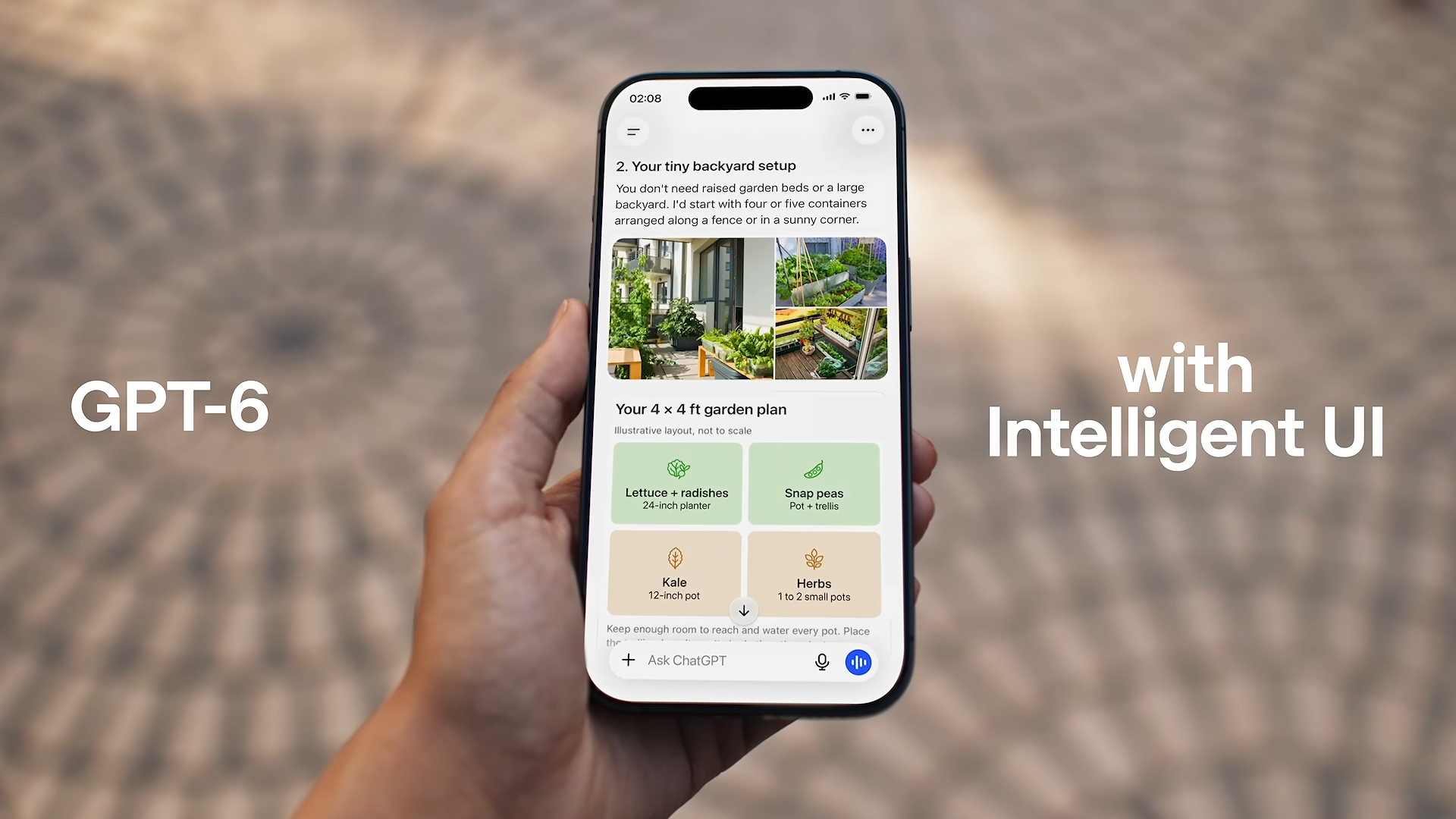
GPT-6 is now available to all ChatGPT users! The free version can use it too, and the new Intelligent UI turns answers directly into interactive interfaces.
Earlier, OpenAI announced that GPT-6 is starting to roll out to all users in ChatGPT conversations. Plus, Pro, Business, and Enterprise users will receive it starting today, powered by GPT-6 Sol. Free and Go users will get it starting tomorrow, powered by the lighter GPT-6 Luna. Both models have been specifically tuned for everyday conversation.
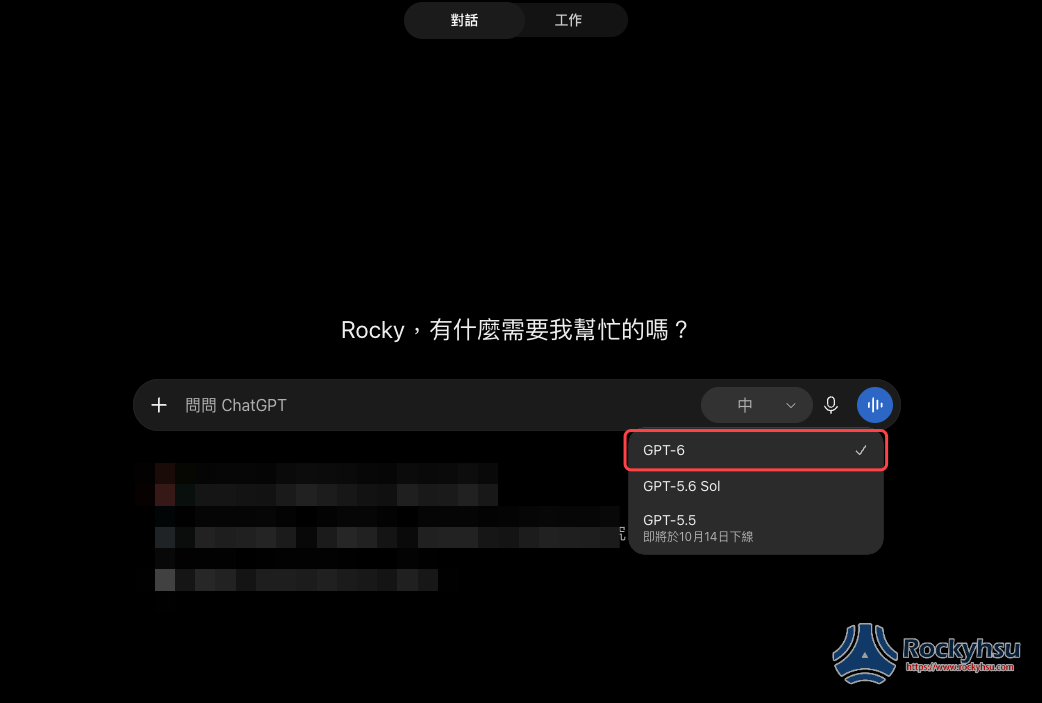
This time it’s not just a new model; there are also multiple updates to the answering side, including a brand-new Intelligent UI interactive interface, the ability to answer reasoning-intensive questions while thinking, faster initial responses for questions that require web search, and enhanced security protections.
Intelligent UI could be the biggest change this time. OpenAI said they trained GPT-6 to compose answers using text, images, and interactive elements, and to decide how to combine them based on your question. For example, when comparing two things, it might use a side-by-side layout; when explaining a principle, it might turn into an interactive diagram you can click around. Of course, if a paragraph of text can explain it clearly, it will also just output a paragraph of text.
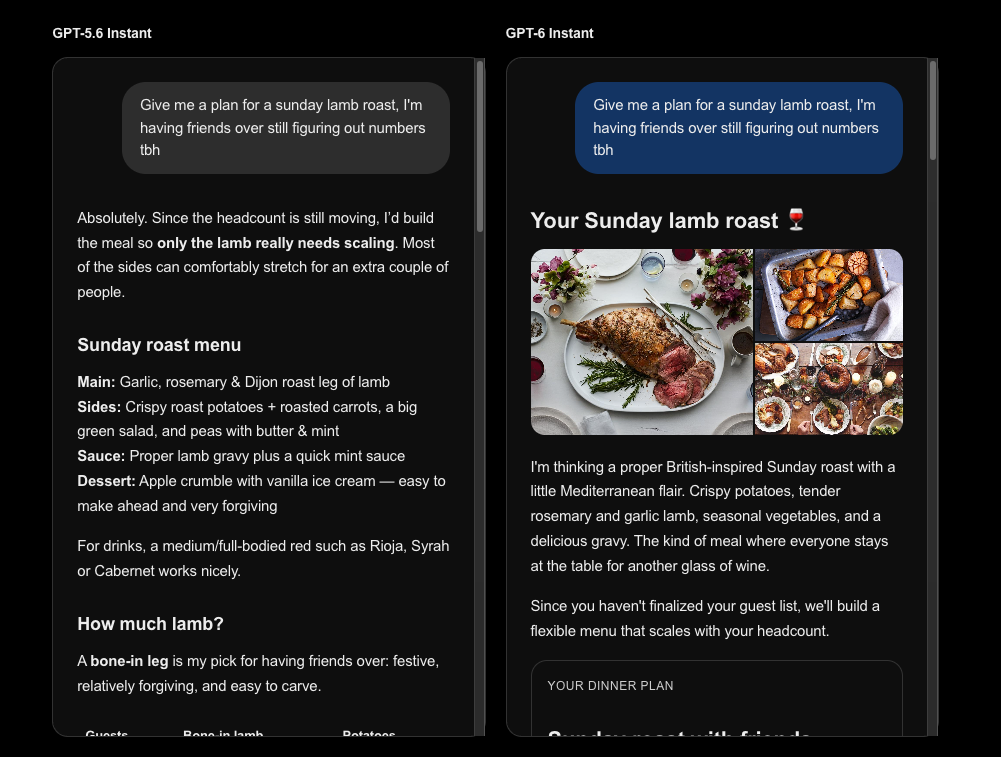
Official sources also shared a few use cases. For a roast lamb chop gathering, GPT-6 Instant not only provides a menu with images, but also a calculator that can adjust the number of people. If you set it to 5 people, for example, it calculates the quantities needed for 5 people: buy 2 kilograms of bone-in lamb leg, 1,500 grams of potatoes, 8 carrots, and so on, and finally it also includes a one-click copy shopping list button. The older version, GPT-5.6 Instant, would only give a long block of text in response (The full presentation can be viewed in the official article.):
So how did OpenAI do it? Simply put, it mainly comes down to three technologies.
First, OpenAI built a component library specifically for rendering interfaces, containing a variety of ready-to-use UI elements such as buttons, charts, and forms. You can think of it as a box of Lego bricks: OpenAI prepares bricks in different shapes, then hands them to GPT-6 to decide, based on the user’s question, which bricks to use and how to combine them. For comparing products, it might arrange them into a side-by-side comparison table; for planning a trip, it might add a map. Because it uses the same set of components, no matter how ChatGPT combines them, the overall interface can maintain a consistent design style.
Next is display speed. OpenAI has also developed a “compiler” responsible for converting AI-generated interface content into an actual displayable screen. Notably, this process can happen in real time, meaning GPT-6 does not need to complete the entire response before displaying it all at once; instead, it can generate while gradually presenting the interface to the user. Even if the response includes charts, buttons, and other interactive elements, there is no need to wait until the end to see the result.
Finally, there is the training of the AI itself. After all, having these tools does not mean GPT-6 will know how to use them in every situation. OpenAI therefore also adjusted and expanded its training methods to teach the model how to arrange text, images, and interactive features, while evaluating whether the generated interfaces are clear, practical, and complete in their information. The goal is for GPT-6 not only to answer questions, but also to determine which presentation format is best suited to the user, rather than cramming in a bunch of charts or buttons every time.
However, OpenAI also admits that GPT-6 currently still has room to improve its judgment in interface design, and it will continue to expand the types of interfaces and features it can generate in the future.
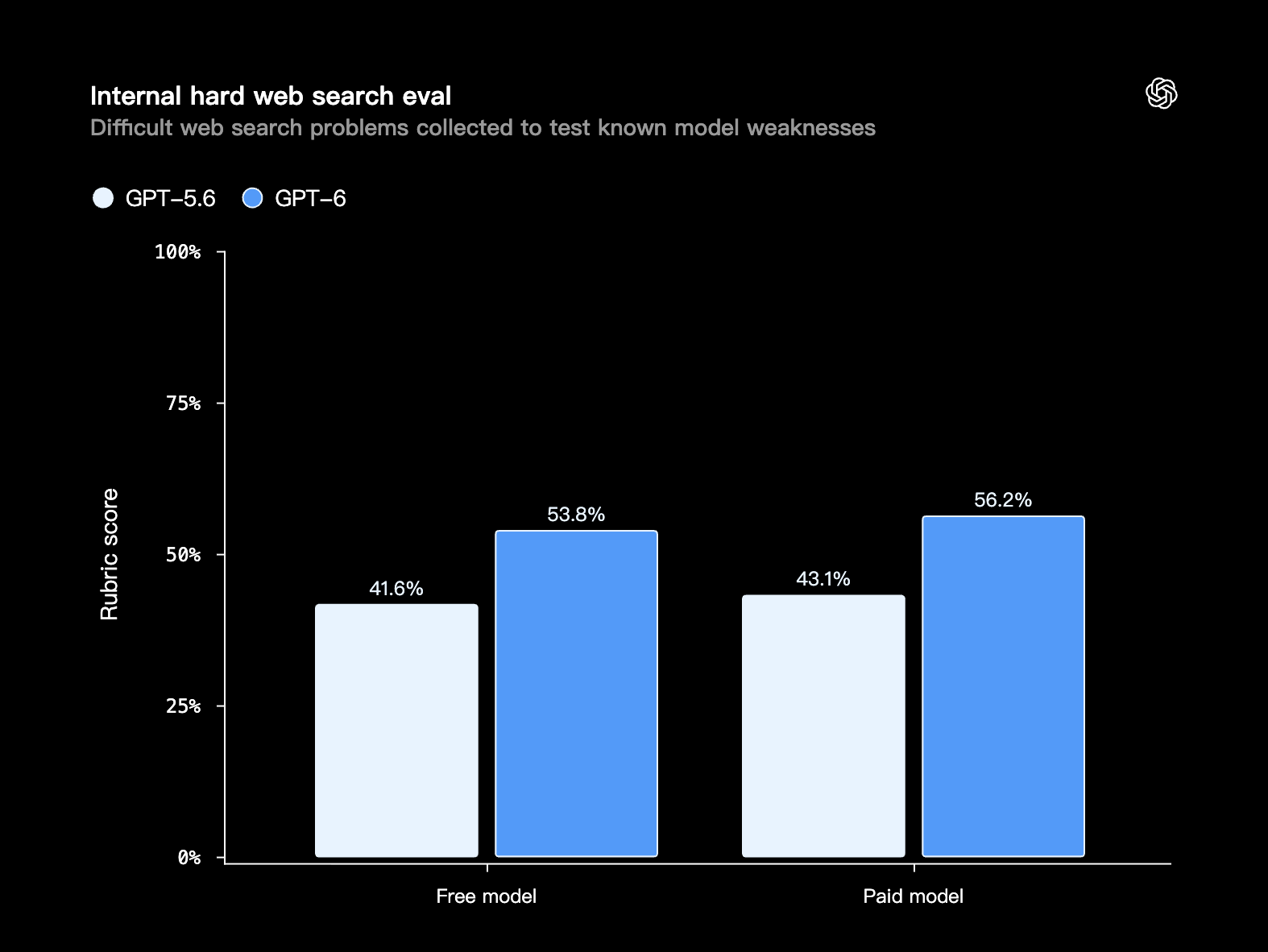
Search quality has also improved. GPT-6 is better at judging when it should look up information online, and the information it finds better supports its answers. In an internal evaluation of difficult questions, GPT-6 is better able to accurately get to the core of the user’s question:
In terms of safety, GPT-6 adopts multiple safety improvements from GPT-6 Astra and, based on real-world usage experience, strengthens protections against high-risk abuse such as cyberattacks, biological threats, and violence.
This is a table detailing the models available for each plan:
| Plan | The model used by the chat interface | Medium/High Thinking | Extra High Thinking | GPT-6 Pro(Astra) |
|---|---|---|---|---|
| Free/Go | GPT-6 Luna (rolling out starting October 8) | — | — | — |
| Plus | GPT-6 Sol | ✓ | — | — |
| Pro | GPT-6 Sol | ✓ | ✓ | ✓ |
| Business/Enterprise | GPT-6 Sol (Enterprise requires an administrator to enable it) | ✓ | ✓ | ✓ |
Note that although GPT-6 Pro (Astra) is a higher-tier model, it currently does not support the Intelligent UI interactive interface. To use this new feature, you need to select GPT-6’s Instant, Medium, High, or Extra High mode. In addition, this GPT-6 update mainly targets ChatGPT’s general chat interface; the models originally used by ChatGPT Work and Codex will not change as a result.
GPT-6 and Intelligent UI have now begun rolling out globally. Paid plans start on October 7, while Free and Go will roll out gradually starting October 8, and both the web version and the updated mobile app can use them. If you don’t see GPT-6 in the model menu yet, it means your account may not have gotten access yet—just try again later.
OpenAI also wrote at the end that it hopes in the future “it won’t be people adapting to software, but software adapting to people,” and that ChatGPT will next move toward creating interfaces based on your needs—and this is likely the first time ordinary users can clearly feel this shift.
Source: KOCPC Chinese