


NVIDIA’s DLSS 5 (Neural Rendering) is considered one of the technologies that has improved PC game visuals the most in recent years. While the results it produces are debatable—some game characters actually look worse—the visual improvements are quite noticeable. Previously, we reported on The RenoDX community used NBA 2K27’s DLL to crack DLSS 5.Games that originally did not support the technology and non-RTX-50 series graphics cards could run DLSS 5, but the original installation and setup process was fairly complex. Now, an open-source tool called “DLSS5-Swapper” lets users install DLSS 5 into nearly any game with a single click, and even older games without DLSS support can get DLSS 5’s image quality boost through a technology called “DLSS5-Feeder.”
What is DLSS5-Swapper?
DLSS5-Swapper is a free, open-source (MIT licensed) Windows tool created by developer rakanki911 on Release on GitHubIts core functionality is very simple: automatically scan for games on your computer, then one-click install the DLSS 5 Neural Rendering related files. No need to manually replace DLLs, no need to track down a ReShade version yourself, and no need to understand the Streamline framework’s file structure—the tool handles everything.
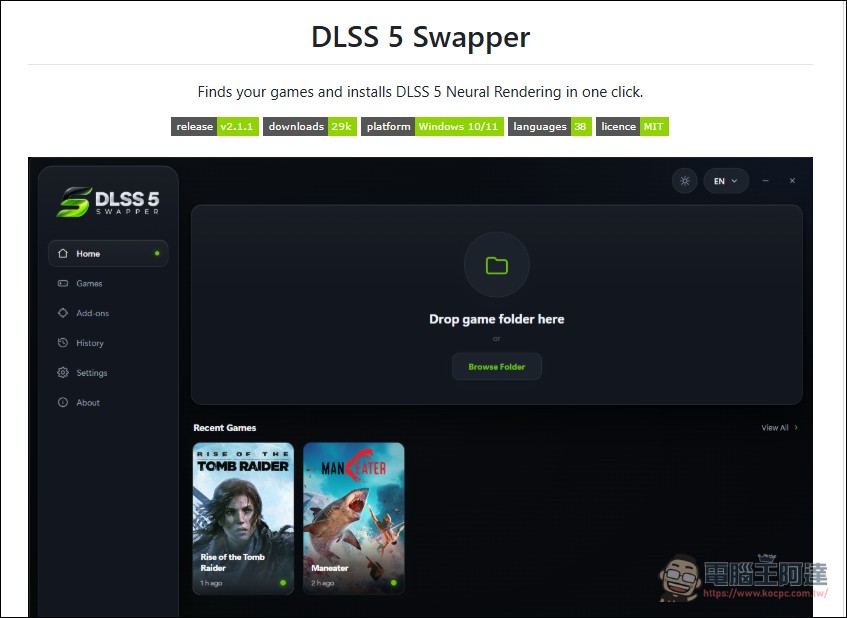
The current latest version is 2.1.1; the installer and portable version are each about 231 MB, supporting 64-bit Windows 10/11. Since the code is not digitally signed, Windows SmartScreen will show a warning on first run, and you’ll need to manually click “Run anyway” to launch it. (It has been scanned with Virustotsl; if you’re worried, please don’t use it—everyone is responsible at their own risk.)
Support range: from RTX 20 to RTX 50, and from DX9 to Vulkan.
DLSS5-Swapper’s support is quite extensive. In terms of graphics cards, all The NVIDIA RTX series are all on the support list.Inside, including RTX 20, RTX 30, RTX 40, and RTX 50. Enclosed in the tool. nvngx_dlssnr.dll This is a modified version that, according to its author, has added support for RTX 20/30/40 and runs in the same way on RTX 50. (AMD and Intel GPUs are not supported.)
In terms of graphics APIs, the support list covers almost every mainstream API in PC gaming history:
- DirectX 12: 64-bit games work out of the box
- DirectX 1164-bit games are supported through native add-ons, while 32-bit games are supported through DLSS5-Feeder.
- DirectX 10: 64-bit add-on or DLSS5-Feeder
- DirectX 964-bit add-on, while 32-bit games are translated to DX11 via dgVoodoo2 before entering the DLSS5-Feeder pipeline.
- VulkanImplemented through ReShade’s user-level implicit Vulkan layer.
- OpenGLImplemented through the corresponding ReShade OpenGL proxy.
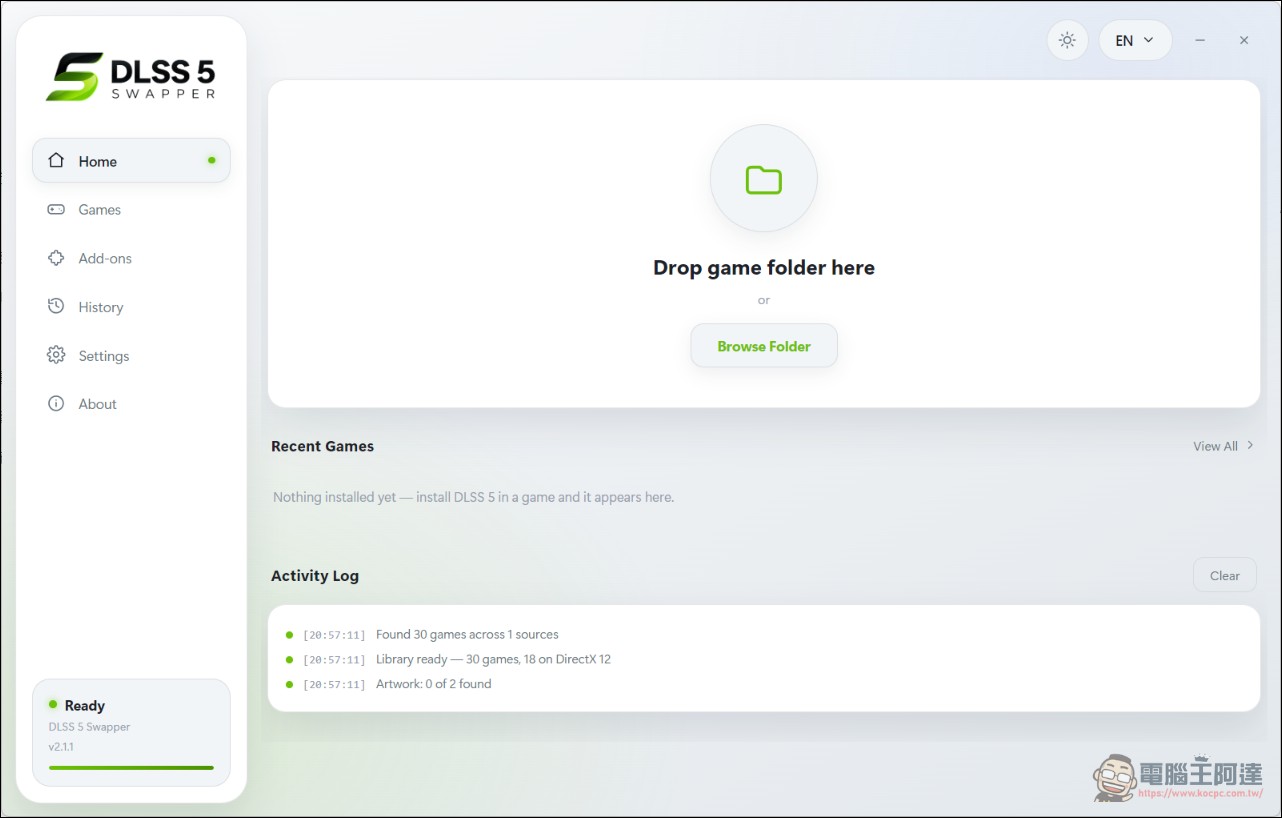
Regarding game sources, once the tool is opened, it will automatically detect Steam, Epic Games, and GOG game libraries. Xbox Game Pass installed games can also be handled by manually adding folders.
DLSS5-Feeder: Enabling DLSS 5 in Older Games That Don’t Support It
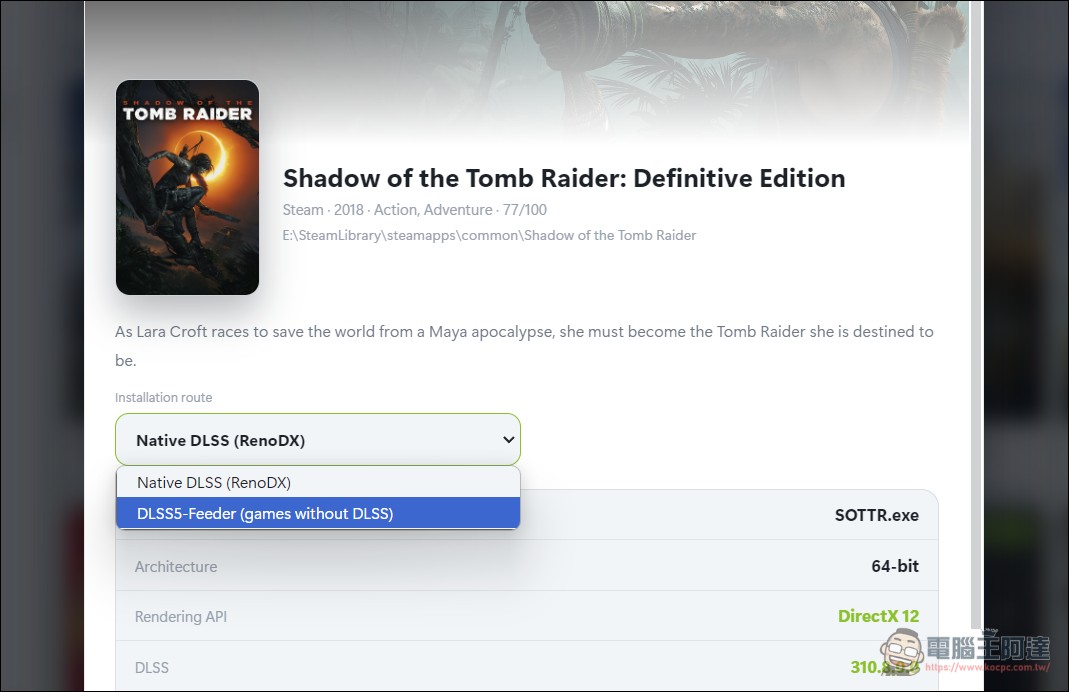
The most exciting feature of DLSS5-Swapper is the “DLSS5-Feeder” technology added in version 2.1. The DLLS 5 neural rendering add-on could originally only hook into a game’s own DLSS calls. If a game doesn’t natively support DLSS, it never makes those calls, leaving the add-on with nothing to do. DLSS5-Feeder solves this problem: it leverages the data ReShade already captures (the current frame, depth buffer, and estimated motion vectors) to construct the data DLSS requires on its own, executes the actual DLSS rendering, and then copies the neural rendering result back into the game’s frame.
This means that even DirectX 9 games from 2008 could theoretically benefit from DLSS 5’s image quality improvements. People online have also tested the tool with various game emulators, including DuckStation (PS1), PCSX2 (PS2), Dolphin (Wii/GameCube), PPSSPP (PSP), RPCS3 (PS3), and others.
However, DLSS5-Feeder is still in the experimental stage, and compatibility varies by game; some titles may not run properly.
Installation process: complete in three steps.
Using DLSS5-Swapper is quite simple. First, download the installer or portable executable from the GitHub Releases page. Once launched, the tool will automatically scan the game libraries of Steam, Epic Games, and GOG.
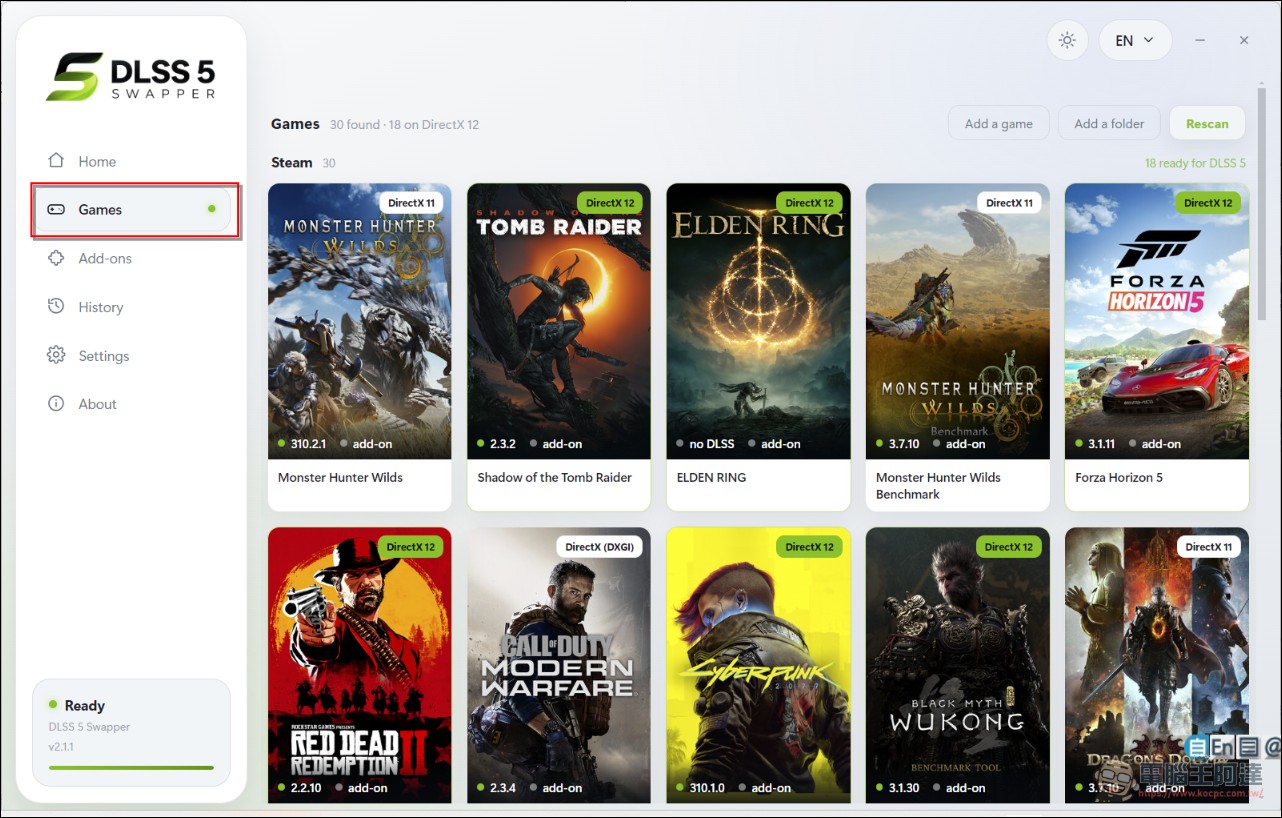
After the scan completes, select the target game from the game list and click “Install DLSS 5”. The tool will automatically create a backup folder (_DLSS5_Backup) before making changes. If you need to restore, you can do so anytime via the “Restore originals” button.
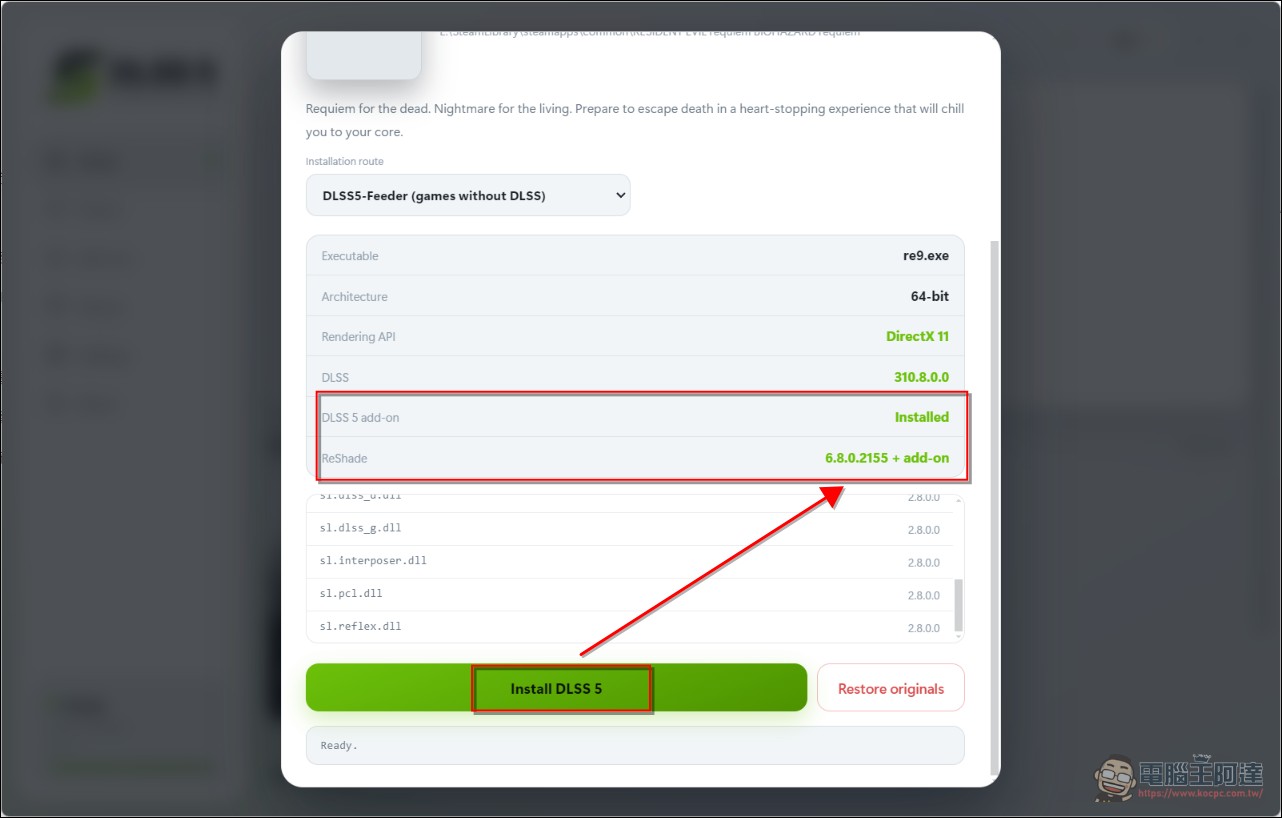
For games that do not natively support DLSS, you need to enable the DLSS5-Feeder feature in the tool’s Add-ons page, then run the installation for the game. After installation, enter the game, press the Home key to open the ReShade interface, switch to the RenoDX-DLSSNR tab, and you can enable/disable and adjust parameters at any time.
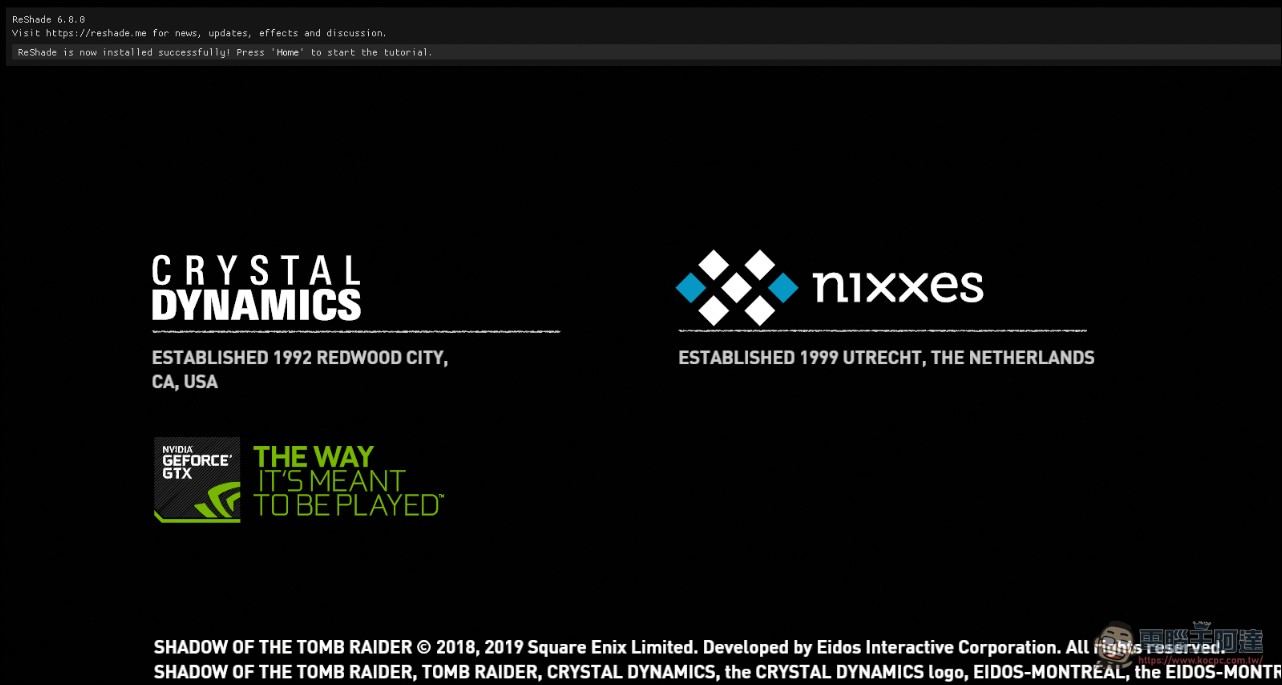
Speaking from personal testing, it does work, but the frame rate takes a massive hit (at least cut in half), and the game can crash at any moment. Right now it’s just a way to get an early taste of DLSS 5. If you really want to test it, I’d suggest trying it on a game that already runs smoothly for you (preferably something offline). (Lara, who actually looks worse with it on)
Note: Based on the leaked version, not an official implementation.
It should be particularly noted that the DLSS 5 version used by DLSS5-Swapper is based on a leaked internal build, not an officially released NVIDIA product. This raises two important points: first, the final image quality may differ from what NVIDIA later officially implements; second, whether NVIDIA will take action against this kind of third-party tool in the future remains unknown.
In addition, since the tool will modify game files,Strongly recommend testing in an offline environment.After confirming that the game runs normally, decide whether to use it in online mode. For games with anti-cheat systems, modified files may trigger warnings or lead to account issues.
In terms of security, DLSS5-Swapper is MIT-licensed, open source, and according to the developer’s description, it makes no network requests. After scanning with VirusTotal, no malware was found.
The significance to the PC gaming ecosystem
The significance of DLSS5-Swapper goes beyond just “making old games look better.” It effectively breaks through the restrictions of NVIDIA’s official DLSS support list, so players no longer have to wait for developers to add DLSS support through updates. For classic games that have long stopped receiving updates, this may be the only way to gain access to modern rendering technology.
From a technical perspective, DLSS5-Feeder uses ReShade’s depth buffer and motion vector estimation to construct the input data required by DLSS. While this approach is not as precise as native integration, it can already produce clearly discernible image quality improvements in many scenarios. As the community continues to report compatibility information and fix issues, the list of supported games is expected to keep expanding.
Conclusion
The emergence of DLSS5-Swapper has greatly reduced the limitation that “DLSS 5 can only be used on a few new games.” From old DirectX 9 games to various game emulators, this tool has essentially opened up every path. Although it is still in its early stages and the frame rate cost is not low, for players who want to experience the latest rendering technology on classic games, it is already an option worth trying.
Free tool download:GitHub Releases
Source: KOCPC Chinese