


Imagine being able to load an entire suite of local AI tools onto a USB drive without any installation, then plugging it into any Windows, Linux, or macOS computer and running it directly—wouldn’t that be convenient? Recently, an open-source project called Uncensored AI Studio claims to do exactly that. The project packages four things—Stable Diffusion for image generation, GGUF-format large language model chat, Whisper for speech-to-text, and Kokoro for text-to-speech—into a single portable desktop interface.

What is Uncensored AI Studio?
Uncensored AI Studio is different from single-purpose local LLM runners like Ollama and LM Studio. Ollama mainly handles pulling models, running inference, and providing an OpenAI-compatible API; if you want image generation or voice features, you have to hook up separate tools. Uncensored AI Studio, on the other hand, packs all those engines into one web interface: images go through stable-diffusion.cpp, text chat goes through llama.cpp, speech-to-text goes through whisper.cpp, and text-to-speech uses Kokoro-82M’s ONNX model.
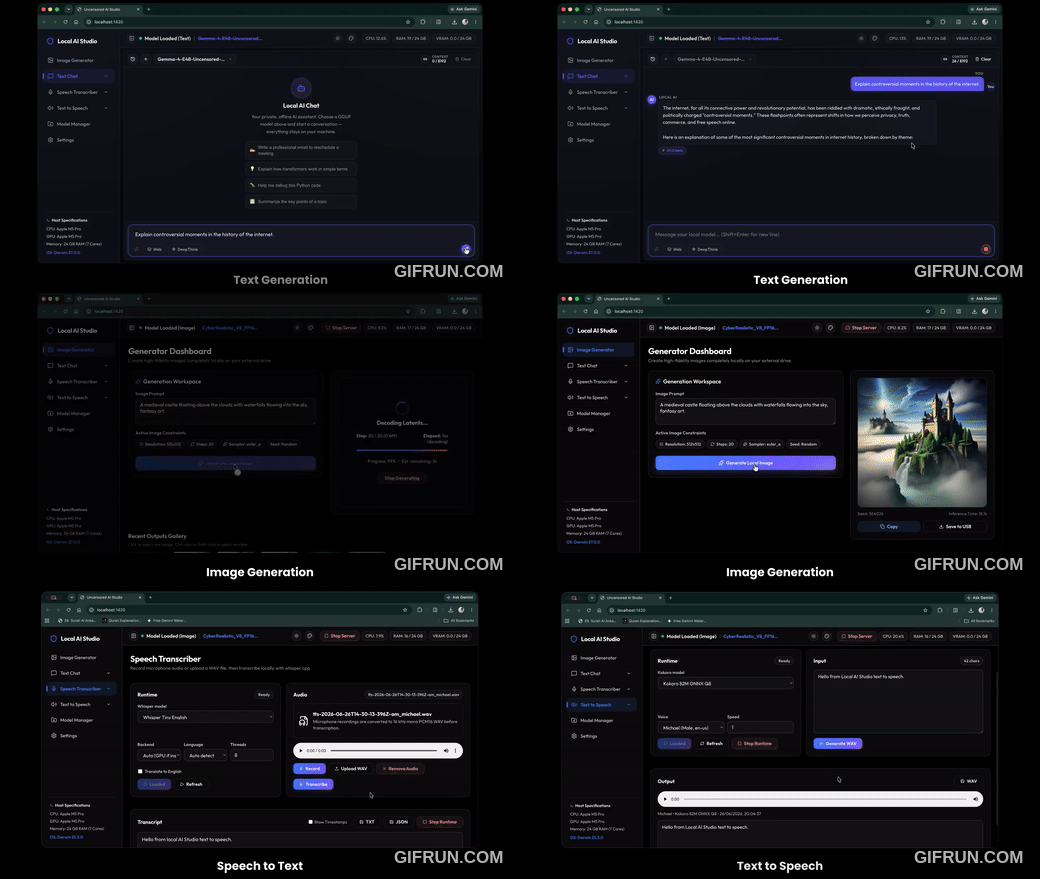
Users don’t need to configure environment variables or install Python packages themselves. On first launch, the script automatically downloads a portable Node.js runtime and precompiled binaries for the corresponding GPU backend. It is a fully functional “integrated package.”
Hardware acceleration is automatically detected.
The project’s setup script reads the machine specifications and automatically loads the corresponding acceleration backend: Nvidia cards use CUDA, AMD Radeon uses ROCm or Vulkan, Intel Arc uses Vulkan, macOS Apple Silicon uses Metal, and Intel Core Ultra’s NPU can be enabled via OpenVINO. Machines without a discrete GPU fall back to CPU execution, which is slower but functional. The Linux version requires glibc 2.38 or above, meaning Ubuntu 24.04 or later, or Fedora 40 or later; older systems will error out directly and require an OS upgrade or recompiling the backend from source.
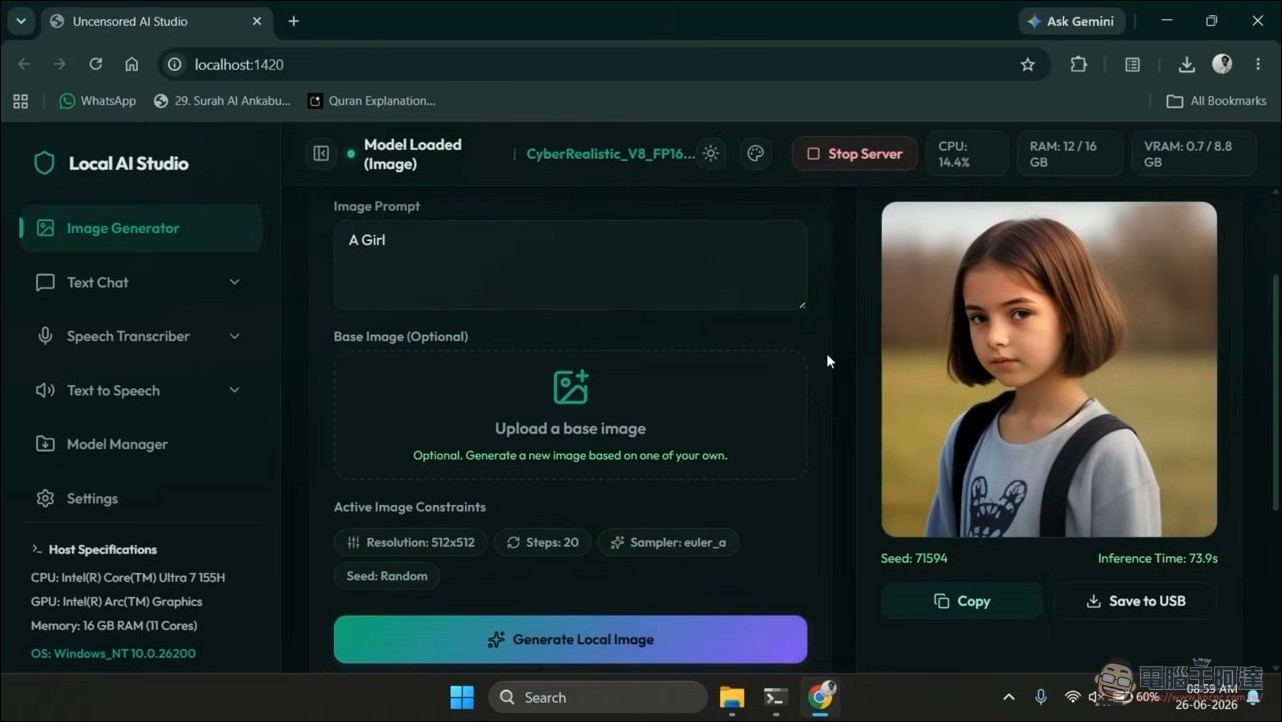
To prevent memory from being fully occupied at the same time, the text engine and image engine are mutually exclusive by default. There are two workspaces in the UI that you can switch between: the image workspace uses the stable-diffusion.cpp backend, with models placed in the app/models/ folder; the text workspace uses the llama.cpp server, with GGUF weights placed in the app/llm-models/ folder. The interface has built-in performance monitoring that displays CPU, RAM, GPU, and VRAM usage in real time, and there is also a Model Manager where you can paste a Hugging Face link to download weights, or drag local files in to import them.
What does “Uncensored” mean?
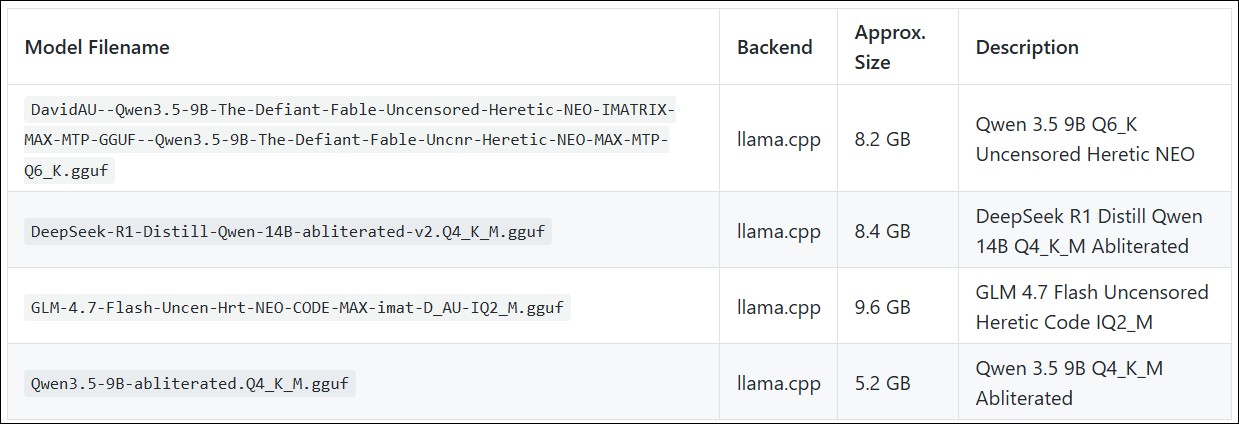
The “uncensored” in the project name refers to the fact that its default recommended model list includes abliterated (refusal-removed) versions of open-source models—the software itself doesn’t bypass any censorship mechanisms. The official DaRk LLM page lists recommended models including Qwen3.5-9B abliterated, DeepSeek-R1-Distill-Qwen-14B abliterated, GLM-4.7 Flash uncensored, and other GGUF weights. The abliteration approach works by erasing the direction vector in the model’s residual stream responsible for “refusing to answer,” so the model no longer says no to sensitive requests. A HackerNoon analysis points out that researchers from ETH Zürich, MIT, and Anthropic discovered in 2024 that this refusal behavior does exist as an identifiable direction within the model, and once erased, the model directly answers all requests—not just marginal content.
In fact, products already exist on the market that bundle llama.cpp or Ollama with abliterated small models flashed onto used USB drives, sold for around $30, with ads touting privacy, offline use, and no censorship, targeting people who want to use AI even without an internet connection. These paid products are essentially charging a convenience premium—the same functionality can be achieved for free by downloading Ollama plus any open-source model, and it takes about ten minutes to set up. Uncensored AI Studio itself is an MIT-licensed open-source project that costs nothing, but it does half the work for users when it comes to “which model to pick”: the default list in Model Manager is populated with uncensored series models.
Why Kokoro TTS is worth covering on its own.
Of the four features, Kokoro text-to-speech is the least discussed but highly practical. Kokoro-82M is a TTS model with only 82 million parameters that can generate quite natural-sounding speech entirely on CPU, supporting multiple languages including English, Chinese, and Hindi, with roughly 50 voice options. Developers Digest’s testing indicates its efficiency under pure CPU inference stands out among local TTS models; if you need voice cloning, the comparable option at the same level is Kyutai Labs’ Pocket TTS (about 100 million parameters). In the Hacker News discussion thread, some people connected it to Home Assistant for voice notifications, some used it to convert articles into audio files for listening during commutes, and others ported it to run on iPhone’s ANE, with battery consumption much lower than GPU-based solutions.
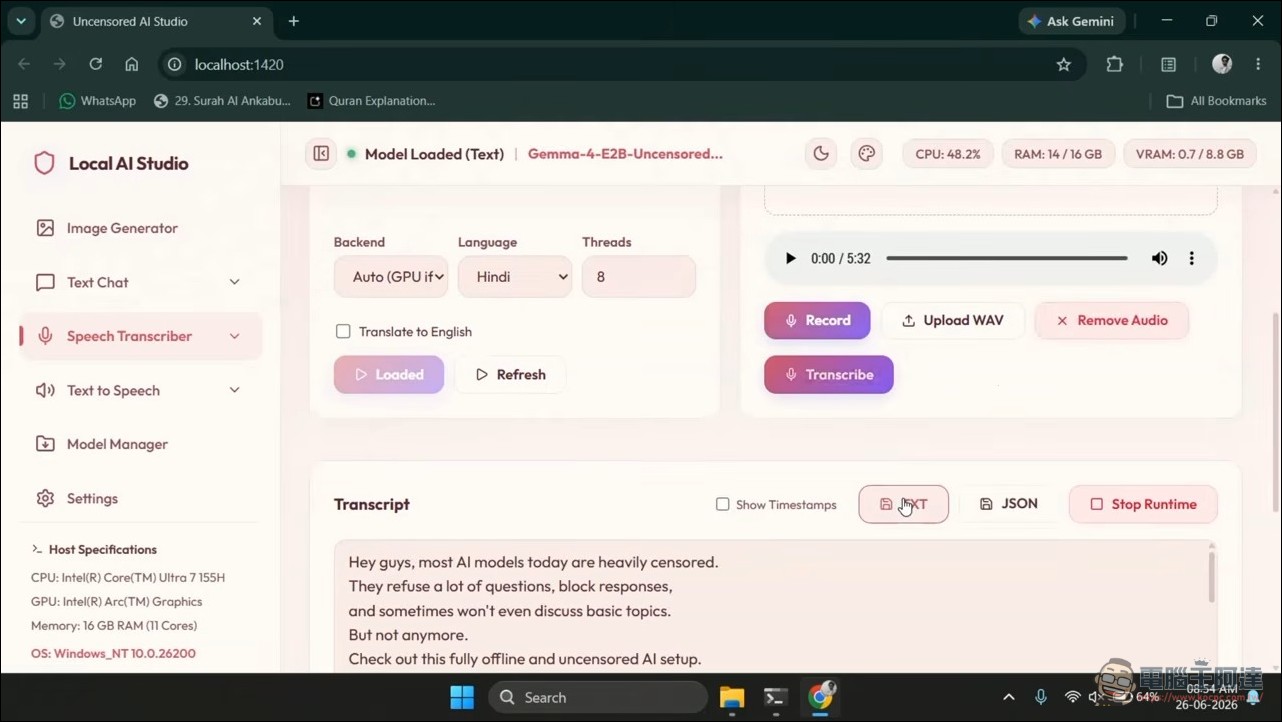
Putting Kokoro into a suite that already has an LLM and image generation means the entire text-to-speech pipeline stays on-device. The LLM produces the text, and Kokoro reads it out loud—with no cloud API calls in between. For users who don’t want their conversation content passing through third-party servers, this adds an extra layer beyond simple offline chat: even the voice output never leaks.
Someone has also made a video about the detailed installation and usage. If you’re interested in giving it a try, feel free to check it out.
GitHub – Uncensored AI Studio
Limitations and Precautions
The write endurance and random access speed of USB flash drives are the real bottlenecks. Model weights range from several GB to over ten GB, and every startup requires loading them from the drive into memory; the read speed of an ordinary USB 3.0 flash drive will make startup very slow. If you want to use this project as a daily tool, a high-speed USB 4 drive or an external NVMe enclosure would be a more reasonable choice.
Additionally, the macOS version only supports Apple Silicon (M1 and later); Intel Macs are not supported at all. Windows requires 64-bit Windows 10 or 11. For Linux, besides the glibc version requirement, the Vulkan backend also requires libvulkan.so.1 and a working GPU driver, while the ROCm backend requires the host to have the corresponding AMD driver and be compatible with ROCm 7.13.
Model supply chain security is also a frequently overlooked issue. GGUF files are binary blobs downloaded from community sources, and inference engines load them directly into memory. SitePoint’s guide recommends prioritizing downloads from verified publishers on Hugging Face, checking checksums, and avoiding unknown personal repositories or anonymous sharing links. Uncensored AI Studio’s Model Manager is convenient, but the URL you paste points to whose repository, and whether that repository has been compromised—these risks are on the user’s side.
Lastly, the safety training of abliterated models has been deliberately removed. If you’re just using a local model for everyday Q&A, writing documents, or organizing notes, a standard model is more than sufficient—you don’t need the abliterated version. The abliterated model serves a narrow audience: researchers studying how alignment fails, or developers who encounter models being overly conservative with harmless requests. Defaulting to a model with no refusal capability for general users is the same kind of decision as leaving an unlocked key hanging on the doorknob—technically feasible, but the consequences are borne by the user.
Source: KOCPC Chinese