


For MacBook users, after using the device for a while, you’ll likely want to know the current battery condition and whether it has aged—especially if you feel the battery life seems to have gotten worse. This article recommends a simple, useful free open-source tool called PowerTop. Once installed, you can check various battery details anytime from the menu bar in the top right, including power consumption, charging specs, battery health, charge cycle count, and more.
Although this tool’s interface is only in English, since it’s open source, those who aren’t used to it can use AI tools to convert it into Traditional Chinese themselves.
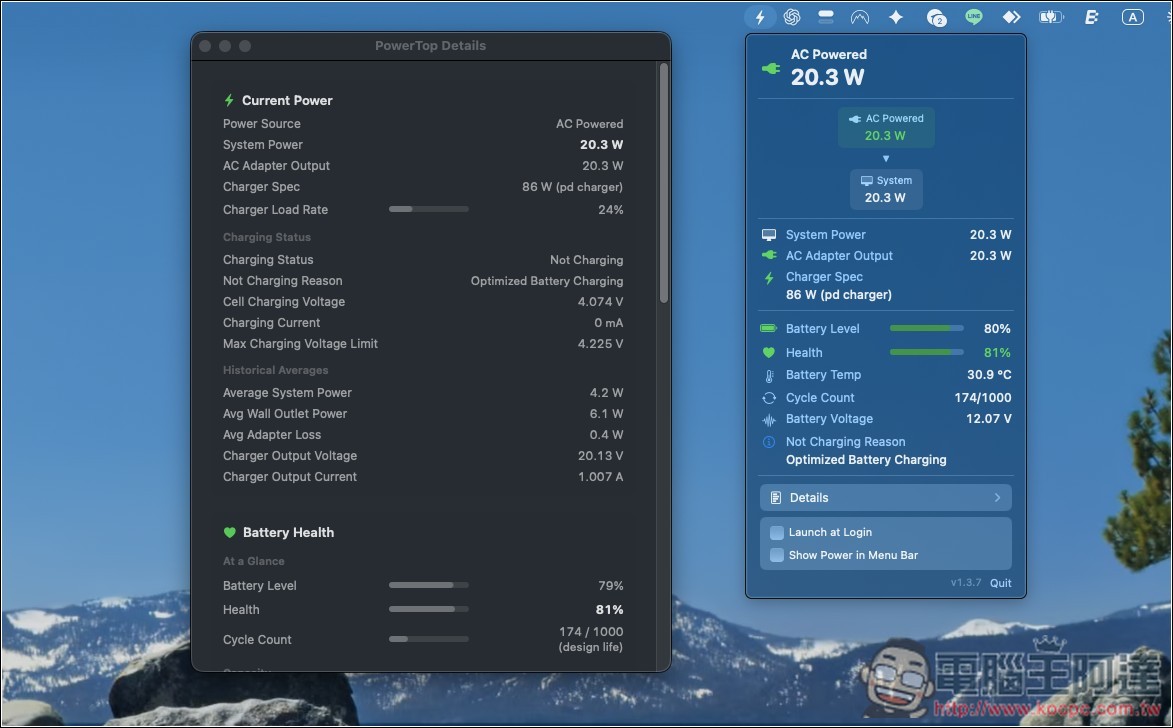
PowerTop free MacBook power monitoring tool, instantly view overall system power consumption, charger wattage, and battery status.
PowerTop is a free, open-source tool for monitoring your MacBook’s real-time power consumption. Once installed, it sits in the macOS menu bar, letting you check exactly how many watts your MacBook is currently drawing at any time.
Compared to macOS’s built-in features, which mainly only let you check remaining battery and battery health, PowerTop provides far more comprehensive information. Not only can you monitor real-time power consumption of the whole machine, but you can also see the charger’s actual output power, the battery’s charge/discharge status, and whether the current power is being supplied by the charger or the battery. This makes it very convenient for users who want to understand the actual power consumption of their MacBook.
For people who frequently use different USB-C chargers with their MacBook, PowerTop is also very useful. In addition to showing the charger’s rated wattage, you can also see the actual current output in watts, so when using different chargers like 30W, 65W, or 100W, you can more intuitively understand how much power the MacBook is actually drawing and whether the charger you have is sufficient for your current workload.
In addition to power consumption monitoring, PowerTop also integrates plenty of useful battery information, including current remaining charge, battery health, temperature, cycle count, and estimated remaining runtime or time to full charge. It can also recognize macOS’s built-in charging limits, as well as charge caps set by third-party tools like AlDente, making estimated charging times more reflective of real-world usage.
The only thing to note is that PowerTop only supports MacBooks with Apple Silicon M-series chips and built-in batteries, with a system requirement of macOS 14 Sonoma or later.
Key features
- View MacBook power consumption in real time: see how many watts the entire MacBook is actually using at any given moment.
- Display wattage in the menu bar: stay informed of current power consumption without opening the app.
- Visualize power flow: confirm whether power is currently coming from the charger, battery, or both.
- View charger output power: displays the charger’s rated wattage and current actual output.
- Monitor battery charging and discharging: view in real time whether the battery is charging or discharging, as well as the power level.
- Complete battery information: includes health, temperature, cycle count, and current remaining battery level.
- Estimated usage and charging time: quickly see how much longer it will last and how long until fully charged.
- Supports charging limits: recognizes charging caps set by tools such as macOS and AlDente.
- Advanced Battery Cell Data: Provides detailed information such as voltage, cell current, and lifecycle.
Because it is an open-source tool, the PowerTop app is not code-signed, so after downloading, unzipping, and dragging the app to the Applications folder, the first time you open it, you need to right-click the app and select “Open”, otherwise it will show as damaged (though it actually isn’t).

If you open it via the right-click menu and the corrupted warning still appears, you can go to the “Privacy & Security” section in Settings and check whether there’s a button that allows you to force open:

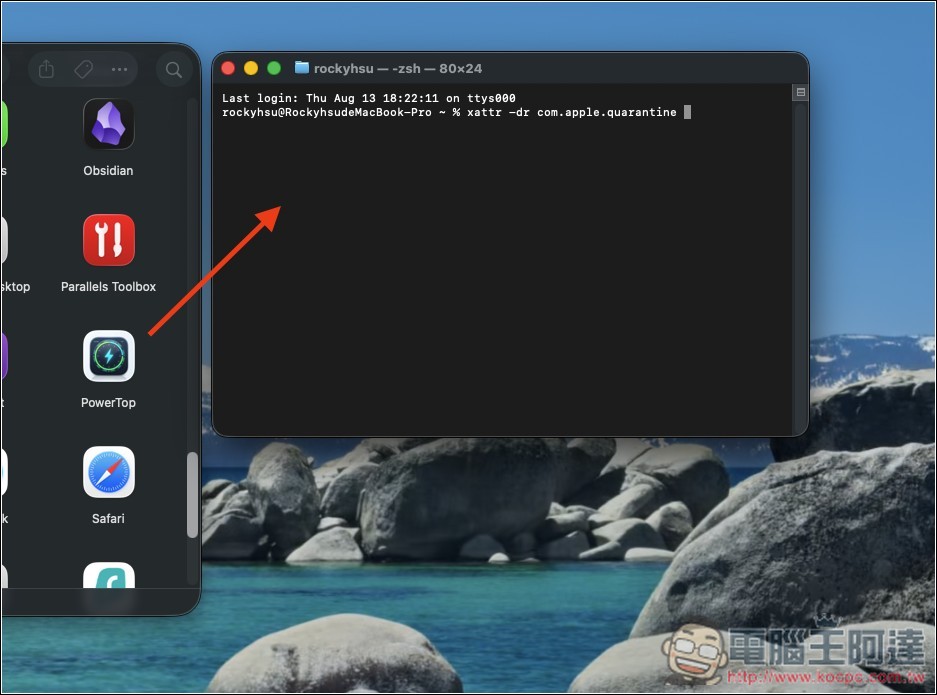
Mine didn’t appear, so you need to use the terminal to resolve this limitation. After entering the following command, don’t press Enter, and drag the PowerTop App into the terminal:
xattr -dr com.apple.quarantine
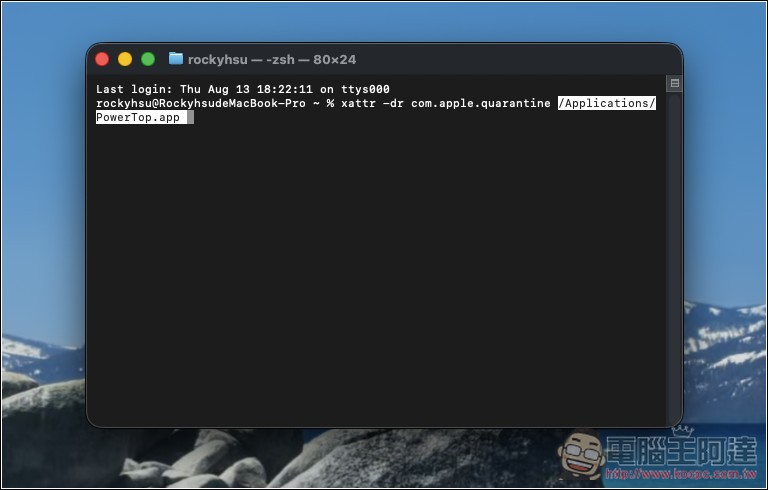
The path will be automatically pasted at the end, then press Enter:
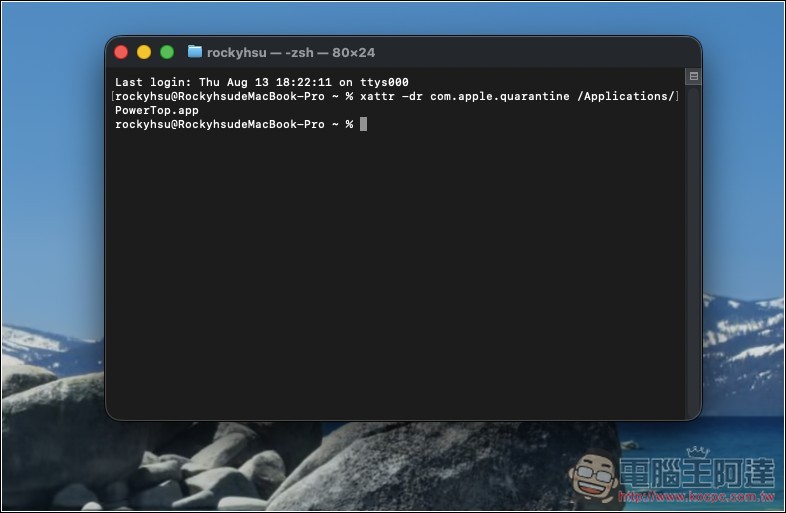
There won’t be any notification, but it’s already been lifted this way:
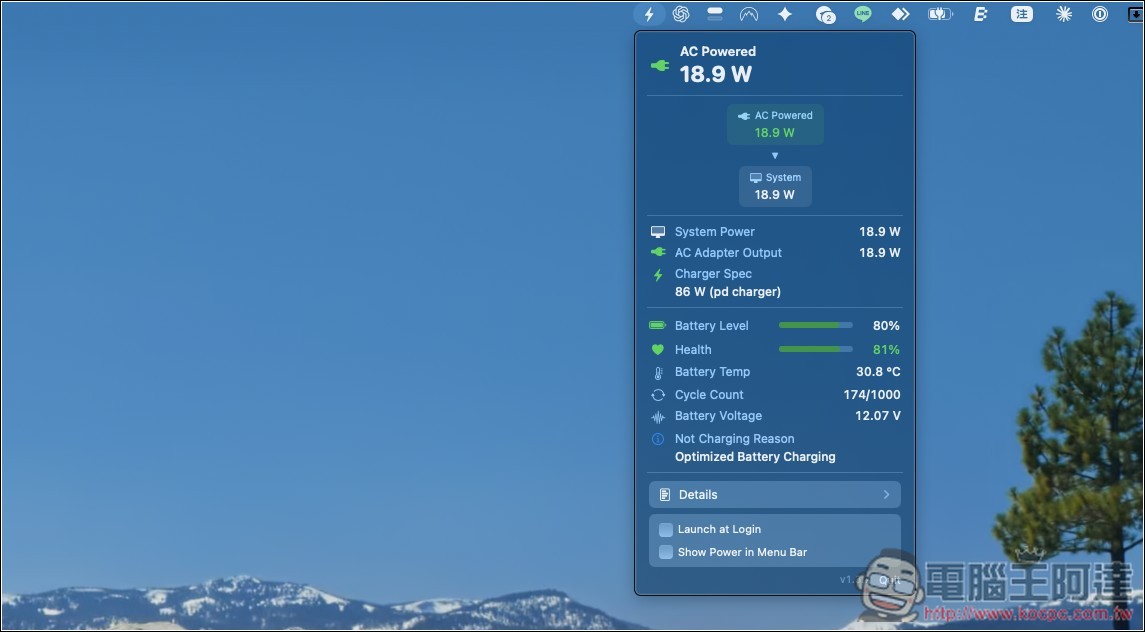
It will open normally, and a function icon will appear in the menu bar at the top right. After opening it, you can view various battery-related information, such as: battery health (Health), battery temperature (Battery Temp), charge cycle count (Cycle Count), etc.:
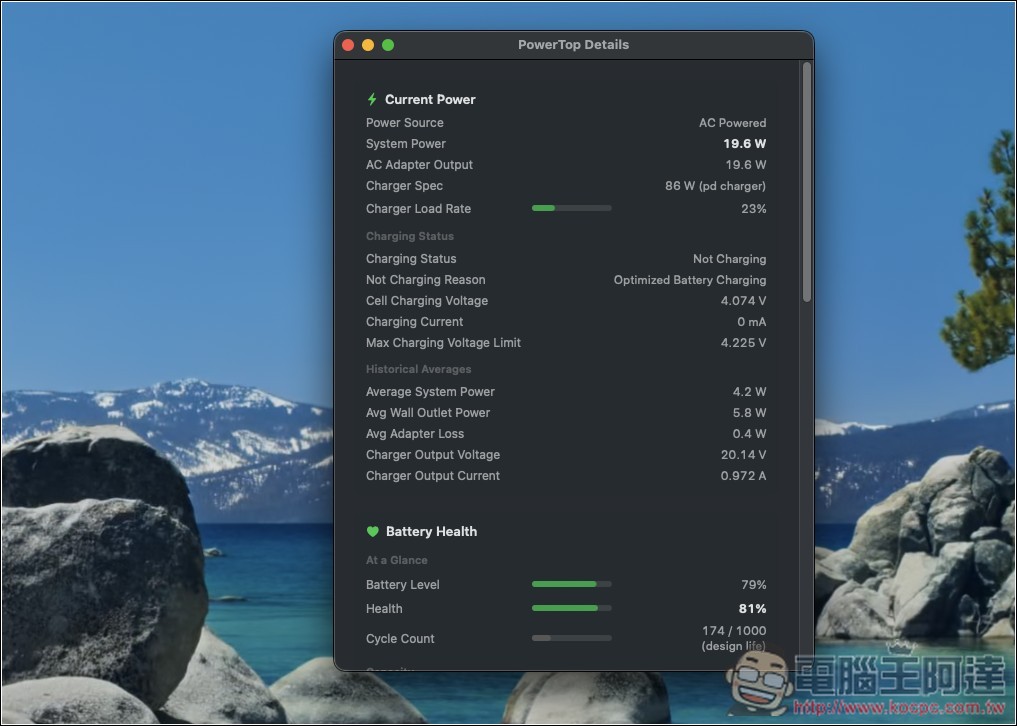
Press Details for a more complete report:
Source: KOCPC Chinese