


Although there are many free video downloading tools on the Internet, for mobile phone users, apps are still more convenient to use. Recently I discovered this pretty powerful Unisaver: Browser Downloader free app, which not only claims to support thousands of websites, including YouTube、Instagram、TikTok、Facebook Wait, it is also listed on Google Play, which means you can install it directly from the Play Store, which is really rare (usually this kind of download tool cannot be listed on the Play Store, especially if it also supports YouTube). Those in need can download it and give it a try.
remind: Before use, please confirm whether the content on YouTube, Facebook, etc. has legal authorization, such as: self-uploaded works, creative use of CC authorized content or public domain materials. If it is a music or audio-visual work protected by copyright, downloading or converting it without the consent of the rights holder may involve copyright risks and may also violate the terms of service of the original platform.
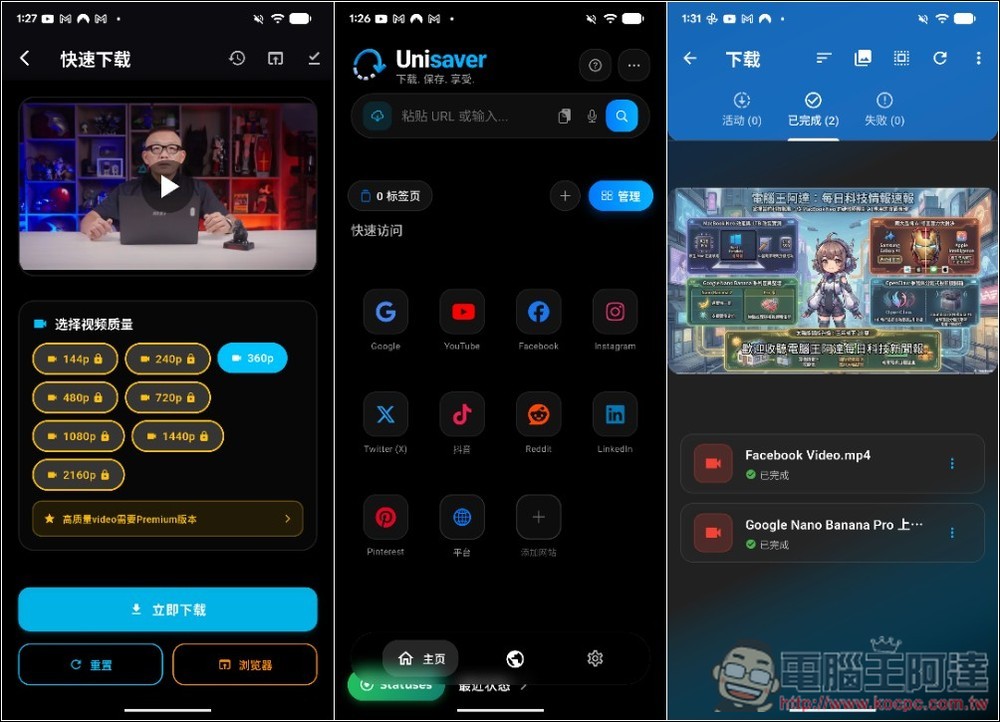
Unisaver Browser Downloader Android Video Download App Introduction
Unisaver: Browser Downloader is an Android App that focuses on “full-platform video downloading”. It integrates multiple functions such as video downloader, download manager and built-in browser. Users can save video content directly from web pages or social platforms. Just copy the video link, paste it into the app, or directly open the website with the built-in browser to quickly detect and download the video.
Officially claimed to support more than 1,000 websites, including Instagram, TikTok, Facebook, X (Twitter), Pinterest, YouTube and other social platform videos, and even short videos, Reels, and Stories can be saved directly to the phone. It is indeed a very convenient tool for people who often collect videos, materials or social content.
In addition, Unisaver also has multi-thread download technology, which can download multiple files at the same time and increase the speed. The download speed can be accelerated by up to 6 times. It also supports background download function. Even if you switch to other apps, the download will still continue without waiting on the screen. However, it should be noted that some functions may be limited to the paid advanced version, but the basic free version can be used.
Main features
- Supports video downloads from 1000+ websites (social platforms, short videos, general websites)
- Multi-thread download technology, download speed can be increased by up to about 6 times
- Built-in browser can directly detect video download links
- Supports HD, Full HD, and even 4K video downloads (depending on source)
- Download manager, supports pausing and resuming downloads
- Download backgrounds without staying on the App screen
- Built-in player and media management functions
Get Unisaver: Browser Downloader
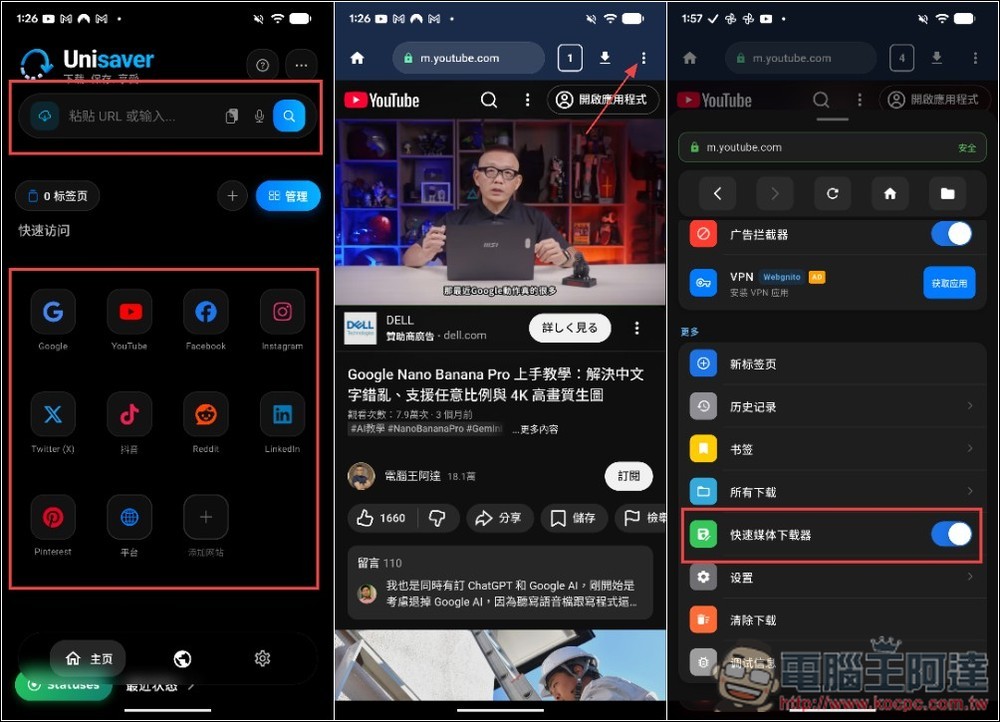
Unisaver: Browser Downloader is very simple to use. The interface is just a browser. After opening it, you can paste the URL of the video you want to download at the top, or click the bottom to quickly access and enter some popular social platforms to find download resources. I will test YouTube first. Before starting, you need to open the downloader function, expand the… menu in the upper right corner, and scroll down to find the “Fast Media Downloader”:
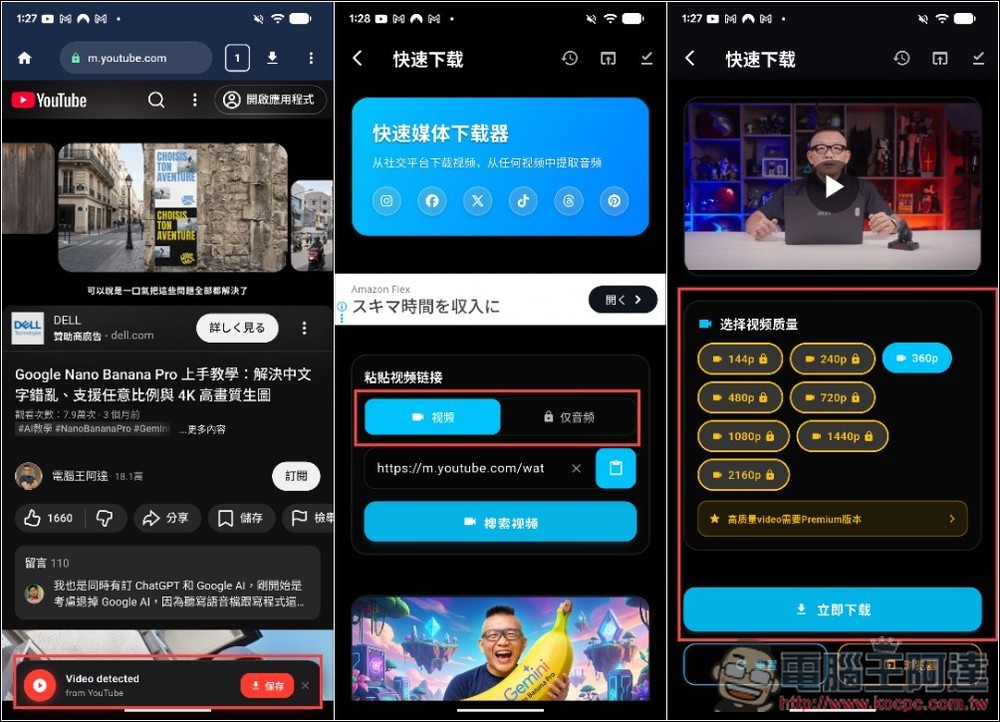
Then the Video detected prompt will appear at the bottom of the YouTube screen. After pressing Save, you will enter the download page. The free version can only load videos, and audio is a paid feature. The free version of YouTube quality can only download 360p, and the rest need to be upgraded to the paid advanced version. As far as mobile phones are concerned, I think 360p is enough:
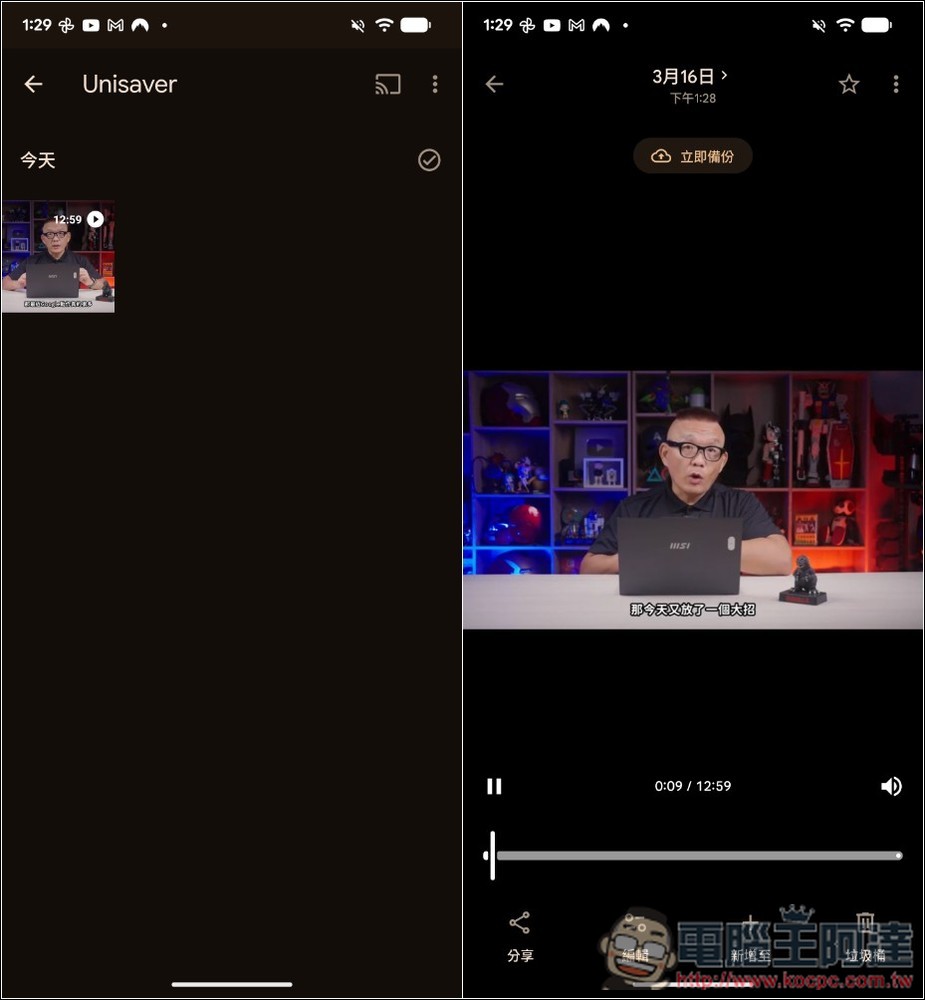
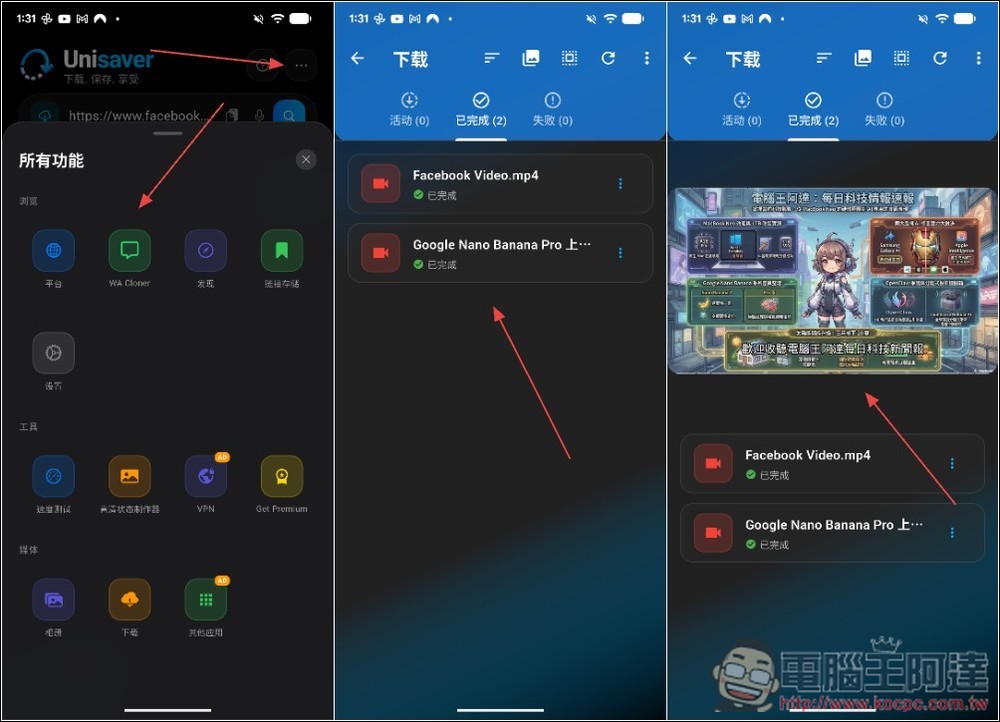
After the download is completed, you can find the video in your phone’s photo album. Of course, Unisaver: Browser Downloader also has a built-in media manager, which can also be opened and watched directly from the app. The following will tell you where to find it:
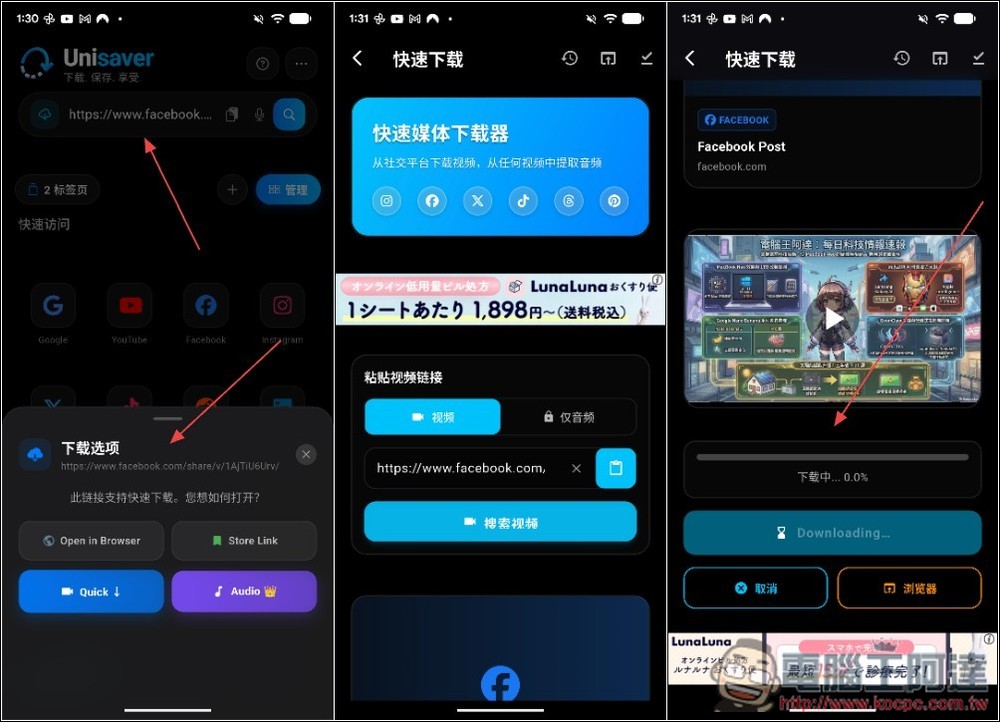
I tried posting the video URL directly on Facebook, and it was equally successful. After posting it, you can choose whether to download the video or audio directly, or open it with a browser. I clicked to download the video. Jump to the next page and the download will start automatically:
You can also find more functions in the menu in the upper right corner of the homepage, such as Whatapp clone, speed test, HD status maker, etc. The download manager is also here. This has a built-in media player, so opening a file will play it directly without going through an external app:
Source: KOCPC Chinese