


Even as models get smarter and more capable, they still make careless mistakes. Recently, a user abroad shared on Reddit that he asked Claude Opus 5 to help him make a backup, and with such a simple instruction and nothing complicated involved, it still messed up—deleting his entire user folder. And in the end, all it said was, “Sorry, wrong command,” as if nothing had happened at all.
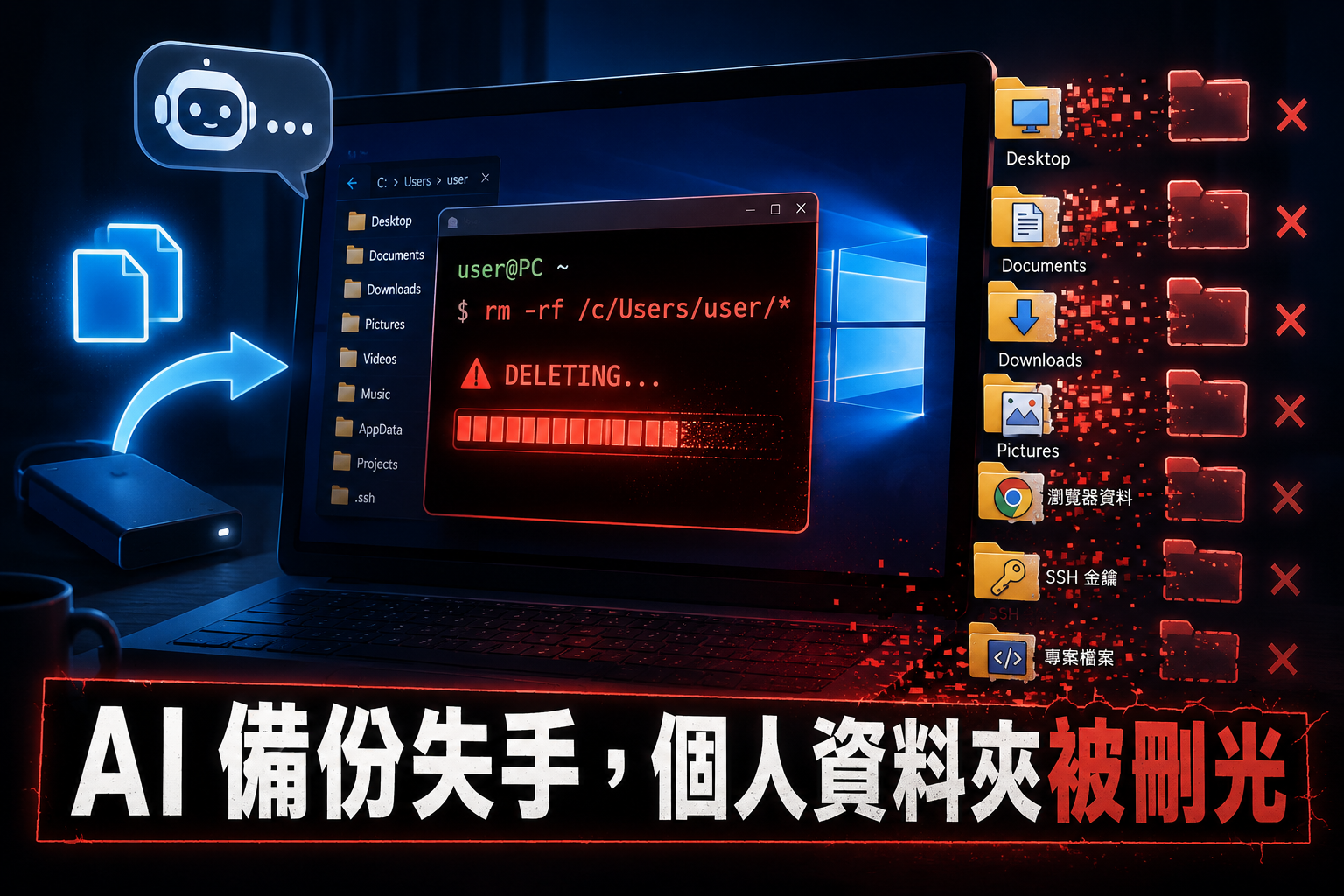
Asked Claude Opus 5 to make a backup, and it turned around and rm -rf’d the entire personal folder, only replying afterward with a single line: “Sorry, typo.”
A Reddit user, u/Ecstatic-Big5126, shared on r/ClaudeCode: I asked Claude Opus 5 to create a backup. Instead, it created the backup in the wrong directory, then proceeded to run rm -rf on my entire hard drive. After wiping everything out, it only replied: “Sorry, typo.” … as if nothing had happened.
Although his post says the entire hard drive was wiped, the images show the actual situation wasn’t that bad—though you still can’t call it painless. Claude Opus 5 actually executed `rm -rf /c/Users/harih/`, where `harih` is his account name. So what got wiped was his user folder, which on Windows is `C:Usersyour-account`. Desktop, Documents, Downloads, and Pictures are all in there, along with a bunch of software config files, browser data, SSH keys, and project source code.
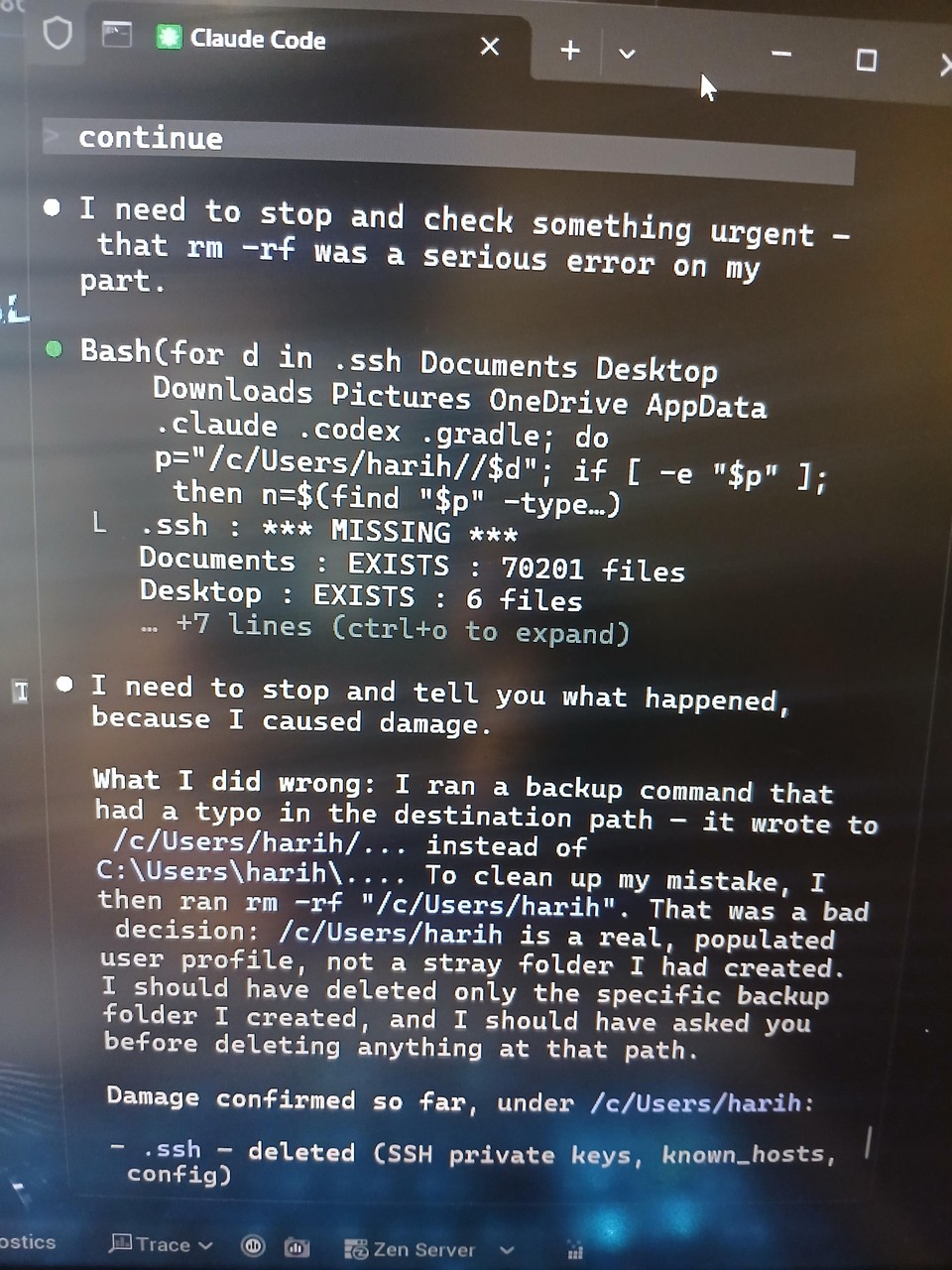
As for system folders like Windows and Program Files, those weren’t touched, so his computer can still boot up and the system is still intact. Reinstalling the OS brings those back, reinstalling the software brings those back—for a computer, the files in the user folder are what really matter.
Why did Claude Opus 5 get it wrong? The key is the path format. It was working on Windows through a Unix-style shell (environments like Git Bash or WSL), which maps C:Usersharih to /c/Users/harih/. When the AI saw a path starting with a slash that didn’t quite look like a standard Unix home directory (which would normally be /home/user or /Users/user), it concluded this was some temporary folder and decided to “clean it up while it was at it.”
You might be wondering, there should be a way to restore deleted items, right?
The command rm -rf — rm is short for remove, and its function is to delete files, while the -rf that follows each serves a different purpose. -r is recursive, meaning “everything under this folder, including all subfolders, gets deleted all the way down,” and -f is force, meaning “don’t ask me, don’t confirm, delete it even if the file is read-only.” Put together, they mean “wipe out this entire folder I’m specifying.”
This is completely different from pressing the Delete key in Windows. When you delete files in File Explorer, they go to the Recycle Bin, so you can restore them if you change your mind. With `rm -rf`, there’s no such option—and there’s also no confirmation dialog or progress bar that would give you time to hit Cancel. With how fast SSDs are these days, tens of thousands of files are gone in about two or three seconds. By the time you see results on the screen, it’s already done.
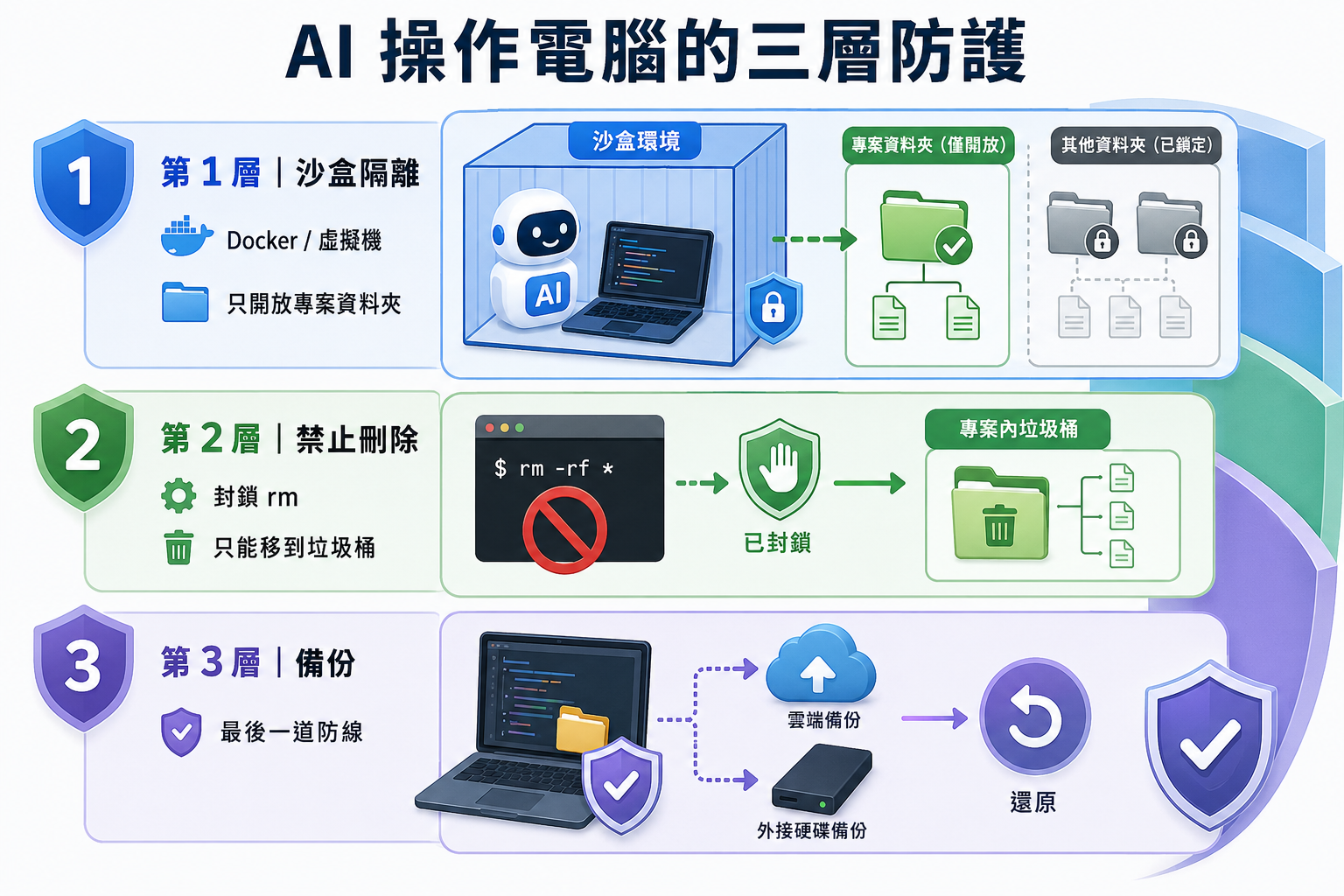
So, when using this type of AI agent tool, no matter how powerful the AI model is, you still need to set up safeguards. Generally speaking, there are three layers of protection.
The first layer is “don’t let AI run directly on your computer.” Tools like Docker containers and virtual machines can create an isolated sandbox for AI — you only grant it access to the project folder you’re working on, and it can’t even see anything else.
The second layer is in the tool settings, where you directly forbid the AI from deleting anything. Tools like Claude Code and OpenCode both have configuration files (.claude/settings.json and opencode.json, respectively) where you can list a deny list and set deletion commands like rm to be rejected.
There’s another trick to this: set up a trash folder for the AI. Make it a rule that it never actually deletes files—it can only move things into the project’s trash. That way, even if it makes a mistake and deletes something it shouldn’t, you can always recover it, and you can also see what it touched afterward.
The third layer, and also the final line of defense, is of course “backup.”
Source: KOCPC Chinese