


even if Google’s newly launched Omni model also falls far behind Seedance 2.0 in terms of generation quality.Many people must be eager to try out Seedance 2.0. However, it’s quite expensive, and there usually isn’t a free way to use it. But if you’re on an iPhone, there’s good news: whether the team forgot to disable it or for some other reason, in the current video generation feature of the Krea AI iOS app, many models are available for free, including Seedance 2.0. Even better, there are no restrictions at all—even 15-second videos are free.
Just a heads-up: this appears to be something Krea AI accidentally released, so it could be changed at any time. If it’s no longer free when you try to use it, that means it’s already been changed.
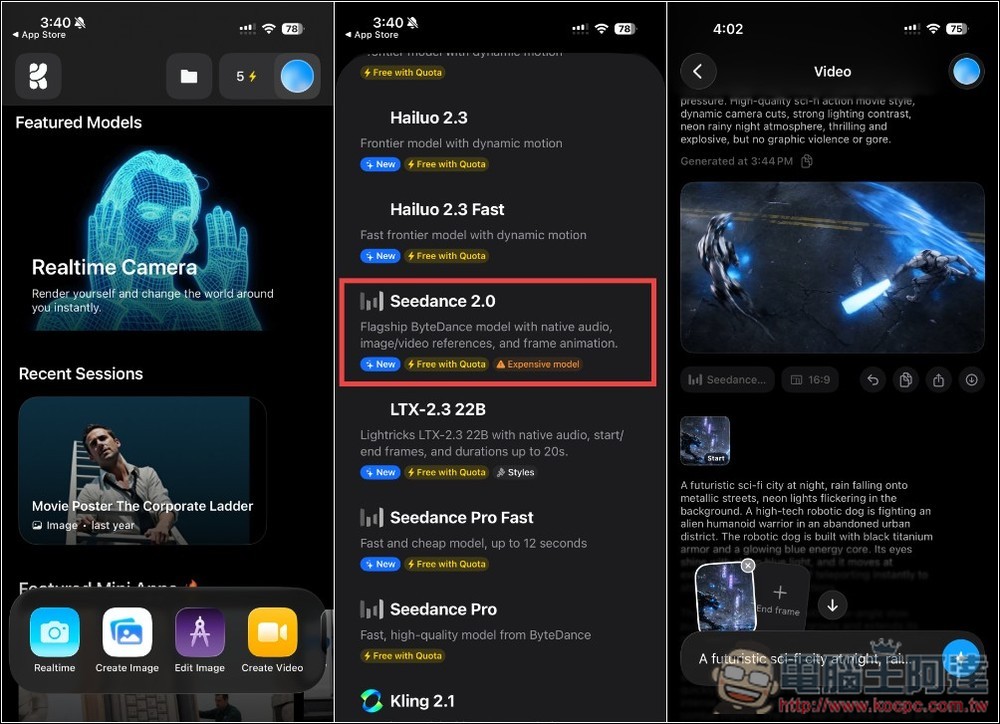
Here’s how to generate unlimited Seedance 2.0 videos for free right now, though it could change at any time.
First, go to the App Store to install the Krea AI app, register a free account and log in, then follow the steps below.
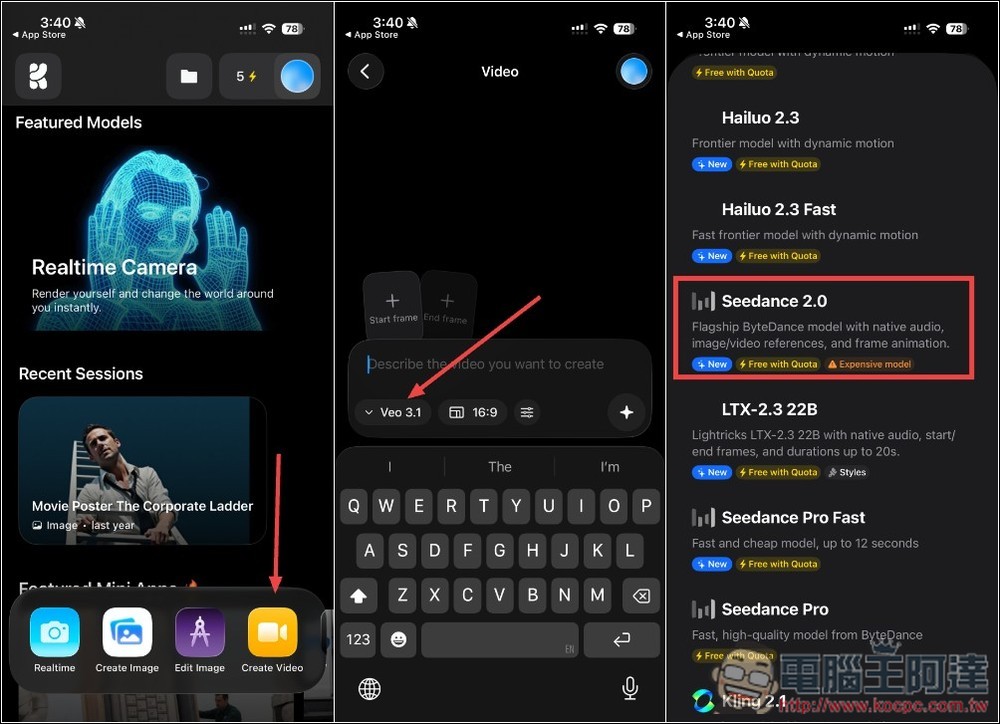
After entering the Krea AI home screen, tap Create Video at the bottom, then tap Veo 3.1 below the input box to open the model menu. Scroll down to find Seedance 2.0, which is labeled Free with Quota beneath it—no credits are consumed.
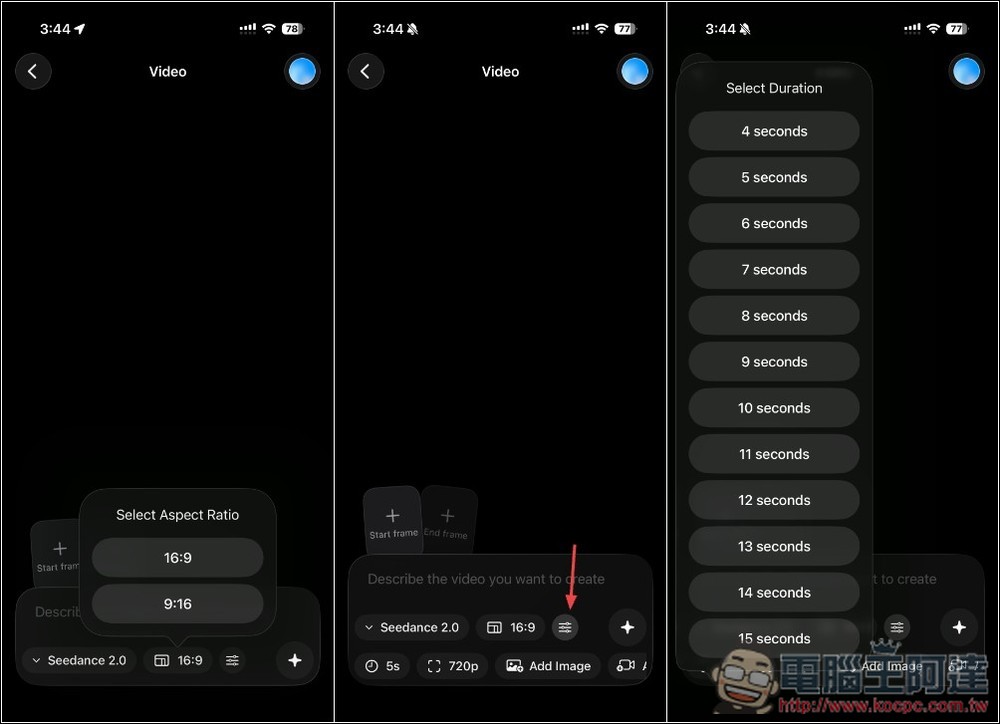
The video aspect ratios are 16:9 and 9:16. Tap the rightmost icon to expand more options, including video duration, which defaults to 5 seconds and can be set up to a maximum of 15 seconds.
There are two resolution options, 480p and 720p. After you enter a prompt and submit, it starts generating the video, and in my test, it finished in about five minutes:
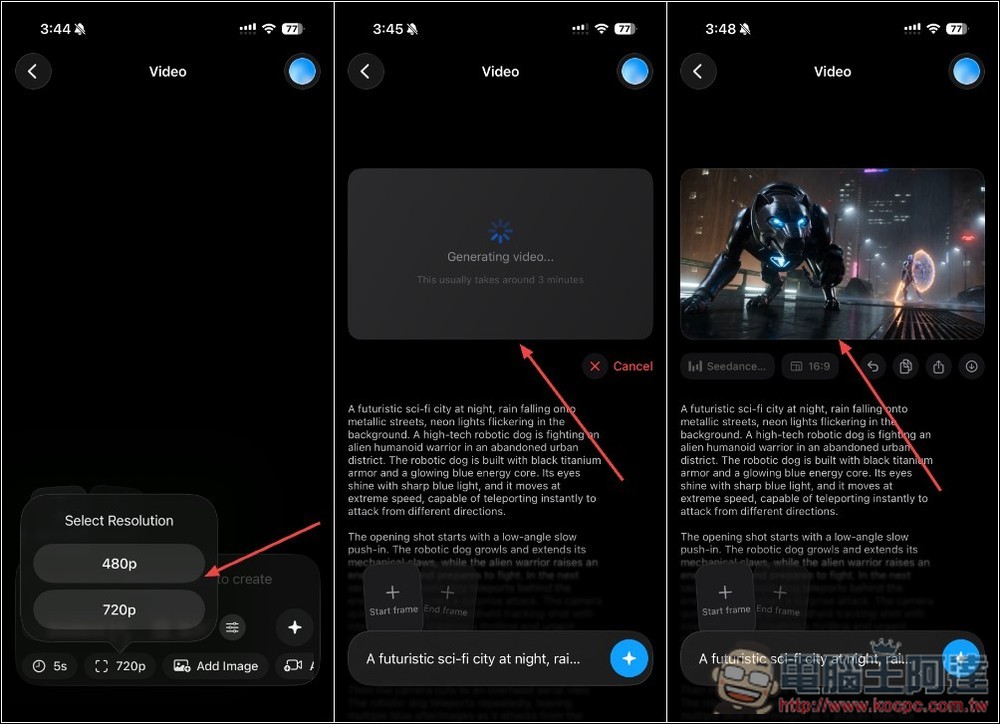
This is my first test video, set to 5 seconds:
I could upload a first-frame image, so for the second 15-second video test, I added a first-frame image and used the same prompt. For some reason, I couldn’t upload an end-frame image at all—whatever I selected kept overwriting the first-frame image. The 15-second generation took a bit longer, but it still finished in about 5 to 7 minutes:
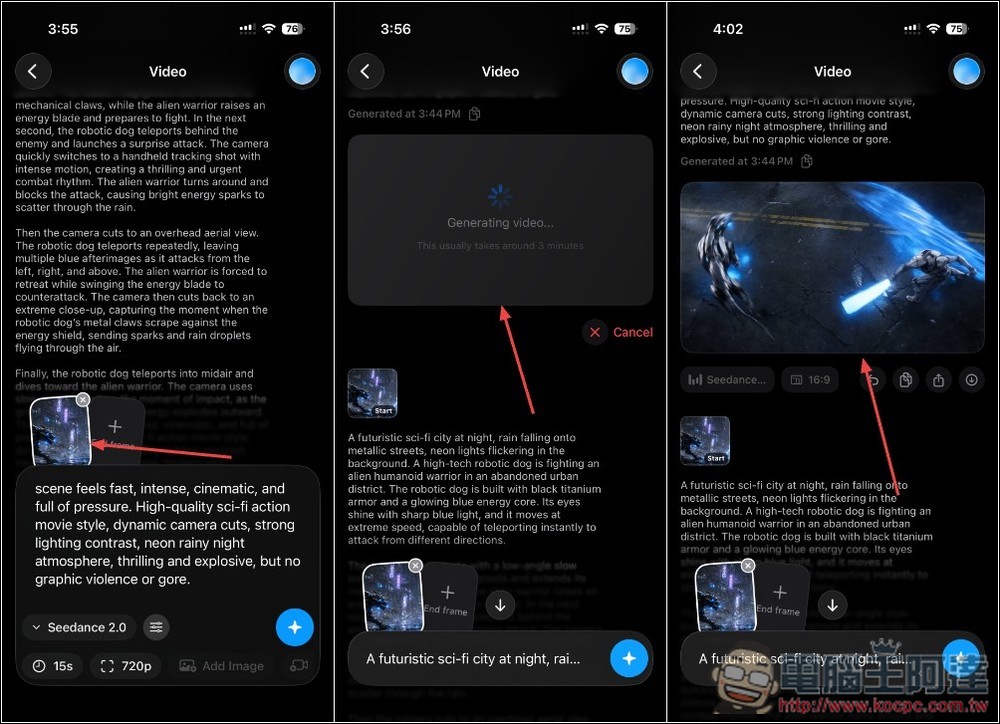
The second test video, 15 seconds:
Other video generation models are also free to use—just look for the ones labeled “Free with Quota.” Give them a try before the official team patches it.
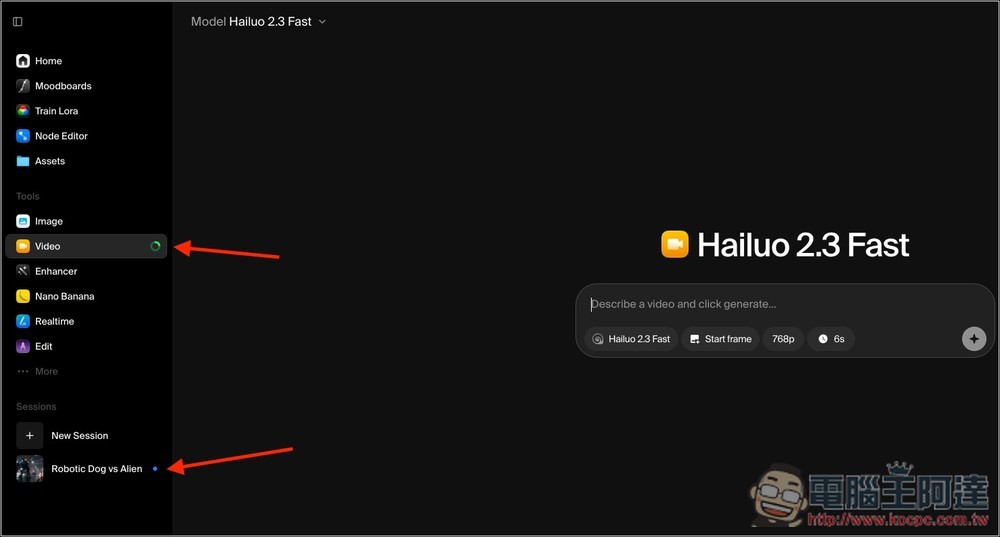
When generating, if you’re logged into the same account on the web version, it will also show that the video is being generated:
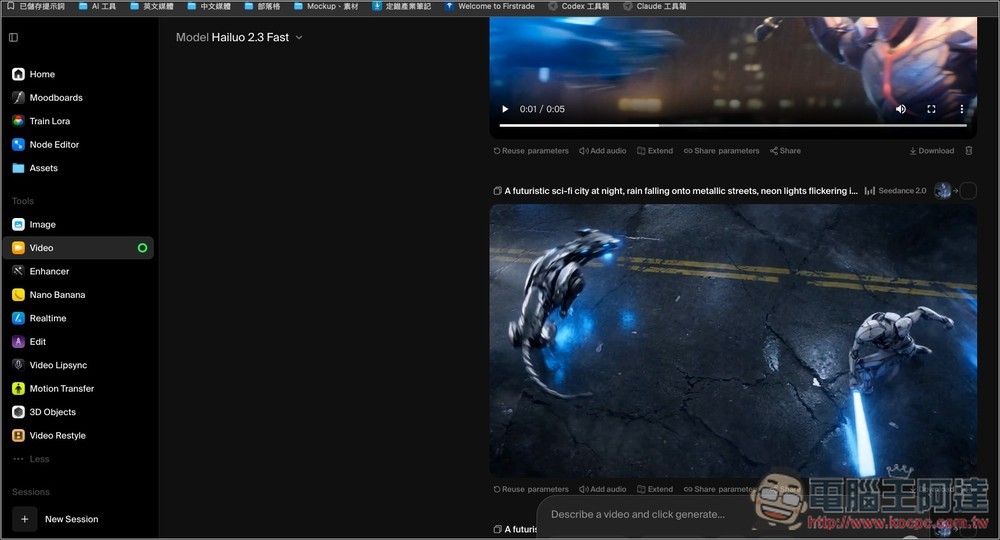
You can also see the generated result:
Here are the prompts I used, robot dogs vs. aliens:
A futuristic sci-fi city at night, rain falling onto metallic streets, neon lights flickering in the background. A high-tech robotic dog is fighting an alien humanoid warrior in an abandoned urban district. The robotic dog is built with black titanium armor and a glowing blue energy core. Its eyes shine with sharp blue light, and it moves at extreme speed, capable of teleporting instantly to attack from different directions.
The opening shot starts with a low-angle slow push-in. The robotic dog growls and extends its mechanical claws, while the alien warrior raises an energy blade and prepares to fight. In the next second, the robotic dog teleports behind the enemy and launches a surprise attack. The camera quickly switches to a handheld tracking shot with intense motion, creating a thrilling and urgent combat rhythm. The alien warrior turns around and blocks the attack, causing bright energy sparks to scatter through the rain.
Then the camera cuts to an overhead aerial view. The robotic dog teleports repeatedly, leaving multiple blue afterimages as it attacks from the left, right, and above. The alien warrior is forced to retreat while swinging the energy blade to counterattack. The camera then cuts back to an extreme close-up, capturing the moment when the robotic dog’s metal claws scrape against the energy shield, sending sparks and rain droplets flying through the air.
Finally, the robotic dog teleports into midair and dives toward the alien warrior. The camera uses slow motion to show the moment of impact, as the ground cracks and blue energy explodes outward. The scene feels fast, intense, cinematic, and full of pressure. High-quality sci-fi action movie style, dynamic camera cuts, strong lighting contrast, neon rainy night atmosphere, thrilling and explosive, but no graphic violence or gore.
Source: KOCPC Chinese