


Last year, Microsoft said that Windows 11 would eventually evolve into an AI-native operating system, and it looks like this wasn’t just talk—nor is it simply about adding more AI features.
Microsoft’s newly released 14-page e-book makes it clear that what the company really wants to emphasize is this: AI should not be just an add-on tool, but something directly embedded into users’ existing workflows. That’s why Windows 11 is positioned as the central hub for enterprise AI work, allowing AI to appear naturally in File Explorer, the taskbar, and other everyday places where users can access it effortlessly while working.
In its latest e-book, Microsoft emphasizes that Windows 11 is the “execution layer” of its AI strategy, with the taskbar, Search, and File Explorer all becoming AI entry points.
According to foreign media Windows Latest Report,Microsoft emphasizes in this ebook.Companies that truly get results from AI don’t keep adding more AI tools; they deeply integrate AI into their existing workflows. In other words, instead of asking employees to open another app or learn another AI tool, they embed AI directly into existing workflows. If companies can make AI a natural part of daily operations, they are more likely to see the biggest returns.
In the future, Microsoft will integrate AI directly into Windows 11, so everyone can use it naturally while working.
Windows 11’s AI direction is divided into three main focuses.
- Enable users to interact with AI using natural language and voice.
- Find what truly matters, faster.
- Keep smart features within the workflow, so users don’t have to keep switching to another tool.
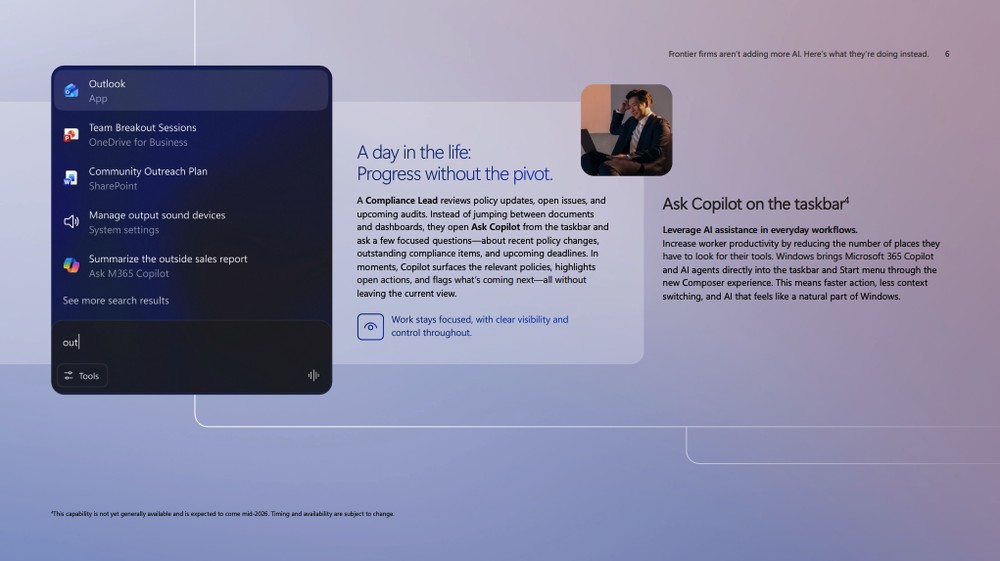
First is “Ask Copilot on the taskbar,” a feature that integrates Microsoft 365 Copilot, AI agents, and search into the Windows 11 taskbar, enabling users to directly ask Copilot questions, search for files, and even have agents handle specific tasks from the taskbar in the future. Microsoft also previously mentioned in Windows Insider builds that this is an optional experience for commercial customers to test, and will initially be offered to business users in the United States with a Microsoft 365 Copilot license:
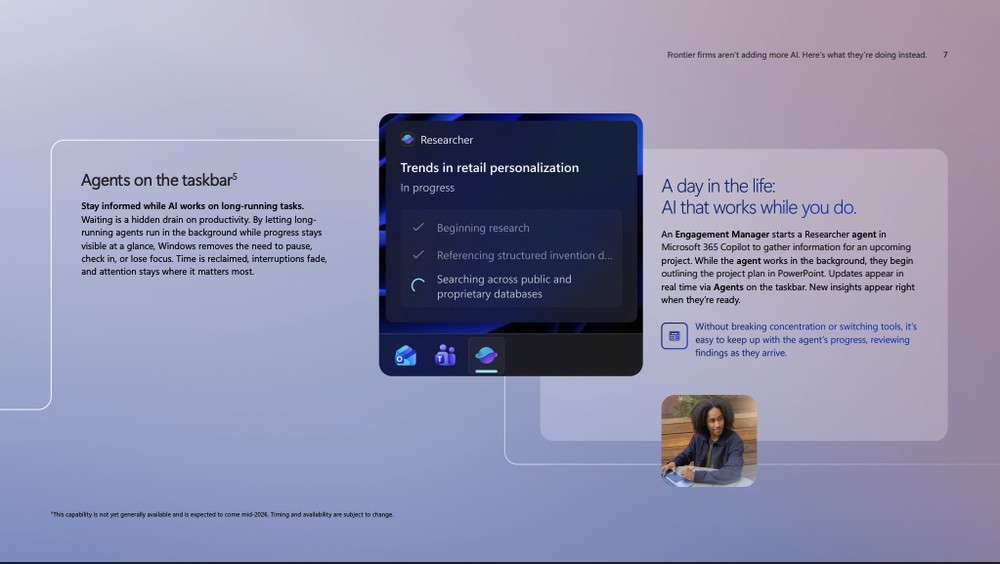
Next up is “Agents on the taskbar.” The concept is that AI agents can handle longer-running tasks in the background—such as researching information, organizing project materials, or tracking the progress of a specific task—so users don’t have to keep switching windows to check results. The agent’s status is shown on the taskbar, and you can come back to it when there’s new content or a progress update:
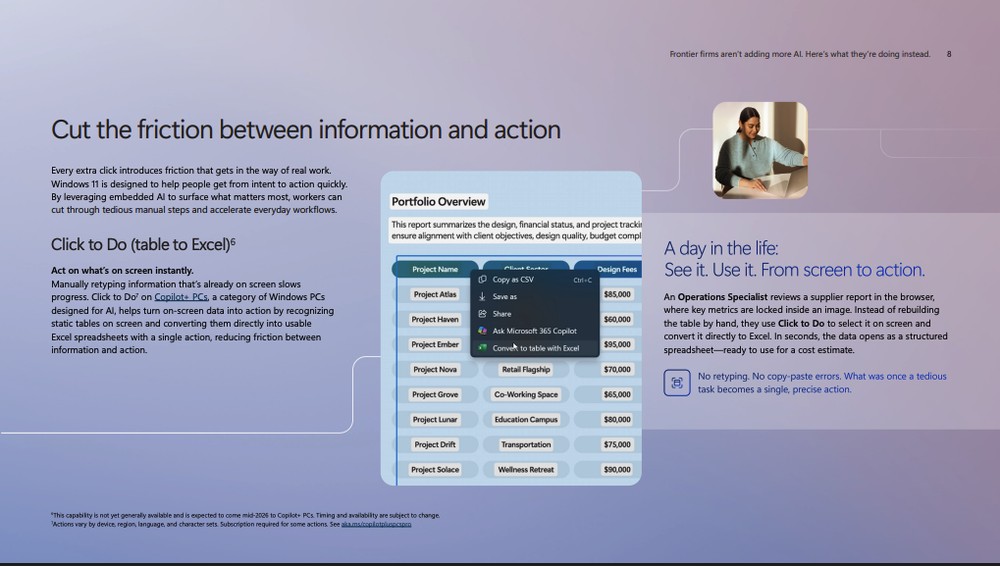
Beyond the taskbar, Copilot+ PC is another focus of Microsoft’s Windows AI roadmap. The document mentions a “Click to Do” feature that can recognize static tables on the screen and convert them directly into usable Excel spreadsheets. The scenario Microsoft gives is when a user sees a supplier report in the browser, but the table data is an image—previously they might have had to retype it manually, but in the future they can simply select the area and send it to Excel:
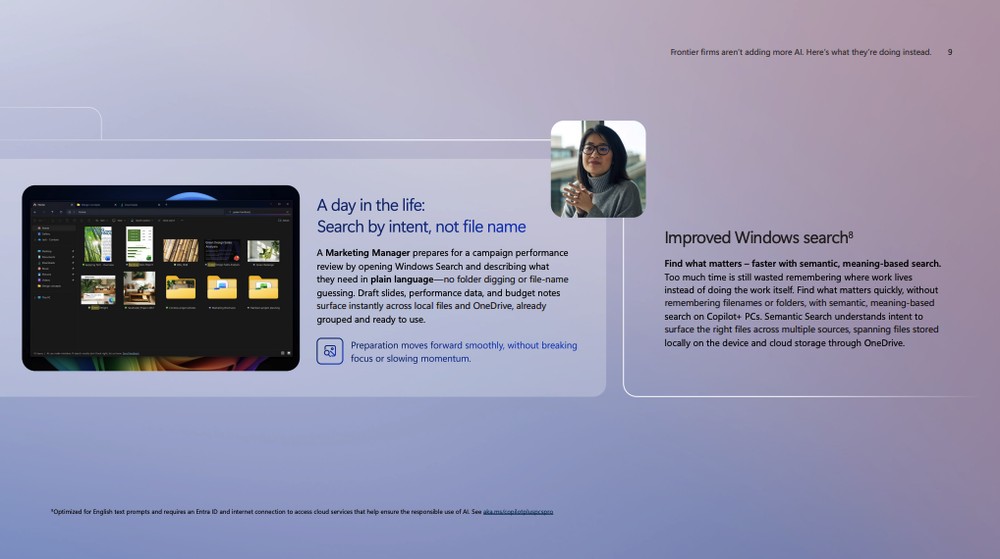
Additionally, there’s an “Improved Windows Search” feature that changes search from previously requiring you to “remember the file name” to only needing to give a rough description. In other words, users no longer need to remember which folder a document is stored in or what its file name is—just describe what you’re looking for in natural language, and Windows 11 can find relevant files from local storage and OneDrive:
The document also mentions features such as Writing assistance, Ask Copilot in File Explorer, and Outlook summary.
- Writing assistance is a feature that helps polish text; on Copilot+ PCs, it can also handle some tasks using on-device AI models.
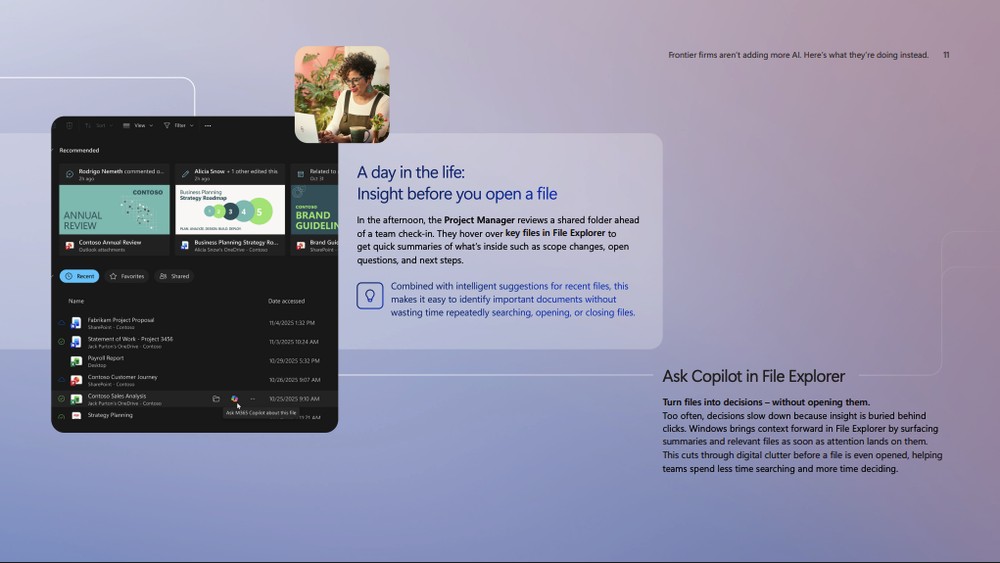
- Ask Copilot File Explorer can summarize files without opening them.
- Outlook Summary can turn long email threads into key takeaways, decisions, and action items. (It is currently available on Copilot+ PCs powered by Snapdragon X Series processors.)
Note that these features are not available on every Windows 11 PC. Features such as Ask Copilot on the taskbar, Agents on the taskbar, Click to Do table-to-Excel, and Writing assistance are all noted in the document as not yet fully rolled out, with some expected to arrive around mid-2026. Certain features are also limited by Copilot+ PC, Microsoft 365 Copilot subscription, Entra ID, region, language, or processor platform.
Source: KOCPC Chinese