


Don’t be nervous, it’s not all this time Windows 11 All users will be affected, only those who meet certain conditionscomputerOnly then will they be included in this wave of forced upgrades. Microsoft earlier announced that it has officially launched a wave of forced upgrade actions for specific versions of Windows 11 24H2 The computer will automatically upgrade the system to the latest 25H2 version. If your current version of Windows 11 is 24H2, there is a high chance that it will be on the list of affected people.
Microsoft starts forcing upgrades! Windows 11 24H2 users will automatically update to 25H2 and cannot reject it outright
according toMicrosoft Announcement, starting this week, unmanaged Windows 11 24H2 Home and Professional (Pro) computers will be forcibly upgraded to Windows 11 25H2 through Windows Update.
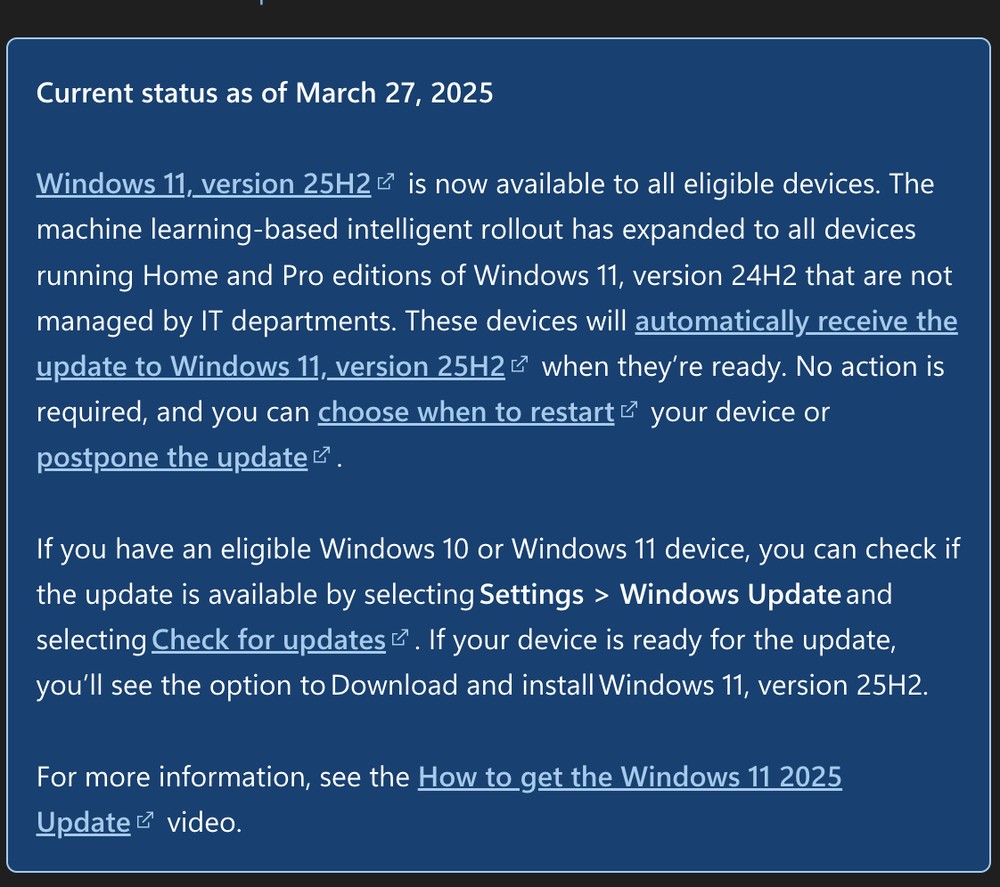
The so-called “unmanaged” means that the computer is not updated by the company’s IT department through enterprise management tools, such as Intune, SCCM, etc., so most individual users and home computers will be forced to update.
The following computers will not be forced to upgrade:
- Enterprise computers managed by the company’s IT department
- Running Windows 11 Enterprise (Enterprise)
- If you are still using computers with versions earlier than 23H2, this forced upgrade is only for 24H2.
Microsoft also mentioned that this push uses machine learning to determine whether each computer is ready for upgrade, but Microsoft did not explain the specific judgment criteria.
And why push this wave of forced updates? The main reason is that the support period for Windows 11 24H2 will expire on October 13, 2026, and computers still using 24H2 will no longer receive security updates, known issue fixes, time zone updates, and monthly security patches.
Don’t worry too much after forcefully updating to 25H2, because Windows 11 25H2 is not a major version update, but uses an activation package of less than 200KB to open new features that already exist in the 24H2 cumulative update. It is a bit like opening hidden features.
Therefore, the entire upgrade process is very fast and you don’t need to wait for too long.
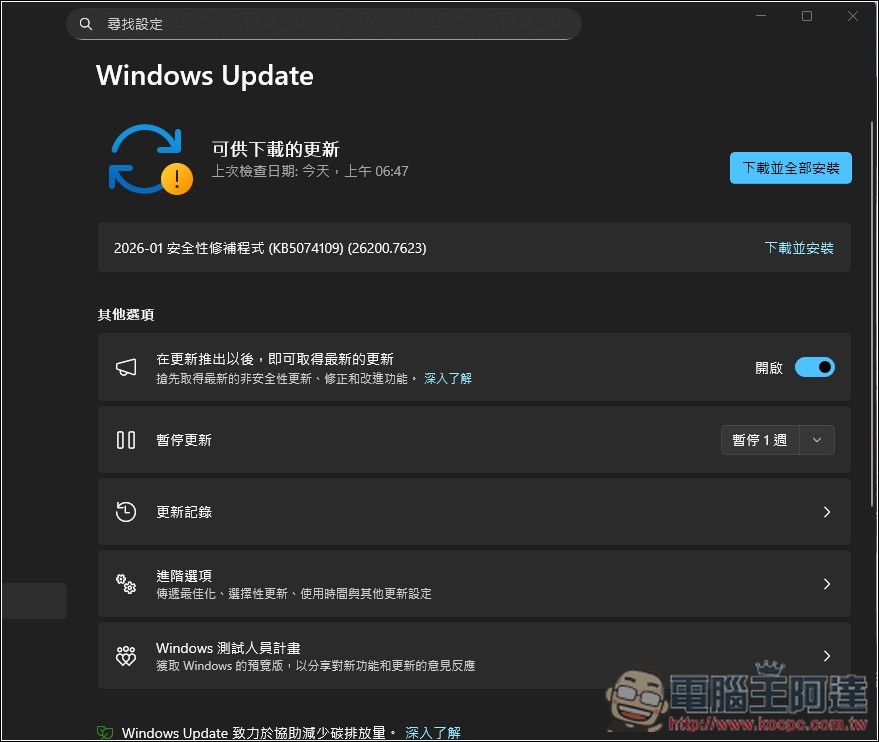
Although you can’t permanently reject this update, there is still room for buffering. Those who don’t want to upgrade yet can go to Windows Update to pause updates for up to a few weeks. However, when the time is up, the system will still automatically start updating.
In addition, you can also choose to decide when to reboot after the update download is complete, and you don’t have to reboot immediately.
What’s new in Windows 11 25H2?
The following are a few of the more noteworthy
- Copilot+ Deep Integration: 24H2 only has basic Copilot functionality, while 25H2 adds deeper application integration and situational awareness.
- Recall function upgrade: In 24H2, it is selectively enabled and has limited functions. 25H2 is more powerful and pays more attention to privacy protection.
- Start menu redesign: Merge the original pins and all applications into one page, and you can also choose to hide the suggestion area.
- Core isolation is enabled by default: It is optional in 24H2, and is directly enabled by default in 25H2, which helps improve system security.
- Performance optimization: New scheduling algorithm and memory management adjustments. However, according to GO-EUC testing, 25H2 has not shown significant improvement in performance and stability, and is basically similar to 24H2.
- Wi-Fi 7 enterprise-grade connection support and the ability to remove some pre-installed Microsoft Store apps.
Source: KOCPC Chinese