


Windows 11 recently added a symbolic new setting to the Insider beta version: users can now reassign the Copilot-specific keys on the keyboard to “do nothing”, yes, literally completely unresponsive.
Starting in 2024, Microsoft will require new Windows PCs to be equipped with a Copilot key and regard it as a necessary condition for an “AI computer.” Even if your device has powerful computing capabilities, as long as it lacks this button, Microsoft and OEM partners will not classify it as an AI PC. This policy has been implemented for nearly two years, but the actual usage rate of the Copilot key has never been high, and it has even become an embarrassing design in the eyes of many users.

Microsoft is testing a new feature that lets Copilot key remapping work for nothing
As criticism grew, Microsoft faced two options: either withdraw the button and restore the right Ctrl key, or let users remap it themselves. Microsoft ultimately chose the latter, and confirmed in a recent support document that users can change the Copilot key to launch other applications, such as ChatGPT, Claude, or change it back to the right Ctrl key and contextual menu key.
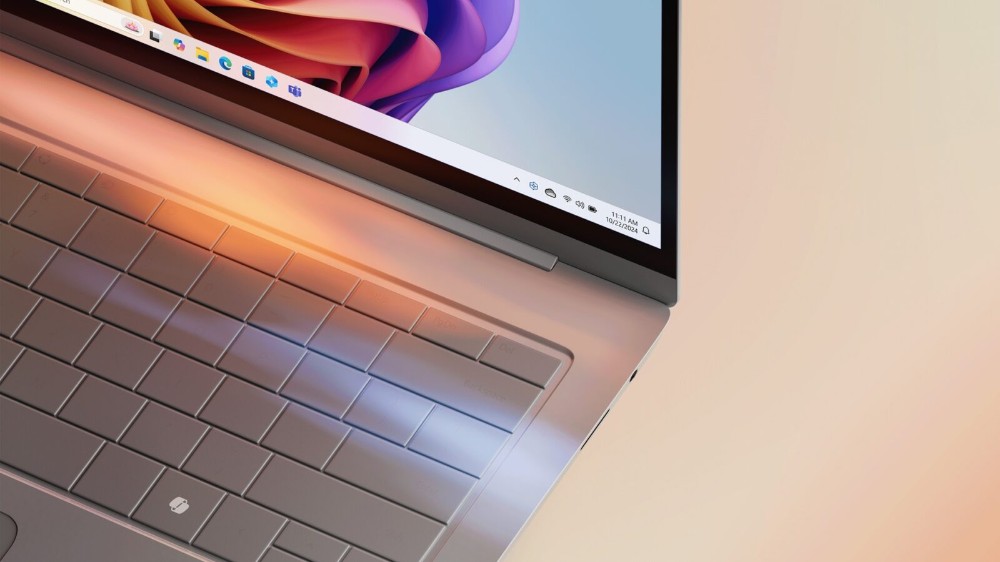
But now, Microsoft has added a third option – let this key “do nothing”. According to Windows Observer PhantomOfEarth It was discovered that the latest Insider preview version has a “do nothing” setting. When enabled, pressing the Copilot key will have no response at all, which is equivalent to turning off this key at the system level. For many users, the next step may be to put a sticker on the keycap to cover it.
Also hidden in recent Windows 11 Experimental builds: a new “Do nothing” option for the Copilot key in Settings, letting you easily disable it! pic.twitter.com/2qoPcmaGDs
— phantomofearth 🌳 (@phantomofearth) July 23, 2026
This change has not yet been officially rolled out to all Windows 11 users, but according to Microsoft’s previous commitment to “give users better control of the Copilot key as soon as possible,” it is expected to be rolled out in the next few weeks, rather than delayed until the end of the year. Microsoft admitted in a document a few months ago that many users rely on the right Ctrl key or contextual menu key to operate shortcut keys, especially heavy keyboard users, screen reader users, and people who rely on assistive technology. After the Copilot key replaces the original keys, it does hinder some workflows. Despite this, Microsoft has no plans to eliminate this button on new PCs, but will reduce the impact through remapping functionality.
Microsoft also reminds that if you change the Copilot key to the right Ctrl key, some shortcut keys that require pressing left Shift and right Ctrl at the same time may not work stably on some keyboards. If you encounter problems, the official recommendation is to use the right Shift key instead.
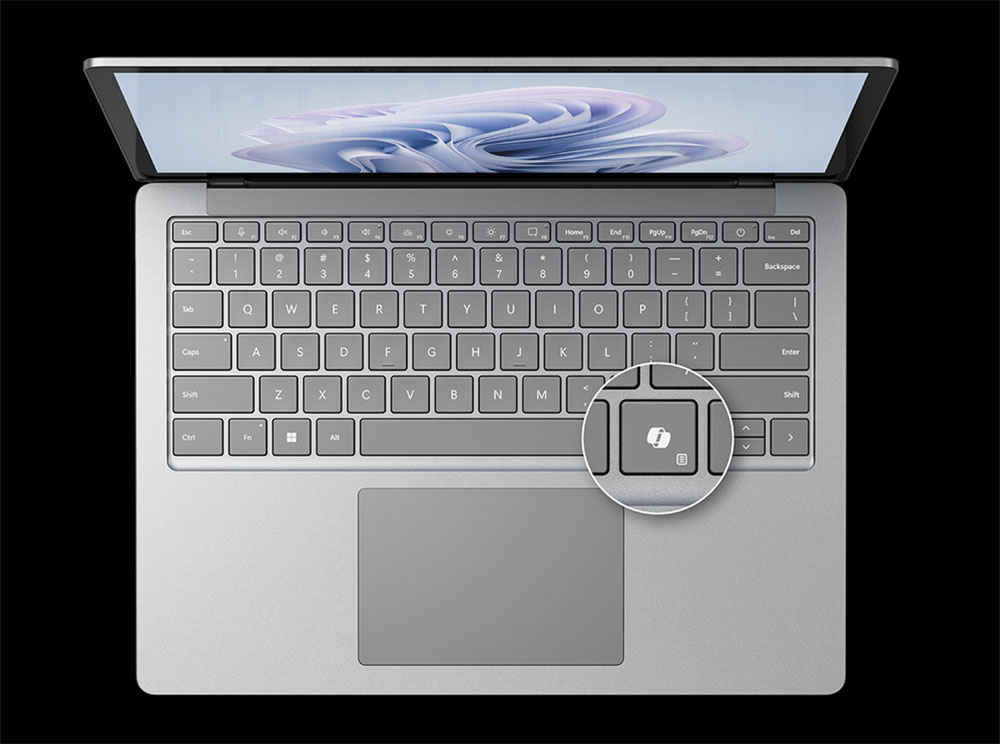
Currently, users can find relevant options in “Settings” > “Bluetooth & Devices” > “Keyboard”. Originally, Microsoft only planned to provide two alternatives: the right Ctrl key and the contextual menu key, but eventually added “Do not perform any operation”, so we will see traces of this new setting in the Insider version. Microsoft said these adjustments are designed to improve the consistency and accessibility of Windows PCs: “We continue to work on providing a consistent and easy-to-use experience on Windows devices while minimizing disruption to productivity and accessibility workflows.”
Source: KOCPC Chinese