


RecentlyA security study reveals, more than 100 Chrome extensions were found to be related to the same large-scale malicious attack campaign. These seemingly ordinary plug-ins with different functions actually secretly steal users’ identity information, control browser behavior, and in some cases even obtain the content of real-time conversations in the Telegram web version. The research team tracked a total of 108 extensions that were all connected to the same control network. At the time of the release of the research results, the total number of installations of these plug-ins in the Chrome Online Store reached approximately 20,000 times.

Researchers have discovered that more than 100 Chrome extensions are faulty and point to the same control network
The most shocking thing about this incident is not a single malicious function, but its “disguise ability” and “penetration scope.” These extensions are packaged into a variety of everyday tools: Telegram assistance tools, mini-games such as slot machines and Keno, translation tools, YouTube or TikTok downloaders, and even general page assistance plug-ins. Their appearance and description are quite ordinary, making them easy for users to install without warning. The research team also providedComplete list, showing that the variety of these extensions and the cleverness of their disguises far exceed the scale of ordinary malware.
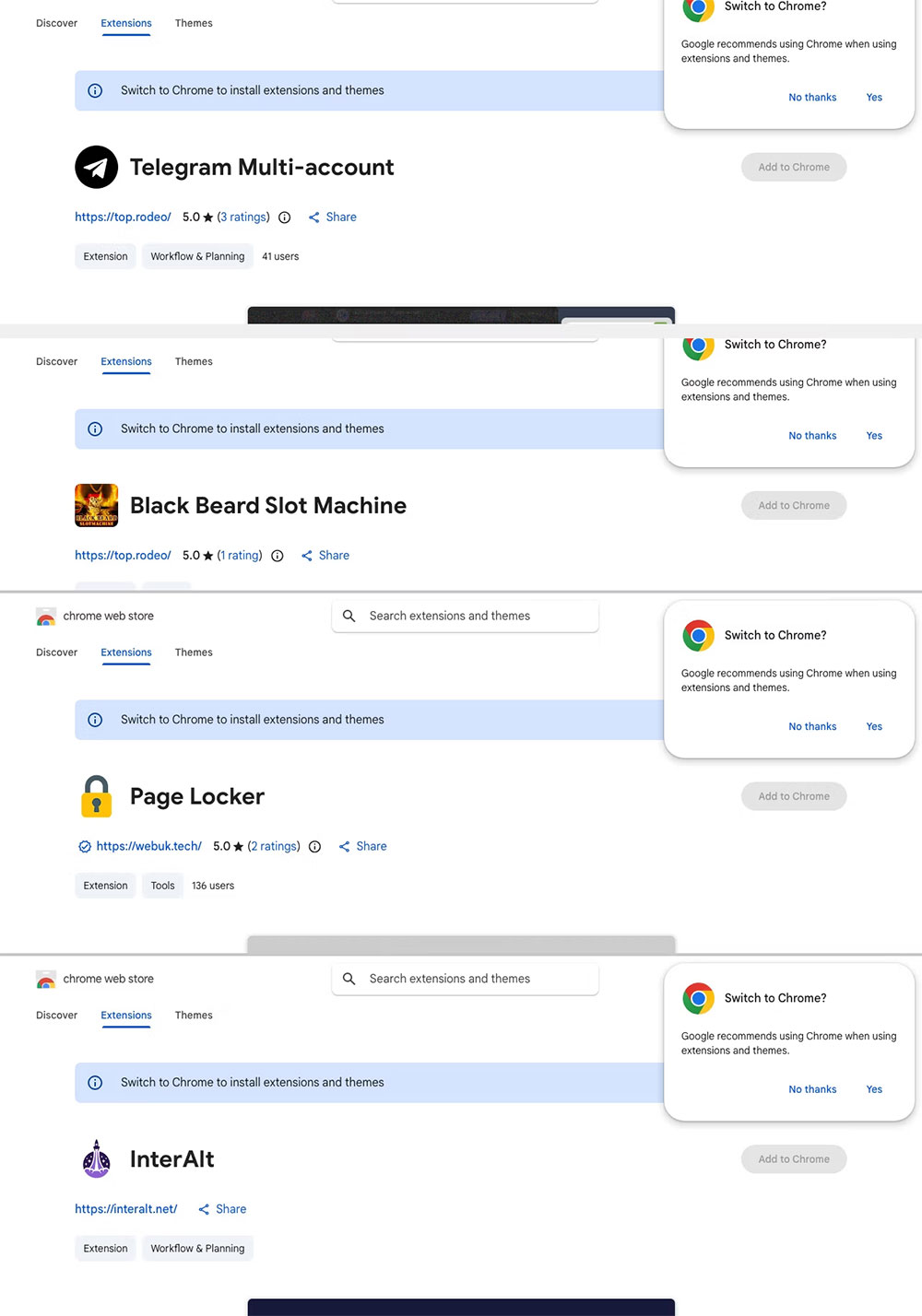
Even more worryingly, the study noted that these extensions were still available at the time of the report and had not been completely removed. The researchers have submitted a removal request to Google, but until official action is taken, users may still be exposed. This warning is especially important for users who have not checked for browser extensions for a long time.
The research revealed a wide variety of malicious behaviors, not a single attack method. For example, 54 extensions steal Google account identity information after users click the Google login button; another plug-in specifically for Telegram steals the conversation data of the Telegram web version every 15 seconds, which is equivalent to continuously monitoring the user’s chat content. In addition, there are 45 extensions with built-in routines that will automatically open any URL when Chrome is started. Even if the user does not use the plug-in that day, they may be forced to an unknown website.
Some plug-ins even remove security restrictions from websites such as Telegram, YouTube, TikTok, and insert ads, overlays, or additional scripts into the page to control the user’s browsing experience. Another seemingly harmless translation tool will forward the text entered by the user to the attacker’s server, turning the original simple translation function into a potential surveillance channel.

These malicious extensions are dangerous precisely because they look “too normal.” The list includes games, translation tools, sidebar gadgets, browser auxiliary plug-ins, etc., which are all types that ordinary users may install because of their exquisite interfaces and seemingly practical functions. After installation, they often stay quietly in the background without attracting the user’s attention, but continue to collect data or control the browser. The research team further traced the back-end infrastructure and found that these seemingly unrelated plug-ins were actually connected to the same control center. Through this infrastructure, attackers integrated different types of plug-ins into a huge data collection network and affected users’ browsing behavior in various ways.

Until Google completes the complete removal, the most pragmatic thing to do is to immediately check the extensions you have installed in your Chrome browser. In particular, you should be more vigilant about the following types of plug-ins:
- Telegram related tools
- Small game or entertainment plug-in
- translation tool
- Sidebar or page aids
- Plugins that require login without a clear reason

Among the riskiest cases are plug-ins that repeatedly steal Telegram Web session data. If the user has logged into the Telegram web version with this plug-in installed, it is recommended to immediately terminate the login sessions of all other devices in the mobile version of Telegram to ensure the security of the account. Likewise, if a user has logged into a Google Account through a suspicious plug-in, they should go to the Google Account Management page to check for third-party access permissions and revoke any unfamiliar authorizations.
This incident once again reminds users that although browser extensions are convenient, they may also become the best entry point for attackers. Regularly checking and removing unnecessary plug-ins is the simplest but most often ignored step in maintaining network security.
Source: KOCPC Chinese