


Many people now raise Openclaw and use Hermes Agent, and for some tasks you might run the Gemini model. If you have a Google AI Pro or Google AI Ultra account, don’t forget to claim the monthly $10 or $100 API credit, which can be used in Google AI Studio, meaning it works for the Gemini API too. If you don’t know how to claim it yet, we’ll walk you through it step by step below.
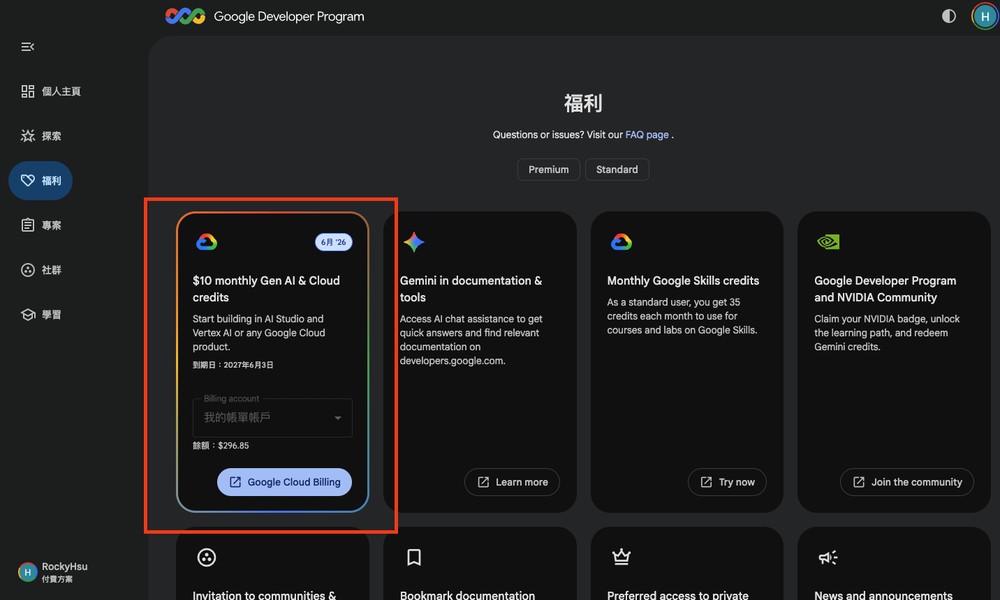
Google AI Pro / Ultra users, don’t forget to claim your credits! You can get $10 or $100 in API credits every month, usable with the Gemini API.
Google is now folding some advanced developer benefits from the Google Developer Program directly into Google AI Pro and Google AI Ultra subscriptions. Eligible subscribers can therefore receive a set amount of Google Cloud credits each month to test or develop AI applications.
Note that Google AI Ultra credit amounts differ: the 20TB plan includes a $40 monthly credit, while only the 30TB plan includes a $100 monthly credit.
| plan | Monthly claimable amount | official nature | Available range |
|---|---|---|---|
| Google AI Pro | 10 USD / month | Google Cloud credits | Google AI Studio, Vertex AI, Cloud Run, Gemini API, etc. |
| Google AI Ultra 20TB plan | $40/month | Google Cloud credits | Google AI Studio, Vertex AI, Cloud Run, Gemini API, etc. |
| Google AI Ultra 30TB Plan | $100/month | Google Cloud credits | Google AI Studio, Vertex AI, Cloud Run, Gemini API, etc. |
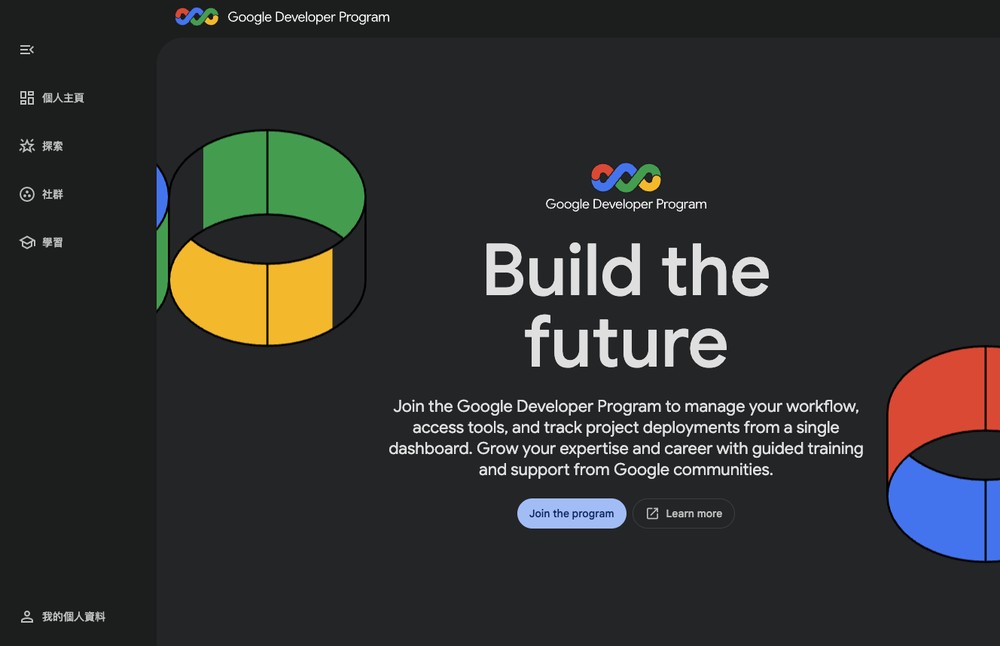
The redemption process is simple: just go to Google Developer Program website, then click “Join the program” to join:
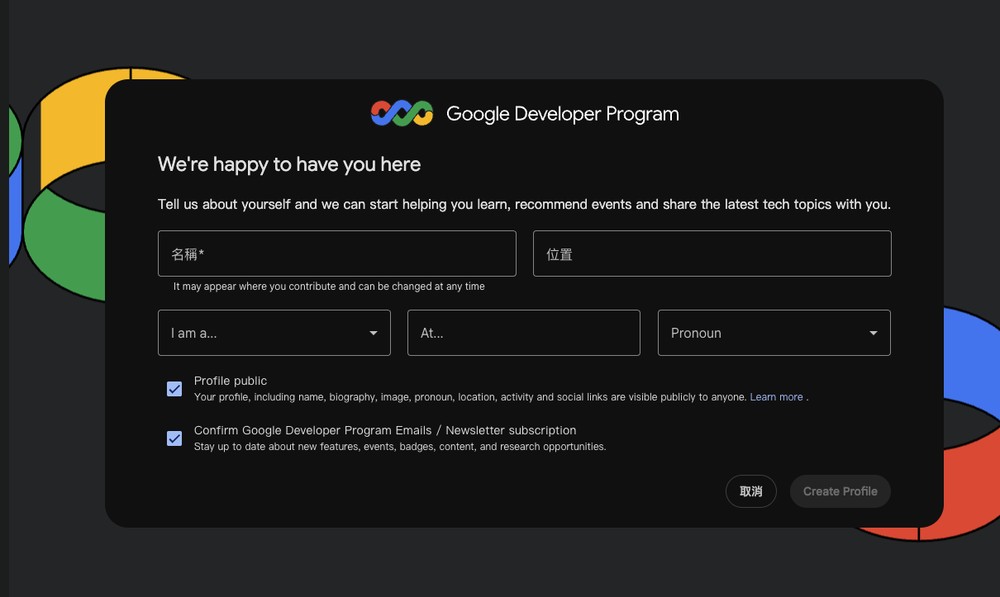
Just fill in your name here; you can ignore the rest. If you don’t want the two options below, you can uncheck them too, then click Create Profile:
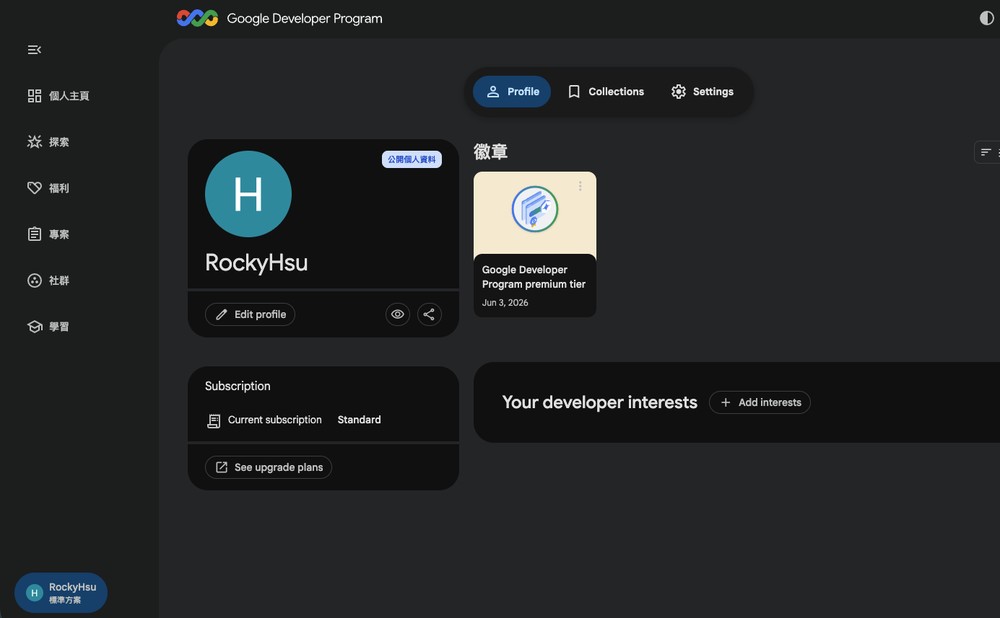
The file is now created. Next, click “Benefits” on the left:
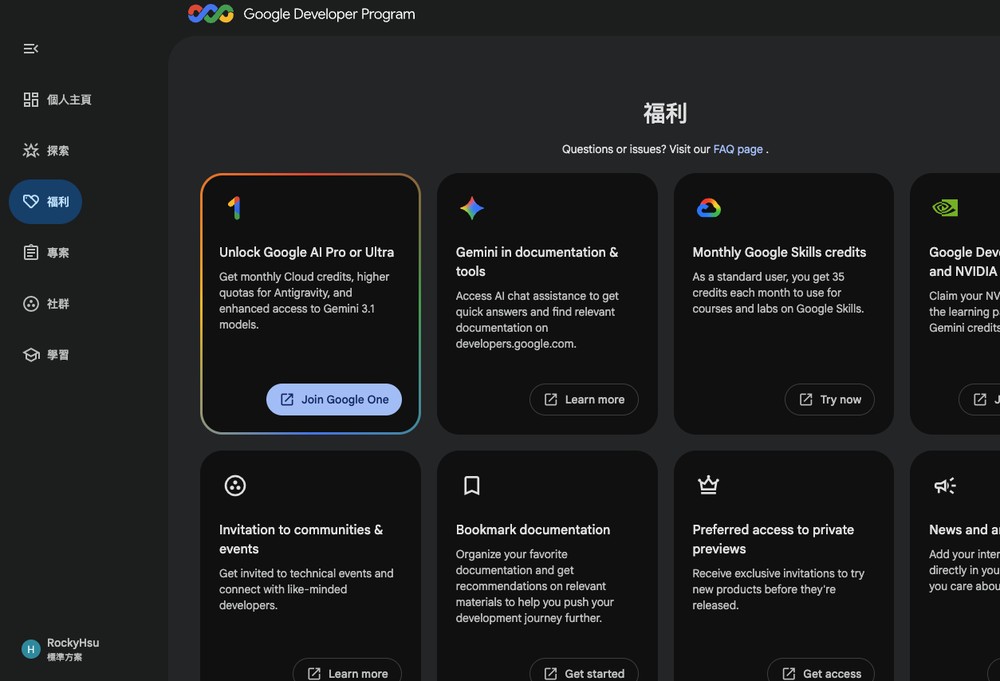
The first “Unlock Google AI Pro or Ultra” is the API credit mentioned in this article. If you also see “Join Google One,” tap it first to open the Google One plan page, then close that page and come back, and it will be gone:
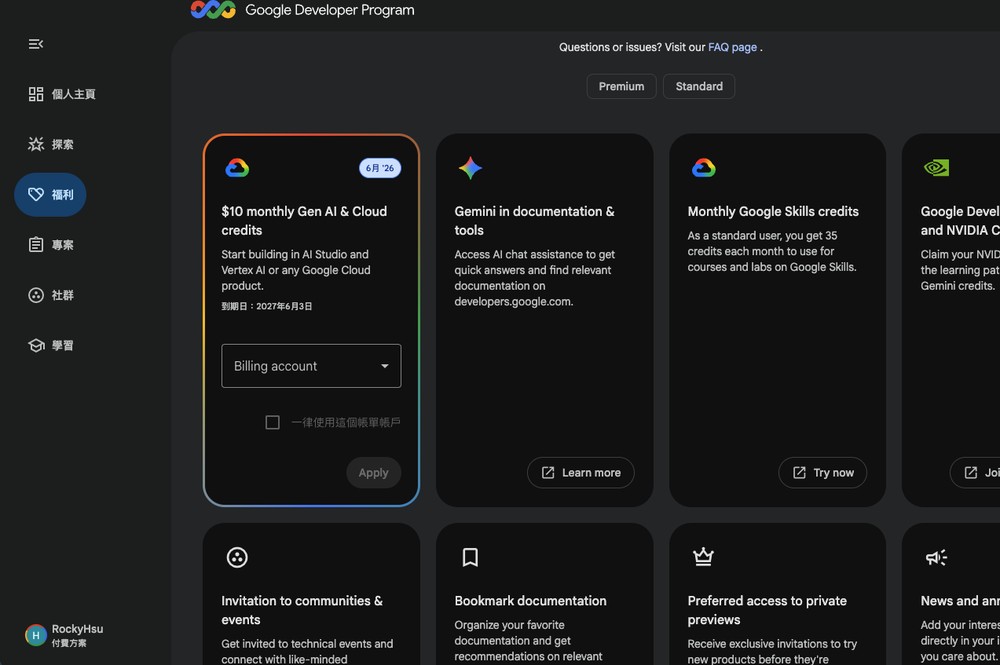
Select the billing account you want to apply the credit to, and click Apply:
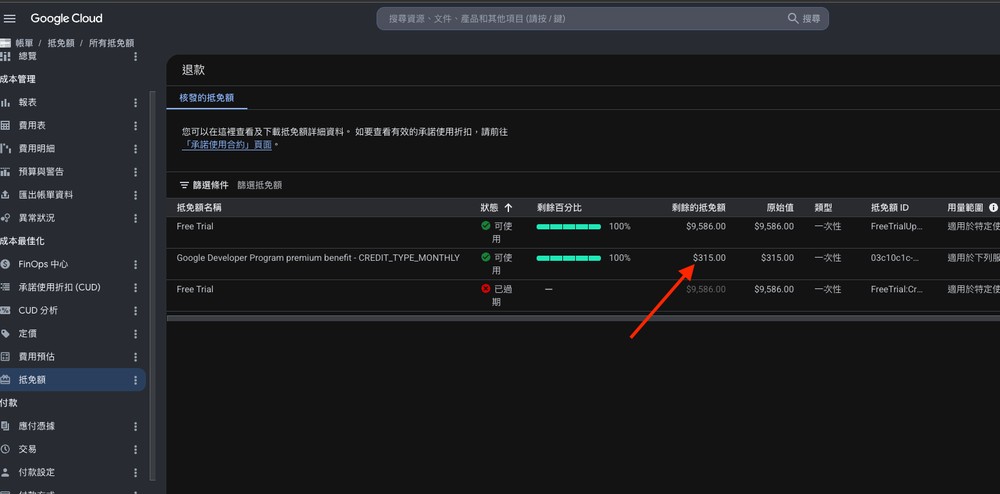
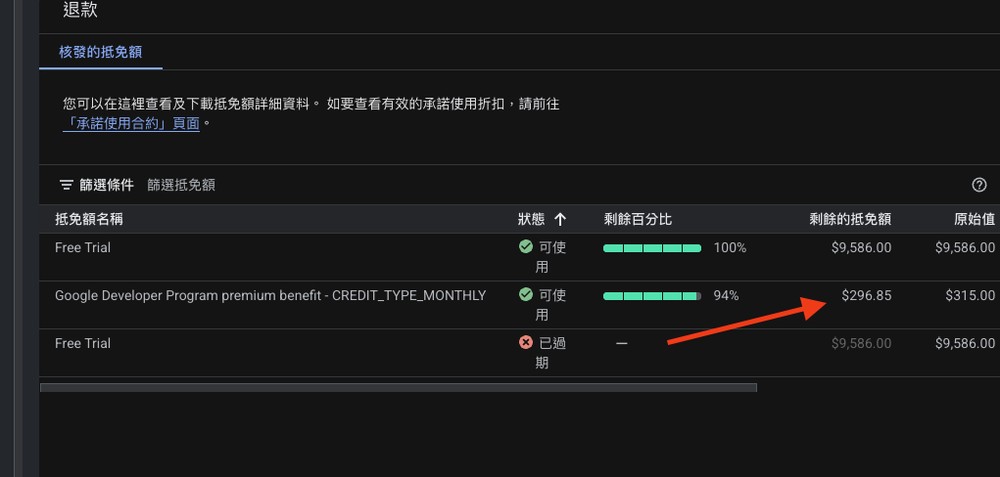
Then, go to the Google Cloud Console and you’ll see this credit:
Later on, I did a quick hands-on test using the Gemini API inside Hermes Agent, which cost NT$18.15:
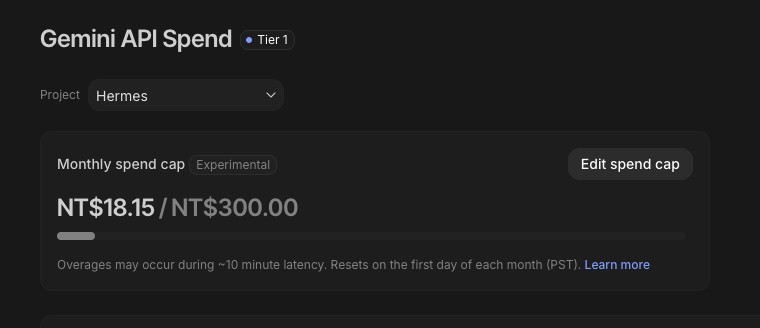
Check again in a moment, and it will be deducted from this discount amount:
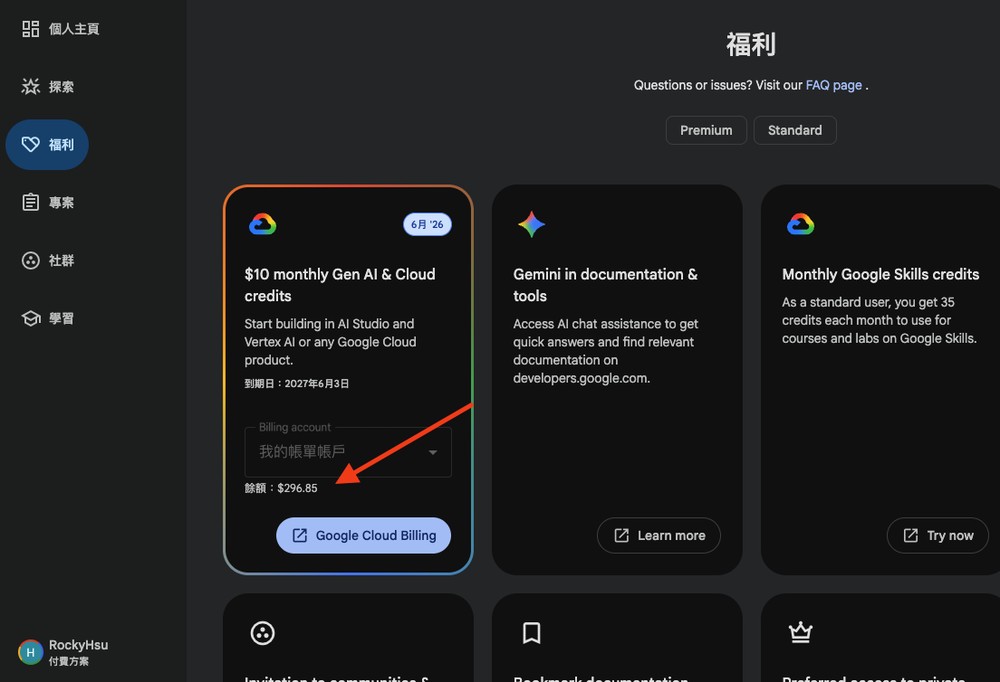
The Google Developer Program benefits will also show the balance:
Source: KOCPC Chinese