


What I brought this time was “MSI Prestige 14 Flip AI+“Unboxing.” For business people and creators who often need to go out for meetings, business trips or mobile work, choosing a laptop is always a dilemma between performance, thinness and battery life. Those who want high performance are afraid of being too heavy, those who want a thin and light device are afraid of image lag, or they are worried about battery life and have to look for sockets all day long. Ada once said in the early days that laptops with Intel CPUs would not last longer than Macs, and even if they were left closed and doing nothing, they would run out of power on their own.
But this problem has actually been solved with the Lunar Lake processor launched by Intel in 2024. At that time, I used MSI Prestige 13 AI+ to run the PCMark battery life test ( Click me to read the article ), it already has 18 hours of test battery life, which can be said to have improved Intel’s previous problem of short battery life. Now, MSI has recently launched a new model equipped with a new generation of Panther Lake processors. MSI Prestige 14 Flip AI+ A business laptop, even moreBattery lifeandperformanceAn action beast that’s both.
I have actually experienced it for more than two weeks, and the conclusion is:Super fierce”! In addition to continuing to maintain super battery life, this generation’s internal display can even run 3A masterpieces (2077, Black Wukong). Its performance is almost as good as that of a standalone display. It can be said that the term “mobile productivity” has been completely re-upgraded. Let’s not talk nonsense next and continue to watch this showMSI Prestige 14 Flip AI+ Amazing performance:
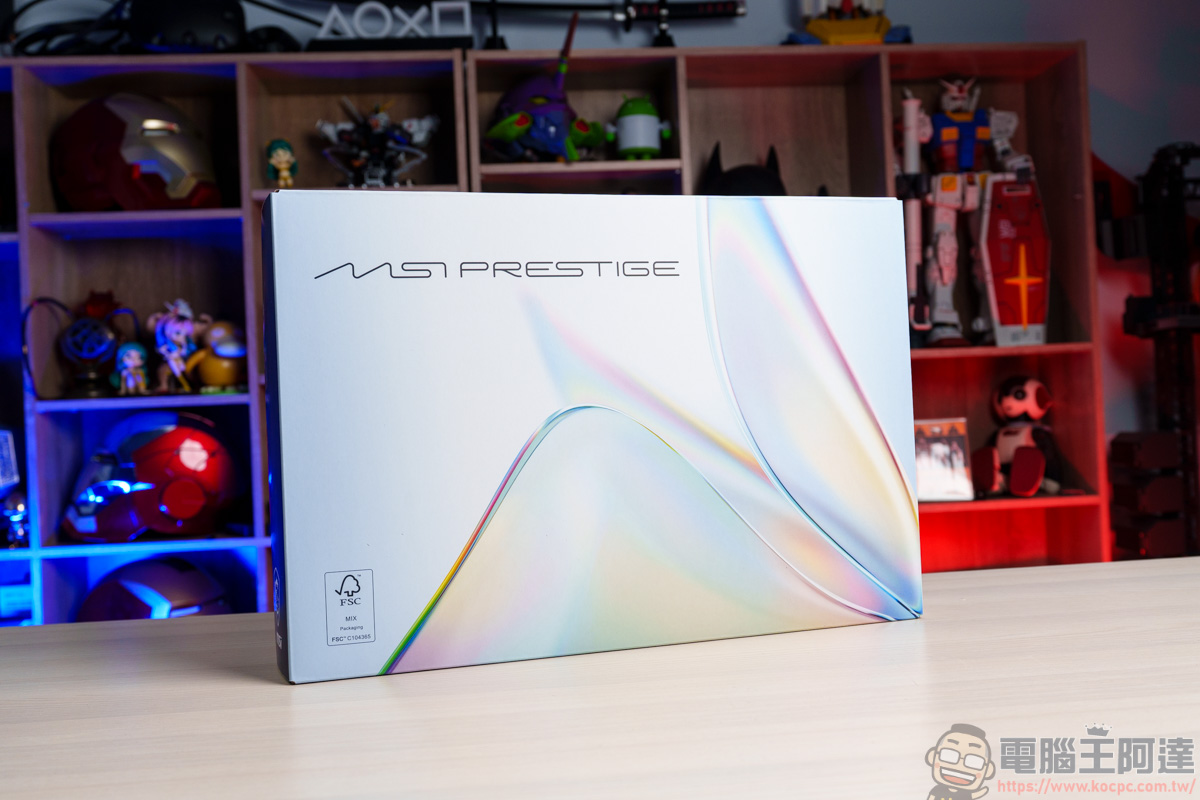
MSI Prestige 14 Flip AI+ unboxing
The contents of MSI Prestige 14 Flip AI+ include: MSI Prestige 14 Flip AI+, PD 65W transformer, MSI Nano Pen, user manual
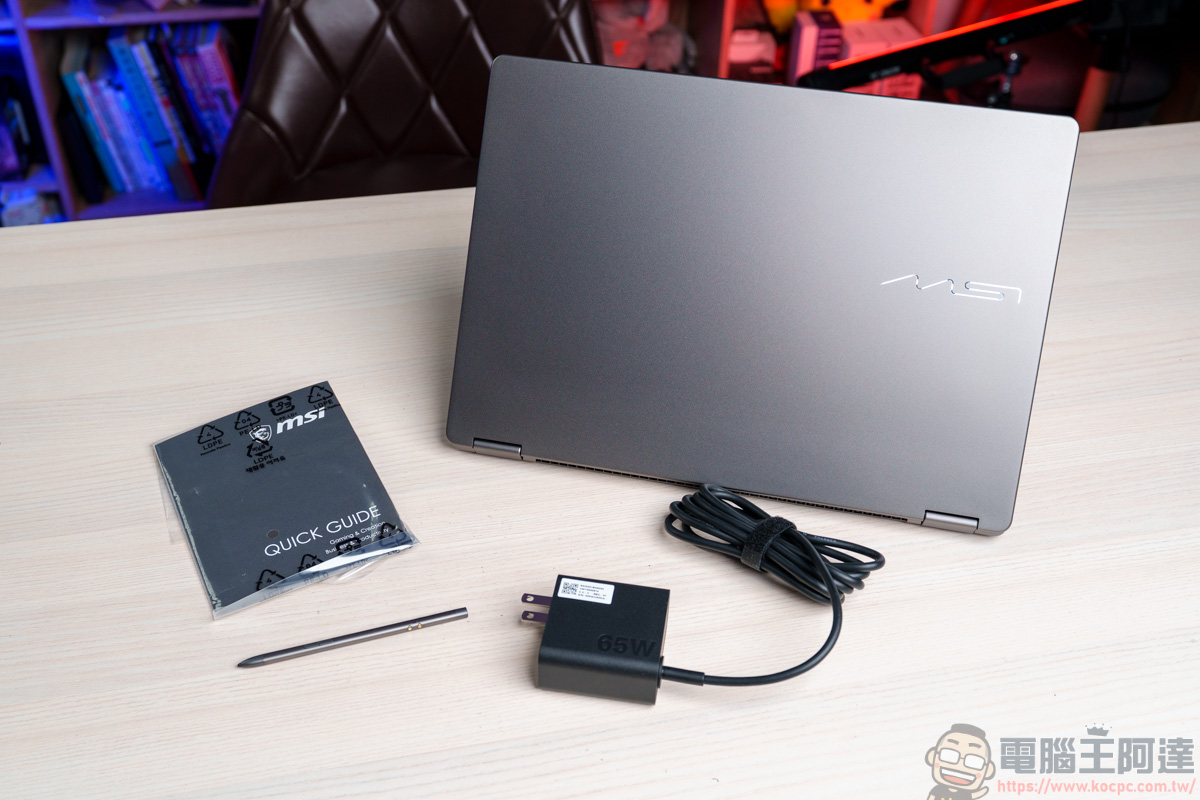
This time, I will give you an MSI PD 65W transformer. If it allows the user to change the Type-C jack at will, it will be used in more situations:
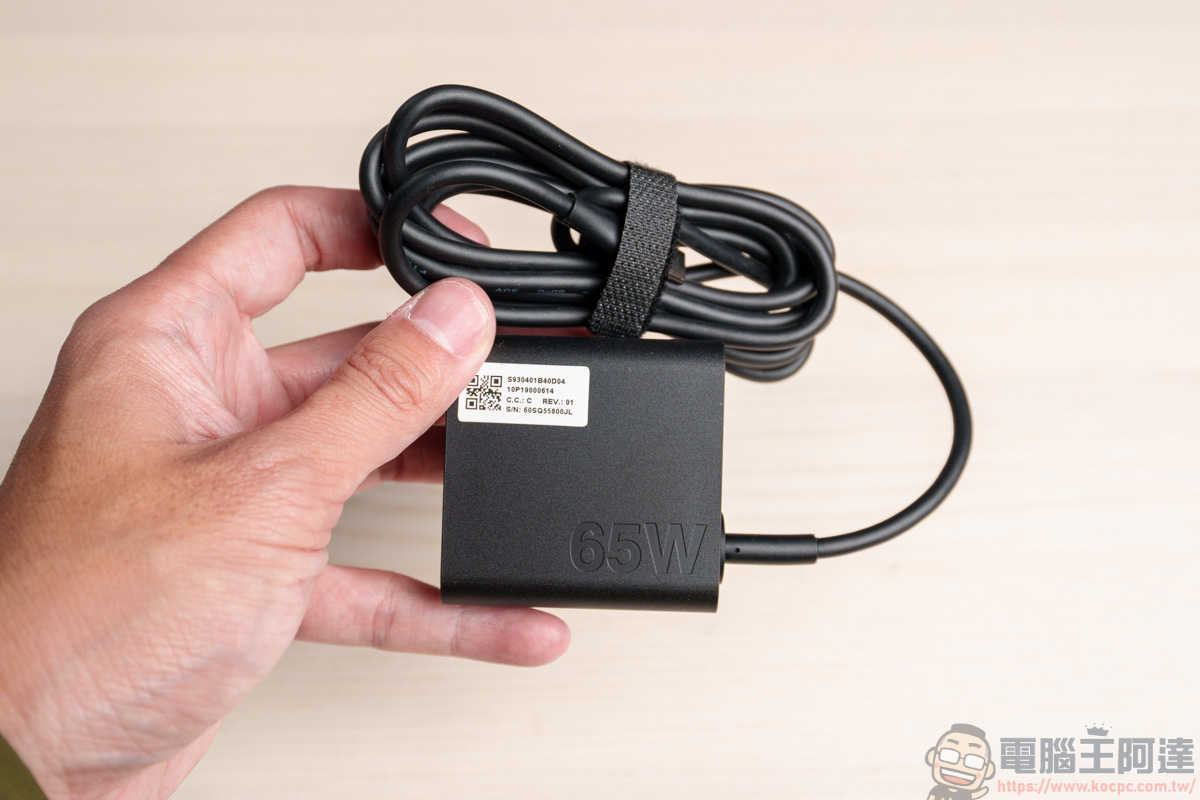
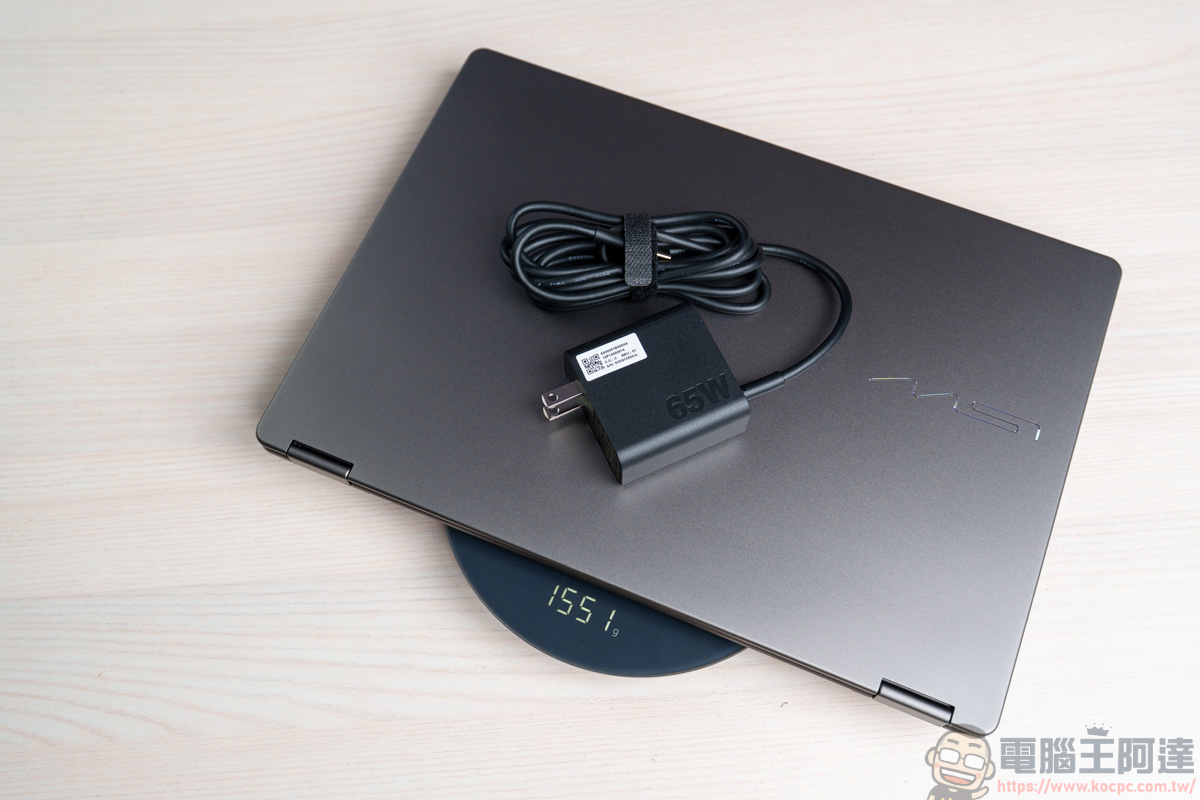
The overall appearance of MSI Prestige 14 AI+ is made of high-quality all-aluminum alloy, and when made of this material, its overall weight is only 1368g. In the past, laptops made of all-aluminum alloy were not light, at least 2KG, so it can be seen that MSI’s own technology is quite powerful:
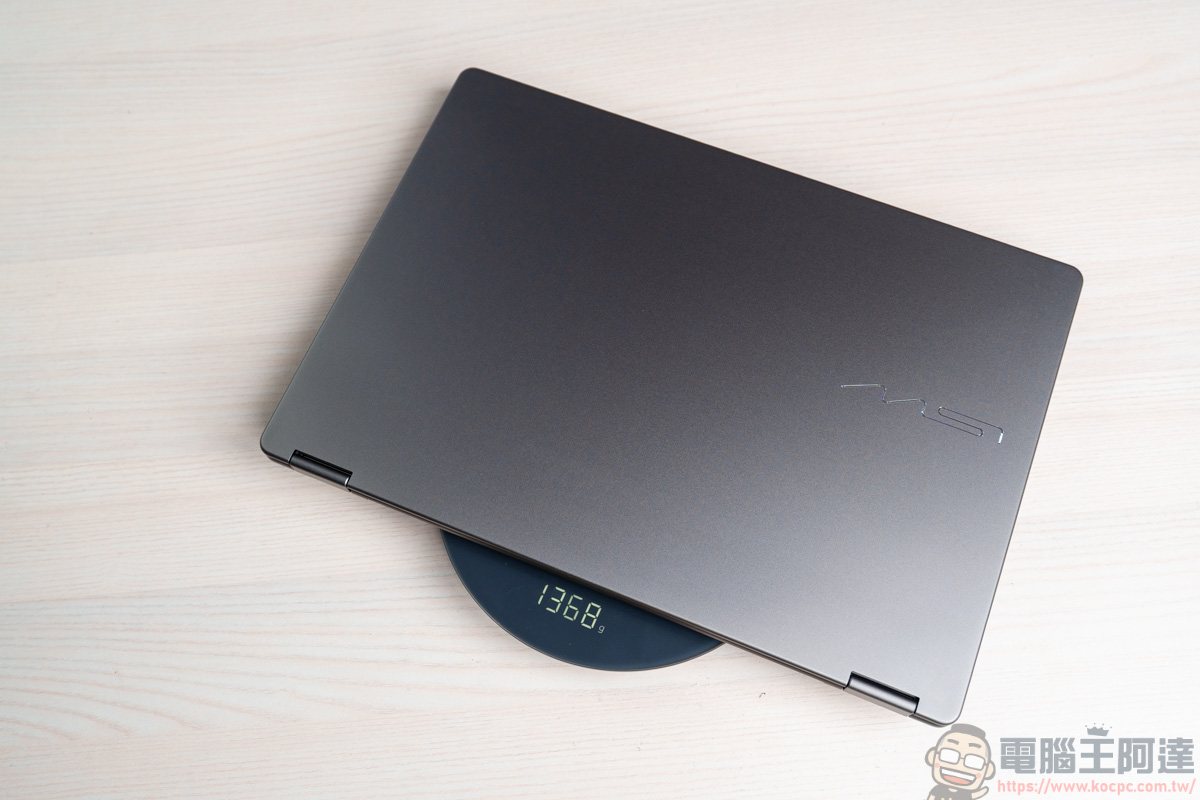
If used with the original PD 65W transformer, the weight will be 1551g, which is also a weight that is not burdensome to take out:
MSI Prestige 14 Flip AI+ appearance
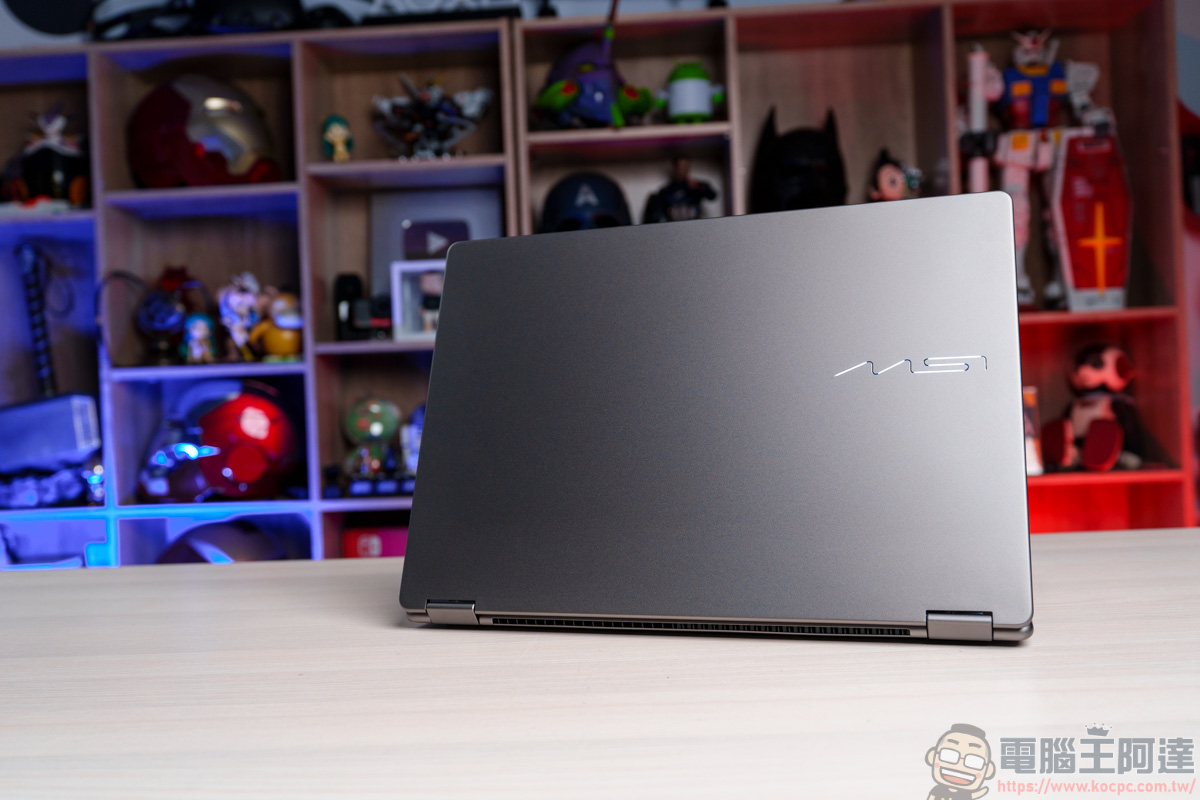
The MSI Prestige 14 AI+ is made of all-aluminum alloy. The overall texture is quite elegant. For a business laptop, its appearance and materials all appear to be quite high-end and distinguished:
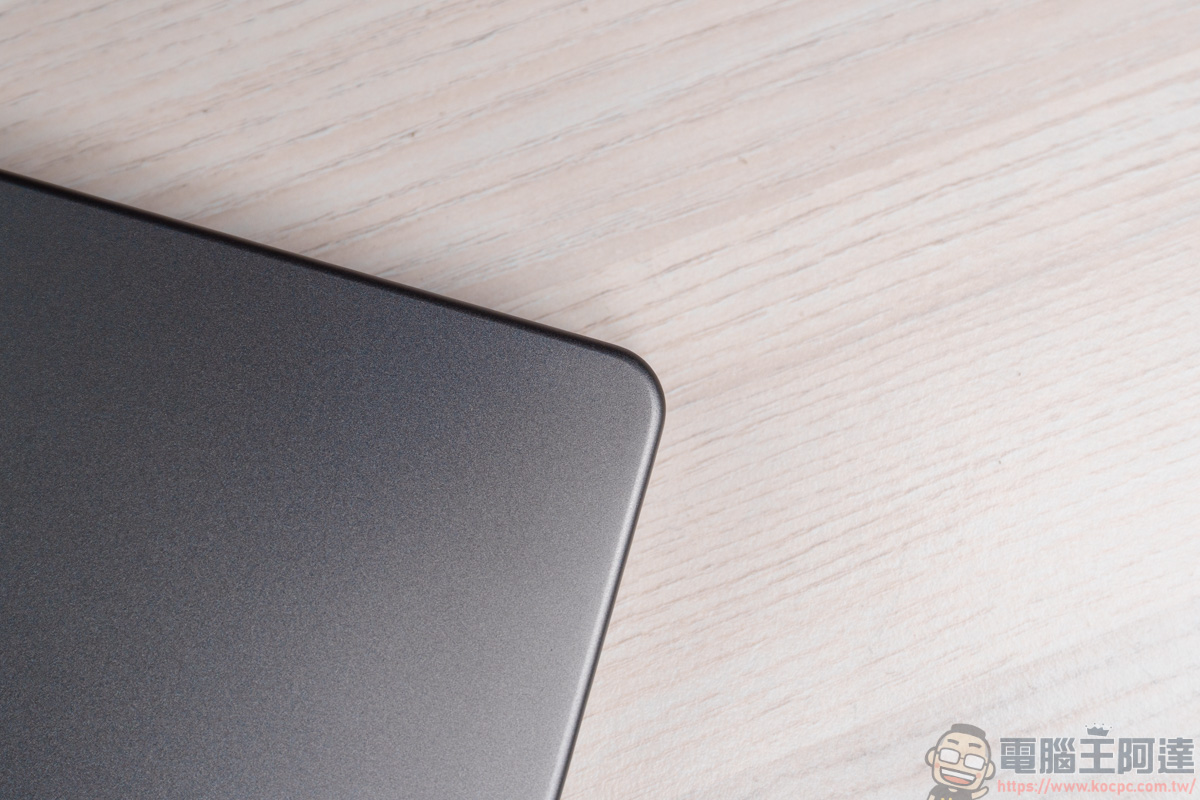
The rounded corners and coherent body lines around the fuselage create an elegant metallic feel:
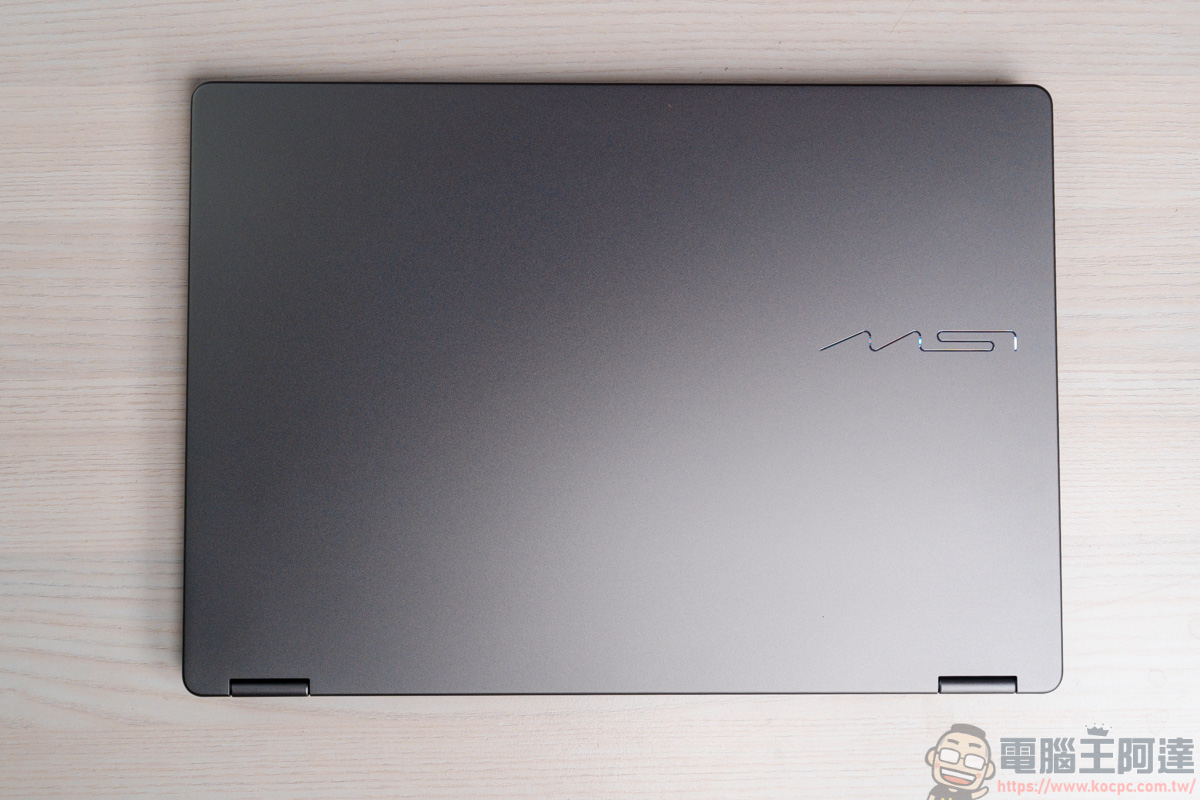
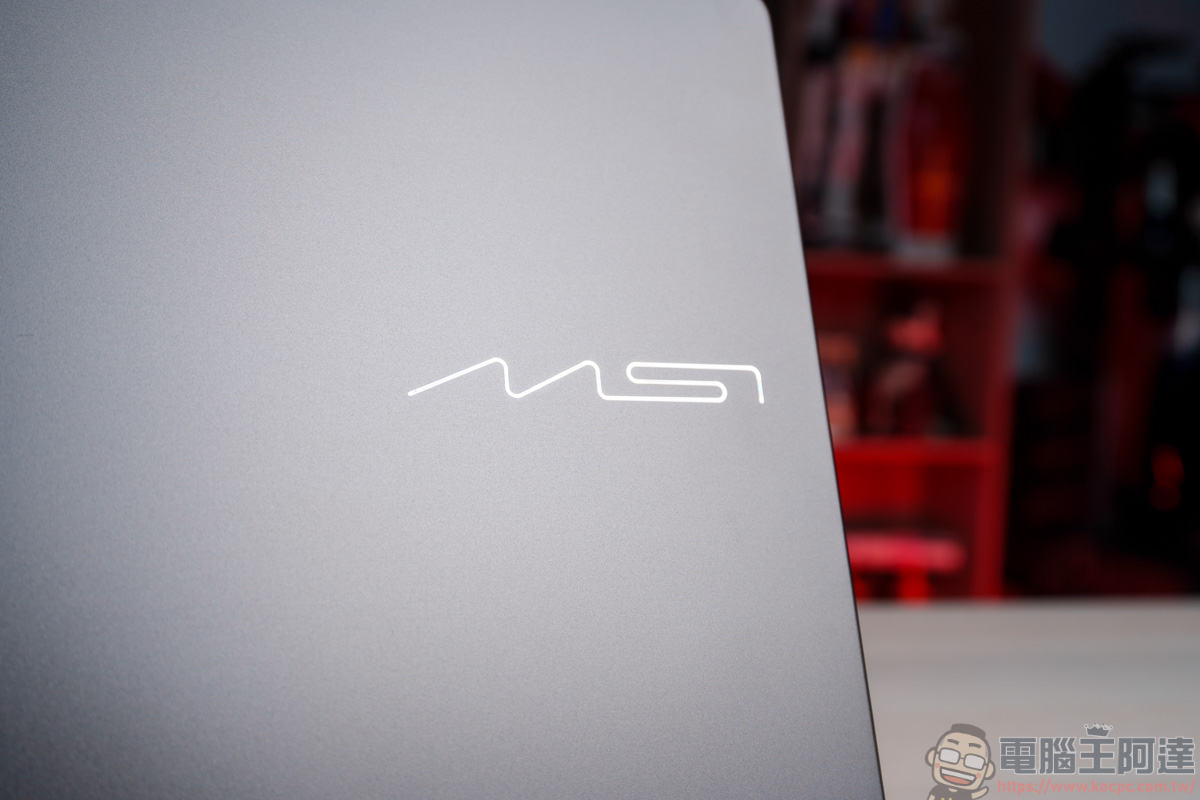
Have you noticed any differences on the front of the fuselage? This time the MSI Logo on the front has also been replaced with a new style, becoming more geometric and abstract:
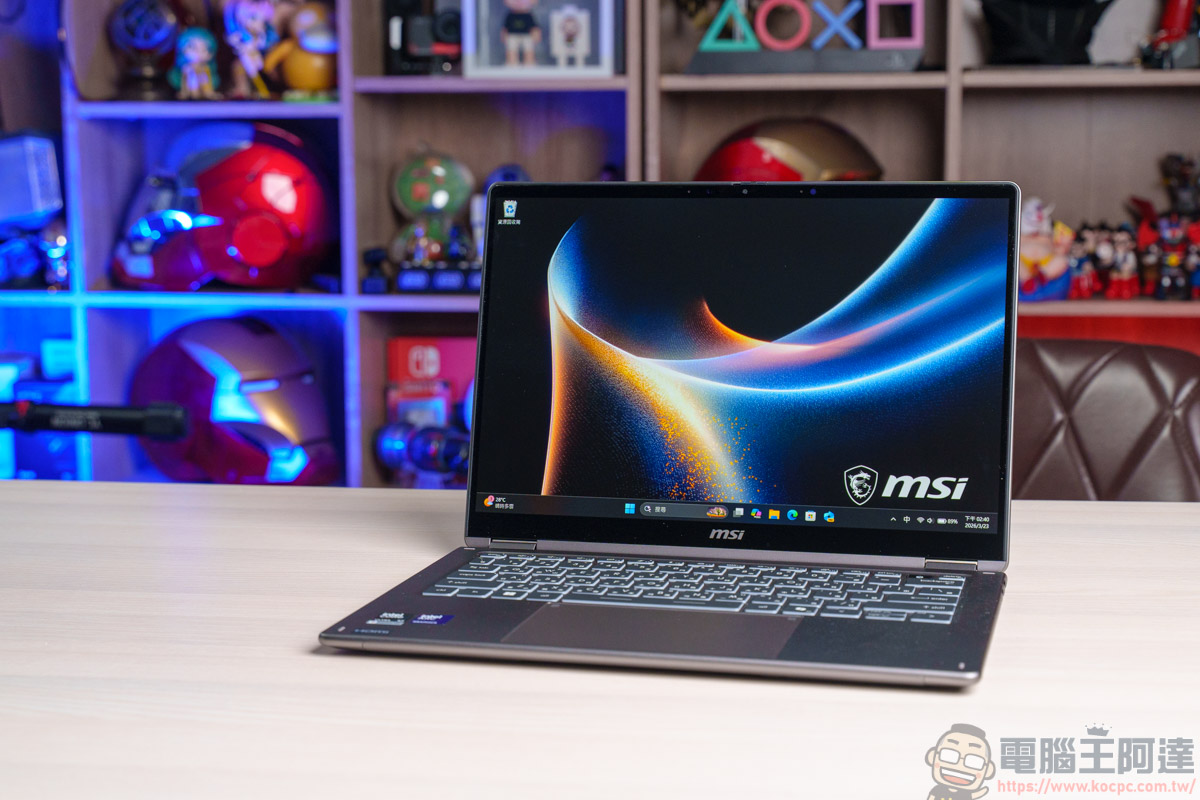
The B-side screen adopts a 14-inch screen design. The biggest highlight is that it is an OLED touch screen and has 100% DCI-P3 color gamut coverage. The specifications are as follows:
- 1920 x 1200 14-inch OLED panel touch screen
- 100% DCI-P3 color gamut coverage
- Passed SGS low blue light and flicker-free certification
- Enhanced durability with Corning® Gorilla® glass
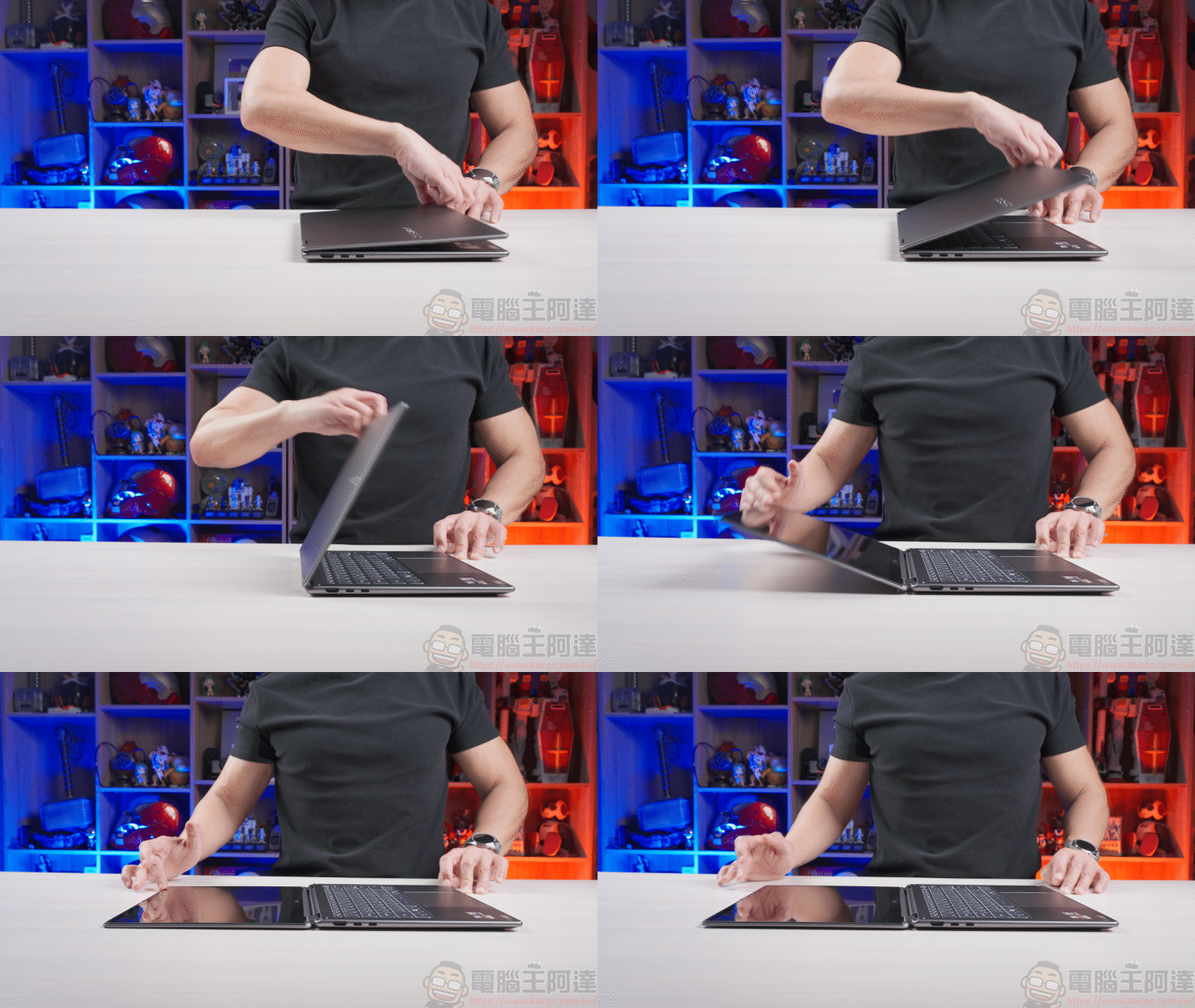
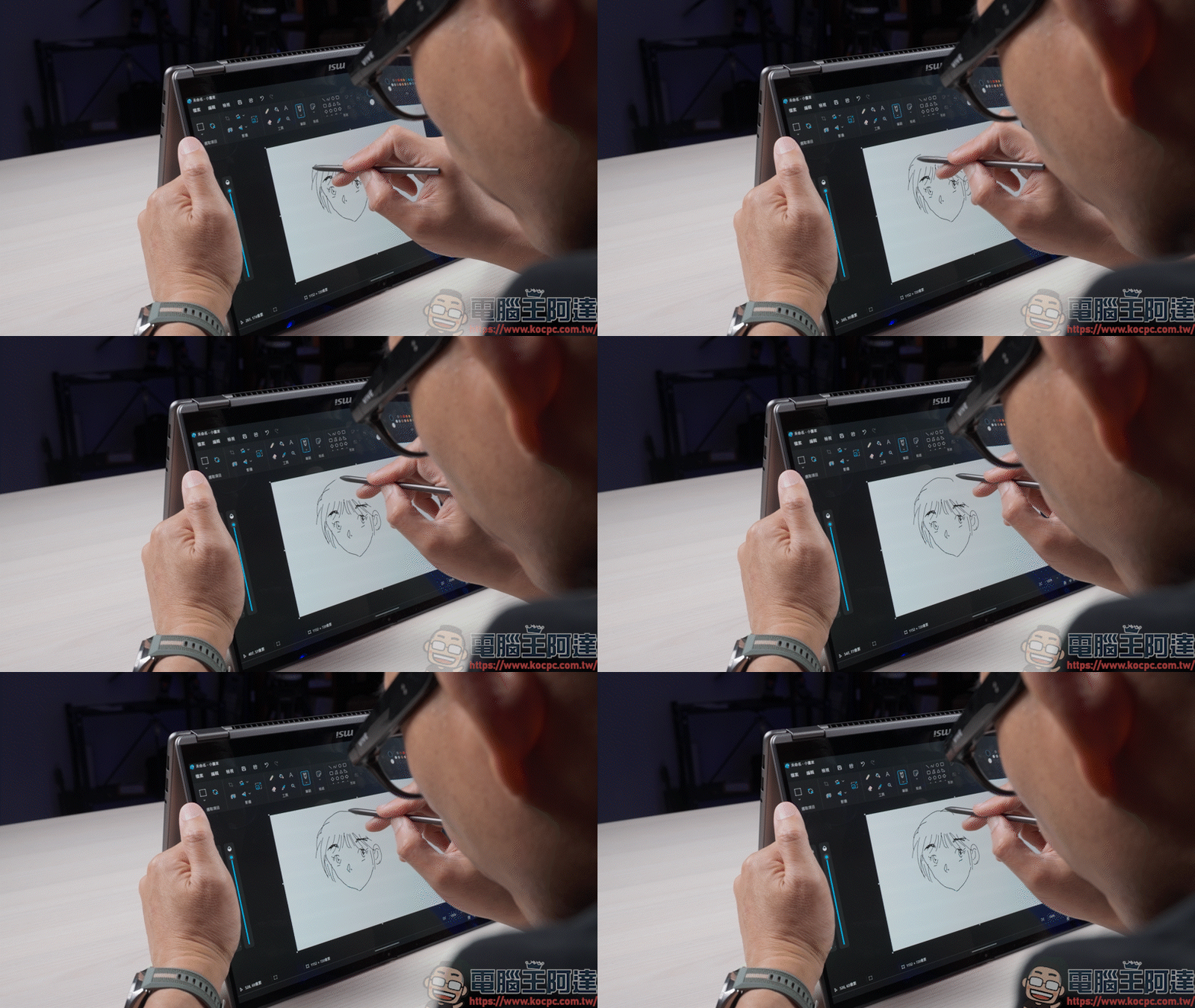
And what’s very special about this screen is that in addition to being able to be used flat, users can even use the flip mechanism of the screen to use it as a tablet:
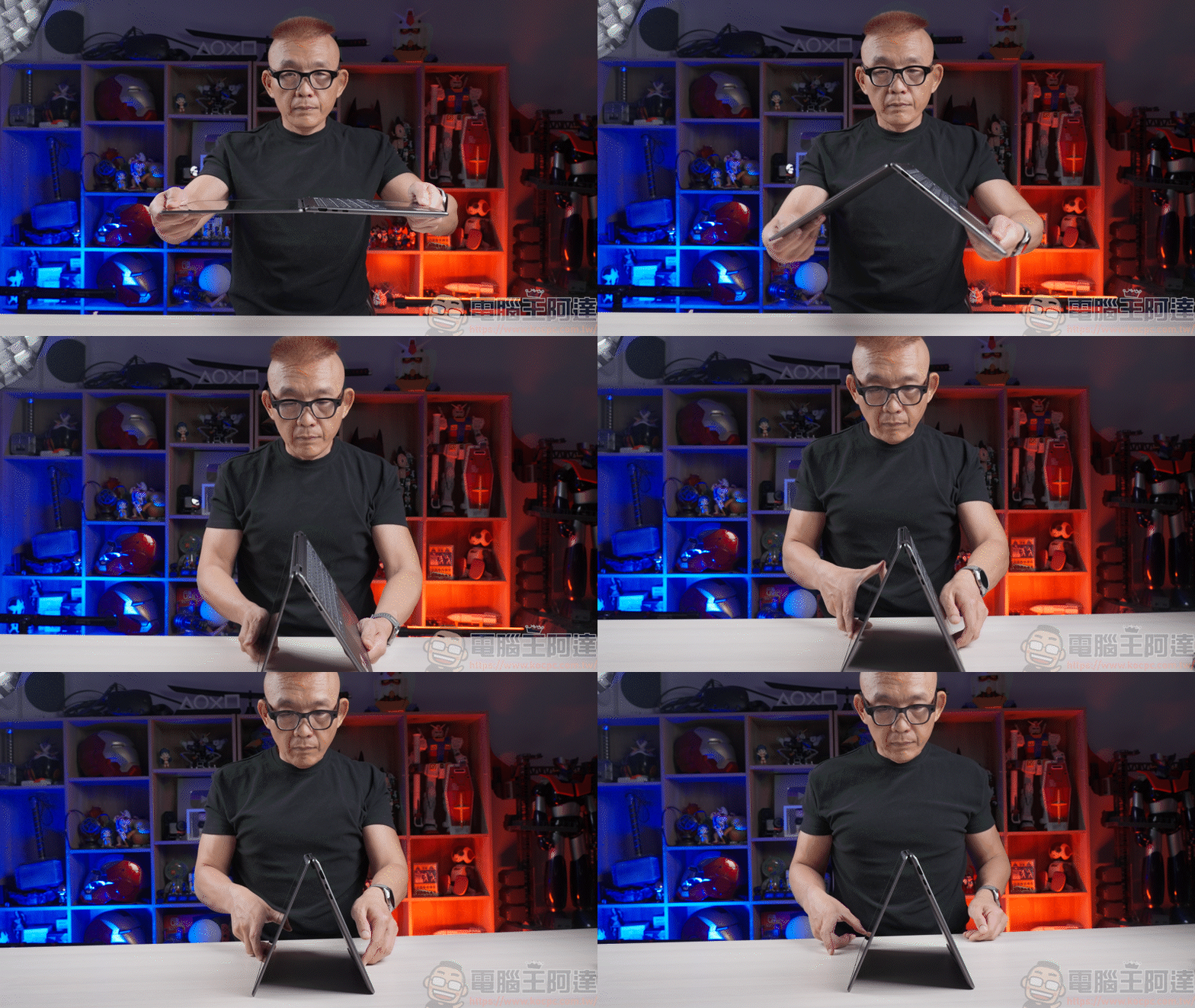
Coupled with the new MSI Nano Pen included this time, you can easily use it for drawing, presentations or quick notes. Whether it is for business or creation, this MSI Nano Pen will be the best helper for your work:
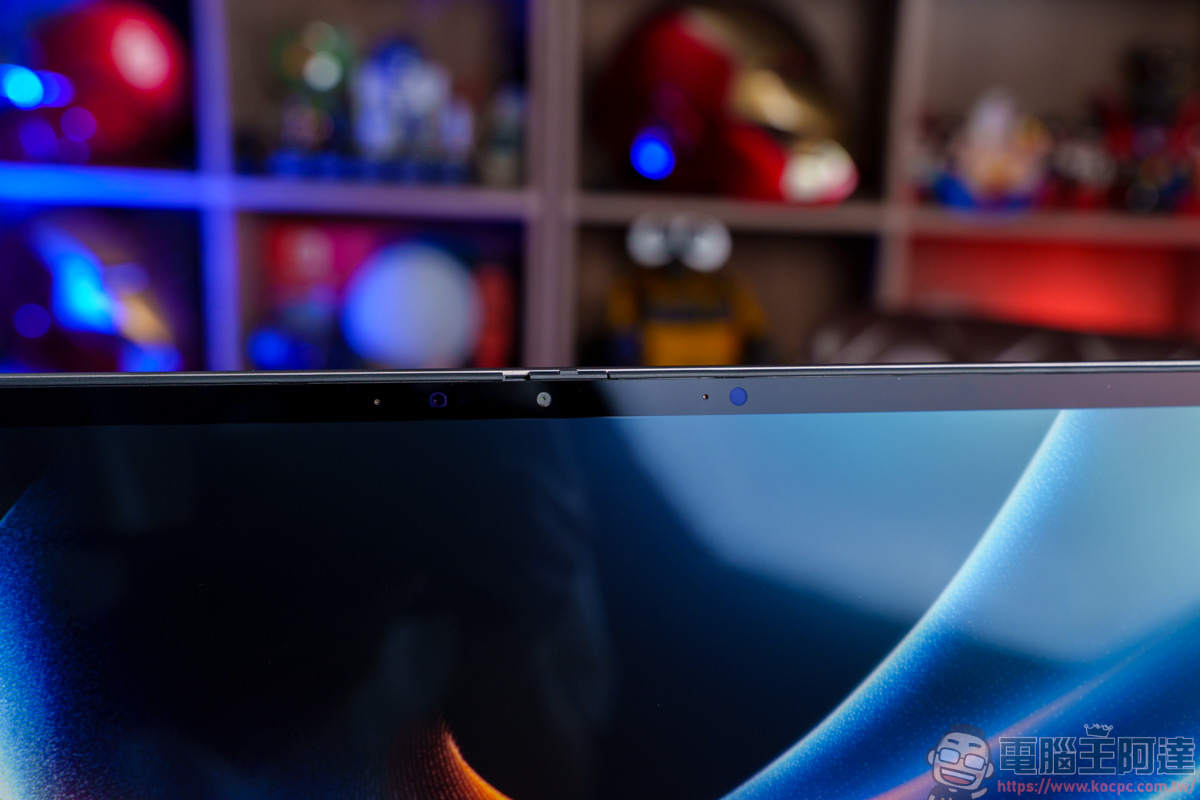
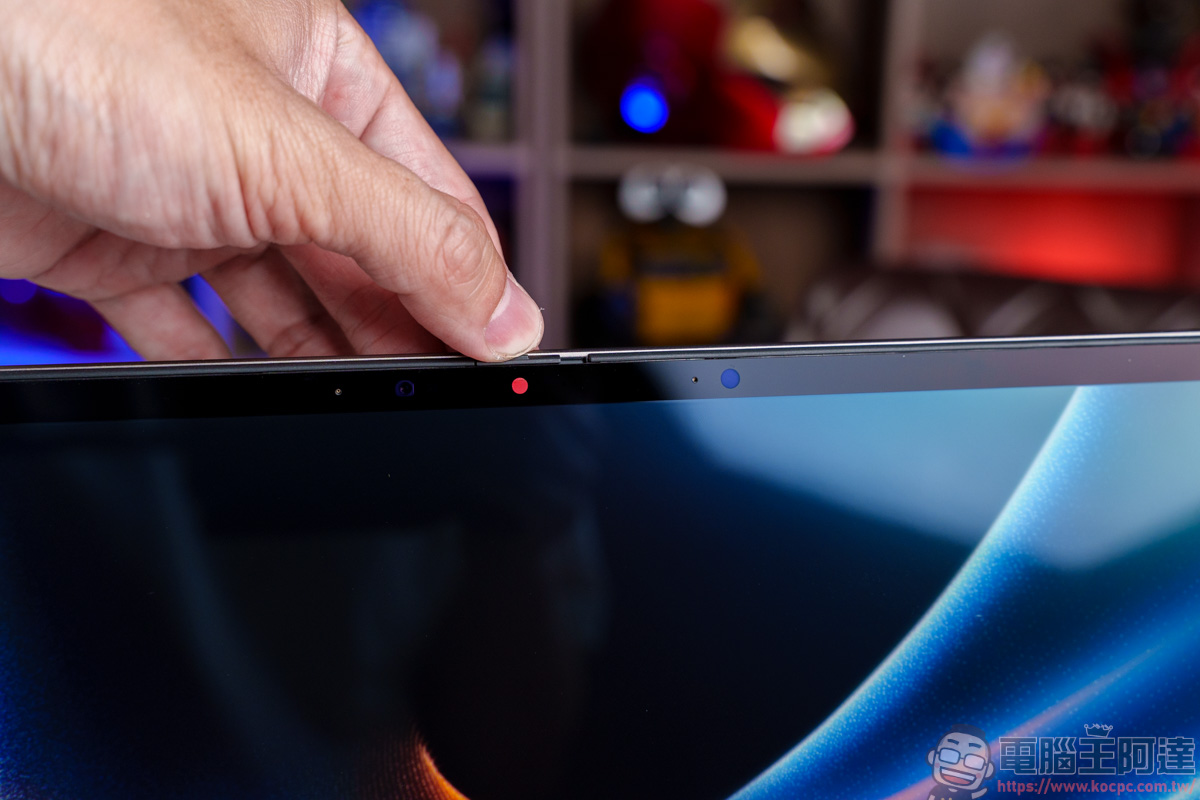
At the same time, it is also equipped with a shieldable 1080p 30fps infrared video lens and a three-microphone design above the screen. Together with 3D noise reduction, AI noise reduction and built-in face recognition functions, it can provide business people with a high-quality video call experience and a more secure unlocking function:
The thickness of the sides of the screen is not too thin. After all, this is a 14-inch touch screen equipped with Corning® Gorilla® glass, so it will be different from ordinary laptop screens:
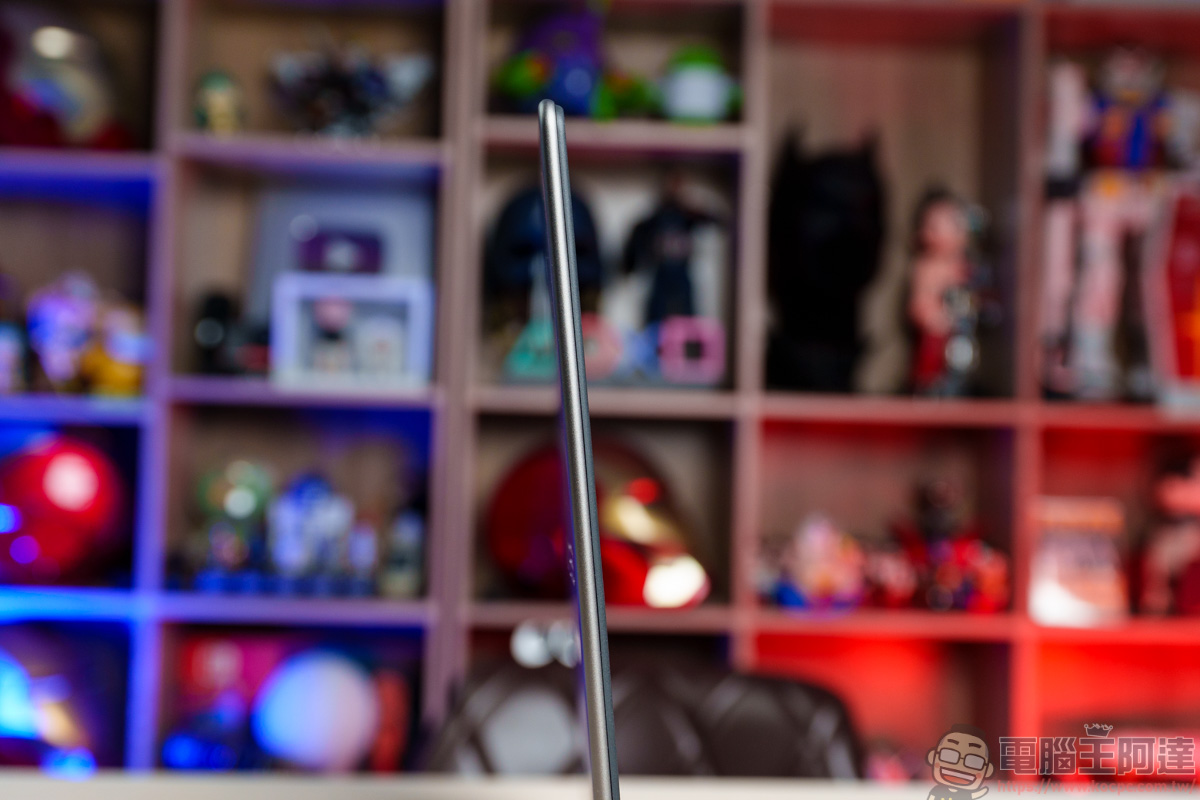
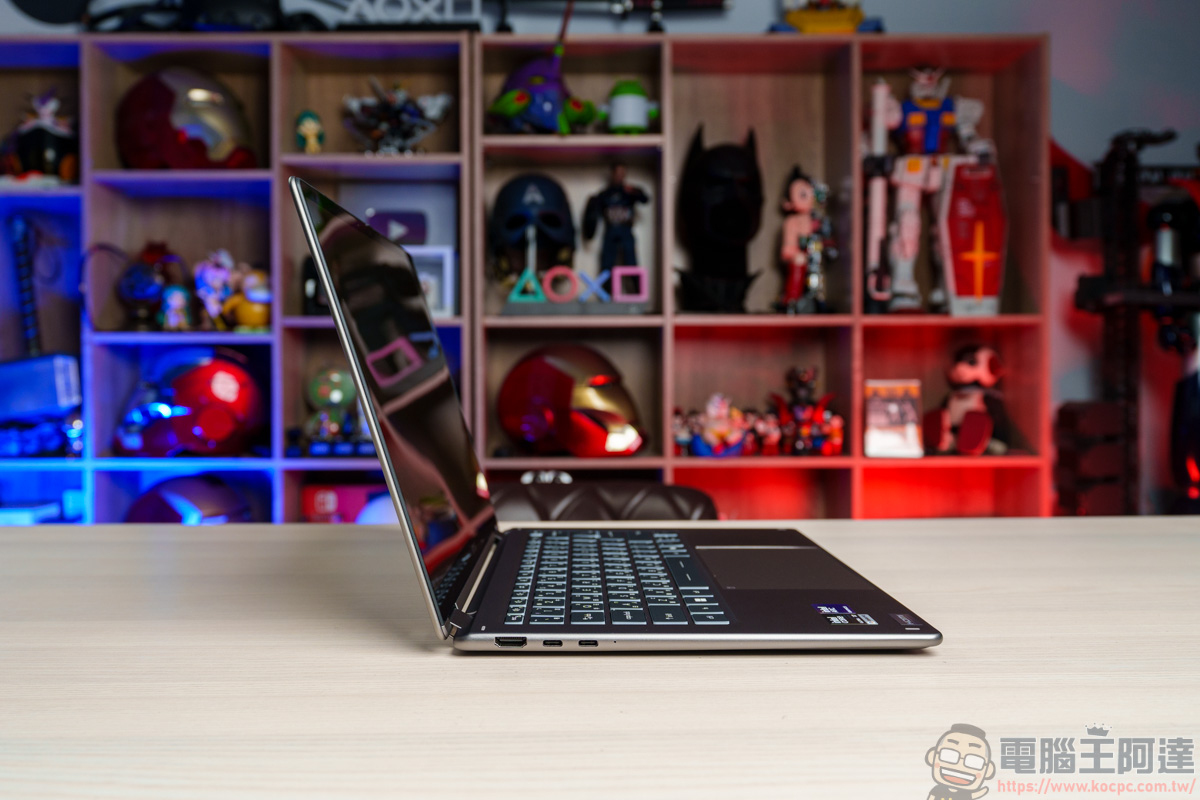
But for an all-aluminum alloy body, the overall thickness is quite thin and light, not to mention that it is also equipped with many super powerful functions. We will introduce them one by one later:
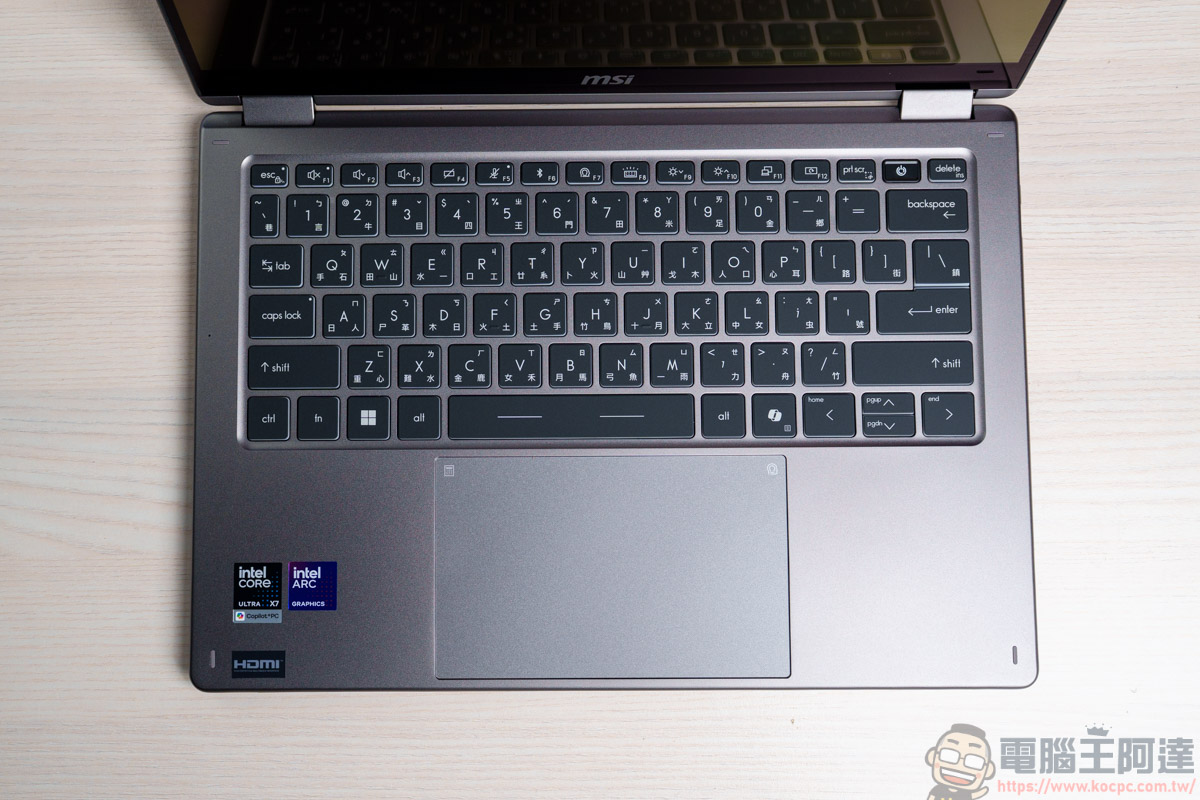
Side C is the keyboard and touchpad. The keyboard is designed with UV-coated keycaps, which can prevent fingerprints and stains caused by typing, and is less oily after long-term use:
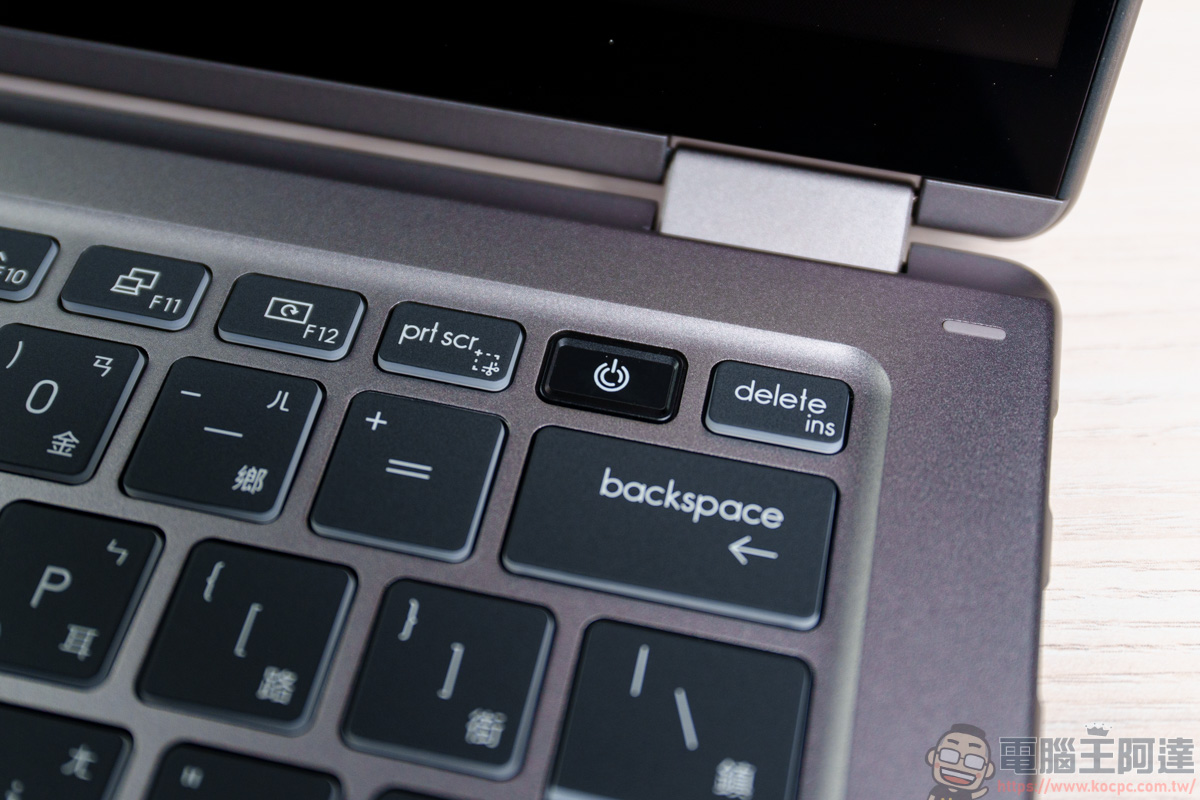
The switch button function also has built-in Windows Hello fingerprint recognition function:
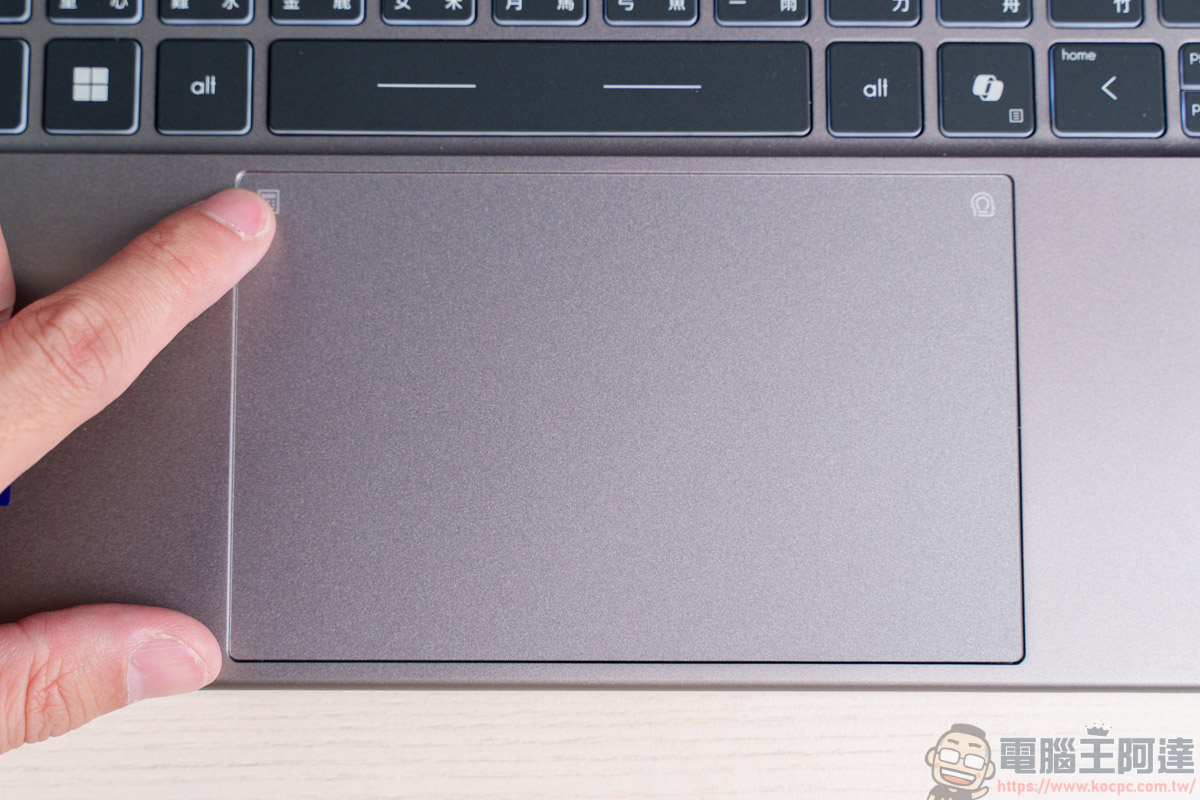
This time the touchpad is an upgrade that I personally find very interesting. First of all, its area has been widened, making it very convenient to move the mouse position in a wide range:
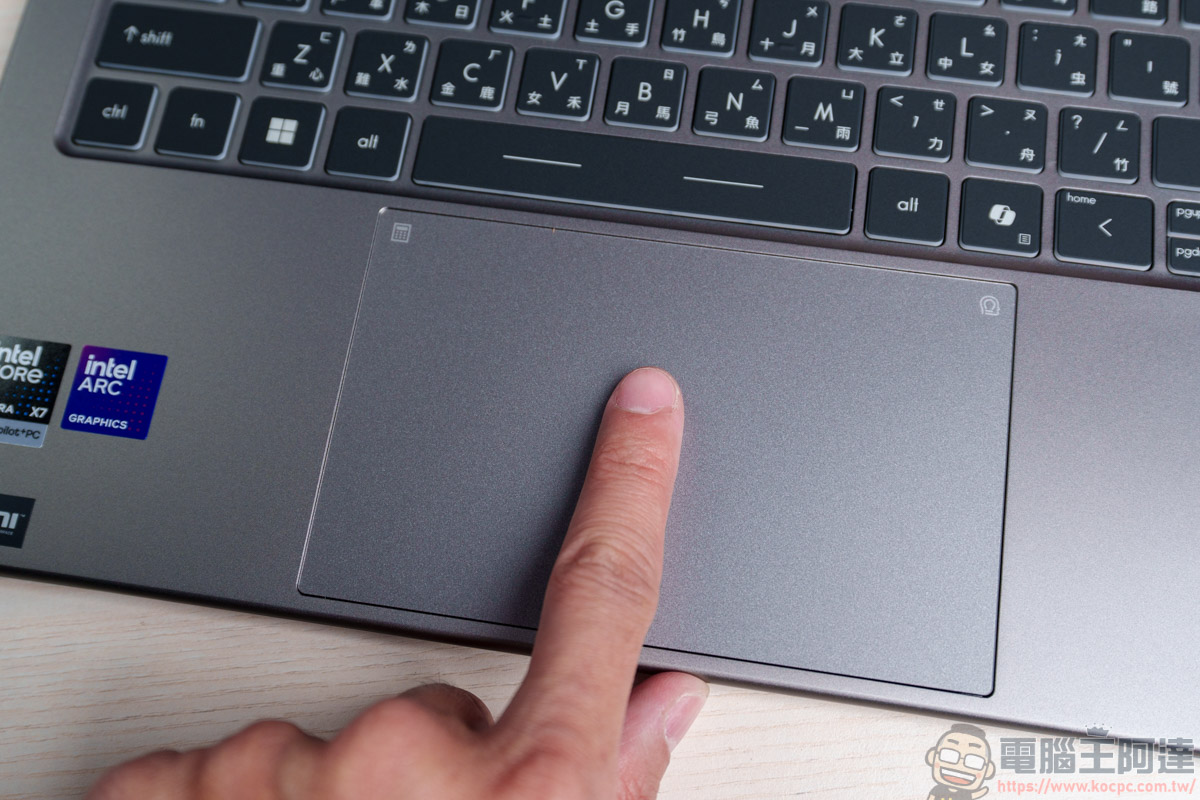
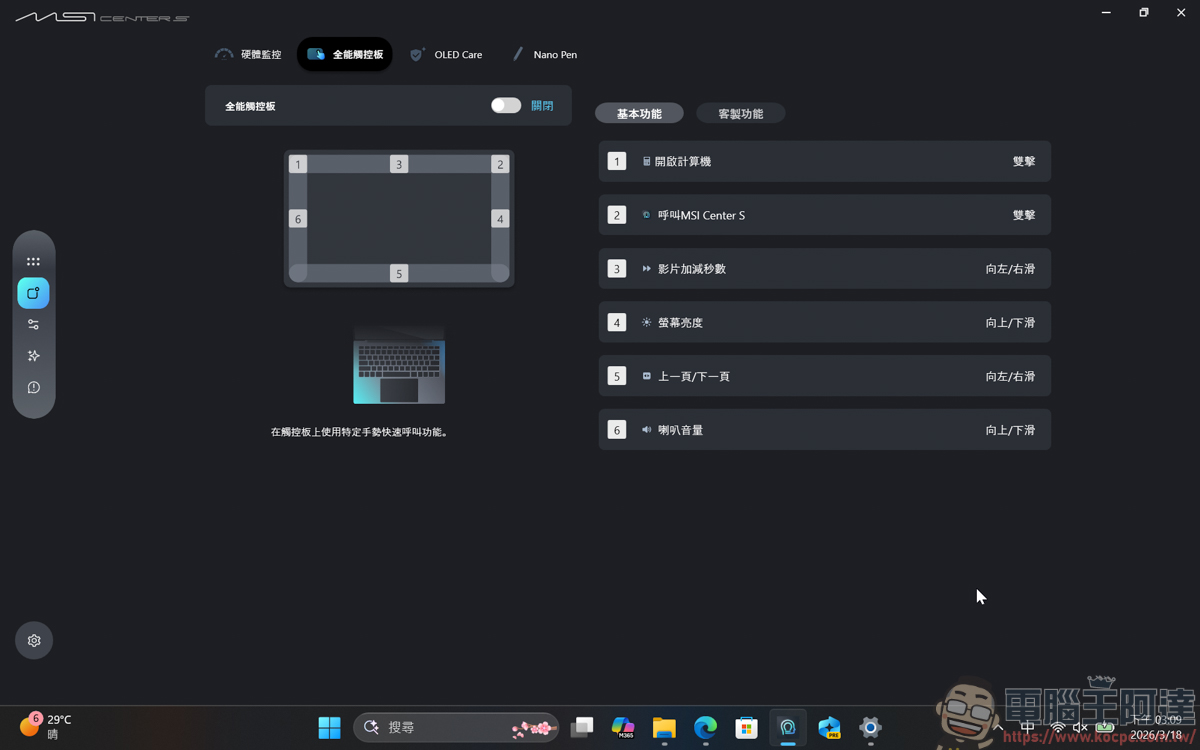
At the same time, the touchpad also has up to six call functions. Specific gesture operations can be set to trigger specific function keys through the new MSI Center S software. This way, you can customize the quick function keys according to your personal needs and enjoy a more intuitive control experience:
In the MSI Center S software, you can adjust the touchpad’s gesture quick call function, such as quickly starting the computer, calling MSI Center S, video acceleration/playback, brightness adjustment, etc. You can customize these functions yourself:
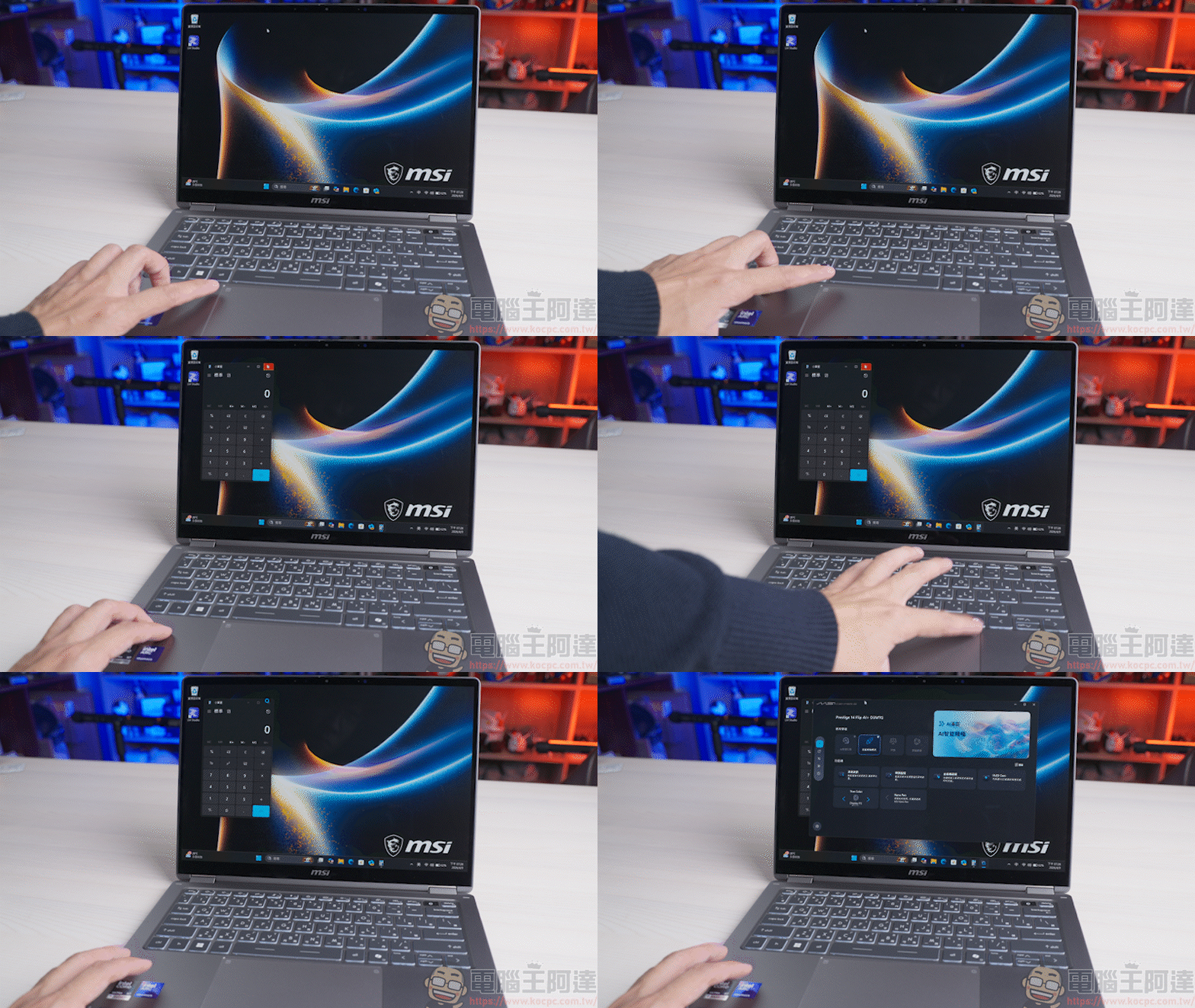
Next is the D-side part. This time MSI has added a dual-fan vapor chamber heat dissipation design to this ultra-thin all-aluminum alloy body, which can effectively dissipate heat more evenly:
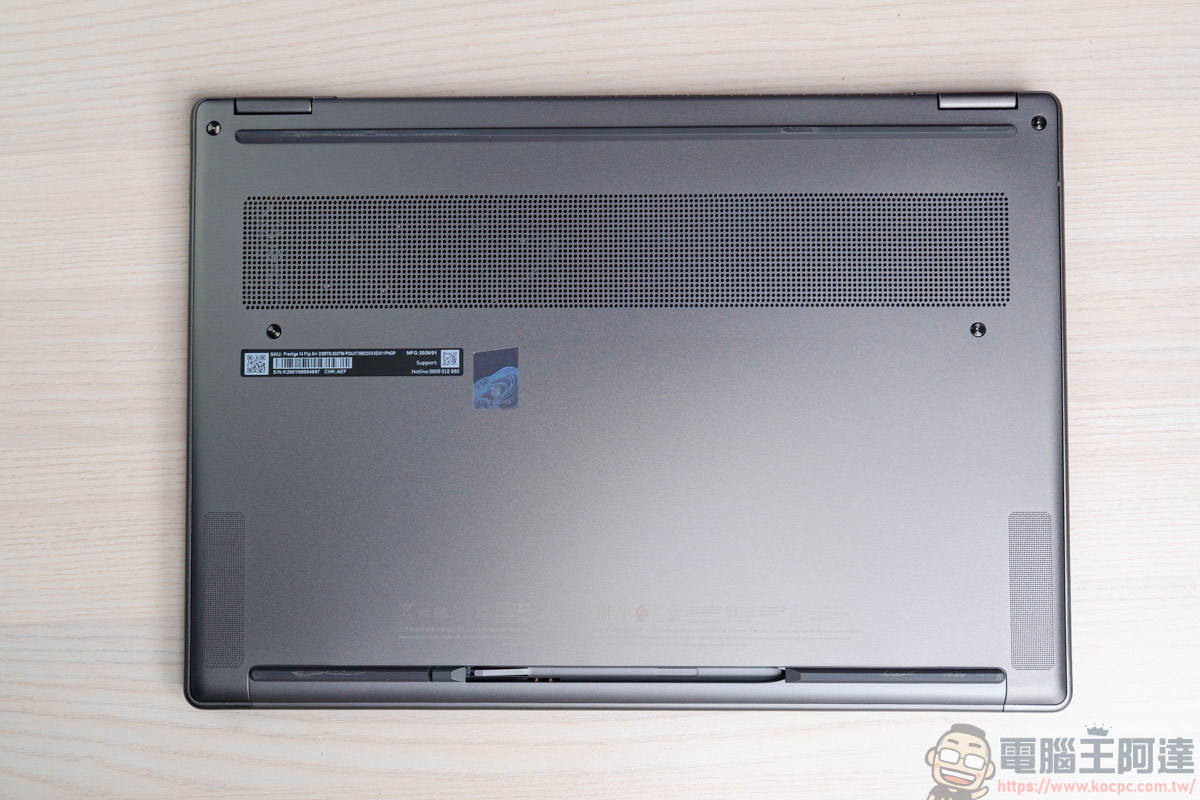
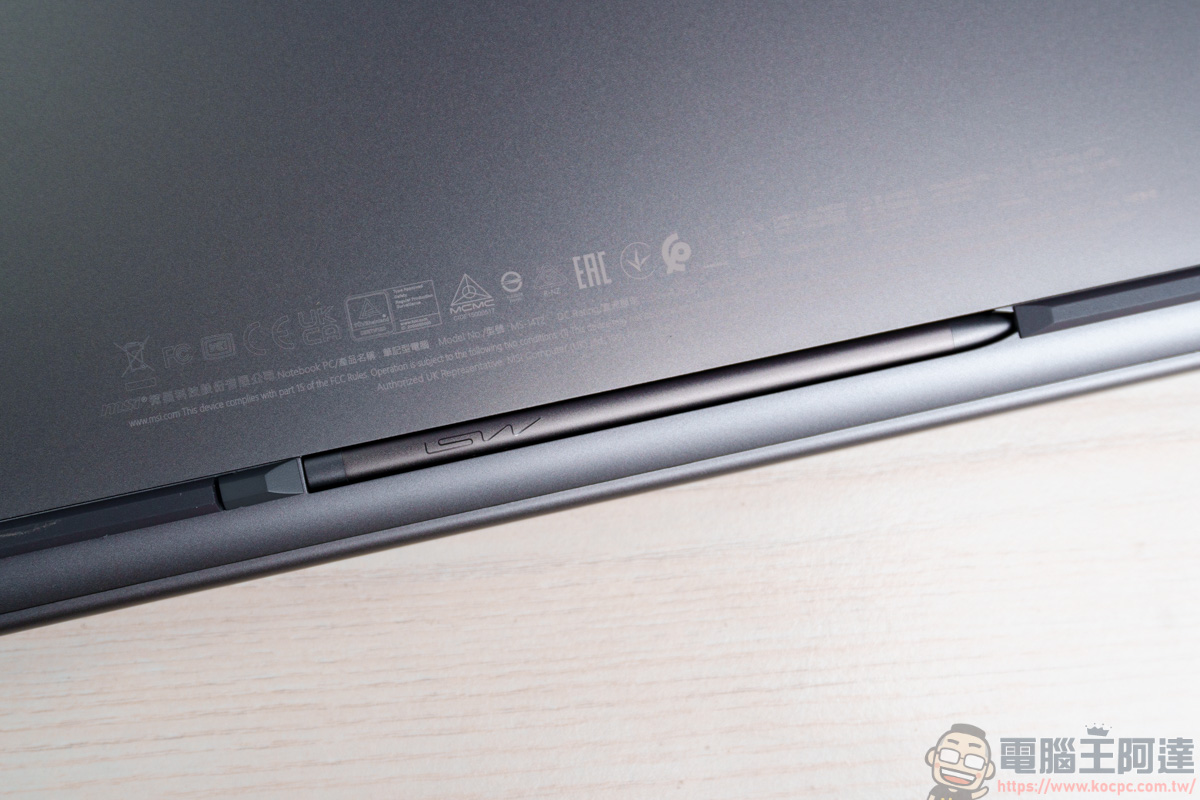
At the bottom, there is an exclusive slot for the MSI Nano Pen. In addition to being able to perfectly store your equipment without losing it, it also has the feature of being able to be used for 60 minutes after charging for 30 seconds, which can greatly improve your work efficiency:
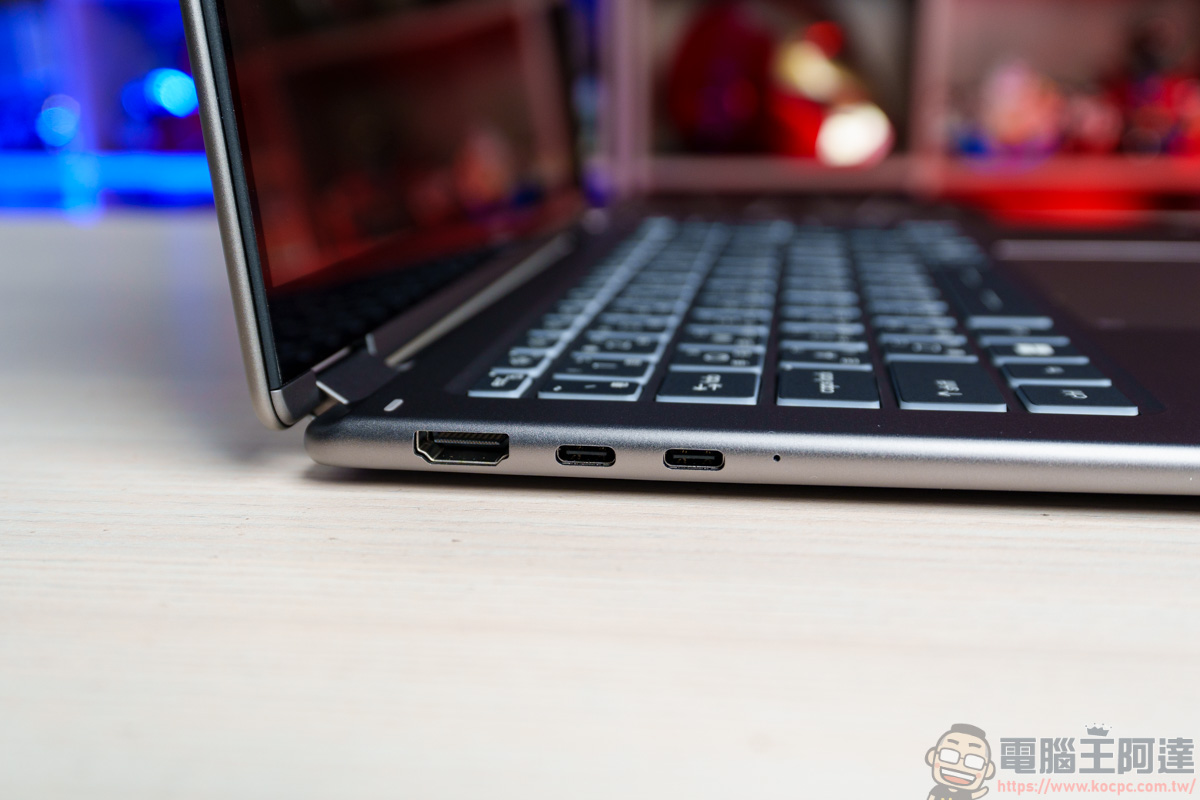
The connection port part is equipped with 2 Thunderbolt 4 Type-C and HDMI 2.1 on the left side (supports 8K @ 60Hz / 4K @ 120Hz):
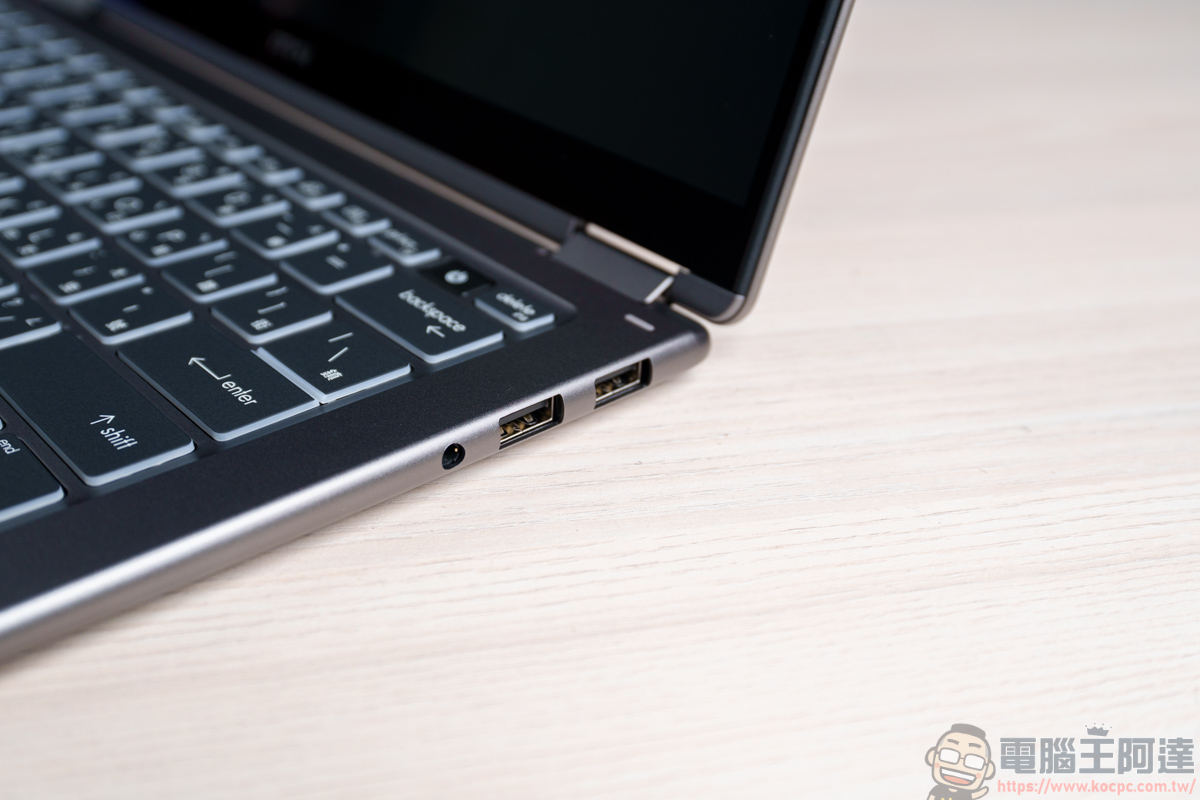
On the right side are 2 USB3.2 Type-A and 3.5mm headphone jacks. The connection ports are quite complete. It can even be said that there is no need to connect an additional Hub expansion, it is enough:
MSI Prestige 14 Flip AI+ built-in system and software introduction
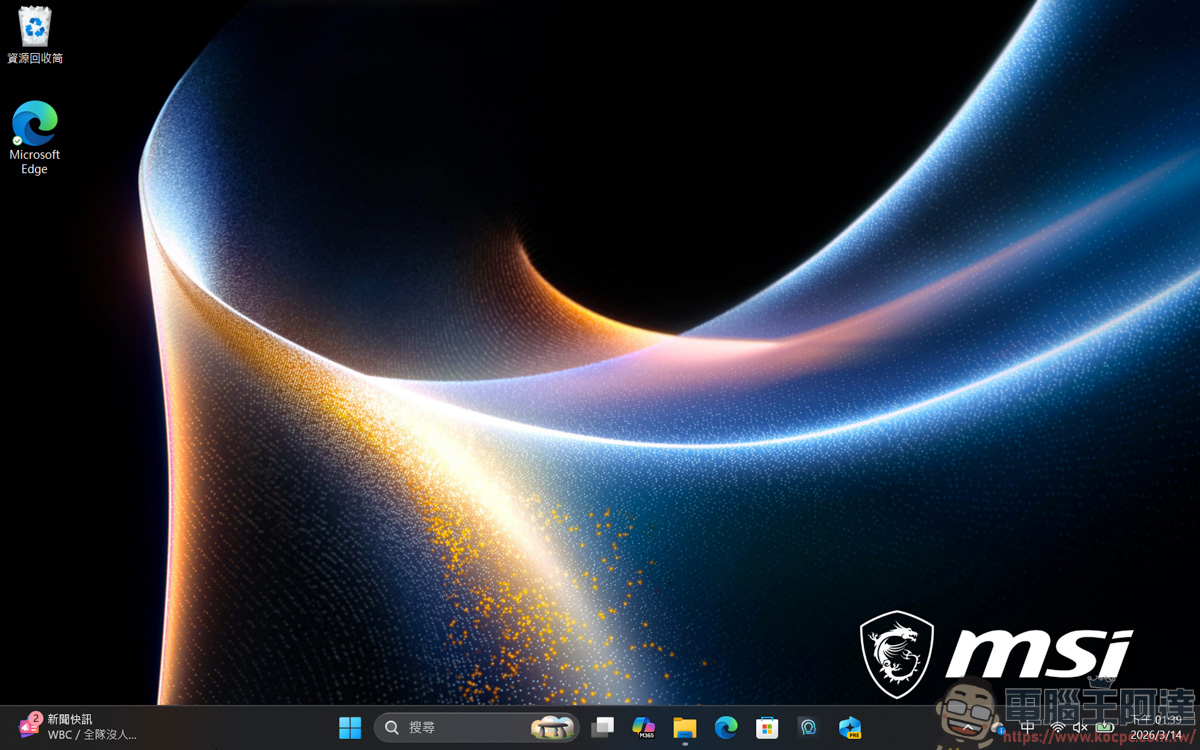
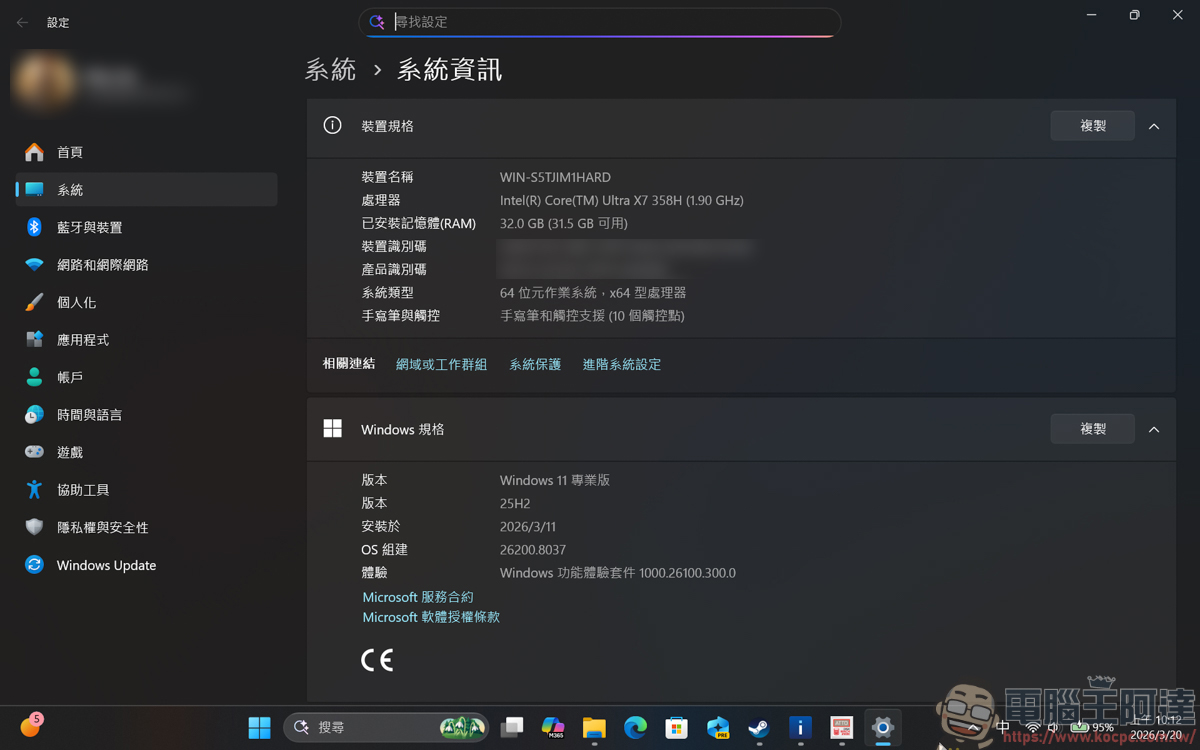
The operating system of MSI Prestige 14 Flip AI+ is Windows 11 25H2 Professional Edition. The Professional Edition will have richer features than the Home Edition:
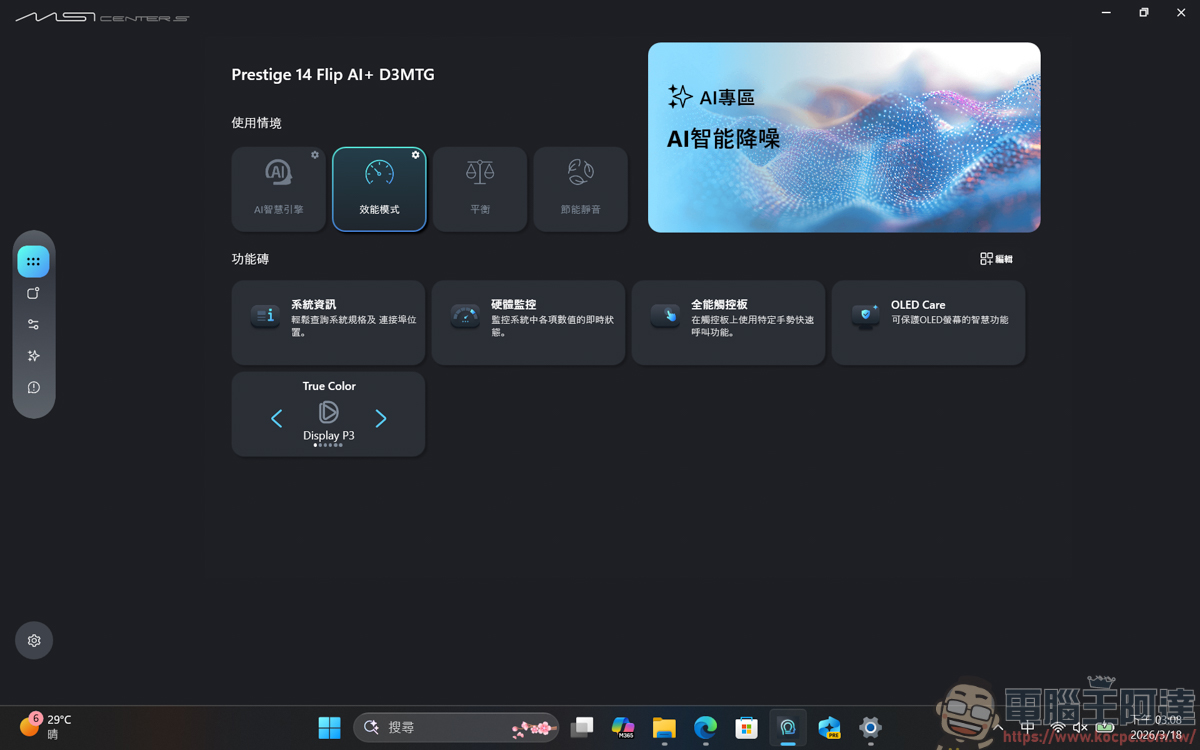
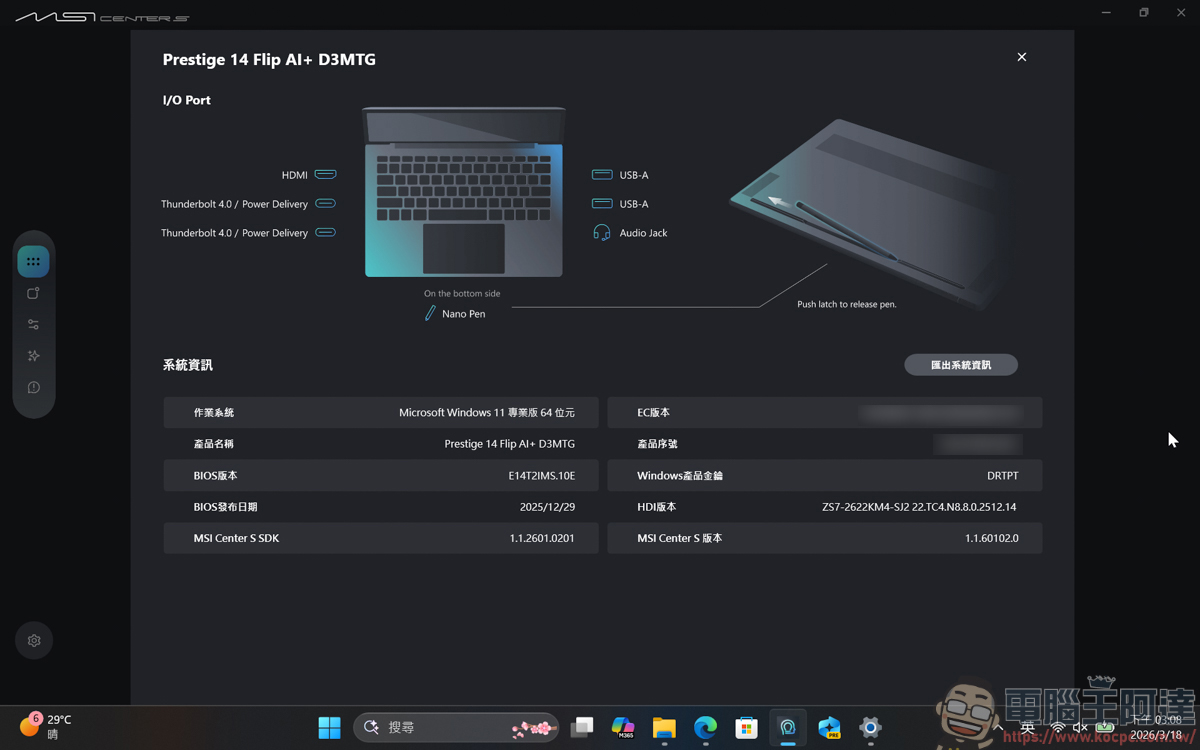
The original MSI Center S software that MSI business laptops must ship with is also included. You can adjust the usage context on the homepage, with four modes: AI smart engine, performance mode, balance, and energy-saving silent mode. At the same time, you can quickly view system information, hardware monitoring, touchpad function settings, OLED adjustments, color gamut changes, and other options below:
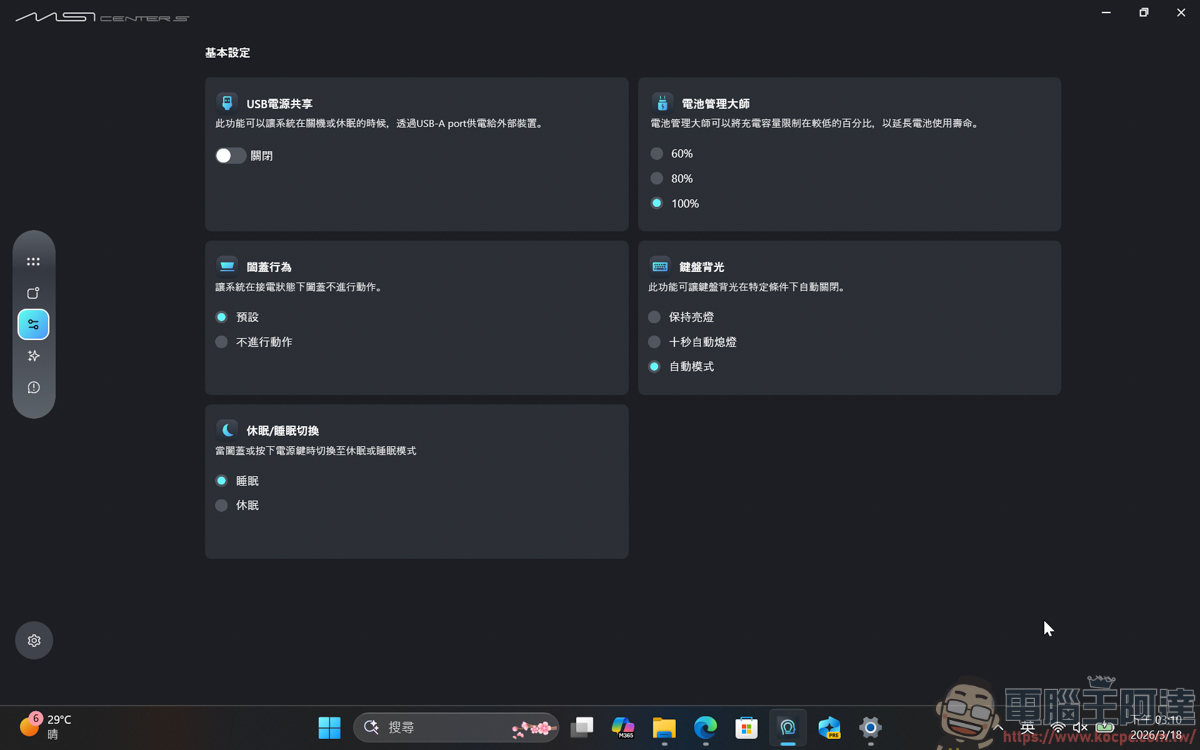
Various system information can also be found in it:
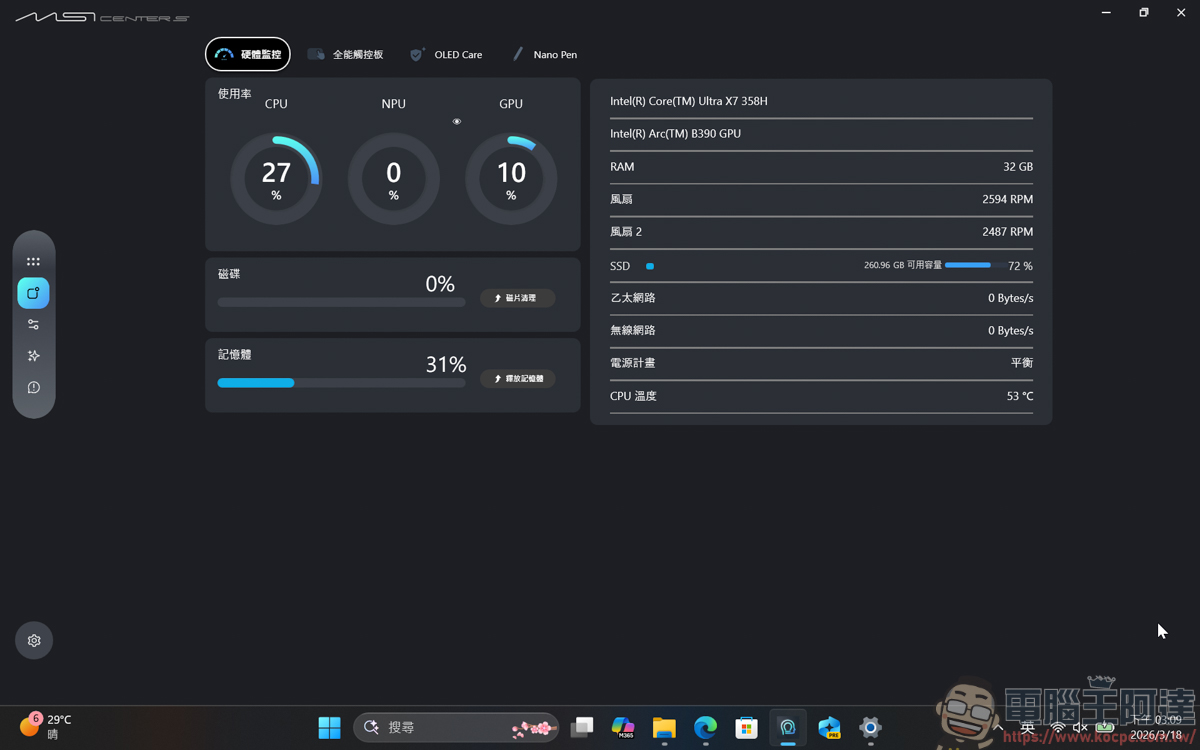
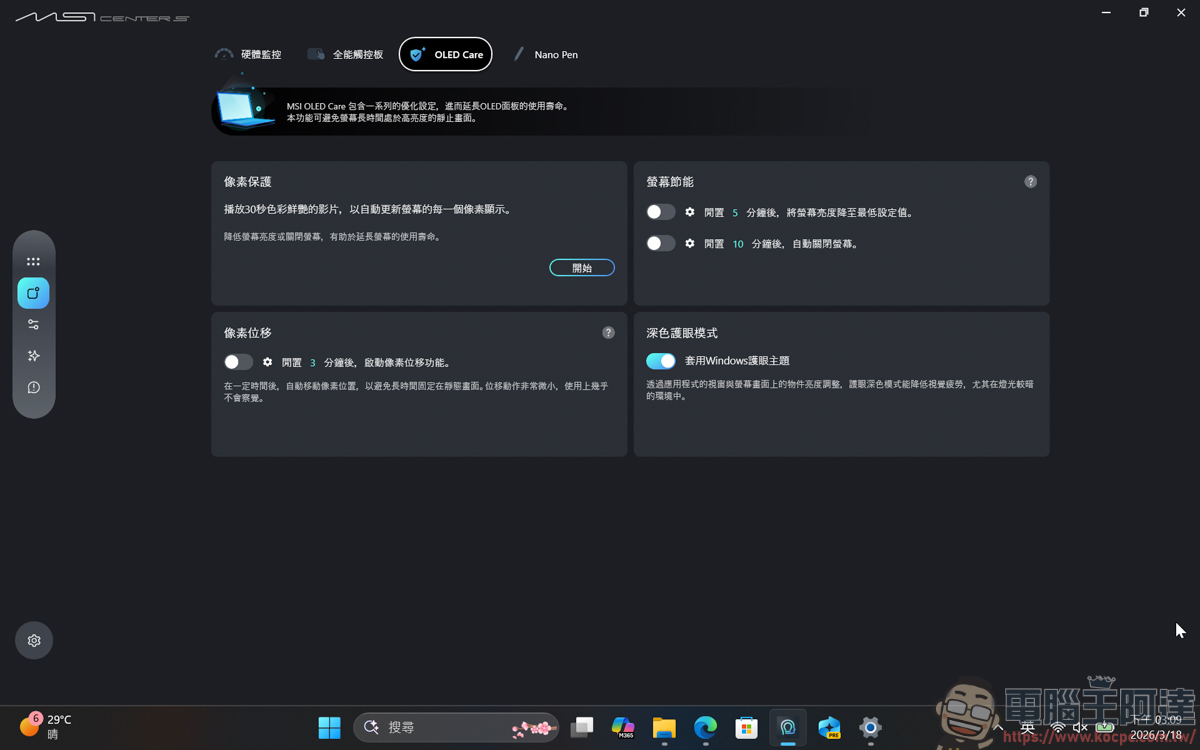
In addition, since it uses an OLED screen, if you are afraid that OLED will cause burn-in after long-term use, you can also use MSI Center S to optimize the function of this screen and extend its service life:
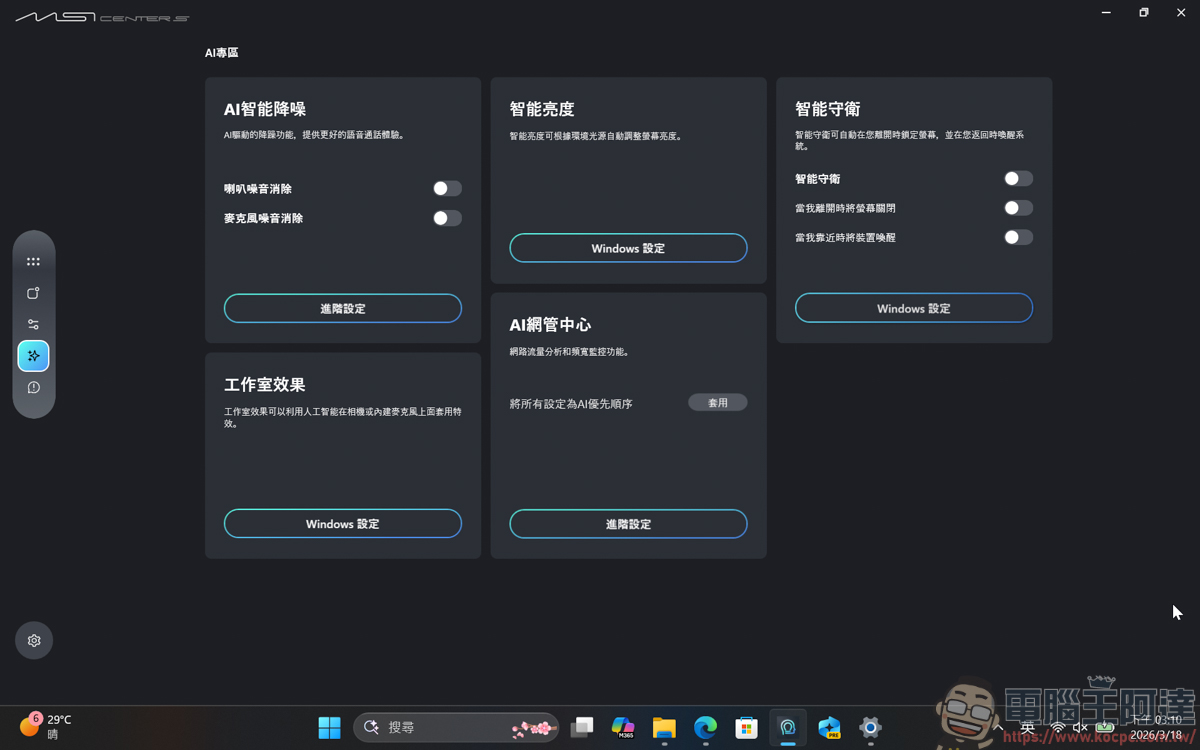
MSI Center S also provides some AI intelligent settings. Through the effect of AI automatic adjustment function, users can reduce many tedious settings:
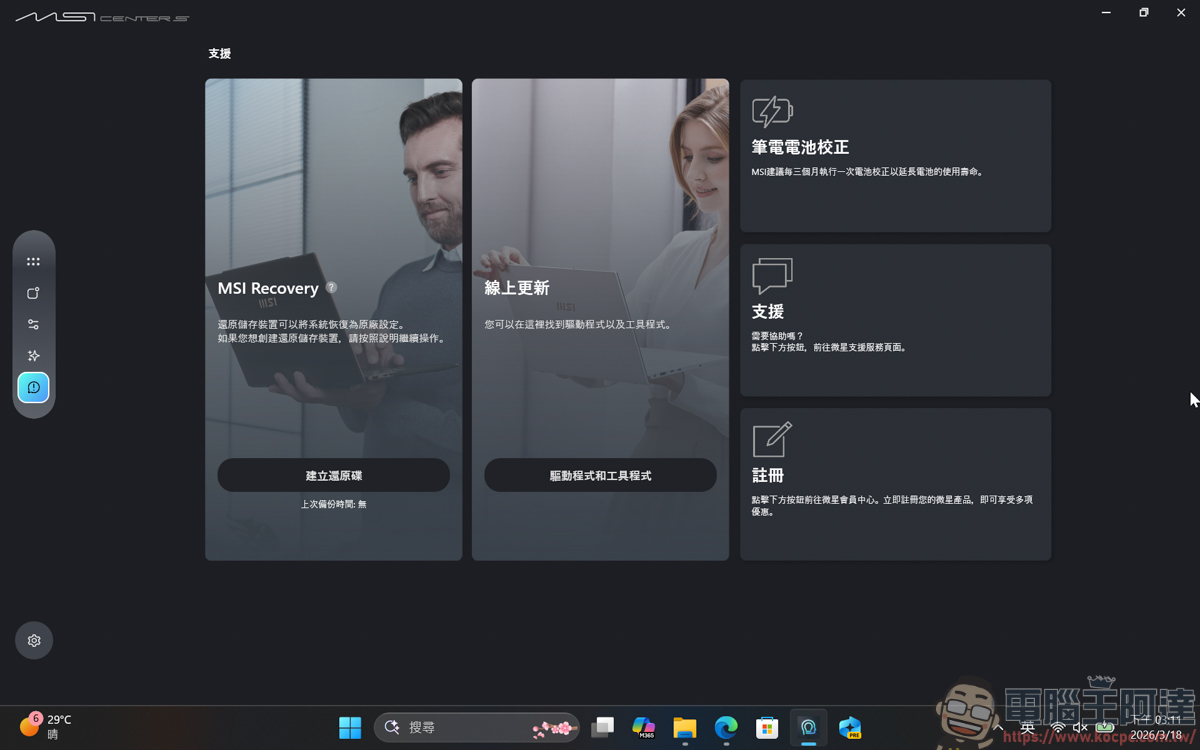
MSI’s very easy-to-use rescue settings MSI Recovery, with just a few simple settings, you can create a recovery disk, and then you can quickly restore the system if you want to reset it:
MSI Nano Pen deeply integrated with Copilot
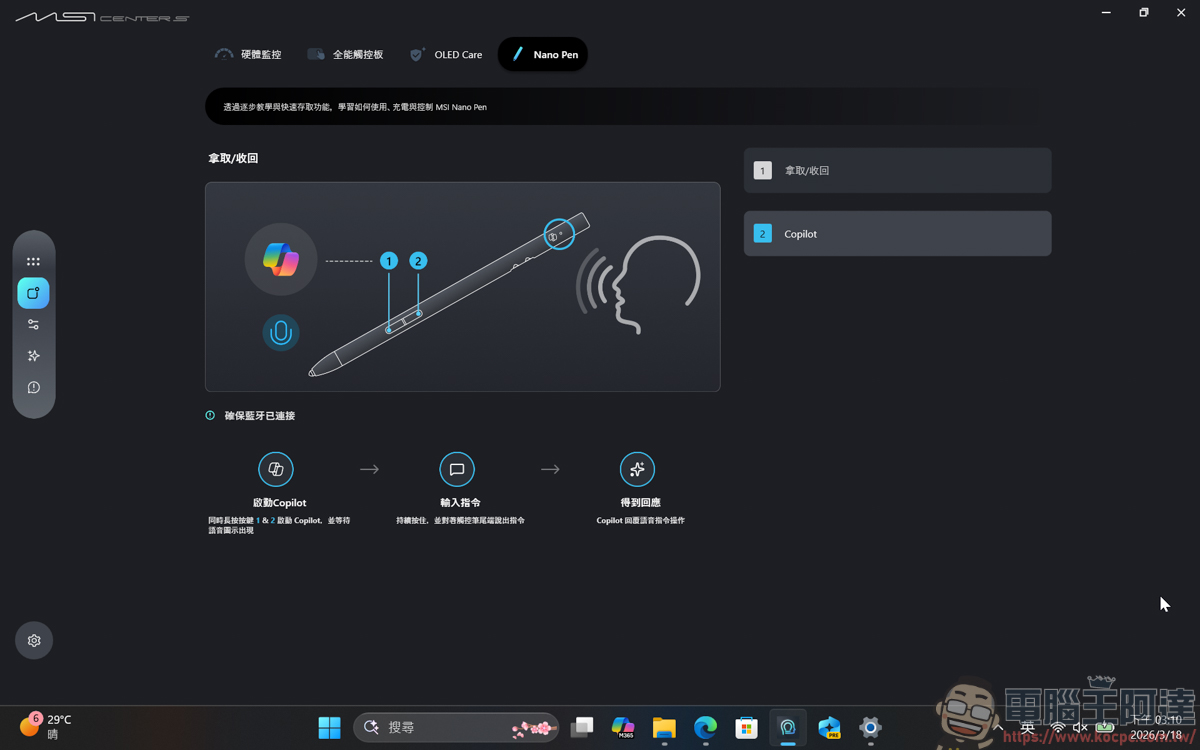
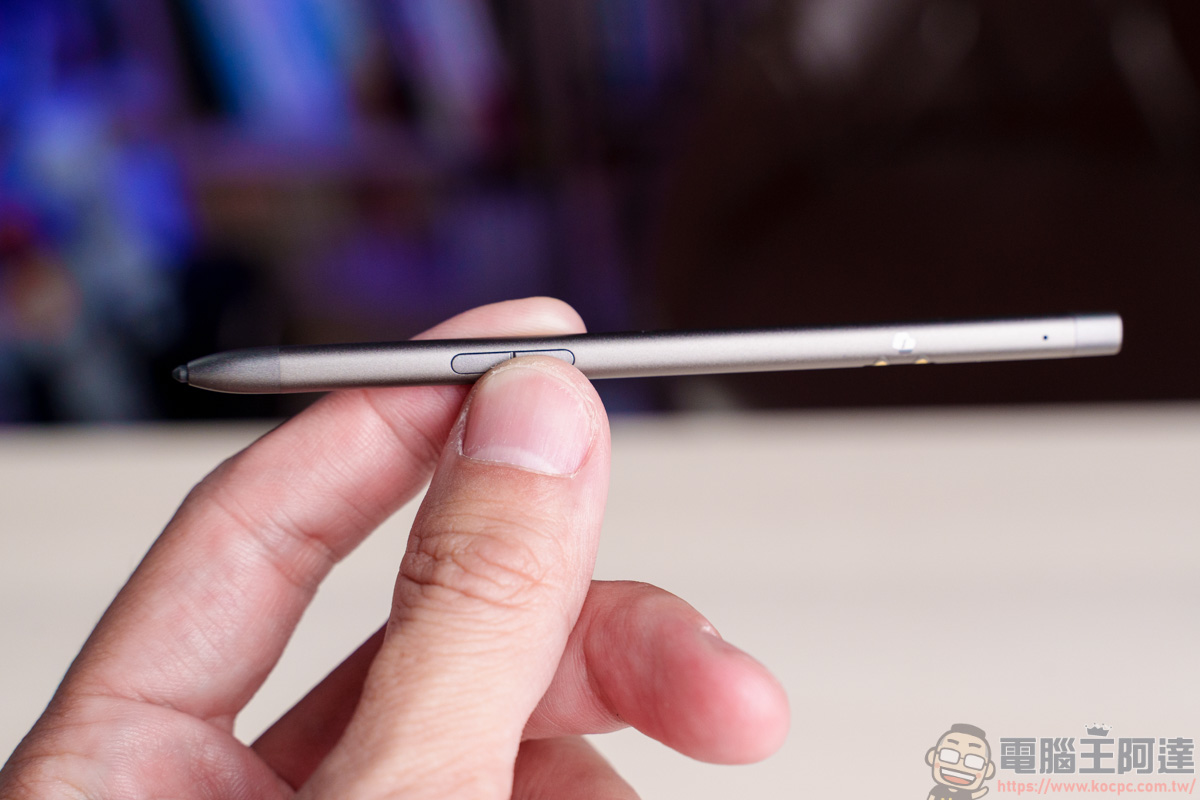
The new hardware MSI Nano Pen not only allows users to draw, take notes, and perform functions, it can also command Copilot to perform actions through spoken commands by pressing the buttons on the pen body:
The most powerful hardware performance currently
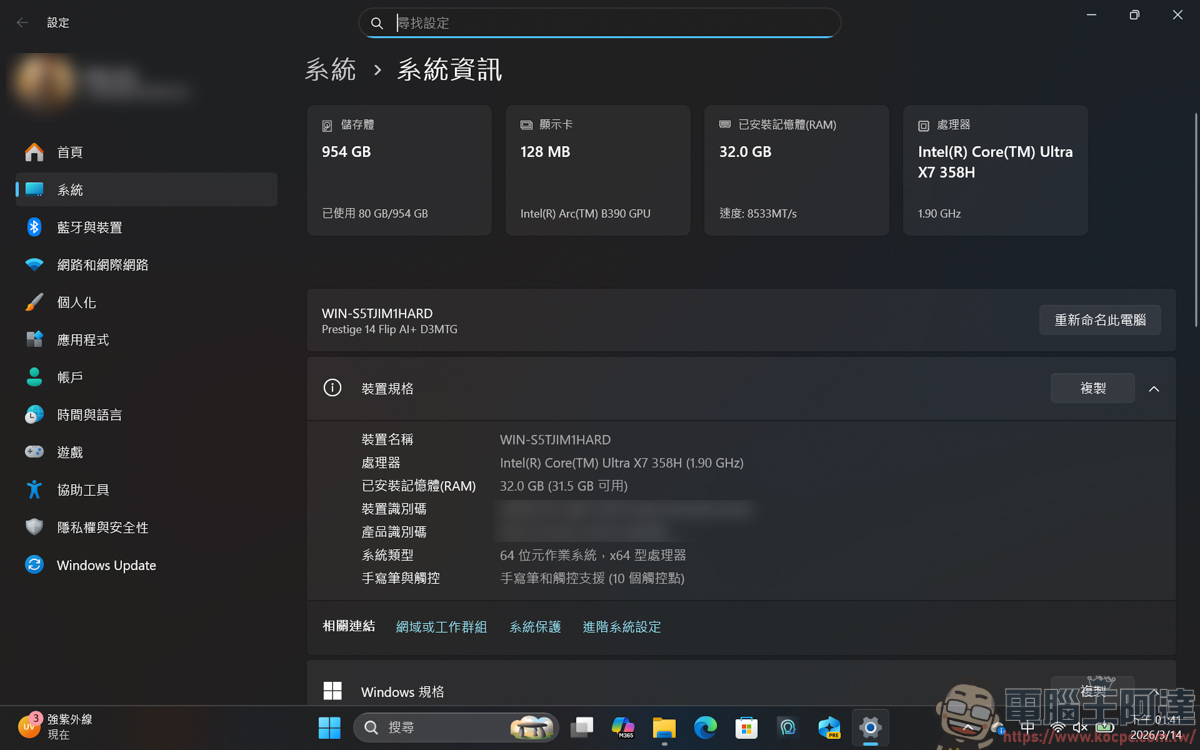
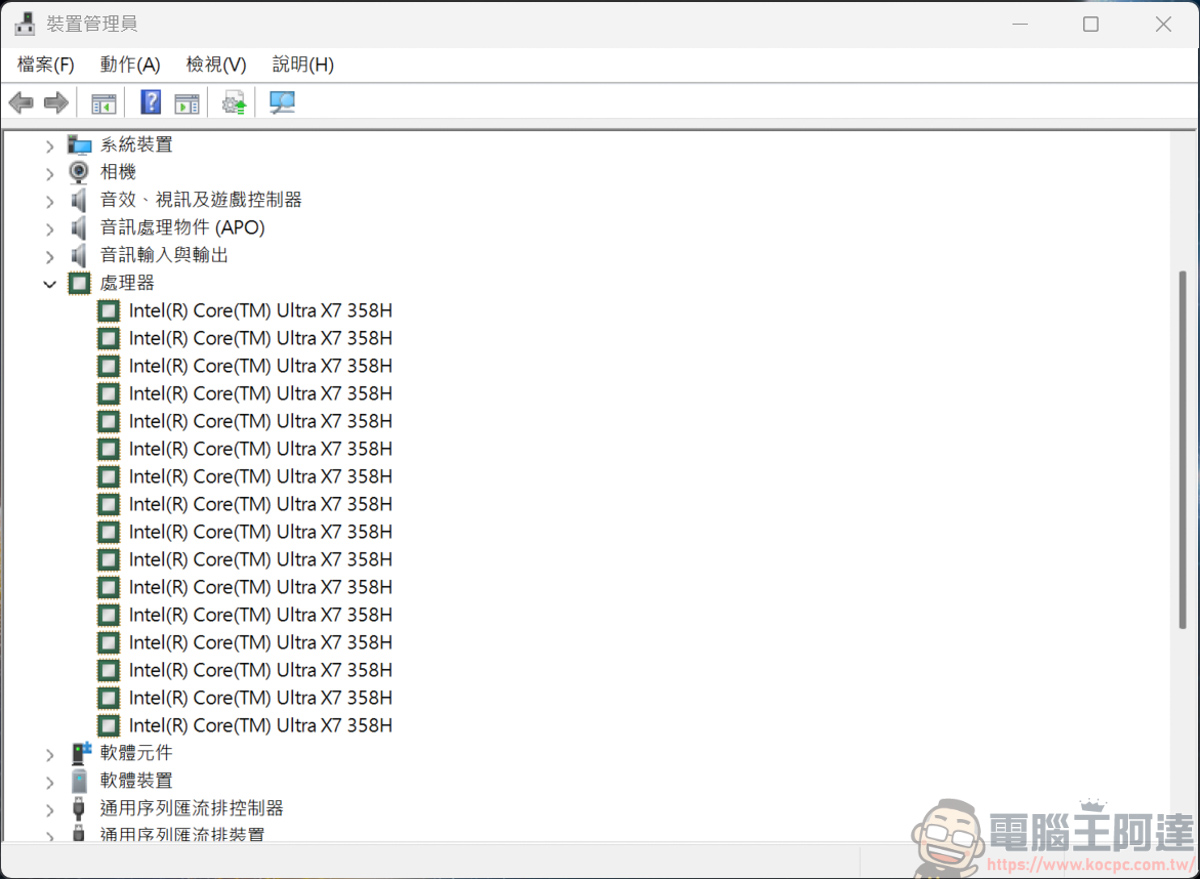
The hardware specifications of the MSI Prestige 14 AI+ this time can be said to be quite powerful. The overall configuration is Intel Core Ultra X7 358H, 32GB LPDDR5, and 1TB M.2 SSD:
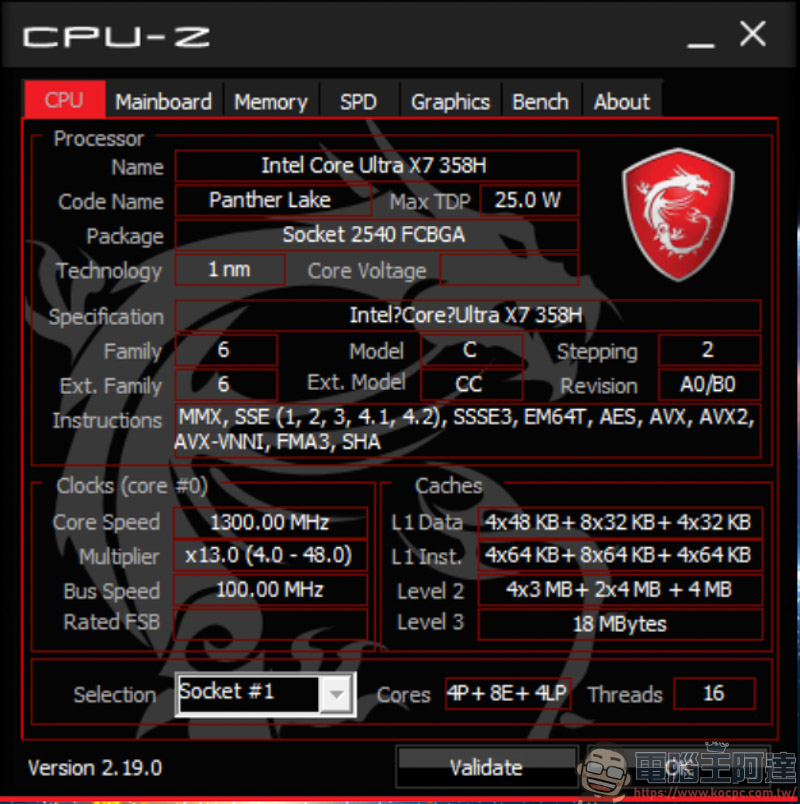
The biggest highlight is that it is equipped with Intel’s latest Core Ultra Series 3 processor, which is also the first to be built using Intel’s most advanced 18A semiconductor process. It not only improves multi-threading and game performance, but also has an NPU computing power of up to 50 TOPS. It can be said to be a CPU specially built for AI functions. Even the highest battery life has exceeded 20 hours, making battery life no longer the short version of Intel:
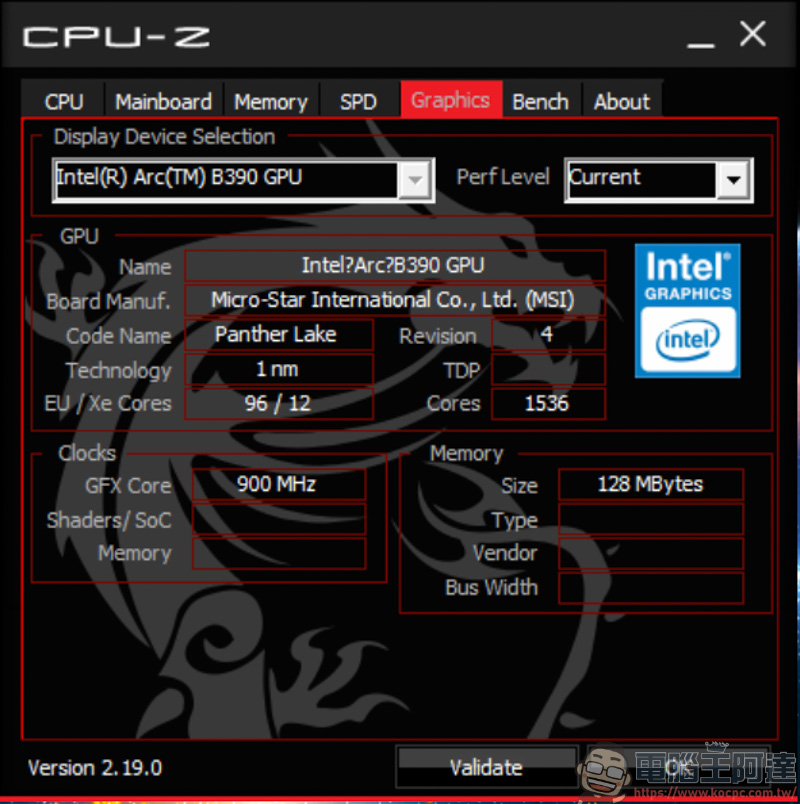
The internal display is the flagship internal display Intel Arc B390, a new Xe3 architecture, with 12 sets of Xe-core and 12 sets of ray tracing units, coupled with the latest Xess 3 driver, it can be said to be the most powerful internal display currently:
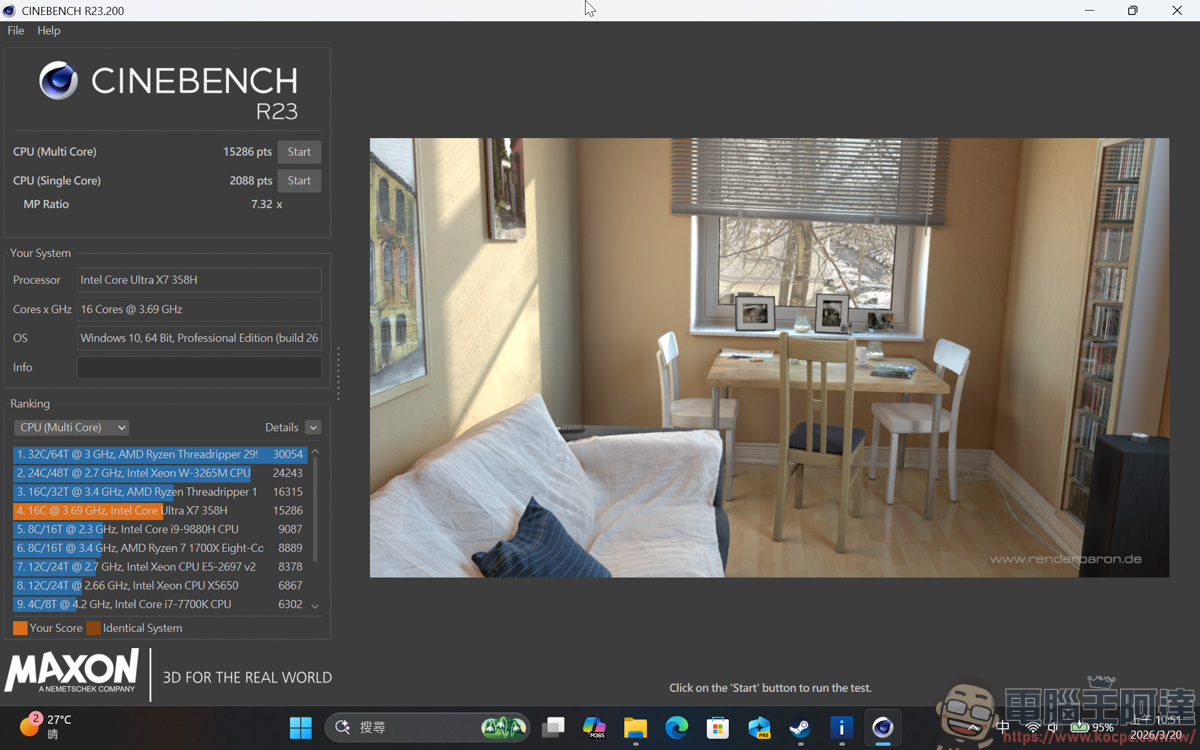
This Core Ultra X7 358H, which uses 4P + 8E + 4LPE, was run on Cinebench R23 and measured 2,088 points in single-core and 15,286 points in multi-core. Compared with the previous Intel Core Ultra 9 288V, the single-core increased by 7% and the multi-core increased by about 59%. It is very outstanding in multi-core performance:
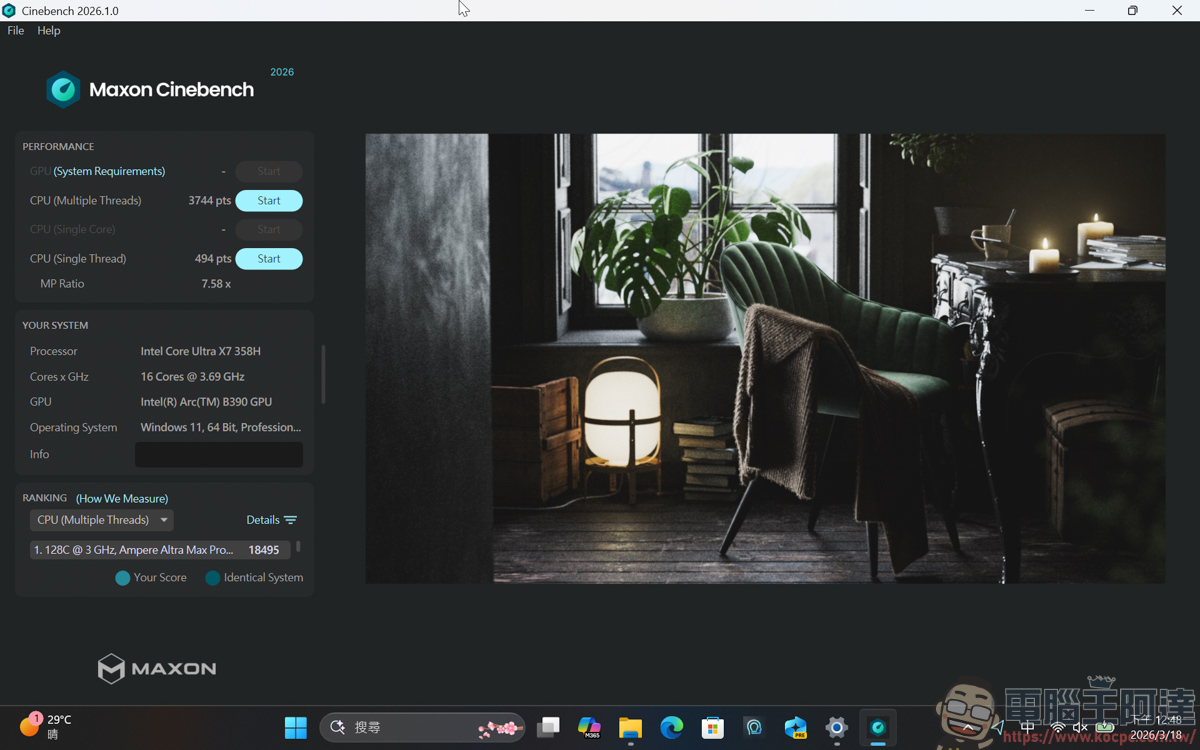
The new Cinebench 2026 measured 494 points in single-core and 3,744 points in multi-core:
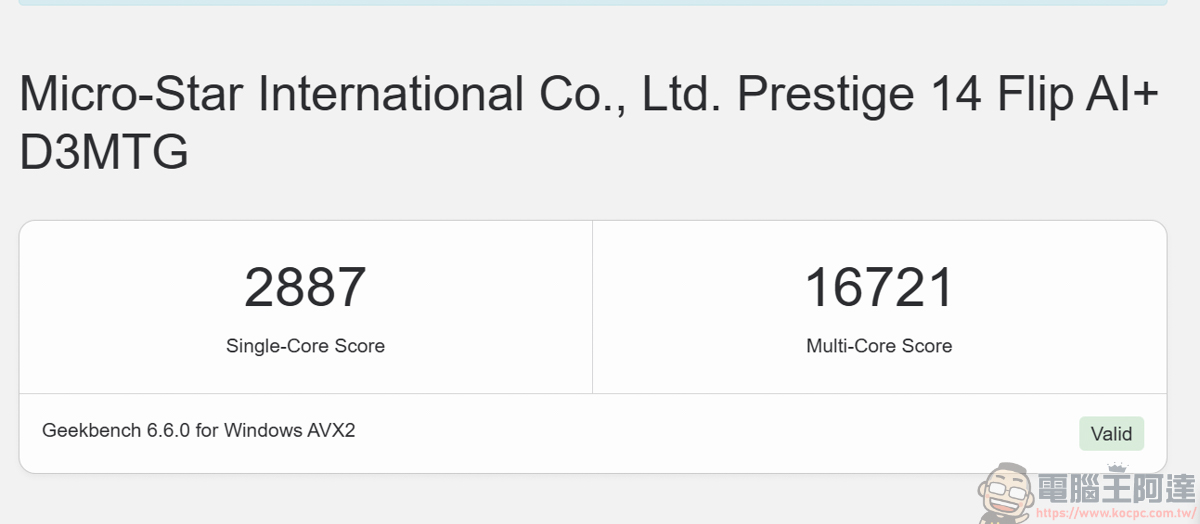
GeekBench single-core score was 2,887 points (up 4%), and multi-core score was 16,721 points (up 53%):
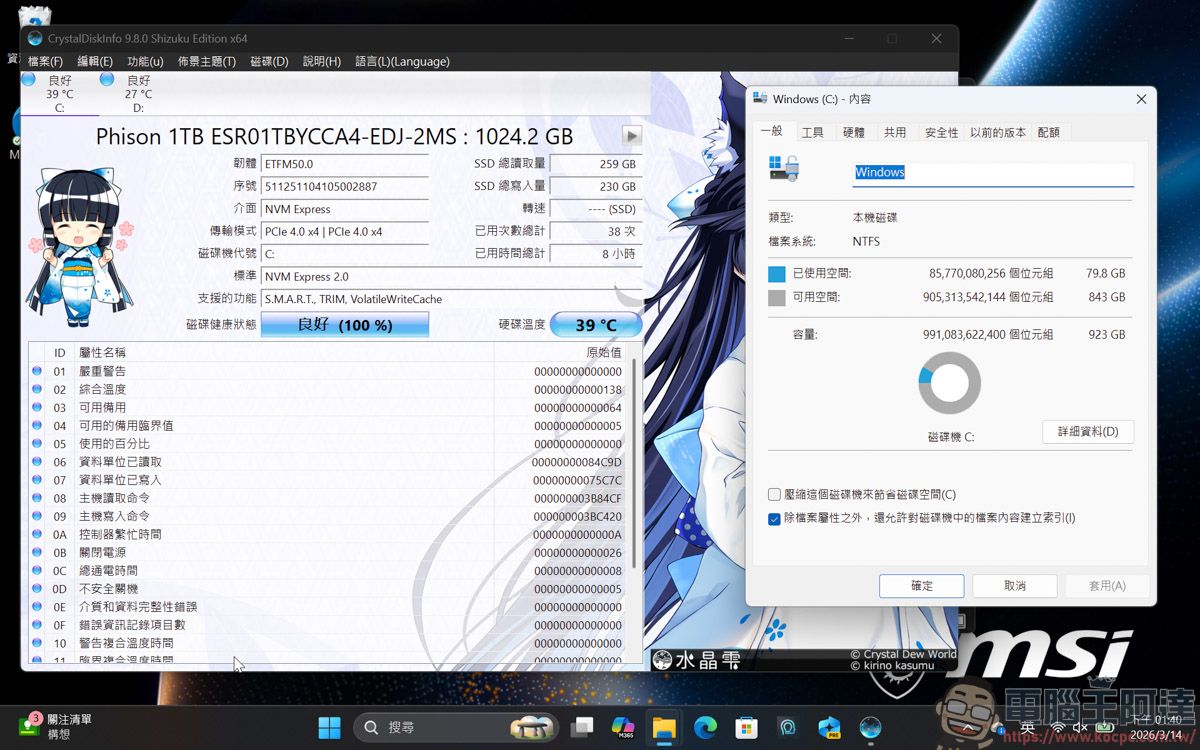
The SSD section is allocated a Phison 1TB SSD, and the factory default capacity will be 923GB:
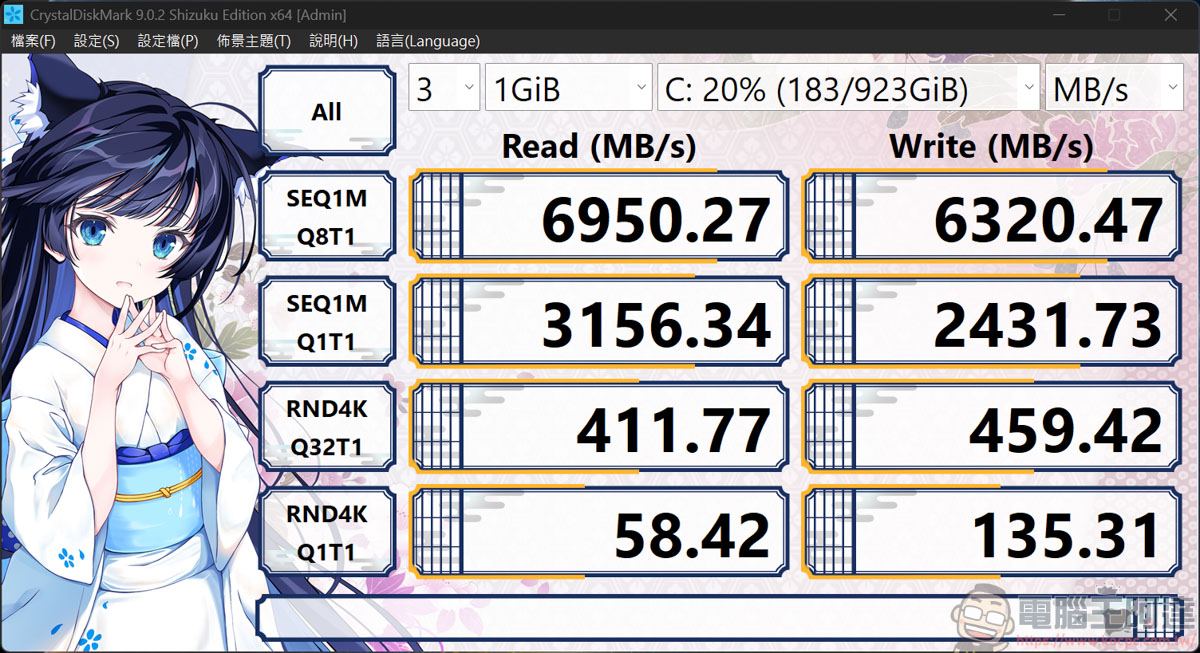
Using CrystalDiskMark to test the speed, the reading and writing results were 6950MB/s and 6320MB/s:
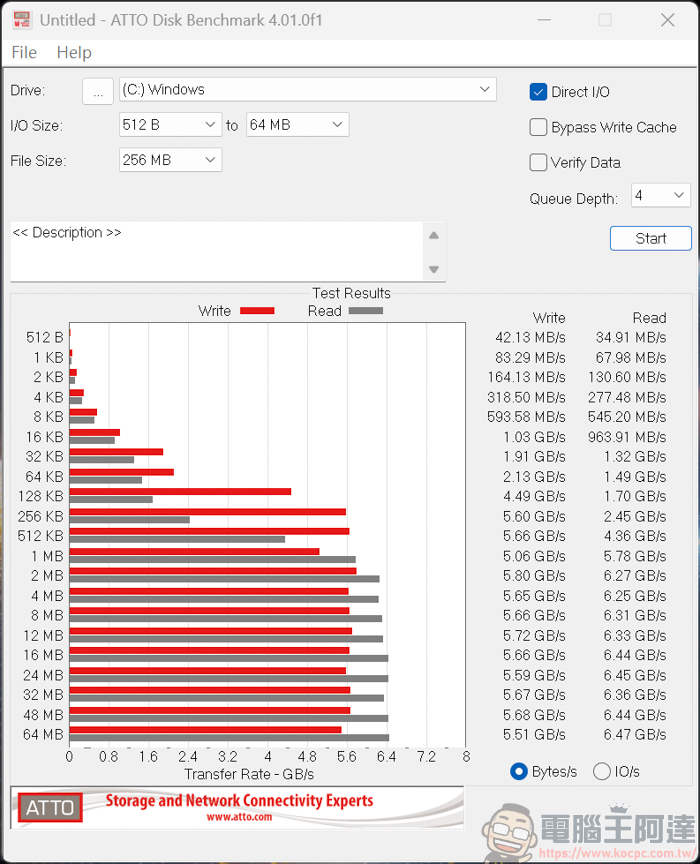
ATTO Disk Benchmark achieved a read speed of 6.47GB/s and a write speed of 5.51GB/s. The read and write speed of SSD is enough to handle daily work, video editing, drawing… and other applications. If it is not enough, you can add another Gen4 SSD and install it to expand the capacity::
Next comes the main event, which is the performance of the GPU. In the past, Ada often laughed and said that Intel’s graphics card technology has to “fight the future” because the driver optimization is so bad, so playing games and running scores are not very beautiful. But this time it’s different. The internal display of the Core Ultra
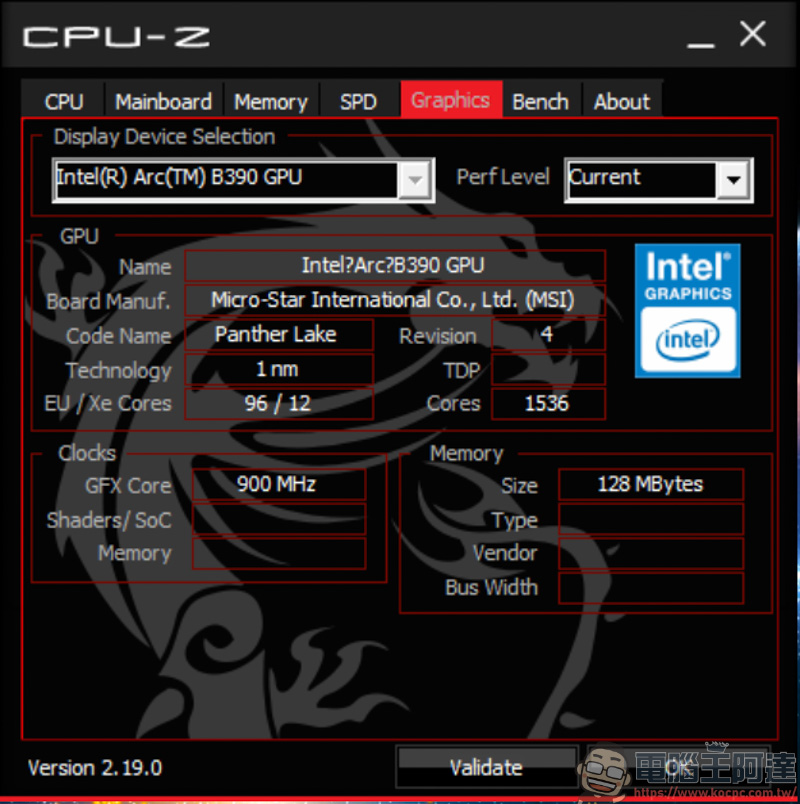
First, let’s take a look at the 3DMark running score. In performance mode, Time Spy ran 7,357:
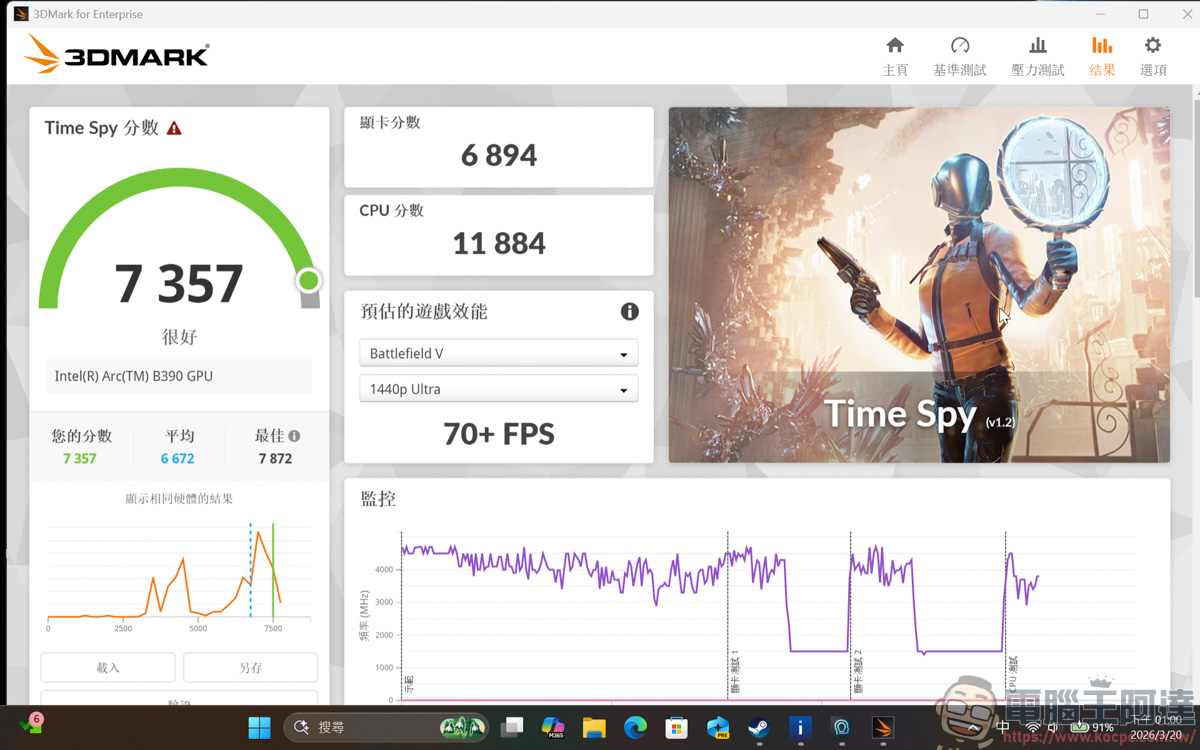
Time Spy Extreme 3,488 points :
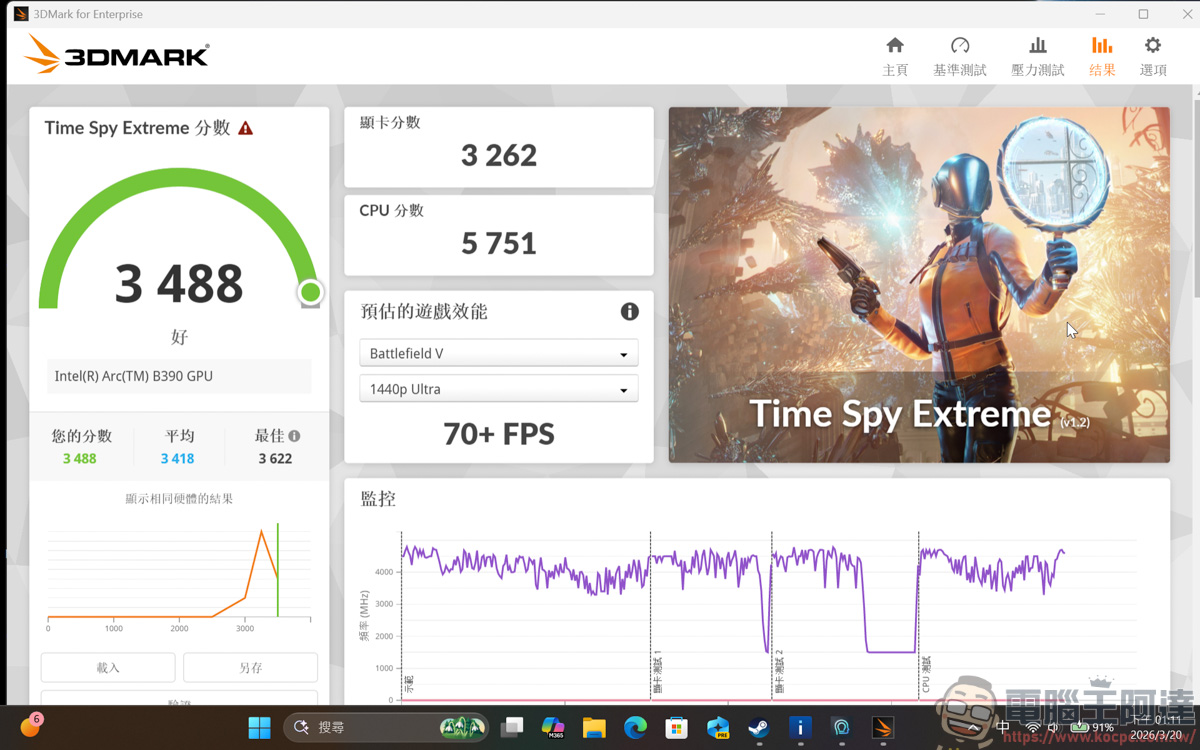
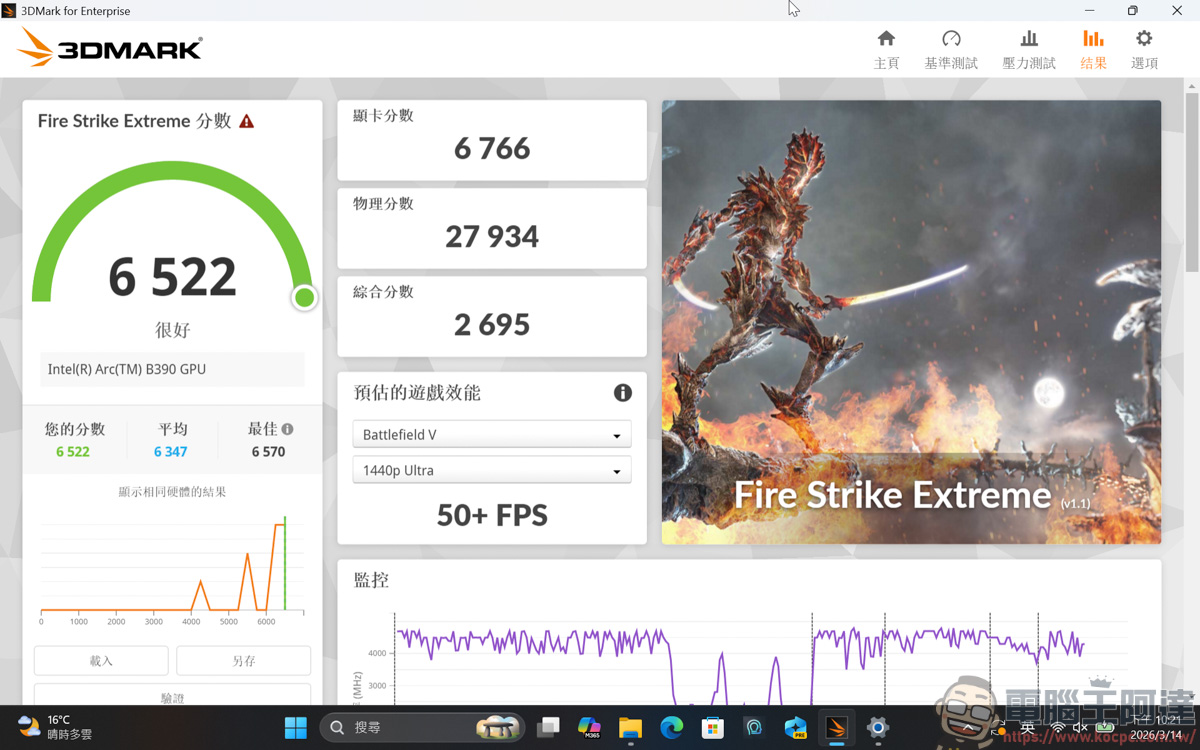
FireStrike Extreme has 6,522 points:
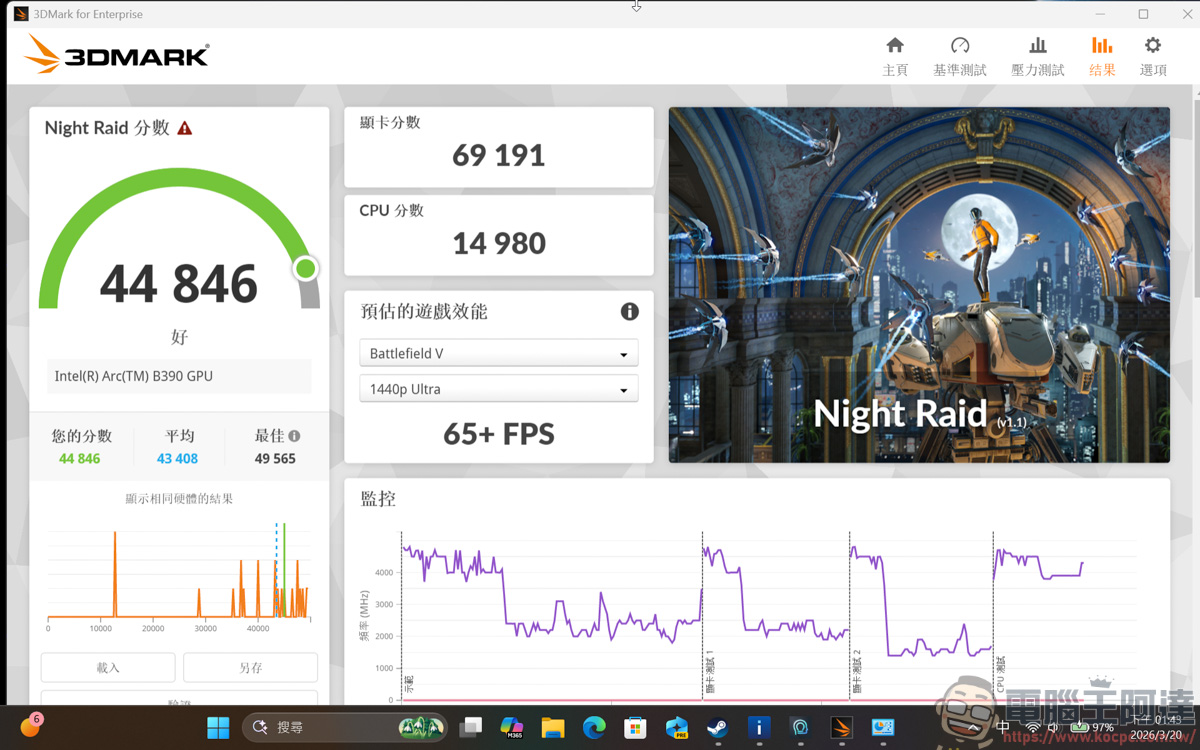
Night Raid scored 44,846 points, which is already comparable to mid- to low-end standalone graphics cards:
game performance
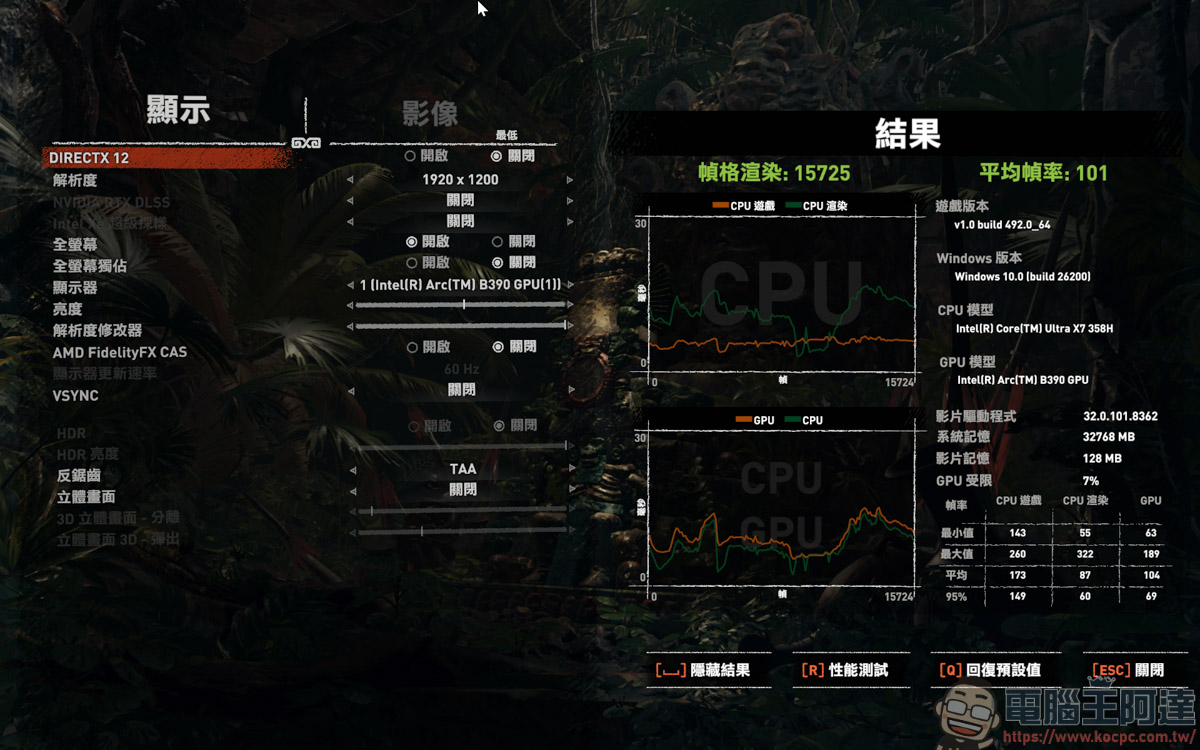
Next comes the game part. The old game Tomb Raider: Shadow can run 101 FPS at the lowest image quality without turning on Xess and DX 12:
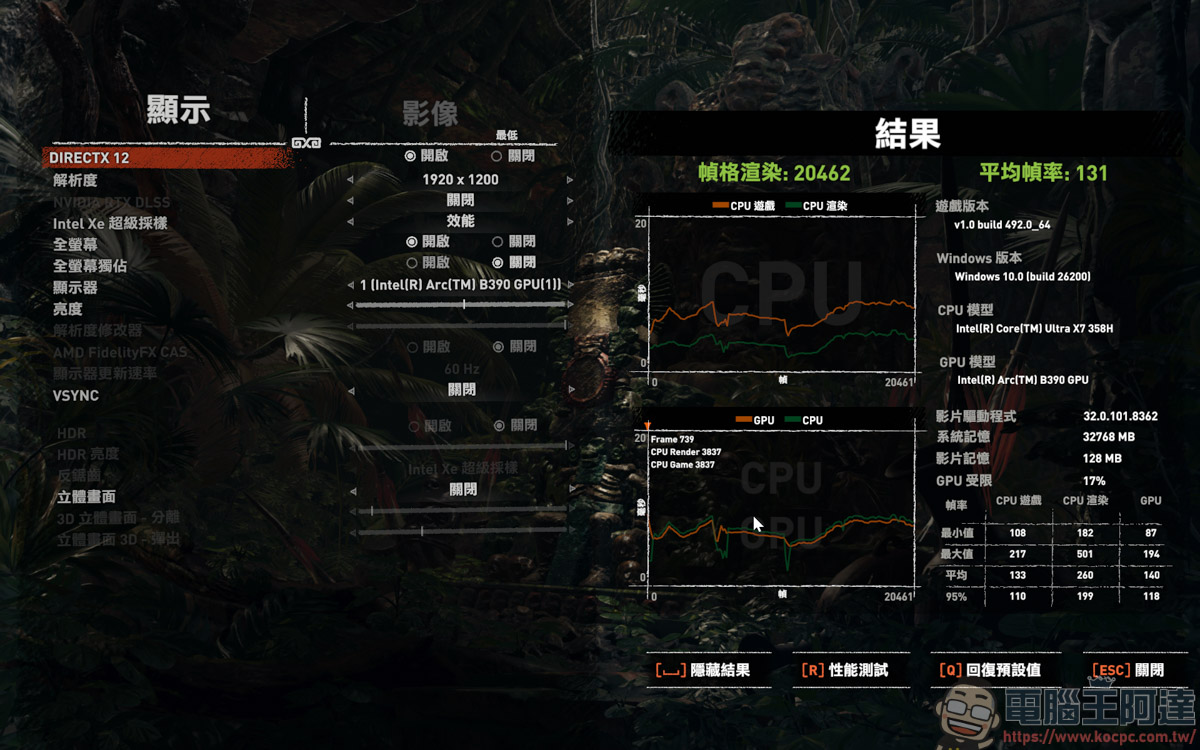
After turning on Xess performance at the lowest image quality, it increased to 131 FPS:
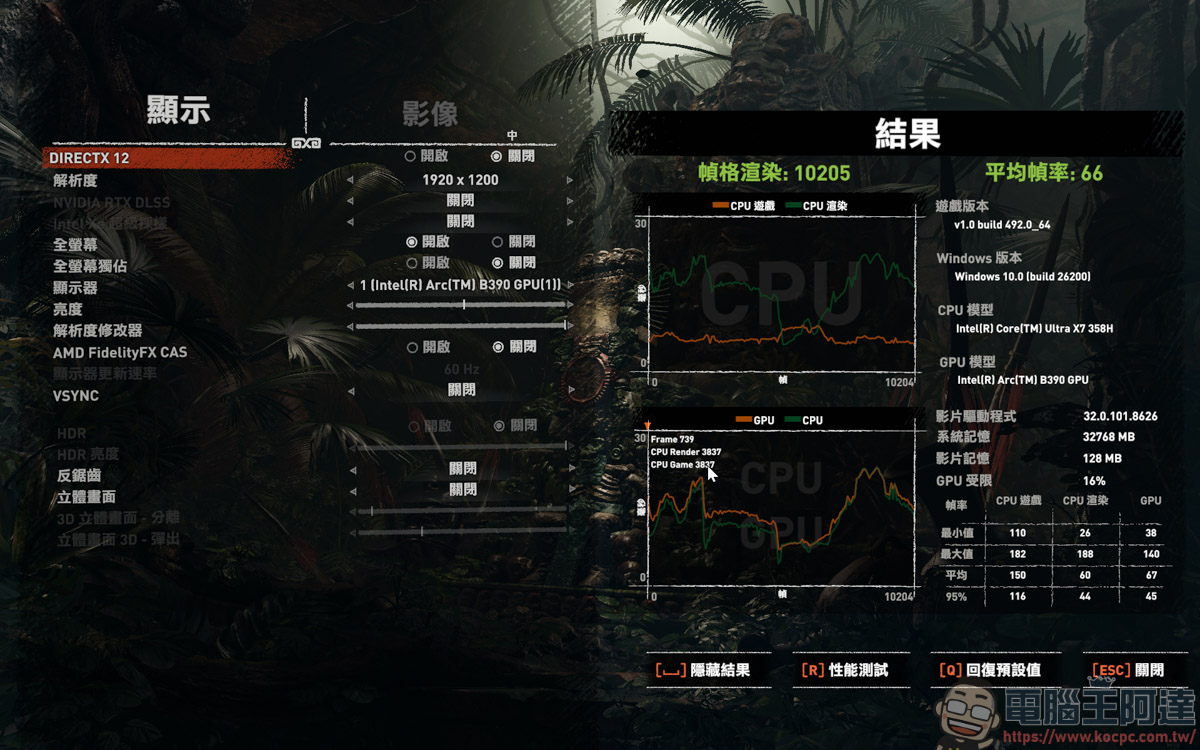
Medium quality without Xess and DX 12, can run 66 FPS:
Medium quality + Xess automatically ran 103 FPS, very smooth:
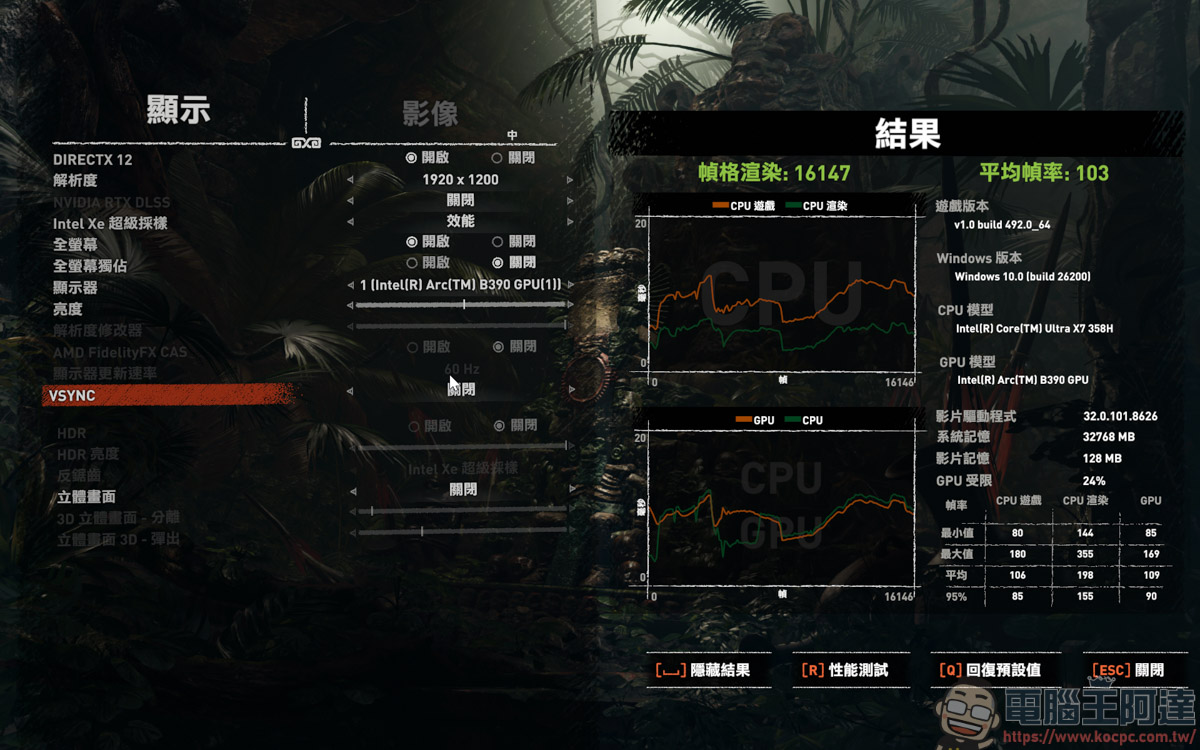
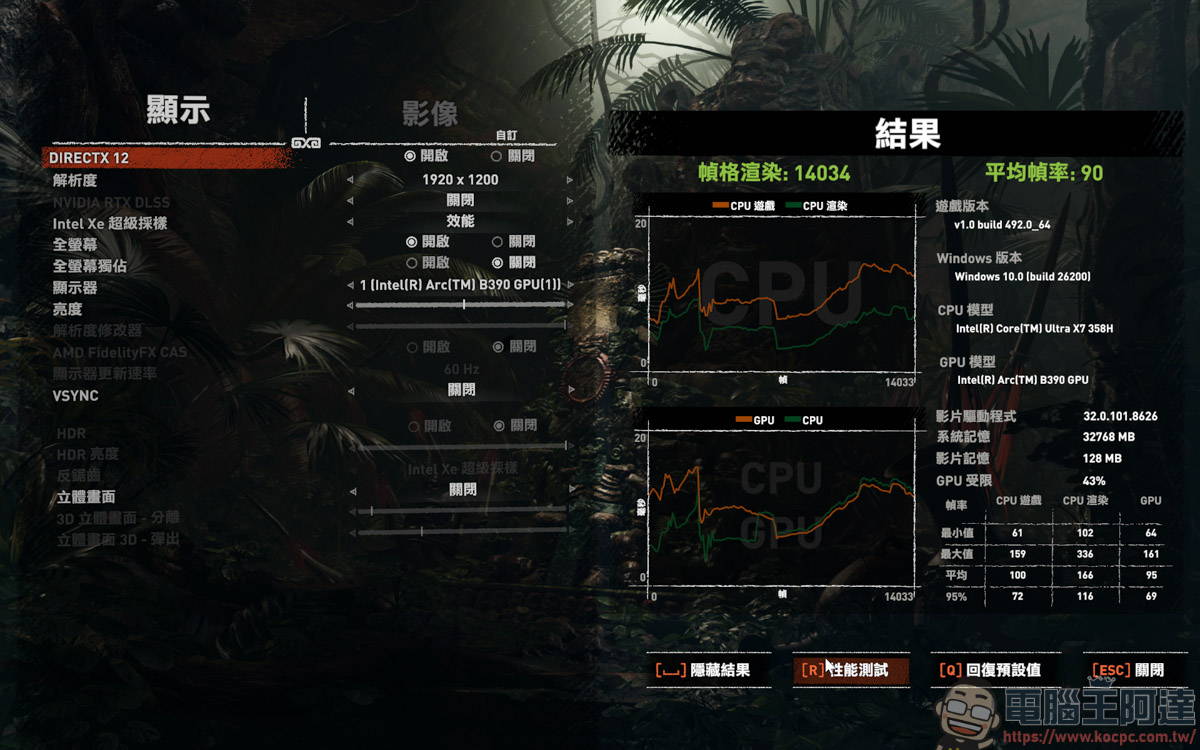
If you use medium image quality + Xess auto + ray tracing, you can run 90 FPS, which is also a good result:
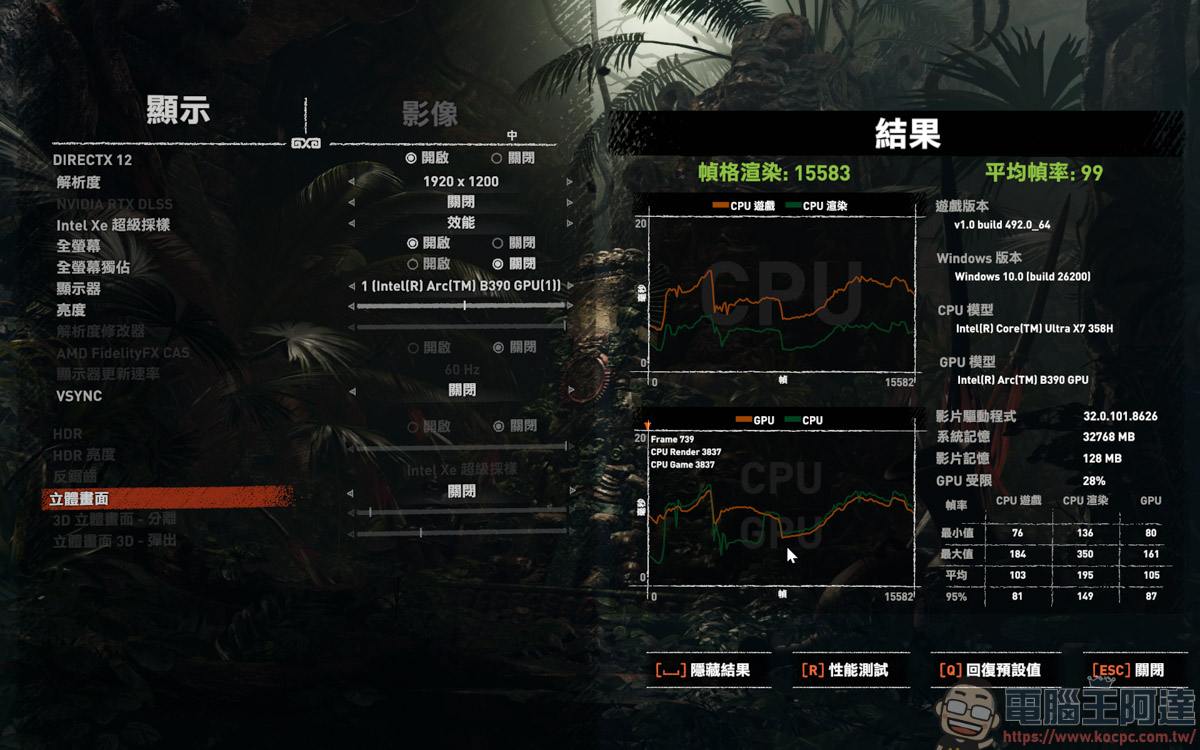
I also tried turning on Xess X2 and it ran 99 FPS, which is 4 FPS lower than automatic:
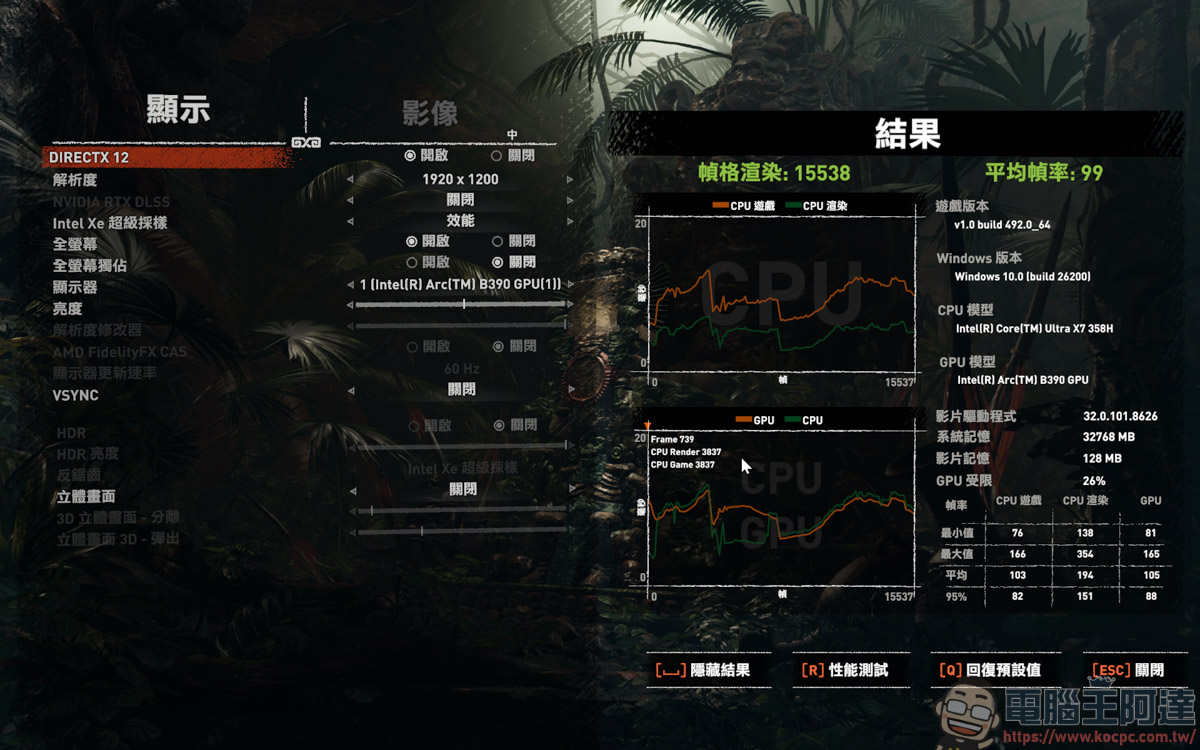
Xess X4 is also 99 FPS, and the automatic generation effect is still better:
Next is the AAA masterpiece Cyberpunk 2077, which can be regarded as one of the most improved games to implement the Xess function in the test game. At low image quality and without Xess turned on, the result is 69 FPS, which is pretty good:
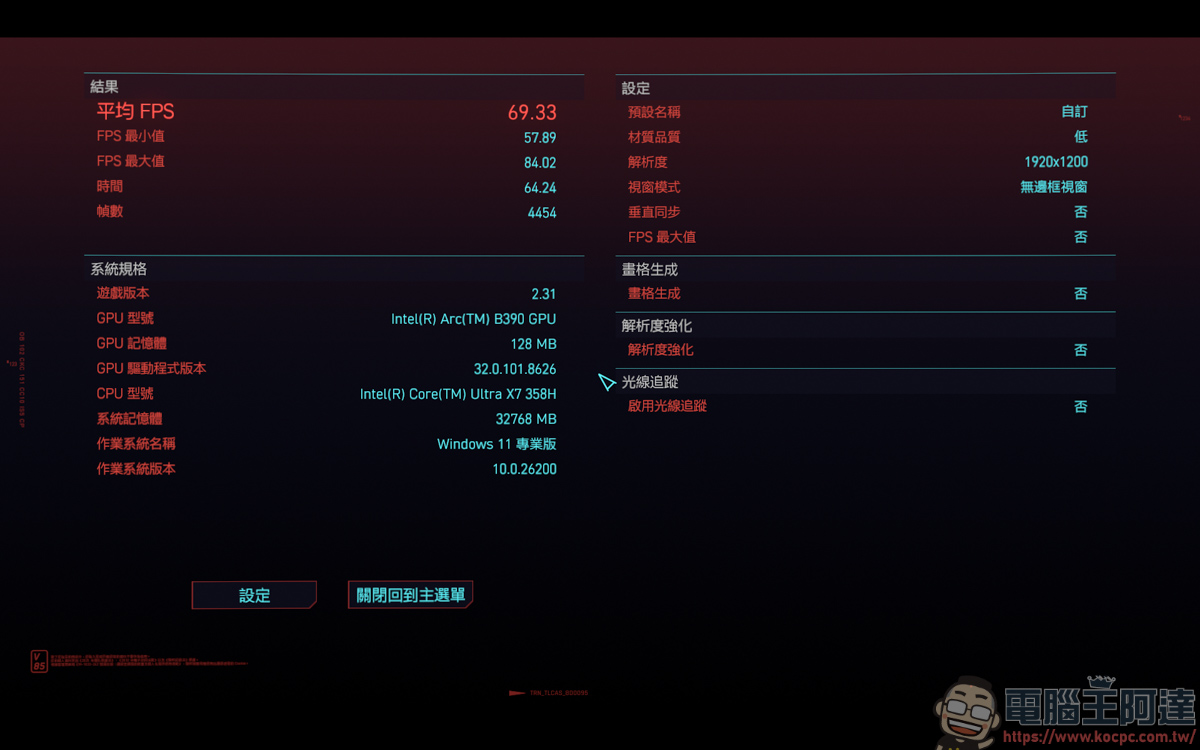
If it is low image quality + Xess automatic, it can be greatly increased to 168 FPS, and the speed improvement is quite impressive:
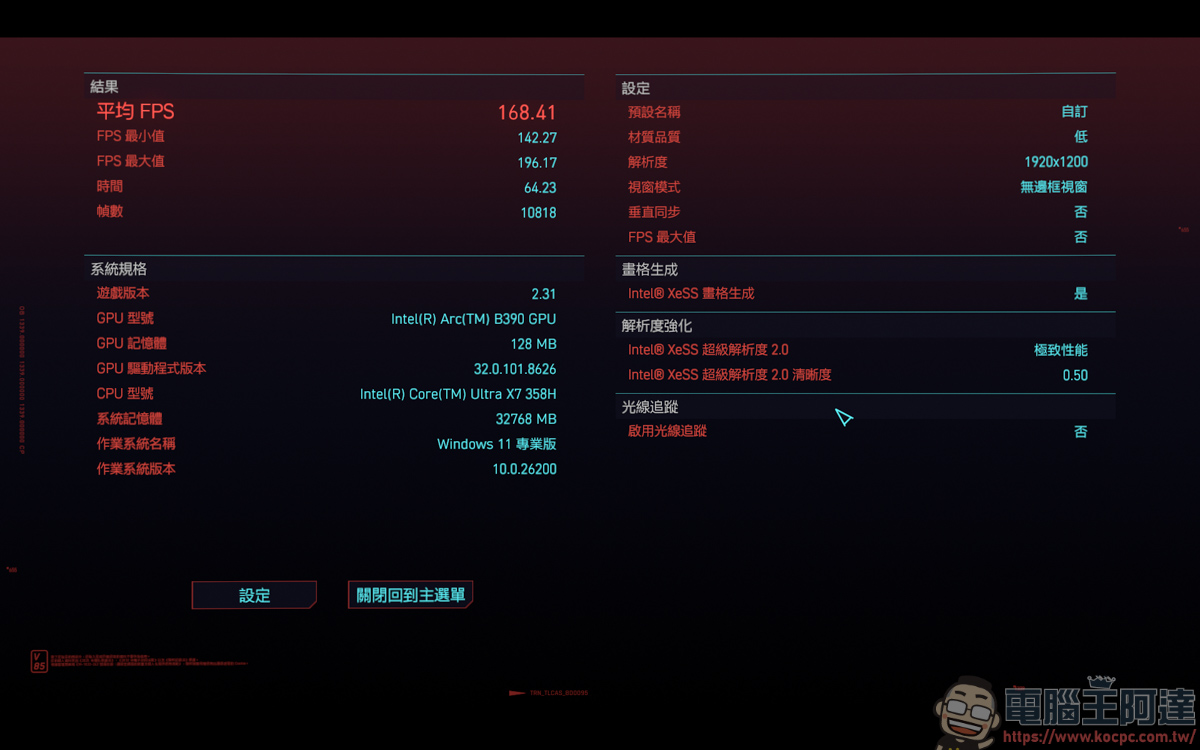
Low quality + Xess X2 is 163 FPS:
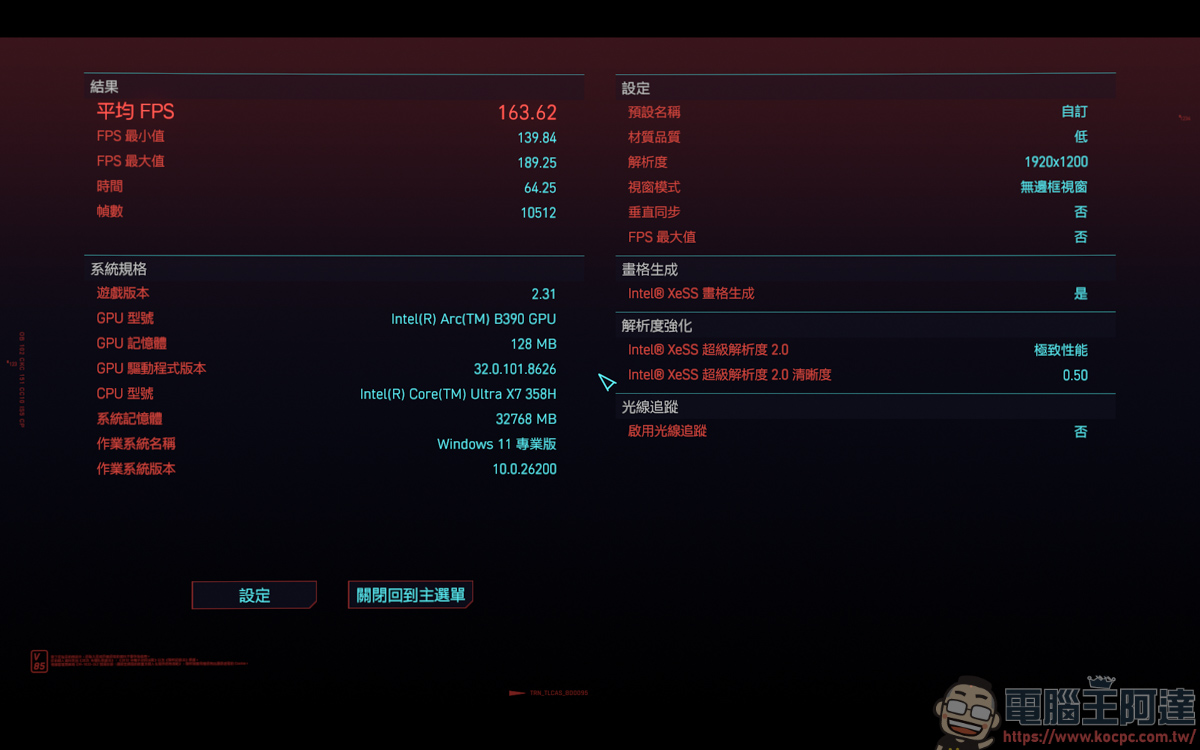
Low image quality + Xess X4 is 159 FPS. During the test, the Xess automatic score was the best, so the following results will be based on the Xess automatic score:
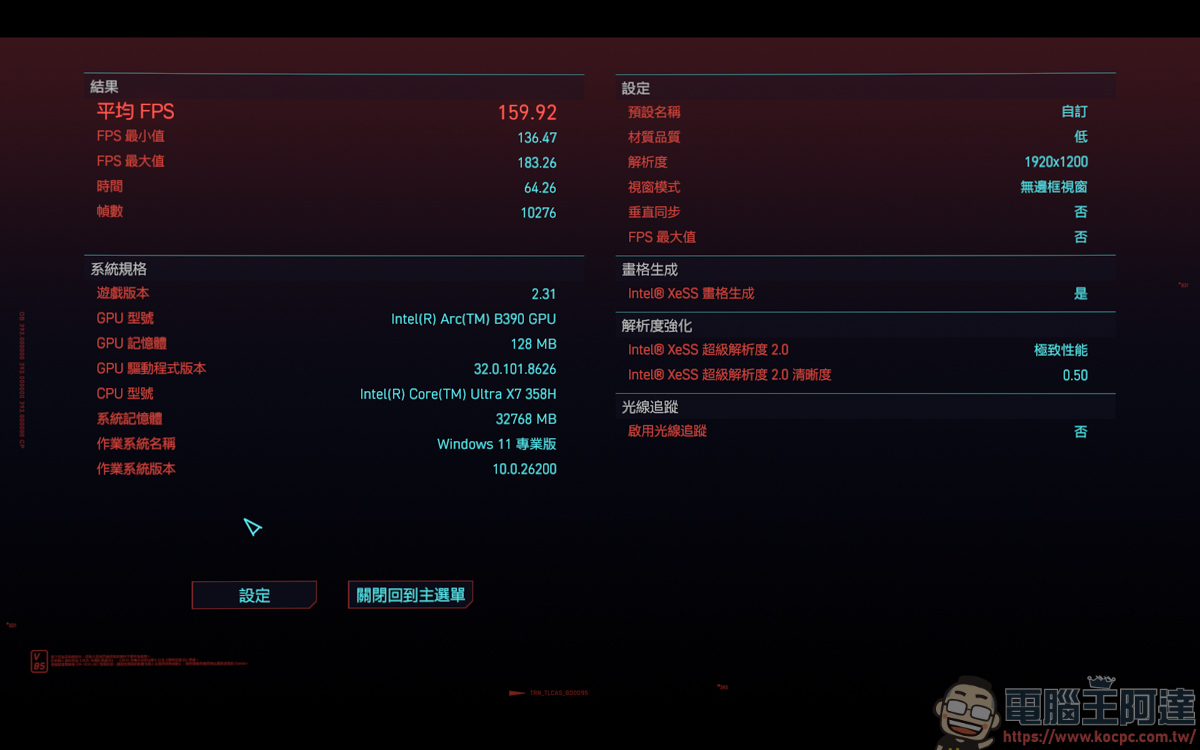
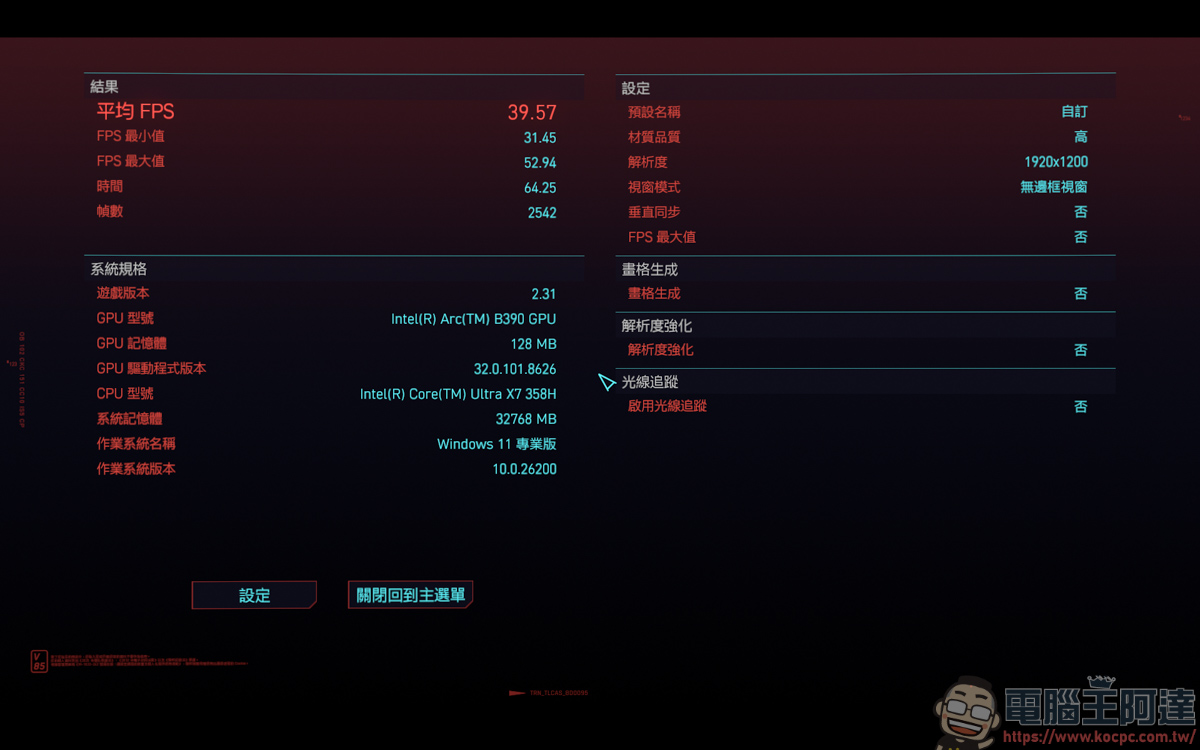
Since we can all run to 16X FPS, let’s directly challenge the extremely high image quality for testing. Before turning on Xess, we only ran 39 FPS:
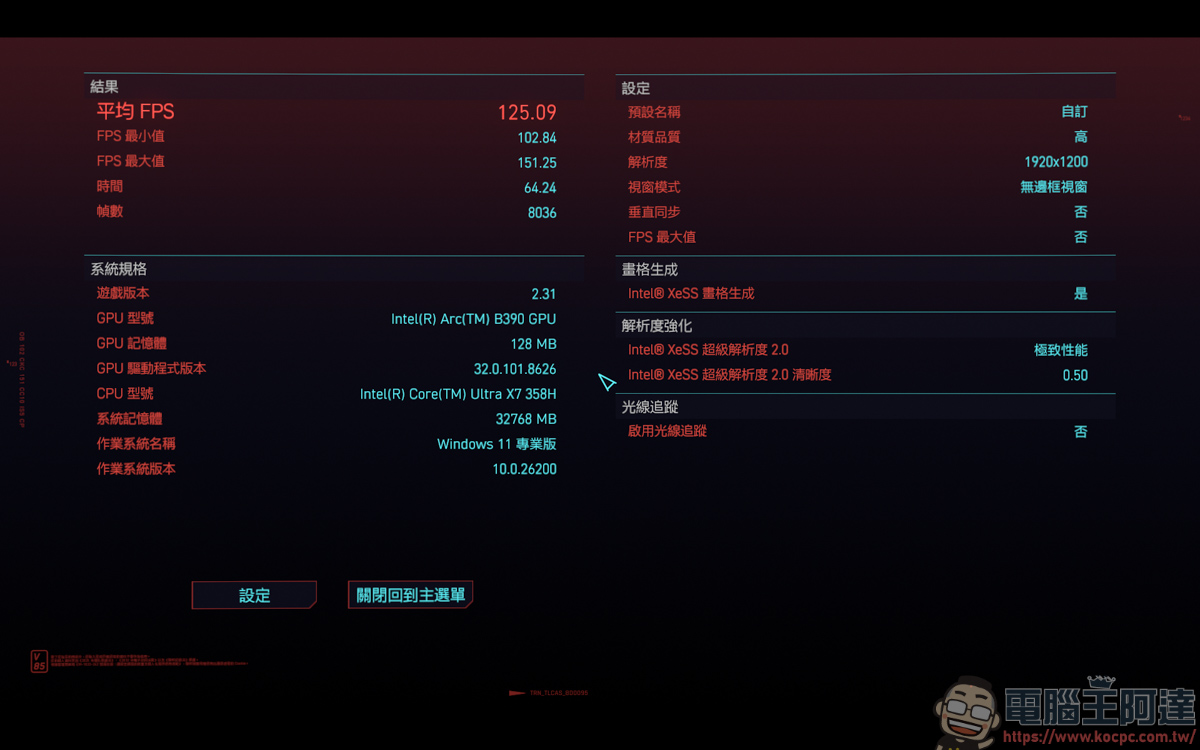
After turning on Xess Auto, the performance directly reaches 125 FPS. The speed improvement is very obvious. It is difficult to imagine that this is the result of the internal display:
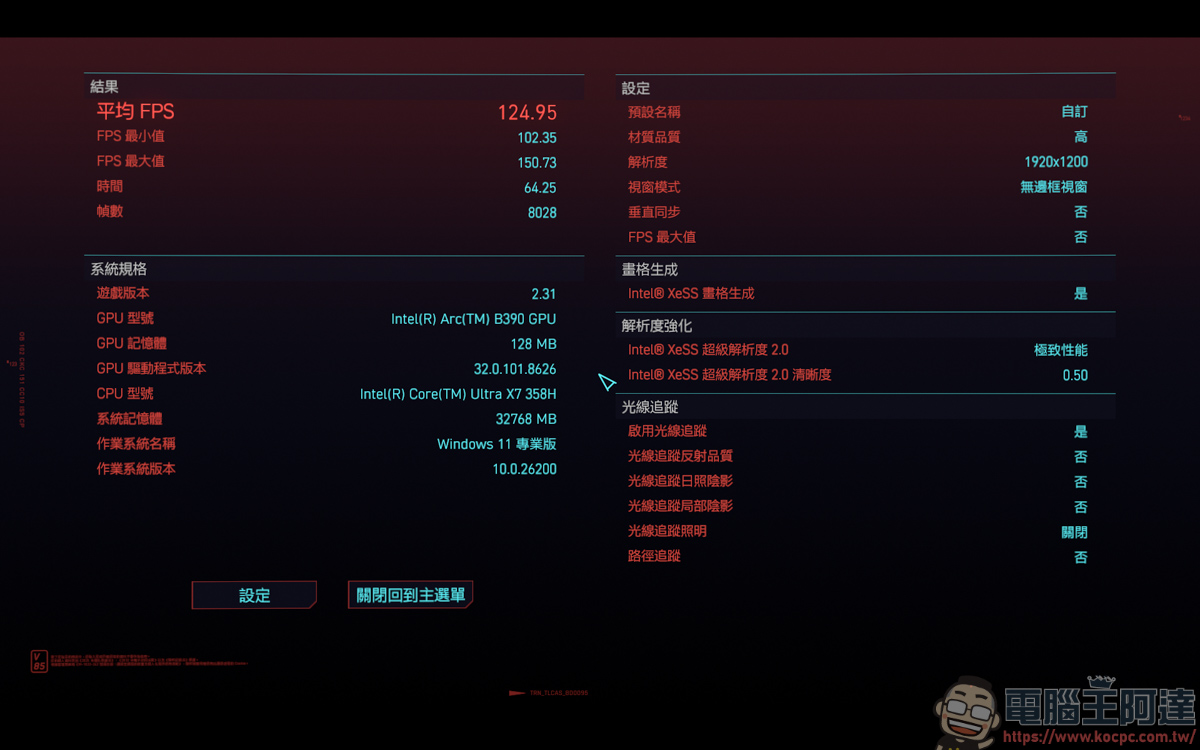
I even turned on low-quality ray tracing for testing and ran about 125 FPS. It’s really a very powerful internal display:
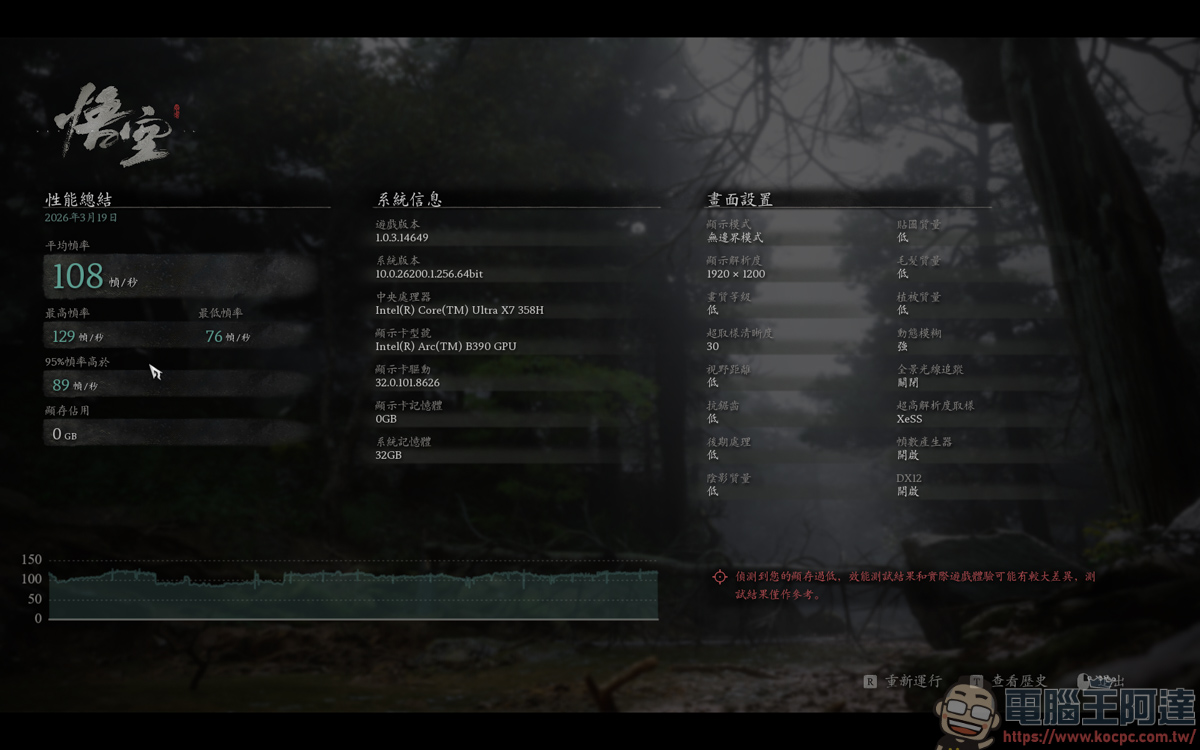
Compared with the recent 3A masterpiece Black Myth Wukong, Xess is forced to open, so there is no option to turn it off. Under Xess auto + 30 oversampling + low quality settings, it ran 108 FPS, which is very powerful! With just an internal display, Black Myth Wukong can actually run over 100 FPS. It can be seen that this update of Xess has greatly optimized the graphics card:
But if ray tracing is turned on, at Xess Auto + 30 Oversampling + Low Image Quality settings, there is only 57 FPS. It is still playable, but the game without ray tracing will have better smoothness, so it is recommended not to play this game with ray tracing enabled:
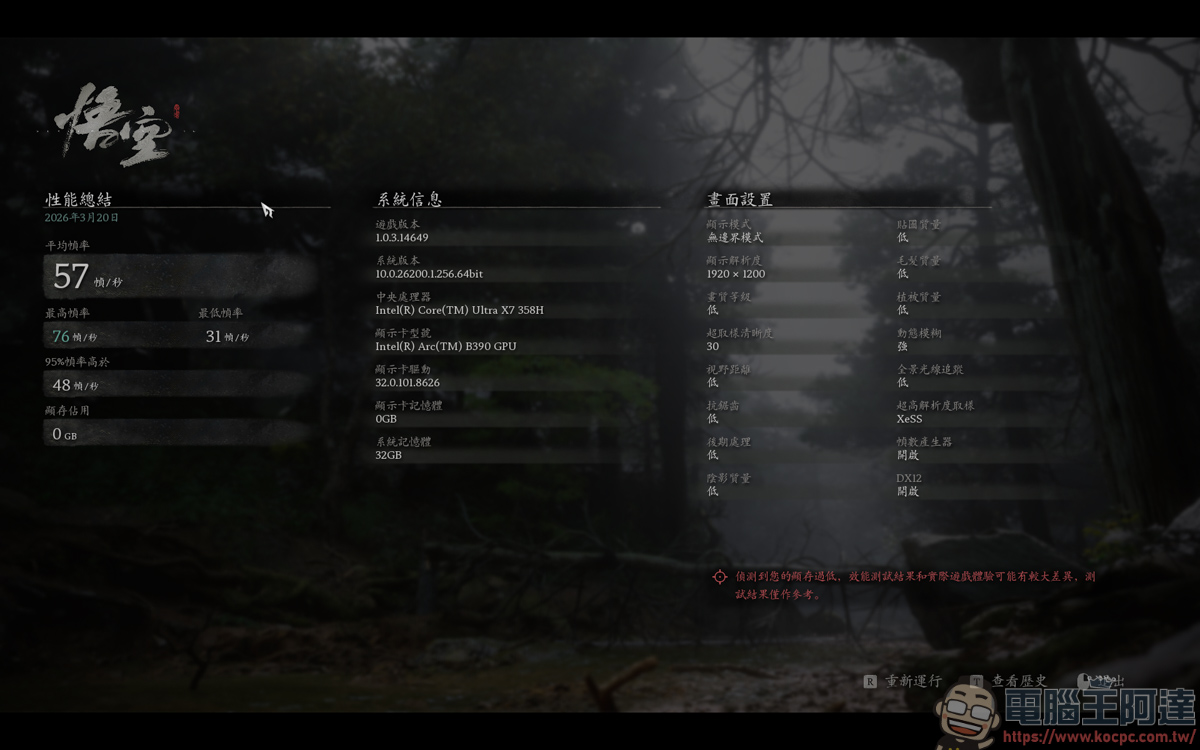
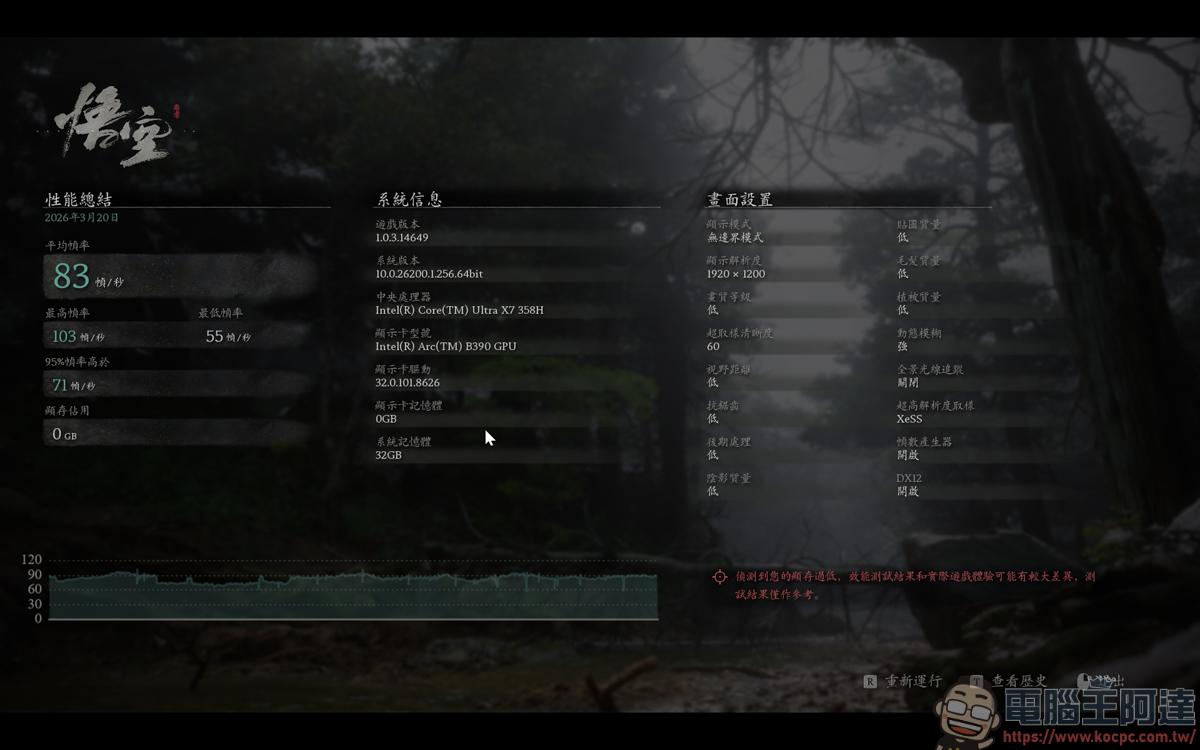
Under Xess auto + 60 supersampling + low image quality settings, I can still run 83 FPS smoothly, so I would rather increase supersampling than turn on light tracing to affect the smoothness of the game:
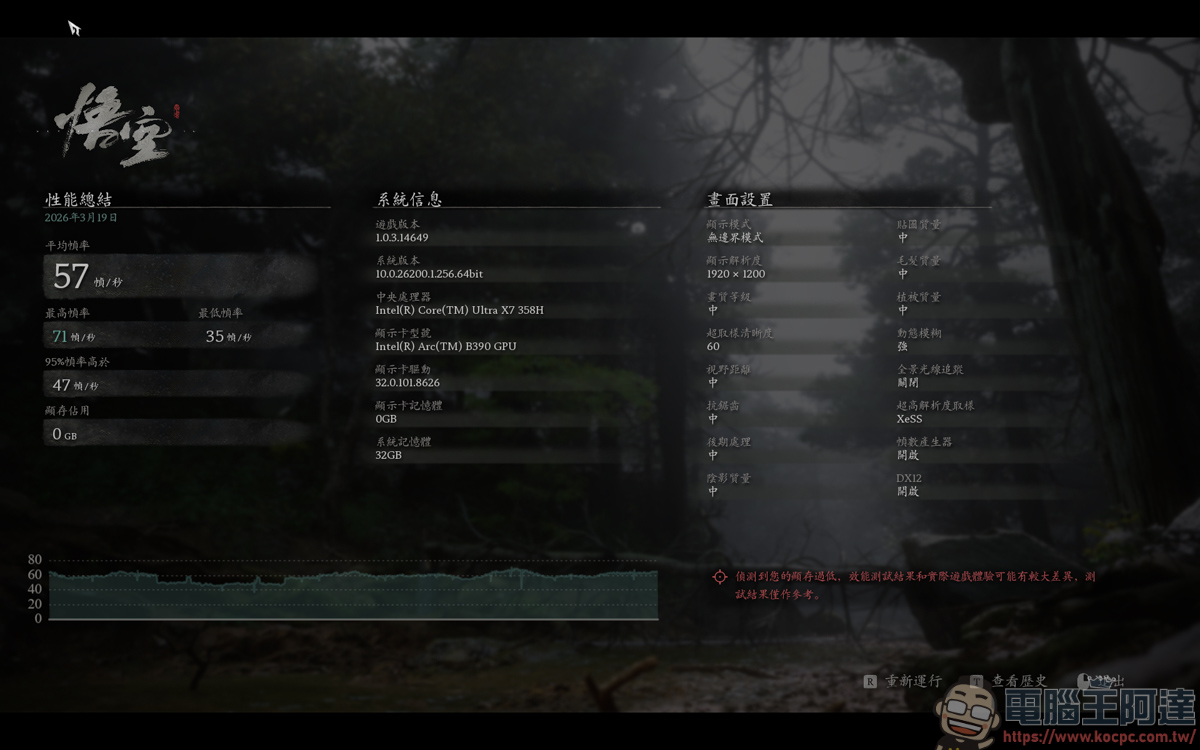
If it is running at 57 FPS under Xess Auto + 60 Super Sampling + Medium Image Quality settings, it is recommended that if you want to play this game, just use low image quality to play, and you will have a smoother experience:
productivity performance
PCMark 10’s modern office benchmark scored 9,999 points (previous generation: 5,928 points):
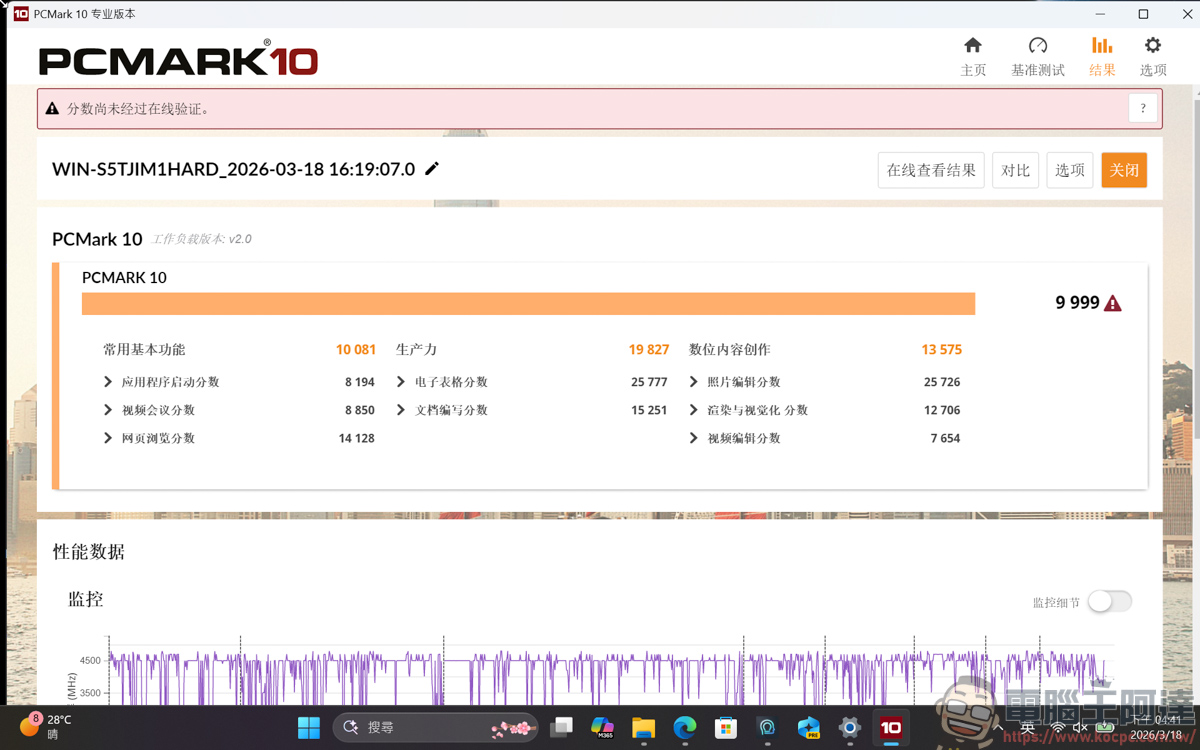
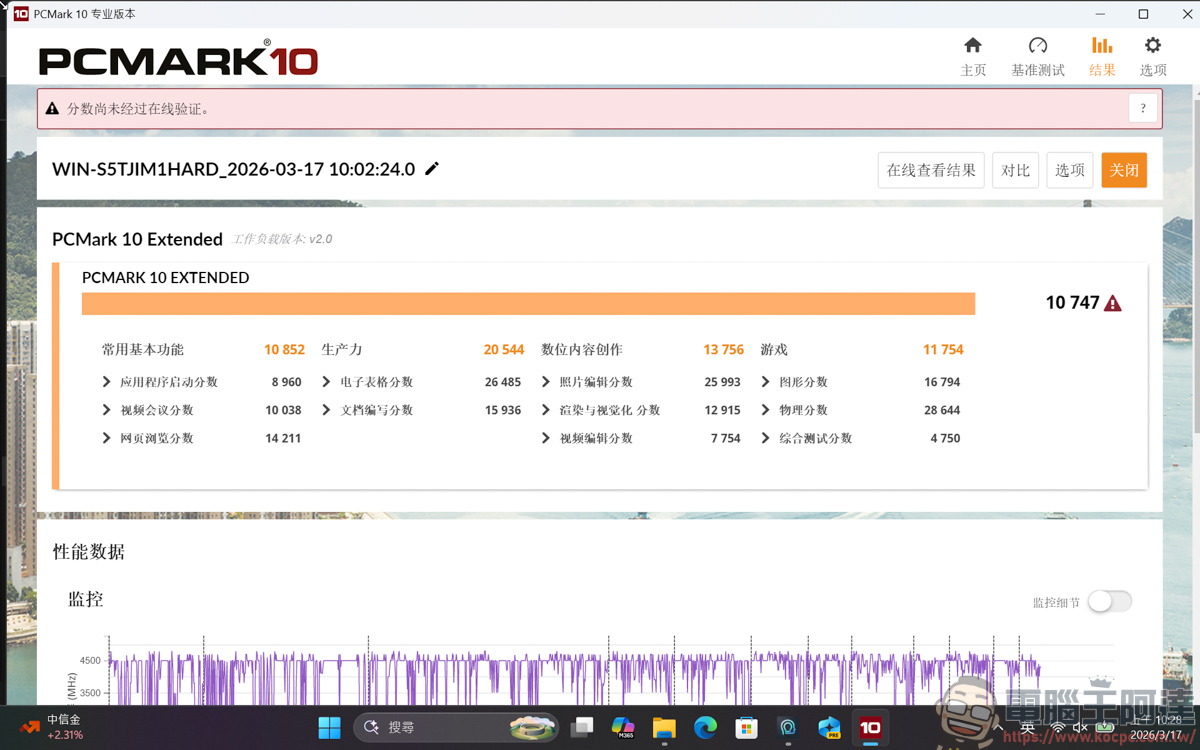
The extended benchmark test is 10,747 points, which is a significant improvement over the previous generation (6,119 points):
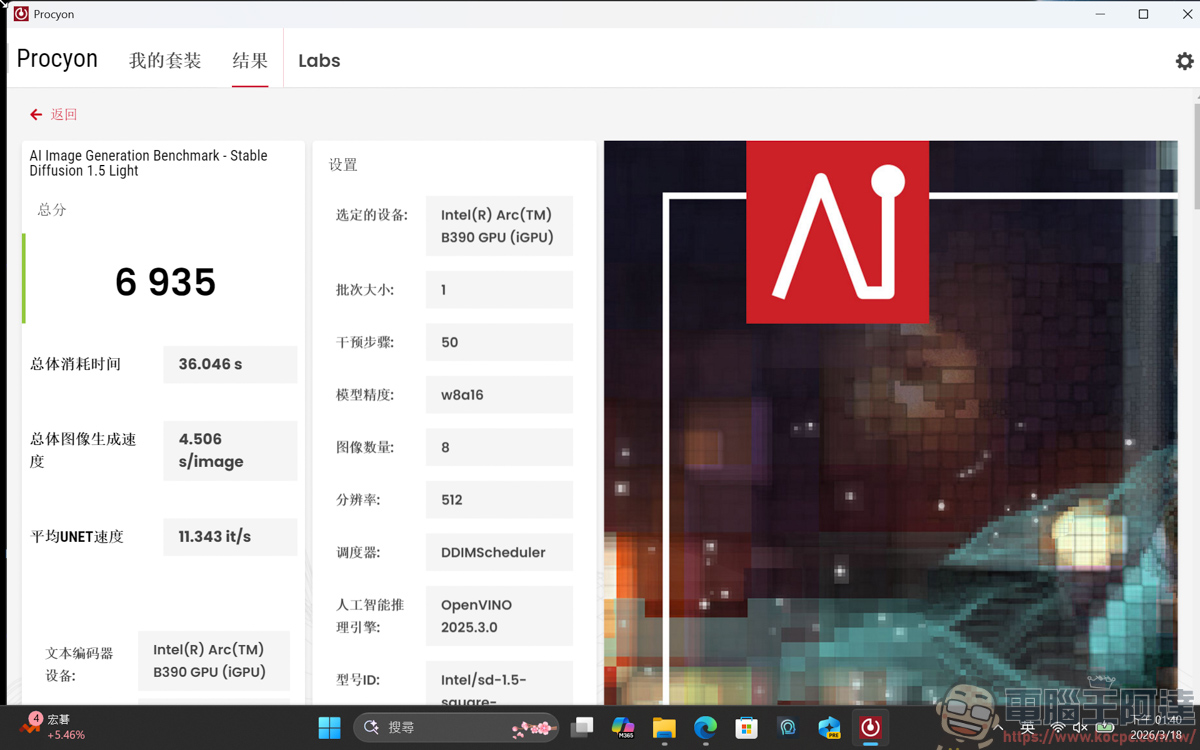
In terms of AI, photo retouching, and video editing software, Procyon is used for benchmark testing. In terms of AI graphics calculation, the CPU and GPU tests obtained the following results:
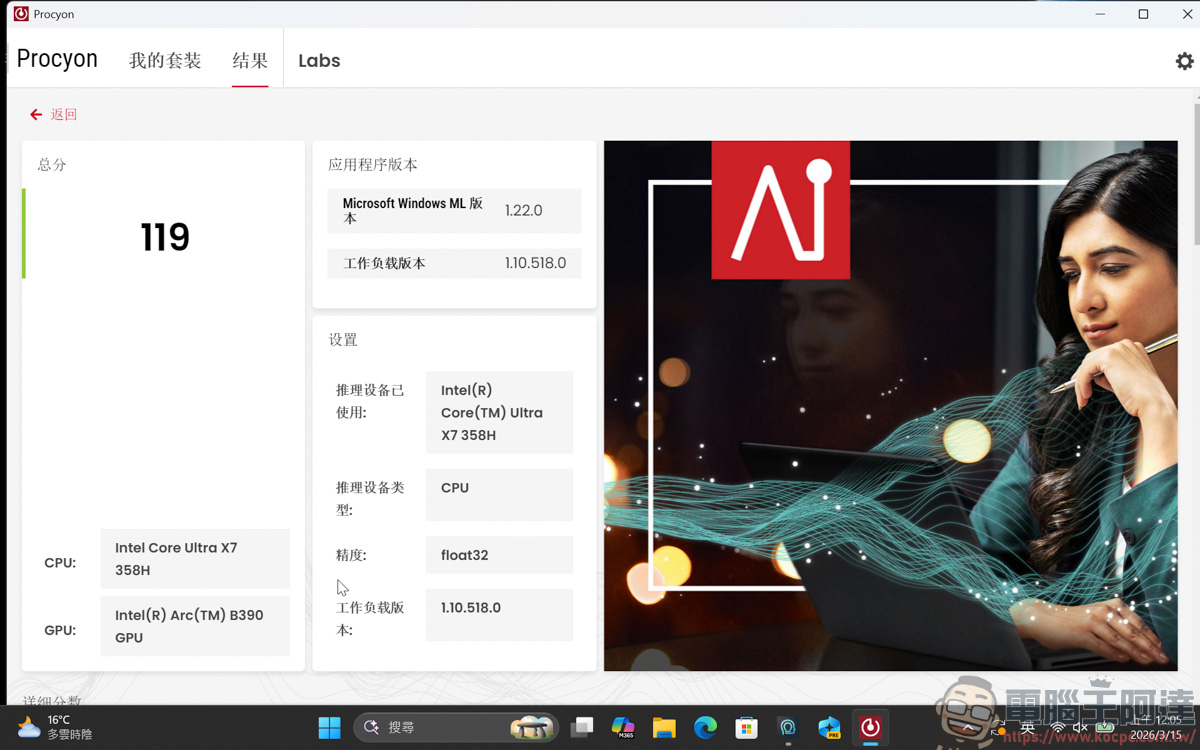
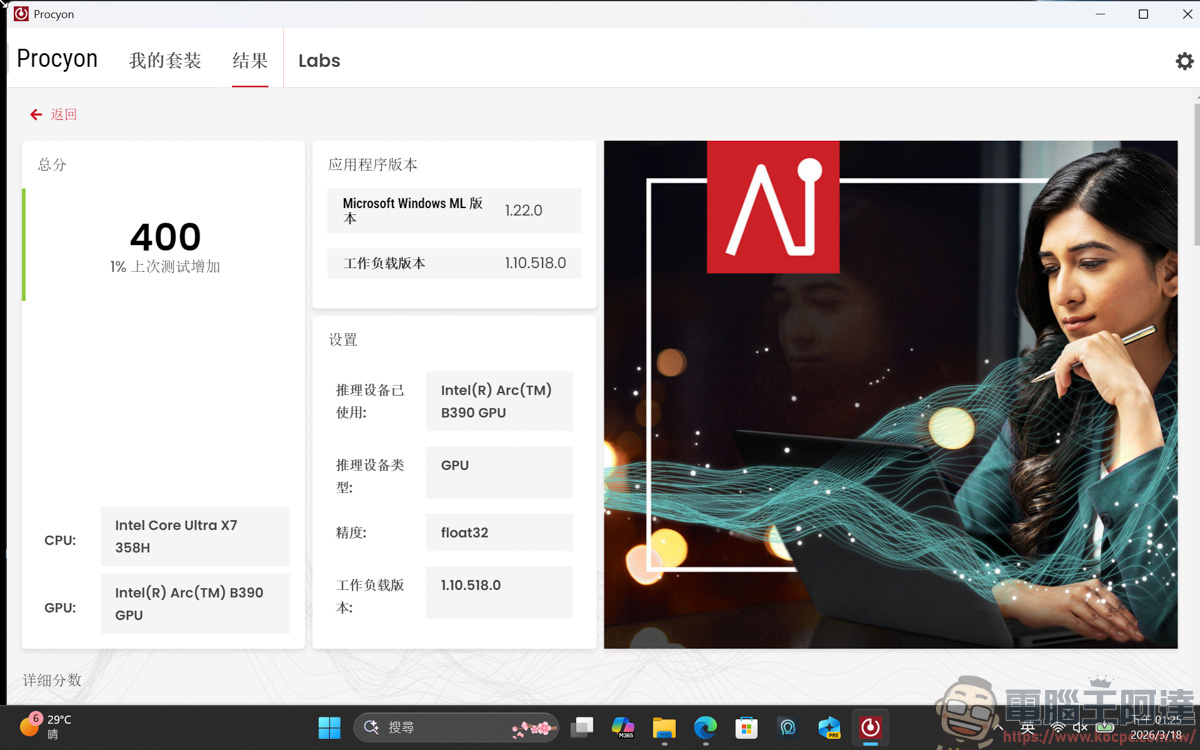
To be honest, this kind of performance is quite sufficient for running some small models of AI:
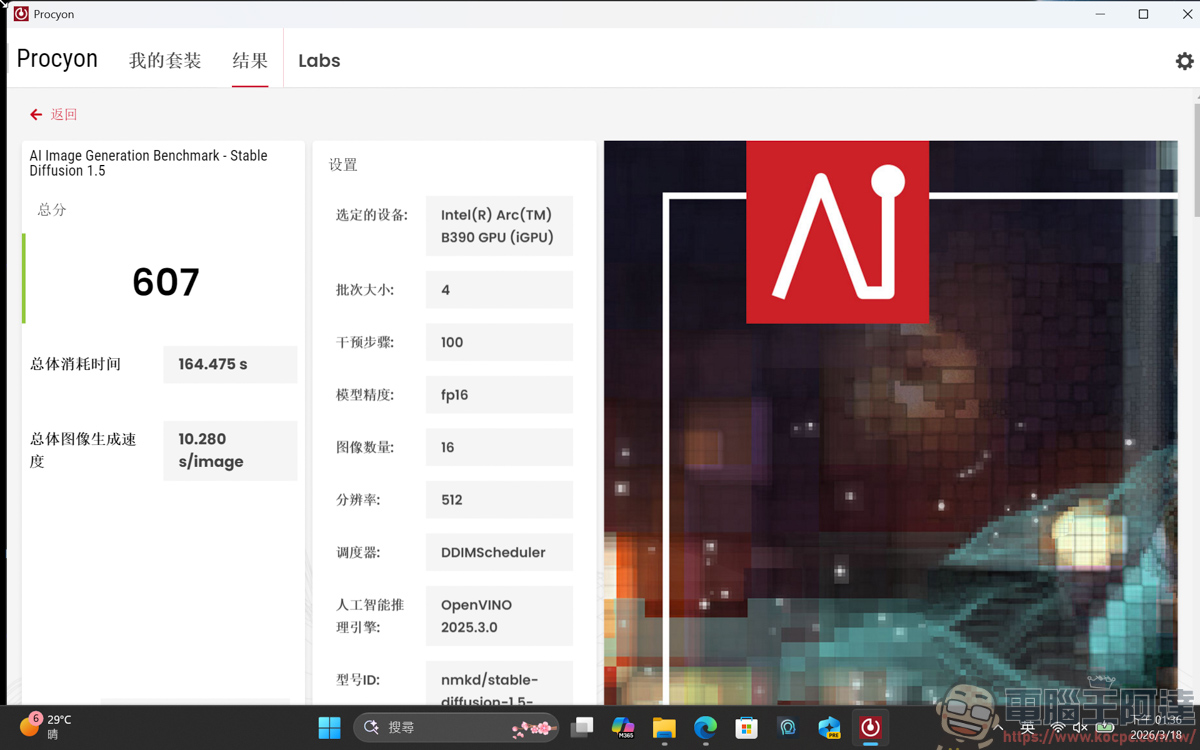
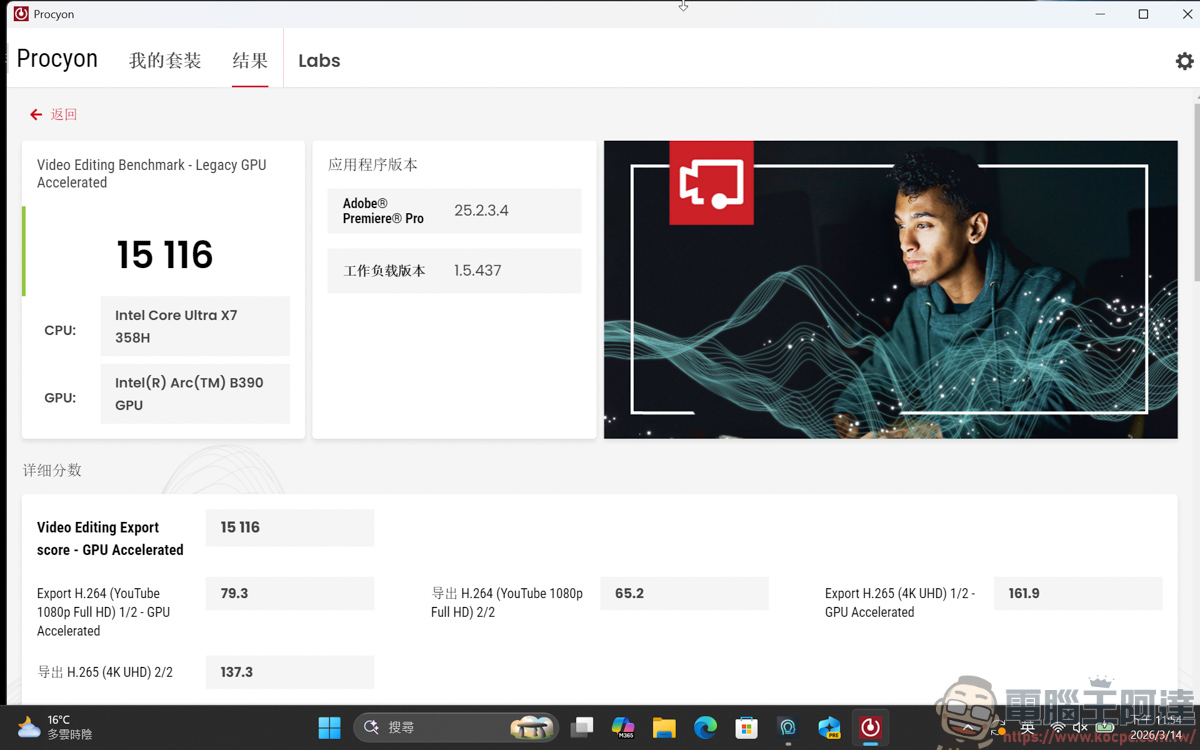
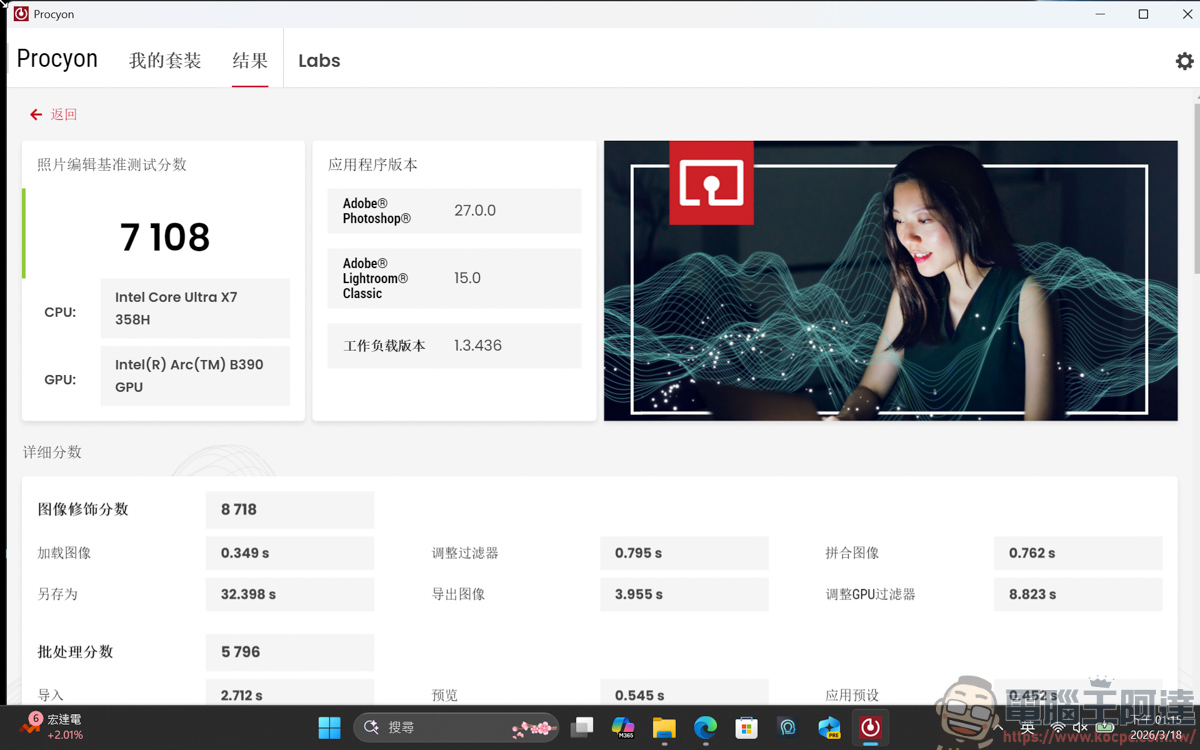
The editing and photo editing parts also run smoothly:
Ghost-level battery life performance
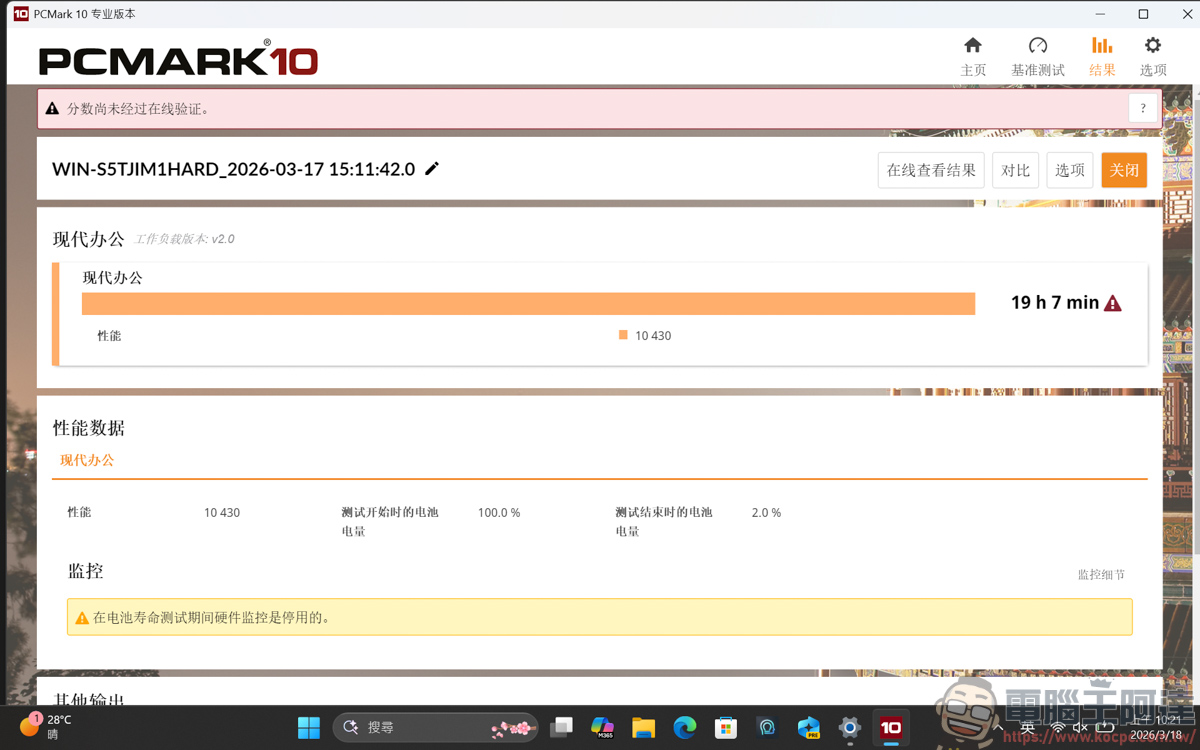
PCMark 10 was used to execute the office scenario mode, with the brightness at 50% and Wifi turned on, and the balanced mode and performance mode were used for battery life testing. In performance mode, it can run for 19h 7min:
The balanced mode ran for 21 hours and 41 minutes, which is three hours longer than the battery life test of the previous generation. If you use this battery life seriously for a full day of work, it will definitely be no problem:
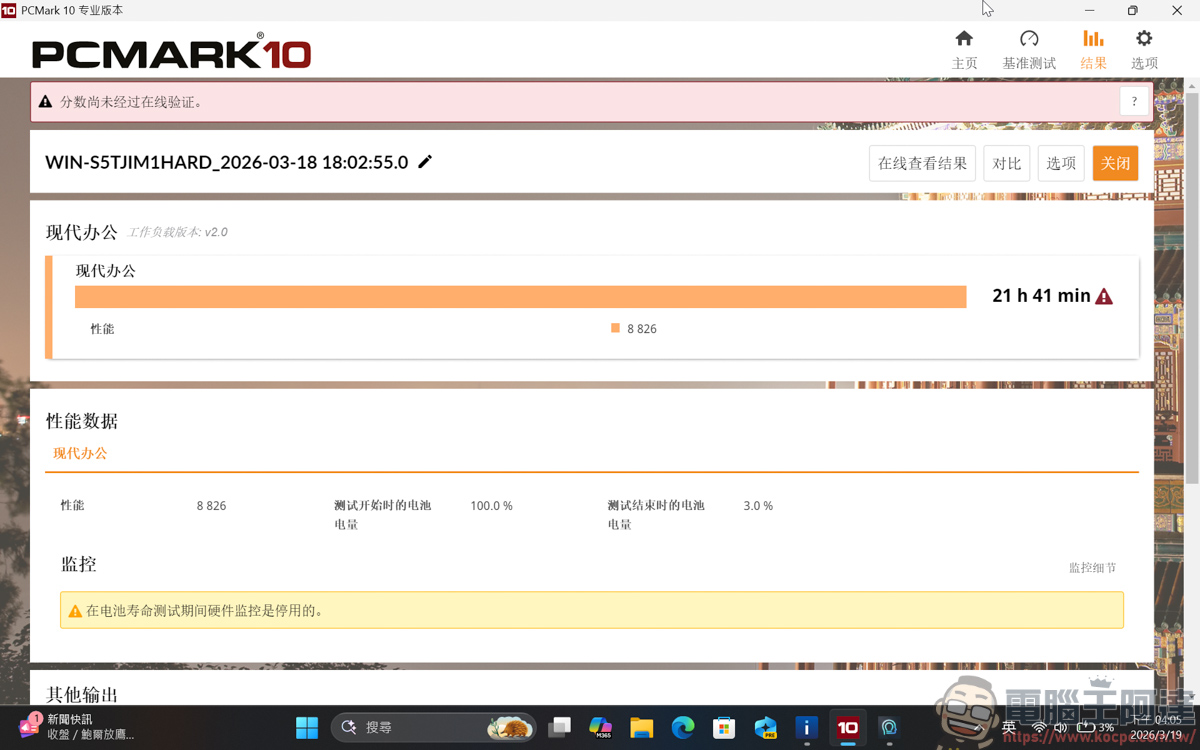
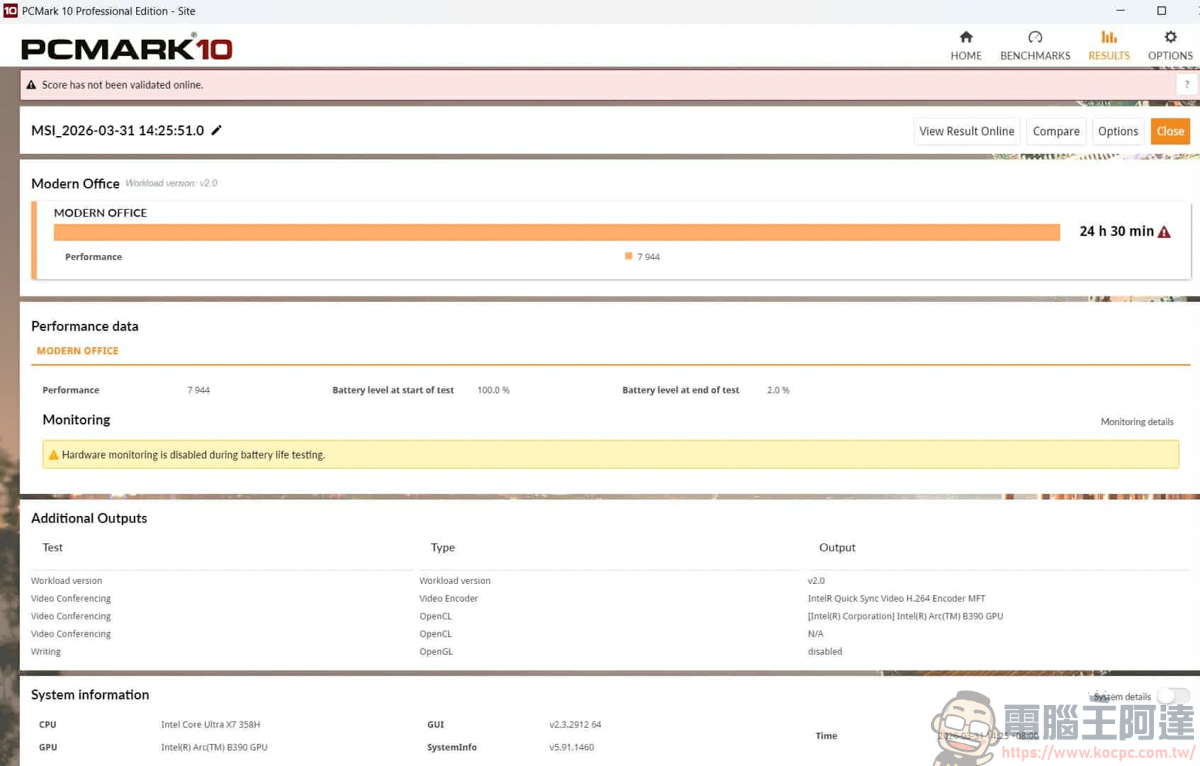
If Wifi and Bluetooth are turned off, you can run for 24 hours and 44 minutes, which is equivalent to a full day of running. And in laboratory tests, it can last up to 30 hours when playing 1080P videos in battery life mode at 150 nits brightness. Although most people’s usage habits do not work with such stringent performance as mentioned above, Intel is no longer a manufacturer selling toothpaste. I hope to continue to work hard and continue to squeeze out its own production capacity. As long as the battery life can be on par with Mac in the future, Intel’s products will be really good:
Conclusion
In summary, this time MSI Prestige 14 Flip AI+ really made me more satisfied with Intel’s mobile processors. The performance and battery life of the previous generation were actually pretty good. When I first tested it, I felt that the improvement was greater than before. Unexpectedly, this time the Core Ultra X7 358H equipped with the new Panther Lake architecture is even more powerful. It can completely abandon the MAC as the main machine for business trips, which can completely help Ada get rid of battery life anxiety.
What amazes me the most is its Arc B390 internal display and XeSS3 multi-frame generation technology. Who would have thought that a thin and light flip-up business machine that weighs only 1.3 kilograms and is less than 1.2 centimeters thick can maintain such a smooth gaming experience on multiple 3A masterpieces? It was unthinkable before that a business machine could also play games, but now it completely subverts our established impression of internal display!
Coupled with the excellent 14-inch OLED touch screen and the new MSI Nano Pen that can deeply combine AI and Copilot functions, whether you are a business elite who needs to travel around for briefings and meetings, or a creator who needs to capture inspiration and edit pictures and videos at any time, the “mobile productivity” of this laptop can definitely meet your various hard-core needs. If you have recently been looking at a thin and light flip laptop with ultimate battery life, powerful performance, and the ability to play games and relax after get off work, this MSI Prestige 14 Flip AI+ is definitely worth putting on your first choice list!
Source: KOCPC Chinese