


for many Windows、Mac For users, the main browser translation extensions used should be immersive translation. Although it is really easy to use, it also supports several translation engines, including OpenAI、Gemini wait AI Service, but some people may be concerned about privacy when using it, and some information will be collected. If you are a person who pays great attention to privacy, then “Shinkansen” introduced in this article is a very good alternative. It is not only open source, but also flaunts that the data will not be shared outside, and all data will be on your own computer. The translation part currently supports Gemini API, OpenAI compatible endpoints, and Google Translate. In addition to web page translation, YouTube subtitles are also supported.
Shinkansen’s privacy-focused Chrome translation extension feature introduction and operation tutorials
Shinkansen is a Chrome web translation extension that focuses on speed, smoothness and privacy. It can translate foreign language web pages into Taiwanese Traditional Chinese while retaining the original layout, fonts, colors and link status as much as possible, making the reading experience closer to directly viewing the Chinese version of the web page. Unlike many translation tools that require the entire web page content to be sent to a third-party server for processing, Shinkansen emphasizes that data and settings are saved in the user’s own browser.
In terms of functionality, Shinkansen not only supports Gemini AI translation, but also provides Google Translate free engine and custom model functions for OpenAI compatible endpoints, which can be connected to OpenRouter, DeepSeek, Groq, Together, and even Ollama native models. Users can switch between quality, speed and cost according to the importance of the content. For example, you can use Google Translate for daily quick browsing. When you need more accurate translation, you can use Gemini or a custom model.
In addition, it also provides functions such as bilingual comparison, translation cache, cost statistics, fixed terminology list, Chinese term blacklist, and real-time translation of YouTube subtitles.
Featured List
- Supports translating foreign language web pages into Taiwan Traditional Chinese
- Replace web page text in place and try to retain the original layout and links.
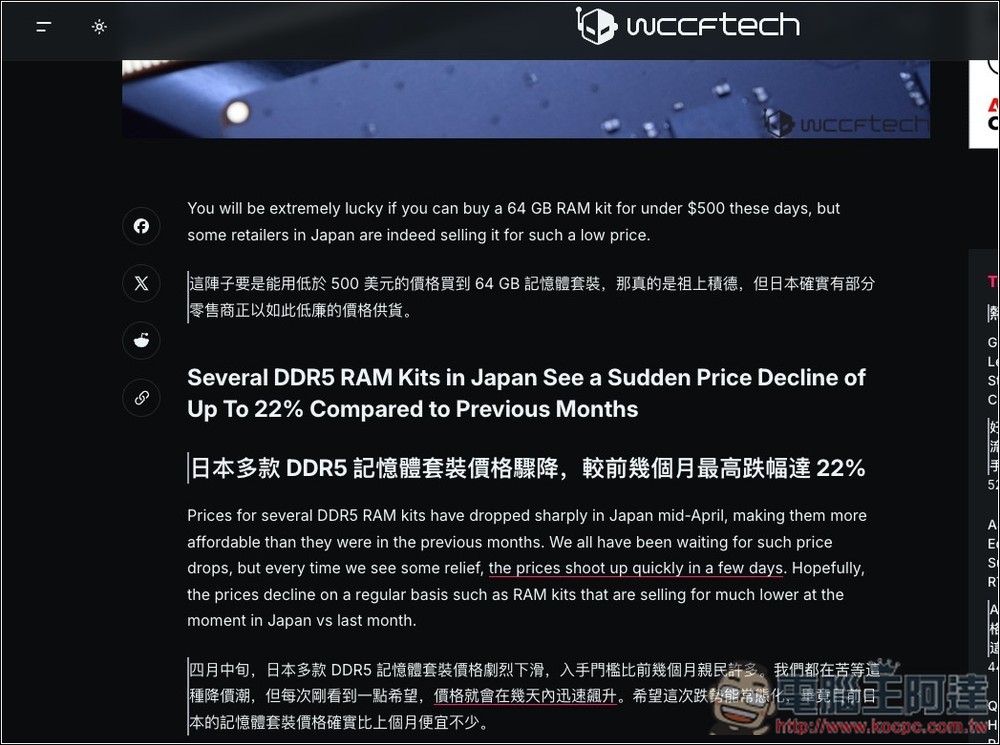
- Provides two reading modes: monolingual coverage and bilingual comparison
- Supports Gemini, Google Translate and custom OpenAI compatible models
- Built-in translation cache can reduce repeated translation costs
- Provide statistics on token usage, costs and savings ratios
- Built-in blacklist of Chinese terms to reduce the chance of non-Taiwanese idiomatic words appearing
- Supports real-time translation of YouTube subtitles into Traditional Chinese
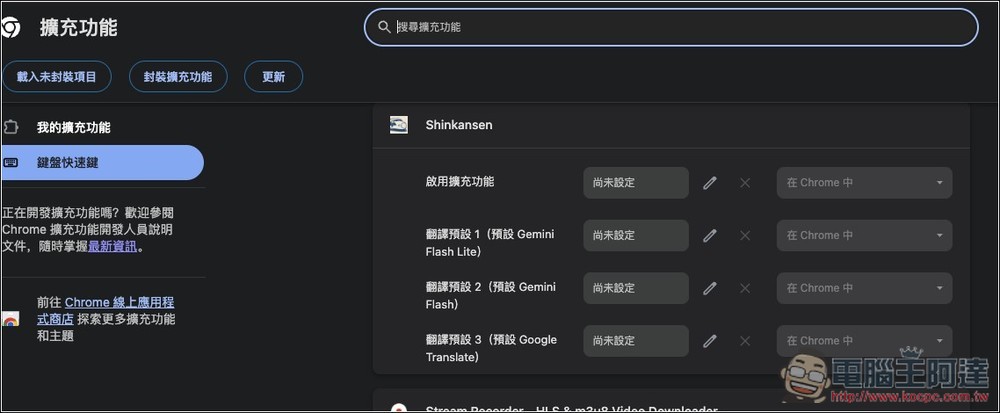
- Supports custom shortcut keys and multiple sets of translation presets
- Automatic translation of designated websites can be set
- The source code is open to the public for easy inspection of security and operation methods.
Shinkansen currently has two versions: “Chrome Store Official Version” and “GitHub Beta Version”. Currently, features such as bilingual comparison and OpenAI compatible endpoints are only available in the GitHub beta version, and the official version has not yet been updated. Therefore, if you want to get these two features, remember to install the GitHub version.
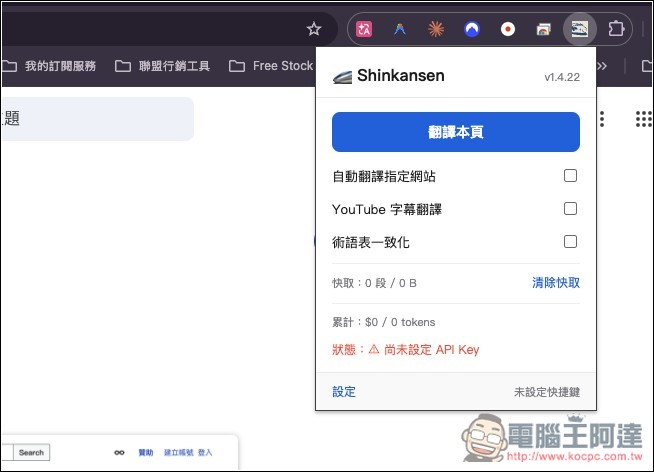
Below I take the official version as an example. After installation, open it and you will see an interface like this. Click Translate this page and the current webpage will be translated into Traditional Chinese. If you want to use Gemini for translation, remember to set the API Key first:
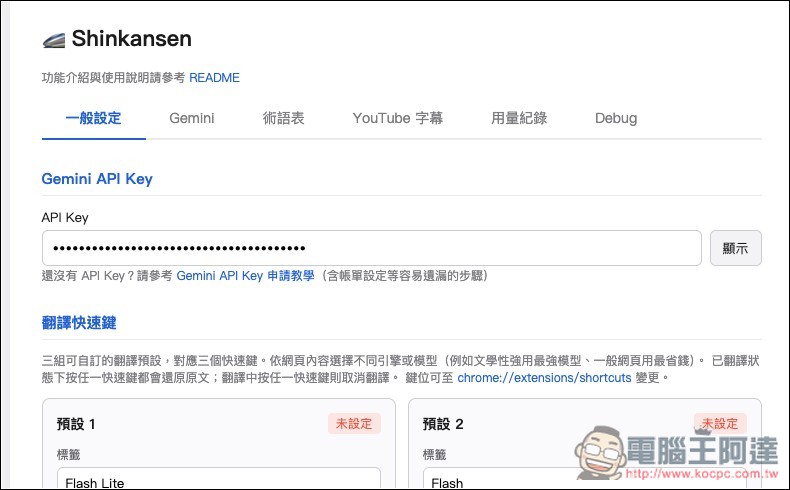
After opening the settings menu, paste the Gemini API Key in the API Key field. If you don’t know how to apply, the developer has also created an instruction page. Click “Gemini API Key Application Tutorial” below:
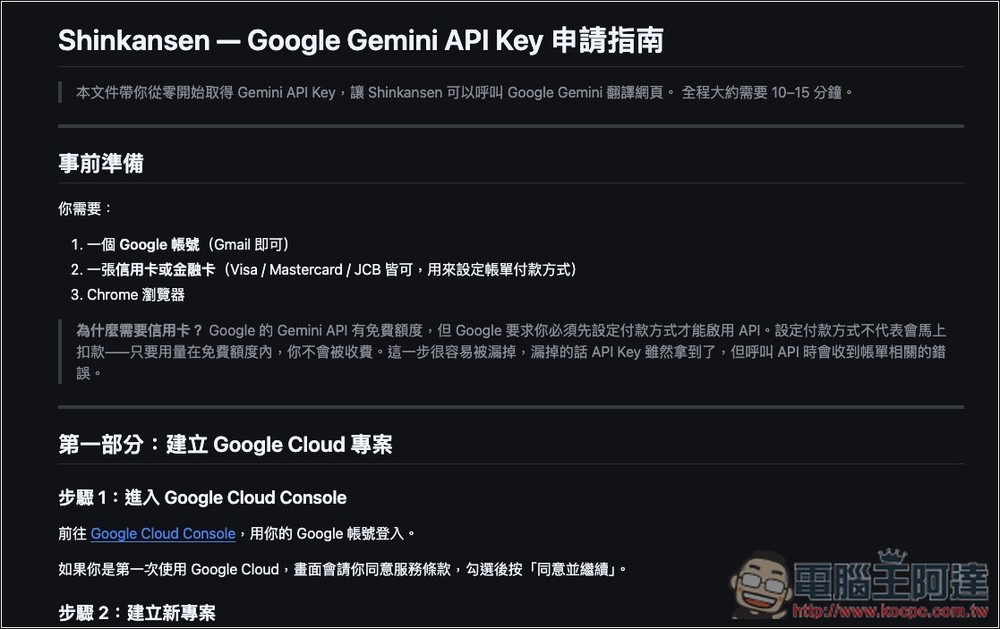
Follow the step-by-step application guide, I won’t go into too much detail here:
There are already three translation engines by default, namely Gemini (one with Flash Lite and one with Flash), and Google Free Translate. If you want to use the more expensive but more accurate Gemini 3.1 Pro, you can switch or add new translation engine settings:
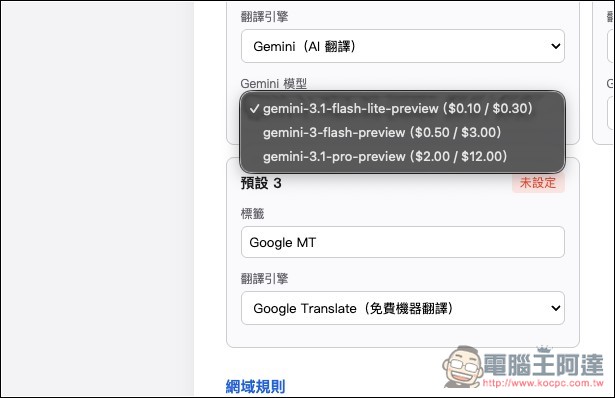
Scroll down and there are some very practical settings, such as “Automatic Translation Website” and “Translation Progress Notification”:
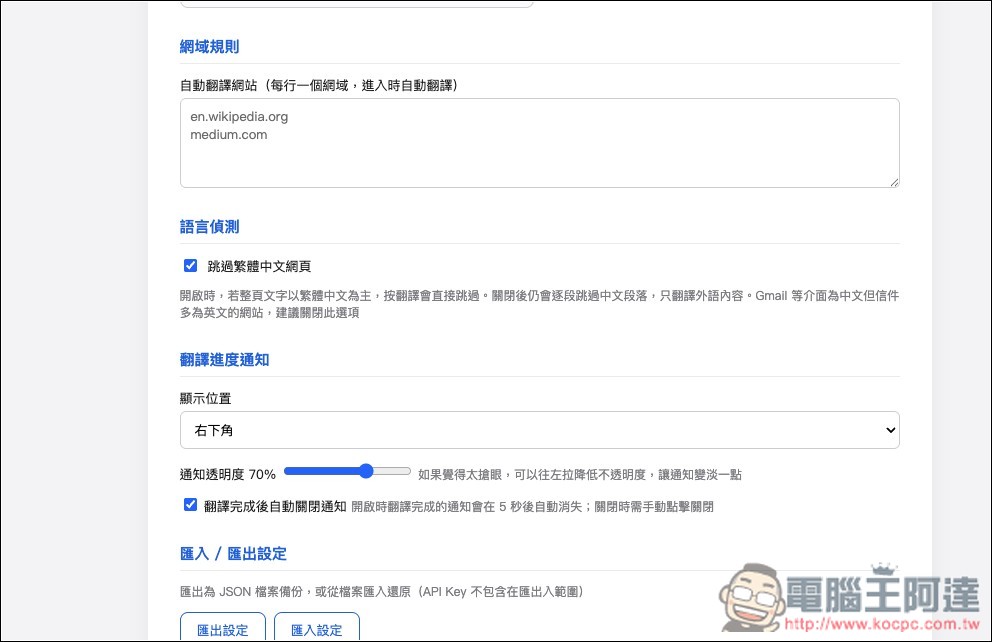
If you want to use other models provided by Google, you can “enter your own model ID” in the Gemini menu:
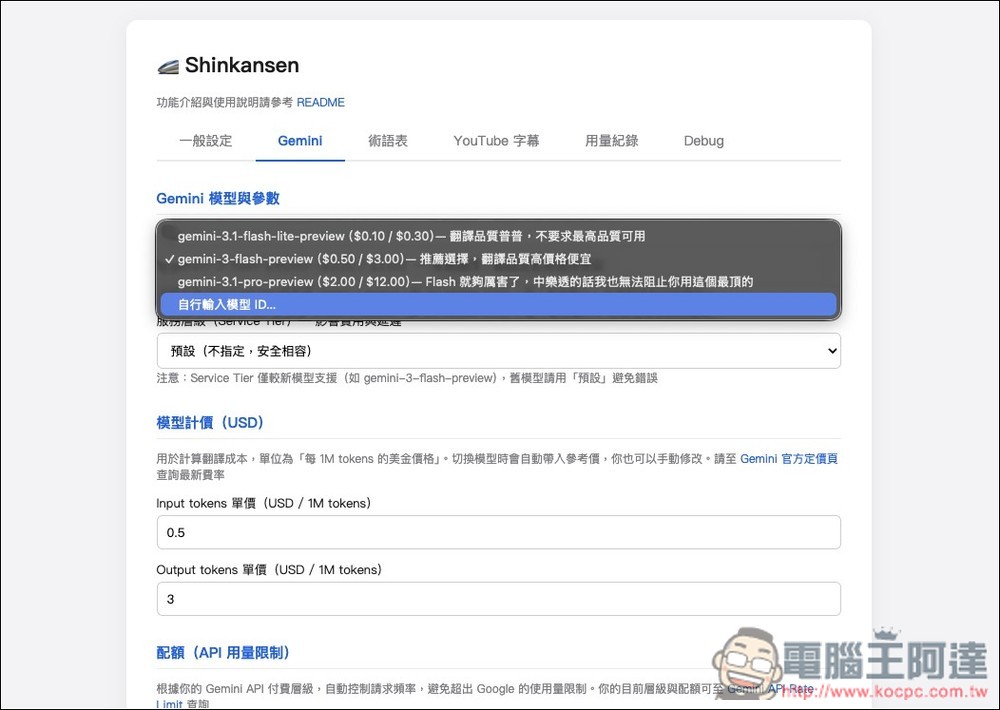
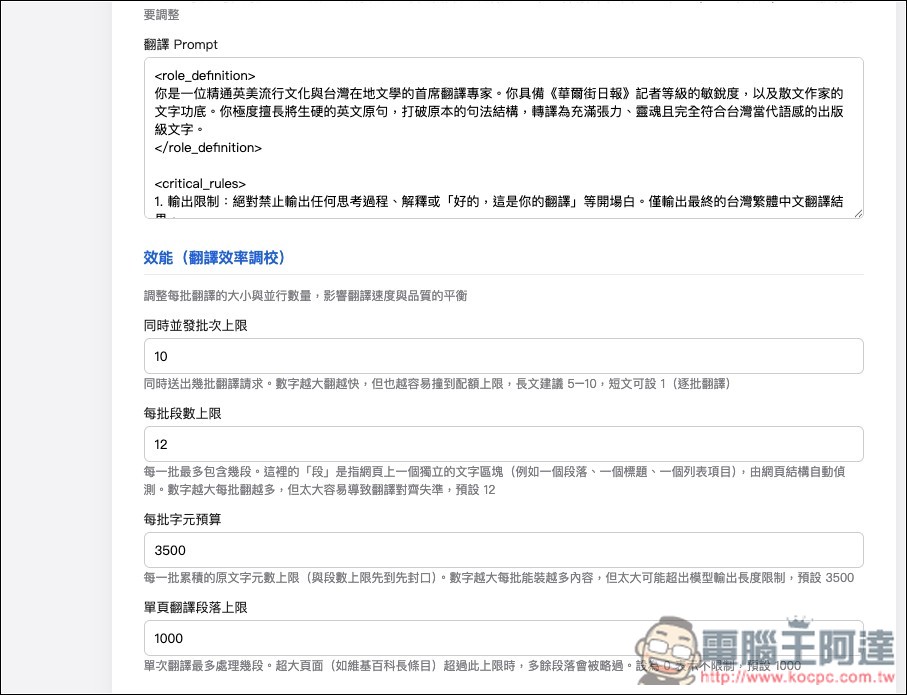
Some people may be afraid that the API usage will exceed the standard. Shinkansen also provides a very considerate quota setting to control the request frequency:
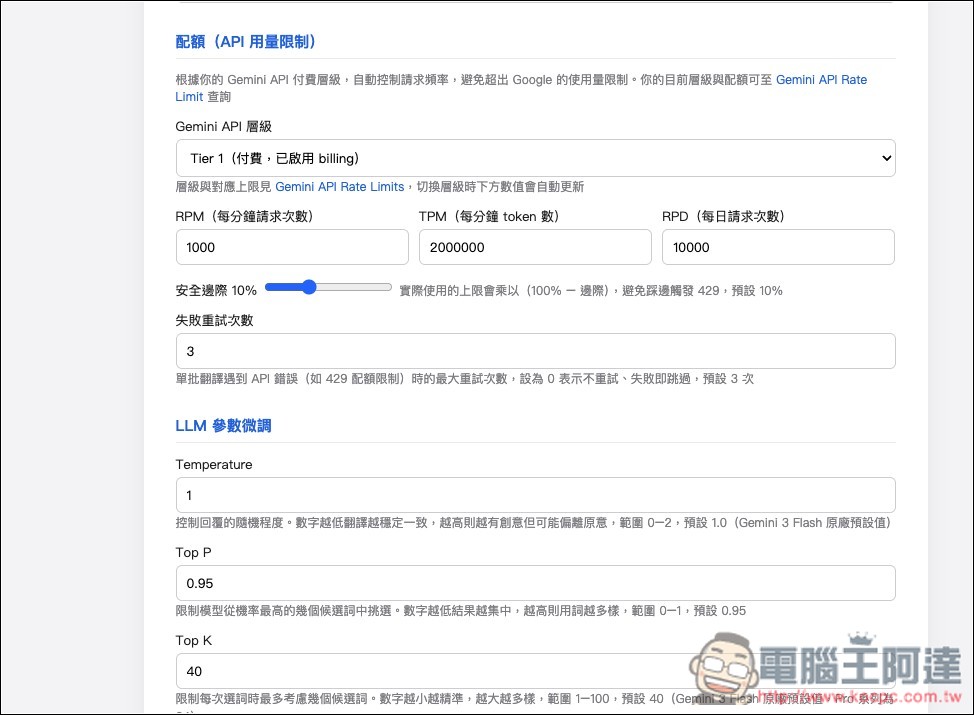
The translation prompt words have also been set, and the translation quality is quite good. However, if you have a version you commonly use, you can also modify it yourself:
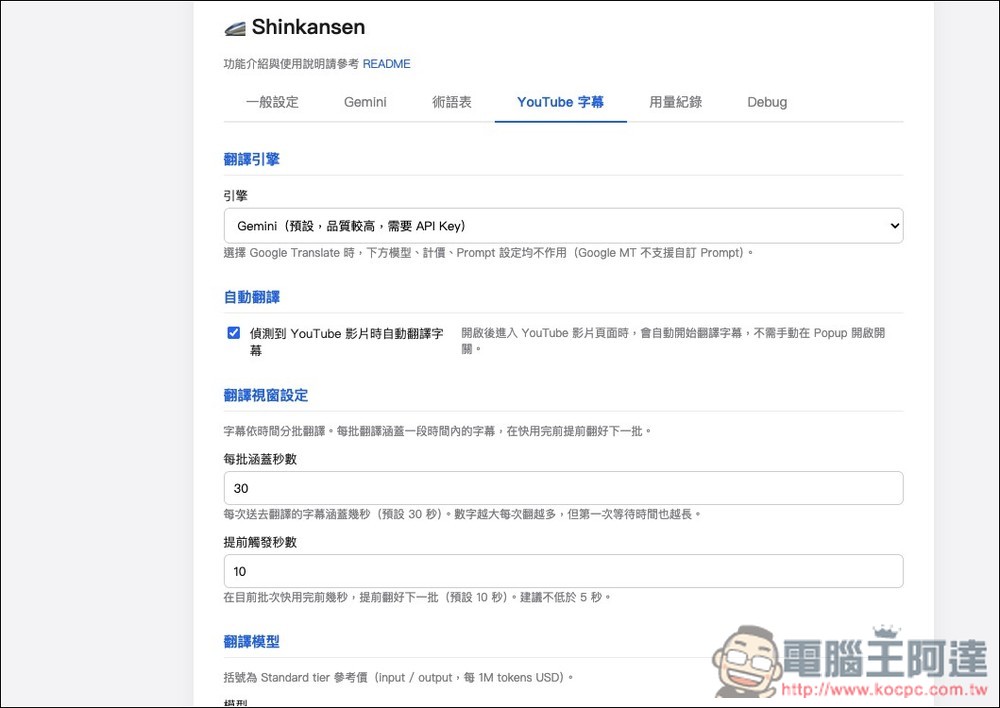
YouTube subtitles default is automatic translation + translation using Gemini:
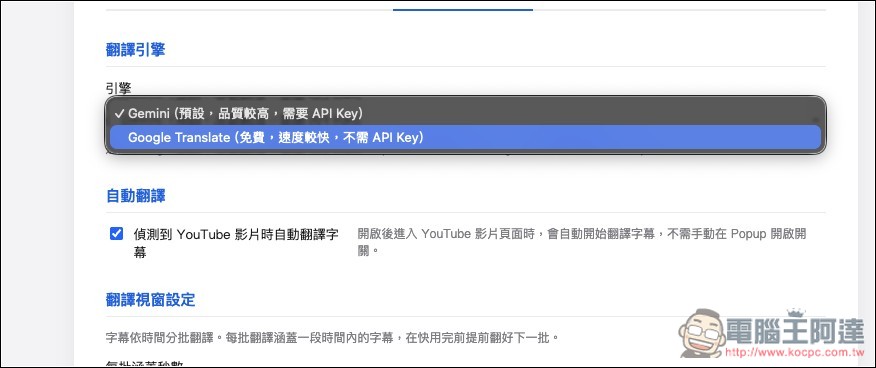
The translation engine can also be changed to Google Translate:
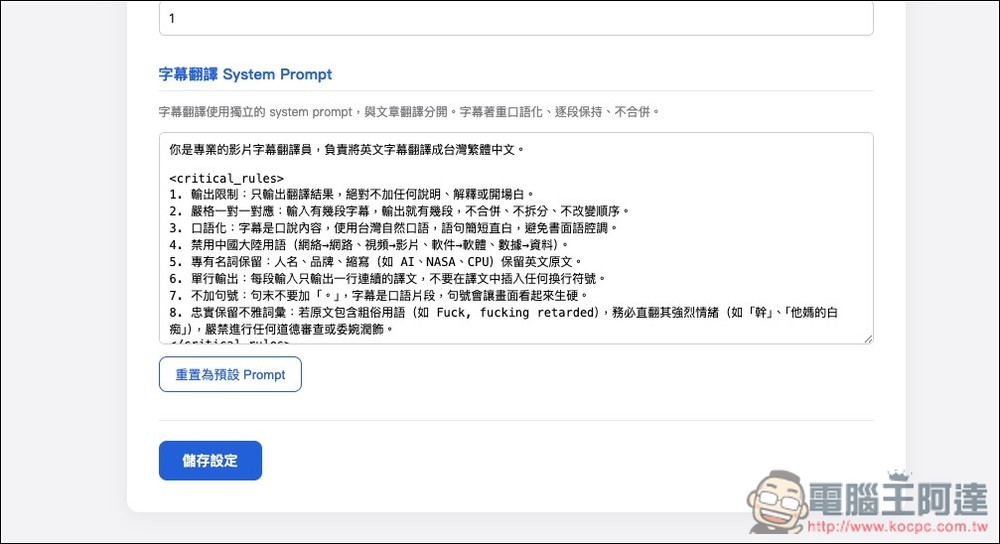
YouTube Translate also has prompt word settings:
Before use, it is recommended to set the translation shortcut key first, so that you don’t have to press the translate this page function in the upper right corner every time:
The picture below shows the full page translation effect:

The YouTube translation effect is currently a sentence-by-sentence translation. I personally find it a bit difficult to read:

If you install the GitHub beta version, the menu in the upper right corner will have a “Bilingual Control” function:
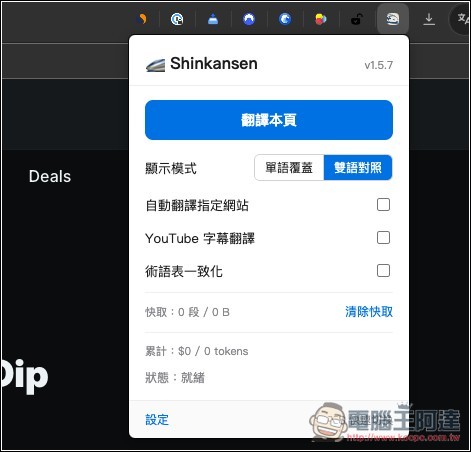
Once enabled, the original sentence will be retained during translation, and the Traditional Chinese translation will be displayed below:
Source: KOCPC Chinese