


Groupgaming pcAt that time, many people CPU and GPU Everyone has an idea and knows which model to choose, butmemoryI often get stuck and don’t know whether to choose 16GB or go directly to 32GB? Does the extra double really make a difference? There is no right answer to this question, but you can still refer to the suggestions provided by Microsoft recently. Microsoft believes that 16GB is the bottom line, and 32GB is the so-called “no-worries zone” (no-worry configuration).
Image source: Windows Latest
Microsoft: 32GB RAM is the “trouble-free” configuration for playing games on Windows 11, and 16GB is just the basic disk
According to foreign media Windows Latest According to the discovery, Microsoft wrote in the Windows 11 game recommendation document: “Moving to 32GB RAM helps if you run Discord, browsers, or streaming tools alongside your games.”
To put it simply, it means that 16GB of memory is a must for gaming computers, but you don’t need to worry about 32GB.
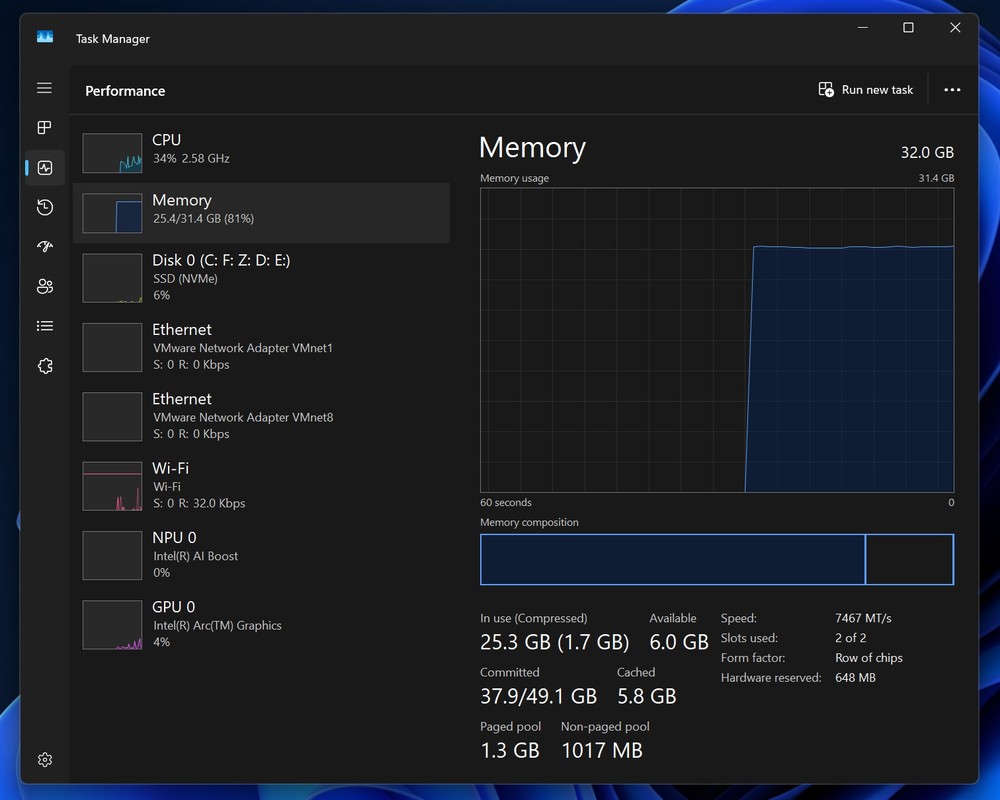
Image source: Windows Latest
It should be noted that the minimum requirement for the Windows system itself is 8GB, but this refers to being able to boot and run, not to play games smoothly.
However, Microsoft’s attitude towards 32GB has been changing recently. In February this year, it was said that 32GB is “ideal for serious gamers” (suitable for serious gamers), which sounds like a suggestion for high-end gamers. However, in the recent document, 32GB has become “don’t worry” and no longer emphasizes high-end.
What’s more interesting is that Microsoft’s reason is not that AAA games consume more memory, but other tools that are used when playing games, such as opening Discord to chat with friends, a bunch of strategy tabs hanging in the browser, Steam/Epic/Xbox launchers running in the background, and some people also open OBS live broadcast or recording at the same time. In addition, graphics card consoles, various overlays, and performance monitoring gadgets, these are the real reasons why games compete for memory.
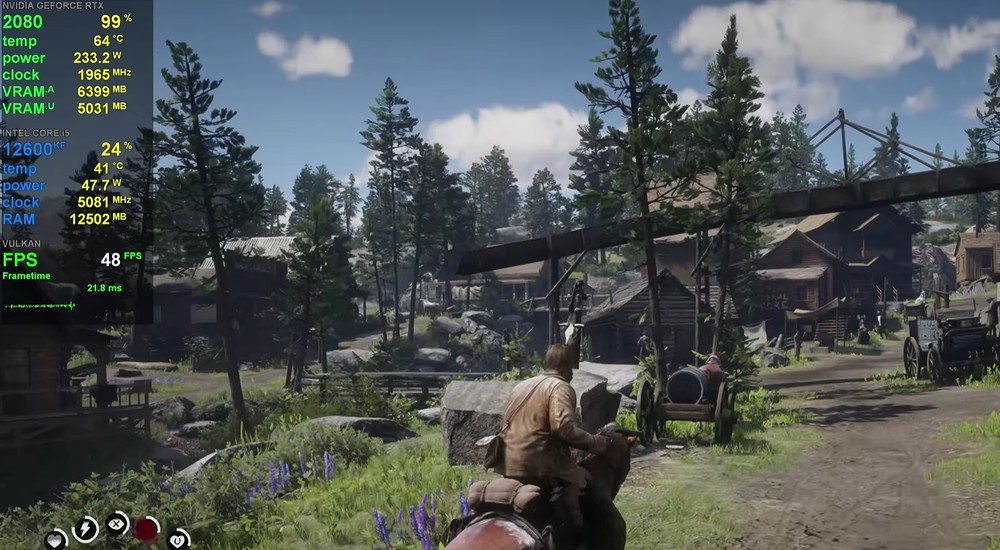
Image source: Windows Latest
Windows Latest previously reported that Discord’s memory would slowly expand, and it would restart itself once it reached 4GB. And 4GB is equivalent to a part of the memory space available for games, which means that a piece of it will be eaten up before the game is launched.
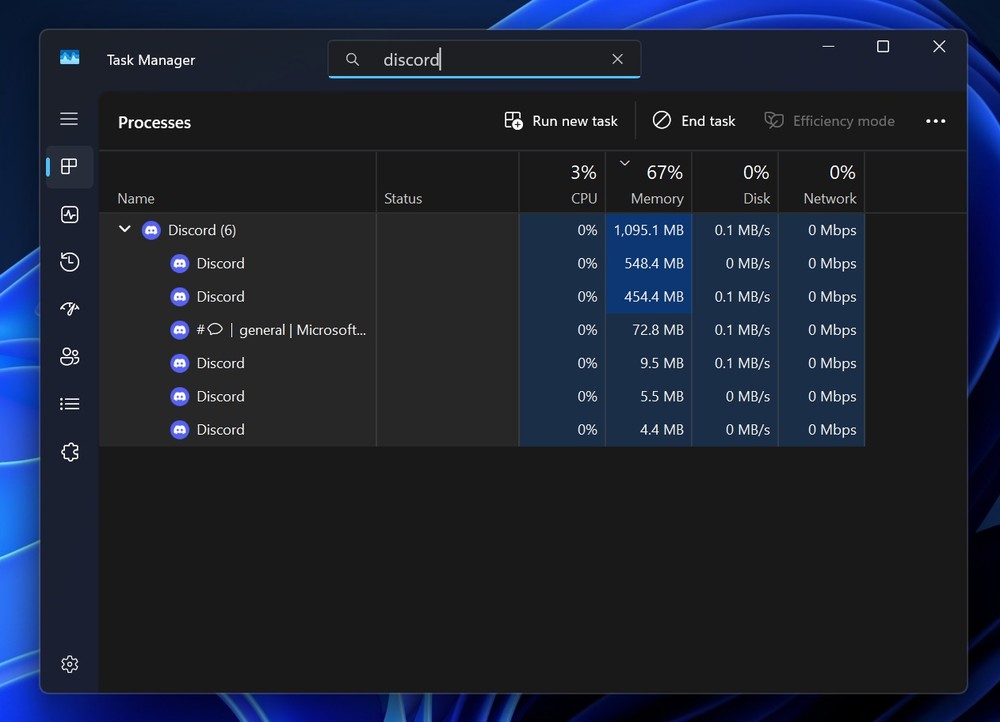
Image source: Windows Latest
So how much memory does the game itself require? Foreign media also compiled an official recommendation list for mainstream masterpieces as a reference for people building gaming computers:
| Game name | publisher | Recommended RAM | Official specs link |
|---|---|---|---|
| Cyberpunk 2077 | CD Projekt Red | 16GB | Official support page |
| starry sky | Bethesda Softworks | 16GB | Official support page |
| Hogwarts Legacy | Warner Bros. Games | 16GB | Official support page |
| God of War: Ragnarok | PlayStation PC LLC | 16GB | Official blog |
| Green Blood 2 | Rockstar Games | 12GB | Official support page |
| Elden’s Circle | Bandai Namco Entertainment | 16GB | Official website |
| Death Stranding 2: Beyond the Shores | Kojima Productions | 16GB | Official blog |
| Diablo IV | Blizzard Entertainment | 16GB | Battle.net Store |
| Breaking Dawn Legend | Bandai Namco Entertainment | 8GB | Official website |
| Battle 2 | Blizzard Entertainment | 8GB | Battle.net Store |
Most games are 16GB, but the design logic behind them is different.
For very large open worlds such as “Cyberpunk 2077” and “Starry Sky”, what consumes the most RAM is not the screen itself, but the “real-time streaming scene”. When you move around the map, the engine has to continuously load the terrain, textures and NPC behavior data of the next area. These must be temporarily stored in the memory to avoid lag. The scene data alone will eat up several GB.
In “Hogwarts Legacy” and “God of War: Ragnarok”, the texture scale is increased to 4K level. With the addition of real-time light and shadow, particle effects and dynamic materials, the material cache can easily push the RAM to the upper limit.
Source: KOCPC Chinese