


Do you want to make pictures of e-commerce products, take photos of people’s IDs, or quickly memorize photos but don’t know how to use photo editing software? Recently, Aiarty Image Matting launched by Digiarty has launched a limited-time free one-year event. You can directly receive the genuine license by sending an email. This set of tools focuses on ultra-high-precision AI automaticGo and carryWith this technology, you don’t need to know Photoshop or apply it manually. With just one click, you can cut people, products, and pets super cleanly, and even extremely thin hair can be completely preserved.
What’s even more amazing is that in addition to AI to memorize, it also has built-in functions such as background synthesis, image enlargement, image repair, batch processing, etc. It can be used from memorizing to finalizing images at once, and can be easily used by e-commerce sellers, designers, and novice photographers. The following will give you a complete and quick introduction to the powerful functions of Aiarty Image Matting and how to get it for free.
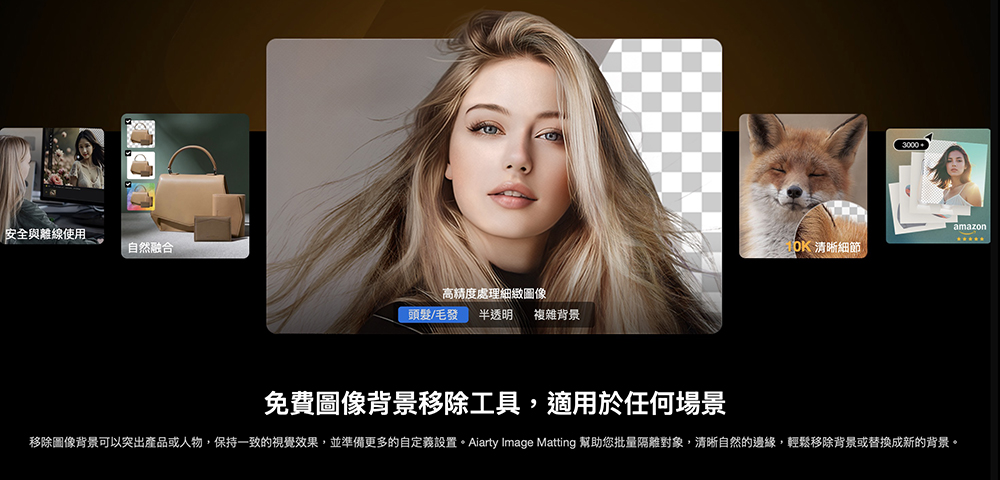
Aiarty Image Matting, the super powerful AI back-removing software, is free for a limited time! It’s super easy to remove backgrounds, change backgrounds, and enlarge pictures. Process 3,000 photos with one click.
Today’s AI retouching tools are becoming more and more powerful, but when it comes to precise back removal, hair edge recognition, background synthesis, image restoration and batch output, there are not many software that can truly provide an “all-inclusive” package. Aiarty Image Matting is one of those rare all-round tools. It is not only easy to operate, but the most important thing is that the effect is really close to the level of a professional photo retoucher.
What is Aiarty Image Matting?
Aiarty Image Matting is an AI photo editing software that specializes in enhancing image removal, improving image resolution, and performing image repair. It does not require you to have any knowledge of image processing. Just throw in the photo and AI will automatically segment the subject. Whether it is people, products, clothing, furry pets, or even hair and translucent materials, it can be processed very cleanly and naturally.
The highlights of this software can be briefly summarized as follows:
- AI high-precision image segmentation
The image segmentation model automatically identifies the subject, turning the most time-consuming process into one-click completion. - Fast processing speed
Even for high-resolution materials, a transparent background can be generated in a few seconds without manual selection or repeated repairs. - Rich image enhancement functions
In addition to back removal, it also has built-in functions such as resolution enhancement, image restoration, cropping, and enlargement to make the output quality higher. - Batch processing of up to 3,000 sheets at a time
It is very practical for sellers who produce large quantities of product pictures, saving a lot of time when processing multiple pictures at one time. - Supports Mac and Windows and uses local computing
Photos will not be uploaded to the cloud, and the processing speed is fast while taking into account privacy and security.
Compared with the general web version of the back removal tool, Aiarty Image Matting is more like a “simplified Photoshop back removal tool”. There is no complicated interface and no barriers to getting started. Even if you don’t know how to retouch pictures, you can still create a clean and beautiful finished product in a short time.
Free for a limited time
In order to promote the new version of Aiarty Image Matting, Digiarty Software recently launched a one-year official version license free event. Originally priced at US$49 (approximately NT$1,530), it is now completely free to receive, and both Windows and macOS users can participate.
It should be noted that the limited number of free serial numbers will be distributed in limited quantities, and they will be gone once they are collected. The event will last until November 30, 2025. If you are interested, be sure to get it as soon as possible.
How to get it for free
The whole process takes about a minute:
first step:
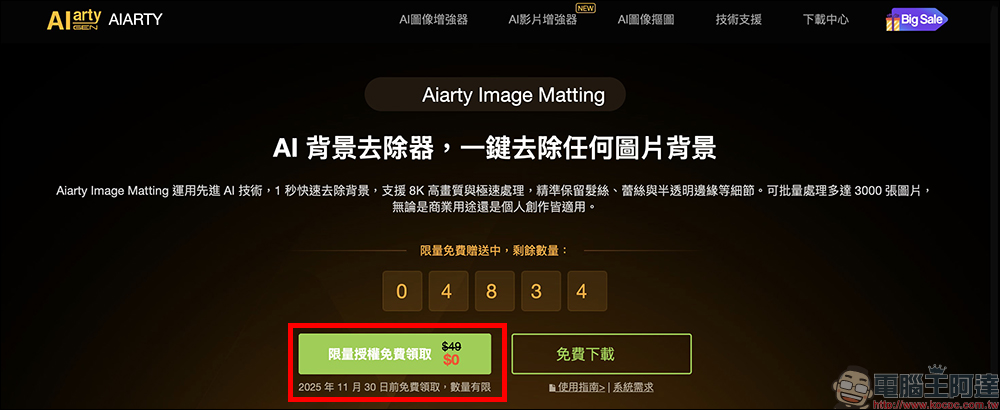
Entering the limited free activity page, you can see that the original price of $49 license is now displayed as 0 yuan. Just press the “Get limited license for free” button on the page to start receiving it.
Step two:
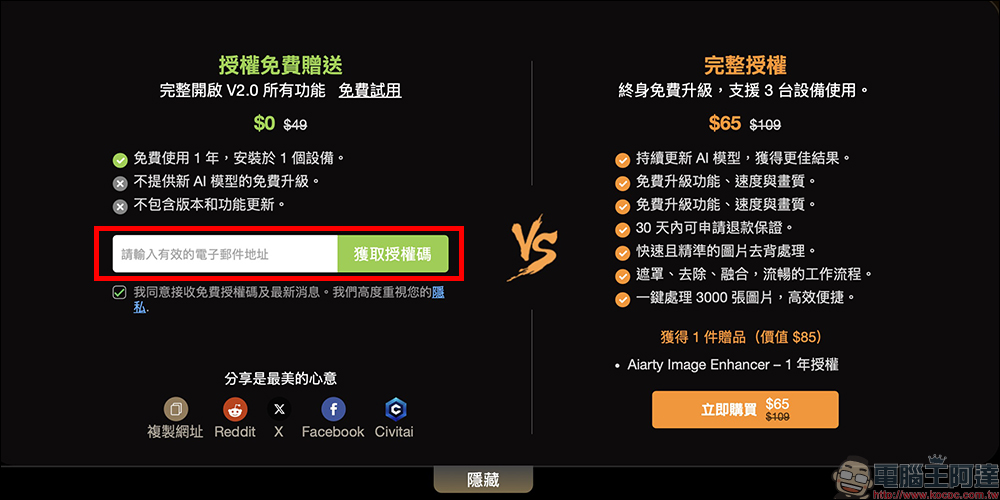
Enter your email in the field and click “Get Authorization Code”, and you will immediately receive the official serial number of Aiarty Image Matting V2.0.
Step three:
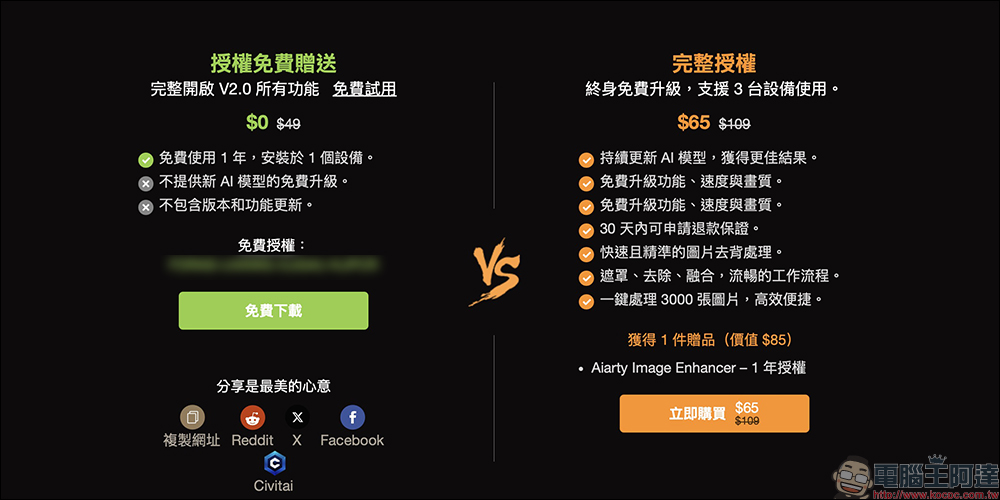
The authorization code will be displayed on the web page, click “Free Download” to download the main program. After the installation is complete, enter the email and serial number you just entered on the activation screen to activate the official version. This one-year serial number can unlock all official functions. The only limitation is that it cannot be upgraded to subsequent major versions, but it is quite enough for most people.
Step 4:
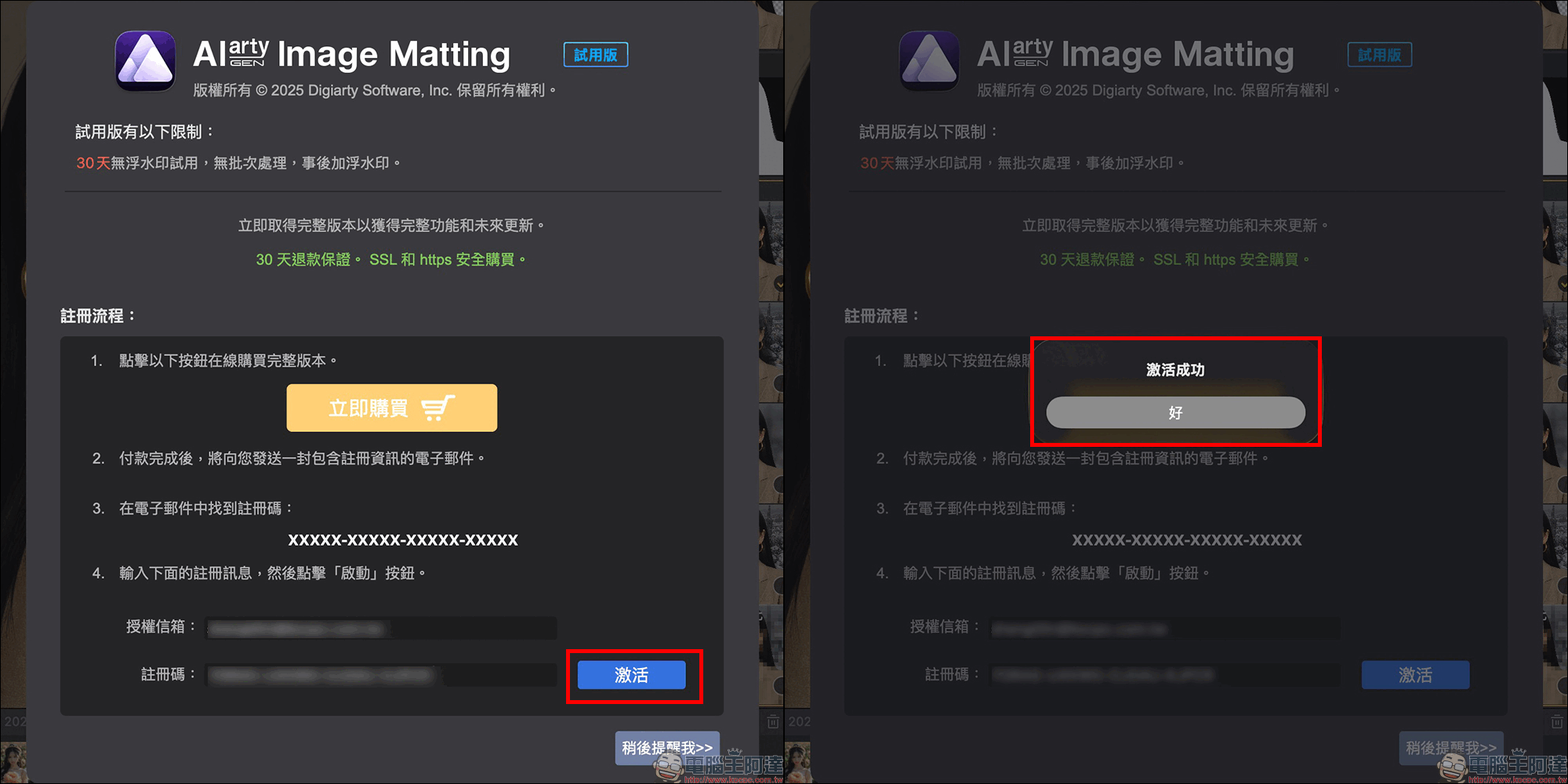
After installing the Aiarty Image Matting software and opening it, paste the free license number and email address on the registration page, and click “Activate”.
Aiarty Image Matting tutorials and techniques
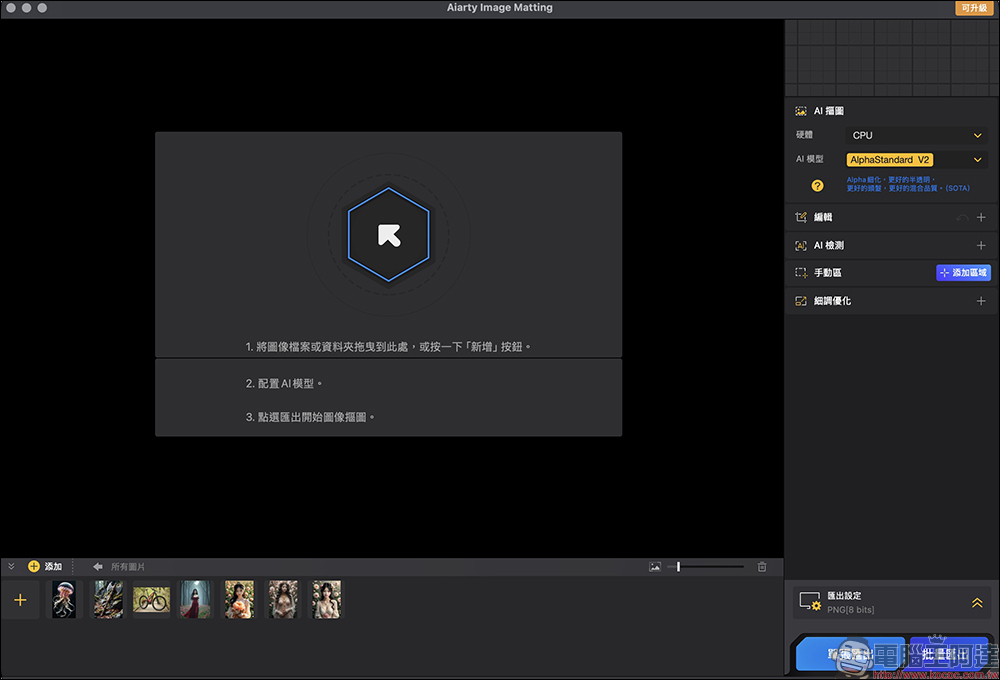
Then you can start using Aiarty Image Matting, first read in the image to be processed.
The following are the usage methods and tips in actual operation:
One-click memorization process:
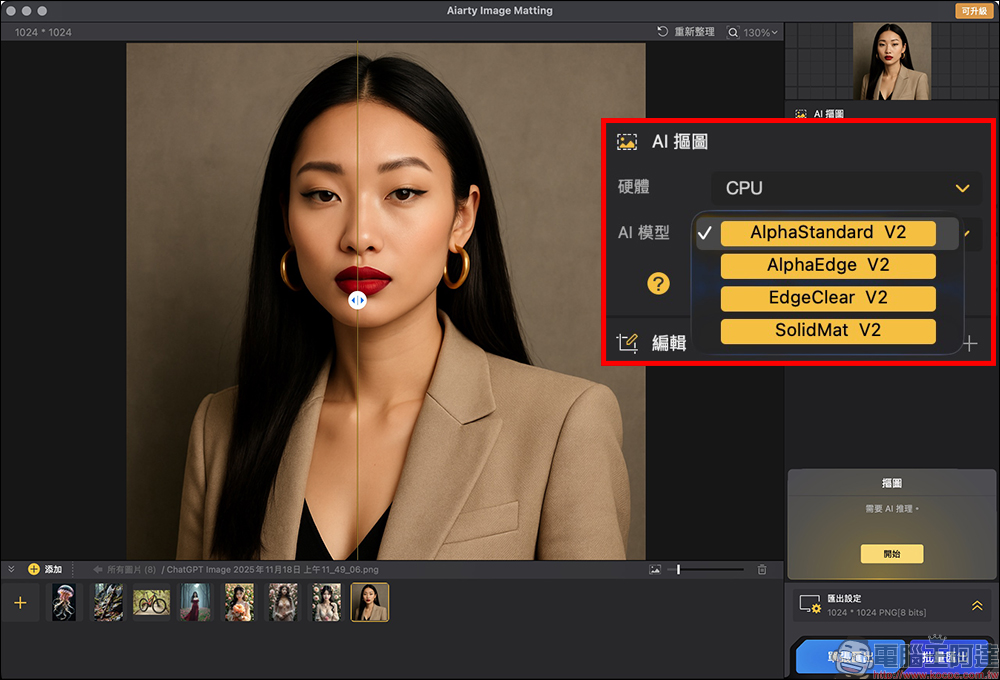
After importing the photos you want to process, you can see the AI model menu in the upper right corner. The software has four built-in models, such as AlphaStandard V2, AlphaEdge V2, etc., suitable for different photo types. For portrait photos, you can directly choose AlphaStandard V2.
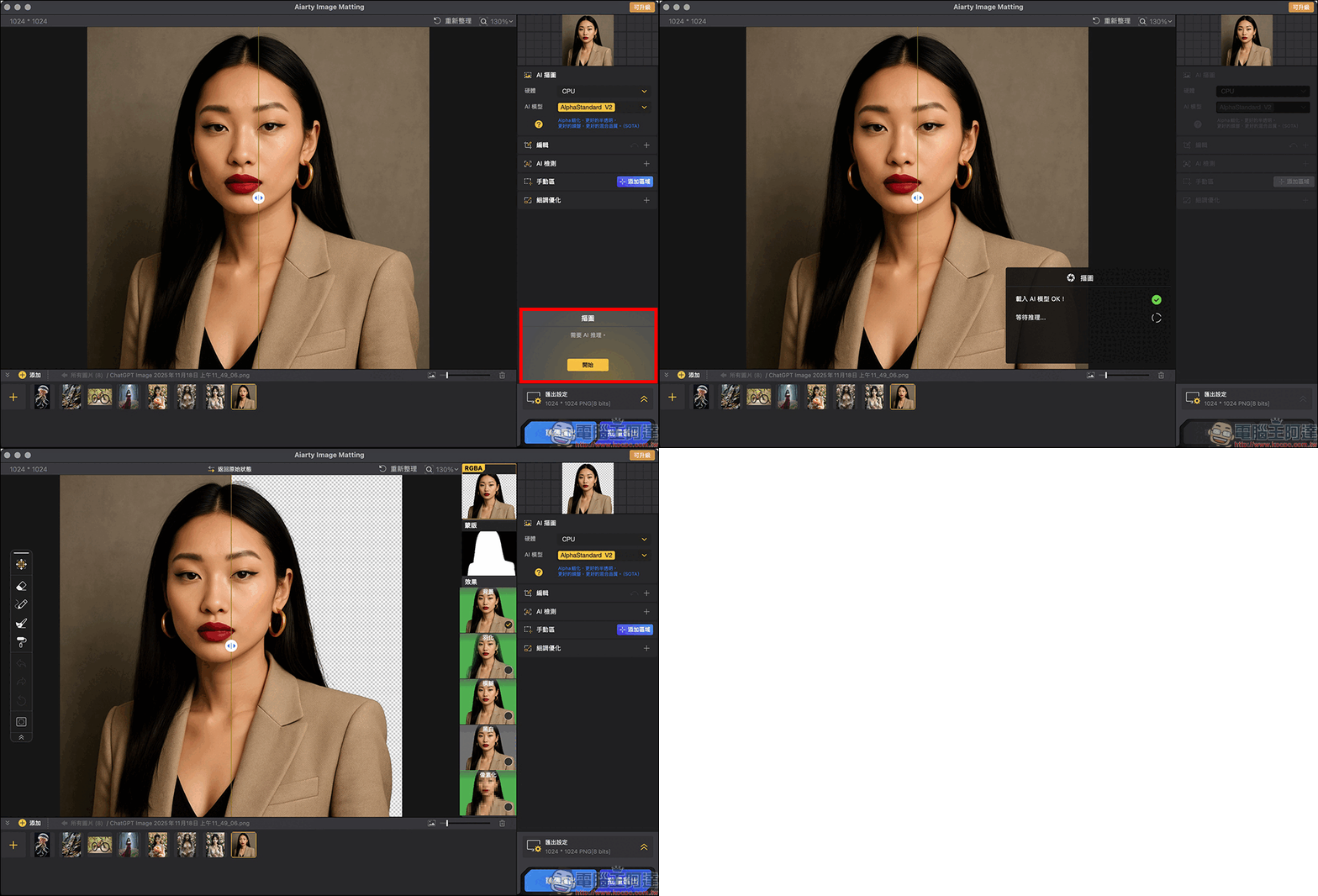
After selecting the model, click the “Start” button in the lower right corner, and “Aiarty Image Matting” will automatically perform image analysis. Just wait a few seconds and the AI will complete subject separation for the entire photo.
Professional-grade hair cutout effects:
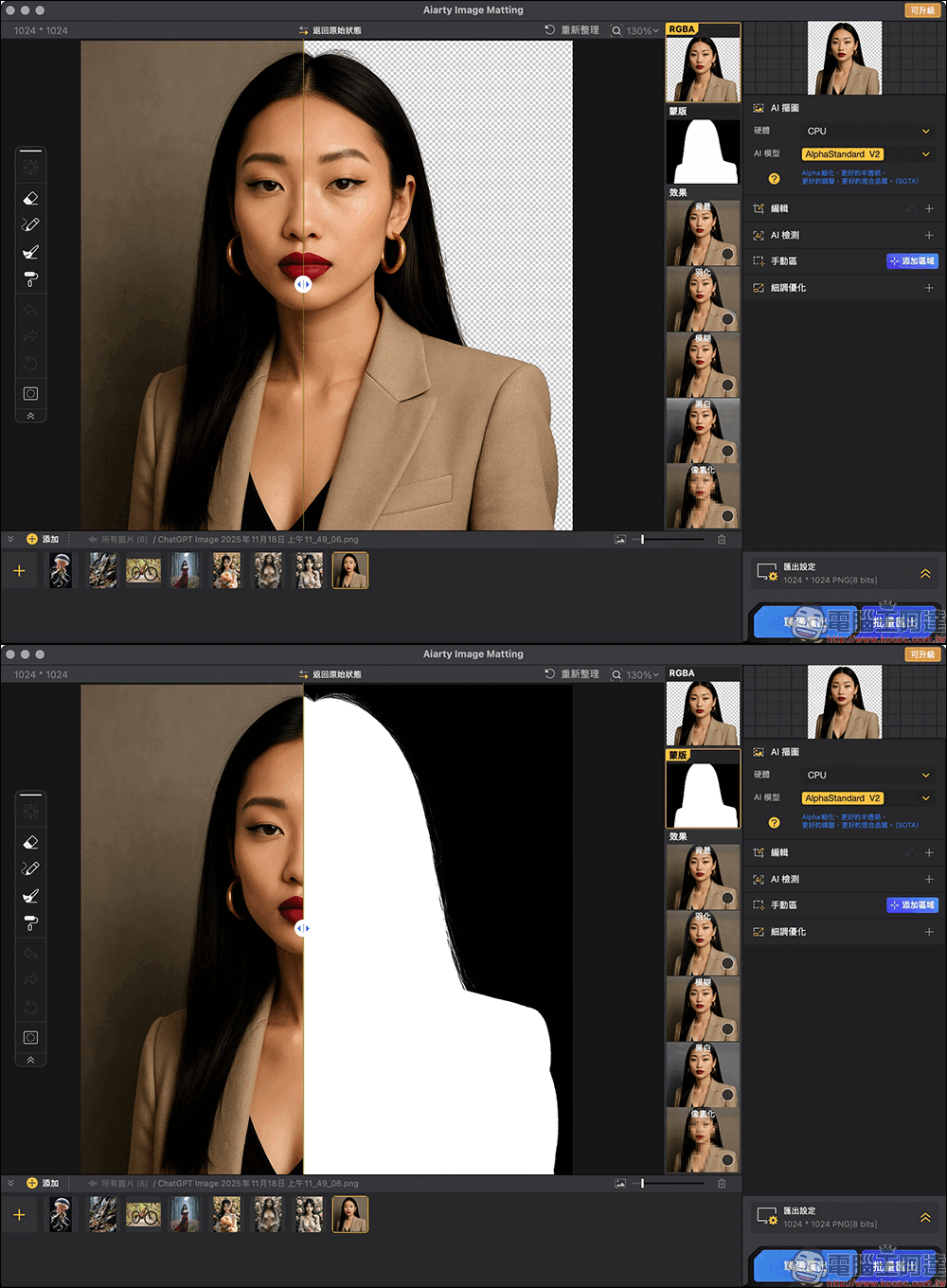
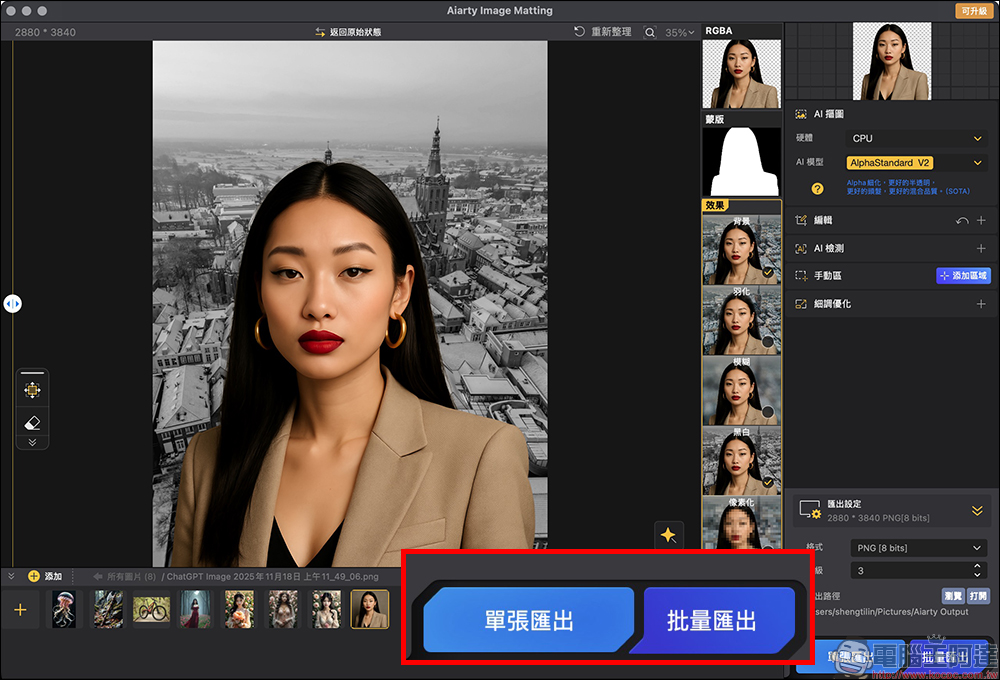
Once you’re done, you’ll see a Photoshop-like layers panel on the right, divided into clean body images, masks, and effects. In the actual measurement, the edges of the hair of girls with long hair are kept very natural, without breakage or jaggedness. The processing of cat and dog hair is also very detailed, which is difficult to achieve with many online tools.
Replace the background and synthesize other scenes:
After you finish removing the background, you can keep the transparent background directly or switch to various color backgrounds.
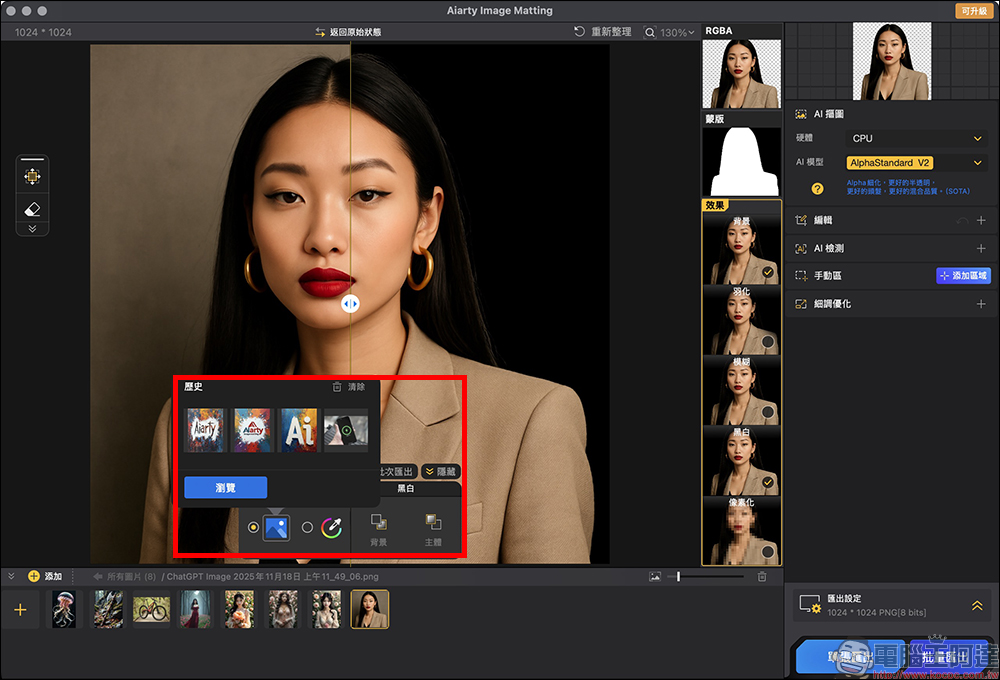
If you want your photos to be combined with other scenes, you can also import external images and put them on the background layer. You can also manually fine-tune the position between the portrait and the background to make the image look more natural. The most convenient thing is that all processes are completed in the same set of software, and there is no need to drag it to other tools for modification.
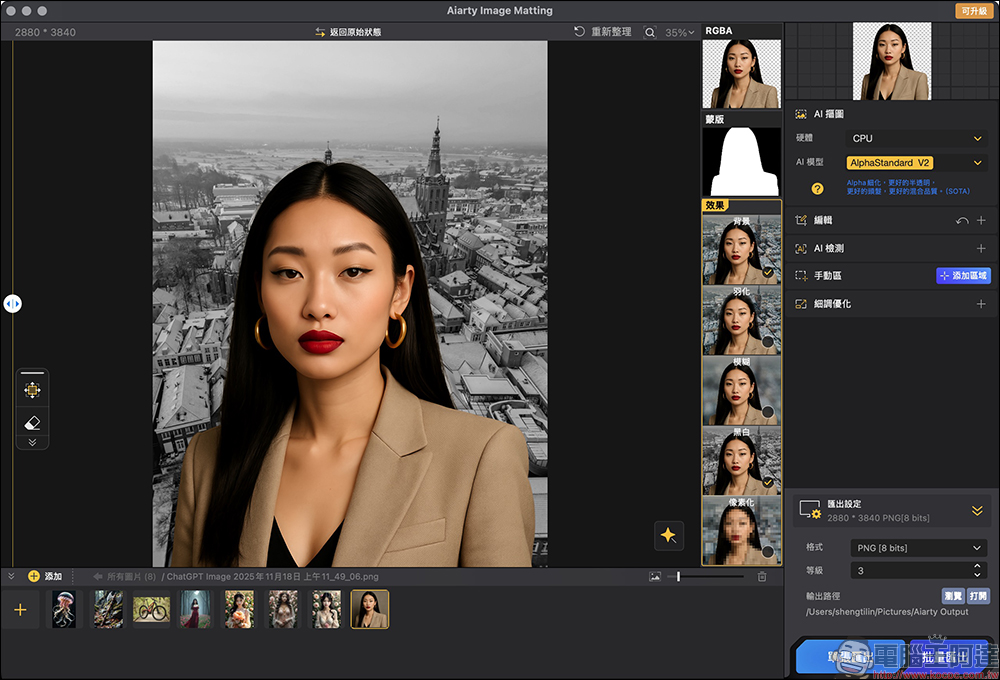
Image enlargement and repair functions:
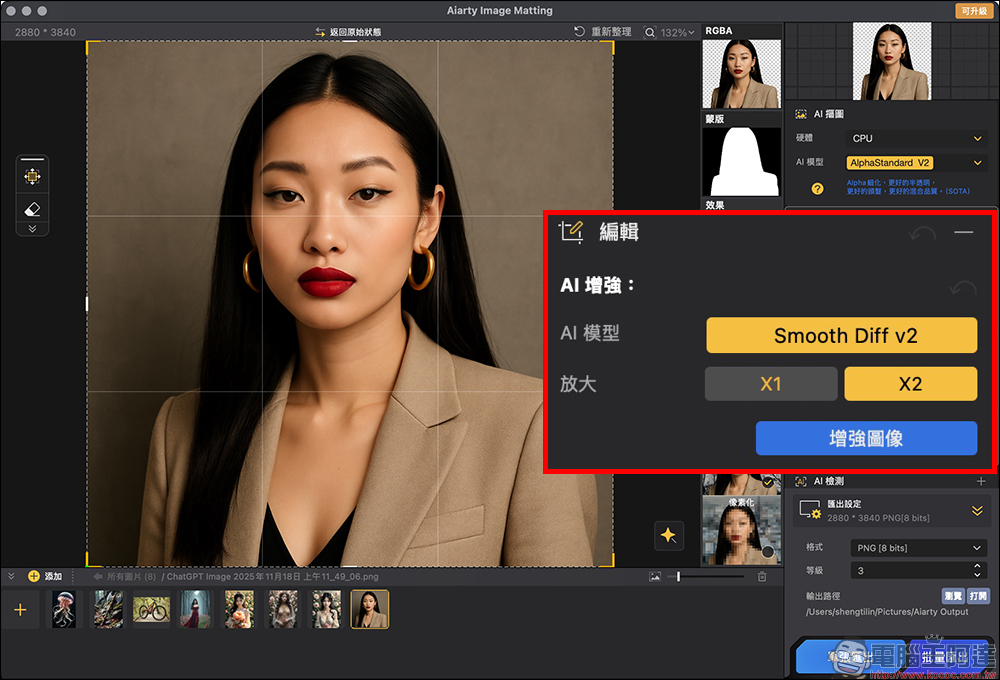
In addition to back removal, Aiarty Image Matting also has built-in image upgrading technology that can enlarge images to 4K levels while retaining original details. Old photos with poor quality or that have been compressed can also be repaired to improve clarity.
Single sheet or batch output of 3,000 sheets:
When you finish editing, you can choose to export a single photo or batch process up to 3,000 photos at a time. The software will output the transparent background image and the synthesized version at the same time, saving time on subsequent sorting.
Aiarty Image Matting is free for a limited time
(The exemption period is until 2025/11/30, while the quantity is limited)
Conclusion
Overall, the first impression of Aiarty Image Matting is that it is “really hassle-free”. In the past, high-quality removal often required Photoshop skills or time to manually patch the edges, but this set of AI tools shortens the entire process to a few seconds, without requiring any professional knowledge or installing additional plug-ins. Just throw it in, press start, and you’ll get a finished product with natural hair, clean edges, and a clear transparent background. Especially for product photography, portrait ID photos, social post materials, e-commerce listing pictures, and even pet photos, Aiarty Image Matting can provide adequate or even close to professional-level results.
In addition, it also has functions such as background synthesis, image restoration, resolution amplification, and cropping, replacing the process that you originally needed to use three or four sets of tools to complete. Moreover, all processing is performed locally, which not only ensures speed but also avoids the risk of photo leakage, which is a big plus for users who value privacy.
Coupled with this one-year limited-time free event of the official version, everyone can experience the full functionality without spending a dime. It is very suitable for e-commerce sellers, designers, content creators, photography novices, and even general users who only occasionally need to edit pictures. If you are looking for an easy-to-use, efficient, and stable-quality AI de-backing tool, Aiarty Image Matting is definitely worth picking up and trying out during the limited period.
Further reading:
Source: KOCPC Chinese