


Apple’s latest release of iOS 18.4, the fourth major update since the launch of the iOS 18 system, brings more than 30 new features and optimizations, spanning notification management, photo filtering, music experience, Siri interaction, and even support for Vision Pro devices. It can be said to be a comprehensive upgrade. However, these updates are not fully applicable to all iPhone models. Some features are exclusive to new models such as the iPhone 15 Pro and iPhone 16 series that support Apple Intelligence.
This article will help you completely integrate all the new features of iOS 18.4. Whether you are a general user or a technology enthusiast, you can quickly understand what has been changed in this update and whether it is worth updating.
iOS 18.4 is officially launched! 35 functional updates are included in one place, and the key updates are included for lazy people.
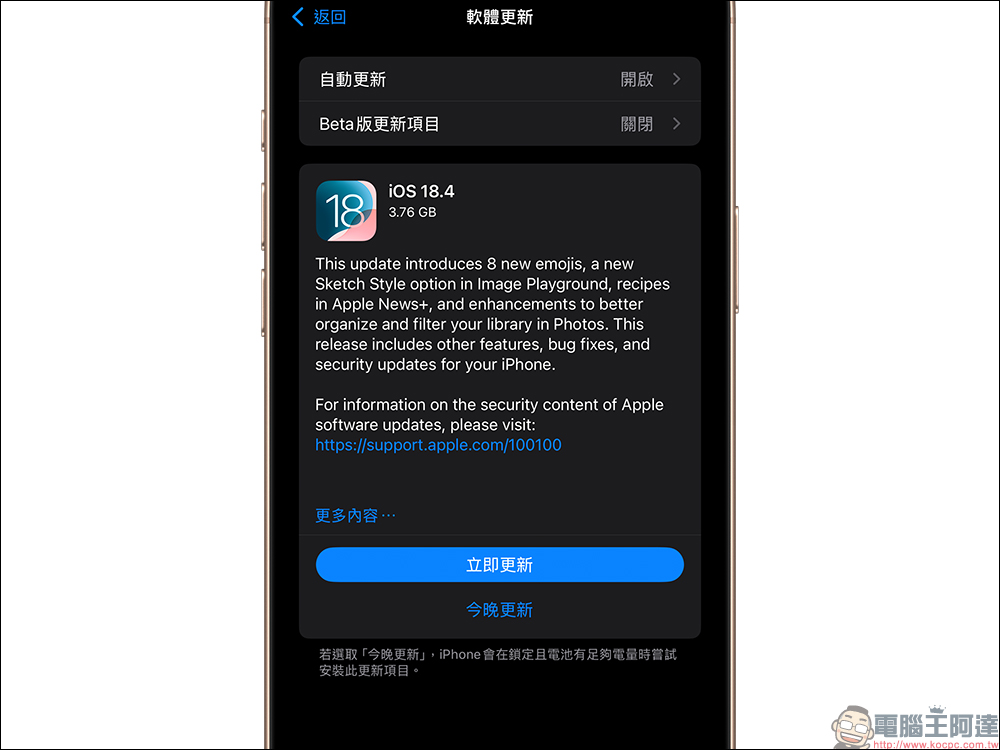
Apple officially released the iOS 18.4 system update. This is the fourth major update since the launch of iOS 18, bringing a total of 35 new features and adjustments across Apple Intelligence, notifications, photos, music, privacy, control center, etc. Some features are limited to new models that support Apple Intelligence, such as the iPhone 15 Pro or iPhone 16 series, but there are also many improvements that are applicable to all users.
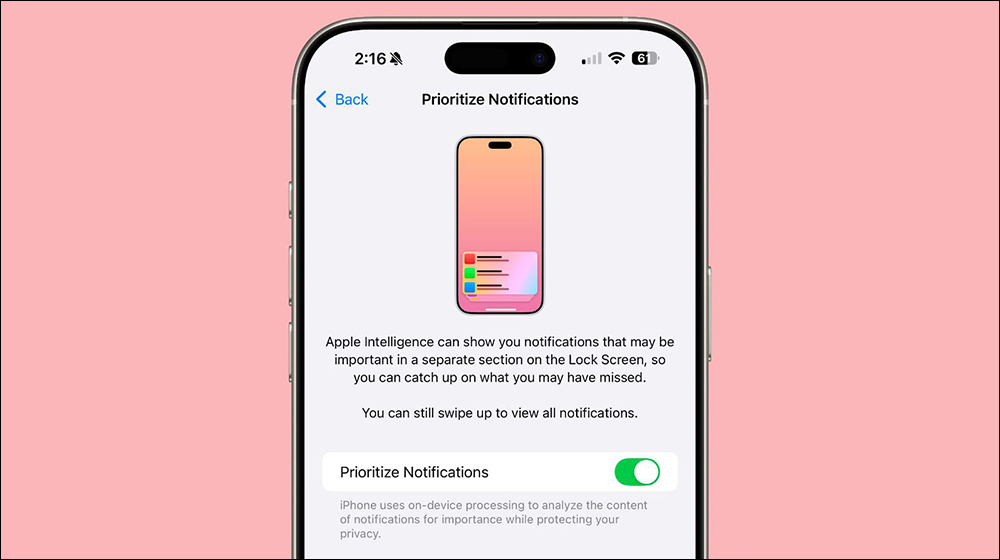
1. Priority Notifications:
This is a smart notification sorting feature. When you turn it on, the iPhone will automatically sort the notifications according to their importance, placing the notifications that need to be viewed most immediately at the top of the lock screen. This feature is especially suitable for people who are busy at work and need to check important information from time to time. In addition to the overall switch, it also supports turning on each app individually.
▲Picture source:MacRumors
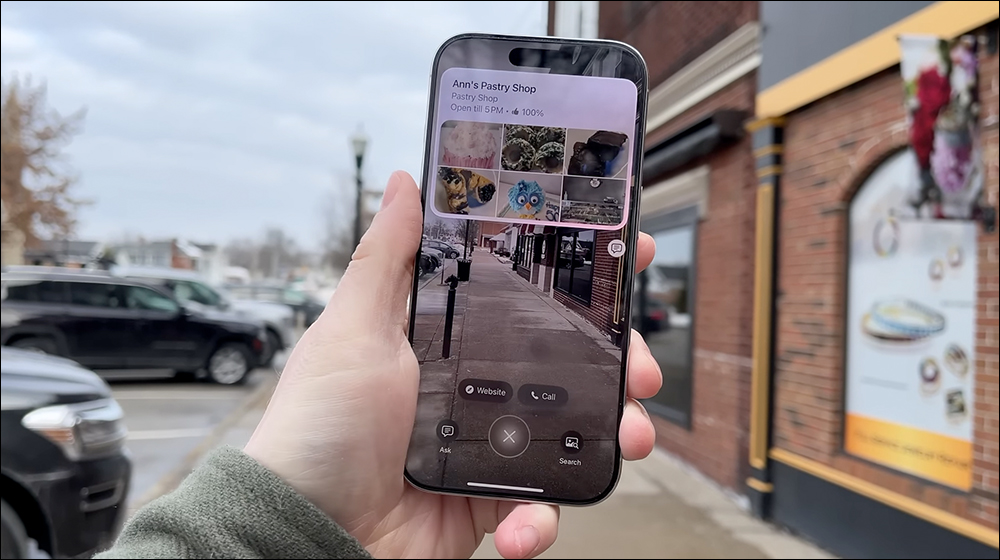
2. Visual Intelligence supports iPhone 15 Pro series:
Visual Intelligence was originally an exclusive feature of the iPhone 16, but is now extended to the iPhone 15 Pro series. It uses AI to analyze the captured footage and provide real-time recognition and interactive suggestions. It can be applied to scenarios such as object recognition, translation, and search.
▲Picture source:AppleInsider
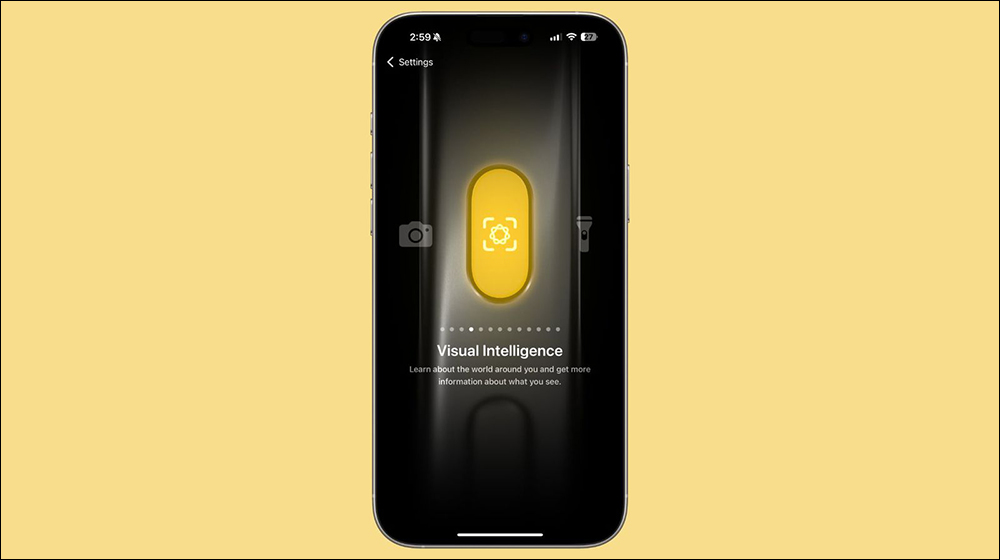
3. Visual Intelligence action button:
The iPhone 16 series can assign action buttons to Visual Intelligence through settings to quickly enable image analysis functions and improve operational efficiency. It is especially suitable for users who need to quickly take photos and identify information.
▲Picture source:MacRumors
4. Added Apple Intelligence section to the Control Center:
This new section integrates all Apple Intelligence-related functions, such as entering conversations with Siri, launching Visual Intelligence, etc., making the Control Center smarter and more convenient.
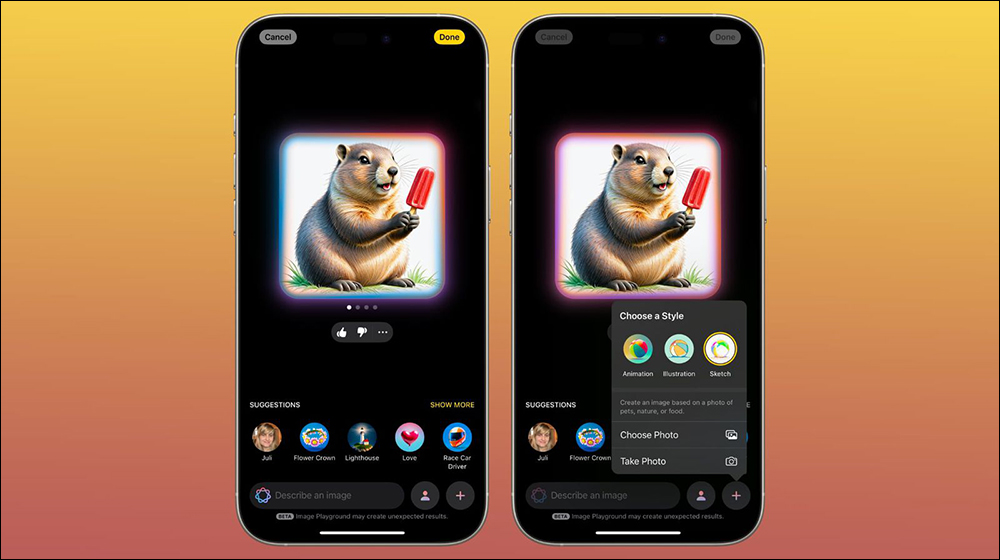
5. Image Playground adds Sketch style:
The Sketch style provides an image style with a more hand-drawn texture, coupled with AI generation functions, making creations more diverse. Pair it with a spring theme background to provide new creative inspiration.
▲Picture source:MacRumors
6. Apple Intelligence adds multi-language support:
This update enables Apple Intelligence to support more languages, including Japanese, Korean, Simplified Chinese and Brazilian Portuguese, allowing non-English users to enjoy AI features.
7. Added multiple Emoji emoticons:
iOS 18.4 brings new emojis, including dark circles, fingerprints, trees, beetroots, etc., making expressions more relevant to life and emotions.

▲Picture source:MacRumors
8. Vision Pro App integrated into iPhone:
When you have a Vision Pro device, the Vision Pro App will automatically appear after updating. It can manage the device, download 3D content, and support remote guest use control. It is an important management tool for Vision Pro users.
9. Apple News+ adds food section:
Users who subscribe to Apple News+ can see the new Food category, which combines sources such as Allrecipes and Bon Appétit to provide complete recipes, cooking guides and dietary knowledge, and even a “recipe mode” that can be saved offline.
10. Ambient Music:
Through the control center, you can quickly play four major categories of music: sleep, relaxation, focus, and healing, which can help relax your body and mind or improve work efficiency. Each type is also subdivided into a variety of styles.
11. The location of the privacy reminder point is more obvious:
The prompts for when the camera and microphone are activated have been moved to the left side of the status bar and added with a black background to make them easier to notice and protect user privacy.

▲Picture source:MacRumors
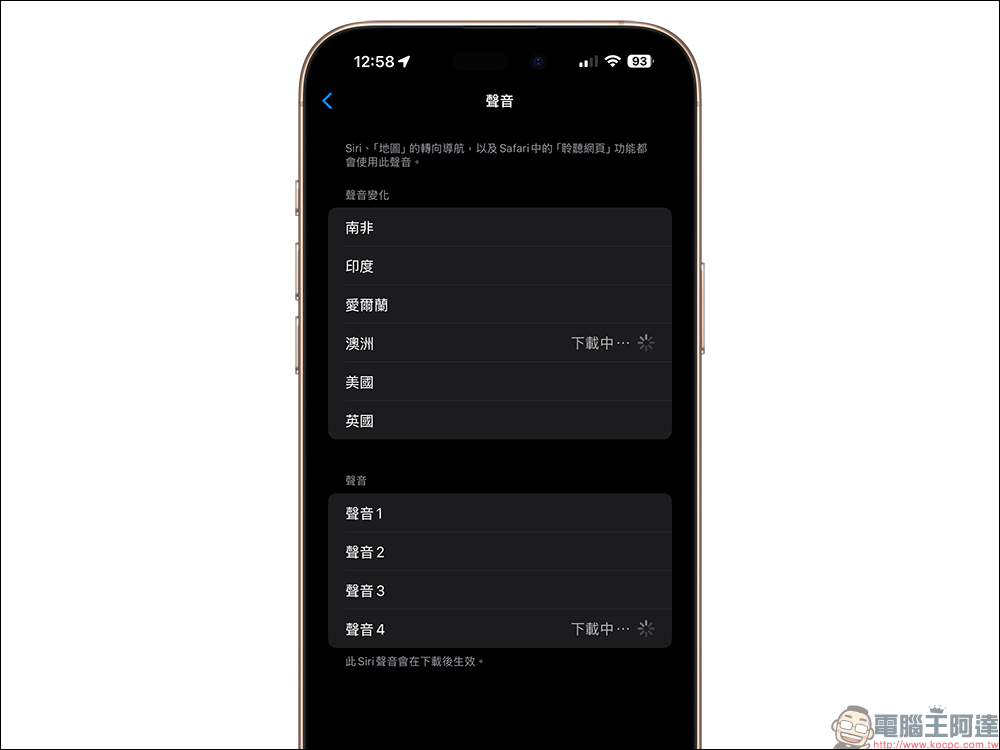
12. Siri has two new Australian voices:
Want Siri to have a Southern Hemisphere accent? Now you can choose from two new Australian voice versions to increase the interactive fun.
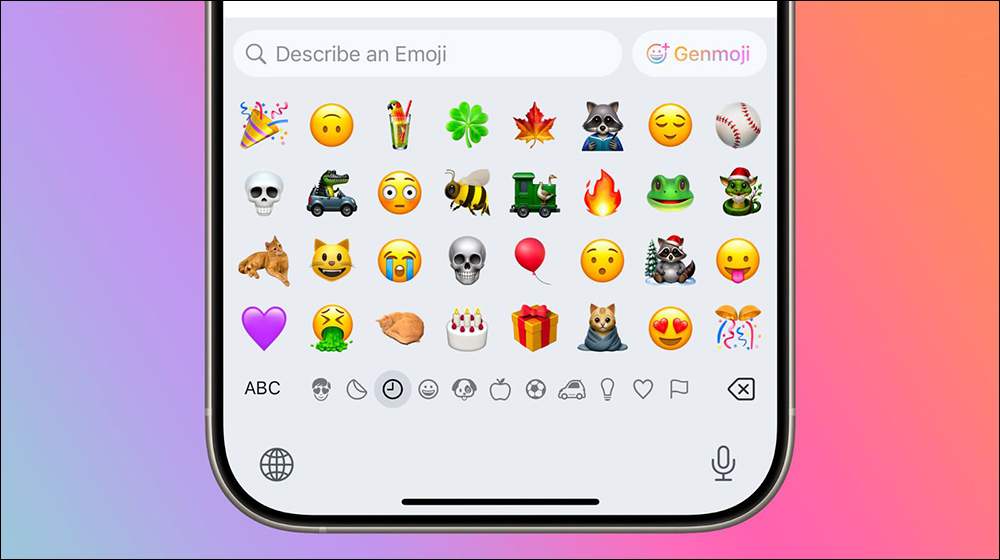
13. Genmoji naming is clearer:
Genmoji, which originally only had icons in the Emoji keyboard, are now clearly labeled “Genmoji” in text, allowing users to find this generative feature faster.
▲Picture source:MacRumors
14. Enhanced photo filtering function:
New condition filters allow you to view pictures that are “not in the album” or “shared with you”, and there is also a function to sort the album by “representative photos” to improve photo management efficiency.

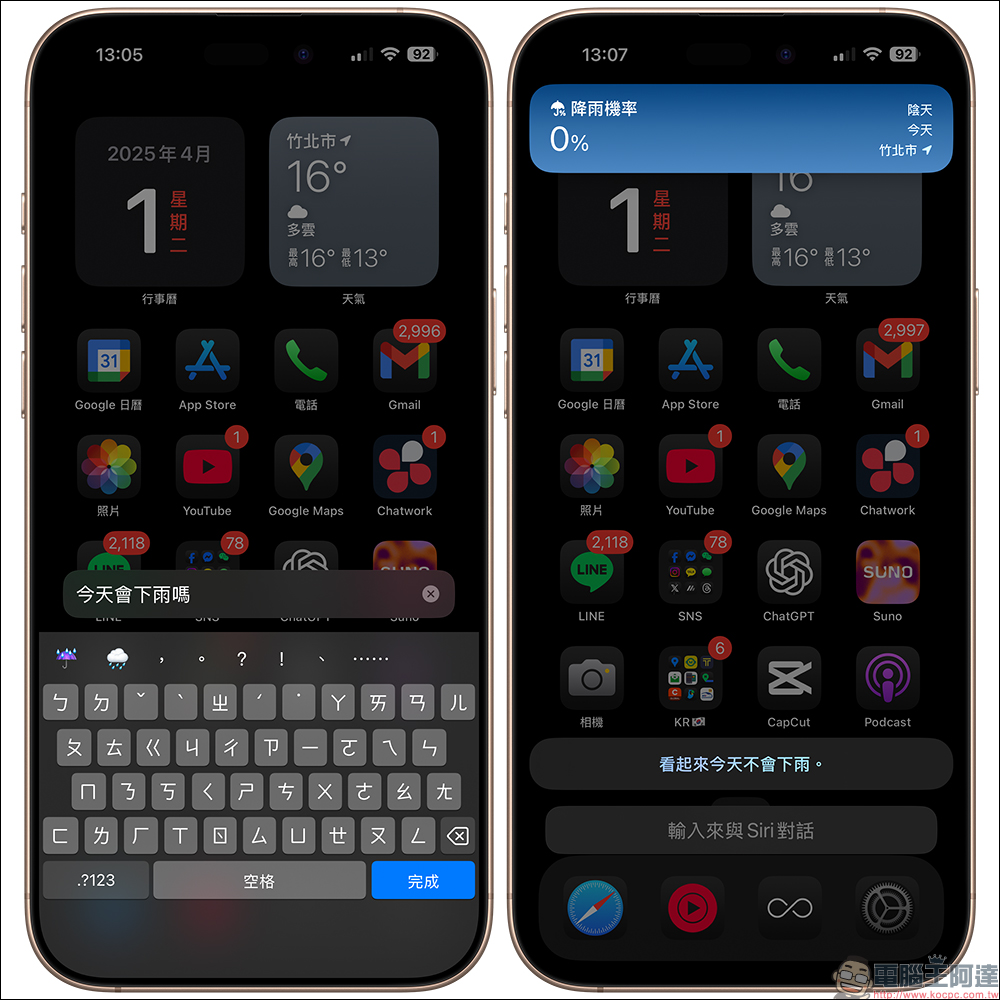
15. Input to talk to Siri simplified:
After Siri answers the question you entered, the keyboard will automatically shrink, making the screen cleaner, and the side button can be set to call out the input field, which is suitable for users who like typing interaction.
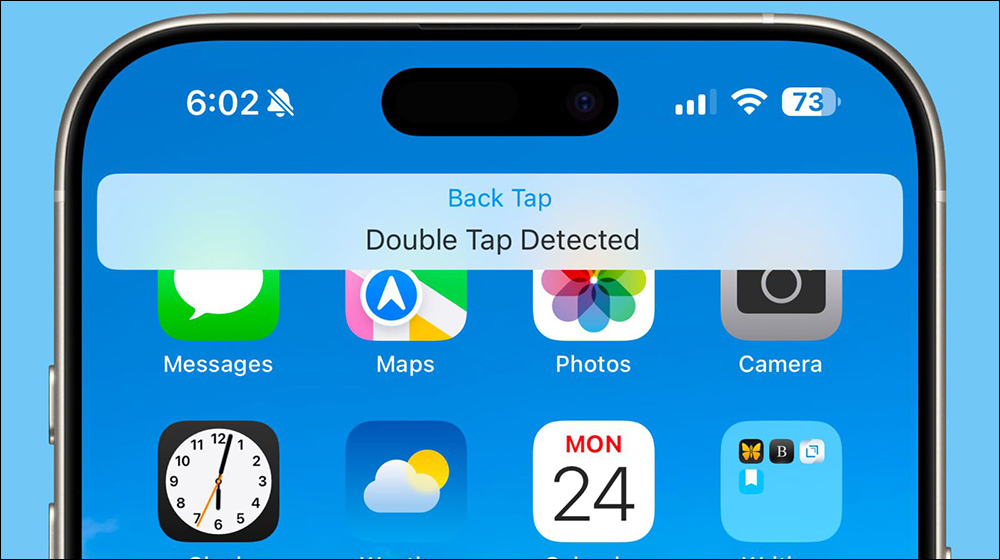
16. Tap the operation prompt notification on the back:
After enabling the back click function, the system will display an operation prompt to confirm whether the set action is correctly triggered.
▲Picture source:MacRumors
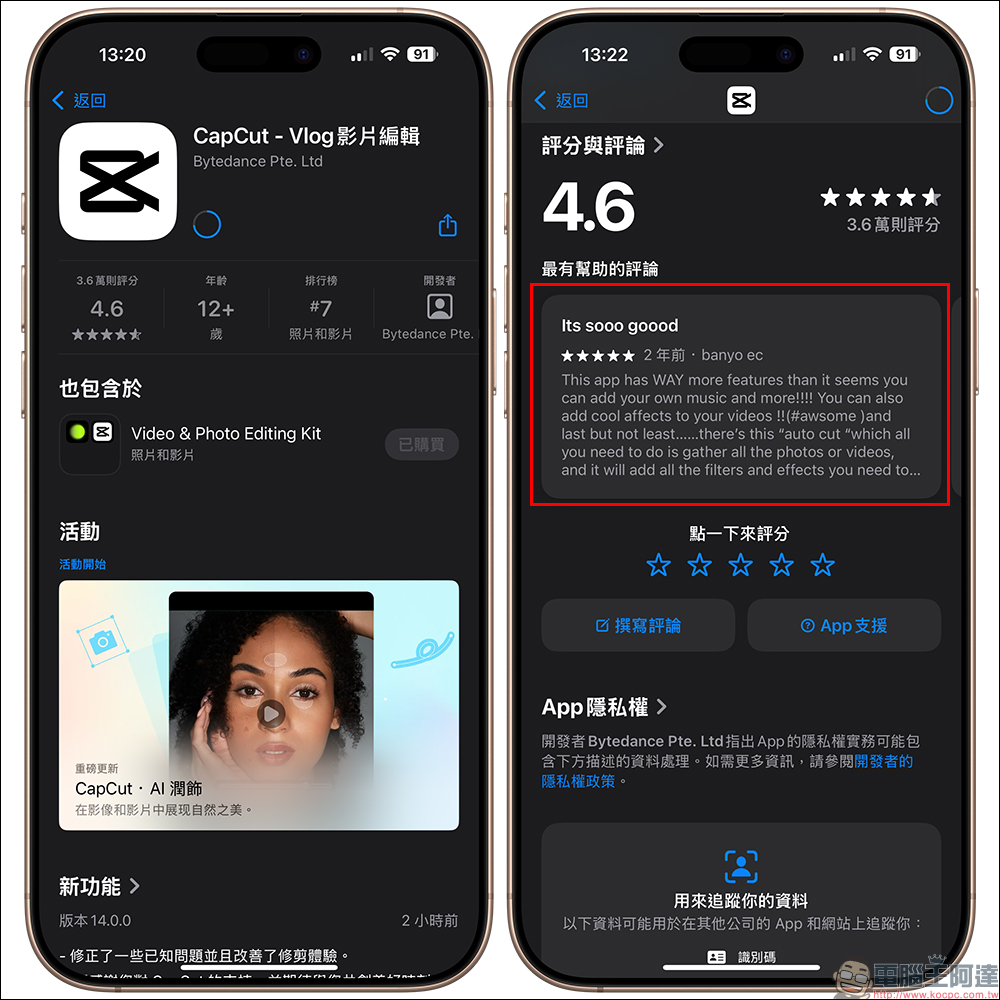
17. App Store review summary:
Now when you enter the App Store, you can see a simplified version of the summary of user reviews, saving you the time of clicking and reading them one by one.
18. App download can be paused/resume:
Whether it is a new download or an app update, you can pause and resume the download directly in the App Store, making the operation more flexible.
19. Apple Maps adds new preferred language setting:
Users can customize the display language of Apple Maps, no longer only based on the system language setting, which is more friendly to multi-lingual users.
20. The password verification code displays a countdown circle:
Add a circular countdown animation to the two-step verification code display area so that users can more intuitively know when it is about to be refreshed.
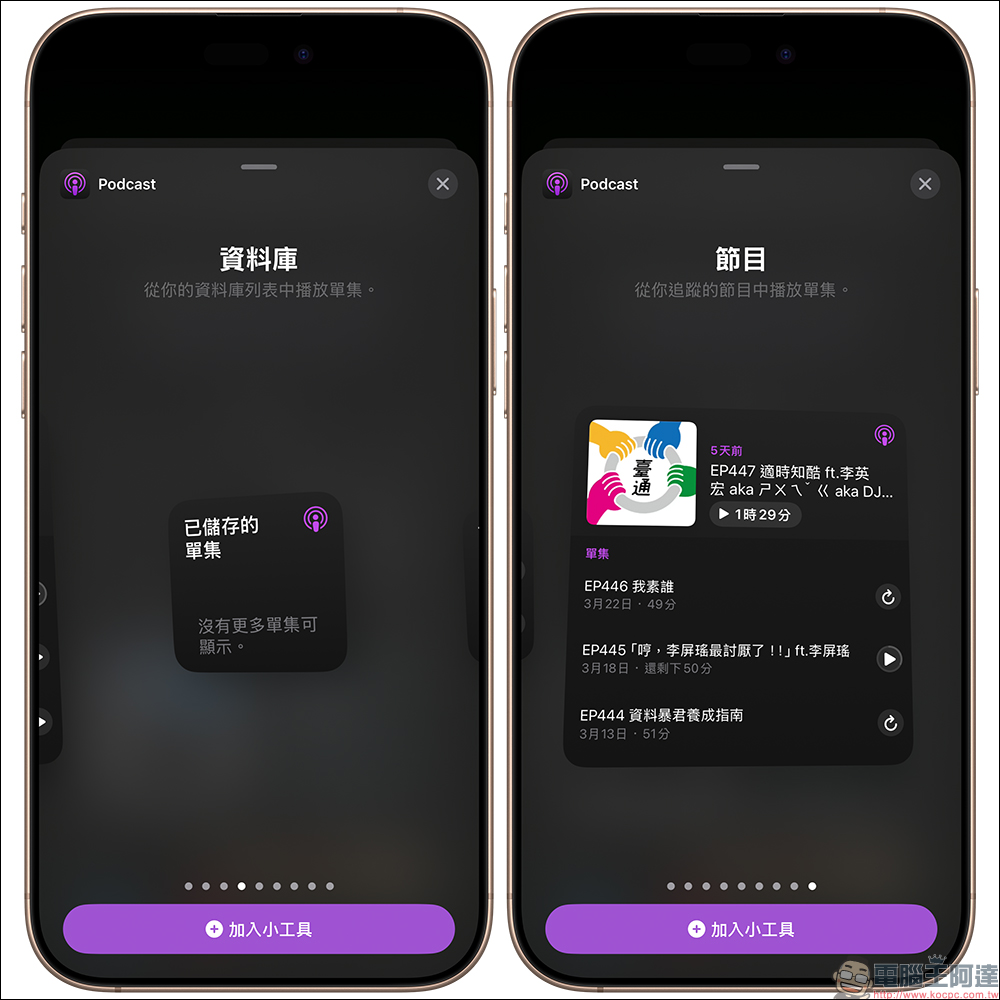
21. The Podcasts gadget is richer:
Two new podcast widgets, “Database” and “Program”, can be added to the home screen to quickly view subscription and collection content.
22. iPhone can assist new Mac to log in to the account:
iOS devices can help new Macs complete the Apple ID login process, making new device setup faster. macOS Sequoia 15.4 is required.
23. The Wi-Fi/mobile data button displays the signal bar number:
These two buttons in the control center will now display the signal strength levels, making it easier to judge the connection status.
24. Added color change prompts for the brightness and volume sliders:
When the slider is lower than the button icon position, it will change color to enhance visual recognition.
25. Added arrow prompts in focus mode:
The focus mode icon in the control center has an arrow to remind you to further expand more options.
26. A large number of new action commands have been added to the Shortcut App:
Supports command-based settings for system apps such as Safari, Maps, and Weather, and adds advanced operations such as opening specific message conversations.
27. Safari App Store link preview revision:
Long-pressing the App Store link will display a new version preview design with a simpler and clearer interface.
28. Safari new tab supports displaying recent searches:
After opening a new tab, click the address bar. Safari will list recent search records. You can also choose to turn off this feature to protect privacy.
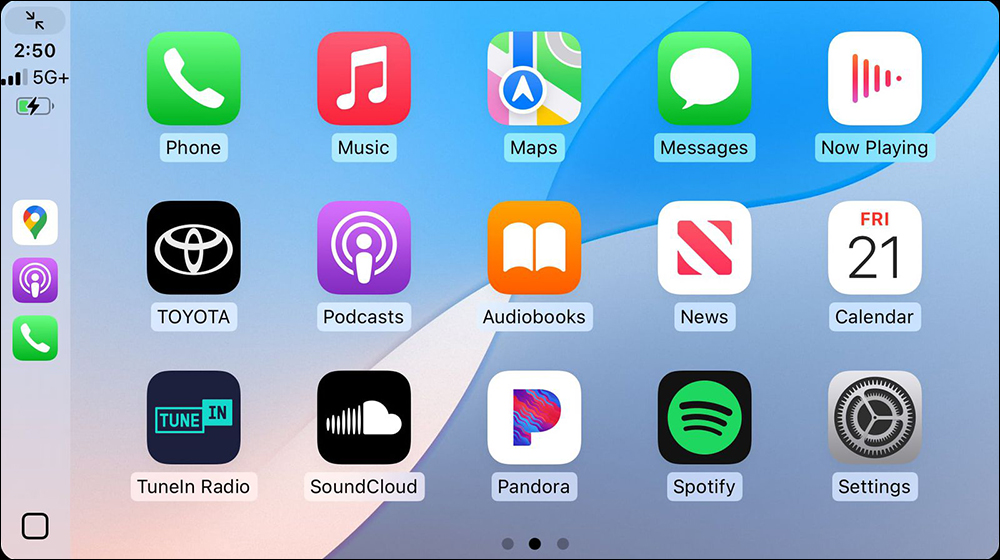
29. CarPlay supports three rows of app arrangements:
Some car models support three rows of App icons on the CarPlay home screen, making operation more convenient.
▲Picture source:MacRumors
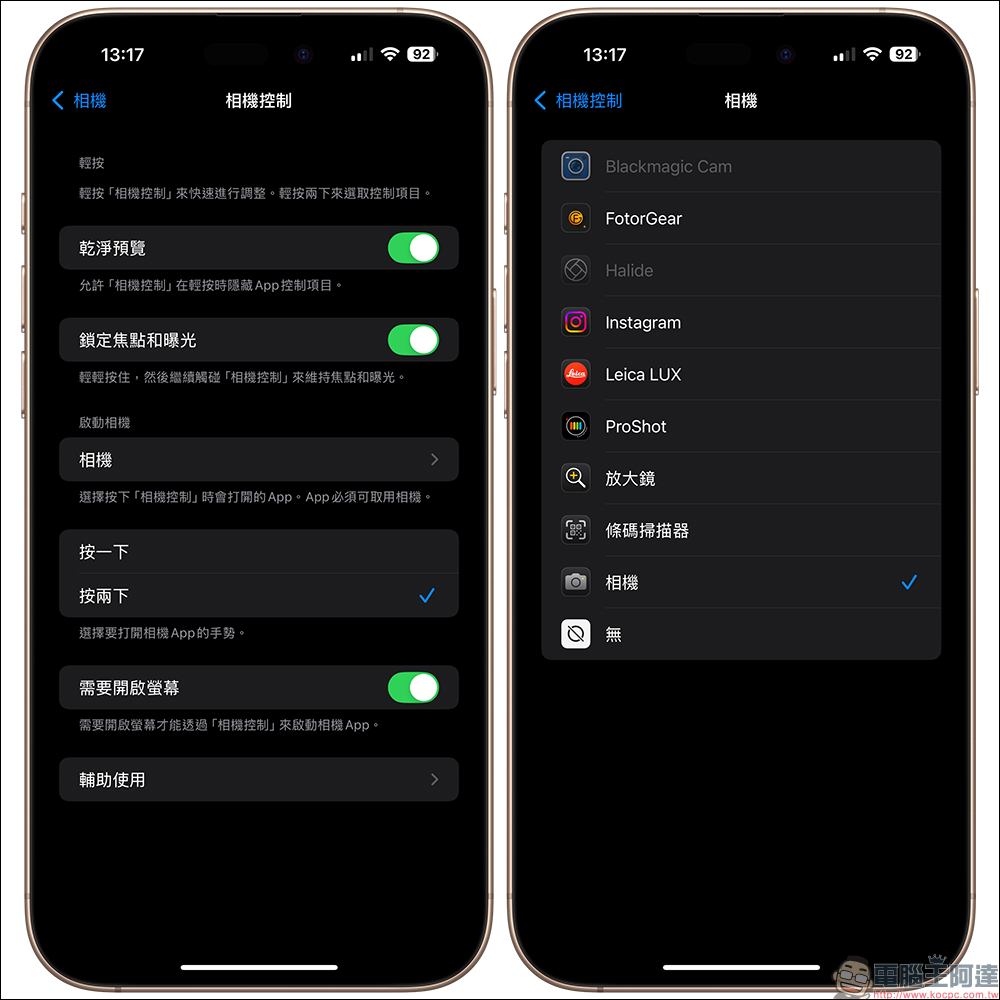
30. Hierarchical organization of camera control menu:
For models that support camera control (currently the iPhone 16 series), a new “Camera” category will be added, which will enable unified management of the camera app.
31. Safari website connection security details:
You can view website credentials and security details to ensure user browsing security.
32. HomeKit supports sweeping robots:
Sweeping robots that support the Matter protocol can now be added to the Home App operation, but require compatibility support from the manufacturer.
33. Wallet App adds unified menu management:
The three-dot menu in the upper right corner of the wallet now integrates the order, payment and setting pages, making it more logical to use.
34. Find My expanded support for South Korea:
Apple expands the service scope of the “Find” App to officially include South Korea (South Korea).
35. iPadOS 18.4 email classification function upgrade:
The Mail classification function launched earlier on iPhone is now also available on iPad, which can automatically classify emails into important, transactional, promotional, etc., making reading more efficient.
Summary: Is iOS 18.4 a version worth upgrading to?
Overall, iOS 18.4 is not just a routine bug fix update, but a comprehensive evolution of practical functions and smart experience. Whether it is Apple Intelligence’s enhancement of notifications and images, or the integration of Ambient Music, Genmoji, Vision Pro and the expansion of shortcut support, the iPhone experience is made more humane and more efficient. Especially users with iPhone 15 Pro or newer models can feel the convenience brought by this wave of AI functions.
It is recommended that all iOS 18 users consider upgrading. Not only will the system be stable, but they will also be the first to experience new application scenarios brought by Apple Intelligence in the future.
Further reading:
ChatGPT free users can also play image generation! Are you keeping up with the trend?

Source: KOCPC Chinese