


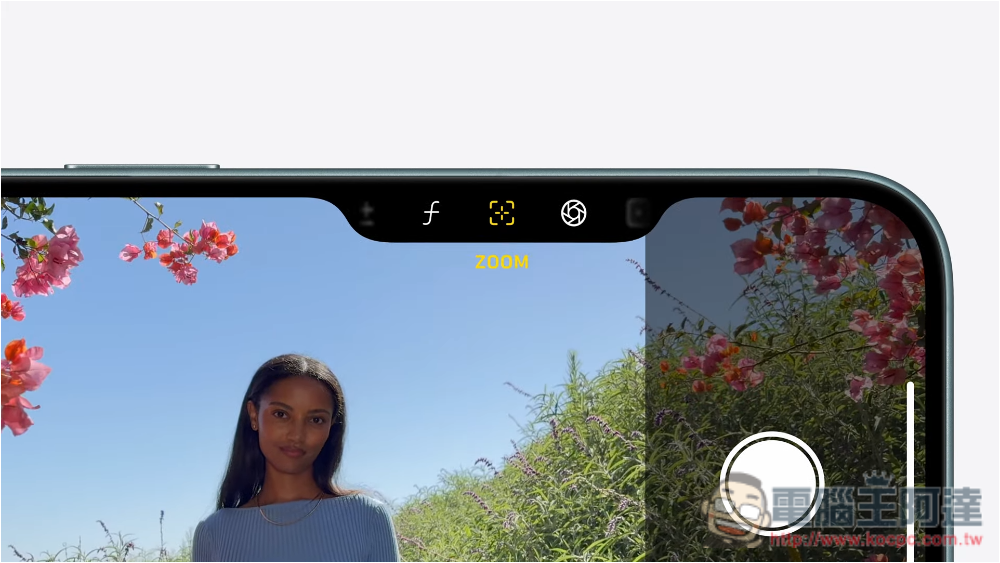
Apple added physical camera control buttons to the latest iPhone 16 and iPhone 16 Pro series launched in September 2024. From the name, it sounds like it is used to launch the camera application, control recording parameters, press the shutter, etc. But in fact, if you carefully check the system settings, you can find that it can also set other functions. Let us find out this time.
How to change the function of iPhone 16 camera control buttons?
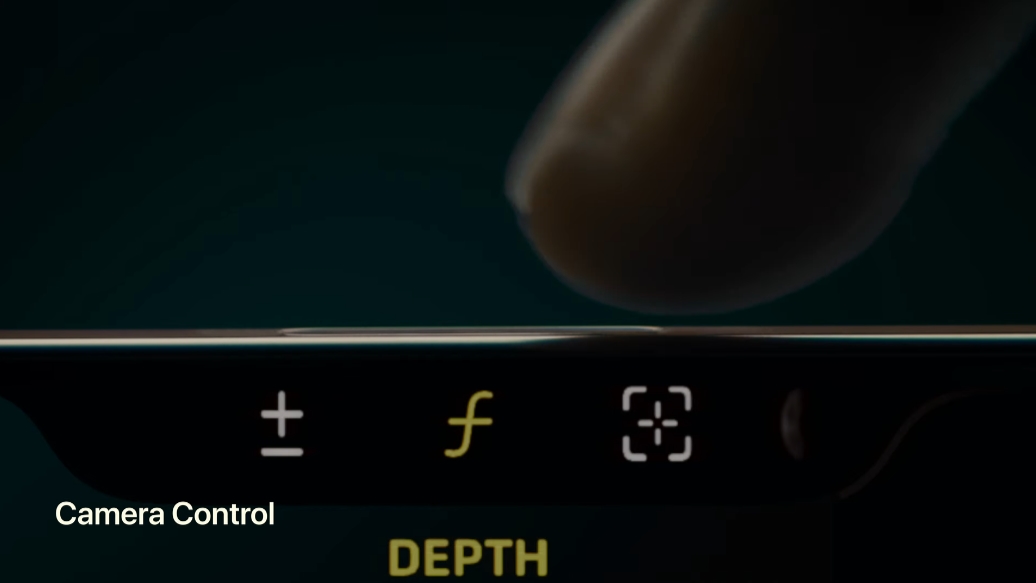
By default, press the camera control button on iPhone 16, iPhone 16 Plus, iPhone 16 Pro and iPhone 16 Pro Max to open the camera app, press it again to shoot, half-press twice to switch parameter settings, and slide left and right to zoom and adjust parameter values. However, some users prefer the virtual shutter on the screen, and the physical shooting button becomes redundant. Fortunately, Apple has reserved space for you to re-control the pointing function of the camera. You can use it to quickly open the magnifying glass, or open the built-in QR Code scanner.
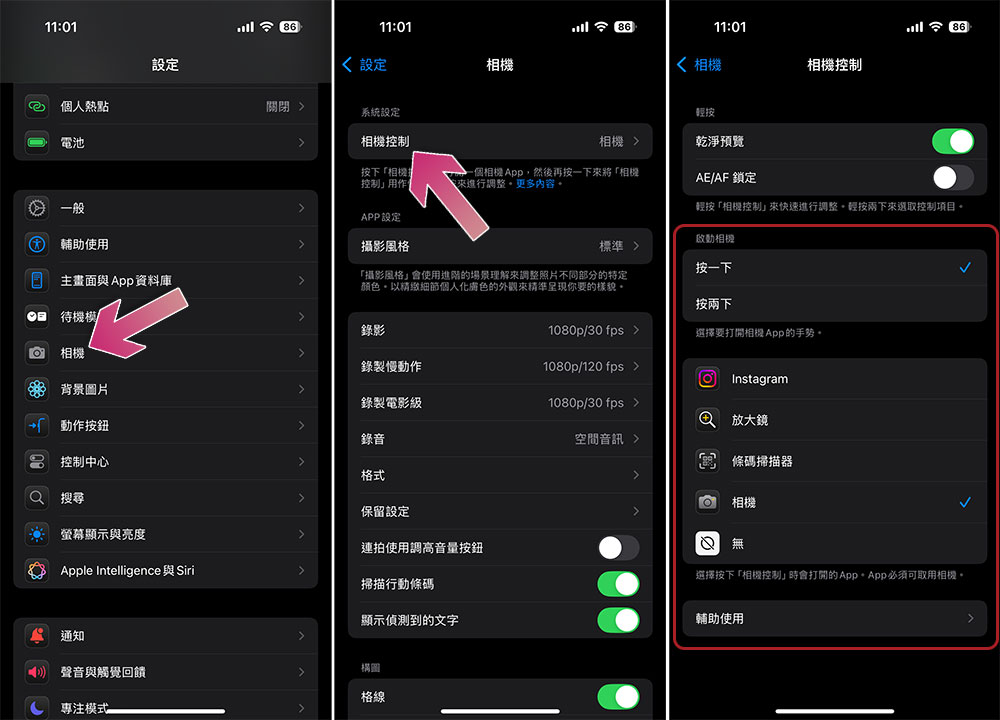
- Open the Settings app.
- Select “Camera”.
- At the top you can see “Camera Controls”.
- After clicking to enter, you can set the desired APP for single click and double click.
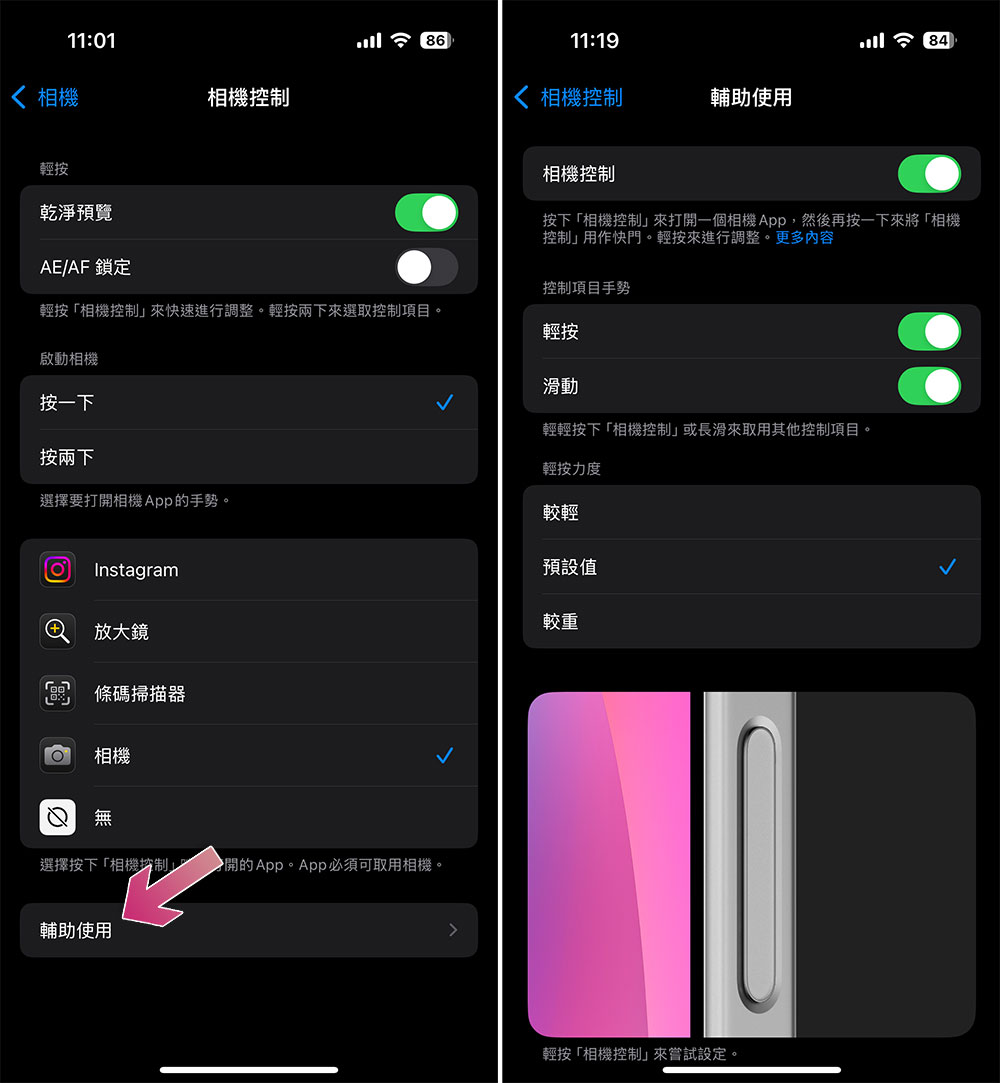
Each user has different definitions of press and tap, so the strength and speed cannot be determined. Maybe your tap is my press. In order to meet the different needs of thousands of people, if you want to go further and set whether to enable the click and slide functions of the camera control button, and adjust the tap force, tap speed and double-click speed, you can click “Assisted Usage” at the bottom of the camera control settings page to personalize various values.
If you want to completely disable the camera control buttons, just toggle the topmost camera control switch for Assistive Access to off. This feature is suitable for people who often accidentally touch the camera control buttons, or who prefer to use the volume keys and on-screen virtual shutter to take pictures.
Whether the camera control buttons are useful or not varies from person to person, and there are polarized comments on the Internet. Some people with thicker fingers may think the buttons are too small. Like me, I often press them by mistake when taking my phone out of my bag. But when it is easy to use, it is really easy to use, especially when you want to quickly adjust the brightness, depth of field and zoom, you only need to slide to switch smoothly, which is really painful and happy.
Source: KOCPC Chinese