


Apple finally released the much-anticipated official version of iOS 18.2 late at night today (12th)! Although the Chinese voice function of Apple Intelligence that many users have been waiting for will not be supported until next year, this update still brings a number of practical and innovative features. Even for users who do not rely heavily on AI, these updates can effectively improve the iPhone experience. Next, we will give you an in-depth analysis of the highlights of this update and compile the top 10 must-play non-AI new features so that you can enjoy the convenience of the update as soon as possible after upgrading.

iOS 18.2 official version update released! A selection of 10 must-play new features
Late at night on the 12th, Apple released a new iOS 18.2 software update, bringing many new features and experience optimizations to the iPhone. Even though the Chinese version of Apple Intelligence is not expected to be launched until April 2025, this iOS 18.2 update brings many “non-AI related” features that are also useful. Next, let’s take a look at our selection of 10 must-play new features in iOS 18.2!

Important reminder before upgrading
Before upgrading to iOS 18.2, there are a few things to pay special attention to:
- Data backup: Please make sure that you have completely backed up important data to avoid possible accidents during the upgrade process.
- Network and power status: It is recommended to update in a stable Wi-Fi environment and ensure that the device has sufficient power to avoid update failure caused by insufficient power midway.
- Application compatibility: Some third-party applications may need to wait for subsequent updates to fully support the new system. If you encounter problems after upgrading, it is recommended to first check whether the application has an updated version.
When you’re ready, let’s take a look at the top ten new features of iOS 18.2!
1. Added AE/AF lock to camera button
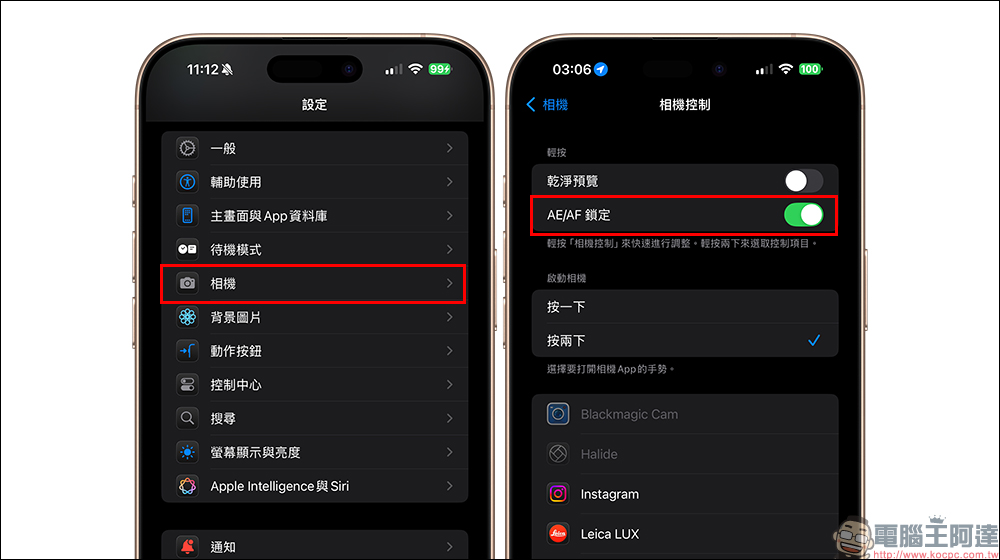
Those of you who love taking photos with your iPhone are in luck! The iPhone 16 series is equipped with a camera control button, and the iOS 18.2 update adds a two-stage shutter to “Camera Control”, allowing iPhone 16 series users to lock the camera’s automatic exposure (AE) and autofocus (AF) when they tap the “Camera Control” button. Simply tap the camera button to lock it, eliminating the hassle of manually tapping the screen. In addition, the pressing force and speed of the button can also be adjusted to effectively avoid accidental touches.

After updating to iOS 18.2, you can turn on “AE/AF Lock” in “Settings” → “Camera Control”.
2. Added volume control slider to lock screen
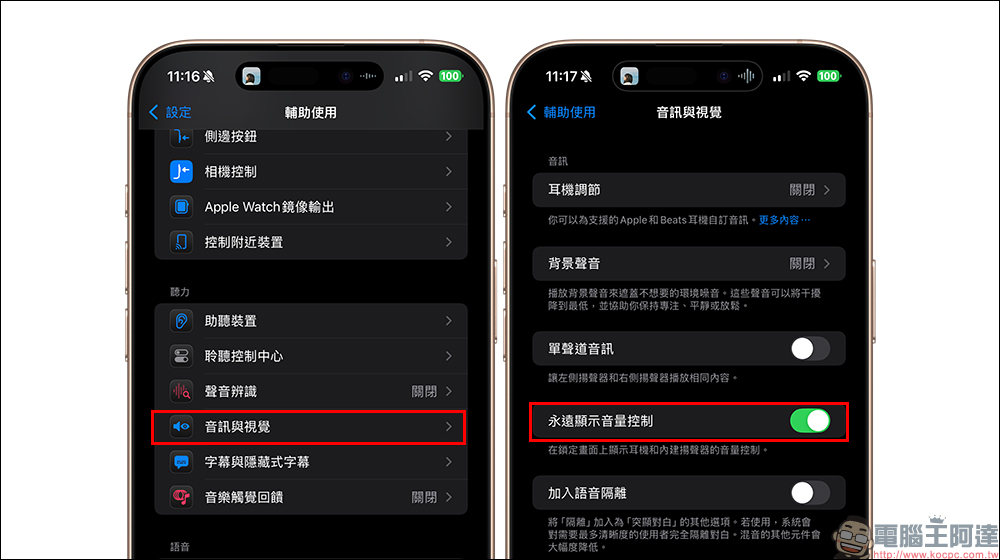
After the iOS 18.2 update, when the iPhone is playing music on the lock screen, you no longer need to press the volume keys to adjust the volume. Because the player on the lock screen in iOS 18.2 has a new “volume control slider”, the volume can be adjusted directly from the lock screen.
How to turn it on: Go to “Settings” → “Accessibility” → “Audio & Vision” and turn on “Always show volume control”.
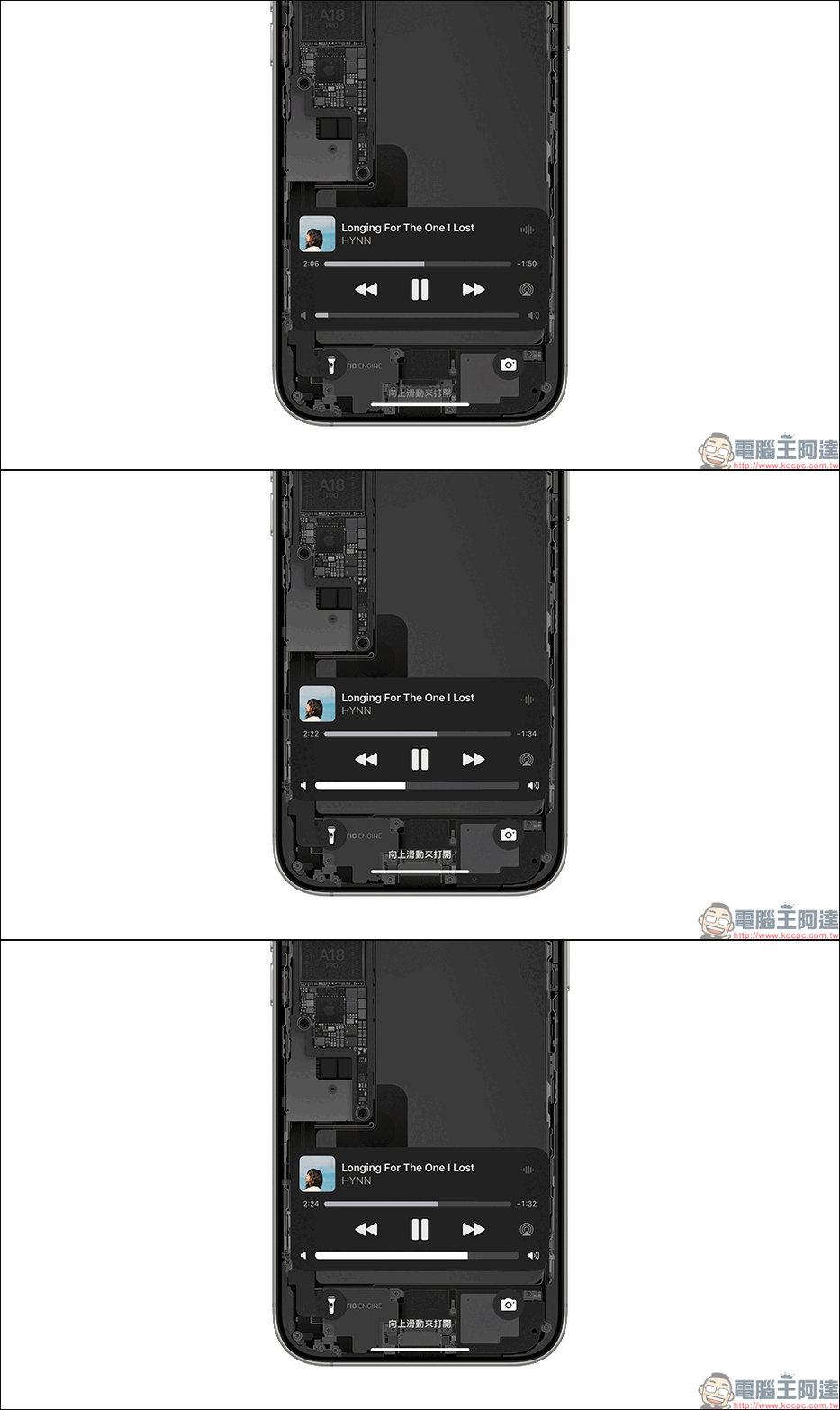
However, the volume control slider is turned off by default and must be turned on by the user. How to turn it on: Go to “Settings” → “Sound and Tactile Feedback” → “Built-in Speaker” and set the volume limit.
3. Built-in speaker volume limit
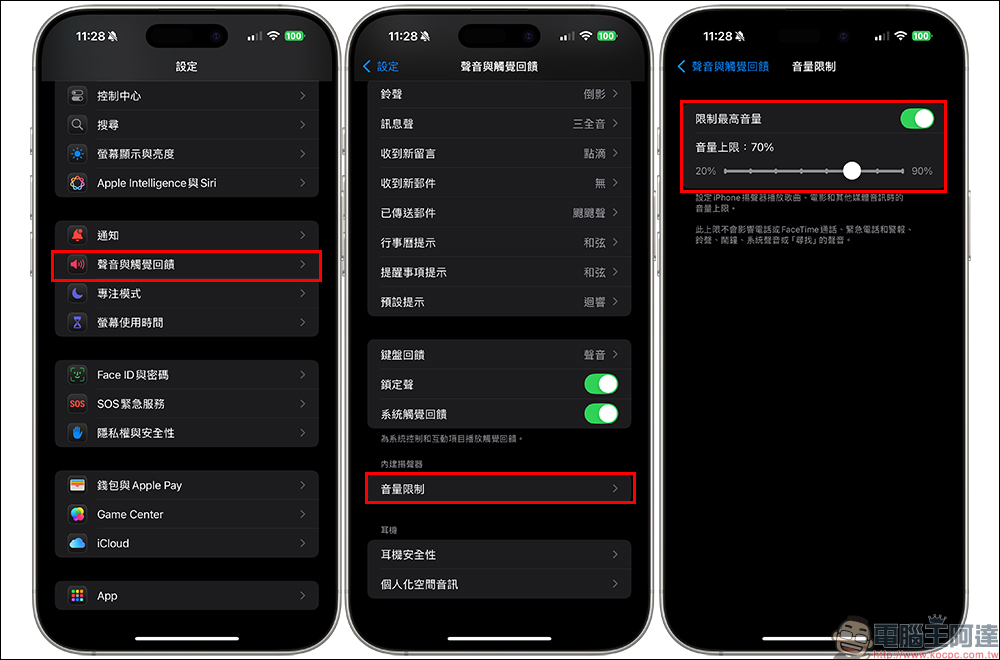
Don’t want to be embarrassed because your phone volume is too loud? iOS 18.2’s new built-in speaker volume limit function allows users to preset the maximum media playback volume. This feature only affects media playback volume, not notification or ringer volume. This function only affects media playback volume, system notifications, phone ringtones, etc. are not restricted.
How to turn it on: Go to “Settings” → “Sound and Tactile Feedback” → “Built-in Speaker” and set the volume limit.
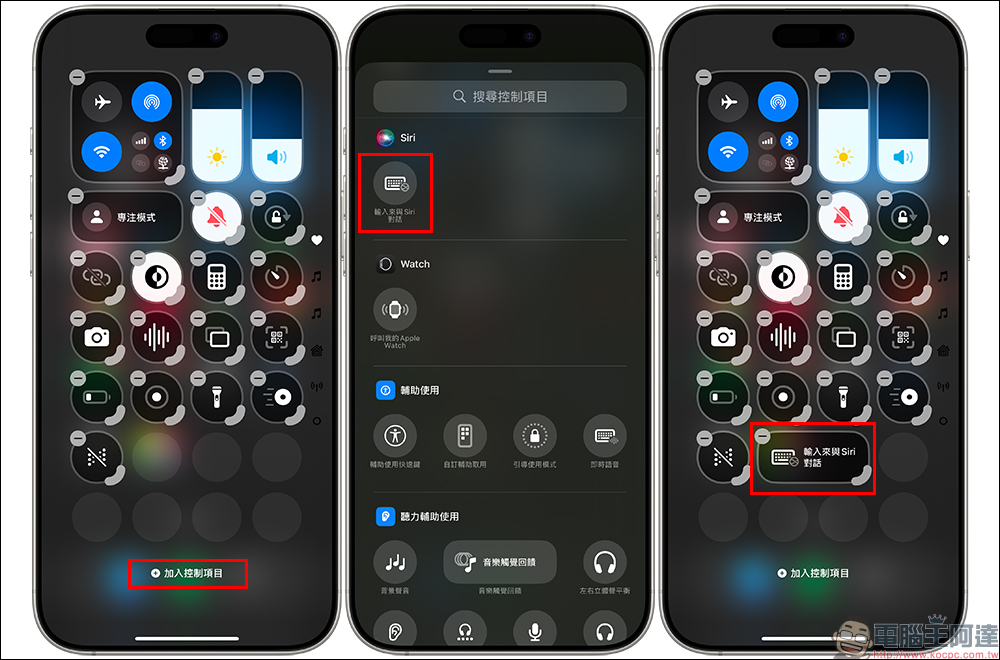
4. Text input and Siri conversation
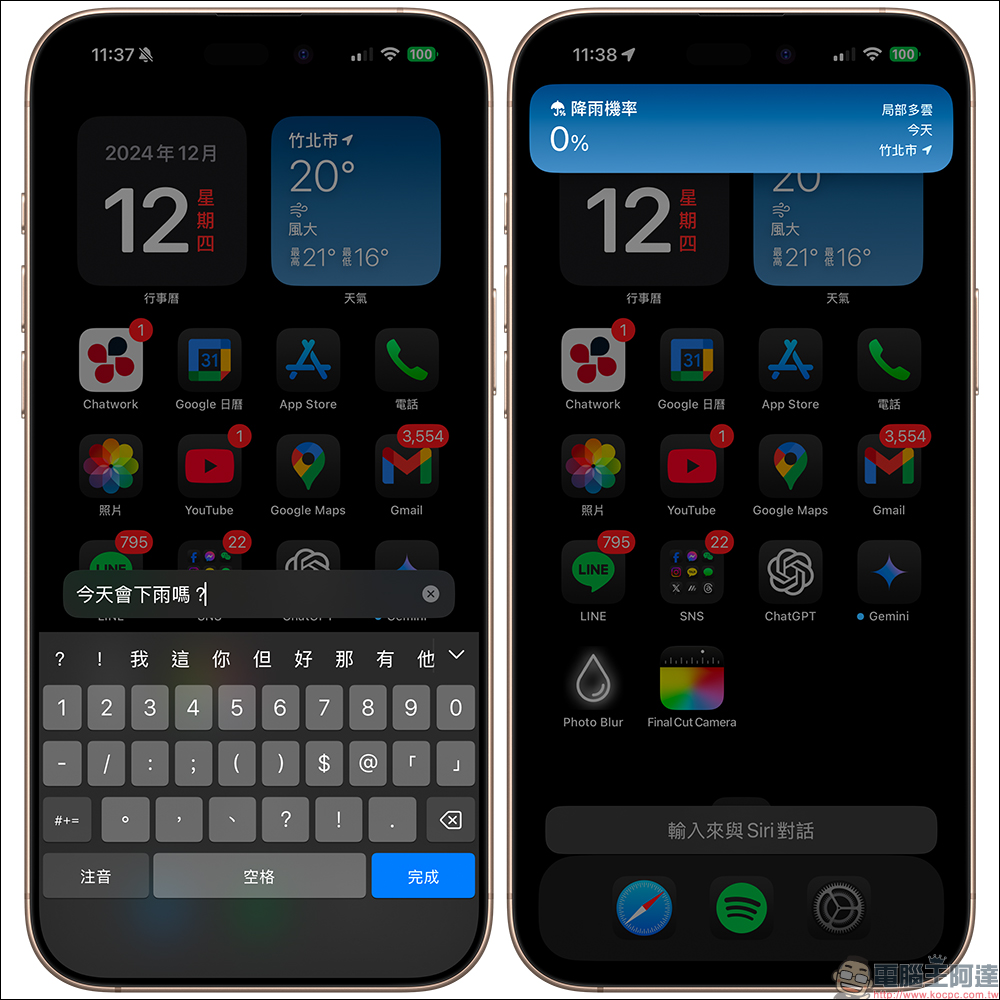
Voice-operated Siri can be inconvenient in environments where silence is required. The iOS 18.2 update adds the text input and Siri conversation function, allowing users to interact with Siri through text input.
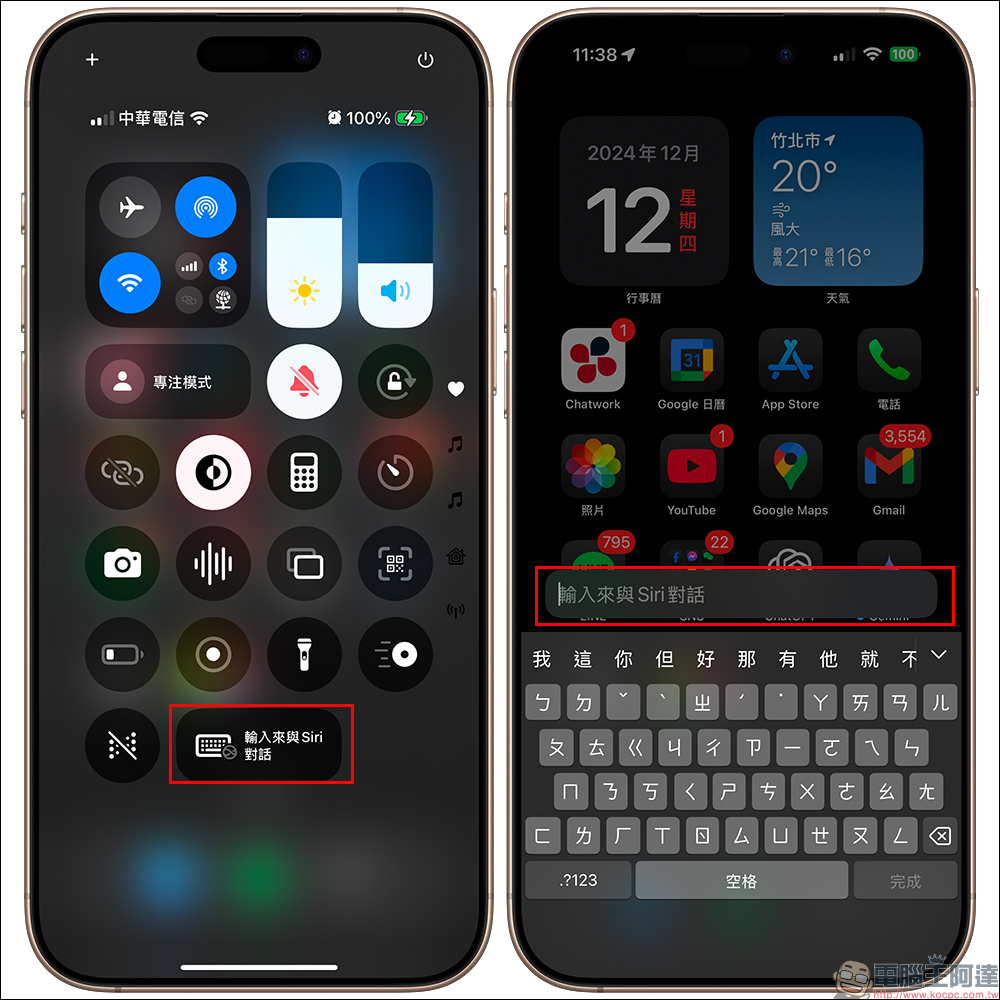
How to turn it on: Go to “Settings” → “Control Center” and add the “Enter Conversation with Siri” control item. The next time you need to use Siri, just tap the control and enter text to complete the interaction.
The next time you need to use Siri, just click “Enter to talk to Siri” and then type in the text input field on the screen to complete the interaction.
5. Customize the default app
Following Mail and Browser, iOS 18.2 now supports setting FaceTime as the default calling app. It is also expected to support more third-party applications in the future, allowing users to switch between different applications more flexibly.
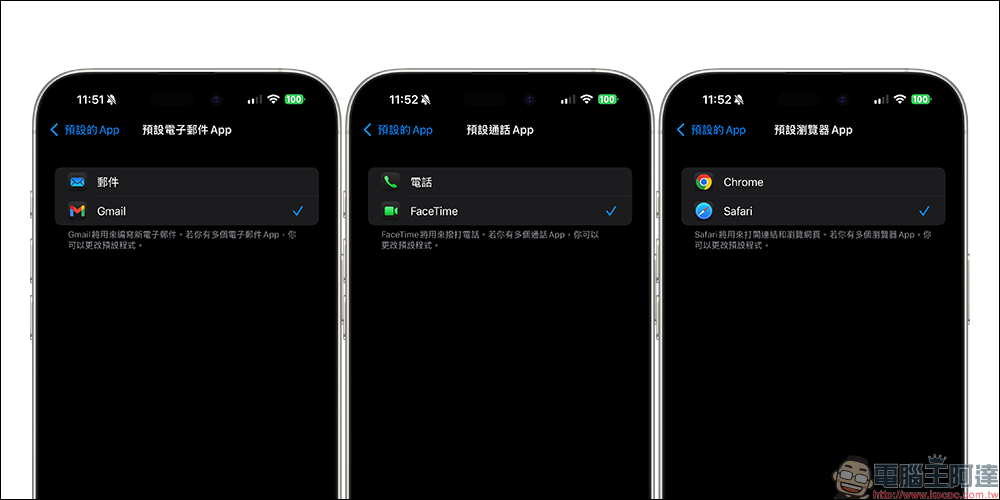
Simply go to “Settings” → “App” and select “Default Apps” to manage default apps such as email, messaging, calls, call filtering, and browsers.
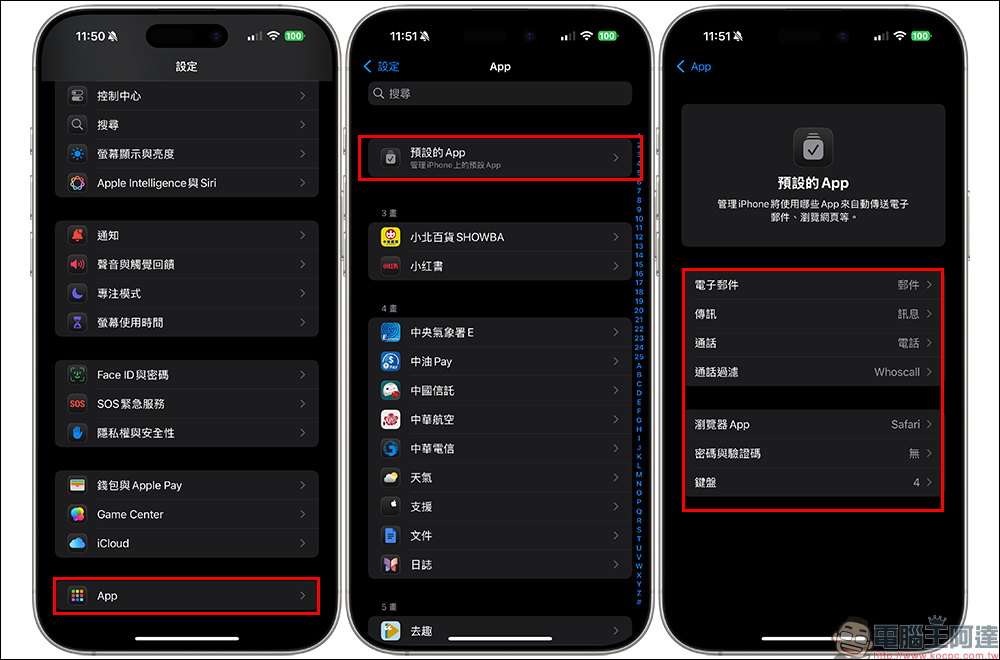
6. AirTag location sharing
The application scenarios of AirTag have been upgraded again! After the iOS 18.2 update, AirTag supports location sharing. Users can view their location through any browser, even if the other party does not have an iPhone. Location sharing is valid for 7 days and can be extended manually by the user. This feature makes AirTag more practical, especially when searching for items.
7. Safari browser experience upgrade
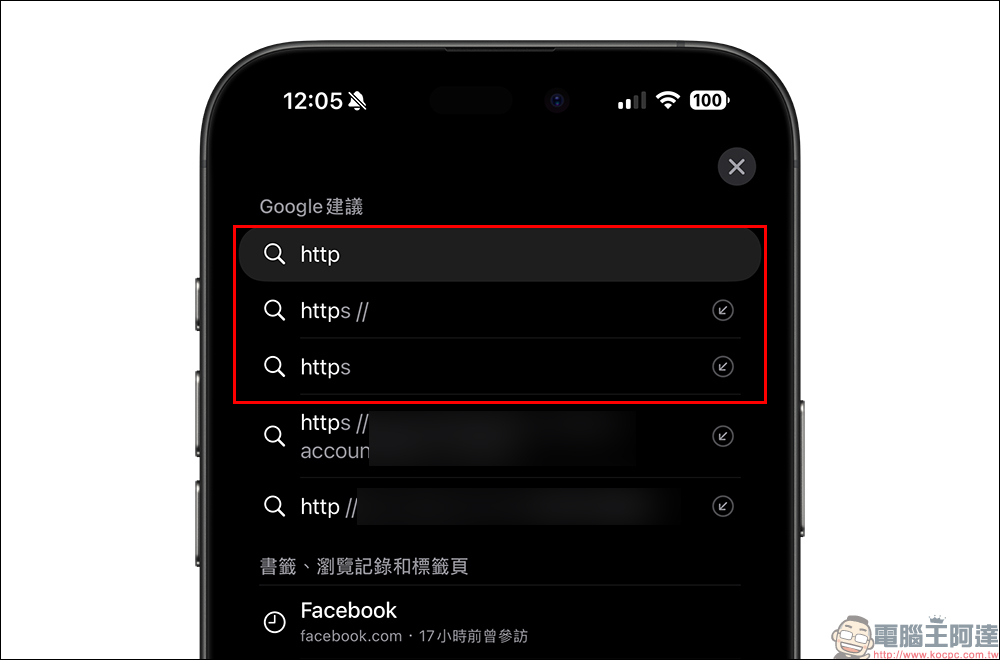
As an indispensable tool in daily life, Safari browser has been further optimized in iOS 18.2. For example, when entering an “http” URL, Safari browser will automatically upgrade to encrypted “https” to improve browsing security.
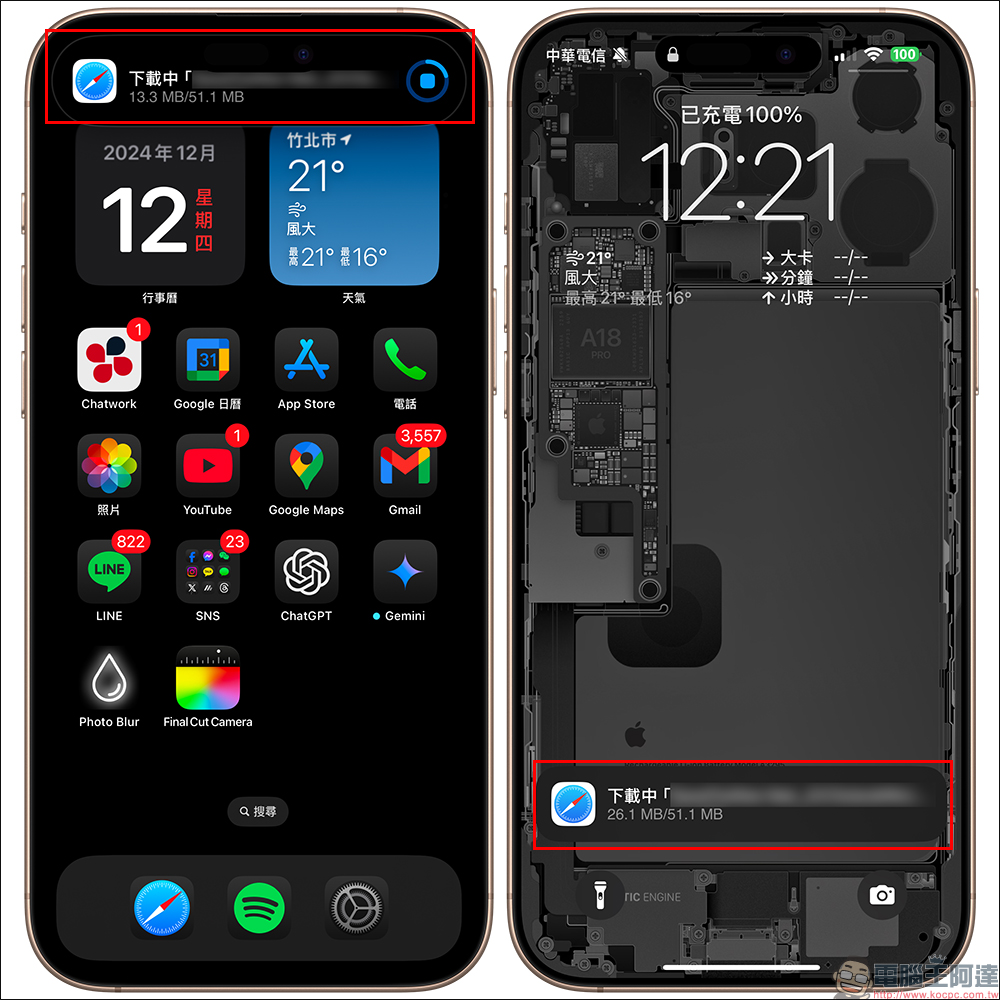
At the same time, starting with iOS 18.2, the download progress display of the Safari browser has also been optimized. When users are downloading files, the download progress bar will be displayed on the dynamic island or lock screen, making it easy to monitor the progress in real time.
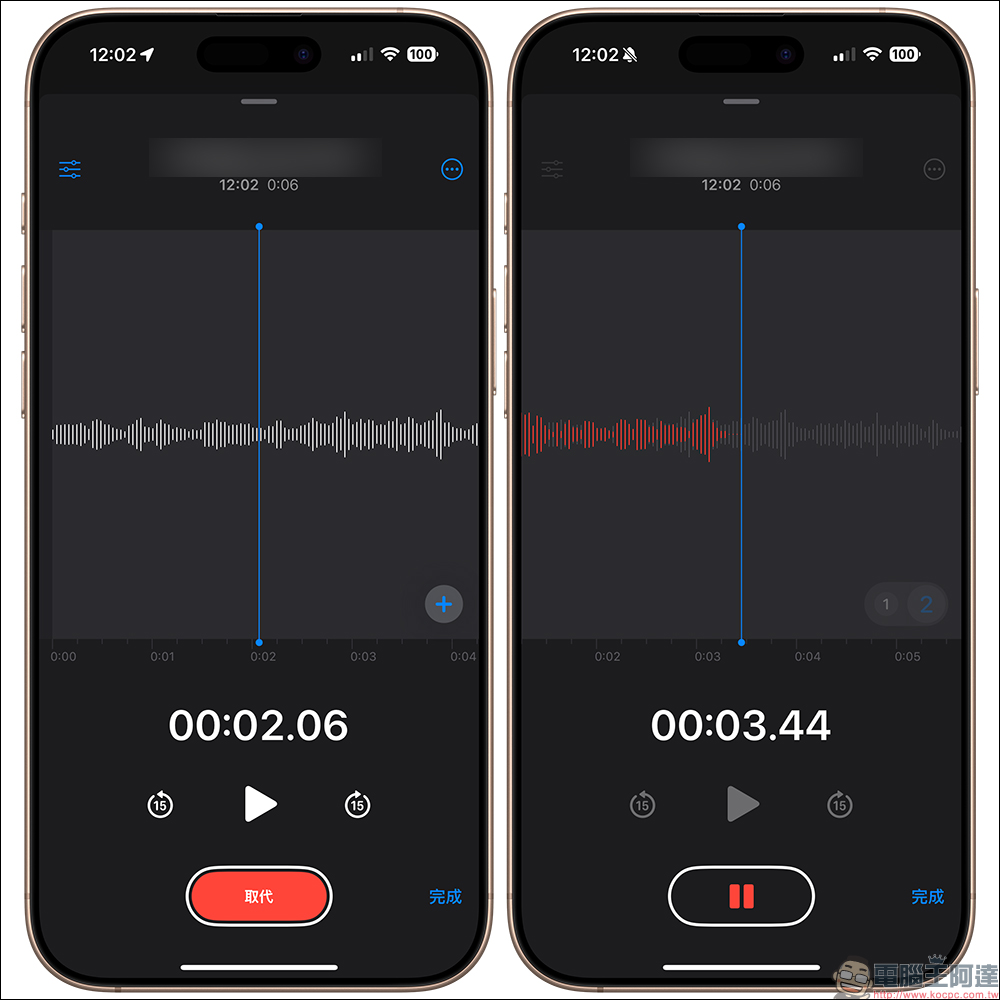
8. Voice memo supports “multi-track recording”
The function of voice memo has evolved again! Users can now record multi-track audio tracks, which is suitable for recording songs, mixing, or other scenes that require synthesized sound effects, making recording more professional.
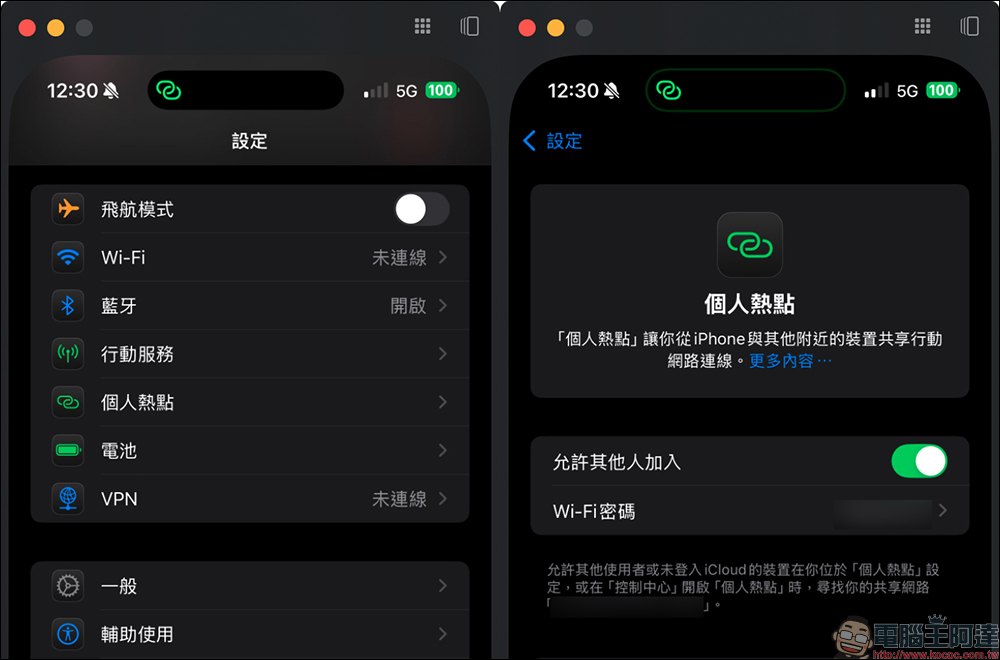
9. iPhone mirroring output hotspot support
In the past, when using an iPhone hotspot to share the Internet, you could not use the iPhone mirroring output function of your Mac at the same time. iOS 18.2 solves this problem. Now you can perform hotspot sharing and iPhone mirroring output operations at the same time, greatly improving usage efficiency.
10. AirPods Pro 2 adds new hearing test and hearing aid functions
AirPods Pro 2 in some countries and regions now supports hearing testing and hearing aid functions, which can help detect hearing conditions and provide appropriate hearing aid support. Although these features are not currently available in Taiwan, if you own AirPods Pro 2 and are supported in your country, remember to try these new features as soon as possible.
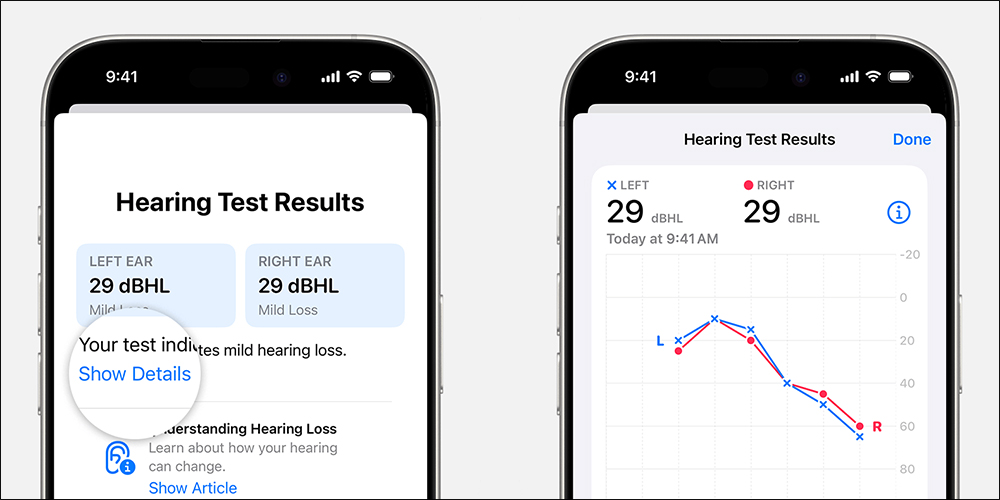
The “Hearing Test” function currently supports the following countries and regions (Please see the official website for the latest support list):

The “hearing aid” function currently supports the following countries and regions (Please see the official website for the latest support list):

Conclusion
Although iOS 18.2 does not launch the Chinese version of Apple Intelligence, the practical functions of this update are enough to bring significant improvements to daily use. Whether you are a user who loves taking photos, a friend who is accustomed to using Siri to handle things, or a user who relies on Safari for browsing, you will find thoughtful improvements and surprises in this update. Update your iPhone to the latest version and experience the convenience of these new features for yourself! Finally, I would like to remind you, don’t forget the necessary backup work before updating!
Further reading:
It’s cheaper to buy at Costco! AirPods 4 active noise reduction model is on sale at COSTCO, with a store price of 5,599 yuan

Source: KOCPC Chinese