


Have you made plans to spend Christmas or New Year’s Eve abroad at the end of the year? Or are you planning to travel abroad during the Chinese New Year? Compared with the settings for daily use of iPhone, in fact, creating an exclusive “travel mode” for your iPhone during travel will bring a different experience to the entire trip, especially if you need to talk due to language barriers, or if you want to quickly calculate the price of goods in Taiwan dollars when shopping, you must refer to today’s essential setting tips for travel!
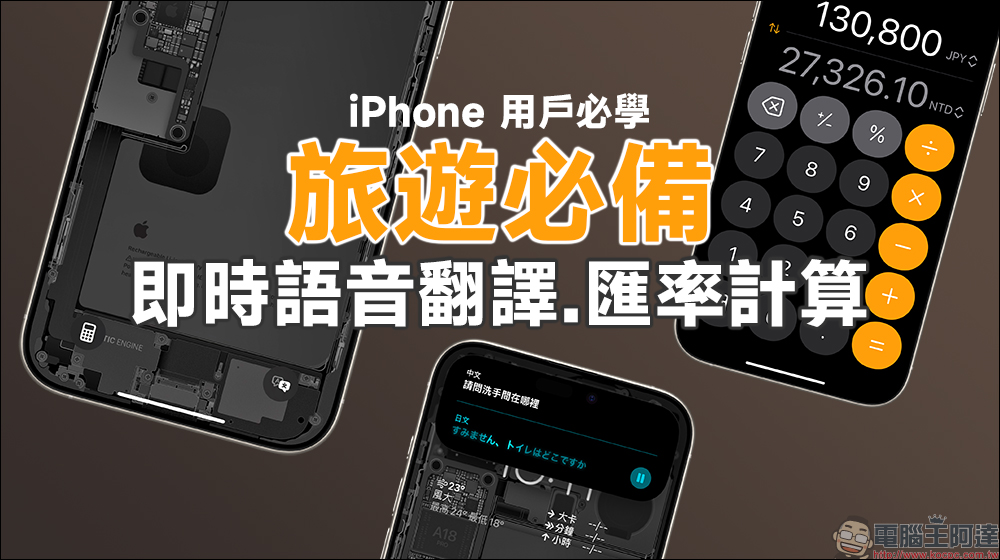
A must-have for travel! iPhone users must learn the real-time voice translation and exchange rate calculation tips on the lock screen. It is very convenient to open them with one click! (teaching)
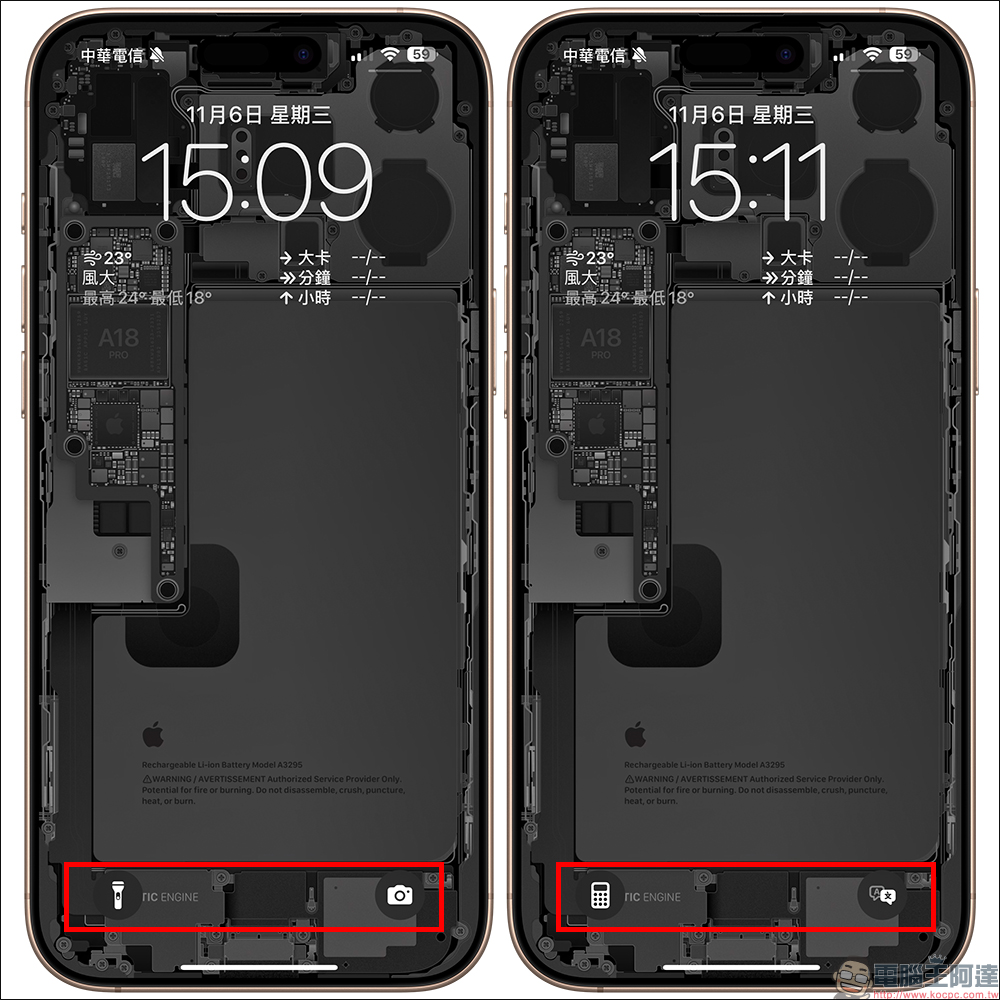
In the past, everyone’s iPhone lock screen had “Flashlight” in the lower left corner and “Camera” in the lower right corner. However, with the iOS 18 update, users have more customization space. Today I’m going to share how to adapt to travel purposes and create interface settings for your iPhone that are suitable for travel! First of all, we can now turn on the original flashlight through the control center. If you are using an iPhone 16 series mobile phone, you can open the “Camera” and quickly launch it through the camera control button settings. Therefore, the two lock screen buttons below are actually completely replaced according to the usage needs, and the original convenience of use will not be affected.
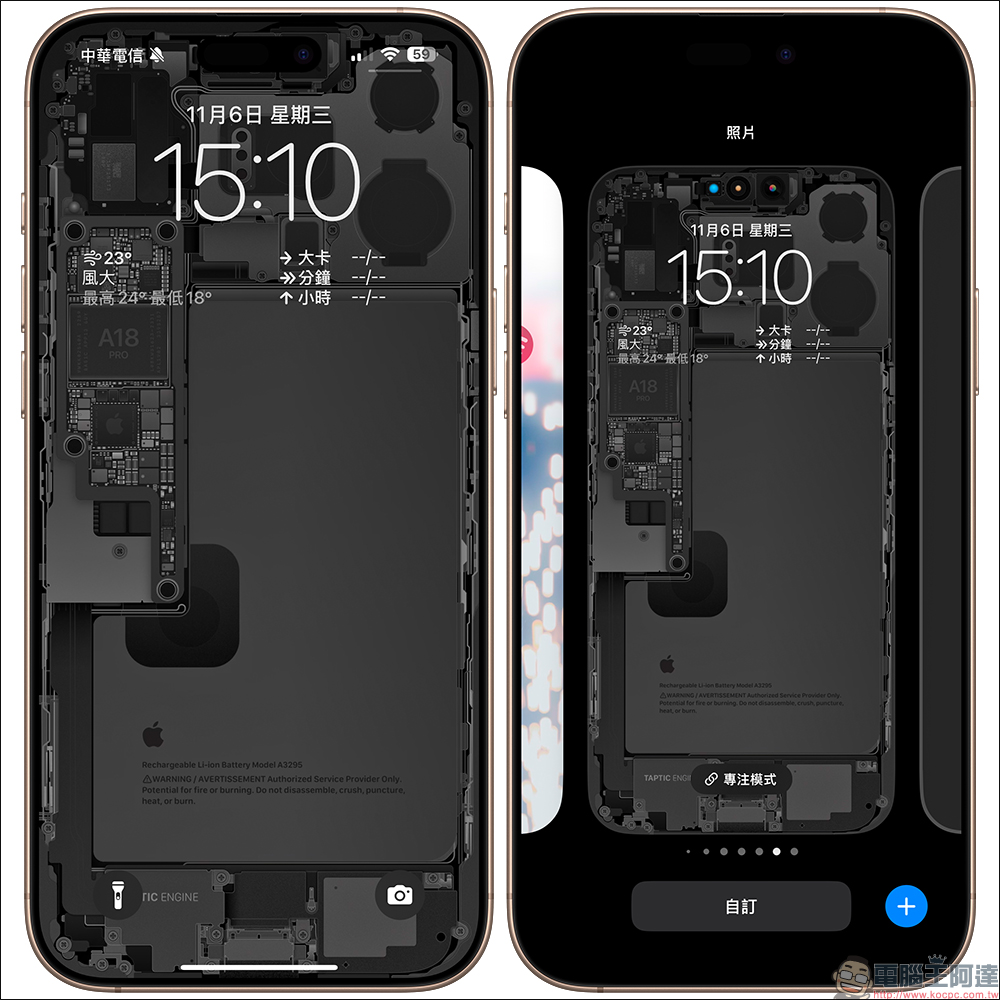
How to replace the two buttons on the lock screen? First, long press on the iPhone lock screen to open the editing screen, and then click “Customize”:
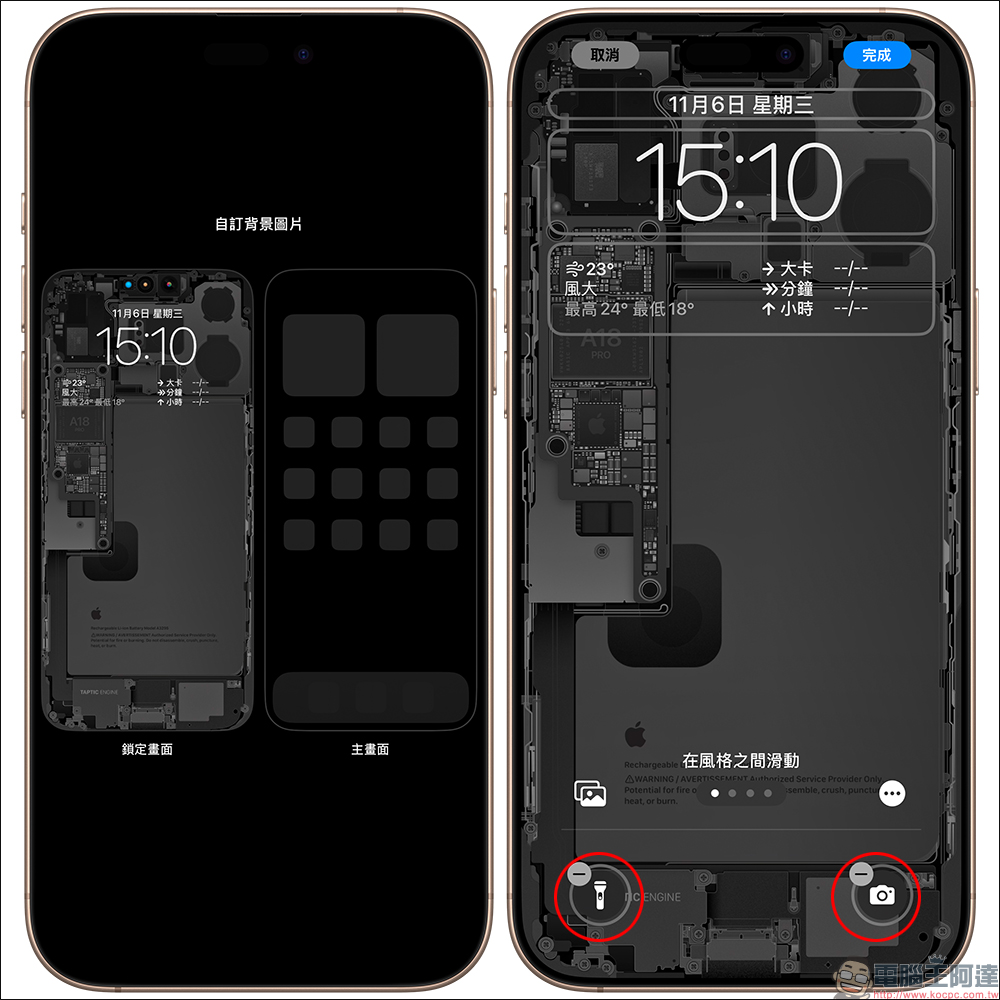
Then click on the lock screen, and you will enter the edit function of the lock screen. We can see that the two buttons below have a “-” symbol. Click it to remove it. After removing it, you can add new functions.
Here we recommend two functions that most people use, namely “Translation” and “Computer”, which will meet the needs of real-time translation and exchange rate conversion during travel.
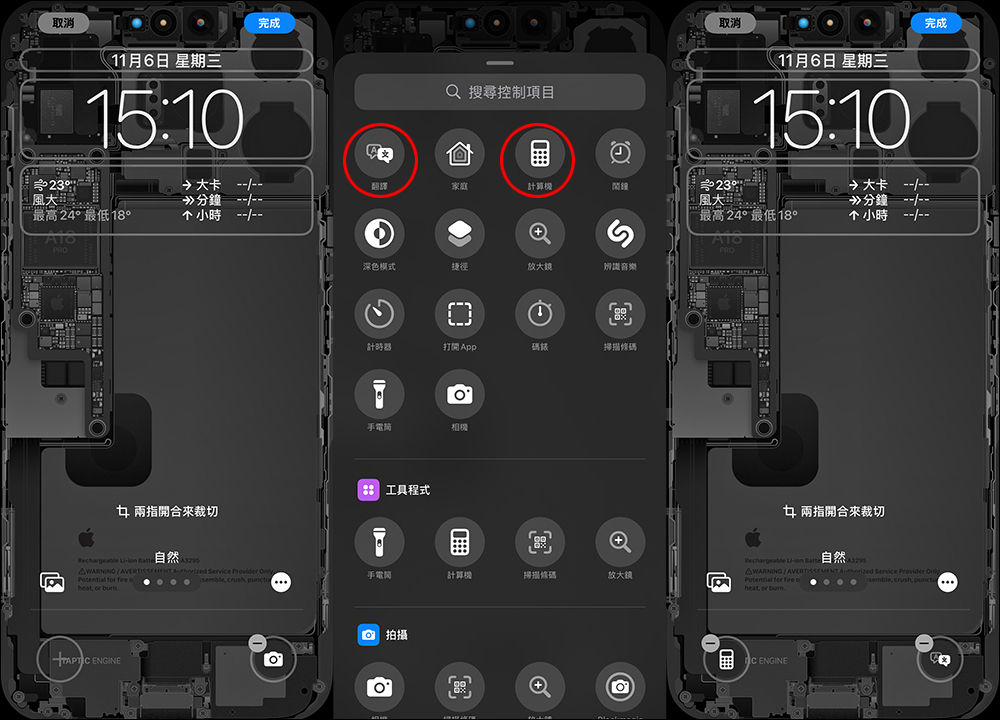
One-click “translate”
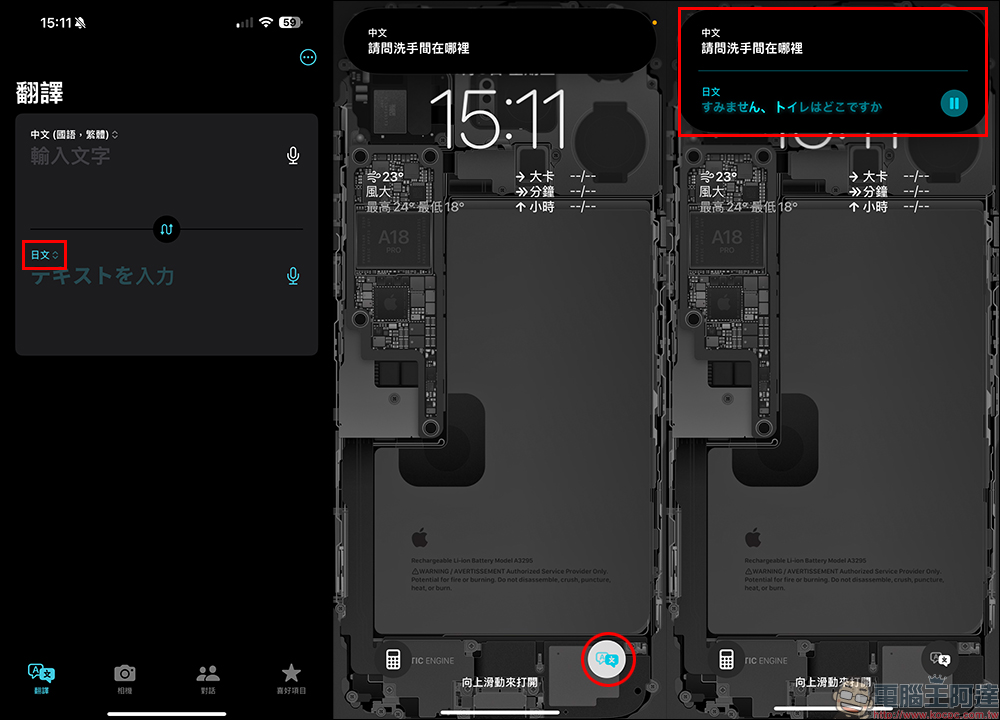
If you are using the built-in “Translate” App in the iOS system as the lock screen function, it is recommended to open the “Translate” App before use and select the corresponding language to be translated, such as Japanese and Chinese. Then click the “Translate” button on the lock screen, and you can perform real-time language translation after unlocking! In this way, it becomes super convenient to communicate with people in other countries abroad without having to enter the iPhone home screen to slowly search for apps.
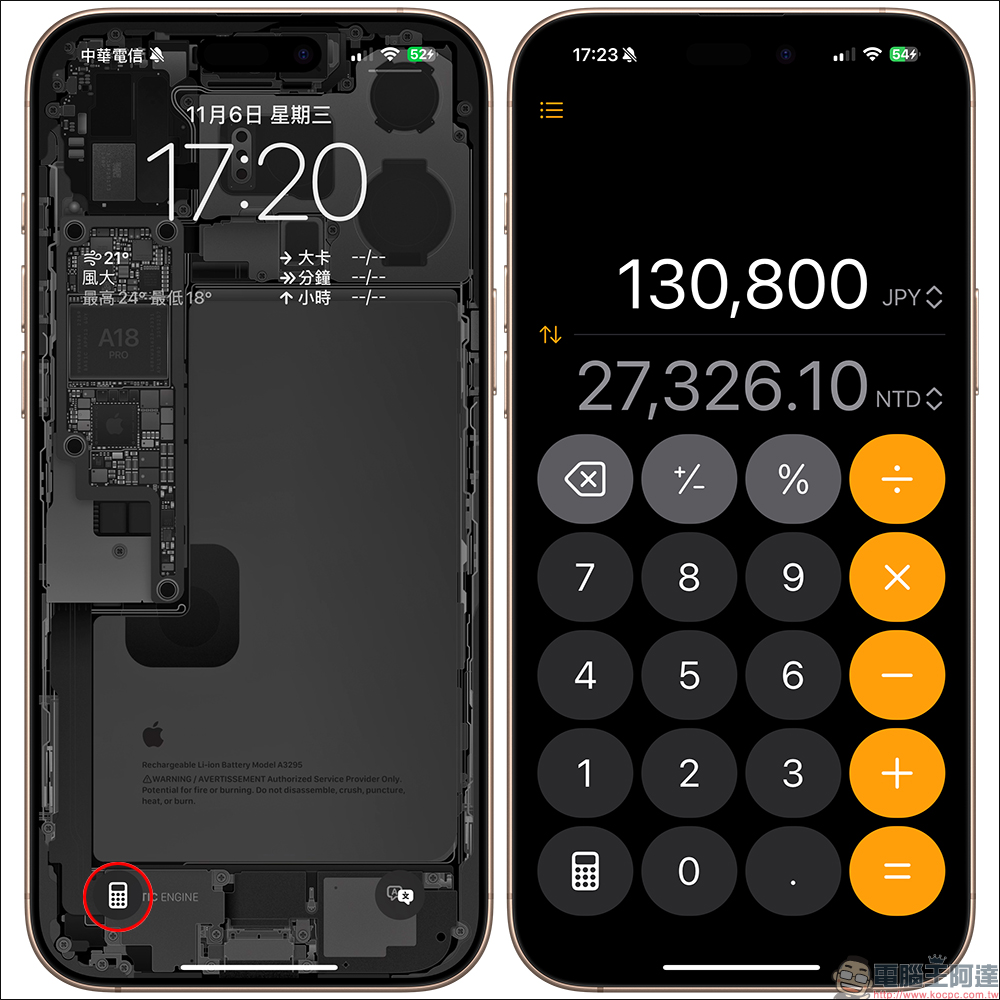
One-click “exchange rate calculation”
In addition to enjoying scenic spots when traveling abroad, many people also enjoy gourmet food and shopping trips. If they are not familiar with the local exchange rate in a foreign place, but want to quickly know the price of food or goods in Taiwan dollars, then the new version of the computer app after iOS 18 will be a very convenient application. Regarding the application methods of computer apps in iOS 18, you can refer to another of our previous articles:iOS 18 currency calculation tips: no ads, super easy to use! Built-in computer app to easily calculate real-time exchange rates (tutorial)
If the “Computer” App turns on the “Conversion” function, when we want to quickly calculate the price of goods, we only need to light up the iPhone screen, and then press the “Computer” button to turn on the computer for exchange rate conversion and calculation functions. Unlike “Translate”, the computer needs to be unlocked before it can be used. Therefore, if a group of people is traveling, they can also help each other use their mobile phones to calculate foreign currencies.
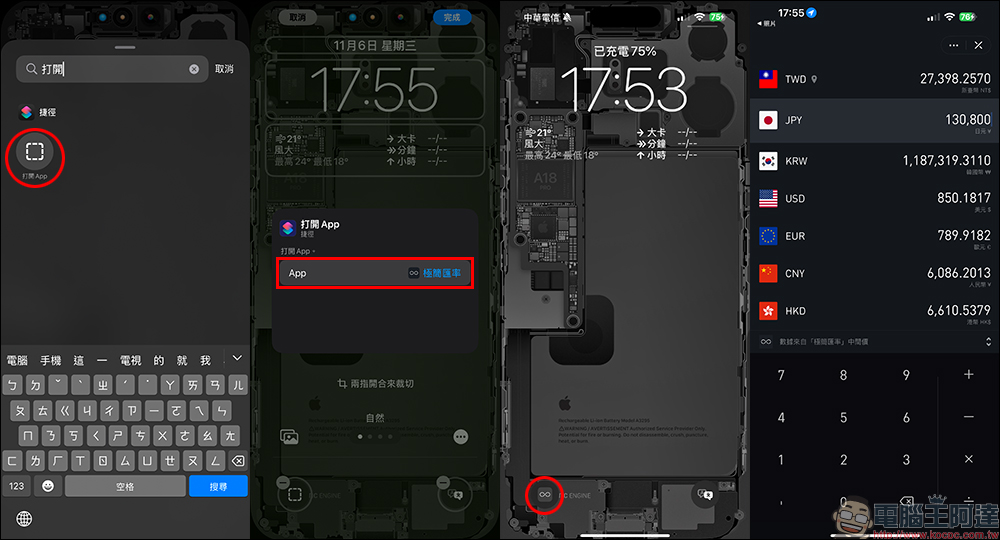
More third-party applications are also available
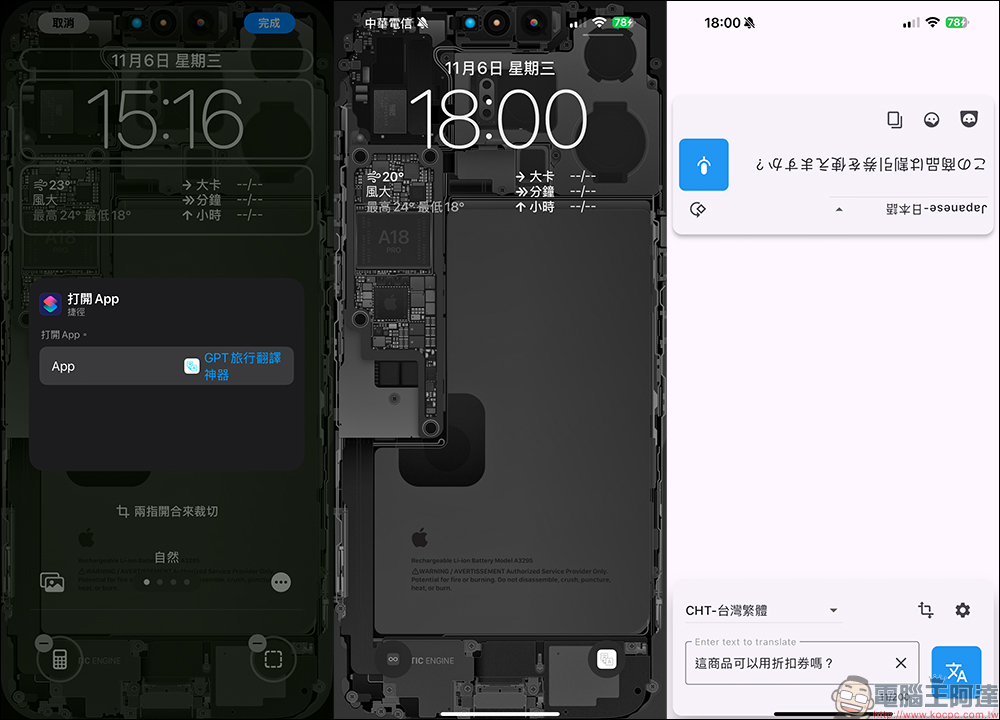
The “Translate” and “Computer” mentioned above are all built-in applications in the iOS system. If you are used to using other apps, you can search and enter “Open App” when setting the lock screen button to open any App in a shortcut way! For example, the “minimalist exchange rate” commonly used by everyone when traveling can be set in this way.
In addition, it is also recommended for translation to use the “GPT travel translation tool” as a tool for real-time translation.
Also featured in the same scene: After traveling, how do you quickly return to your daily routine?
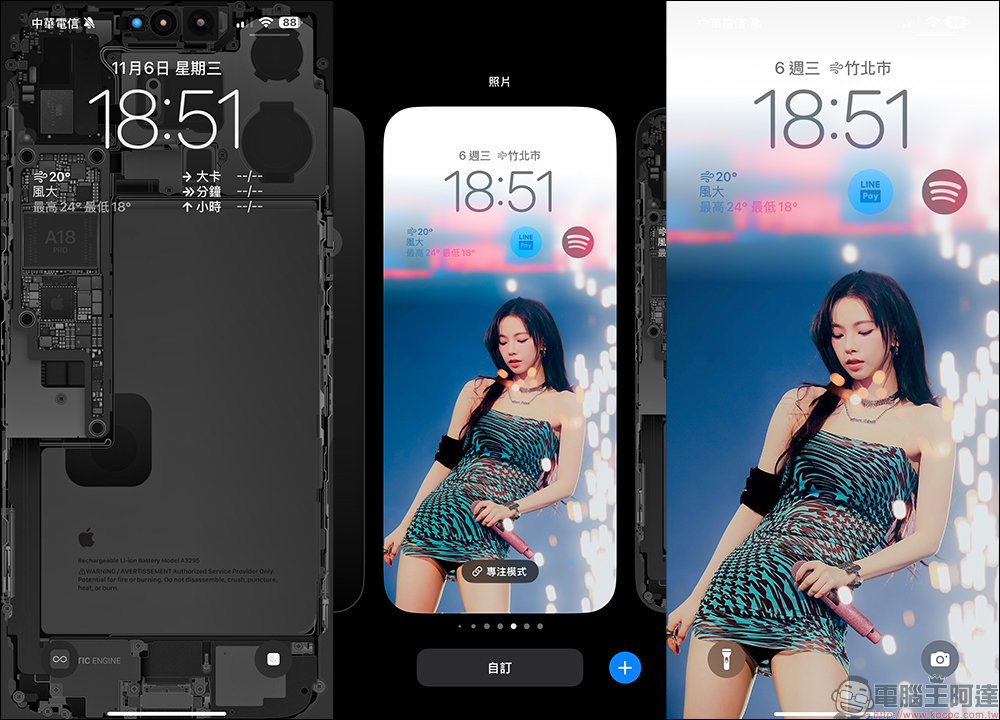
When we finish a trip and return to our country, we are ready to resume work. So how can we calm down faster? The buttons of the iOS 18 lock screen are set independently according to the lock screen, so we only need to switch to other lock screens to return to the daily mode. Then wait for your next trip and switch over again!
Further reading:
Why you shouldn’t buy LINE tokens? LINE POINTS and LINE points are different. Read this article to find out.

Source: KOCPC Chinese