


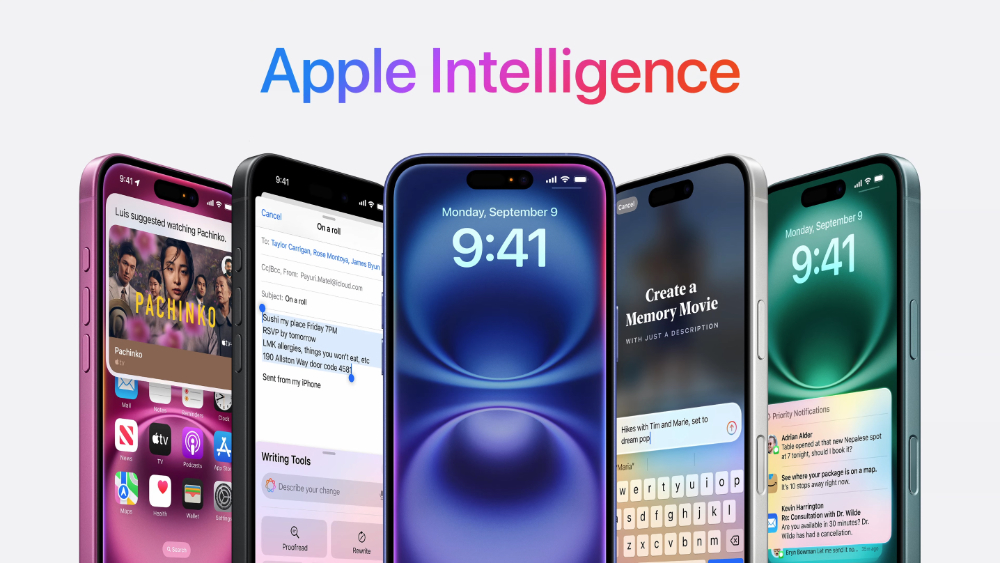
With the release of the developer version of iOS 18.2 beta and the launch of testing, the relevant operations and settings for Apple Intelligence’s integration of ChatGPT have officially surfaced. This article will sort out ChatGPT integration support, which may be the savior before Apple Intelligence’s generative AI officially supports Chinese. How it works and how powerful it can be. Continue reading How to enable Apple Intelligence integration with ChatGPT? How does it work? This article tells you the content of the report.
▲Image source: Apple
How to enable Apple Intelligence integration with ChatGPT? How does it work? This article tells you
With the release of the developer version of iOS 18.2 beta and the launch of testing, the relevant operations and settings for Apple Intelligence’s integration of ChatGPT have officially surfaced. This article will sort out ChatGPT integration support, which may be the savior before Apple Intelligence’s generative AI officially supports Chinese. How it works and how powerful it can be.
Foreign media 9to5Mac compiled several key features of ChatGPT integrated into the Apple Intelligence experience based on official documents, including:
.Siri calls ChatGPT directly: Users can issue commands directly to Siri to ask it to handle more complex tasks through ChatGPT.
.Generate images using ChatGPT: Users can let ChatGPT generate corresponding images through descriptions.
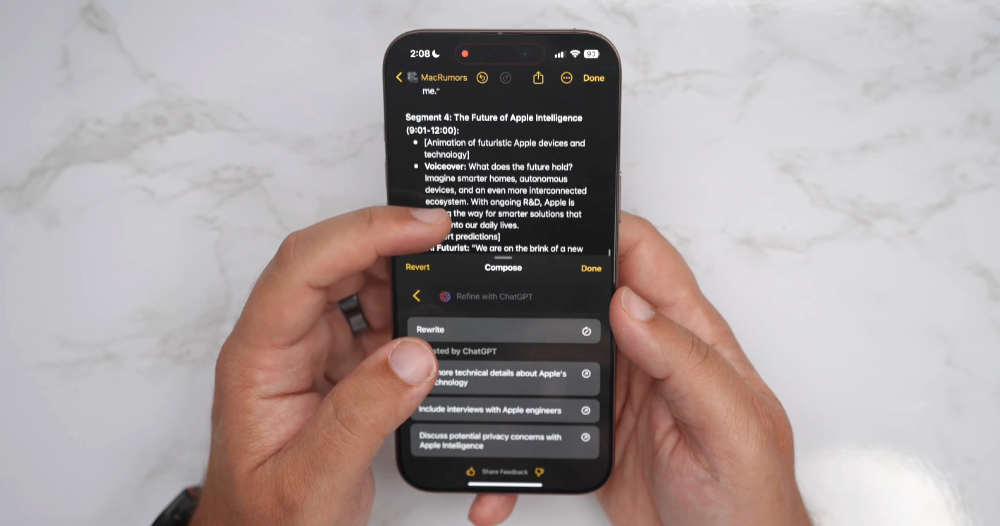
.ChatGPT assists text creation: ChatGPT can assist users in text creation, including drafting, polishing and formatting.
▲Image source: MacRumors
After seeing this, everyone should think that basically the three-party integration of Apple Intelligence’s functions that can be used by AI is considered open – especially the writing tool and Siri integration are also available. I wonder if I can choose different three-party services for different tasks in the future (this would be amazing).
In addition, iOS 18.2 also contains details about the integration of several third-party services. Including that many people may find the warning that keeps prompting to send data to ChatGPT annoying, they can turn it off through the options; you do not have to log in to an OpenAI account to use ChatGPT – but when sending requests and attachments, they will still be sent to ChatGPT (this is not surprising); if you log in to an OpenAI account, you will follow their privacy policy.

▲Image source: Apple
Apple stresses that OpenAI will not receive information associated with your Apple account, and your IP address will be hidden from ChatGPT. However, it is mentioned in the remarks that general location information will be provided to prevent fraud and comply with relevant regulations. In terms of data processing, requests or any responses will not be stored without logging in, nor will these data be used to train models.
By the way, let me remind you again,Installing the test version has quite a bit ofSystem has no expected risk of errors. Please pay attention to possible crash issues during the installation experience.It is recommended to install on a spare mobile phone, to ensure that it does not affect daily use!
How to enable Apple Intelligence integration with the ChatGPT experience
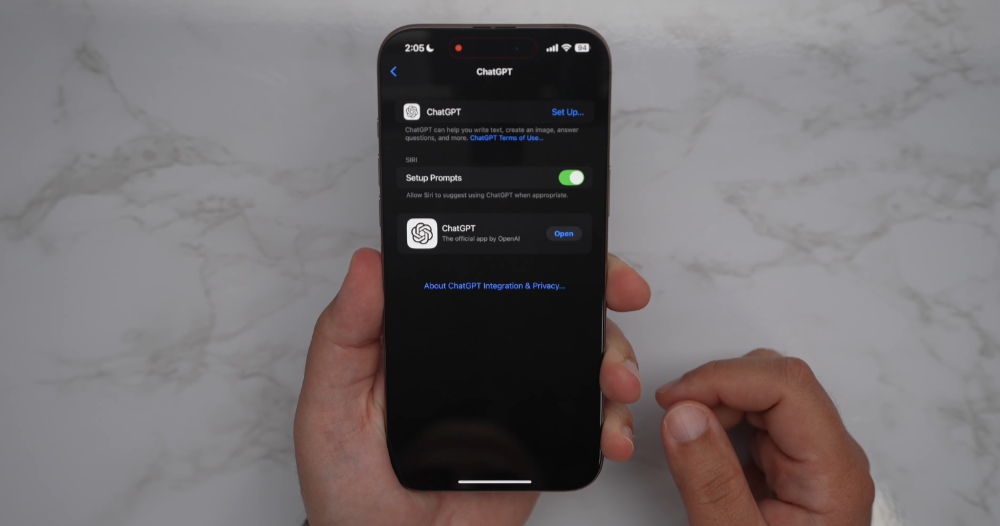
To protect privacy, Apple Intelligence has three-party generative AI integration turned off by default. To activate it, you can go to “Settings” > “Apple Intelligence and Siri” > “ChatGPT” to find “Confirm ChatGPT Request” and other functions to enable it. You will find that to enable ChatGPT integration, you will need to install the ChatGPT application.
▲Image source: MacRumors
According to MacRumors’ preliminary usage sharing, it can be seen that not only the integration experience with the Siri voice assistant, but also visual search and writing tools can be used to use ChatGPT. Such features have truly transformed the entire Apple ecosystem device into the most powerful ChatGPT (and possible third-party AI service integration in the future) experience device at this stage.
Tips for Chinese support after integrating ChatGPT
I briefly tried the new version of Apple Intelligence’s ability to integrate ChatGPT. I found that although the function of directly executing the Writing Tools will be displayed as not supporting Chinese – if you want to directly “rewrite” the Chinese article.
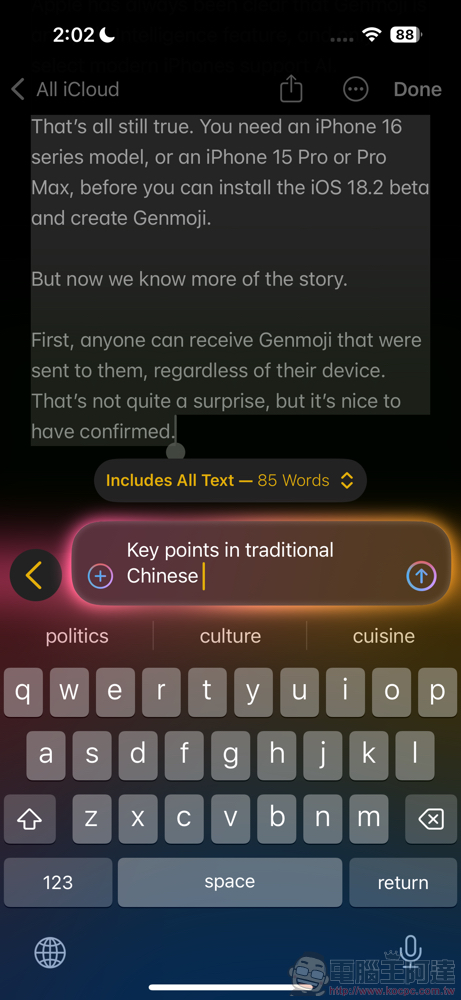
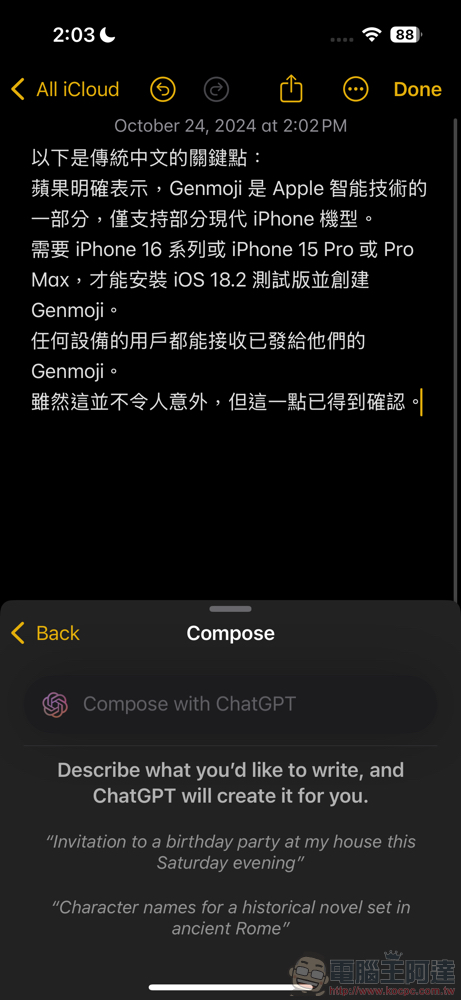
But if you can see the “Compose” function under the writing tool. Personally, I found that when the ChatGPT option is turned on, you can use this function to use “Key points in traditional Chinese” or even give commands in Chinese (but currently there is a bug that cannot display candidate words when inputting Apple Intelligence Zhuyin – after all, the official does not support Chinese yet). Basically it can be used!
ChatGPT integration and privacy official information
(Machine translation, please refer to the source for the original text)
ChatGPT integration is designed to put you in control and choose what you want to share.
You can choose to enable ChatGPT integration when using Siri, writing tools, and available camera control visual intelligence features. ChatGPT integration helps you answer questions and generate text and image content. You control when ChatGPT is used, and your consent is asked before any information is shared.
You don’t need an account to use the ChatGPT integration. If you have a ChatGPT account, you can also choose to connect it to this integration.
Integrate using ChatGPT
Before any information can be sent to ChatGPT, you must enable ChatGPT integration. This integration is turned off by default. Once enabled, you can send requests to ChatGPT within Siri, writing tools, and available camera control visual intelligence features. You can disable ChatGPT integration at any time by going to Settings > Apple Intelligence & Siri > ChatGPT and tapping Turn off ChatGPT.
When using Siri, your request is analyzed to determine whether you explicitly asked ChatGPT to handle the request. For example, if you explicitly ask ChatGPT to perform a task, such as saying or typing “Ask ChatGPT to write a poem,” such request will be sent directly to ChatGPT.
If ChatGPT is not explicitly requested, your request will be analyzed to determine whether ChatGPT may be a useful result. If so, Siri will ask you if you want to use ChatGPT. If you choose to use it, Siri will send your request to ChatGPT and display the answer directly. You can also disable Siri asking you if you want to send requests to ChatGPT by choosing to go to Settings > Apple Intelligence & Siri > ChatGPT and tap to turn off Confirm ChatGPT Requests.
When using the visual intelligence features of writing tools and camera controls, you can choose whether to use ChatGPT integration for each feature individually.
When using the ChatGPT integration, you can choose what content you want to send to ChatGPT.
Using ChatGPT integration without an account
If you access the ChatGPT integration without an account, only requests and attachments (such as documents, photos, or document content) will be sent to ChatGPT to answer your request. OpenAI also does not receive any information related to your Apple account. Your IP address is hidden from ChatGPT, but general location information is provided to ChatGPT to prevent fraud and comply with applicable laws.
OpenAI only processes your request to fulfill it and may not store your request or any responses it provides. OpenAI also may not use your request to improve or train its models.
Using ChatGPT integration with a ChatGPT account
You can choose to create a ChatGPT account or log in to an existing account. If you are a ChatGPT subscriber, you will have access to premium features from within the Apple experience.
Once logged in, your ChatGPT account settings and OpenAI’s data privacy policy will apply. This means OpenAI may log your requests, attachments, and session history and use this data to train or improve its models. To learn more about OpenAI’s privacy practices, please visit https://openai.com/policies/row-privacy-policy and https://openai.com/policies/row-terms-of-use。
Data provided to Apple
When you use ChatGPT with Siri, writing tools, and available camera control visual intelligence features, Apple collects limited information about the requests you make to ChatGPT and ChatGPT’s responses, such as the number of requests sent or the approximate size of the request or response, in order to operate the service and prevent fraud.
Quote sources:9to5Mac|
Further reading:

Source: KOCPC Chinese