


Apple recently released the official version of iOS 18, which includes more advanced charging restriction options for the iPhone 15 and iPhone 16 series in iOS 18, allowing users to better maintain battery health. What originally limited charging to 80% now adds options for 85%, 90% and 95%.
How to set the charging limit for the new iPhone in iOS 18? There will be a prompt for long-term slow charging
iOS 18, released this week, goes further and provides proactive charging limit suggestions, recommending the best charging limit based on the user’s usage habits. For iPhone 15 or iPhone 16 owners, you’ll be notified of optimal charging limits after a while. At the same time, the suggestion will also be displayed in “Settings” → “Battery” → “Charging”. It’s worth noting that this feature is limited to the iPhone 15 and upcoming iPhone 16 series. These options cannot be found in Settings on iPhone 14 Pro or earlier.
This new feature is designed to extend battery life by reducing the amount of time the iPhone has to be fully charged. Apple says the feature is particularly beneficial for users who often use their devices plugged in for long periods of time. Here’s how to use these new settings to extend your iPhone’s battery life:
- Open the Settings app.
- Click “Battery”.
- Select “Charge”.
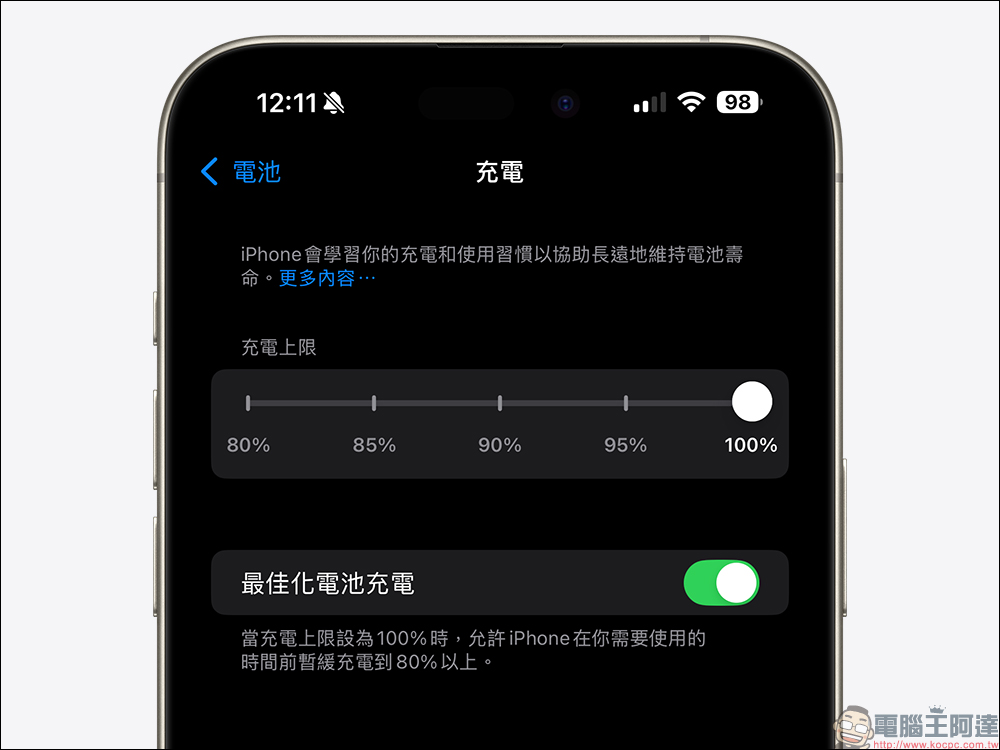
- Select your desired charging limit from the options provided: 80%, 85%, 90% or 95%.
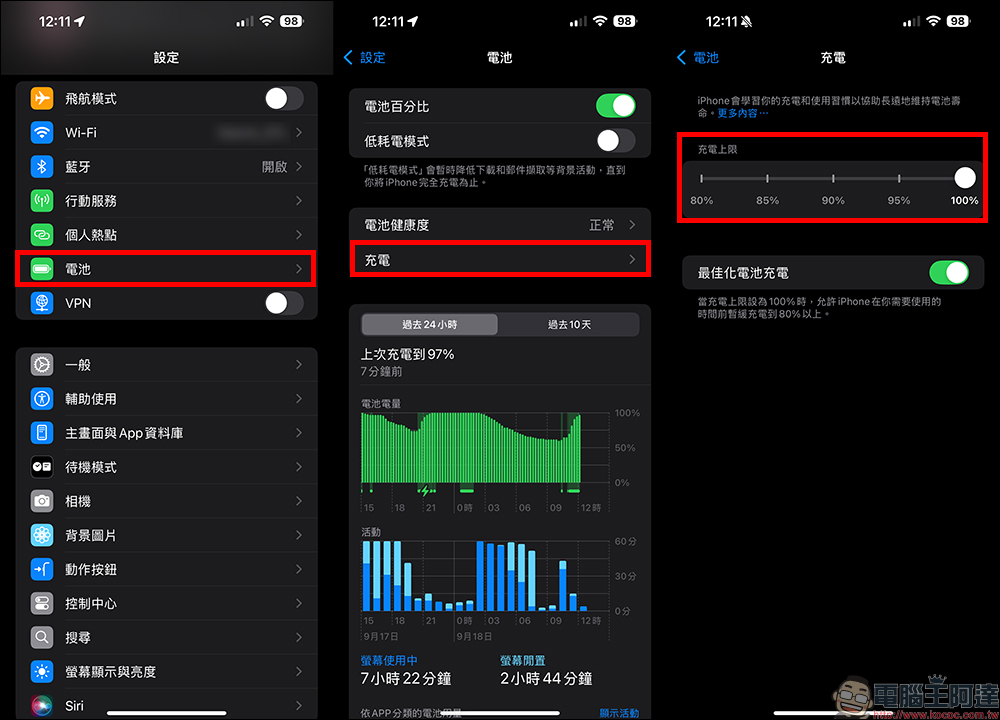
When setting charging limits, it is recommended to consider your daily usage habits. If you often find time to charge during the day, then choosing a lower limit like 80% or 85% may be enough; if you expect longer battery life between charges, 90% or 95% may be more suitable for your needs.
These settings can be adjusted at any time to suit your needs. If you expect to be out for a long time that day and cannot charge, you can temporarily turn off the charging limit to ensure a full charge. In addition, iOS 18 will also provide the option for you to decide whether to keep the 100% charging limit until the next day, or turn it on permanently.
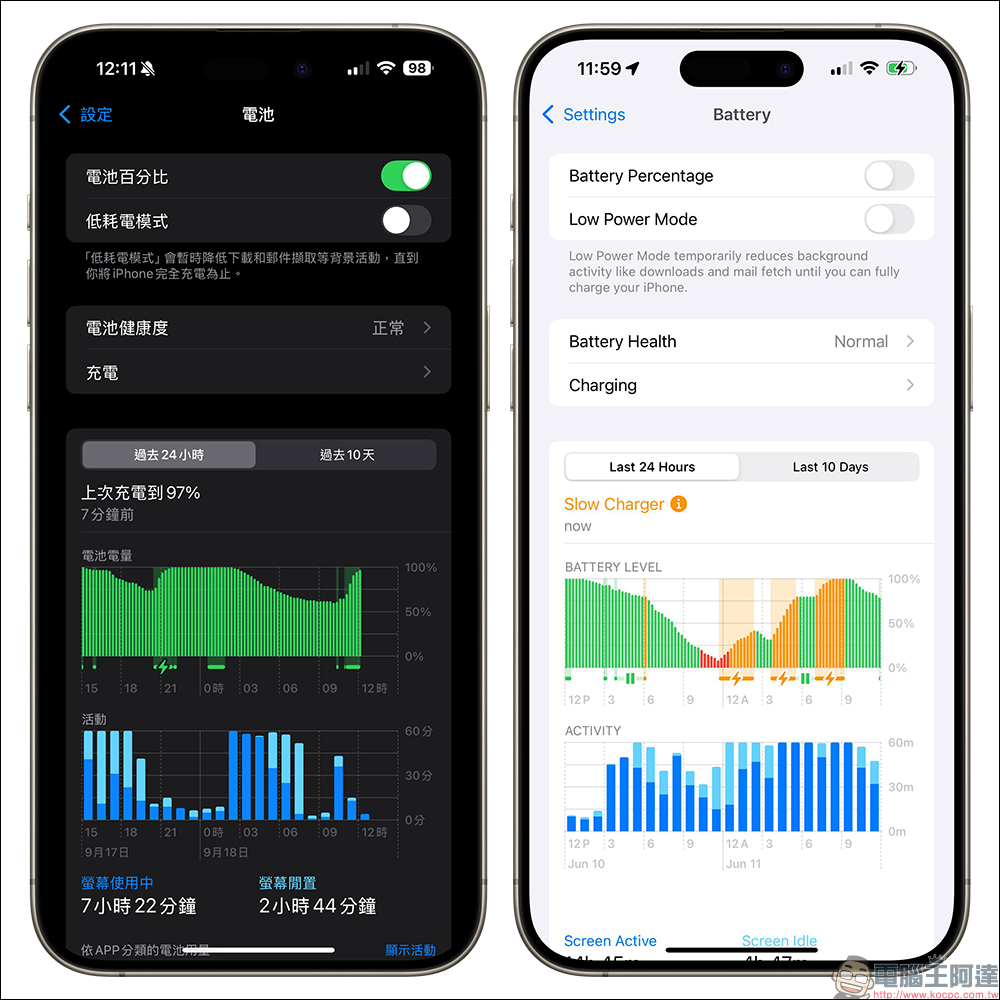
In addition to providing more charging restriction options and suggestions, iOS 18 also adds a slow charging warning function. In Settings → Battery, the battery level graph will indicate periods of slow charging in the past 24 hours in orange. If the charging duration reaches a certain threshold, a “slow charger” reminder will appear above the graph. While Apple hasn’t specified a specific charging speed threshold, this feature will be useful for users who are still using older chargers.
Many wireless chargers on the market currently claim to support MagSafe, but in fact only offer Qi or slower charging speeds. This feature helps users identify why a device is not charging as fast as expected. However, there is currently no way to provide an instant reminder function when using a slow charger, which is slightly insufficient. After all, the battery settings are also hidden in a hard-to-find position in the menu.
Source: KOCPC Chinese