


After the iOS 18 official version update is released, there are many useful new features that will be slowly introduced to you. One of the functions that is very useful to many friends who love to travel is currency calculation. In the past, when traveling to a foreign country, if they wanted to quickly grasp the local currency exchange rate, many people would first think of a useful app – “Simplified Exchange Rate”. However, now iOS 18 users will not have to download additional apps. The built-in computer app can easily calculate real-time exchange rates, and the exchange rate updates are very real-time!
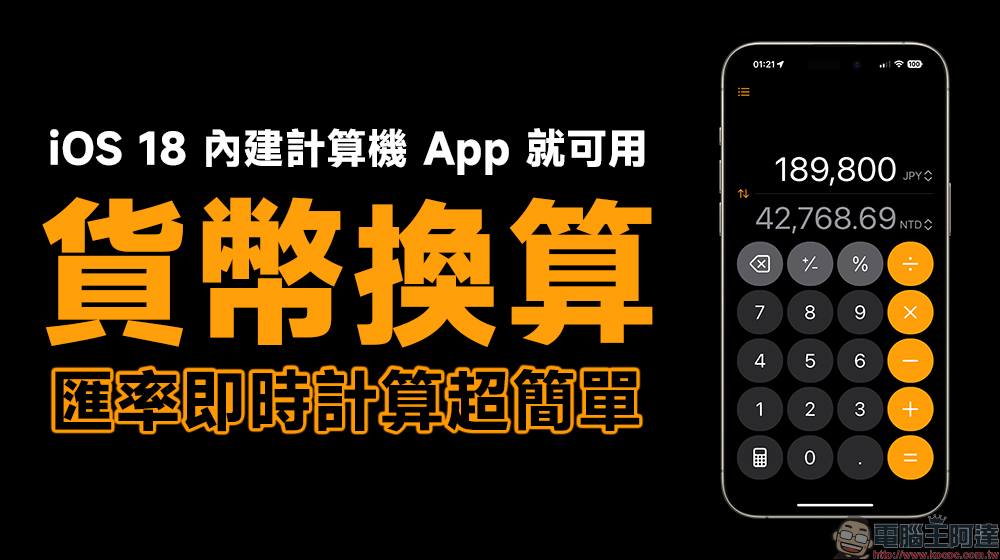
iOS 18 currency calculation tips: no ads, super easy to use! Built-in computer app to easily calculate real-time exchange rates (tutorial)
iOS 18 can be said to be a considerable upgrade in recent years. For “computer” function applications, Apple not only allows iPad users to use the built-in computer in iPadOS 18, but also supports various mathematical calculation formula functions. As for the iPhone, iOS 18 actually adds a useful “conversion” function.
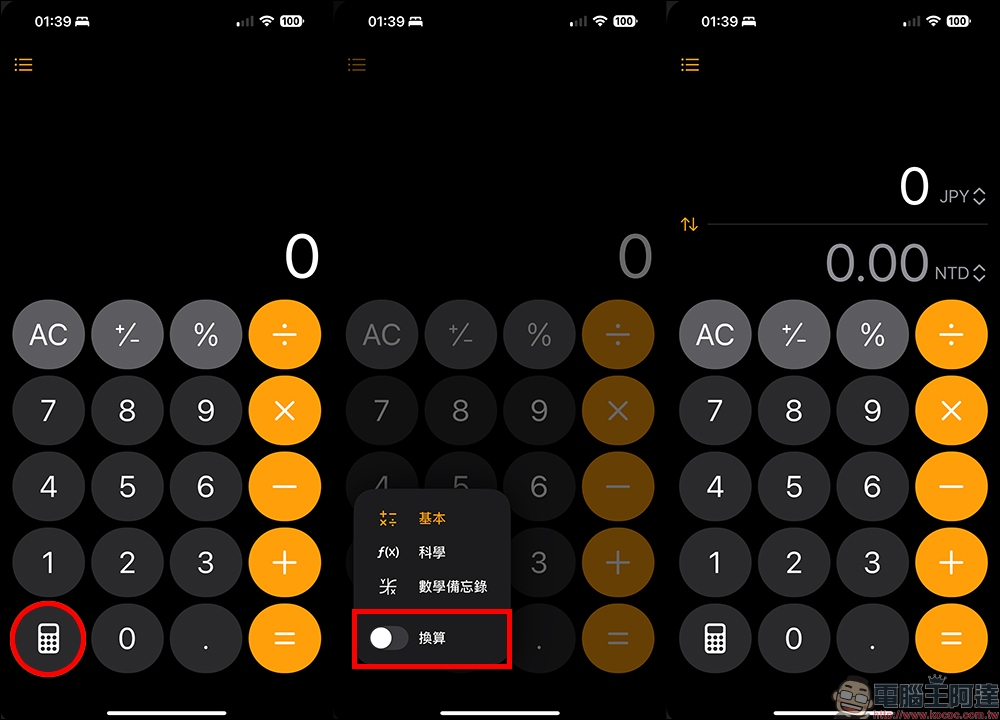
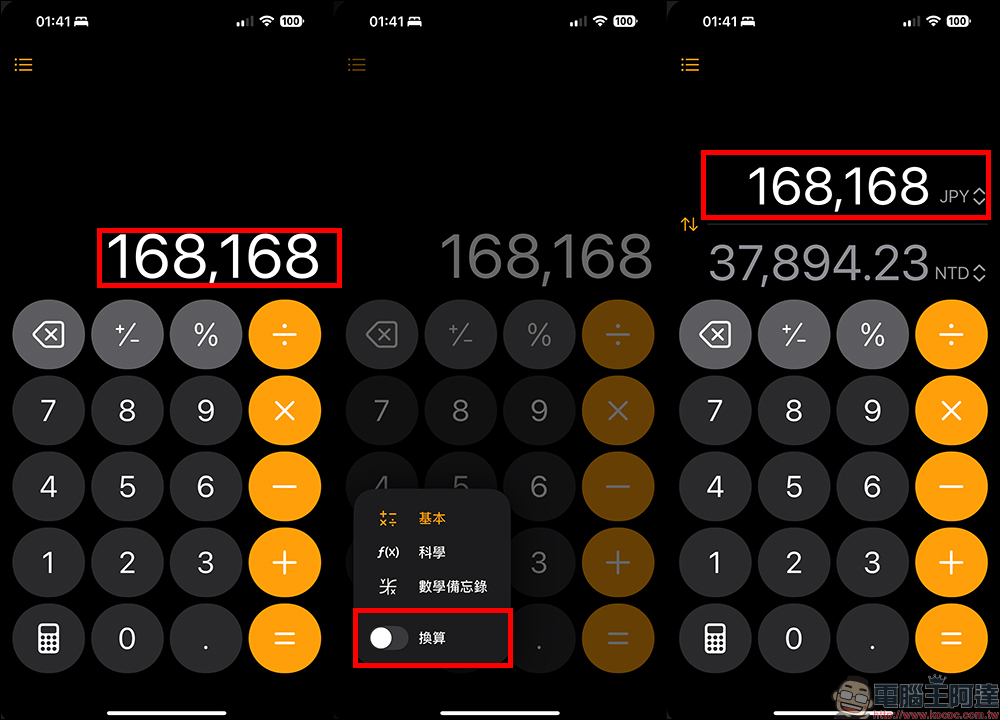
If you want to use the currency conversion function introduced this time, click the Computer button in the lower left corner of the Computer App in iOS 18, and then turn on “Convert”. After turning it on, you will find that the original computer numbers have been changed to numbers in two different currencies.
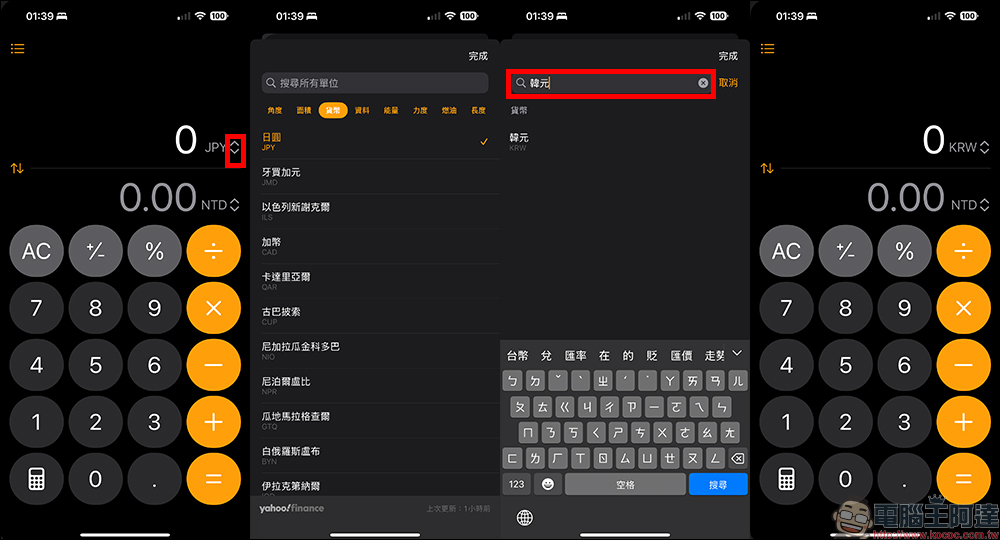
If you want to switch to different currencies, you can click the “arrow” button to the right of the currency unit to select the currencies at both ends independently. Basically, we have support for almost all currencies. If you feel that the currency search is too slow, you can also directly enter the “currency name” or “currency code” in the text input field above. For example, if you want to calculate the Korean won exchange rate, you can enter “South Korean won” or “KRW”. After selecting the currency, the computer will immediately switch to the set currency unit.
The source of the exchange rate is taken from “Yahoo Finance”, and the last update time is also displayed in the lower right corner of the currency selection page.
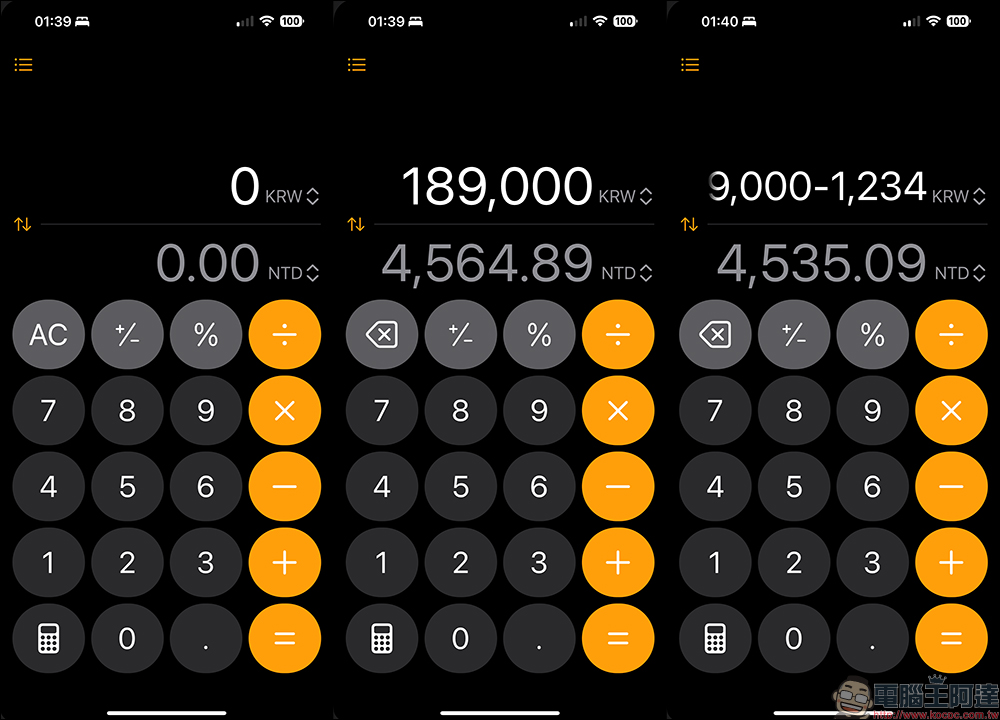
Then users only need to enter numbers to instantly convert the corresponding currency amount. And just like the minimalist exchange rate, the built-in computer app in iOS 18 also supports calculations such as addition, subtraction, multiplication, and division when calculating exchange rates, and will update the corresponding currency amounts in real time.
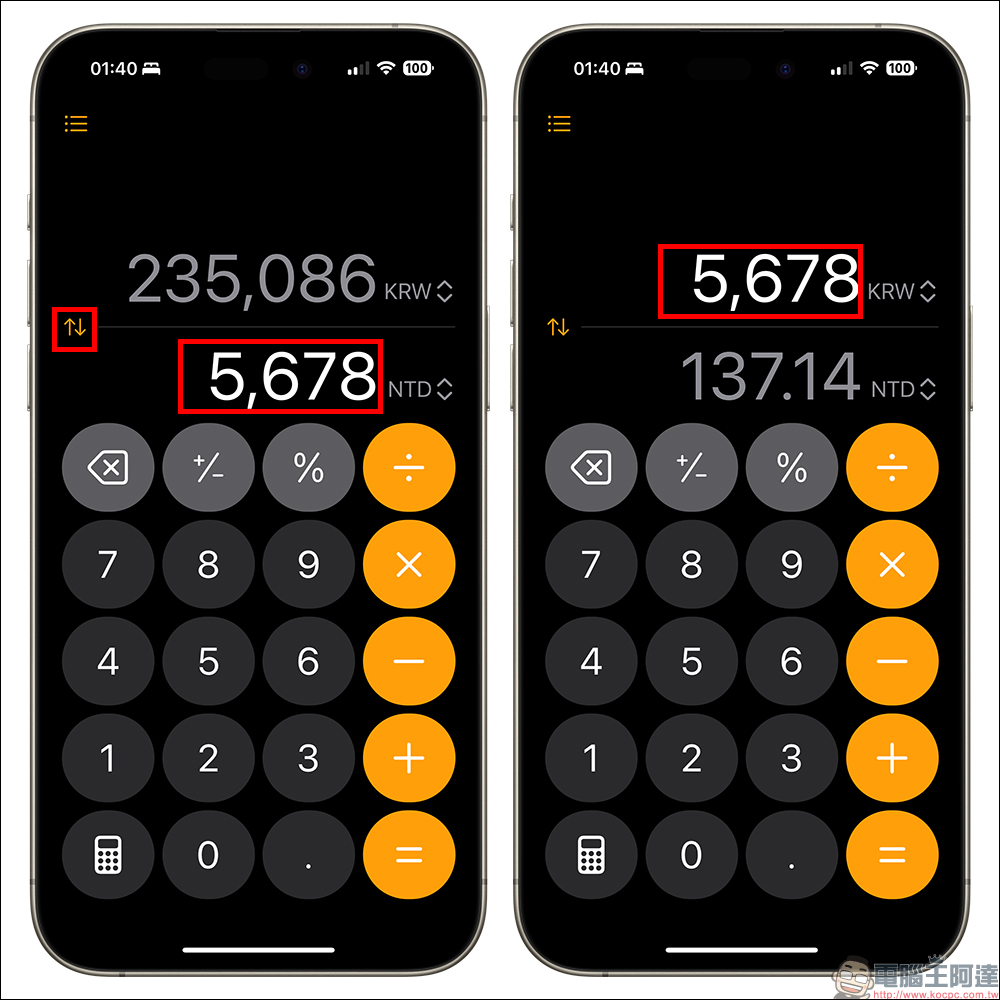
In addition, if the user enters specific numbers, they can also click the swap arrow button on the left to directly swap the numbers. For example, the NTD (New Taiwan Dollar) of “5,678” was originally entered here. After clicking the arrow button to exchange, you can know how much New Taiwan Dollar the amount of “5,678” will be in KRW (South Korean Won).
When computers in iOS 18 calculate currency exchange rates, they can also enter numbers first when the “Convert” function is not turned on. Afterwards, after turning on the “Conversion” function, the corresponding exchange rate of the number will be directly displayed. For example, below we first input “168,168” into the computer, and then after turning on the conversion function, it is directly displayed as 168,168 JPY (Japanese yen), and the converted New Taiwan Dollar amount is displayed below.
summary
In the fall and winter of this year, I believe many people are planning to travel abroad. Then they can directly use the built-in computer of iOS 18 to conveniently calculate the currencies of various countries! Although it can currently only display two different currencies at the same time, which is not as many as the “Simplified Exchange Rate” App that can display up to 7 different currencies at the same time, the built-in computer currency conversion function of iOS 18 is completely free and ad-free!
Minimalist Exchange Rate App If you want to get a better user experience and functions, such as removing ads in the app, specifying the converter exchange rate to a specific bank exchange rate, and other extended functions, you must pay for a subscription to support full functionality. In contrast, the built-in computer in the iOS 18 system is more suitable for most people, and it is also easier for the elders to learn how to operate. If you are planning to travel abroad, be sure to come and have a look!
Further reading:
Xiaomi electric nose hair trimmer goes on sale on 9/9, priced at only 325 yuan
Source: KOCPC Chinese