


After three developer beta versions, the “theoretically” relatively stable public beta version of Apple’s new generation ecosystem also released its first beta version update today. Continue reading the content of the update report on the public beta versions of iOS 18 / iPadOS 18 / watchOS 11 / macOS Sequoia.
Public beta version iOS 18 / iPadOS 18 / watchOS 11 / macOS Sequoia starts updating (key features organized for lazy people)
After three developer beta versions, the “theoretically” relatively stable public beta version of Apple’s new generation ecosystem also released its first beta version update today.
For Apple device users who are eager to try something new after watching the WWDC 2024 conference but are still a little worried about stability, this will be a time when they can consider jumping in to play the new system features in advance – of course, it is also a good way to wait a moment to see if there is a so-called disaster reward.
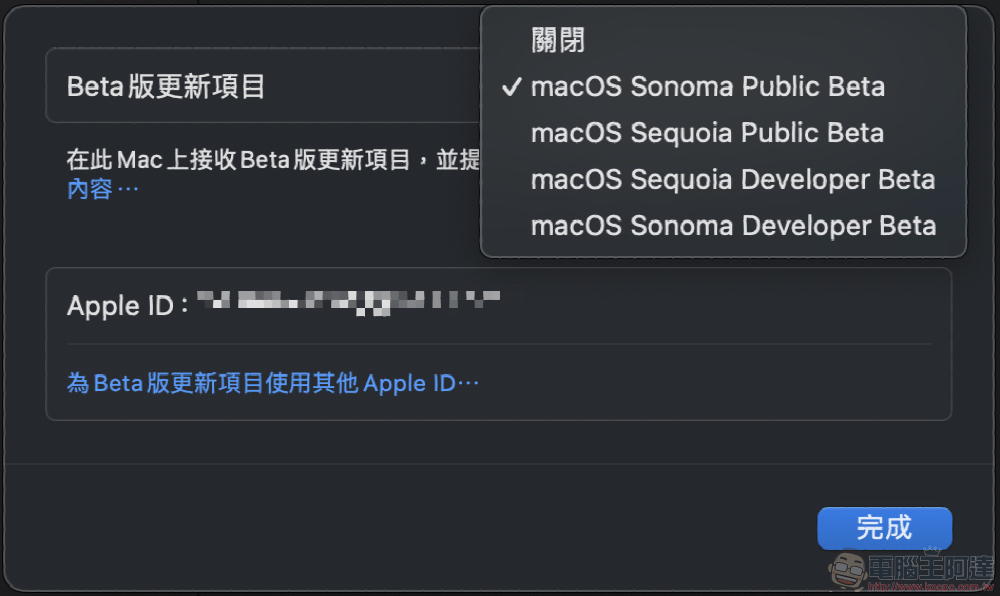
At this stage, whether it is iOS / iPadOS for iPhone and iPad or watchOS system for Apple Watch and macOS system. Basically the barrier to entry for trying any beta version has become very low.
It is almost easy to find the “Beta Update Project” option through “Settings > General > Software Update” to start downloading the system installation test – so friends who want to install it can start directly.
(See more:Experience iOS 18 early! Teach you how to update to iOS 18 Beta version!)
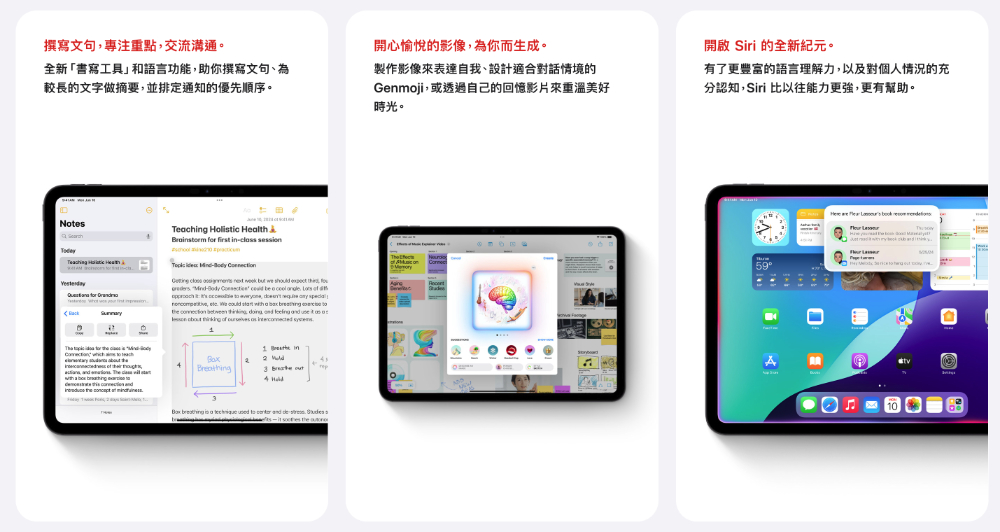
Apart from the fact that it is not yet open for use, and initially only supports the generative AI-related functions of Apple Intelligence in the American English language.
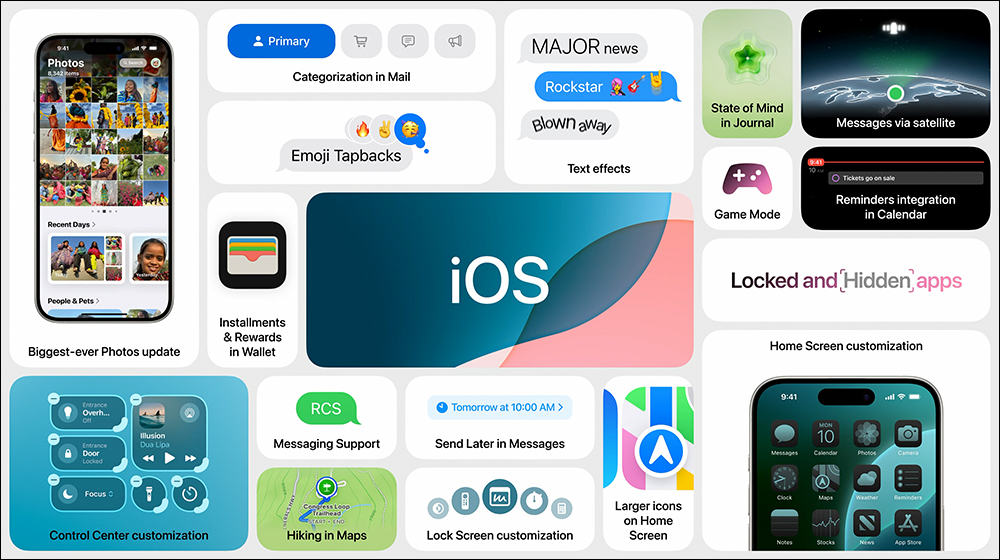
The iOS 18 system (in fact, iPadOS 18 is also the same), which says “Really, it’s you.” on the official website, naturally focuses on a more customized system interface – the arrangement of the main screen is no longer restricted to the upper left corner of the screen, and can be freely placed in free areas; you can further customize the color of the App icons on the desktop (supports dark mode!).

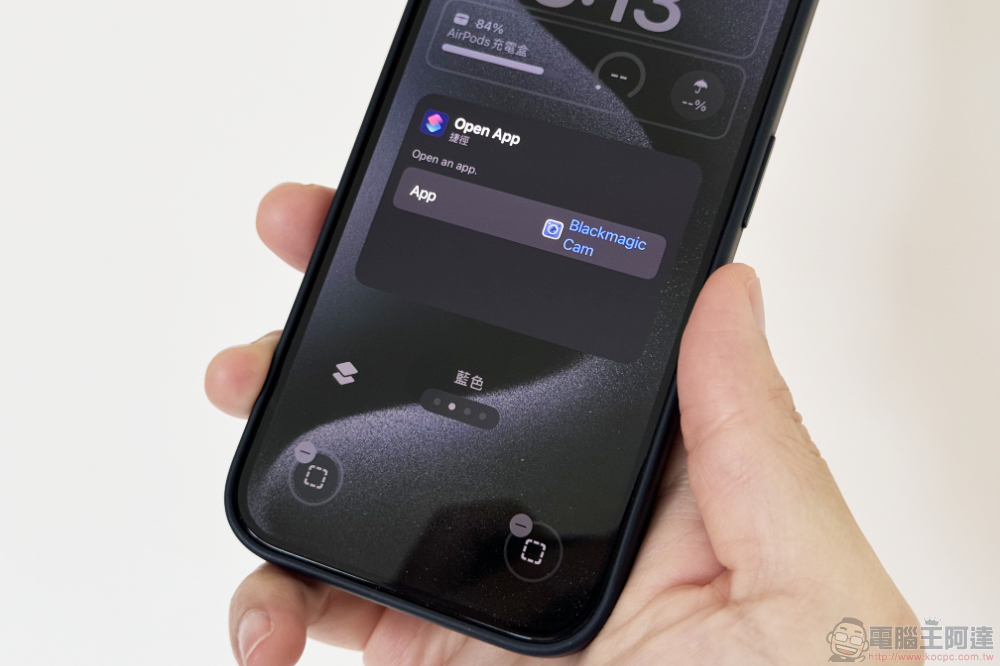
The Control Center has also introduced multi-page and more in-depth customizable arrangement and size functions with iPadOS 18 – my personal favorite is the ability to customize the two shortcut buttons for the flashlight and camera in the lock screen. I don’t know what function you want to customize? The editor chose Final Cut Camera on the left, but kept the original camera button on the right (how much do I love shooting XD).
In addition, the updated functional improvements also include various font changes for messages, support for later delivery and RCS, as well as a new independent “Password App” for both Apple mobile and desktop systems; the Photos App also has a new look.

▲Image source: Apple
iPadOS 18, in addition to the interface and function updates obtained with iOS 18. It is quite unexpected. Before the arrival of the Apple Intelligence experience, it provided many interesting machine learning functions that were “processed on the device” with relatively higher privacy.
For example, at the WWDC Keynote, Apple mocked itself for finally bringing a computer app, with the amazing ability to directly write calculations by hand and even generate charts – you can also update the results in real time and quickly adjust the values through the interface! This part must be a feature that many people will definitely try after installing iPadOS 18.
However, it is a pity that I am very much looking forward to re-beautifying handwriting and adding the function of recording verbatim transcripts in the original Notes App. At this stage, like Apple Intelligence, it only supports non-Chinese languages —at least, the function that can rearrange handwritten text supports Traditional Chinese.
▲Image source: Apple
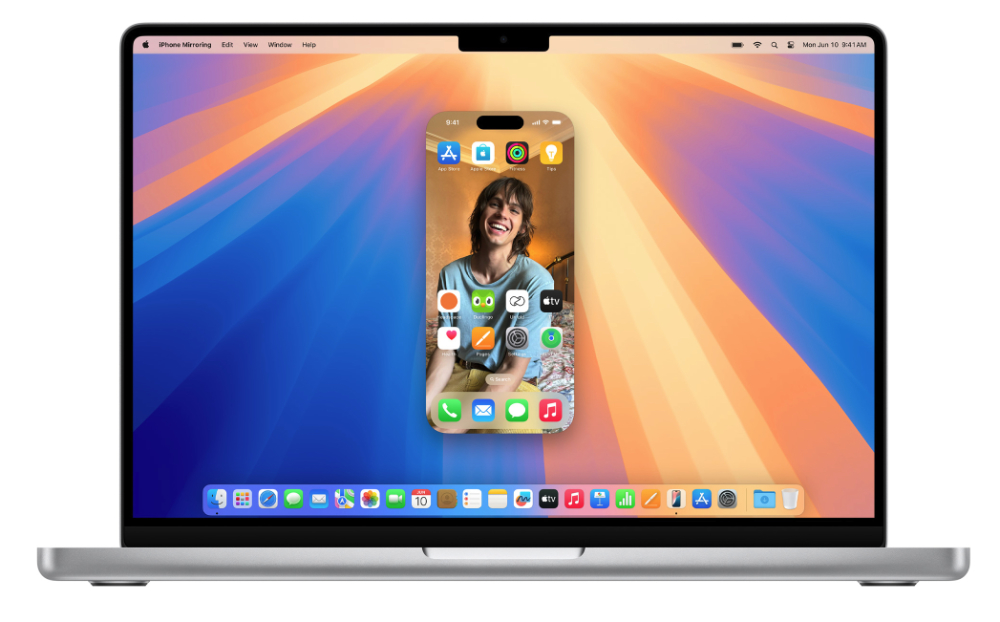
Come to macOS Sequoia and watchOS 11 and other systems. For the former, what everyone is most looking forward to is the latest interconnection function that directly puts the iPhone screen (and can touch and drag to transfer data!) and notifications into the Mac system. In addition, it is a function that can more easily arrange the window arrangement and split size.
Well, everyone knows that these “only you know” features have appeared in other systems. However, I believe that it will indeed greatly improve the experience when using Mac.

▲Image source: Apple
Finally, regarding the upgrade of watchOS 11, although some people may think that Apple seems to focus on sports and health functions – which is not bad, including the “pause lap record”, the check in function to report safety during exercise, more customized lap goals and training load functions, etc. are all very useful.
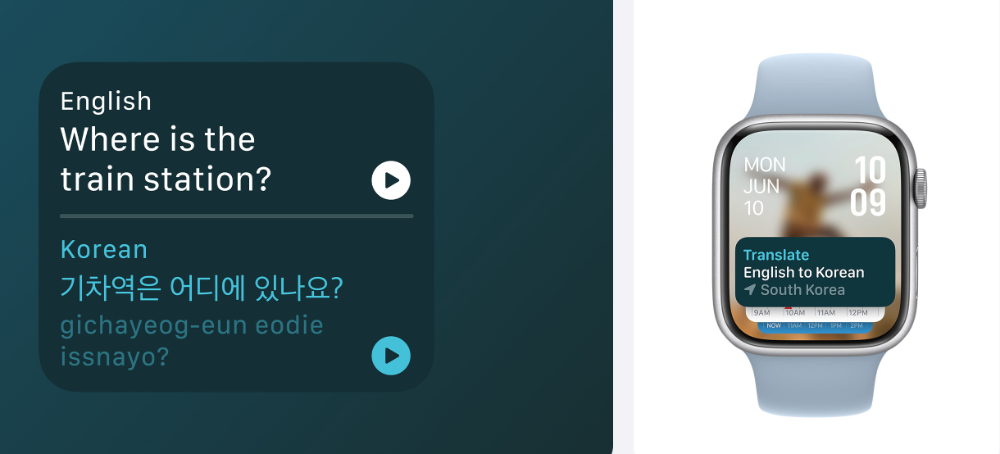
But don’t ignore Apple’s interface upgrades for Apple Watch. For example, the “real-time dynamic” function that I personally look forward to working closely with the dynamic island can now be displayed in the smart stack of watchOS 11. This interface also supports new gadgets – gadgets that can translate in real time should be very convenient!
▲Image source: Apple
Finally, the “two-finger double-tap” gesture added to Apple Watch Series 9 and Apple Watch Ultra 2 can be extended to scroll content in watchOS apps in the new system. It can also provide further operation functions in third-party apps after developers import API support.
It should be noted that if you want to test watchOS 11, you will also need to upgrade the paired iPhone to iOS 18.
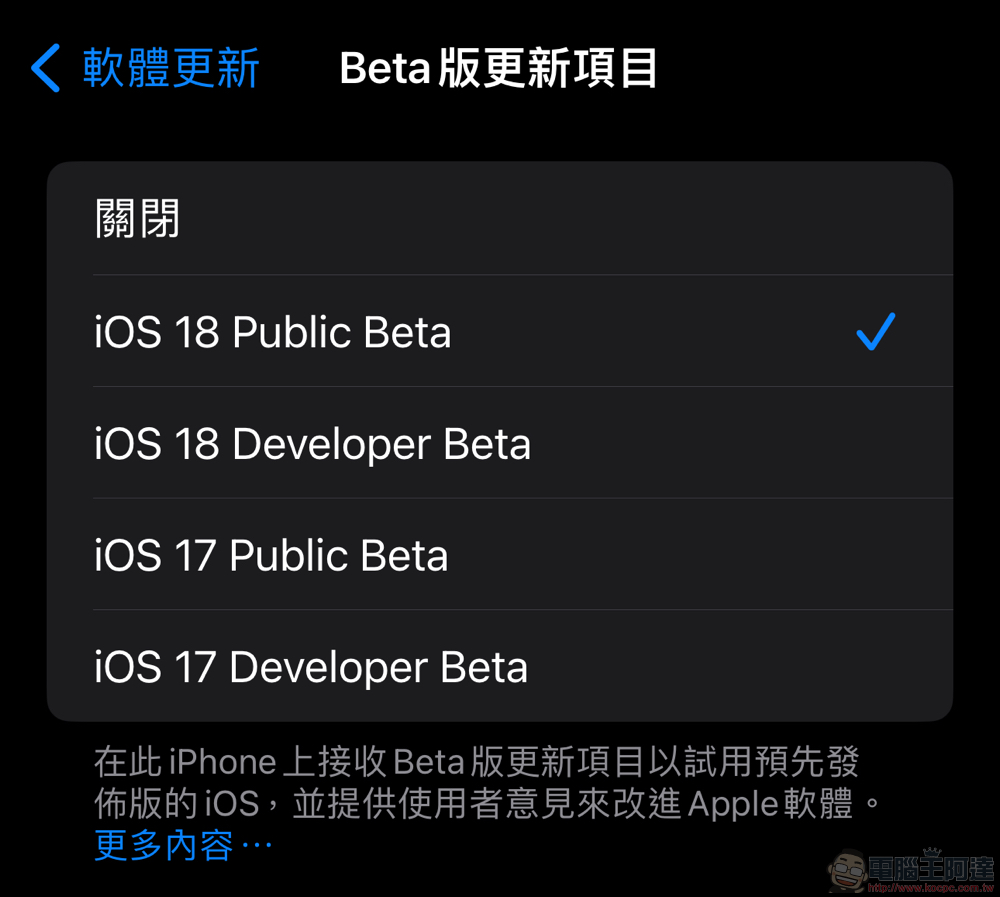
It has to be said that with the current low threshold for installing the developer version, many users who would have originally wanted to try out the test version of new features in advance seem to all try the previous version in advance…
However, just like every Apple system test update in the past, the Computer King Ada team still recommends trying it on a device that is idle or relatively less worried about important apps that are necessary in life may stop functioning – or at least confirm whether the developers of apps that are necessary in life have issued any warnings or notes suggesting not to update to the new system for the time being.
▲Image source: Apple
This is the author’s current experience in observing and trying the iOS 18 beta version. Taking the developer version as an example, many obvious functional bugs have been corrected since Beta 2. But it must be said that the public beta version is relatively stable, but I just tried the Public Beta and still encountered a bug where the control center interface got stuck. Although this part has since returned to normal operation, it is recommended that you consider the possibility of unsmooth operation before joining the public beta.
References:iOS 18 / iPadOS 18 / watchOS 11 / macOS Sequoia
Further reading:
Source: KOCPC Chinese